Watch Quick Video
Paystack Payment Gateway Connector App for Odoo
The Paystack Payment Gateway Connector Application For Odoo is a simple standard to link Odoo and Paystack to businesses to handle payments safely and efficiently. The Odoo interface is smooth and user-friendly enabling users to make payment transactions directly.
The connector is smart and adapts to the user specific setup, handling different payment methods seamlessly, determining the correct transaction costs and tracking payment requests all the way through the full payment approval workflow.
Paystack Payment Gateway Connector App Features
- Integrate Odoo with Paystack for fast and secure payment processing.
- Odoo allows you to cancel orders paid with Paystack and refund full or partial amounts, all from within Odoo.
- Accept payments through Debit/Credit Cards or any other payment method available via Paystack.
- Show your own success / failure messages Notify your customers about changes in payment status.
- If you have multiple sites you can enable/disable payment options for each site.
Complete Workflow for Paystack Payment Gateway Connector App
To set up Paystack, go to Website → Configuration →
Payment Providers and select "Paystack Payment"
from the list.
Open the record, enter your Paystack Secret Key and Public Key under the Credentials
tab, and set the state to Test Mode or Enabled. You can also assign it to specific
Websites and edit the Pending, Done, and Cancelled messages if needed.
Once enabled, Paystack appears as a payment option at checkout and on portal invoices.
Payments create a standard Payment Transaction record, which can be viewed, tracked, or
refunded like any other provider in Odoo.
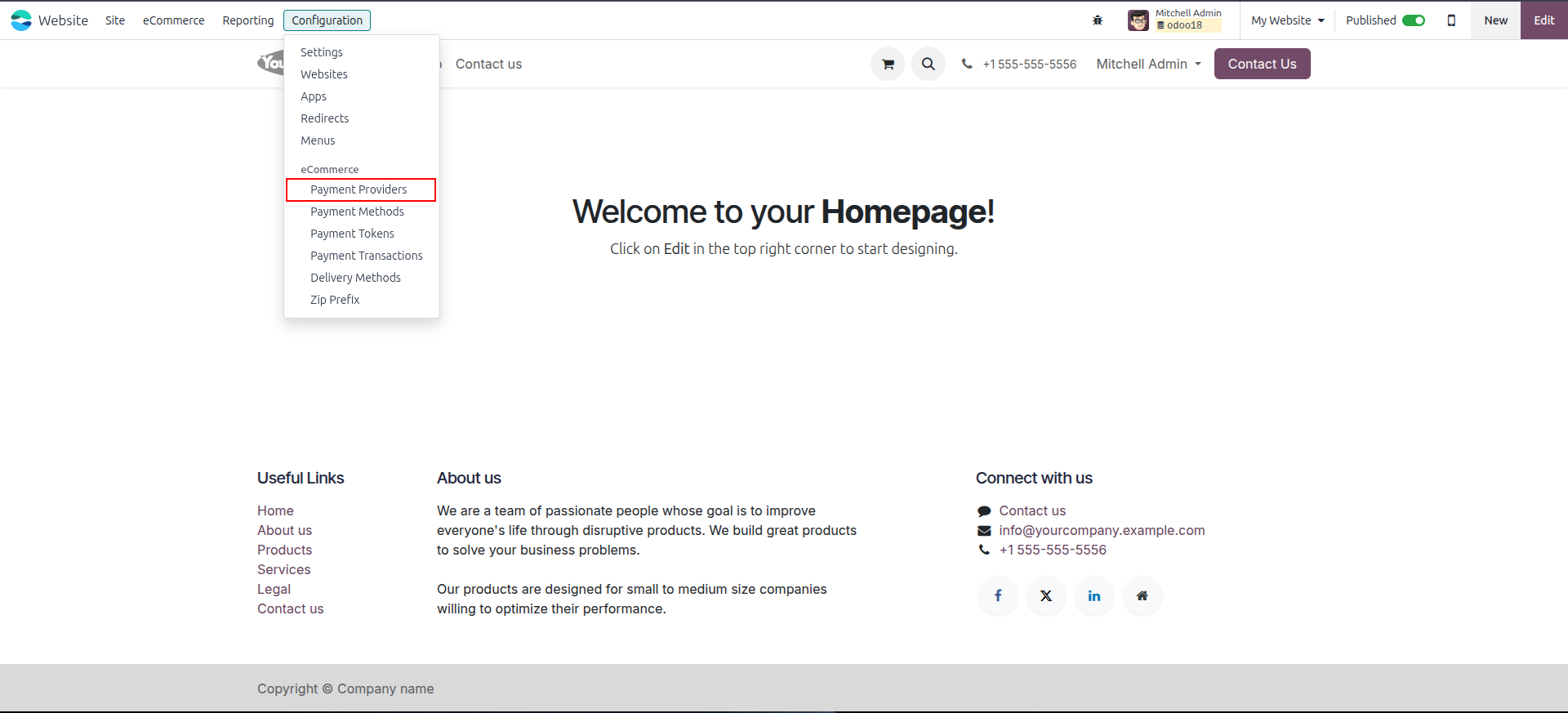
1. Go to Website → Configuration → Payment Providers to see Paystack listed with all other available providers.
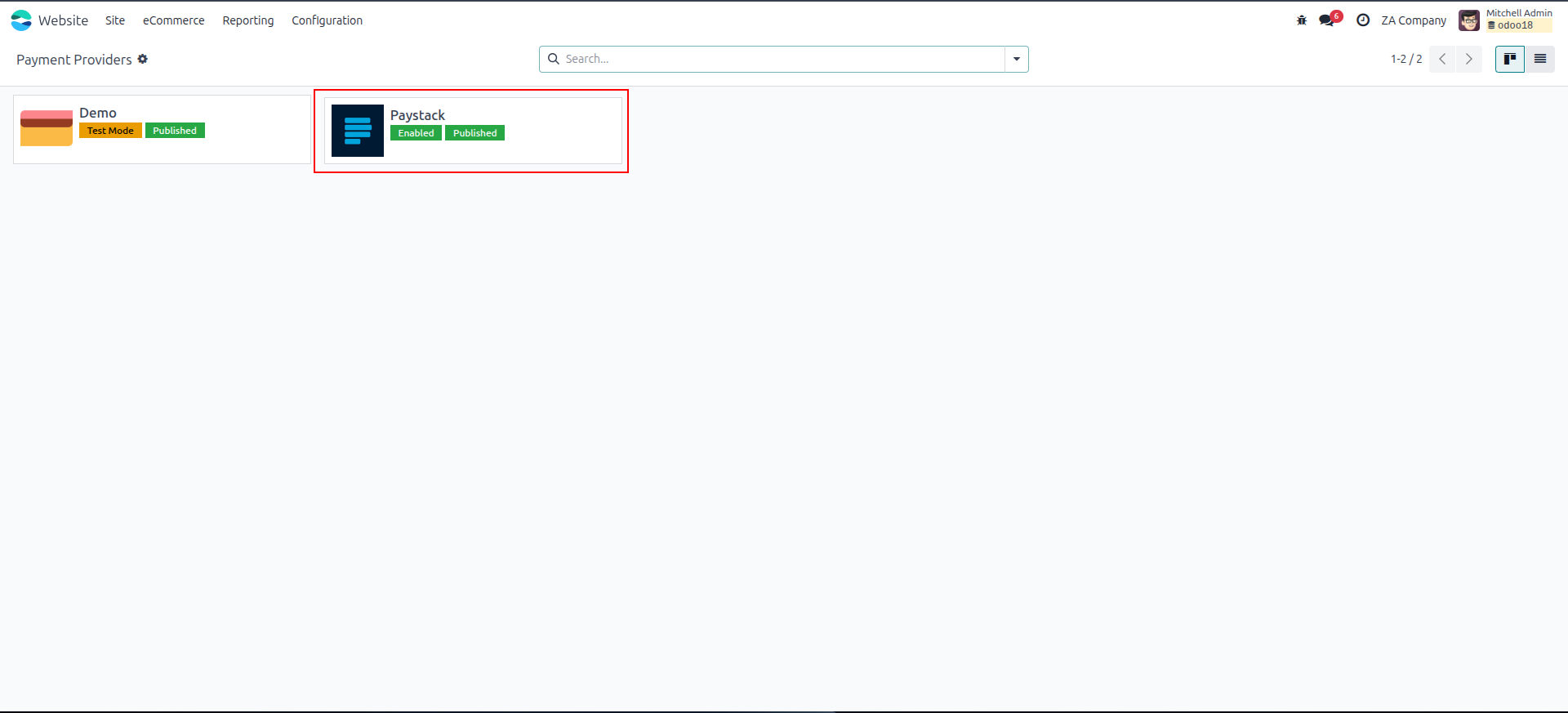
2. Open the Paystack provider record and enter your Secret Key and Public Key under the Credentials tab.
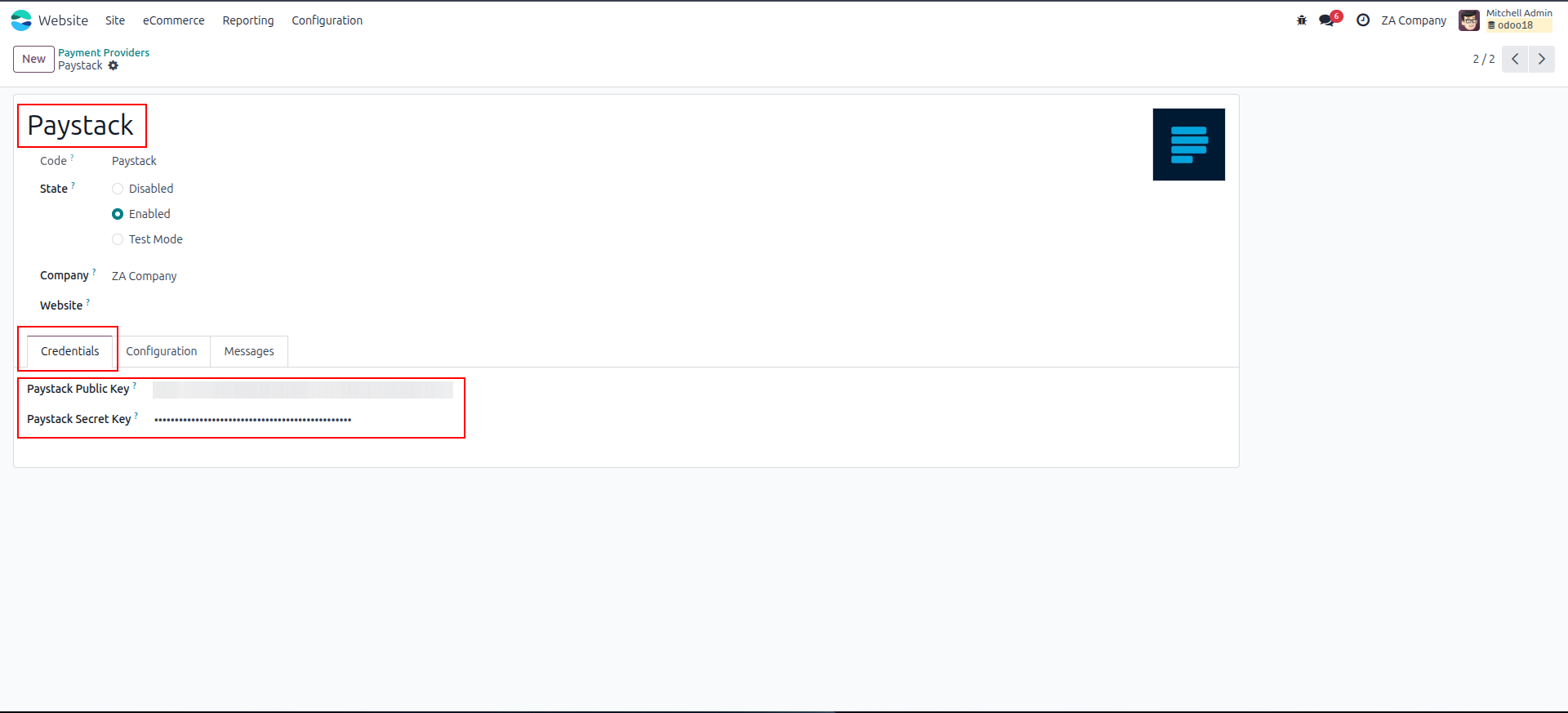
3. Set the provider state to Test Mode or Enabled, and assign it to one or more specific websites.
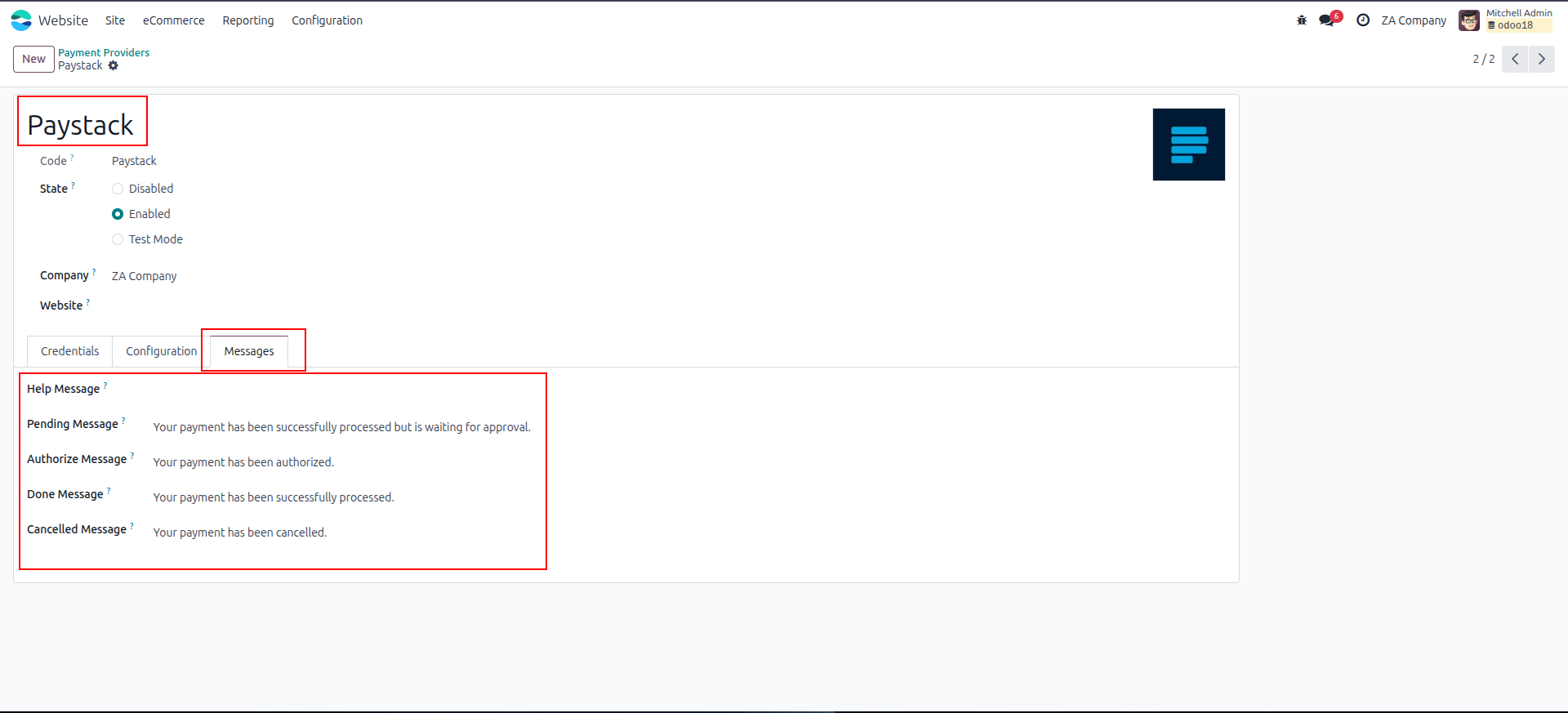
4. Customize the Pending, Done, and Cancelled payment messages shown to customers after checkout.
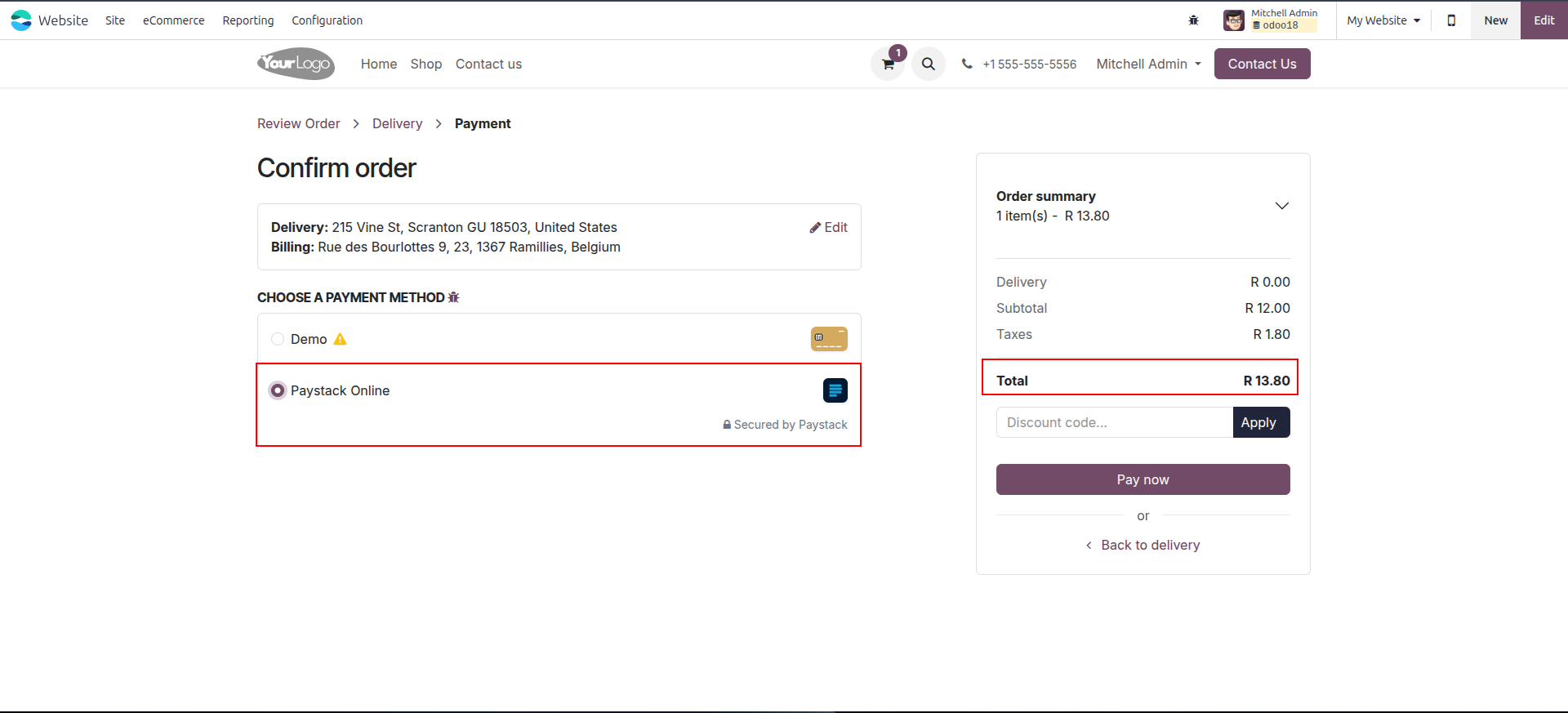
5. Paystack appears as a payment option on the eCommerce checkout page alongside other enabled providers.
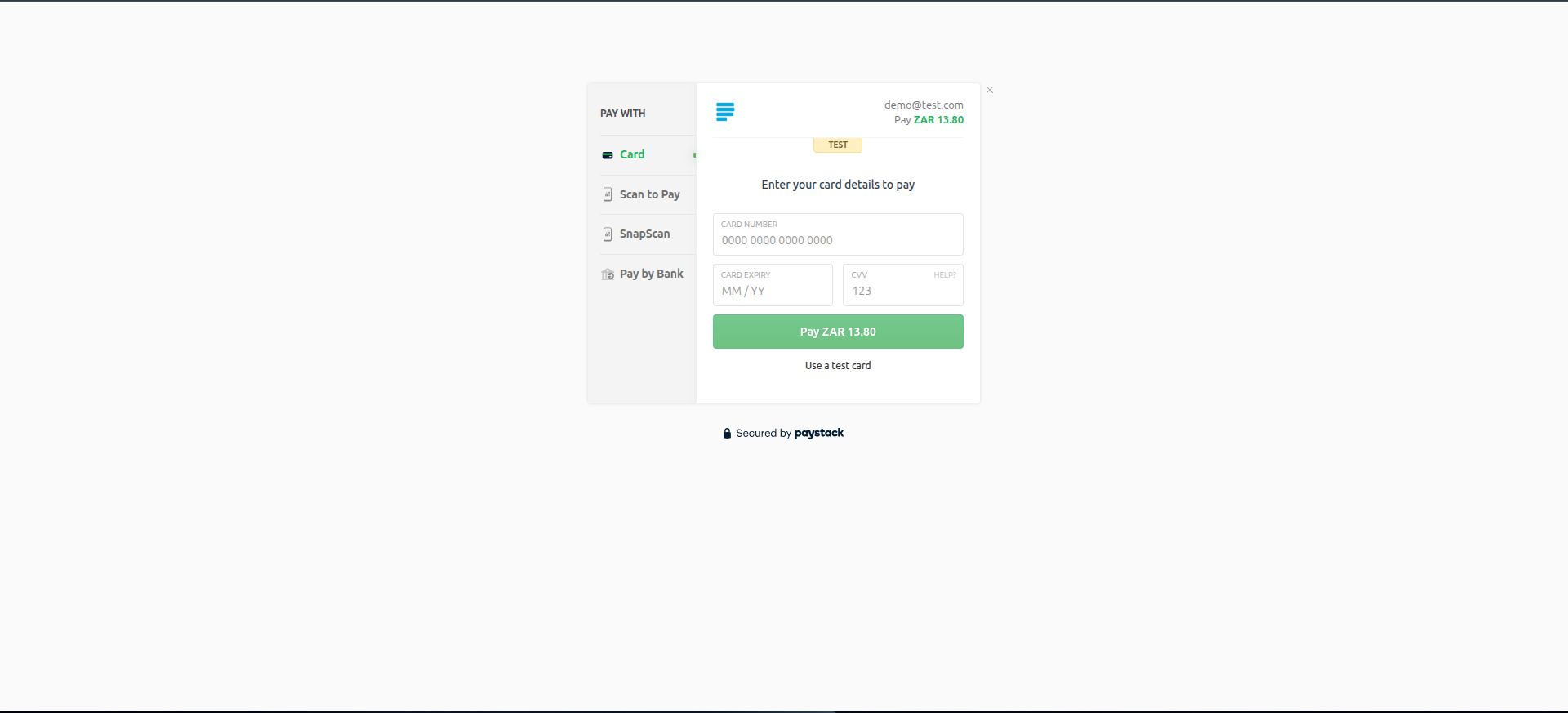
6. Customer is redirected to the secure Paystack payment page to enter card or bank details.
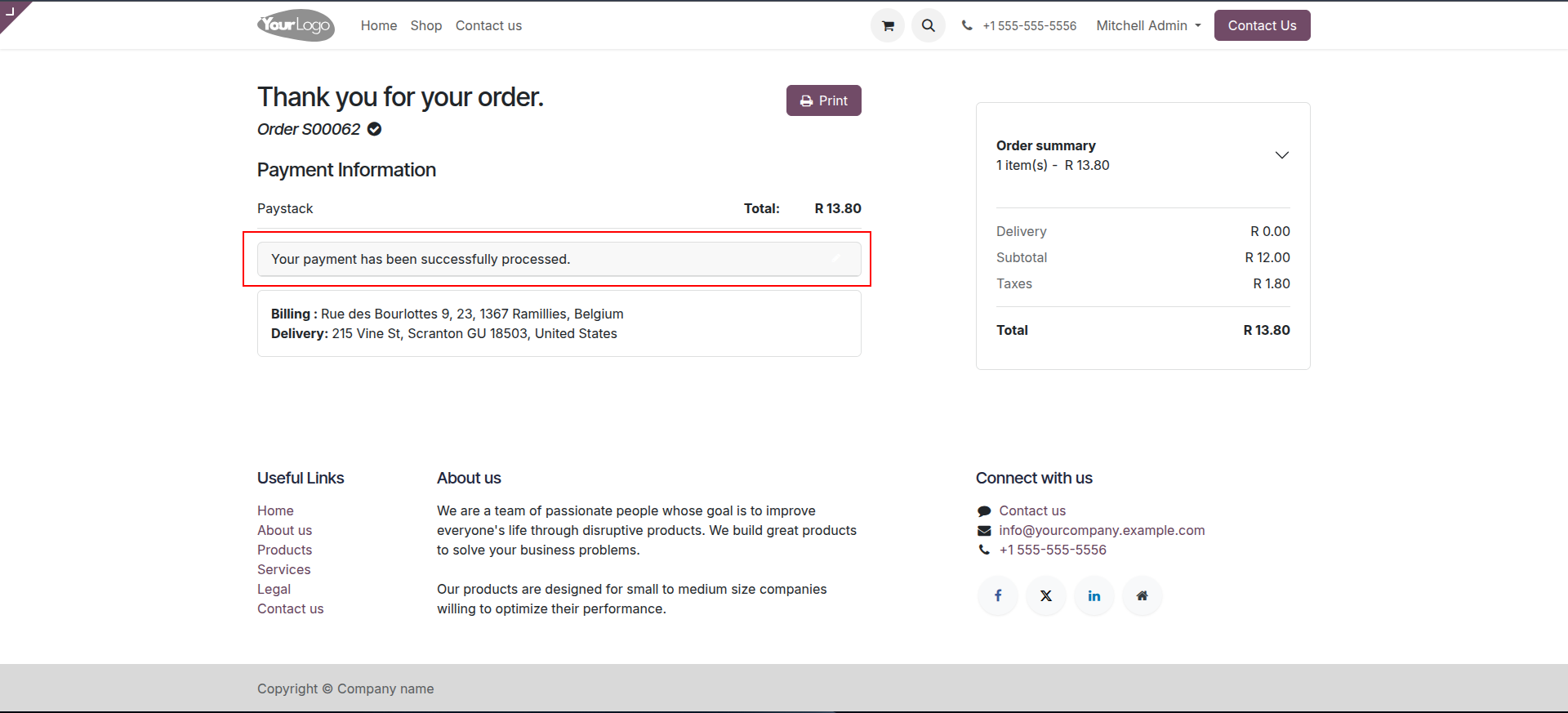
7. On successful payment, the customer is shown a confirmation page with order and payment status.
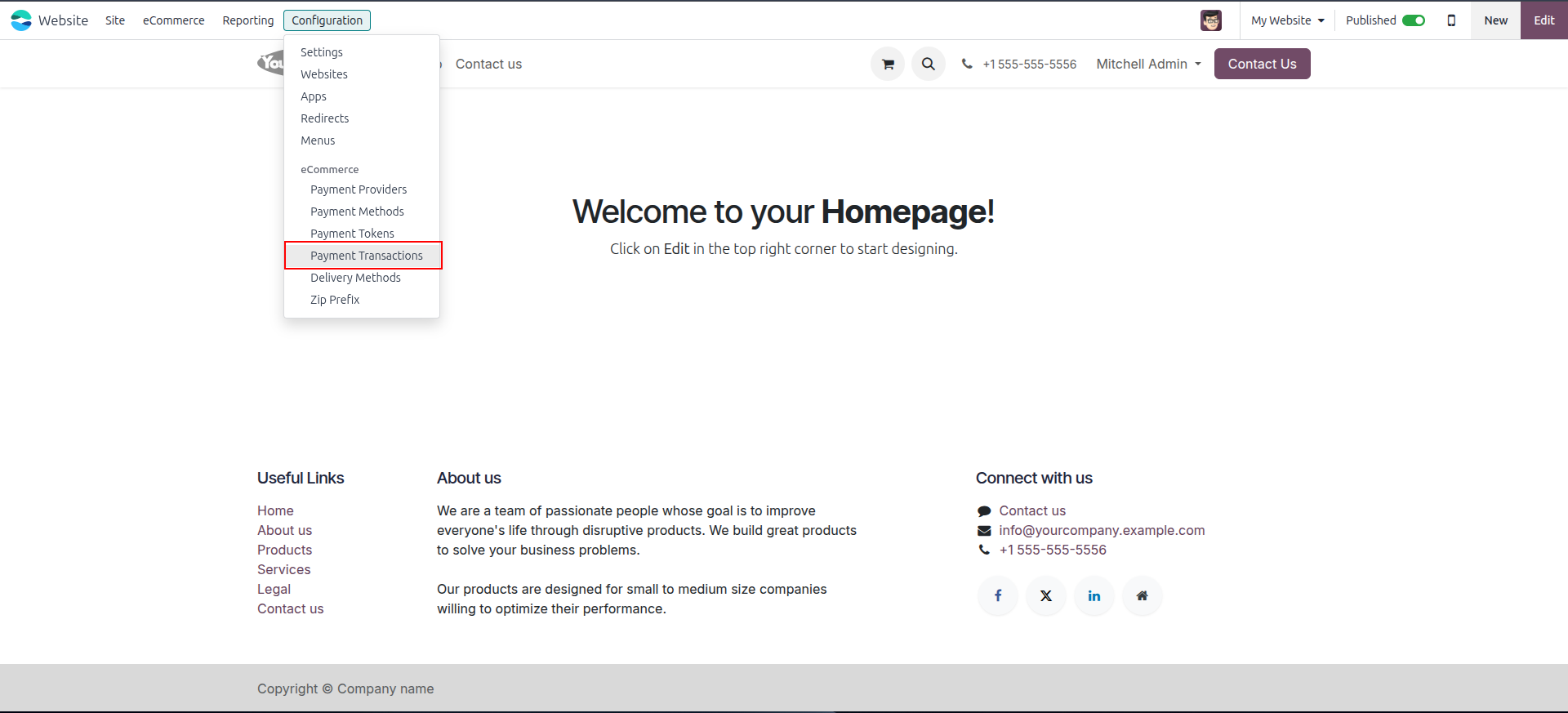
8. Go to Website → Configuration → Payment Transaction to see all transactions.
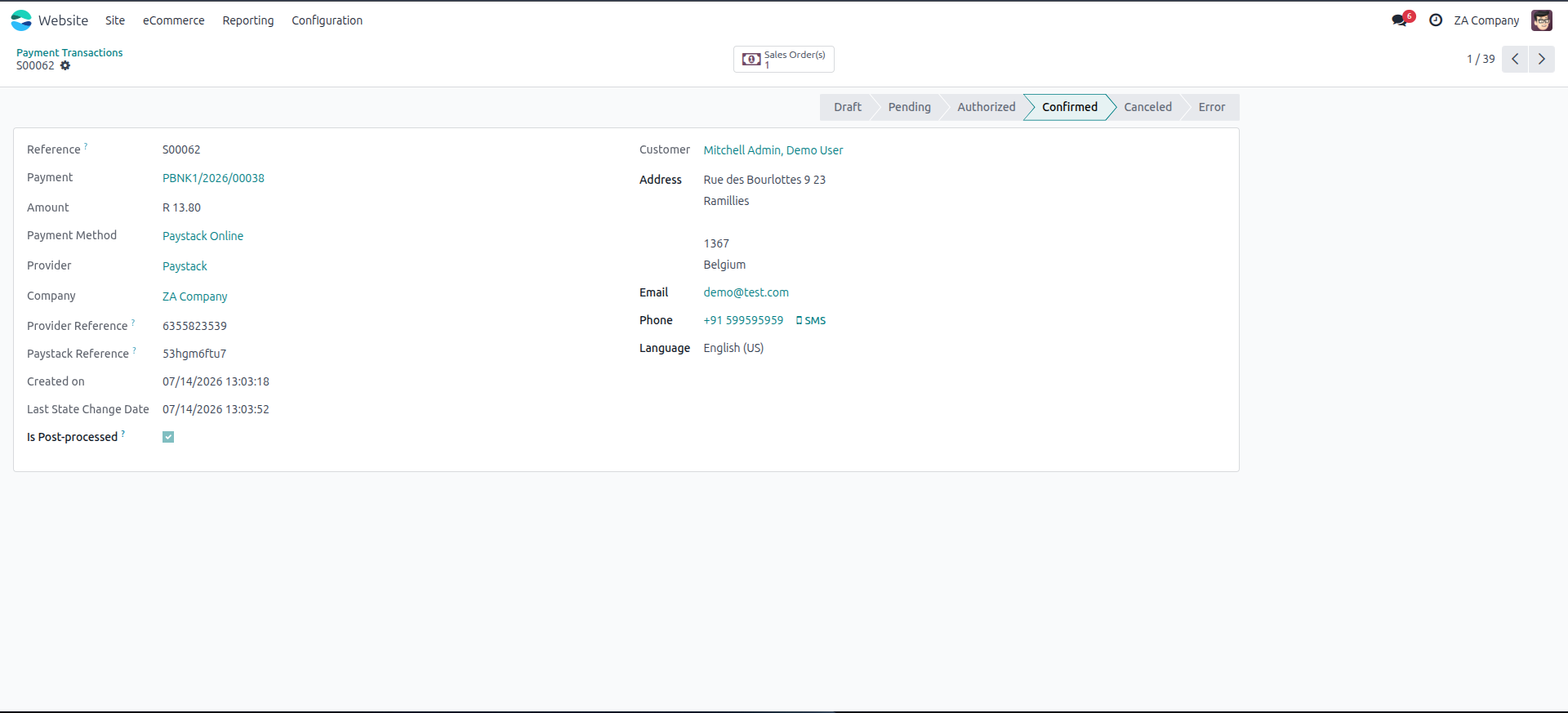
9. Open a transaction record to check its exact amount, reference, and current status.
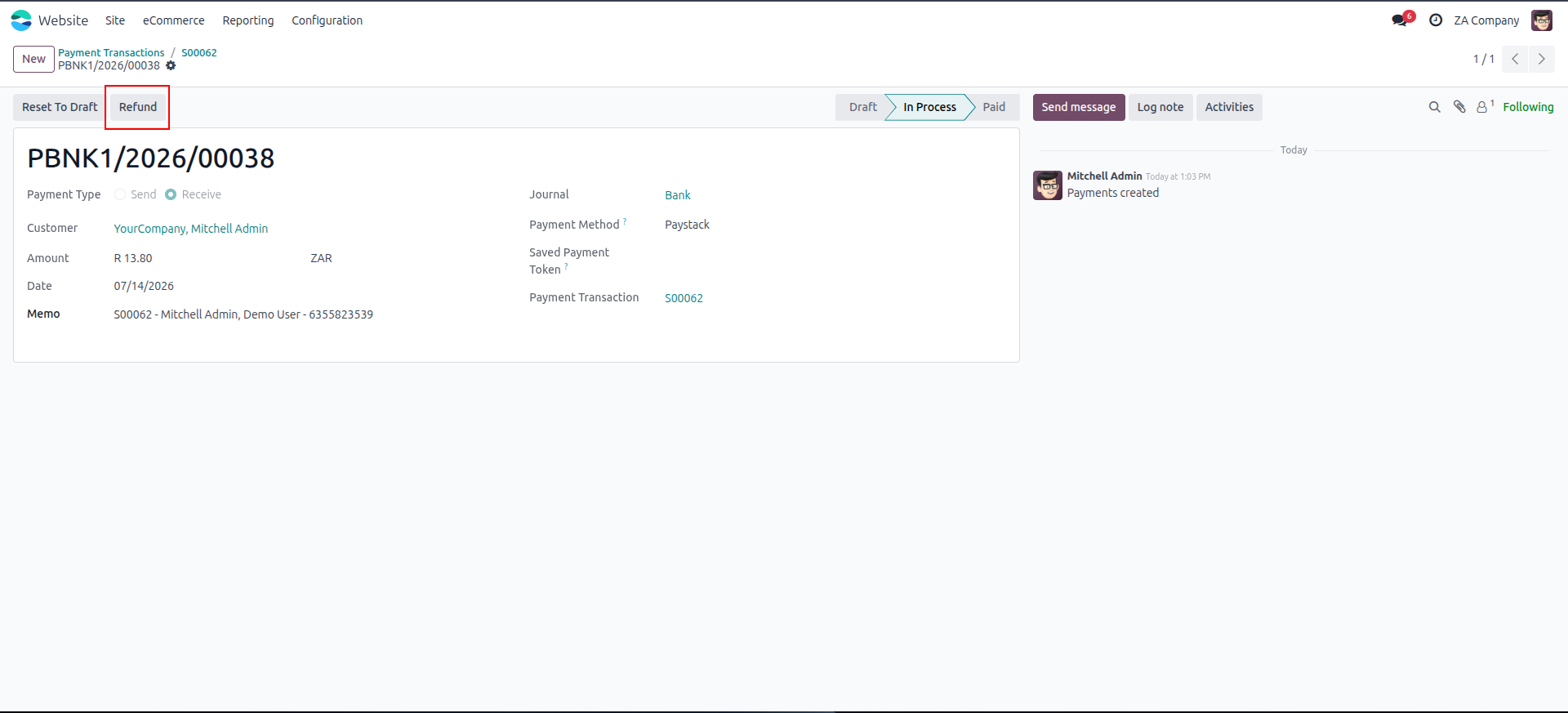
10. Refund a Paystack transaction directly from the backend like any other payment provider in Odoo.
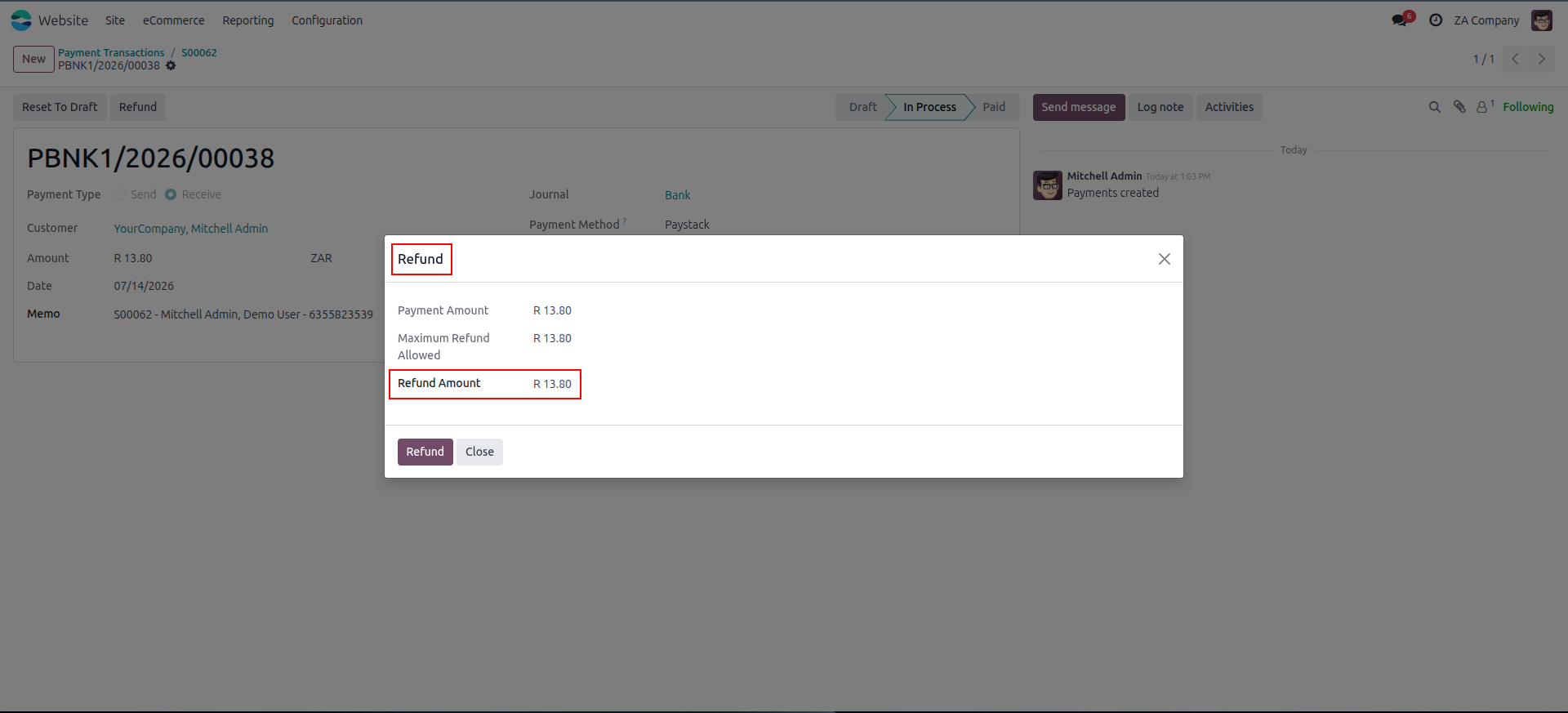
11. Enter Full or partial amount to refund.
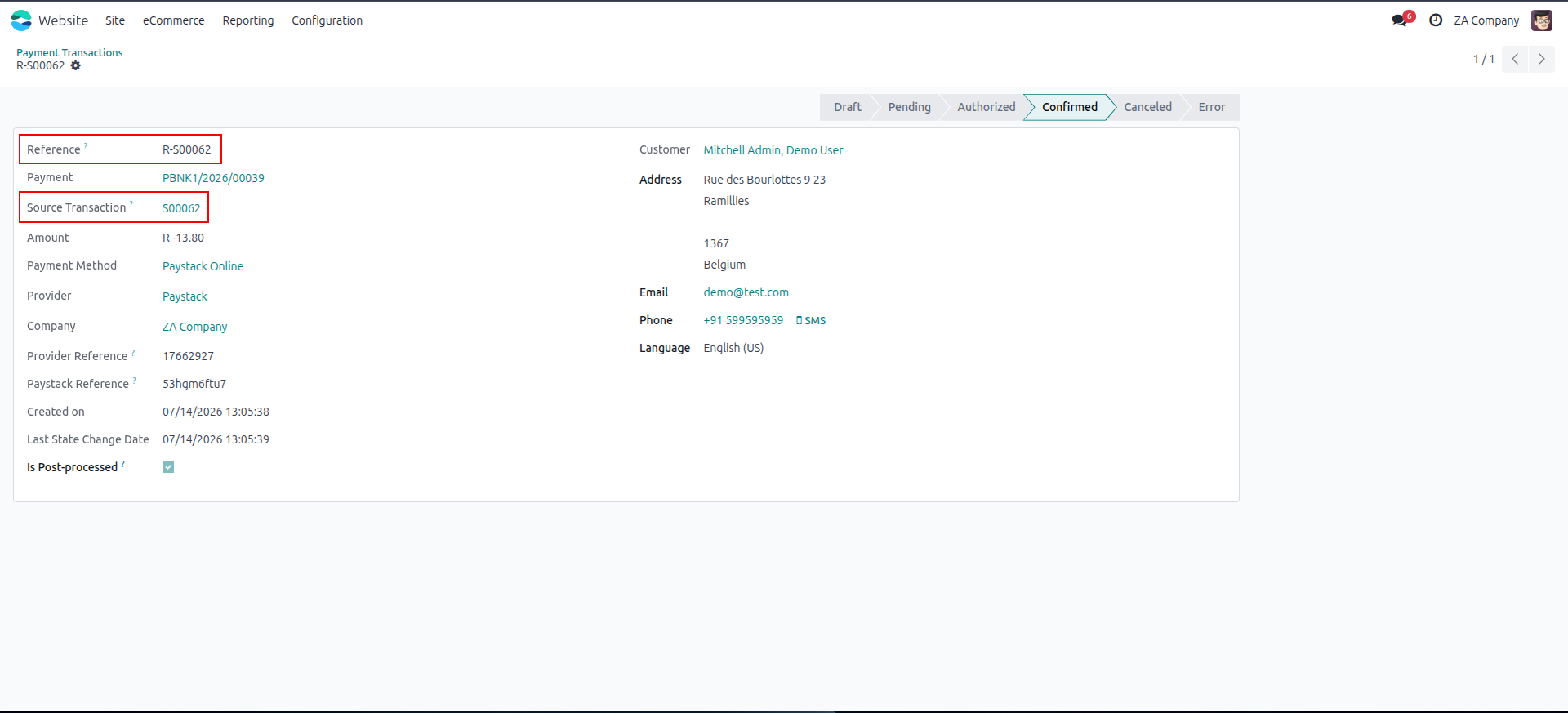
12. Track the refund status once it's processed and confirmed back on the transaction record.
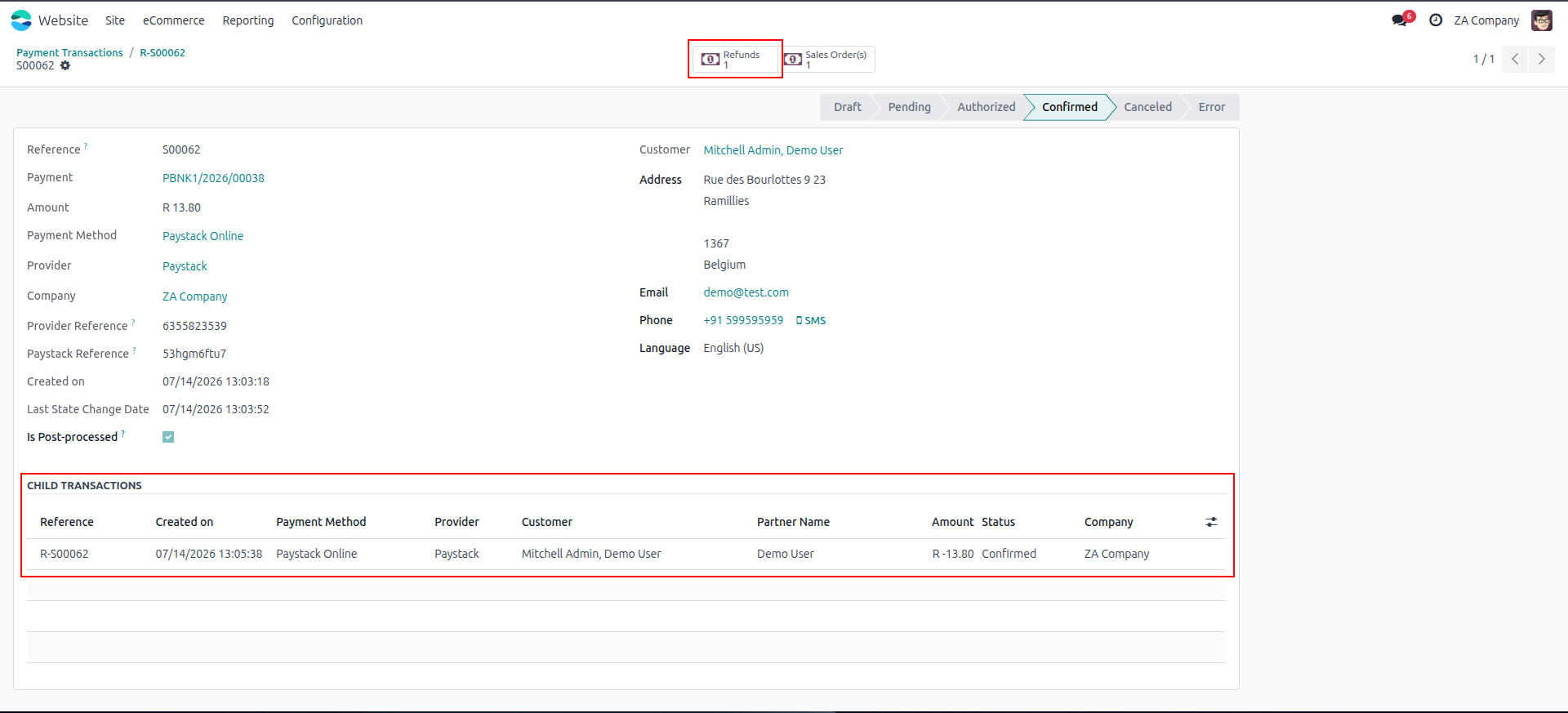
13. User can view original and it's refund transaction records.
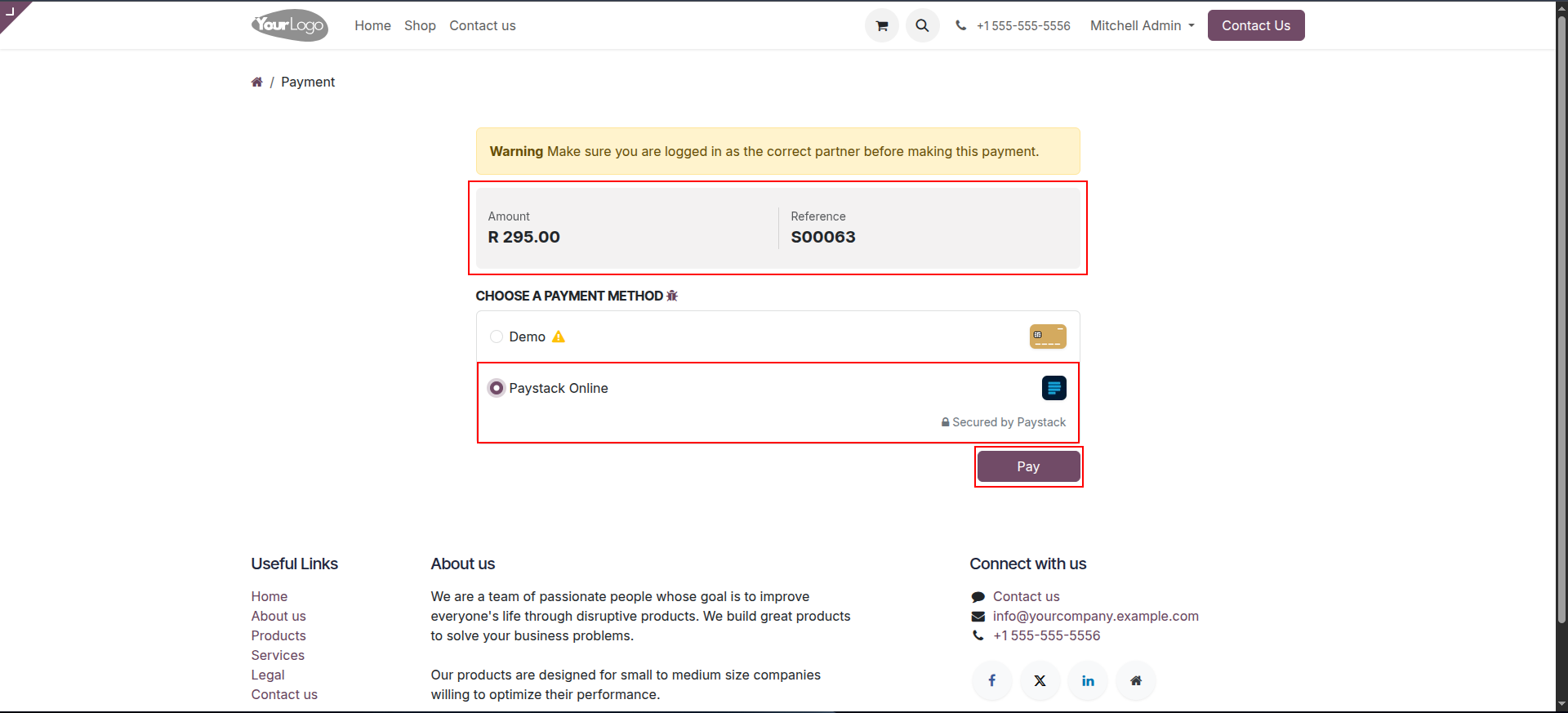
14. Paystack payments are also available on portal invoices, letting customers pay outstanding bills directly.
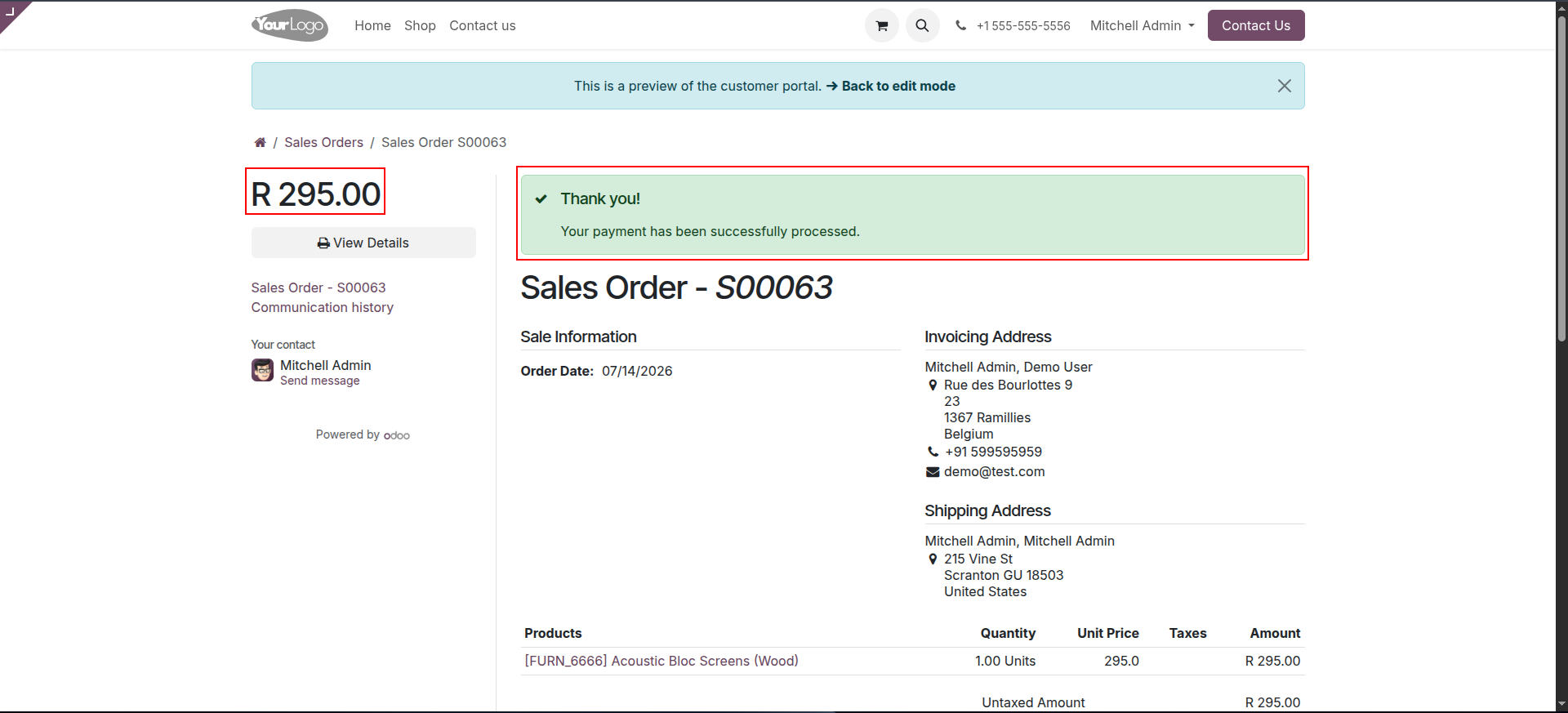
15. Once paid via Paystack, the portal invoice status updates automatically to reflect the payment.
Our solutions focus on your problems
- Odoo Implementation
- Odoo Customization
- ERP Development and Implementation
- Odoo Ipass Cloud
- AI for Odoo
- Odoo Apps
- Aws Marketplace Products
- Business Engines
Our Pricing includes User Manual, 90 Days Support (Monday-Friday 10am to 7pm IST) and One time Setup
• Works & tested on standard installations of Odoo with no third party apps,
• Free support only for odoo installations with no third party apps,
• Paid support available for Odoo installations with third party apps.

Prefortune is a Odoo Official Partner, Odoo Development company. Our philosophy is to use Open Source tools and technologies to provide cost effective and green solutions for our customers.
Prefortune Technologies LLP is working on web development, Mobile development, and Odoo ERP.
If you need any help or want more additional features, you may contact us through:
Alternative Products
These other products might interest you
Specifications
| Version | 19.0, 18.0, 17.0, 16.0, 15.0, 14.0 |