Watch Quick Video
Payplug Odoo Integration
The Payplug Odoo Integration
module is a Payplug Payment Gateway integration with Odoo Website to allow customers to make a secure online payment on the website checkout process. It also makes online transactions safe through a smooth and trusted payment process.
The module is fully integrated with Odoo Website and eCommerce checkout. It updates the status of the payment transaction by itself. It makes it easy to manage online payments. With simple API credentials and secure payment processing, Odoo allows businesses to provide a seamless checkout experience for their customers and maintain accurate payment records.
Payplug Odoo Integration Features
- Accept secure online payments through Payplug.
- Allow customers to pay securely during website checkout.
- Redirect customers securely to the Payplug payment page.
- View and manage Payplug payment transactions.
- Keep payment statuses updated automatically in Odoo.
Complete Workflow for Manage Payplug Odoo Integration
Install and activate the Payplug Odoo Integration module. After installing the module, navigate to Website → Configuration → Payment Providers and open the Payplug payment provider. Configure your Secret Key and customize the payment messages as required. Once configured, Payplug becomes available as a payment method during the website checkout process. Customers can securely complete their payments through the Payplug payment page using their card details. After a successful payment, Odoo automatically records the payment transaction and updates its status. The module provides a secure and seamless payment experience by integrating Payplug with the Odoo Website, ensuring reliable online payment processing and accurate transaction tracking.
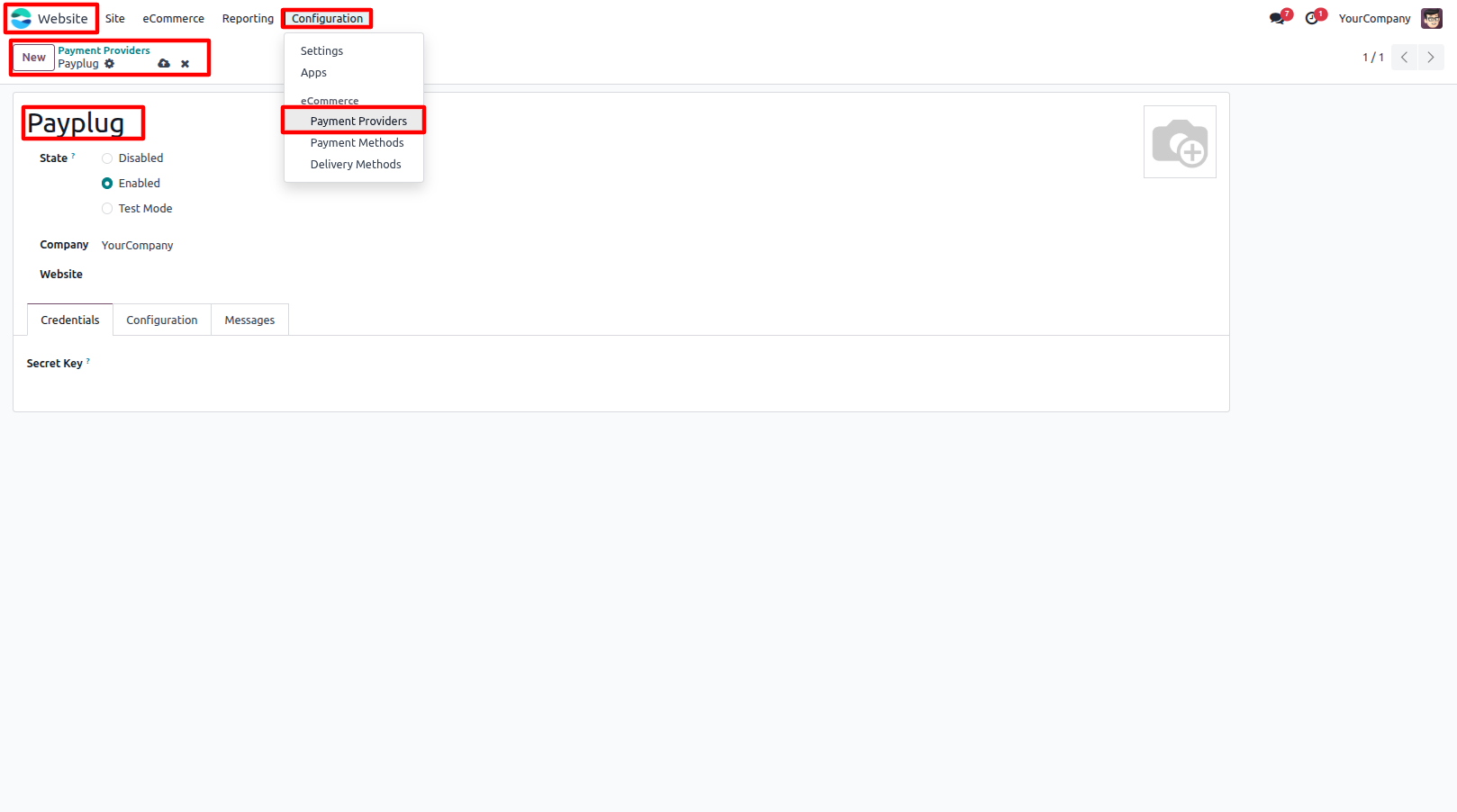
1.Go to Website → Configuration → Payment Providers and open the Payplug payment provider.
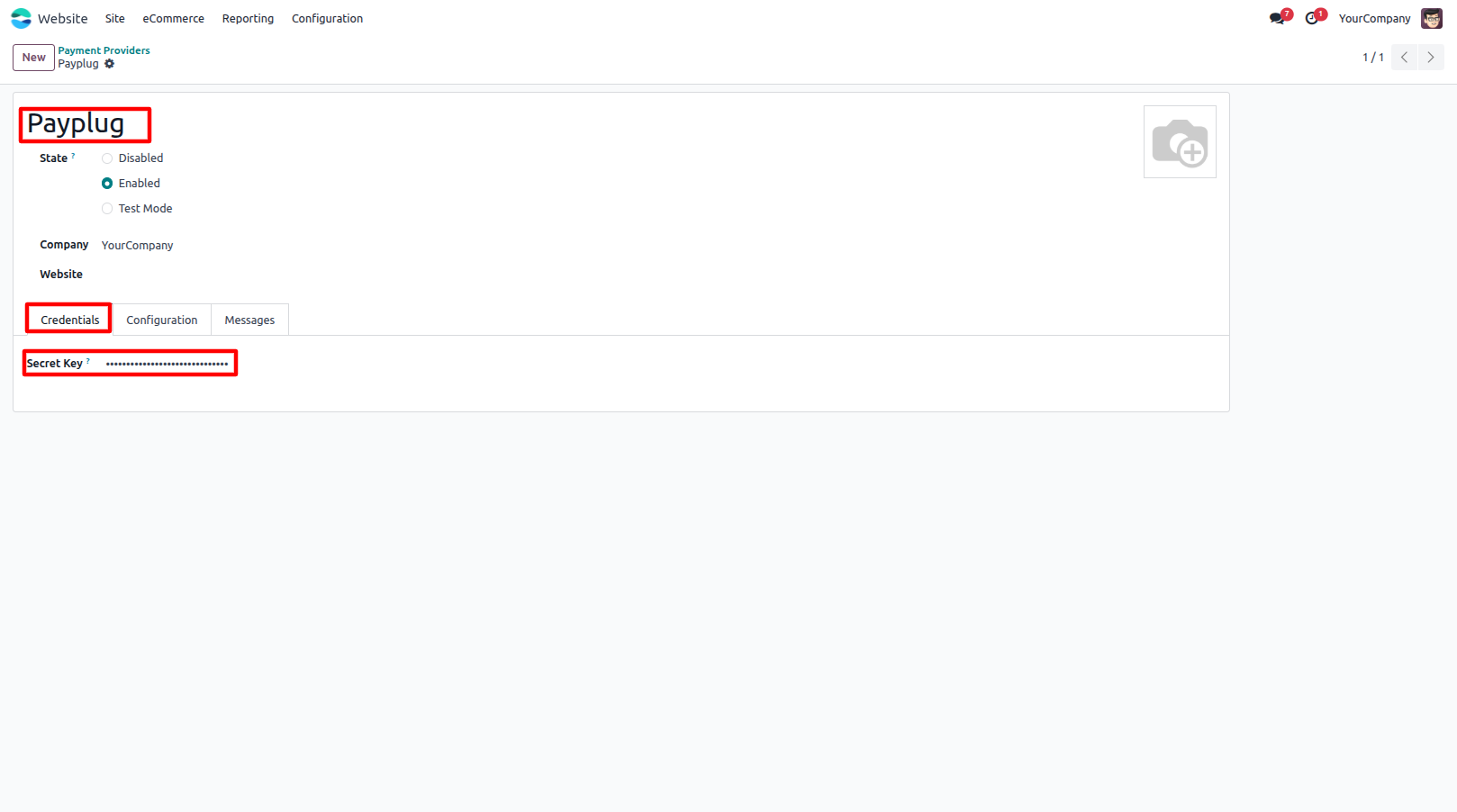
2.Enter your Secret Key and configure the Payment Messages.
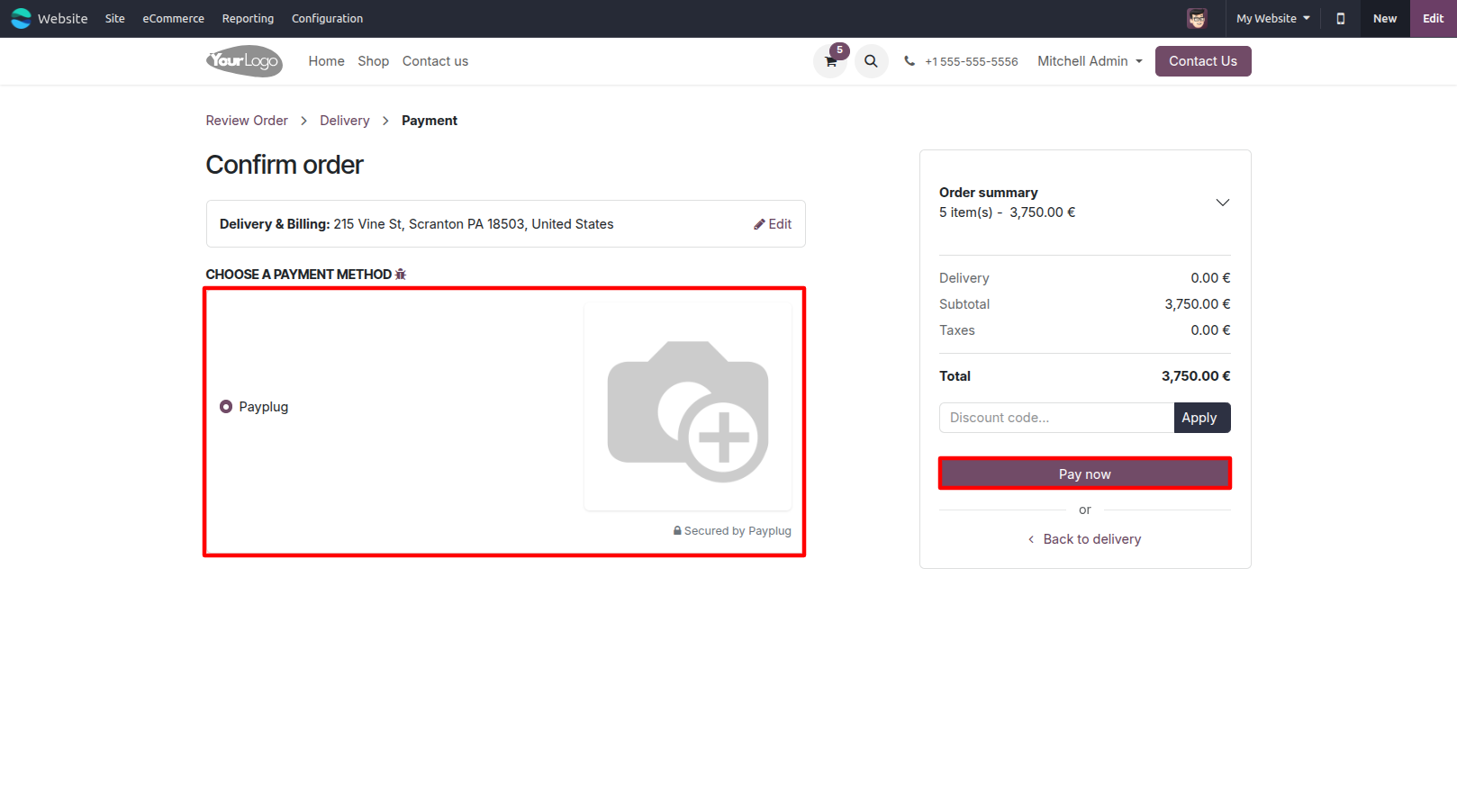
3.Select Payplug as the payment method during website checkout and proceed to the secure payment page.
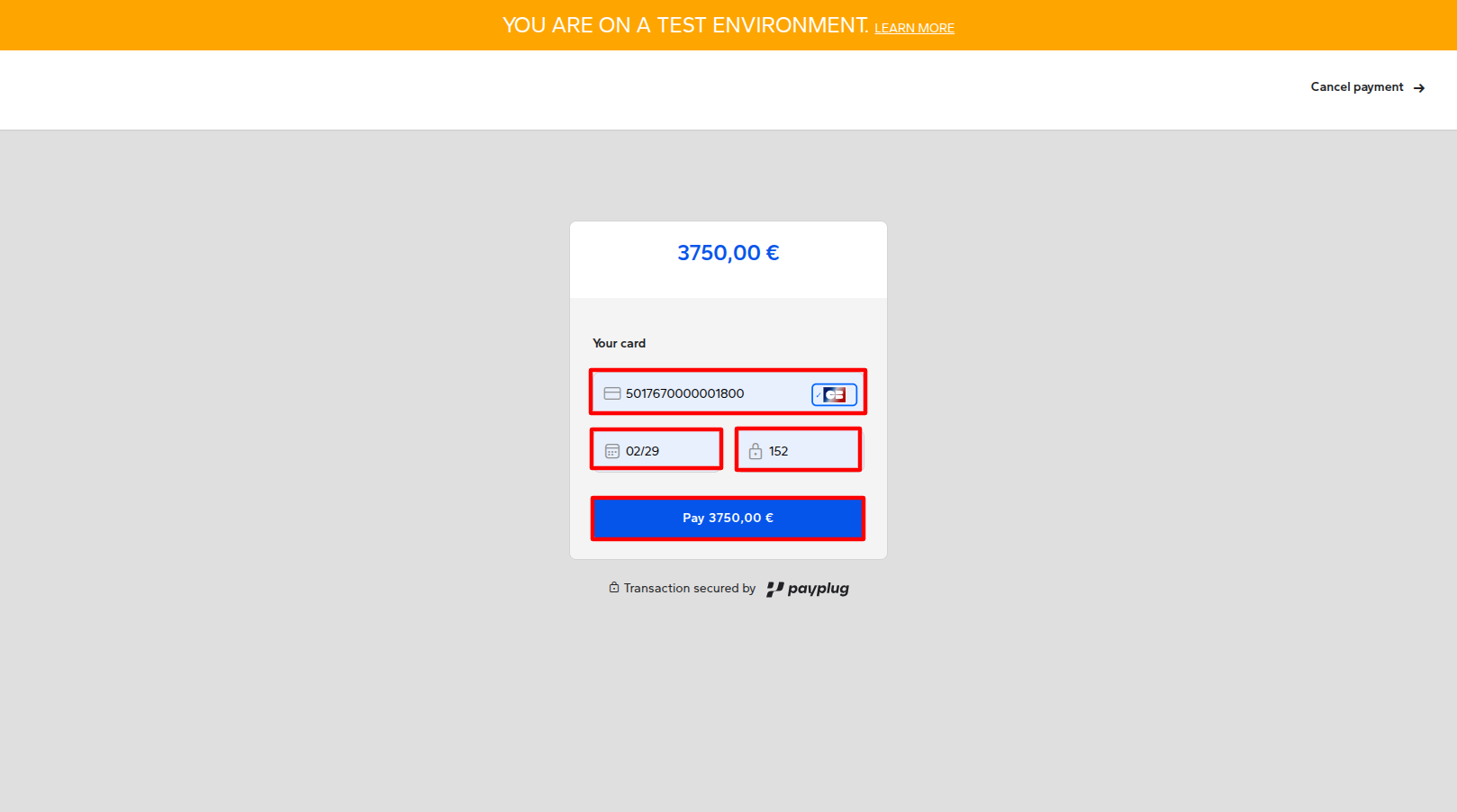
4.Enter your card details and click the Pay button to complete the payment.
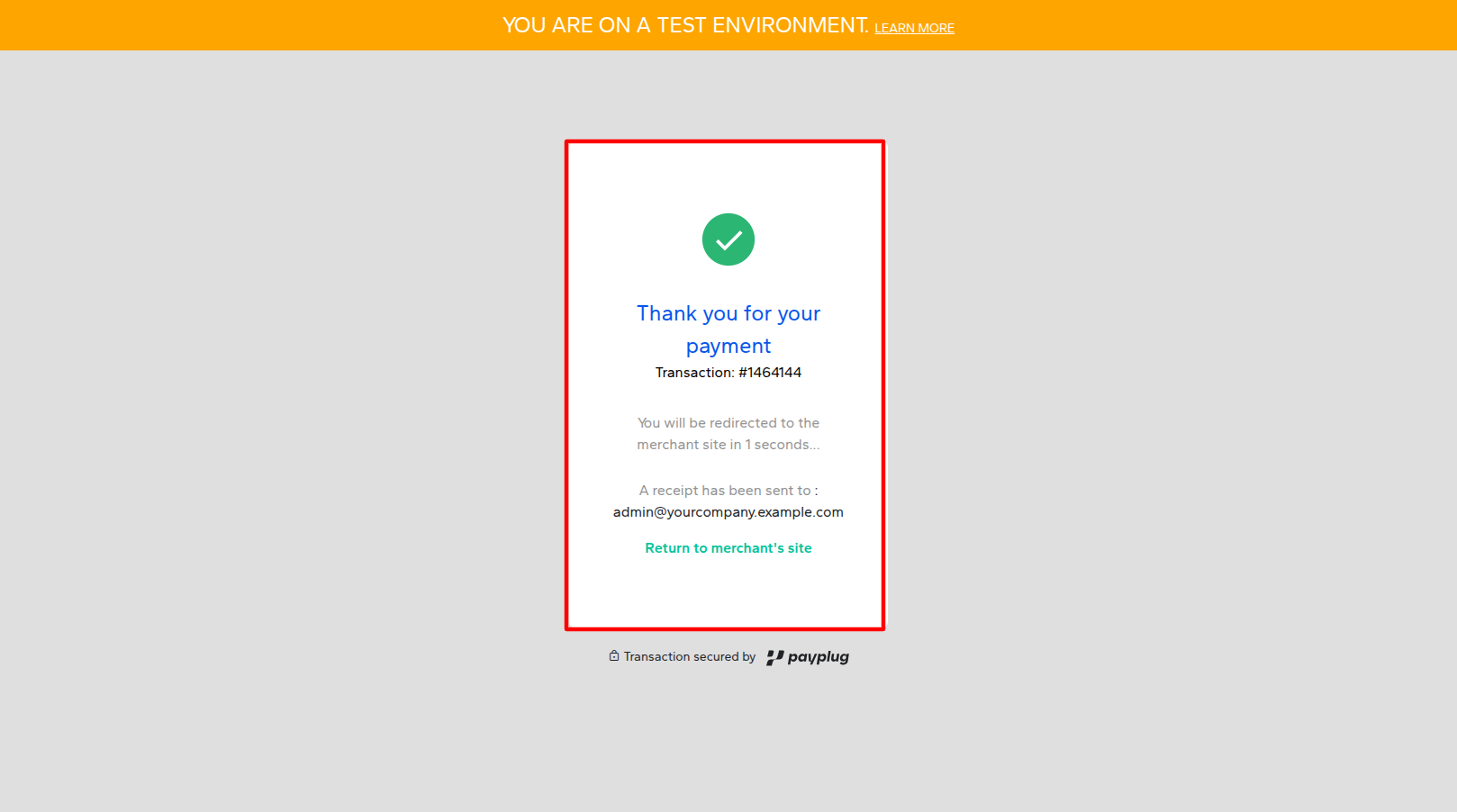
5.After a successful payment, the customer sees the payment confirmation page.
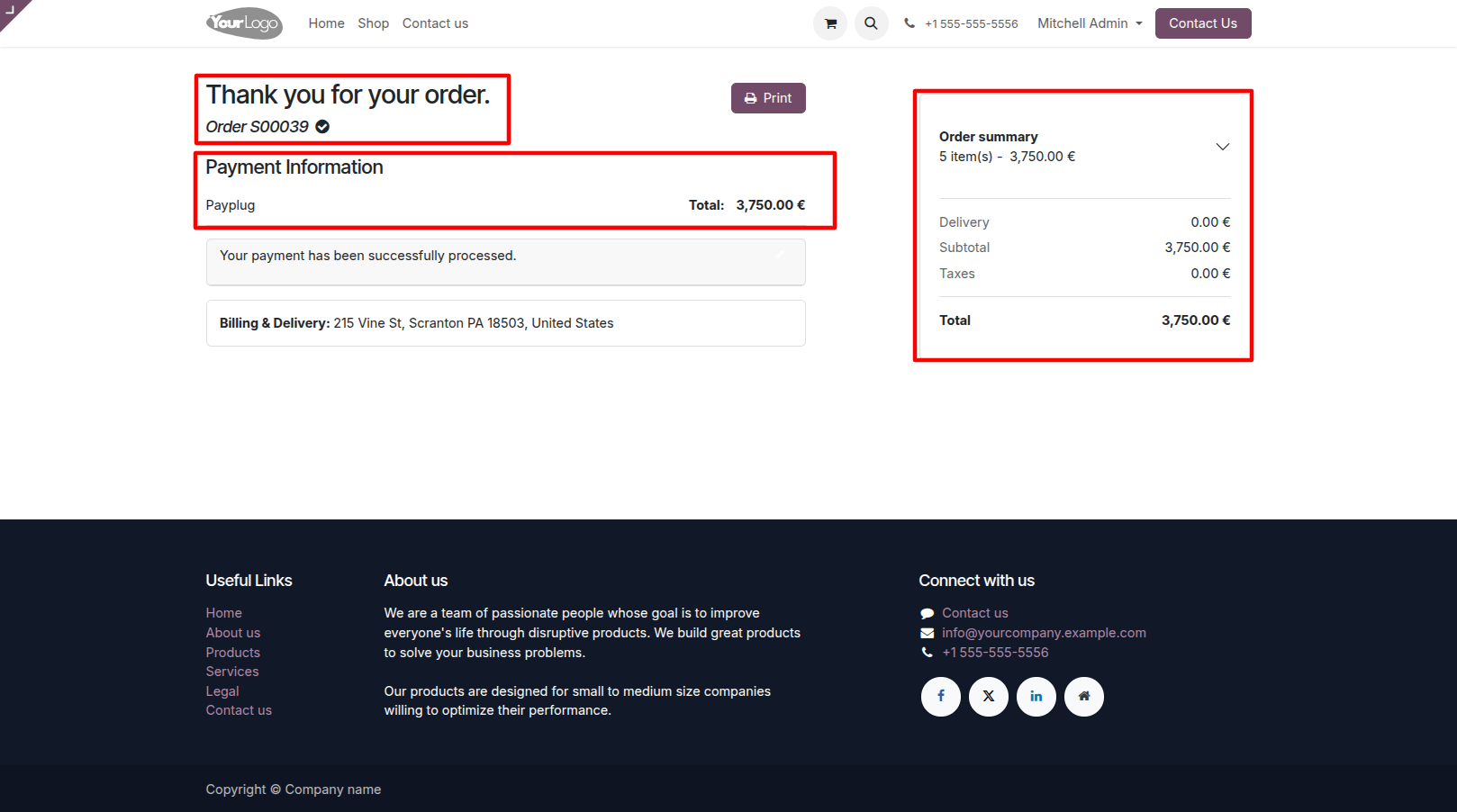
6.View the completed Payplug payment transaction in Odoo.
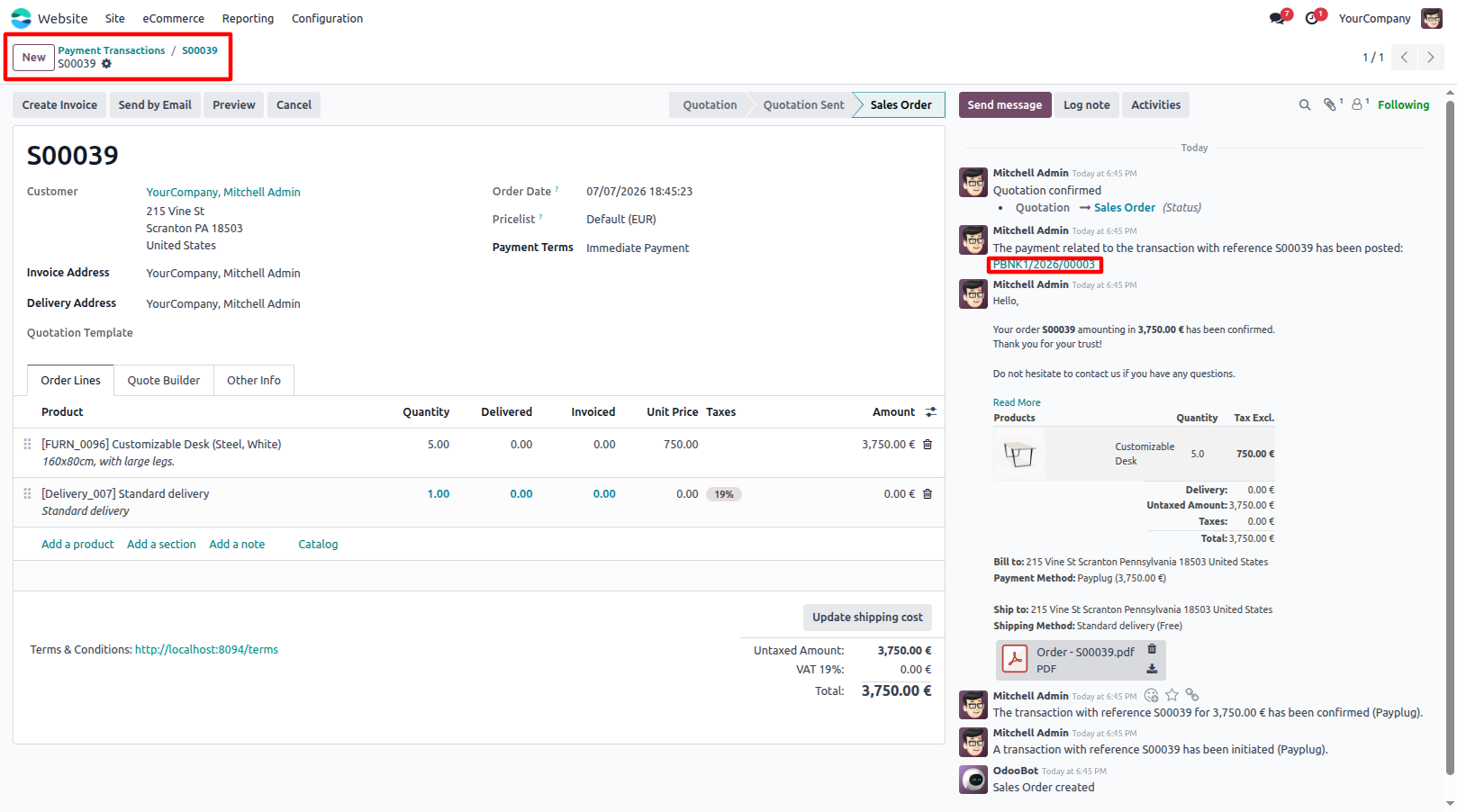
7.Open the Sale Order to review the payment information and order details.
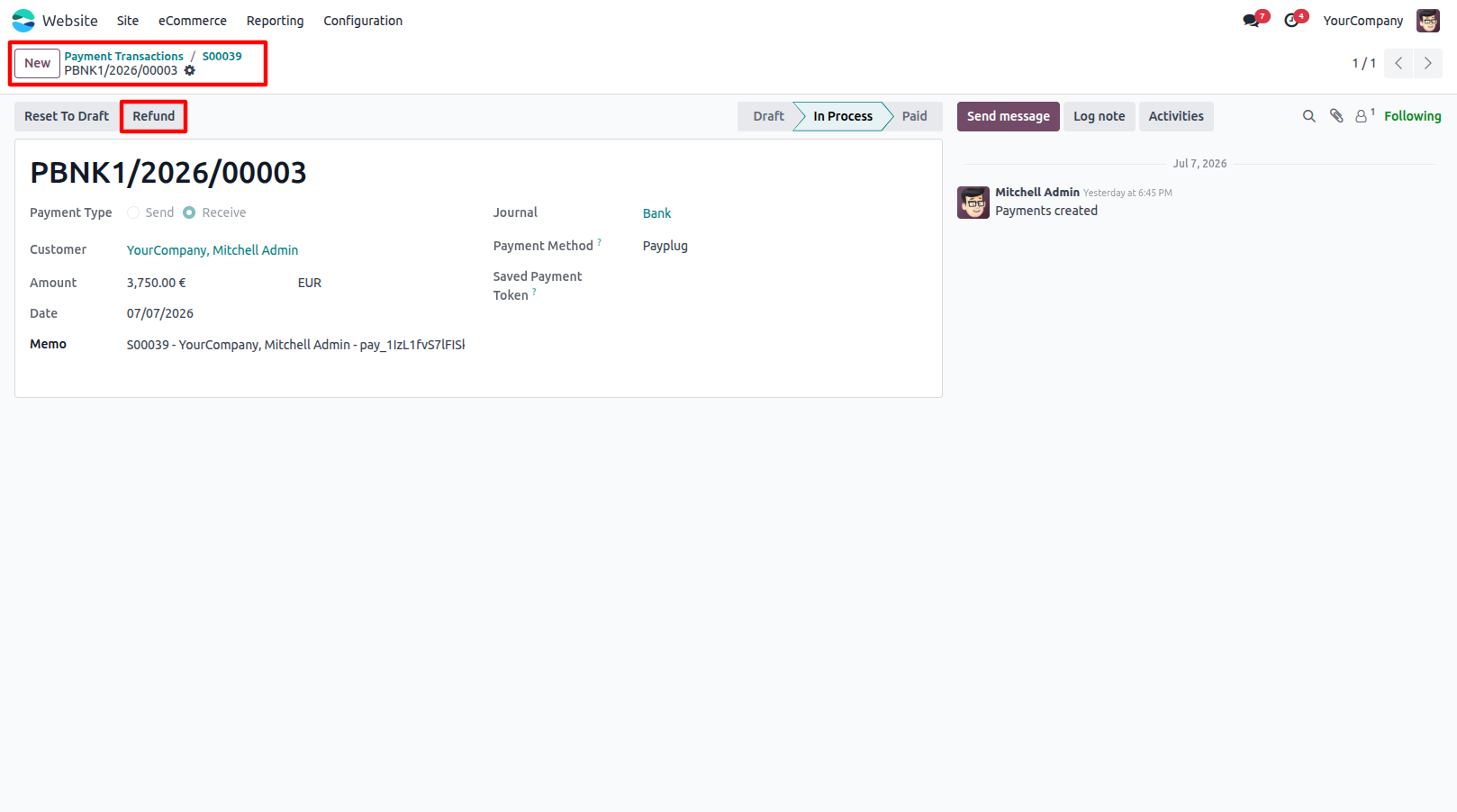
8.Open the Payment Transaction and click the Refund button to initiate a refund.
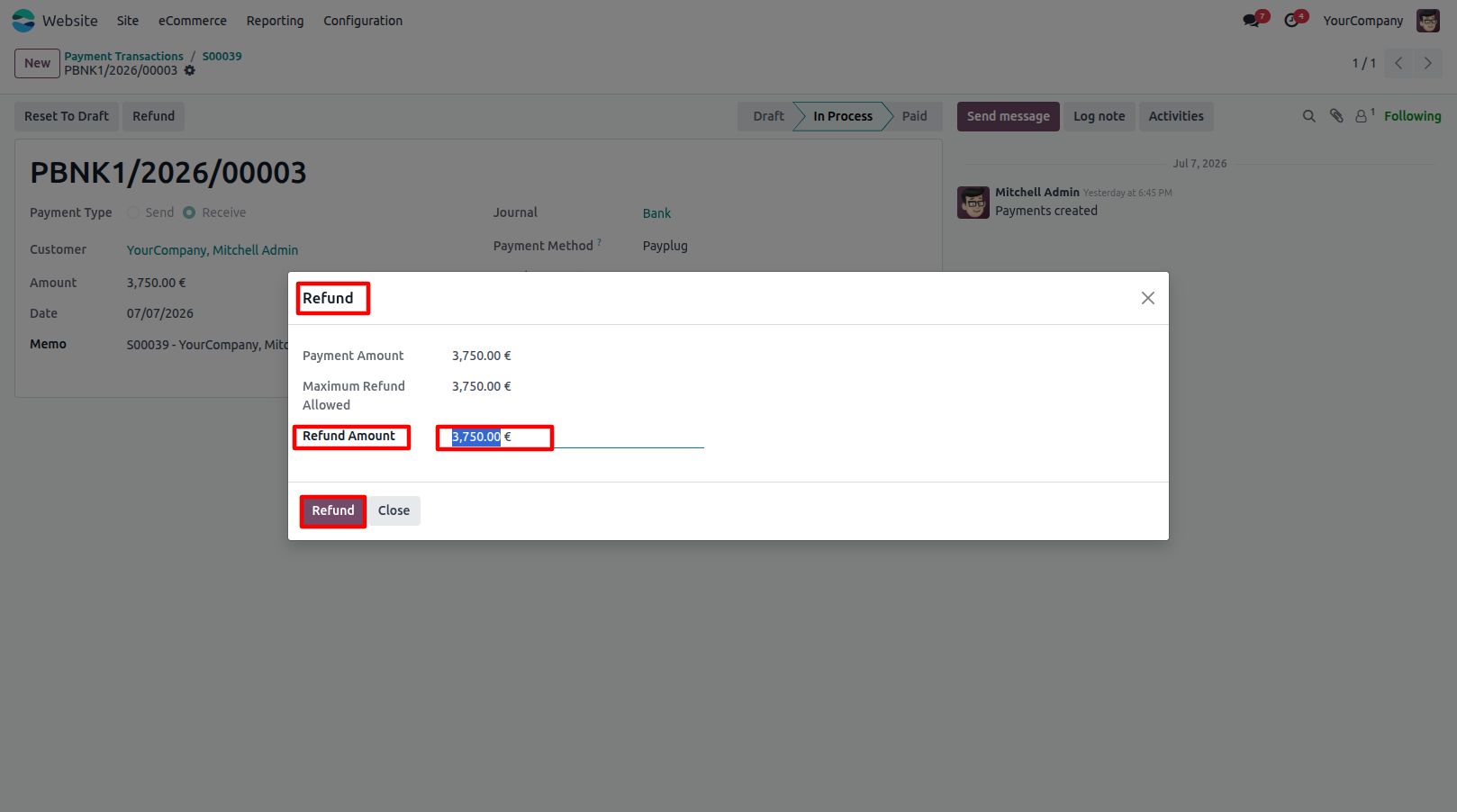
9.Enter the Refund Amount and confirm the refund request.
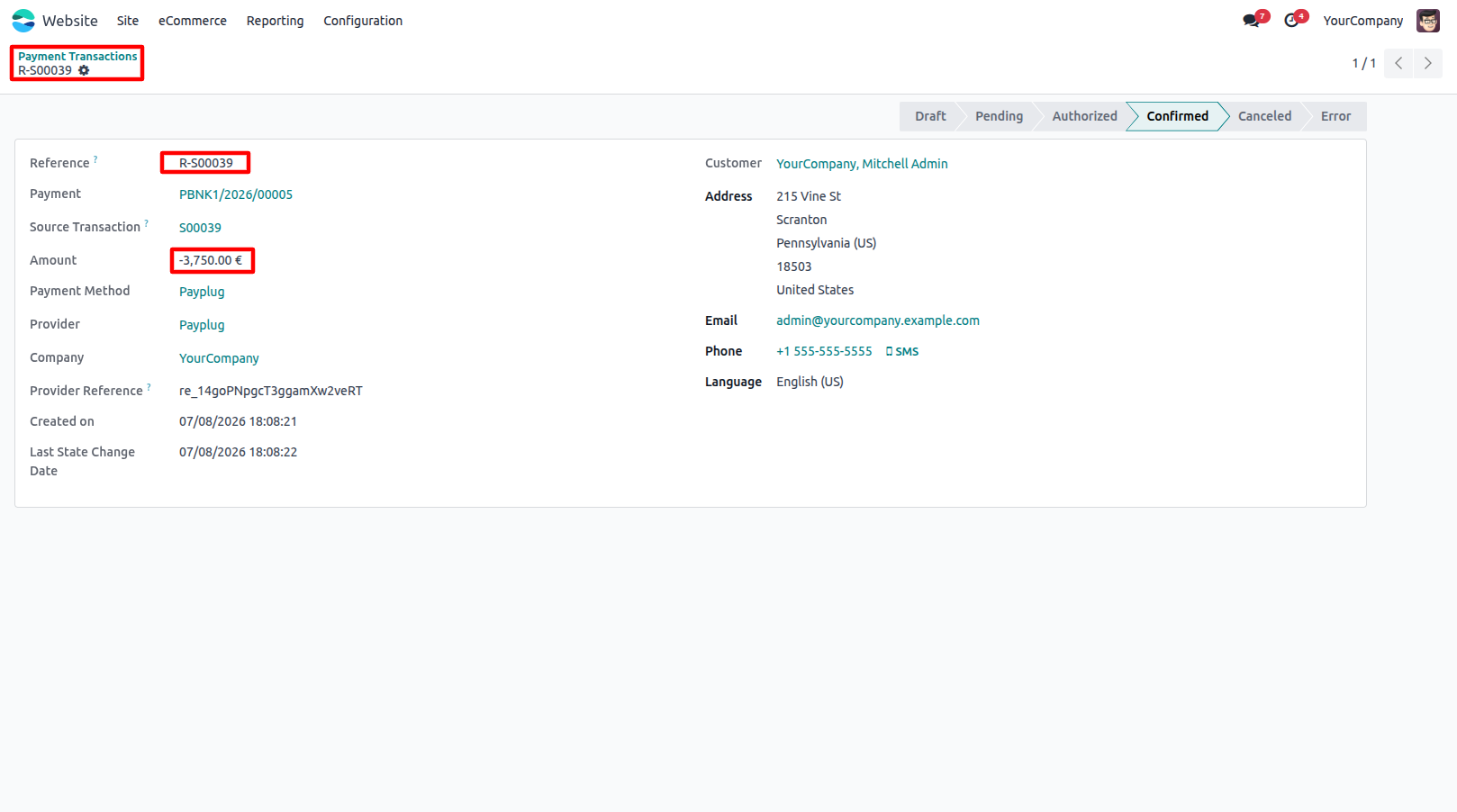
10.View the Refunded payment transaction and verify the updated refund details.
Our solutions focus on your problems
- Odoo Implementation
- Odoo Customization
- ERP Development and Implementation
- Odoo Ipass Cloud
- AI for Odoo
- Odoo Apps
- Aws Marketplace Products
- Business Engines
Our Pricing includes User Manual, 90 Days Support (Monday-Friday 10am to 7pm IST) and One time Setup
• Works & tested on standard installations of Odoo with no third party apps,
• Free support only for odoo installations with no third party apps,
• Paid support available for Odoo installations with third party apps.

Prefortune is a Odoo Official Partner, Odoo Development company. Our philosophy is to use Open Source tools and technologies to provide cost effective and green solutions for our customers.
Prefortune Technologies LLP is working on web development, Mobile development, and Odoo ERP.
If you need any help or want more additional features, you may contact us through:
Alternative Products
These other products might interest you
Specifications
| Version | 19.0, 18.0, 17.0, 16.0, 15.0, 14.0 |