Watch Quick Video
Omise Payment Gateway Connector App for Odoo
Our
Omise Payment Gateway Connector App for Odoo
module is a complete module that allows businesses to connect Omise payment gateway with their Odoo website and accept secure online payments. The admin can easily configure API credentials and customers can securely pay via the payment methods supported by Omise. The module is capable of updating the status of the payment automatically, full or partial refunds and efficiently handling transactions with a reduction in manual intervention. This module helps to provide a secure payment experience to both the customers and the businesses.
Omise Payment Gateway Connector App for Odoo
- Easy Omise Payment Setup in odoo payment provider.
- Support All Omise Payment Methods.
- Automatic Payment Status Updates
- Manage payment transactions and refunds from Odoo.
- Easy and Secure Online omise Payments.
- Support Full and Partial Refunds from Odoo.
Complete Workflow for Omise Payment Gateway Connector App
Users can configure the Omise payment gateway by providing the Public Key and Secret Key in the Payment Provider settings. During website checkout, customers can securely complete payments using all payment methods supported by Omise like Visa & Debit card etc. The module automatically synchronizes payment transactions, supports full and partial refunds, reduces manual effort, and provides a smooth, secure, and reliable payment experience.
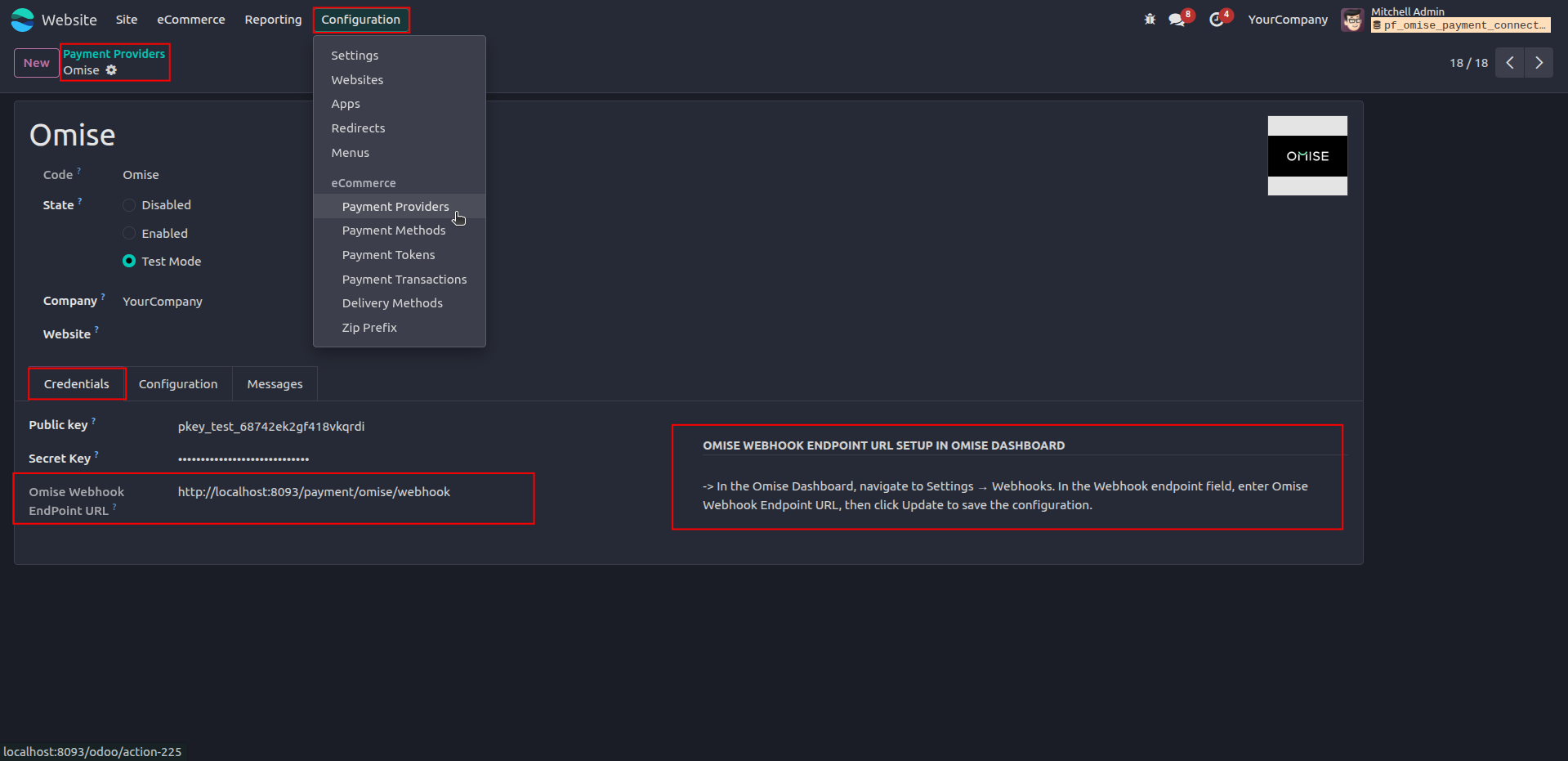
1. Configure the Omise payment provider by entering API credentials and setting up the webhook endpoint URL.
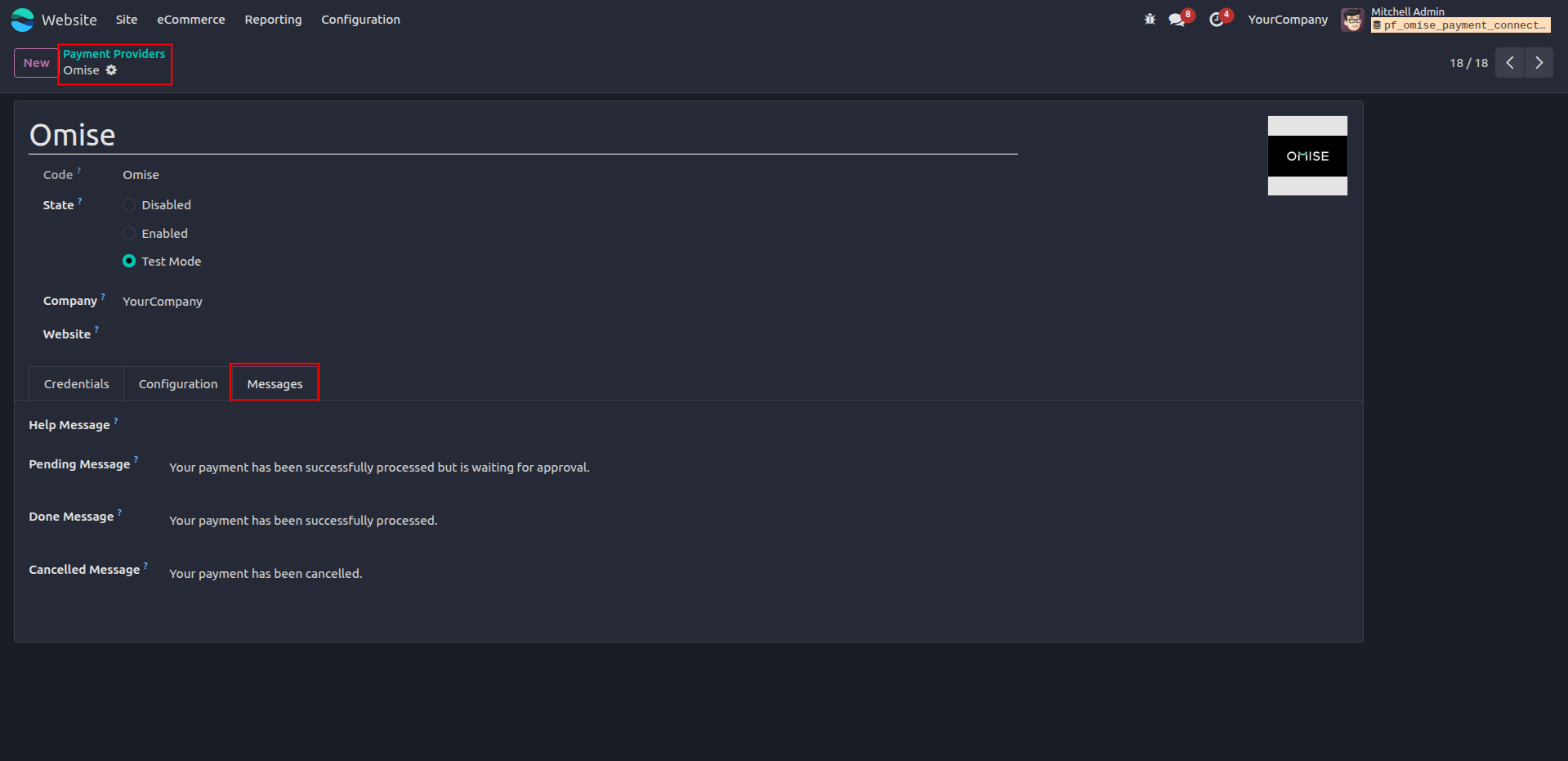
2. Configure payment status messages to provide clear feedback to customers during the payment process.
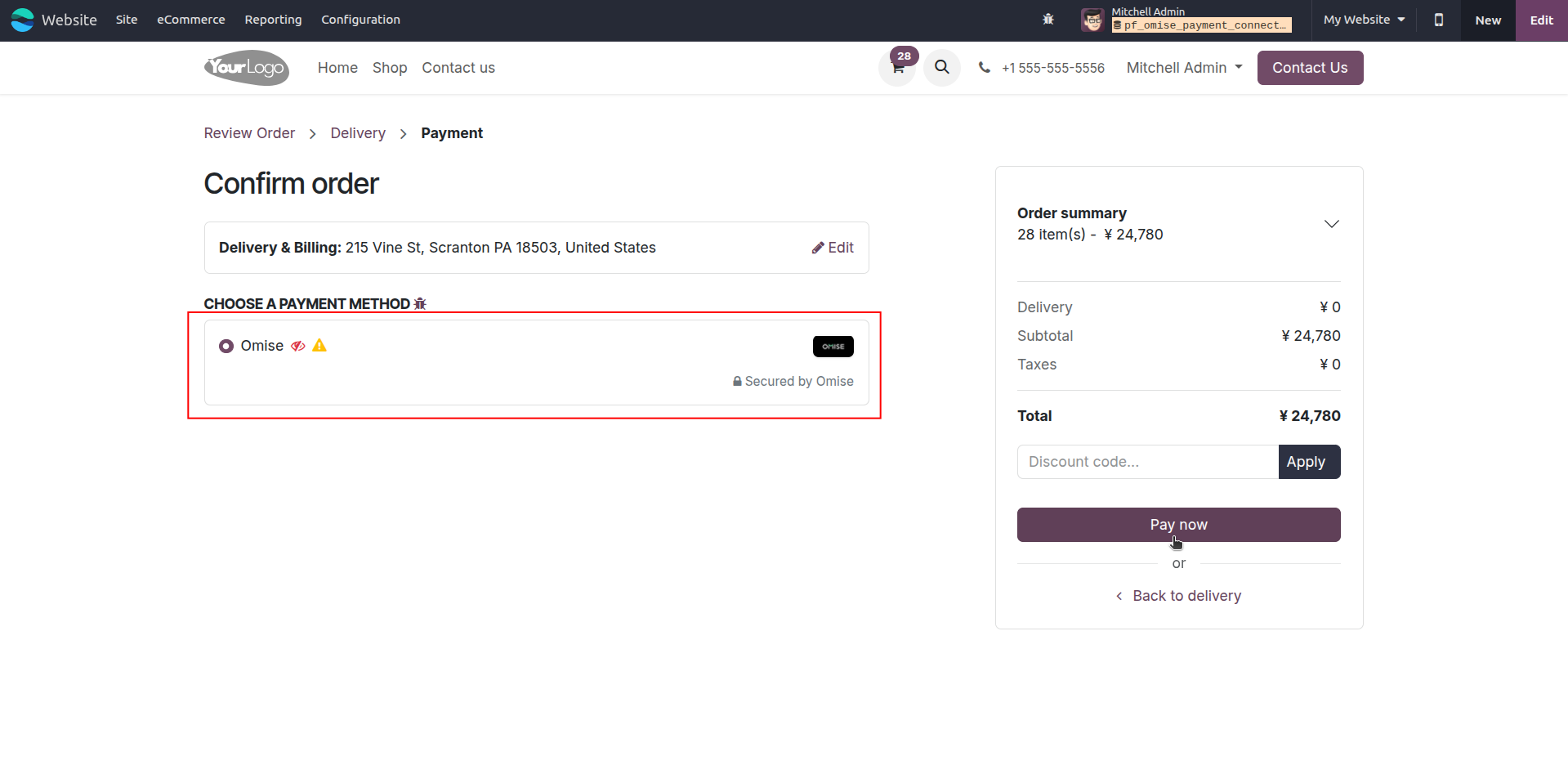
3. Select the Omise payment method to proceed with secure online payment.
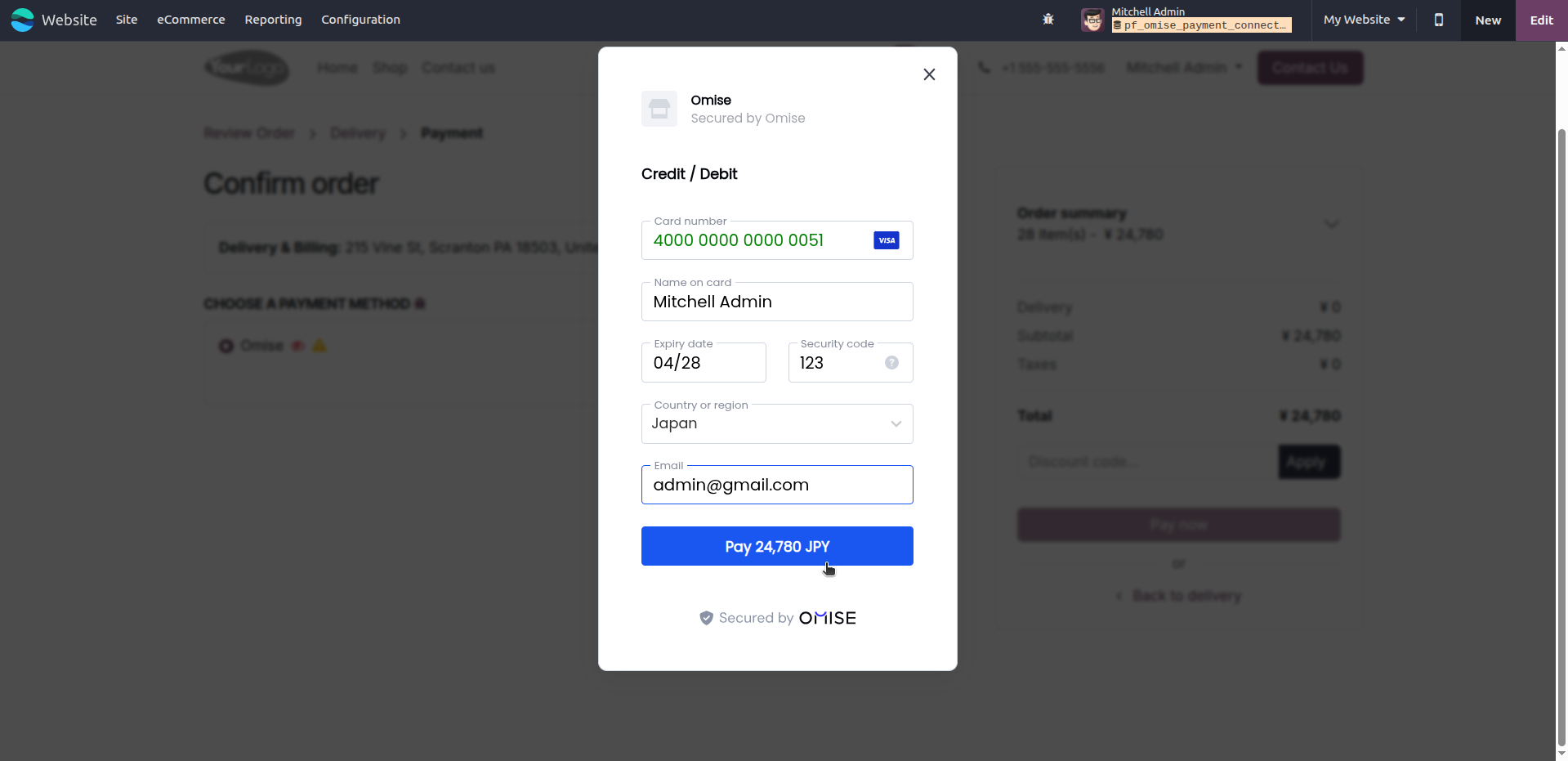
4. Enter card details securely through the Omise payment gateway to complete the payment.
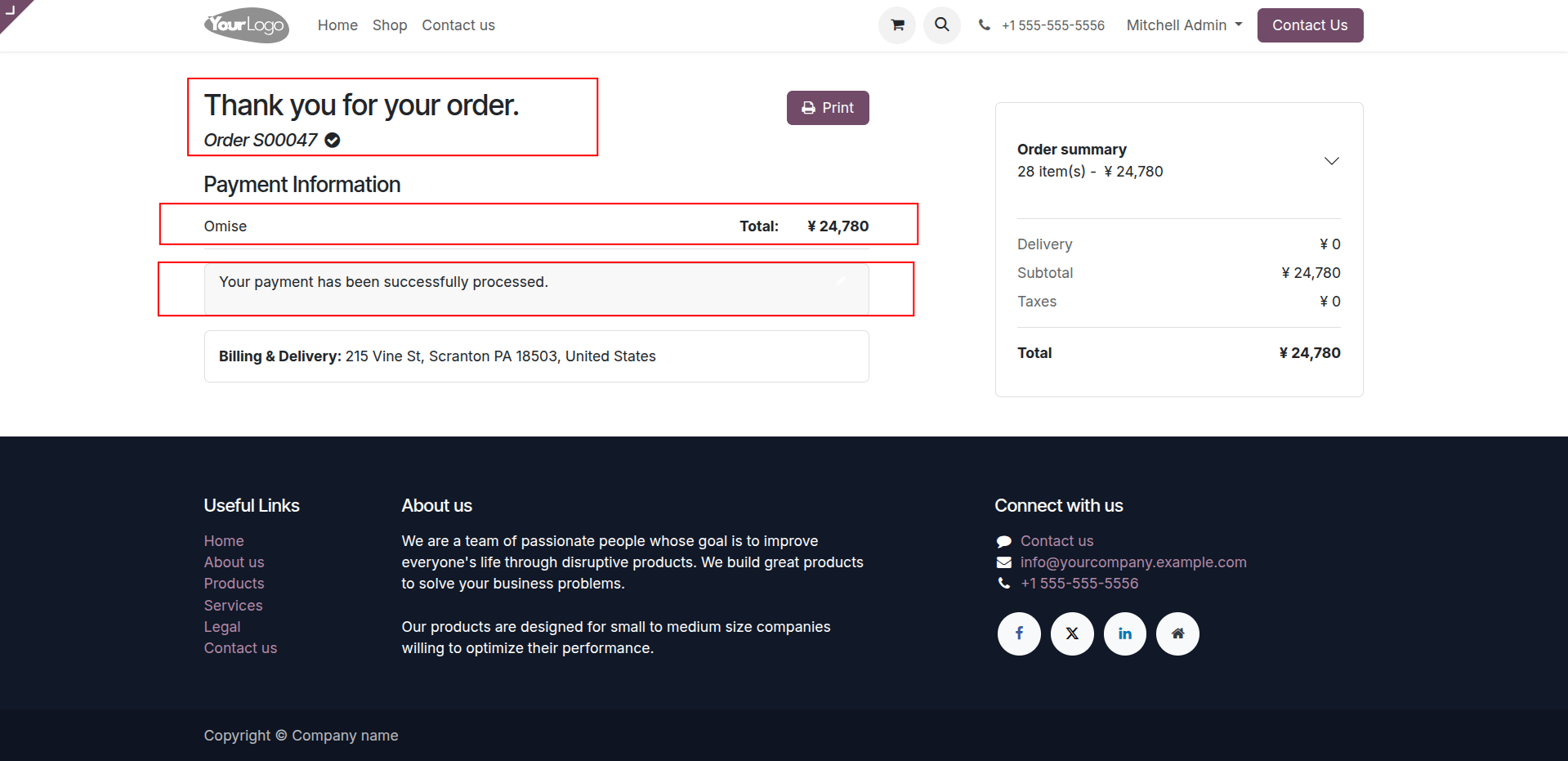
5. Display the order confirmation and payment success message after the transaction is completed successfully.
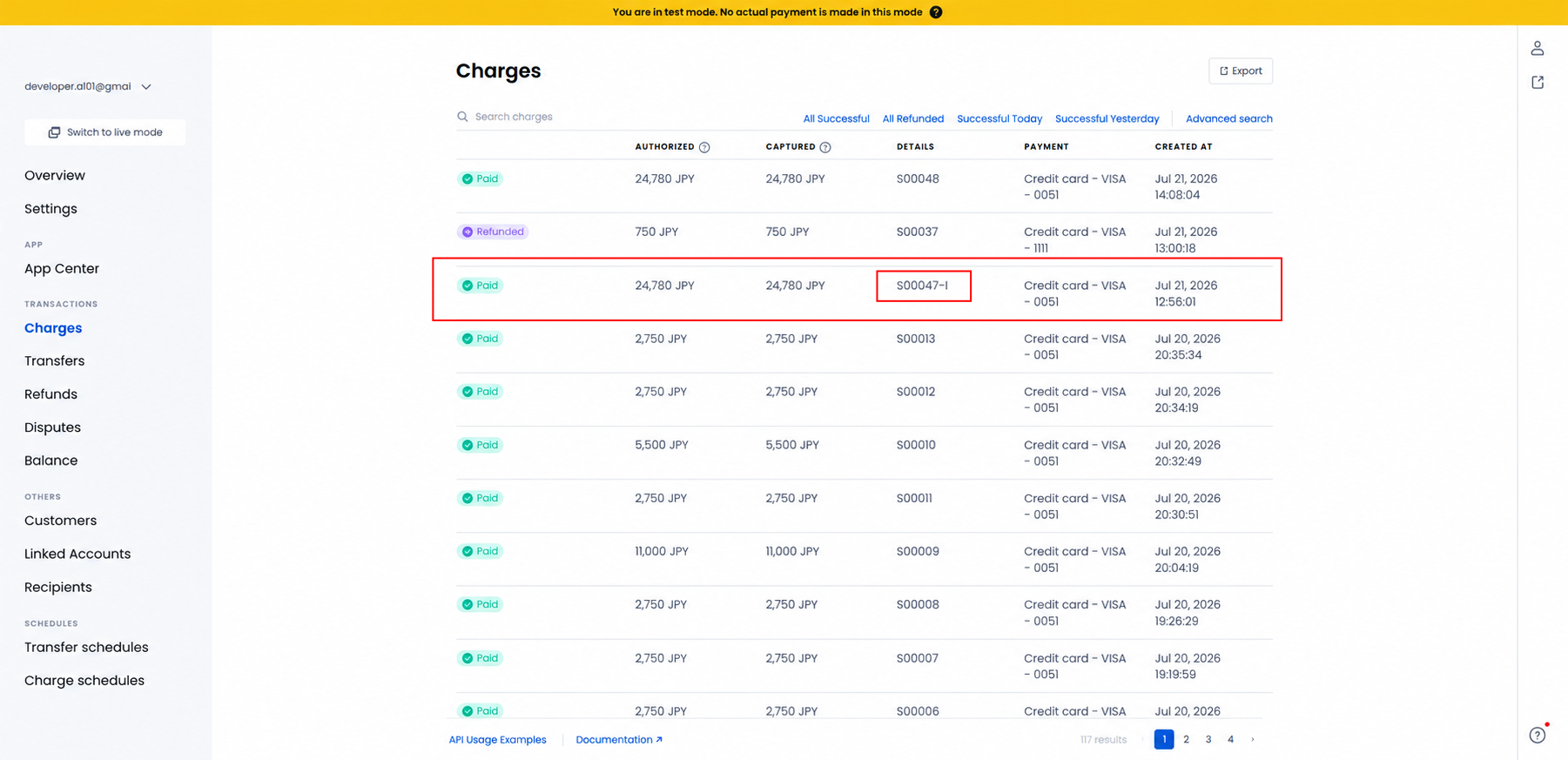
6. View the successful payment transaction in the Omise Dashboard after payment processing.
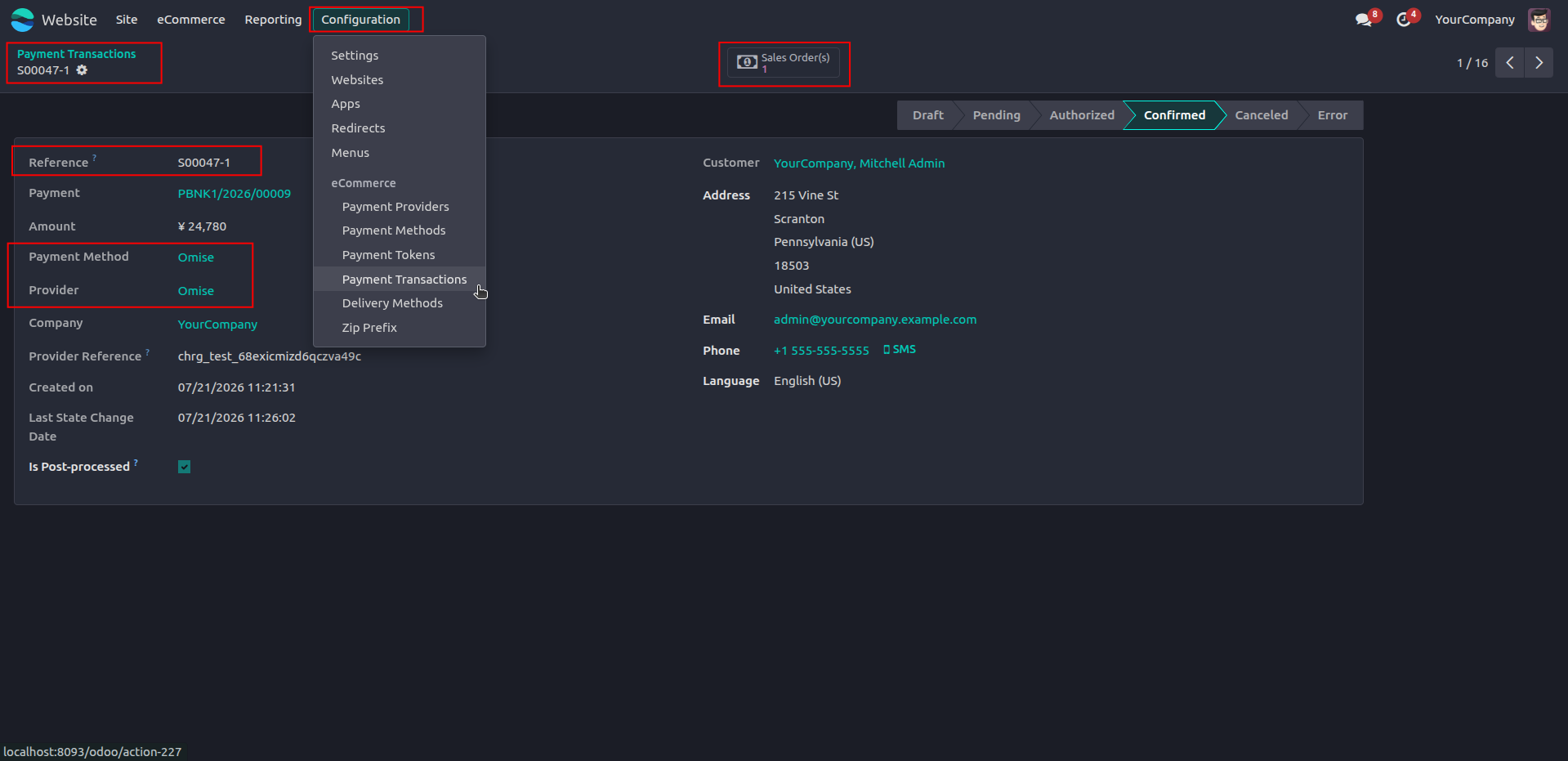
7. Display the confirmed Omise payment transaction and its associated sales order in Odoo.
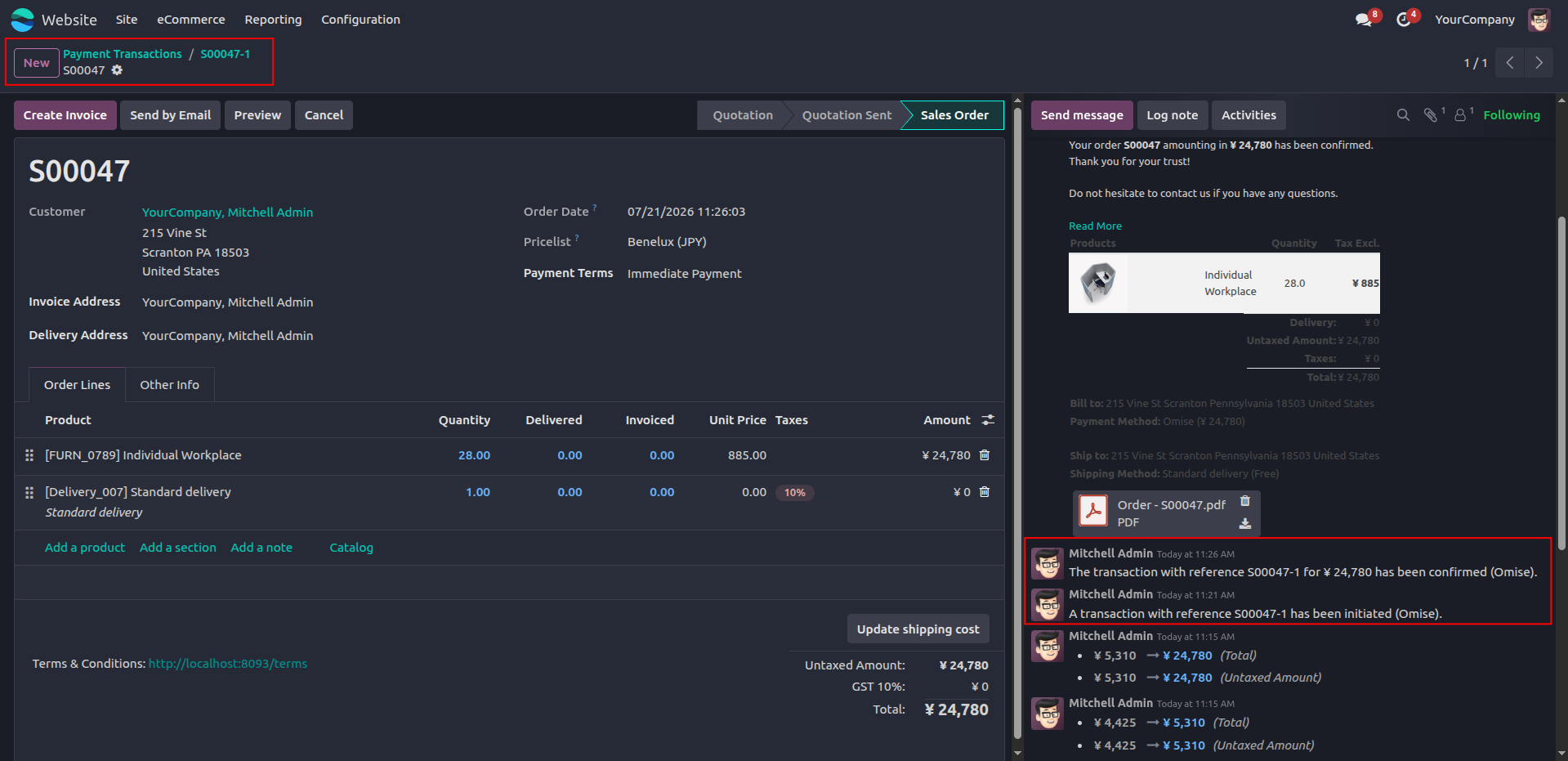
8.Automatically update the Sales Order with the corresponding Omise payment transaction details and status.
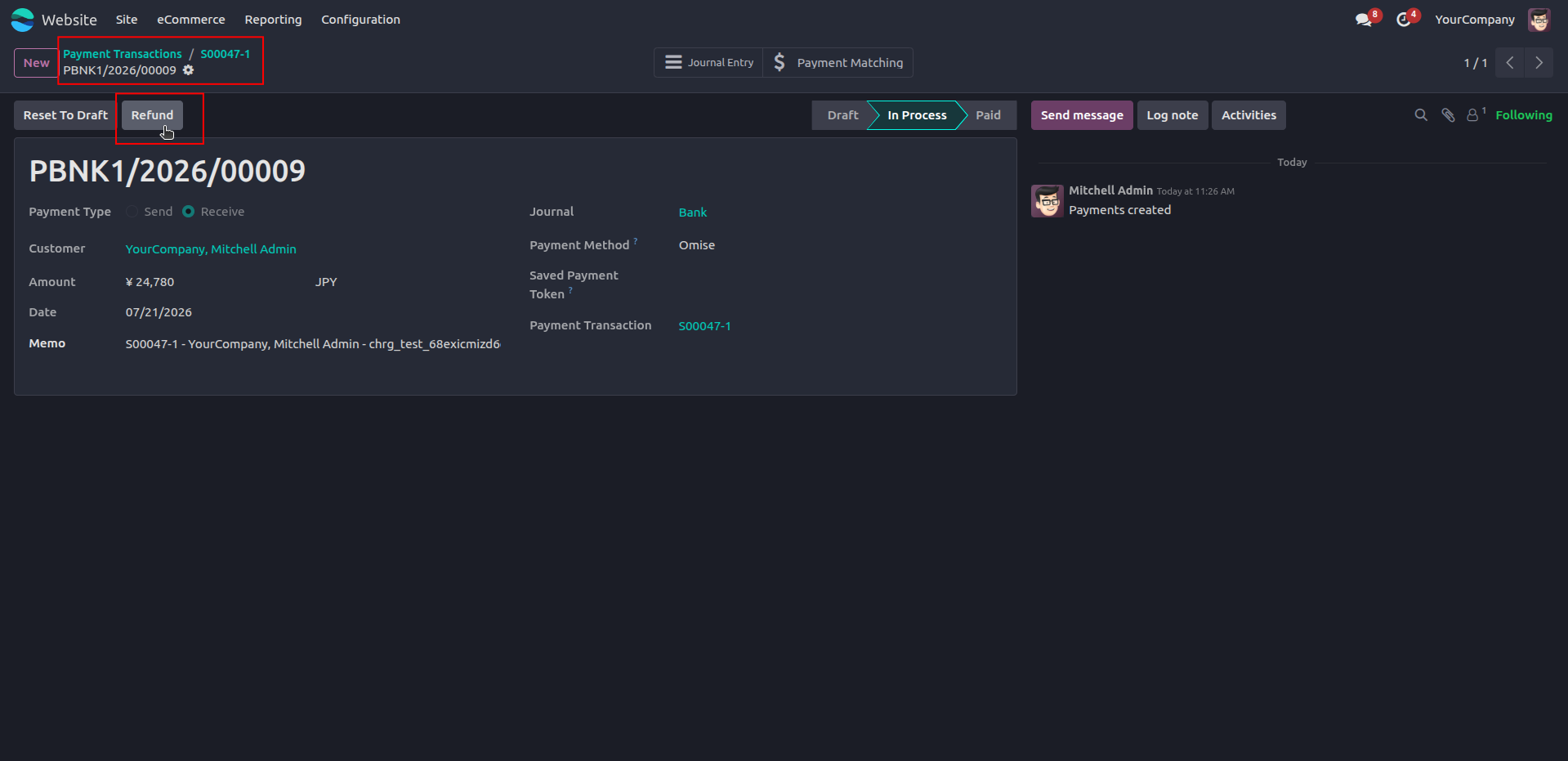
9. Initiate a refund for the completed Omise payment directly from the Odoo payment record.
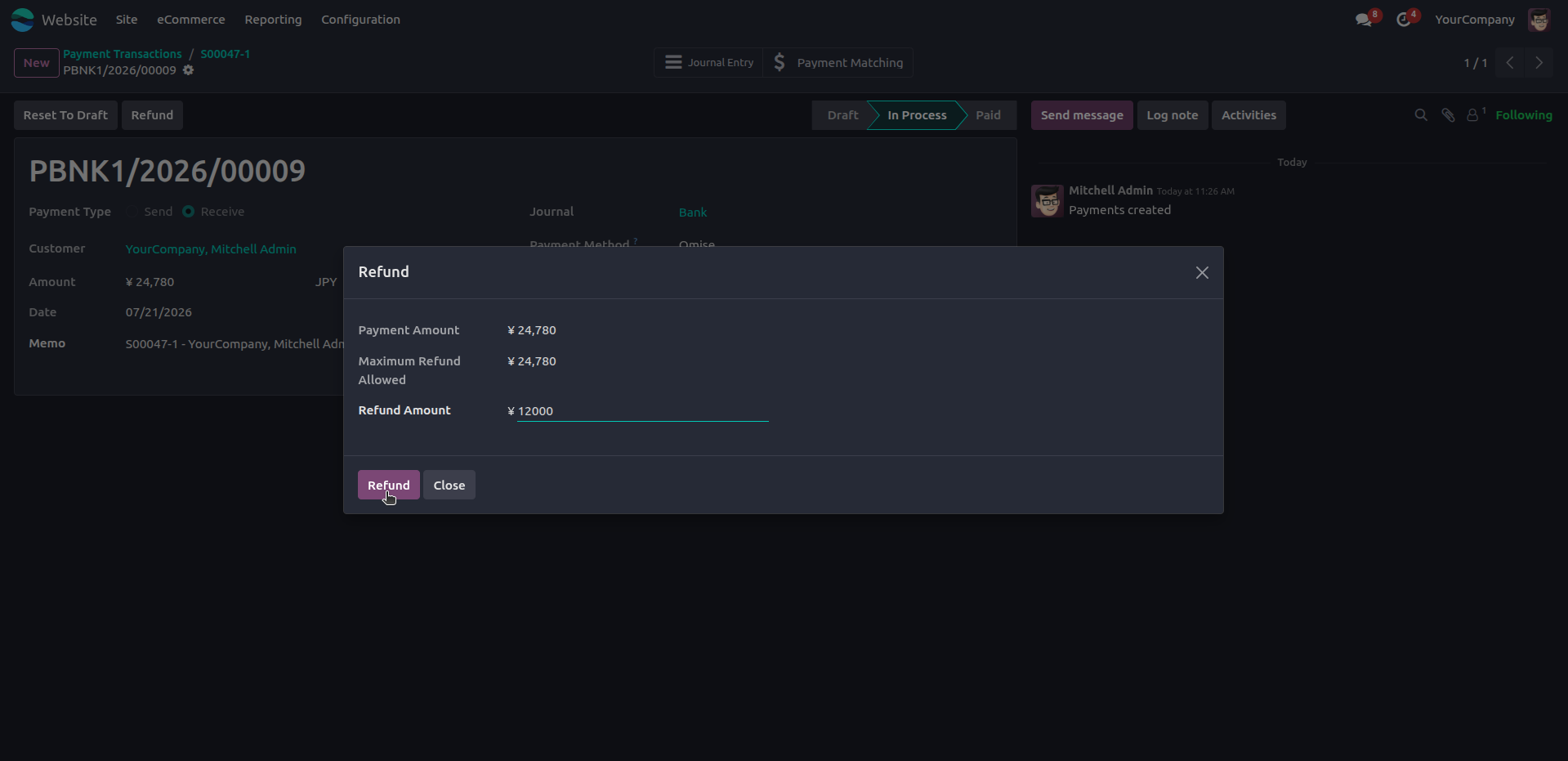
10. Enter the refund amount to process a full or partial refund for the selected Omise payment.
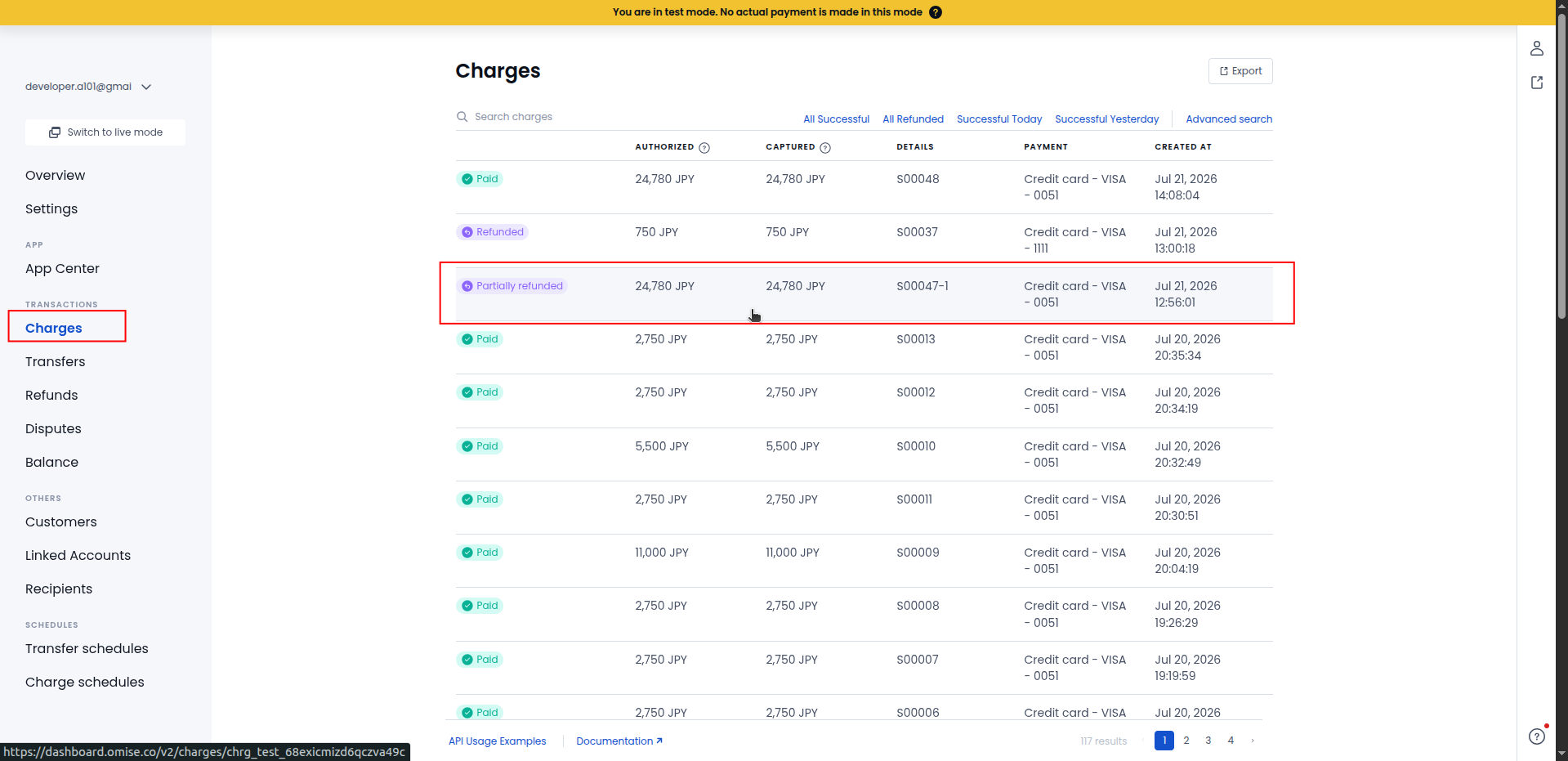
11. View the successful partial refund status for the Omise payment in the Omise Dashboard.
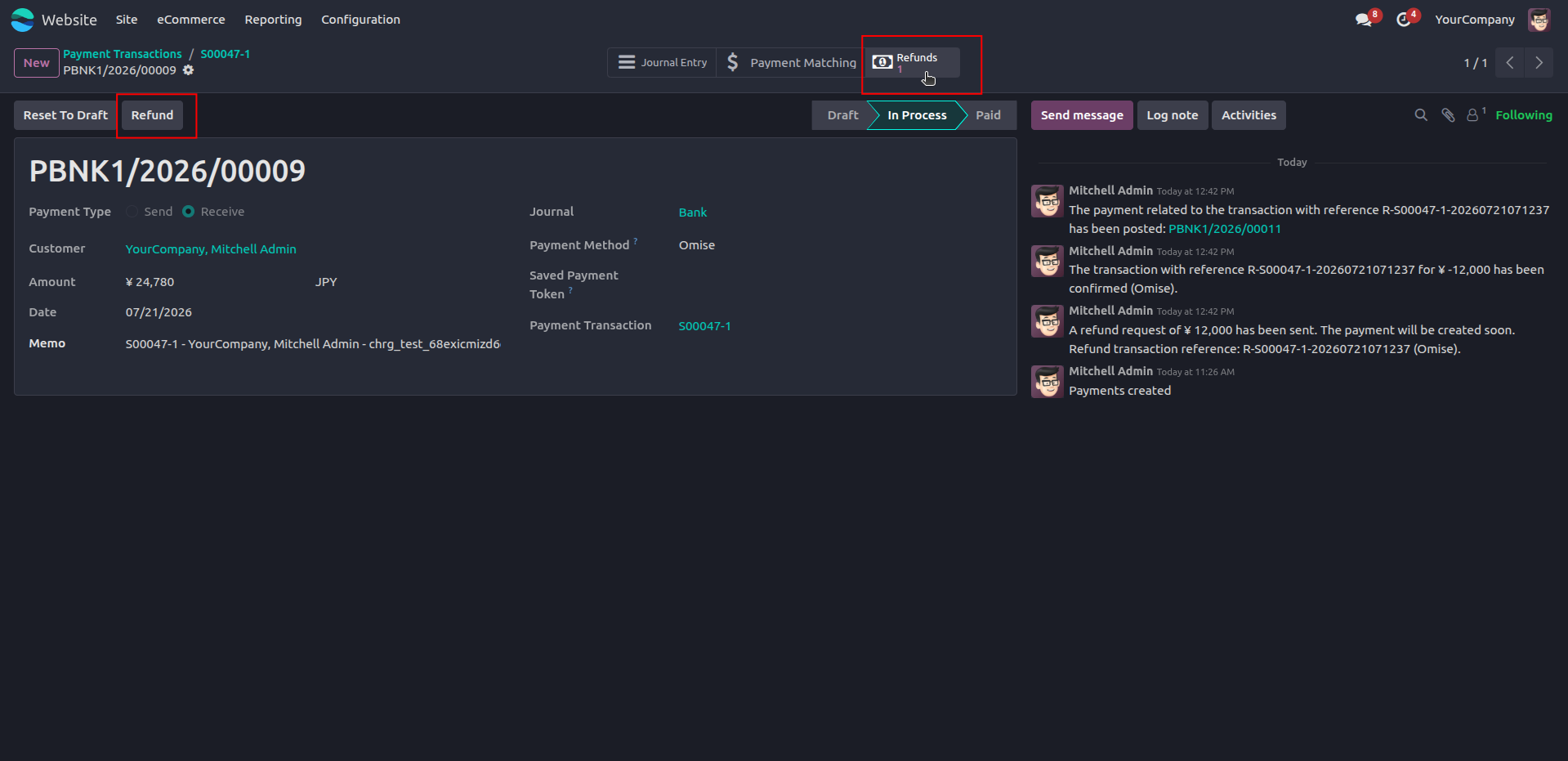
12. Automatically create and link the refund record after successfully processing the Omise refund.
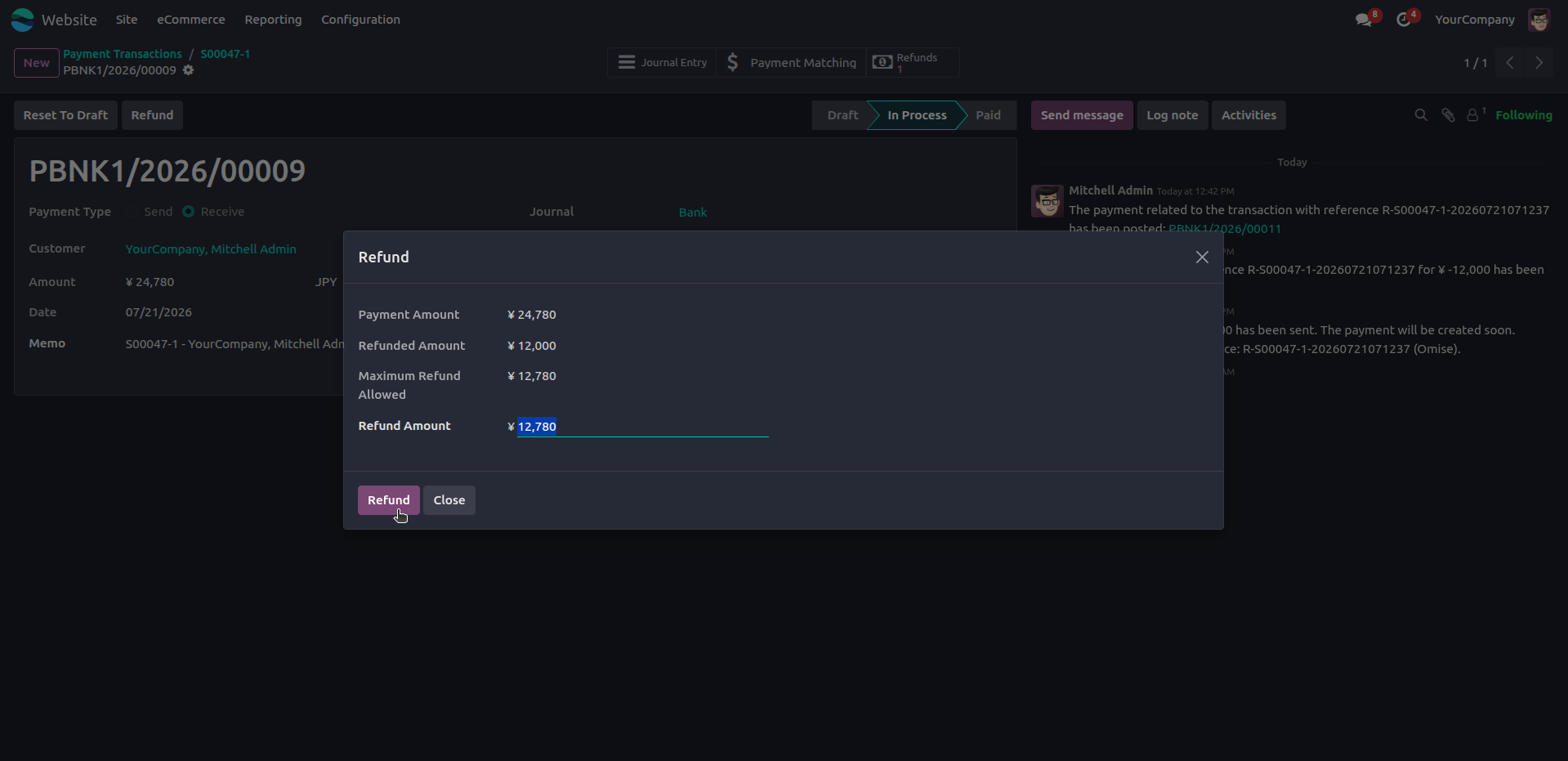
13. Enter the remaining refundable amount to complete the full refund for the selected Omise payment.
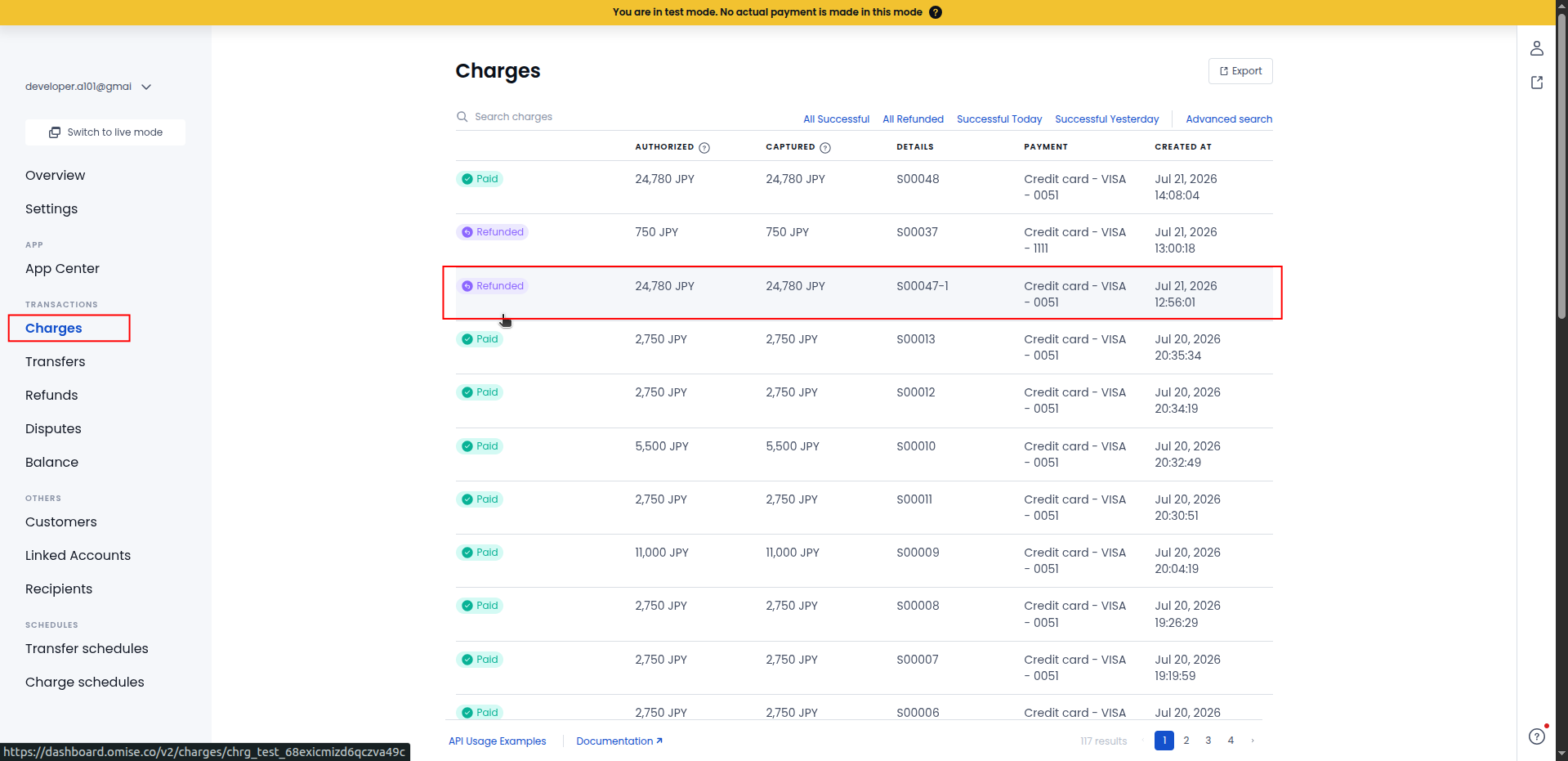
14. View the successful full refund status for the Omise payment in the Omise Dashboard.
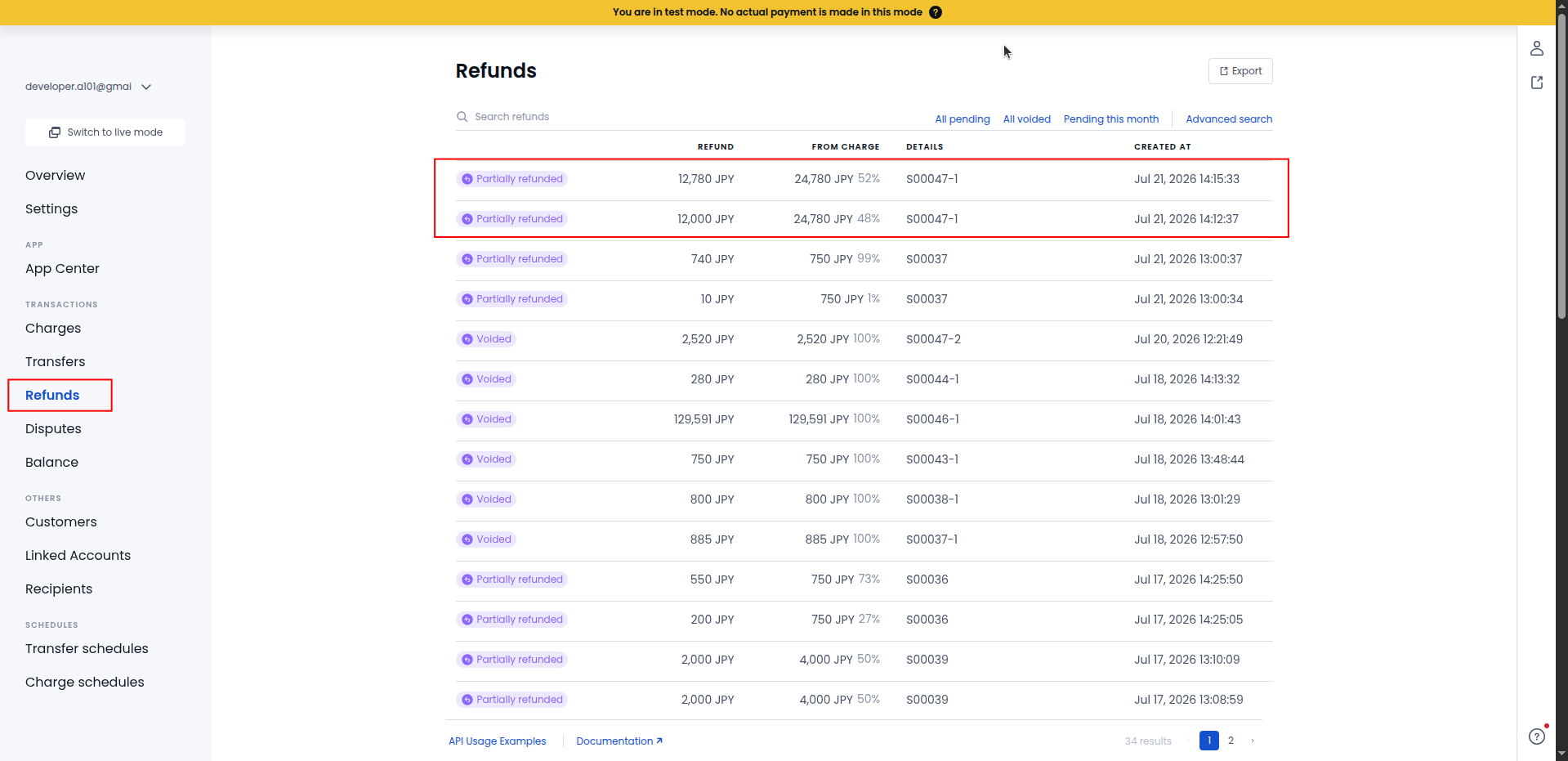
15. View the refund history and individual partial refund records in the Omise Dashboard.
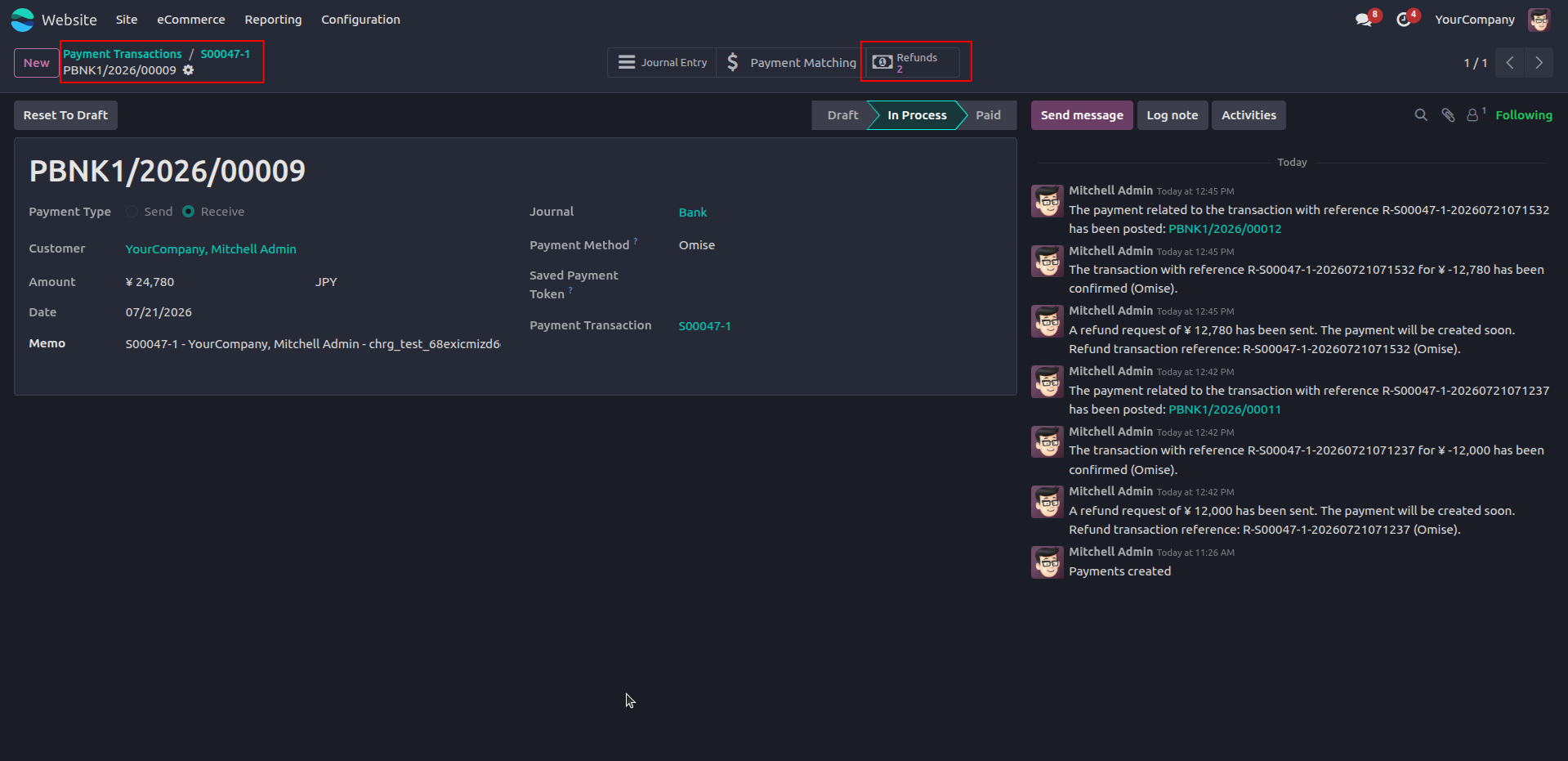
16. Automatically create and link multiple refund records after successfully processing multiple Omise refunds.
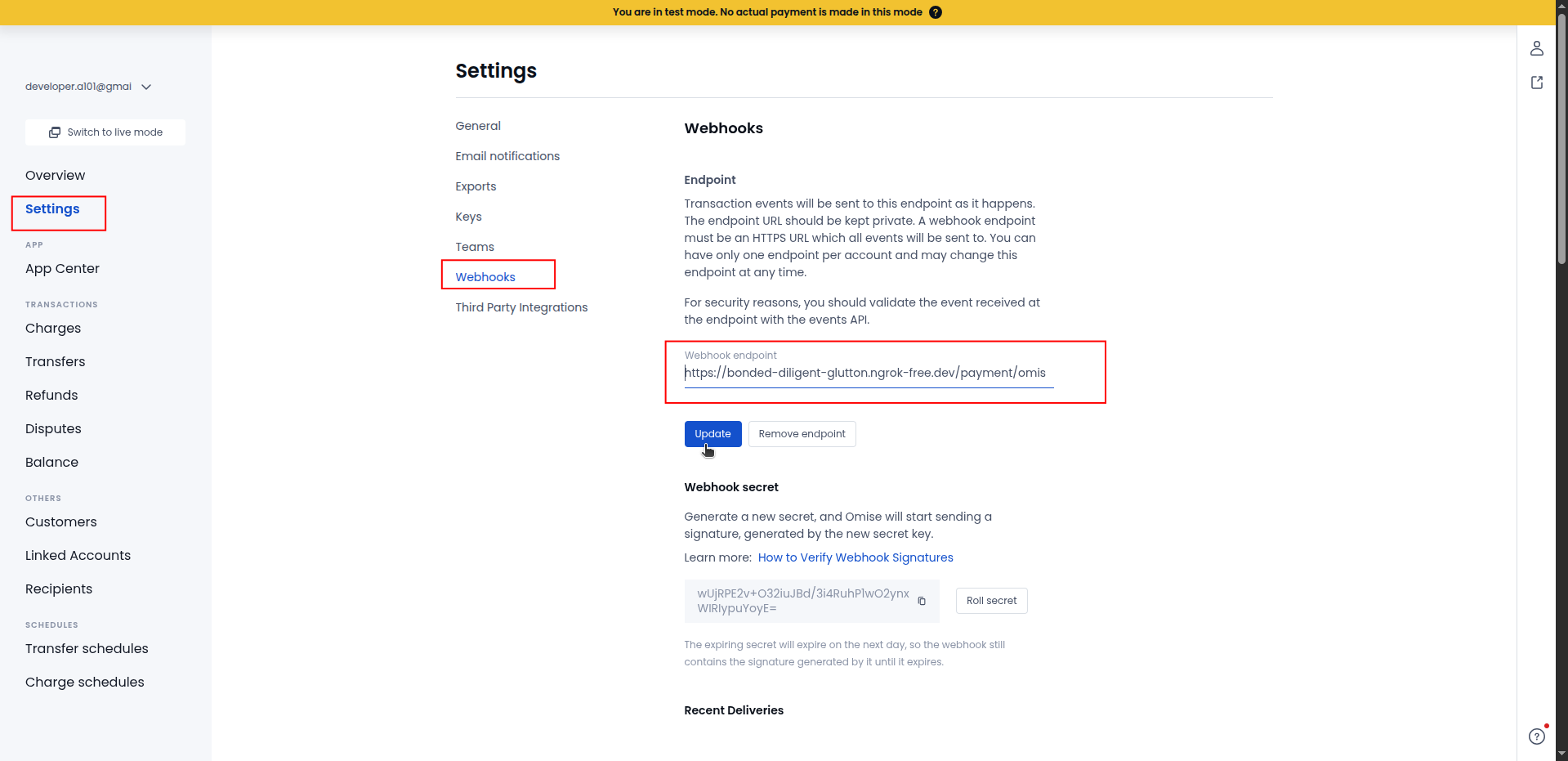
17. Configure the Odoo webhook endpoint in the Omise Dashboard to send payment events to Odoo.
Ans : This is
a one-time payment.
Ans: Yes, the
module works with both the Community &
enterprise version of apps.
Ans: you can
install the application directly from the Odoo Apps
store or upload the application file to your Odoo
instance. Once installed, you can configure the
application to suit your organization's needs and
begin creating branches or units.
Ans: yes,
support is available for the Omise Payment Gateway Connector App. You can access documentation,
forums, and community resources for assistance with
installation, configuration, and troubleshooting.
Additionally, paid support plans may be available
for more personalized assistance.
Our solutions focus on your problems
- Odoo Implementation
- Odoo Customization
- ERP Development and Implementation
- Odoo Ipass Cloud
- AI for Odoo
- Odoo Apps
- Aws Marketplace Products
- Business Engines
Our Pricing includes User Manual, 90 Days Support (Monday-Friday 10am to 7pm IST) and One time Setup
• Works & tested on standard installations of Odoo with no third party apps,
• Free support only for odoo installations with no third party apps,
• Paid support available for Odoo installations with third party apps.

Prefortune is a Odoo Official Partner, Odoo Development company. Our philosophy is to use Open Source tools and technologies to provide cost effective and green solutions for our customers.
Prefortune Technologies LLP is working on web development, Mobile development, and Odoo ERP.
If you need any help or want more additional features, you may contact us through:
Alternative Products
These other products might interest you
Specifications
| Version | 19.0, 18.0, 17.0, 16.0, 15.0, 14.0 |