Watch Quick Video
Odoo Website Country Product Restriction App
Our all-inclusive
Odoo Website Country Product Restriction App
enhances your eCommerce store by allowing you to restrict products by country Odoo and control where products can be sold. You can define allowed regions for each product, ensuring accurate product availability by country Odoo and better control over your sales process.
still, the system shows clear messages and applies Odoo checkout country restriction, preventing them from proceeding further, If a client from a restricted location adds such a product to the cart. This helps to block product purchase by country Odoo and avoid invalid orders.Admins can fluently set country restriction in Odoo from Website Settings to maintain consistent rules across all products. During checkout, customers will only see allowed regions, helping clarity and ensuring a smooth buying experience.This result helps control product visibility by location, reduces confusion, and works seamlessly with the standard Odoo website inflow, delivering a more dependable and effective eCommerce experience.
Odoo Website Country Product Restriction App
- Restrict products by country Odoo with optional state- position control to manage product availability by country Odoo.
- Show clear cautions with Odoo checkout country restriction when products are n't available in selected regions.
- fluently assign countries to products Odoo and configure allowed regions for each product.
- Automatically block product purchase by country Odoo to help checkout for restricted details.
Complete Workflow for Manage Odoo Website Country Product Restriction App
Install the Odoo Website Country Product Restriction App module and go to Website → Configuration to set country restriction in Odoo and define allowed regions. Open any product and assign countries to products Odoo to control product availability by country Odoo.When a customer adds a restricted item, the system shows real-time alerts and applies Odoo checkout country restriction . A warning banner and popup highlight unavailable products in the cart. At checkout, the system will block product purchase by country Odoo until restricted items are removed, ensuring valid orders only. All messages can be customized from settings for a smooth and clear user experience.
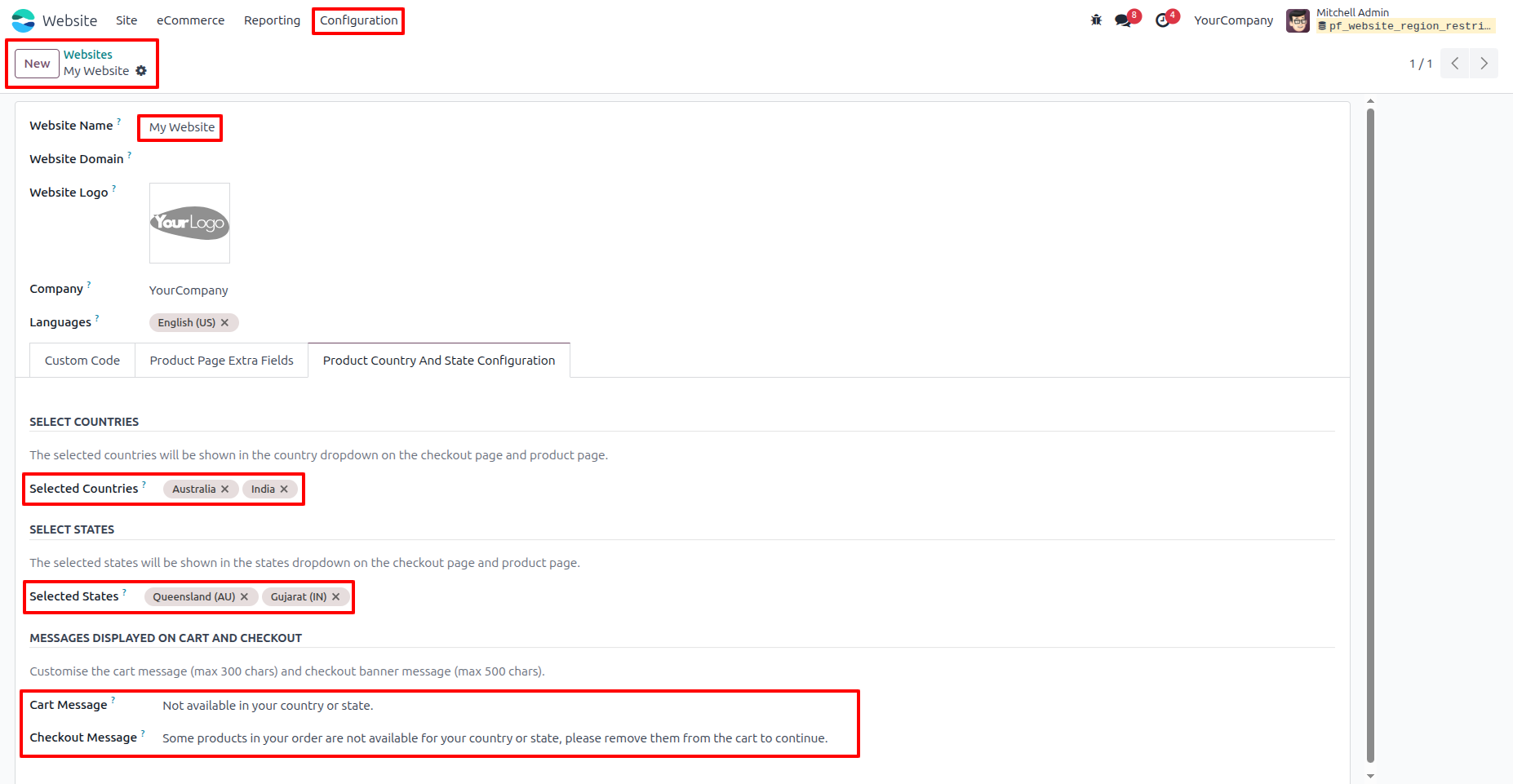
1. After installing the module, navigate to Website → Configuration → Websites. Select a website and configure the countries, states, Cart message, and Checkout message as per your requirements.
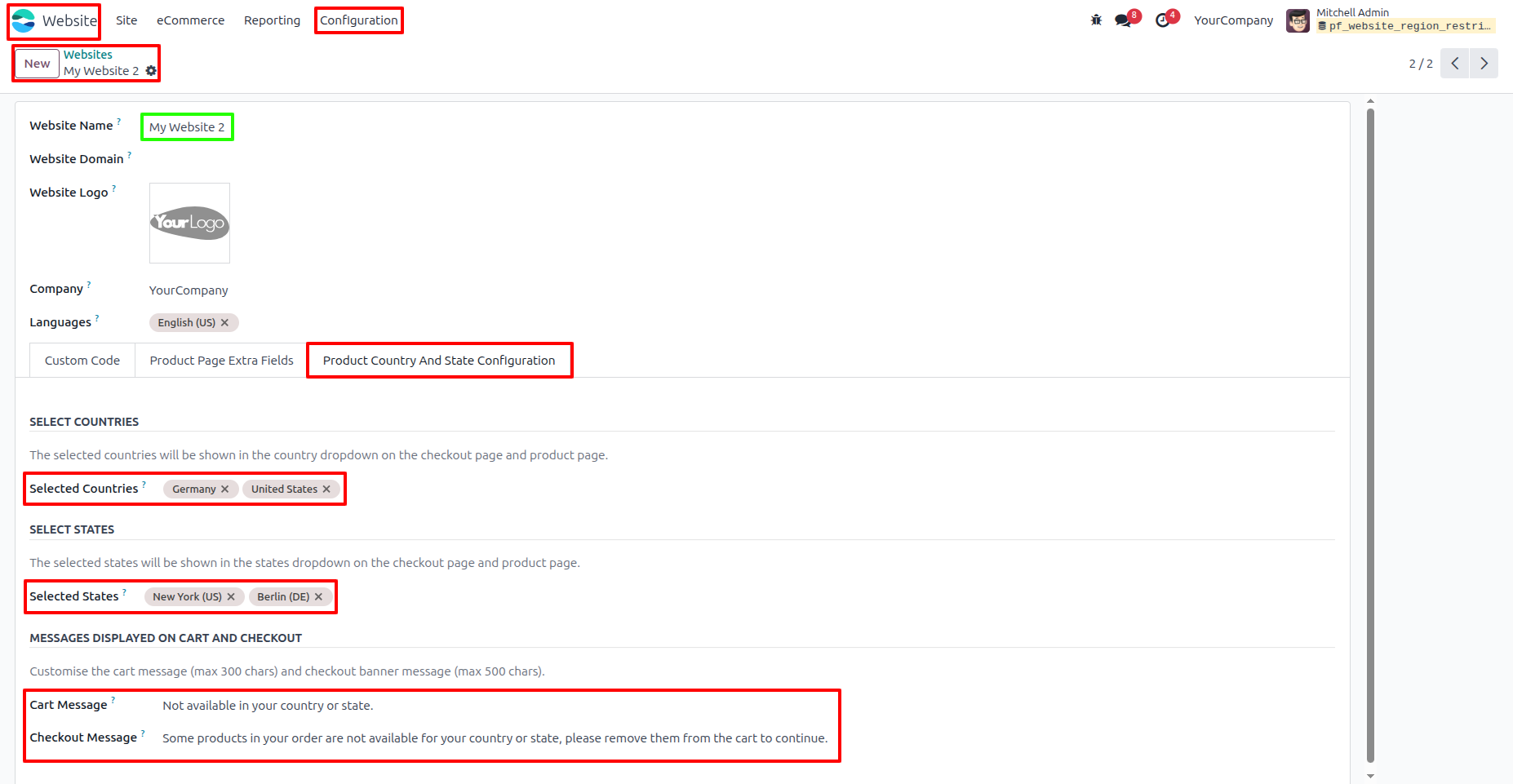
2. Set countries, states, cart message, and checkout message for other websites as per your requirements.
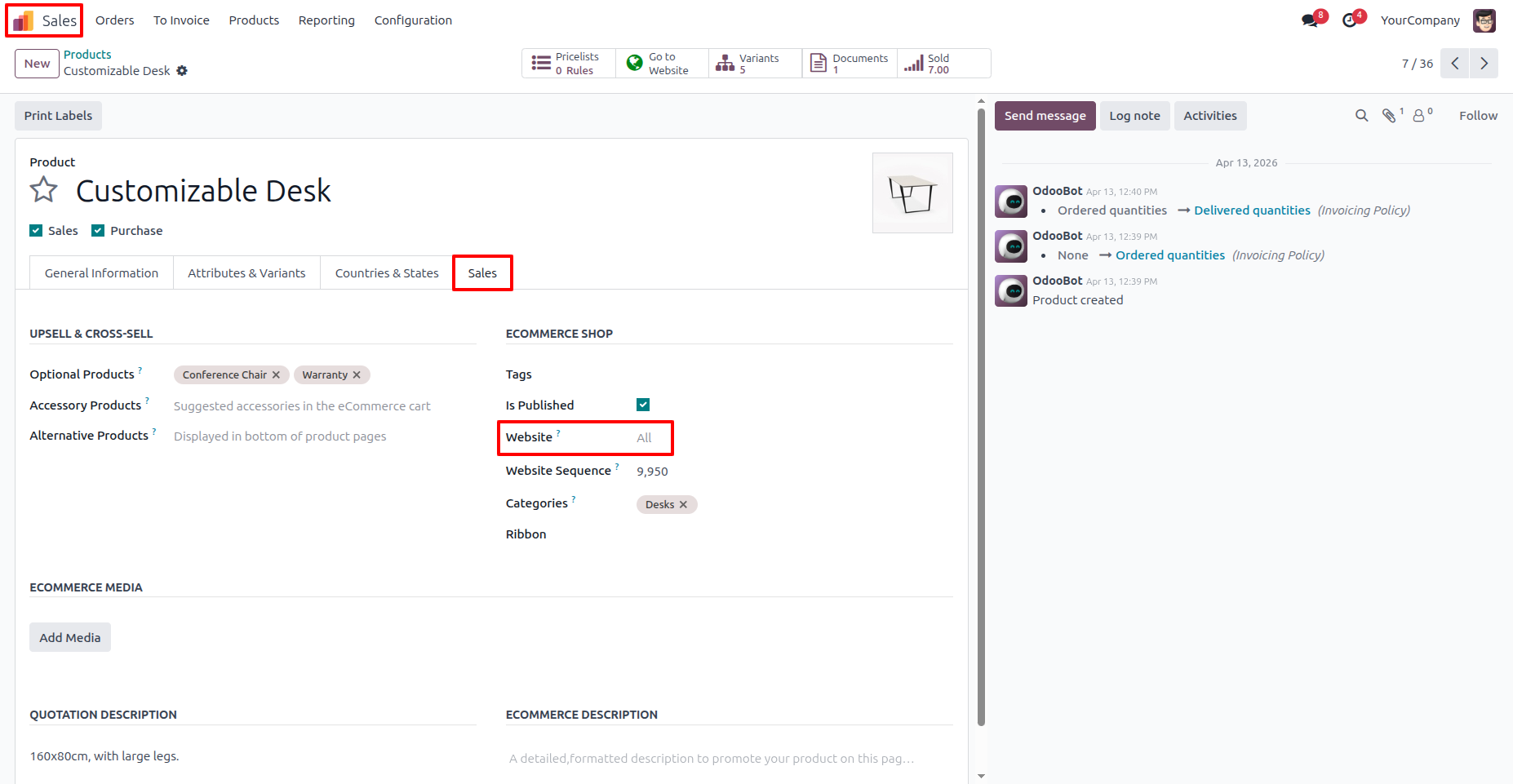
3. Go to Sales → Products, select any product. By default, it is available for all websites.
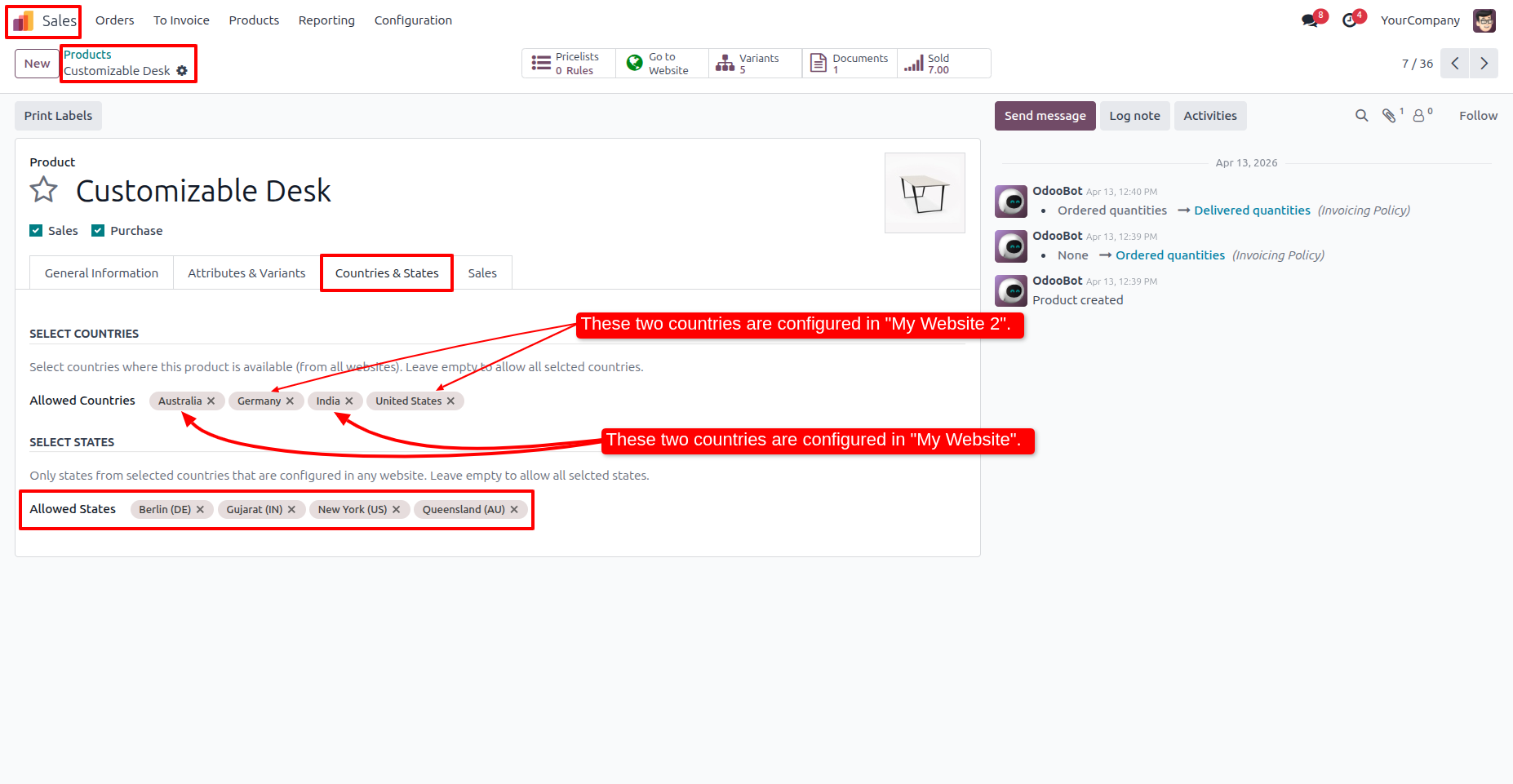
4. When the website is set to “All,” the product automatically includes countries and states configured across all websites.
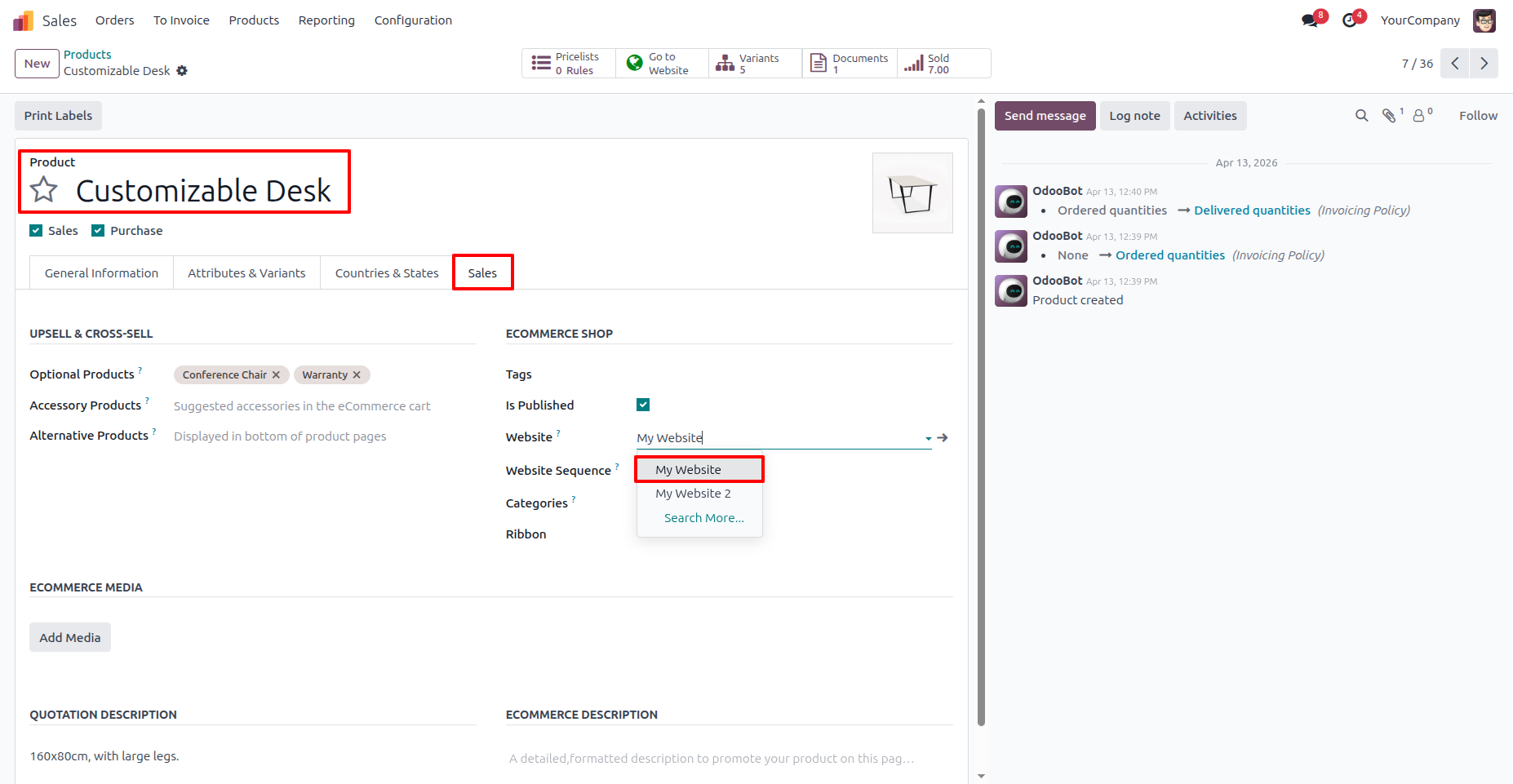
5. You can set the website for each product as per your requirements.
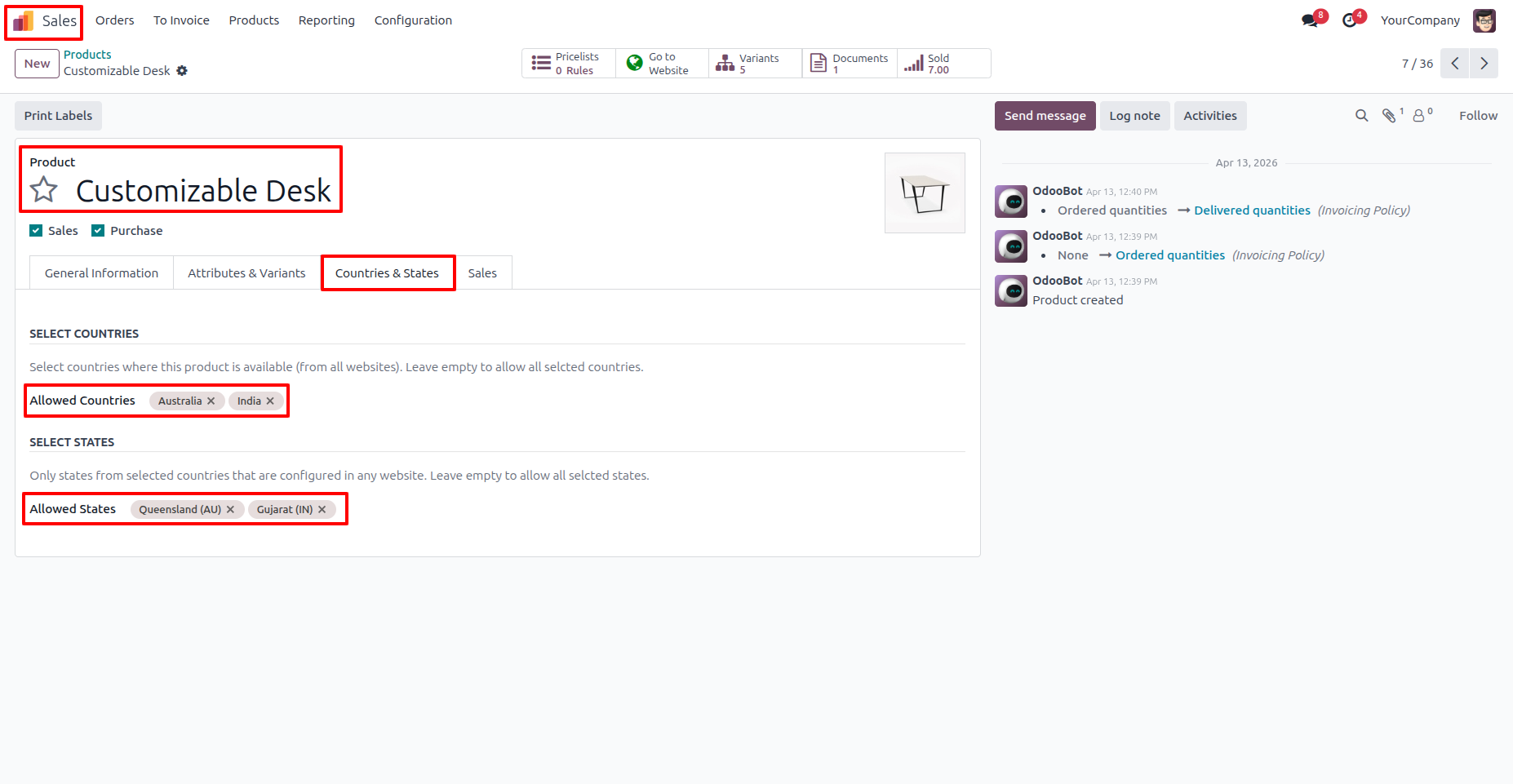
6. When the website is set to “My Website,” only that My Website’s configured countries and states will be automatically applied to the product.
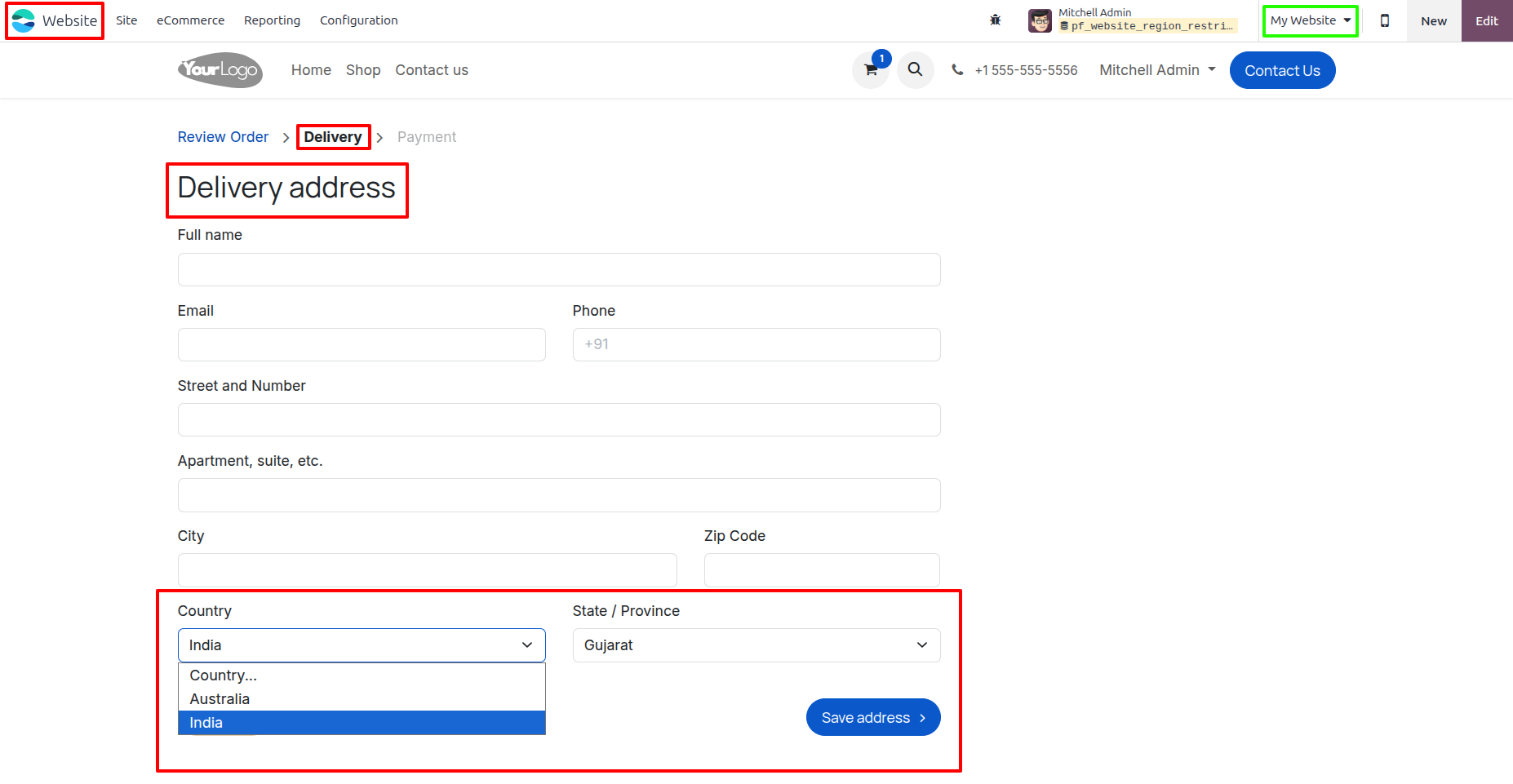
7. In “My Website,” when a user creates a new delivery address, only the "My Website's" configured countries and states appear in the dropdown, preventing invalid orders.
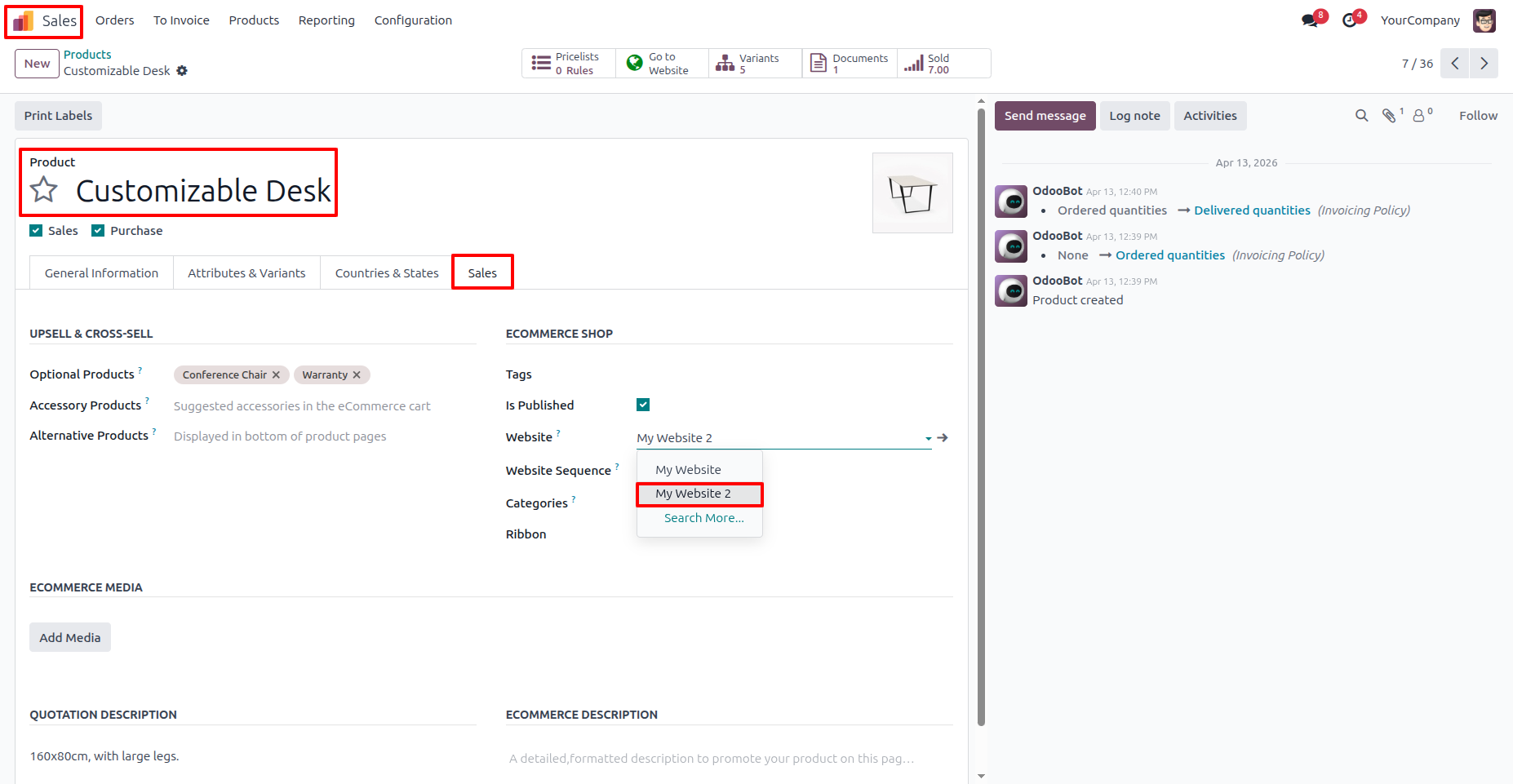
8. You can set the website for each product as per your requirements.
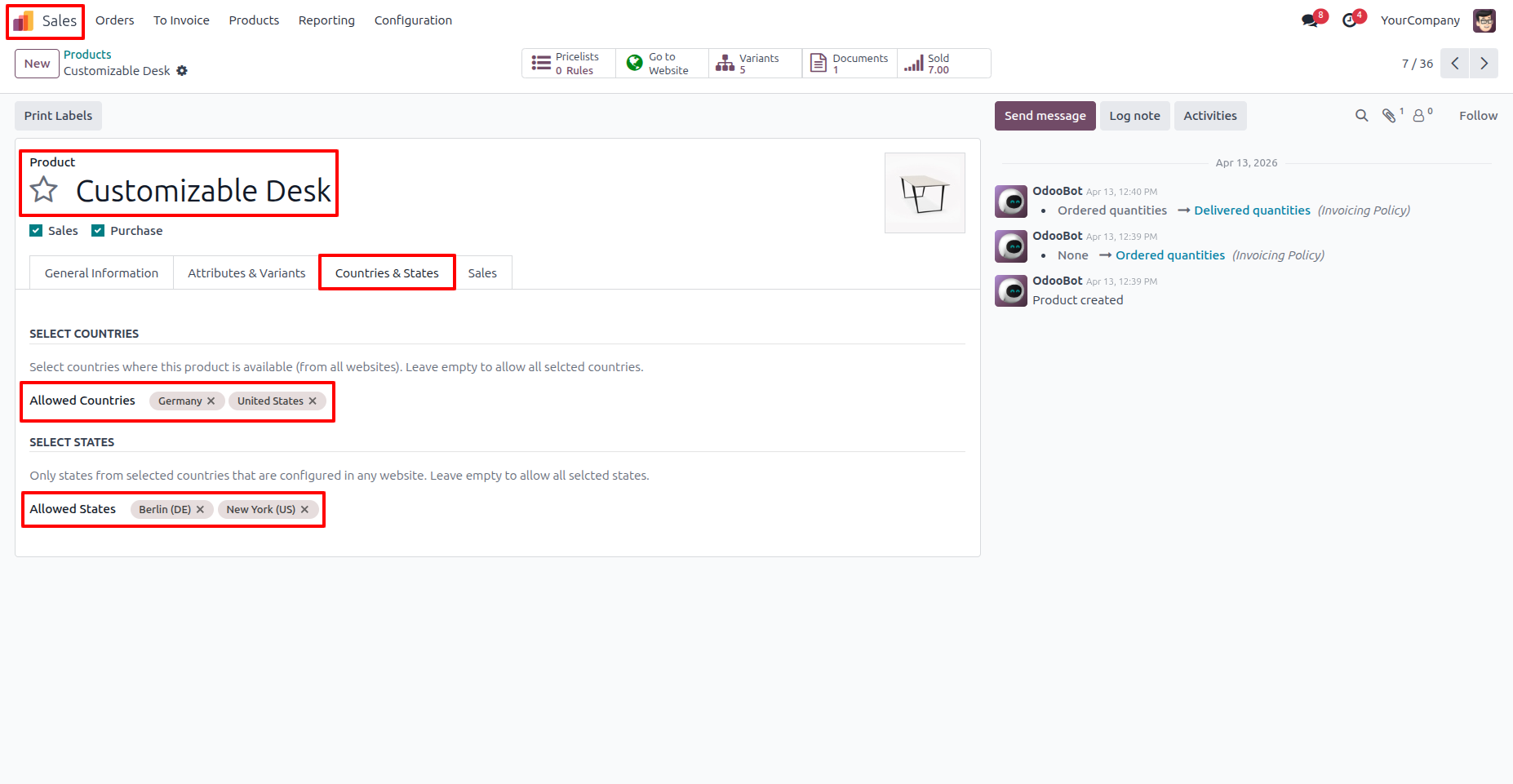
9. When the website is set to “My Website 2,” only that My Website’s configured countries and states will be automatically applied to the product.
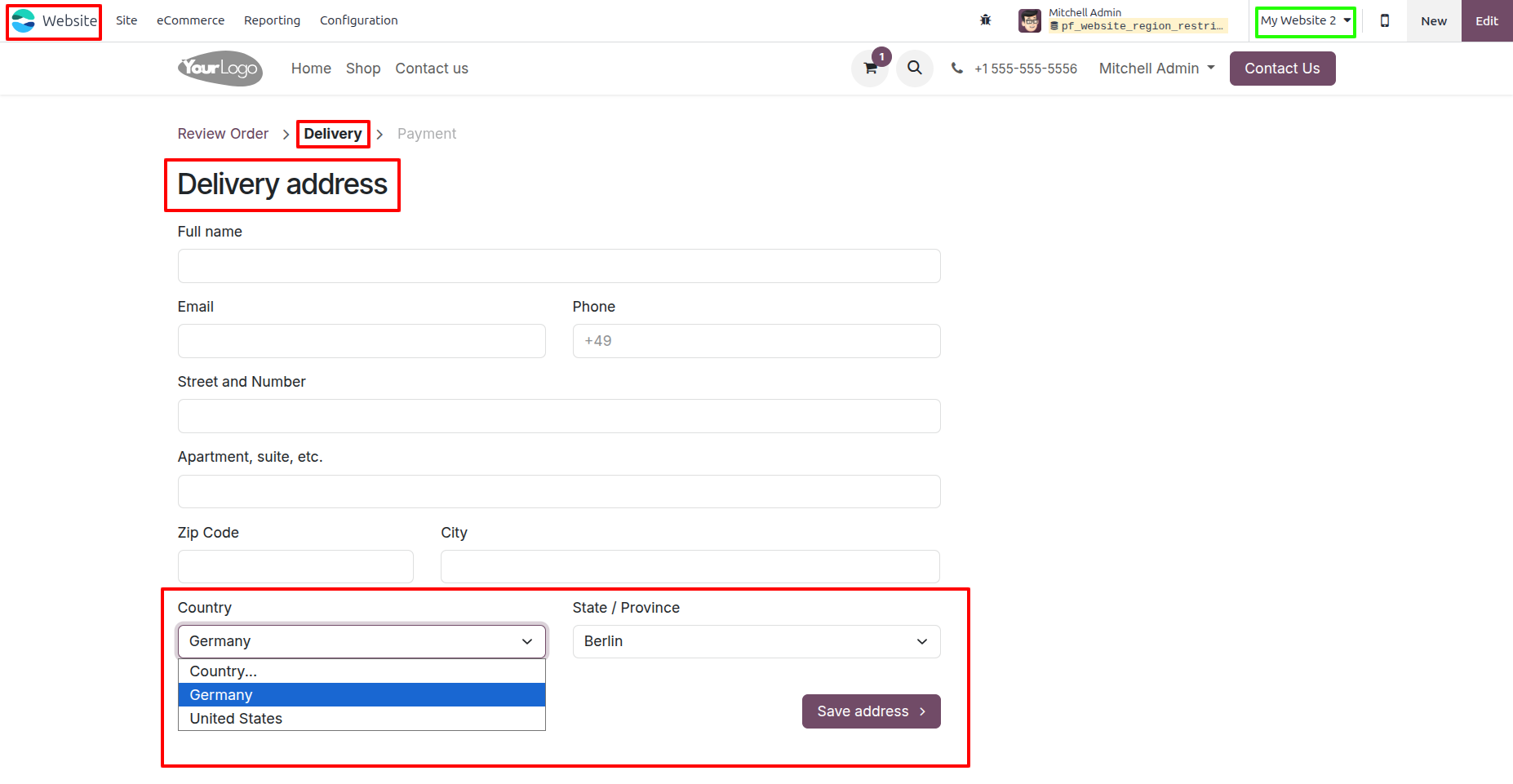
10. In “My Website 2,” when a user creates a new delivery address, only the "My Website 2's" configured countries and states appear in the dropdown, preventing invalid orders.
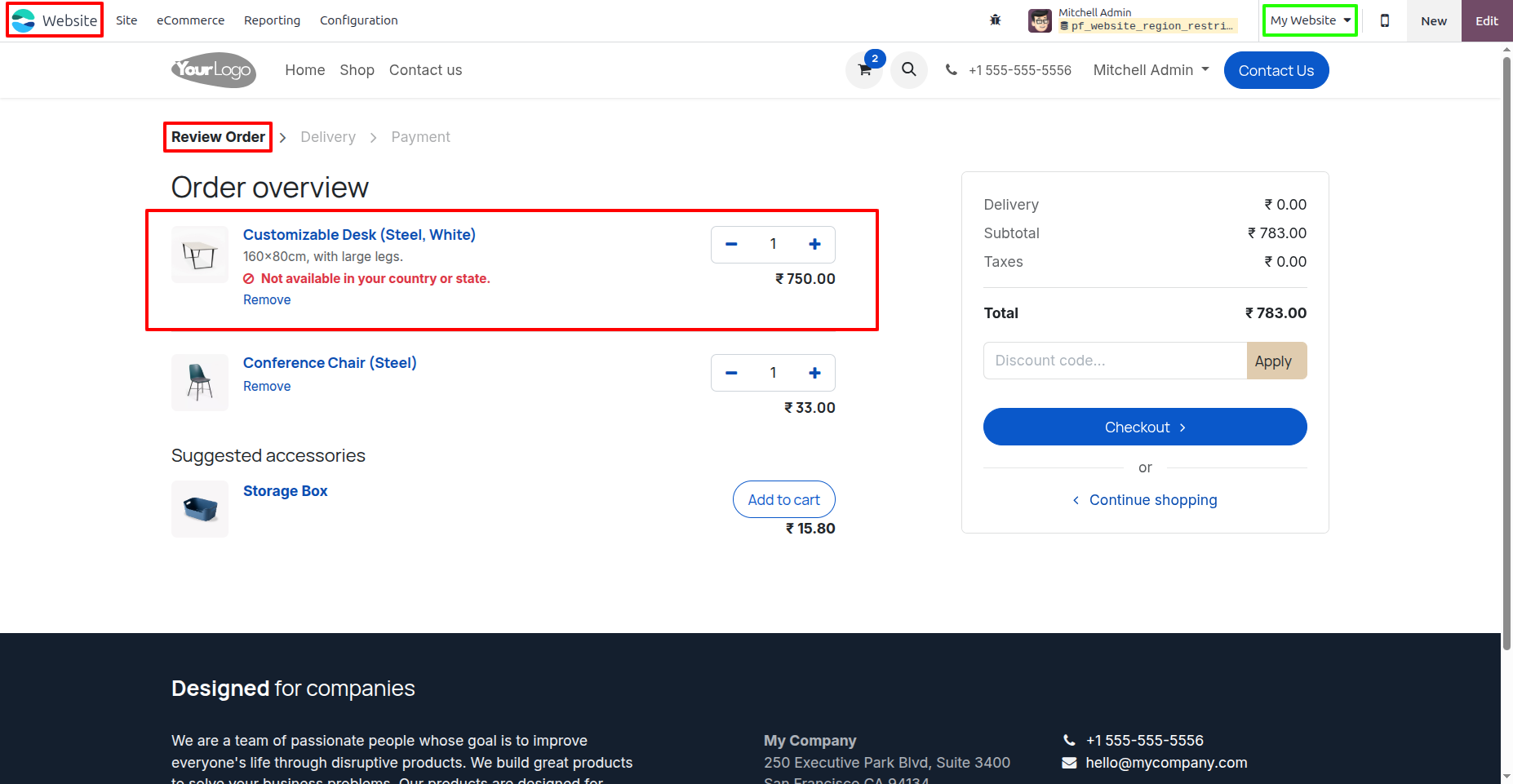
11. When you buy a product and the selected address’s country or state does not match the product’s configured countries and states, a warning message will appear in the cart.
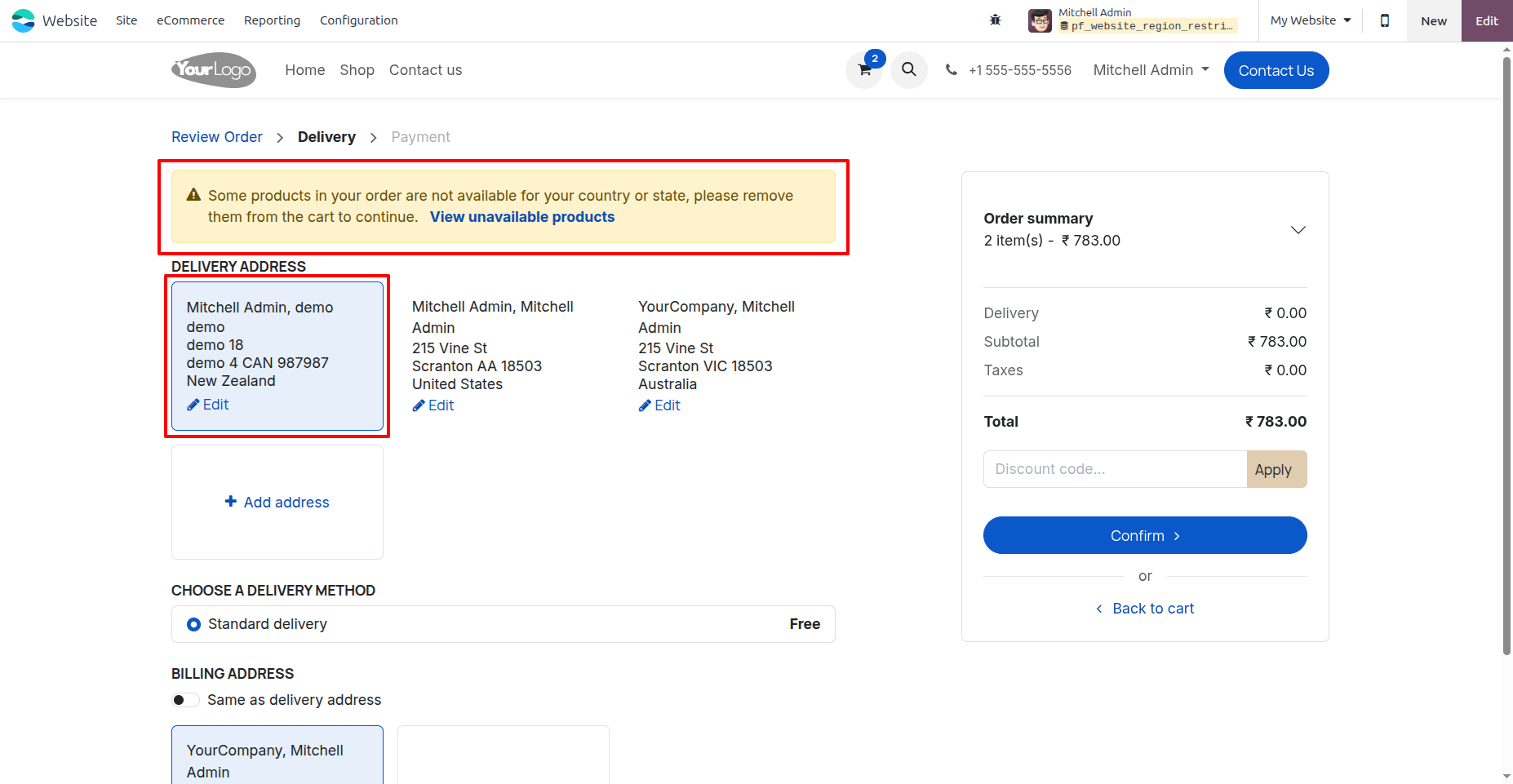
12. Only addresses from India (Gujarat) and Australia (Queensland) are valid for this product. If the user selects any other address, a warning message will appear.
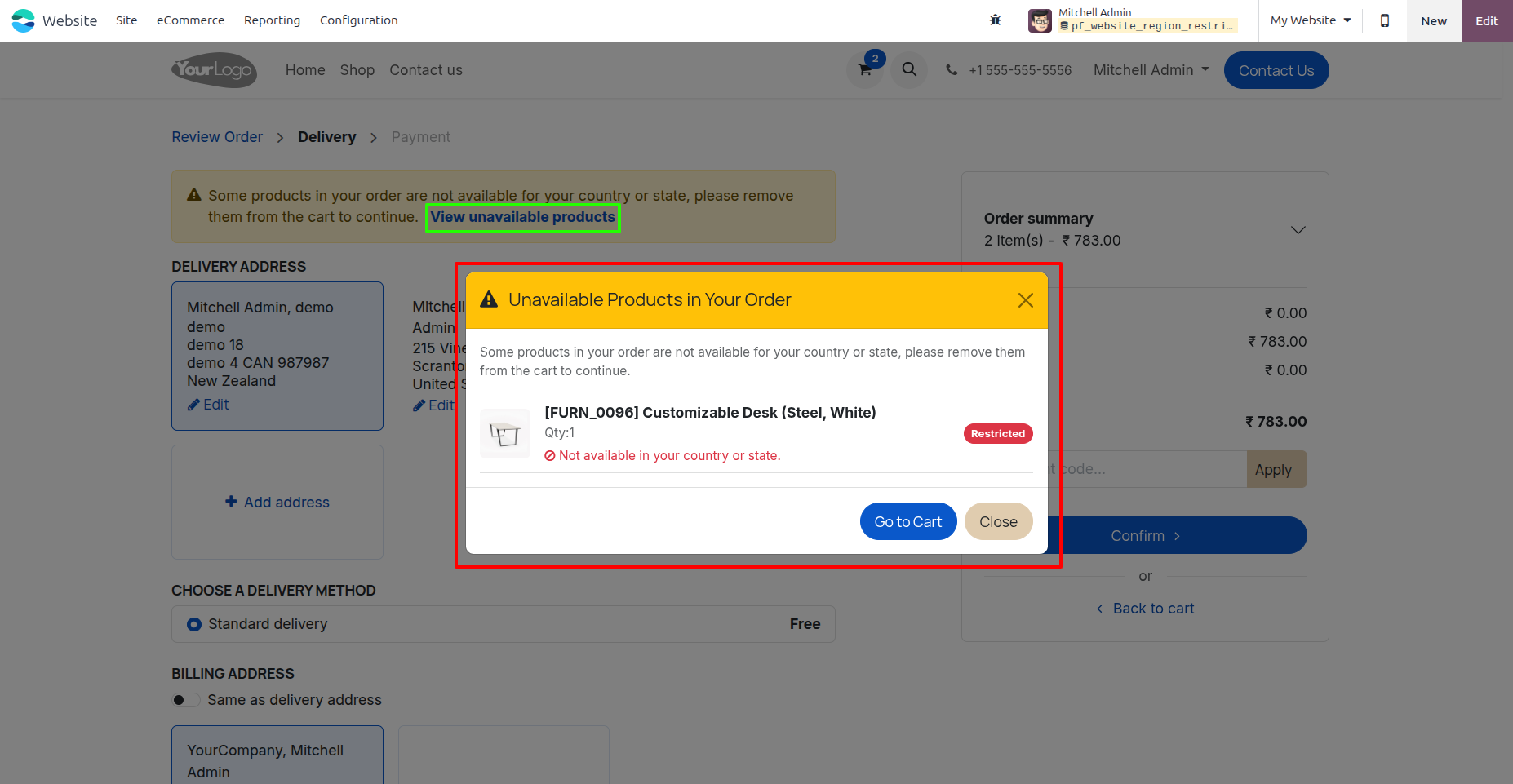
13. A warning message includes a “View unavailable products” popup link that displays the list of unavailable products in your cart.
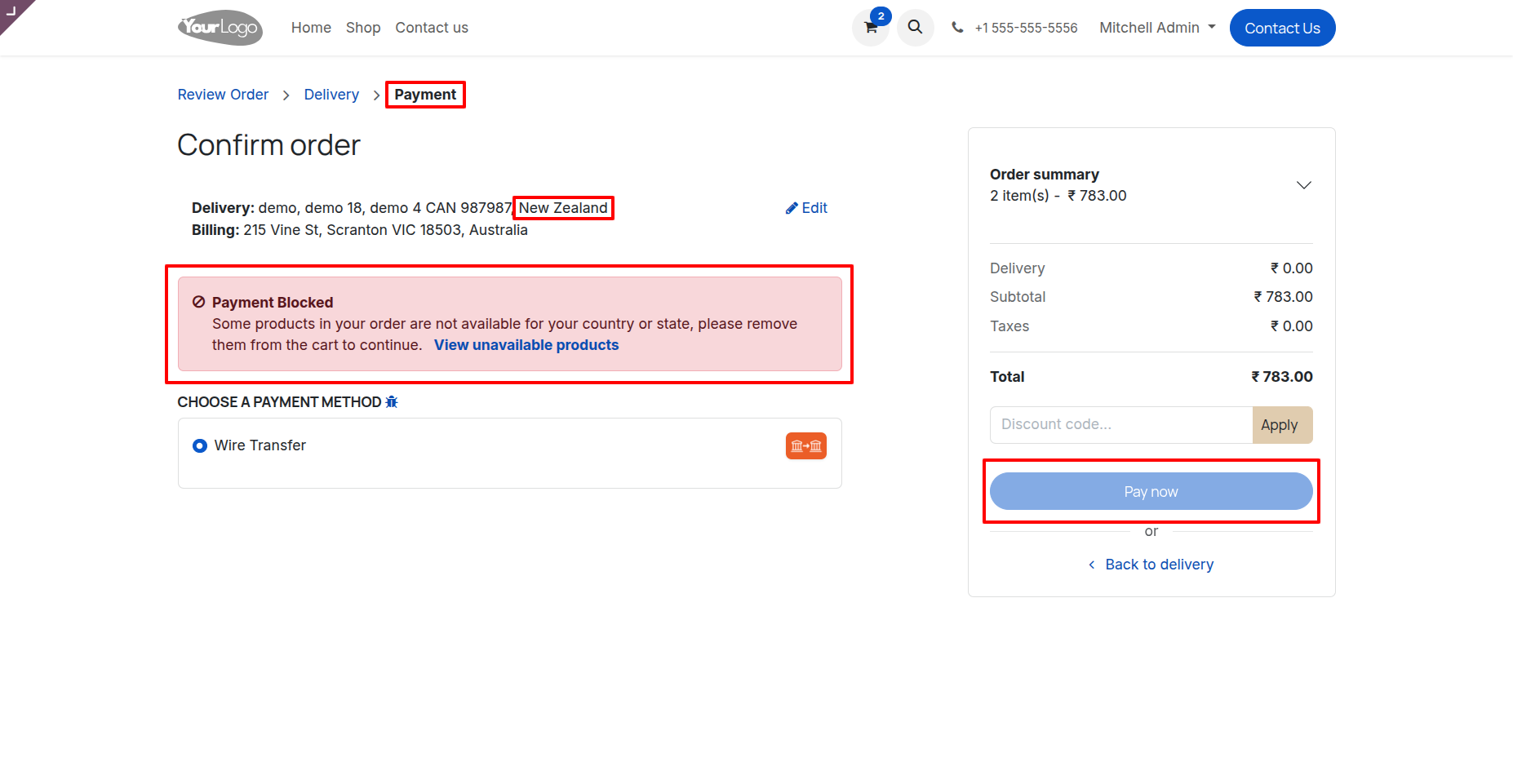
14. With an invalid address, the payment button will be disabled and a warning message will be shown to prevent invalid orders.
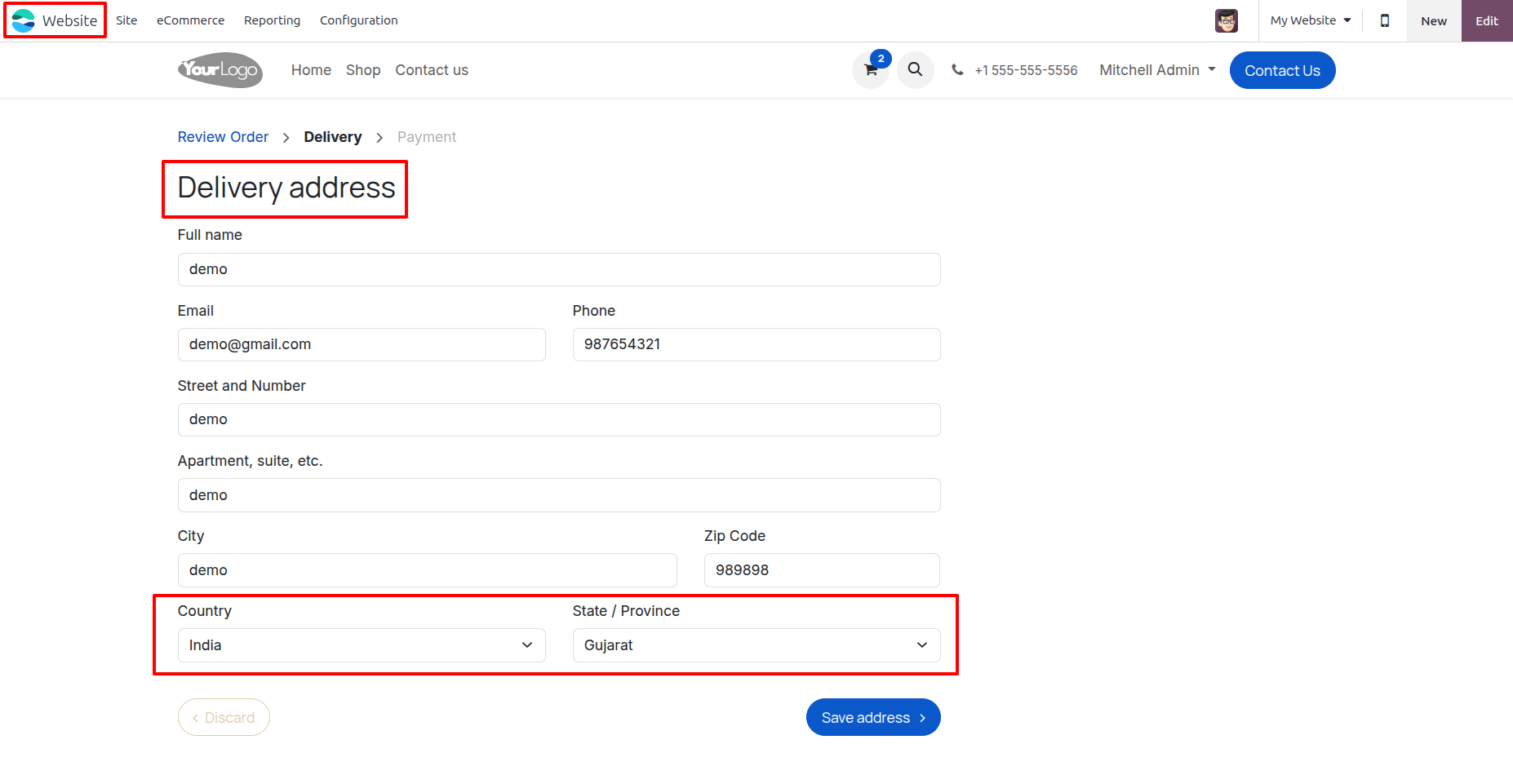
15. When a user creates a new delivery address, only the configured countries and states are available, ensuring a valid address is created.
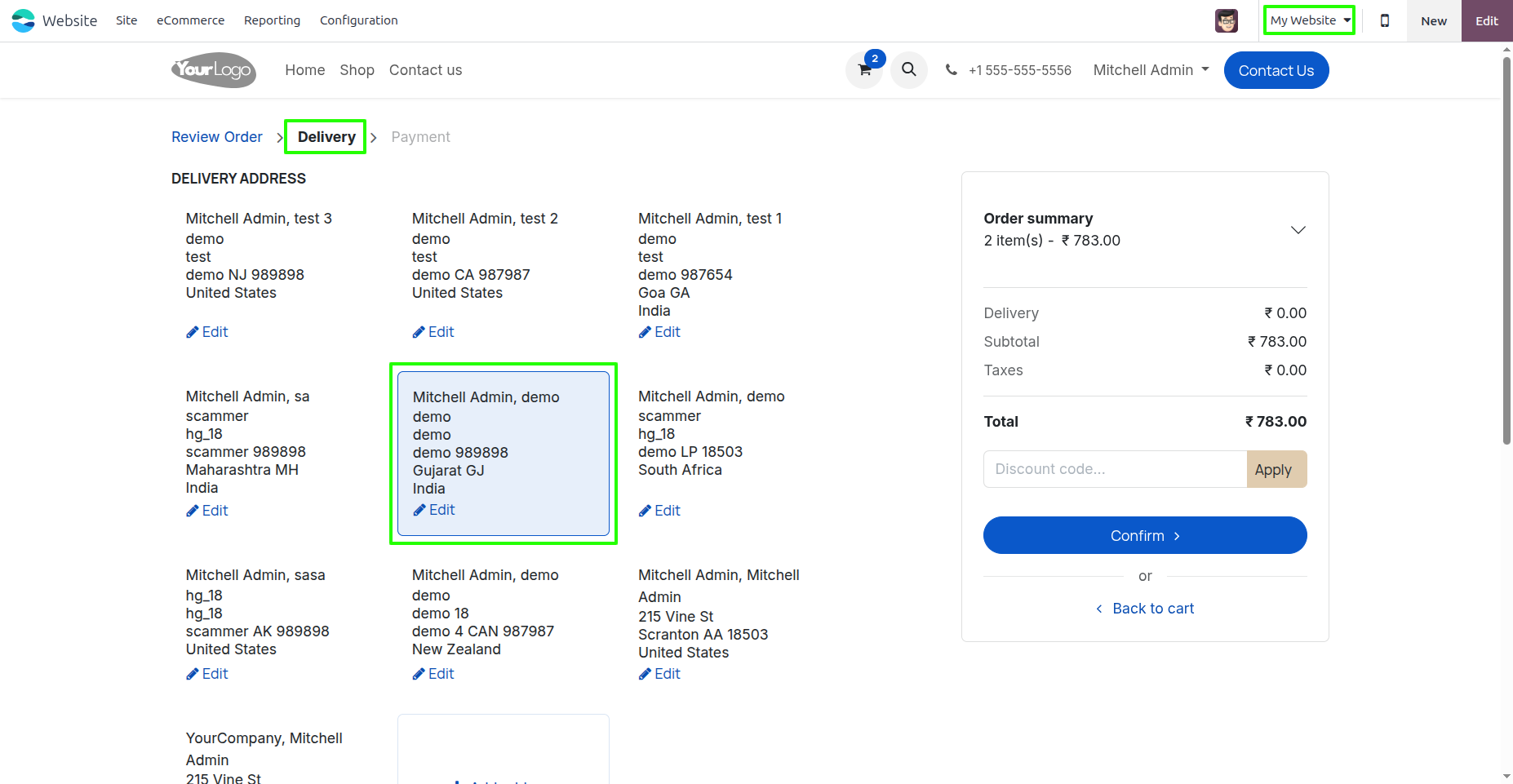
16. If a valid address is selected, no warning message will appear.
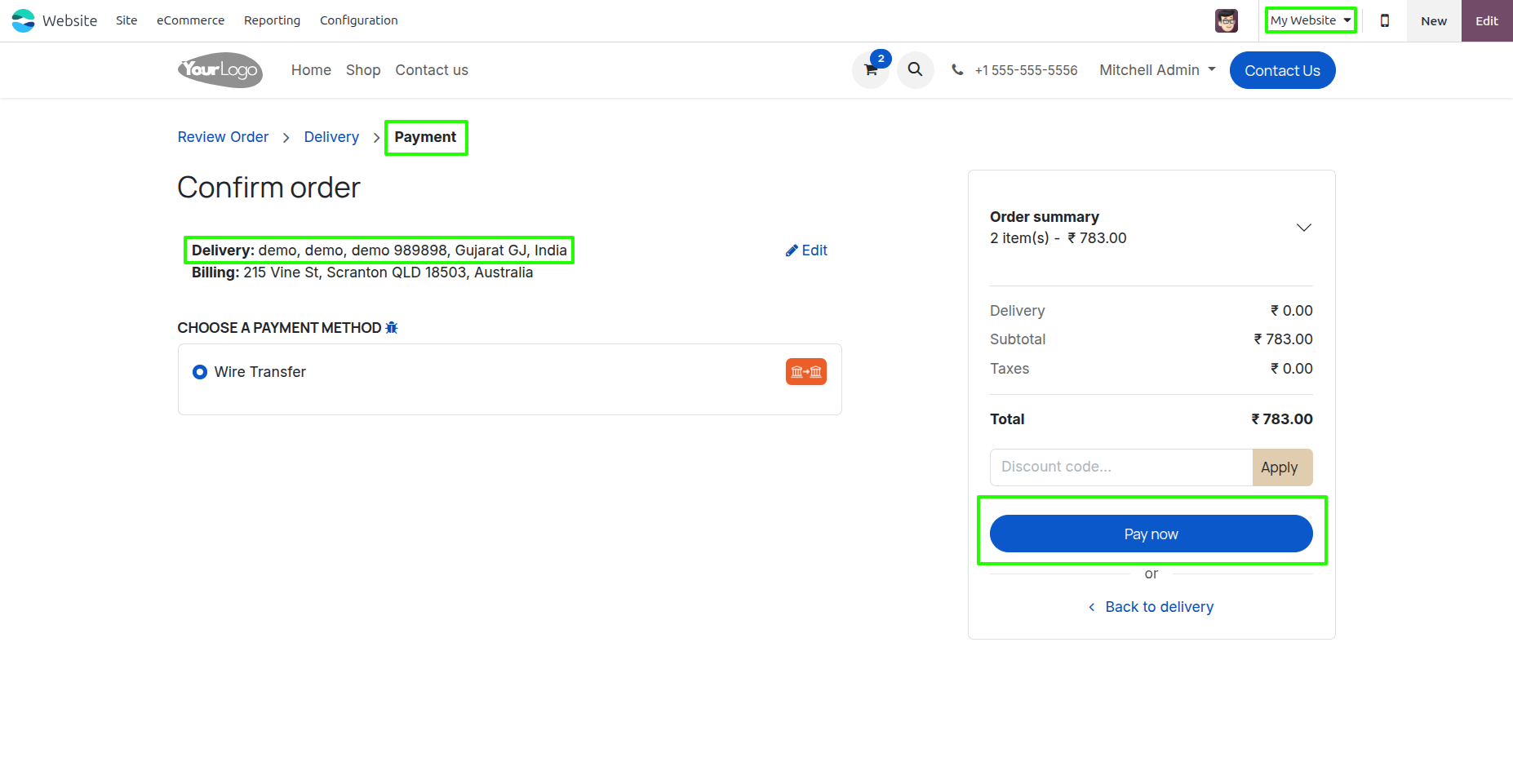
17. For a valid address, no warning appears on the payment page, and the payment button remains enabled.
Our solutions focus on your problems
- Odoo Implementation
- Odoo Customization
- ERP Development and Implementation
- Odoo Ipass Cloud
- AI for Odoo
- Odoo Apps
- Aws Marketplace Products
- Business Engines
Our Pricing includes User Manual, 90 Days Support (Monday-Friday 10am to 7pm IST) and One time Setup
• Works & tested on standard installations of Odoo with no third party apps,
• Free support only for odoo installations with no third party apps,
• Paid support available for Odoo installations with third party apps.

Prefortune is a Odoo Official Partner, Odoo Development company. Our philosophy is to use Open Source tools and technologies to provide cost effective and green solutions for our customers.
Prefortune Technologies LLP is working on web development, Mobile development, and Odoo ERP.
If you need any help or want more additional features, you may contact us through:
Alternative Products
These other products might interest you
Specifications
| Version | 19.0, 18.0, 17.0, 16.0, 15.0, 14.0 |