Watch Quick Video
Odoo Product Tag App for Website
Our all-one
Odoo Product Tag App for Website
for Website is a robust solution that improves the product search experience on your Odoo eCommerce
website by allowing customers to search products via custom product tags. From the Sales tab, businesses
can tag products with one or more tags, which allows them to categorize products with meaningful keywords.
If a customer searches on the website, any product with a matching tag is automatically added to the
search results. This means even if the search term is not in the product name, it’s easier to find the
right product. Configurable in a very simple way and without needing any technical knowledge, the module
is an efficient tool for increasing the accuracy of the search, the visibility of the products and
allowing the customers to find the products they are looking for quickly. This module enhances the default
website search by providing matching based on tags, so shopping is faster, more intuitive and user
friendly.
Odoo Product Tag App for Website
- Create and administer custom tags for products Item sorting includes helpful keywords to make your items easier to find.
- Search of a website by tags. This allows customers to search for products by tags and product names.
- Tags are a great way to search products on your eCommerce website to get more accurate and relevant results.
- Ease of locating tagged products Products availability Shopping experience
Complete Workflow for Manage Odoo Product Tag App for Website
Go to **Sales → Products** and open the required product. Navigate to the **Sales** tab and create new product tags or select existing tags to assign to the product, then save the changes. Repeat this process for any other products that should be searchable using tags. Next, go to the **Website → Shop** page and use the website search bar to search using a product tag. Products with matching tags will automatically appear in the search results, making it easier for customers to find relevant products even when the search term is not included in the product name.
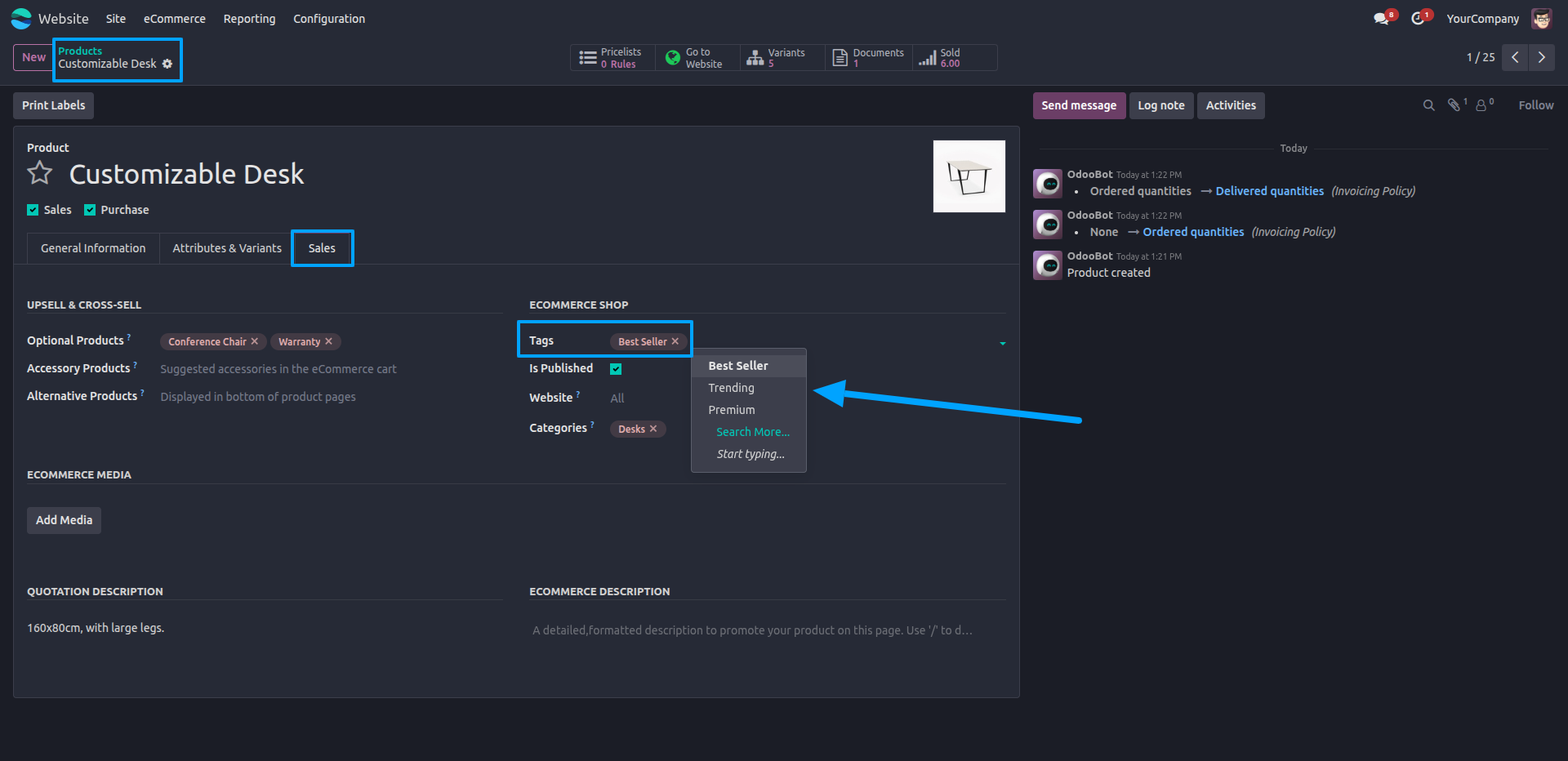
1.Open the Products menu and select the product you'd like to tag.
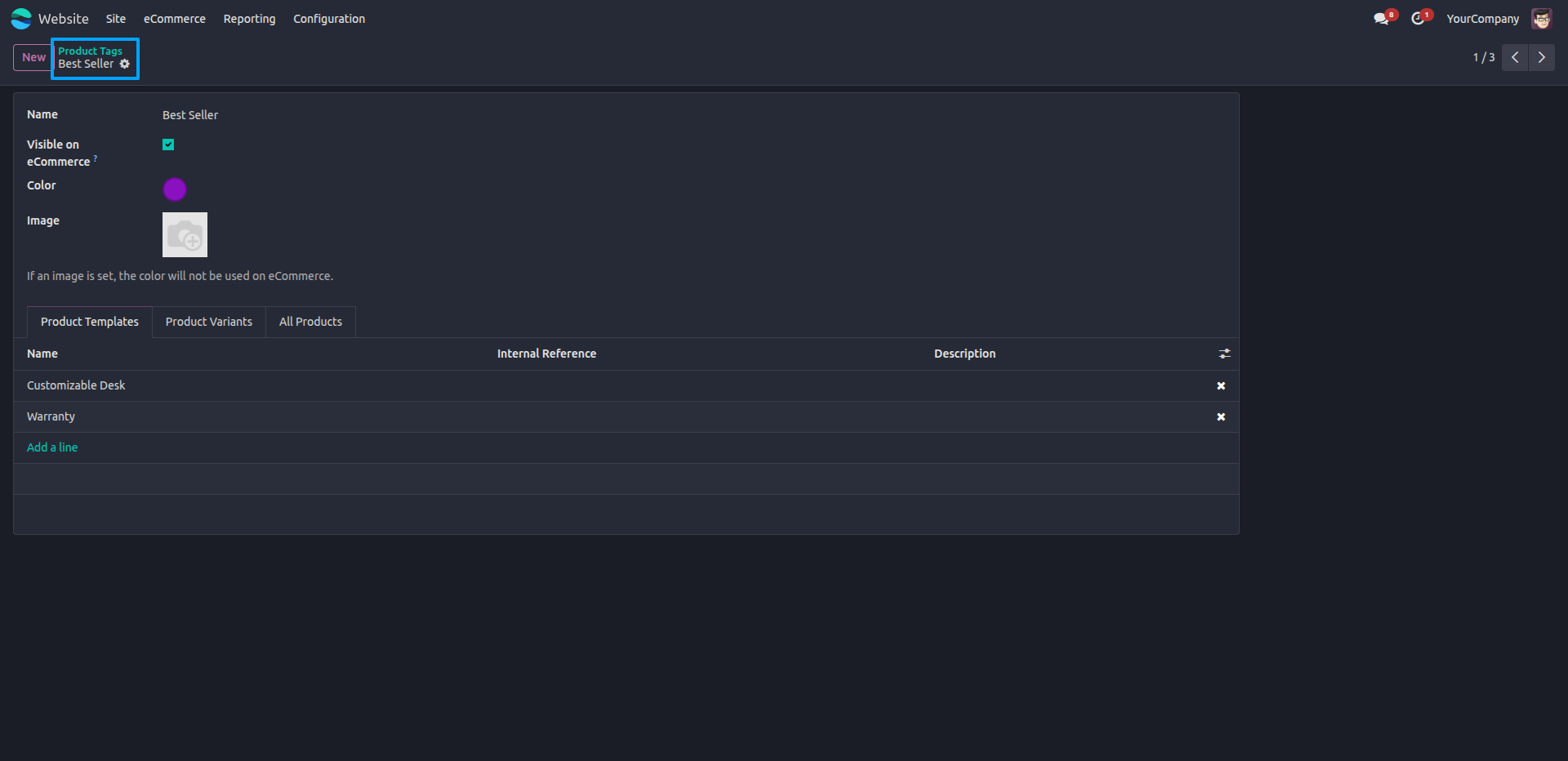
2.Create a new Tag or choose an existing tag to assign it to products.
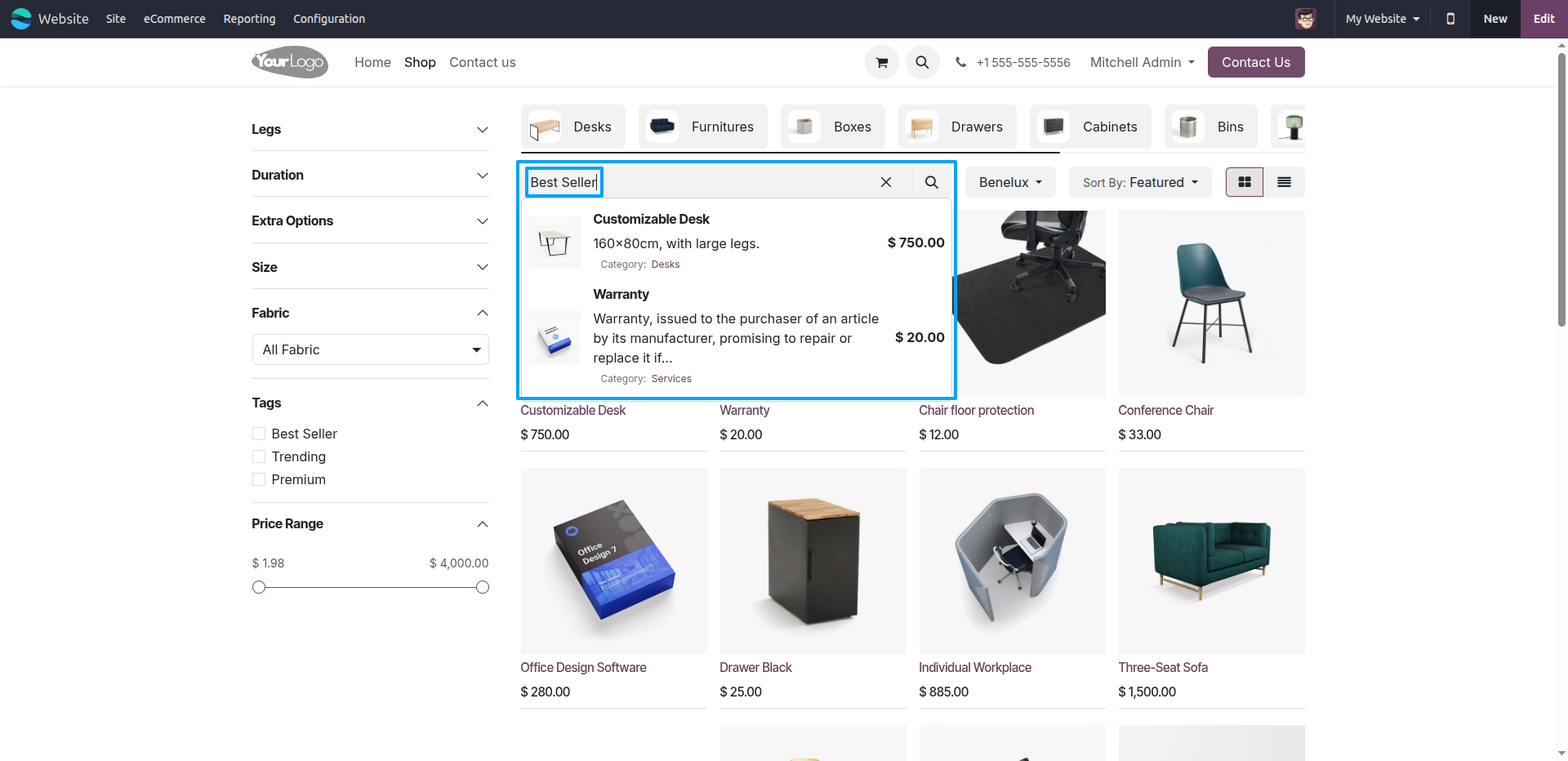
3.Then go to the Website app where you can search for products using their tags.
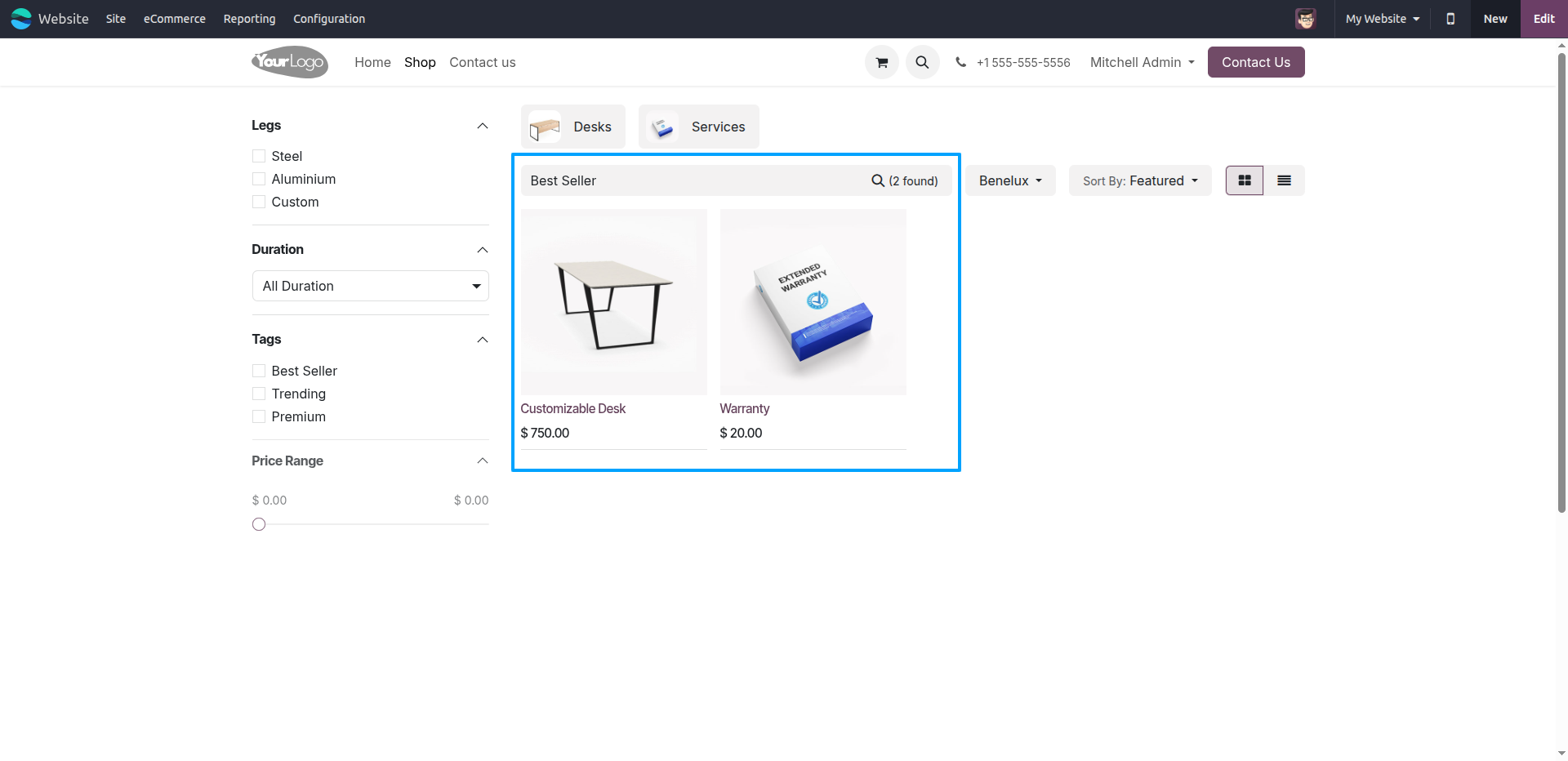
4.png
Our solutions focus on your problems
- Odoo Implementation
- Odoo Customization
- ERP Development and Implementation
- Odoo Ipass Cloud
- AI for Odoo
- Odoo Apps
- Aws Marketplace Products
- Business Engines
Our Pricing includes User Manual, 90 Days Support (Monday-Friday 10am to 7pm IST) and One time Setup
• Works & tested on standard installations of Odoo with no third party apps,
• Free support only for odoo installations with no third party apps,
• Paid support available for Odoo installations with third party apps.

Prefortune is a Odoo Official Partner, Odoo Development company. Our philosophy is to use Open Source tools and technologies to provide cost effective and green solutions for our customers.
Prefortune Technologies LLP is working on web development, Mobile development, and Odoo ERP.
If you need any help or want more additional features, you may contact us through:
Alternative Products
These other products might interest you
Specifications
| Version | 19.0, 18.0, 17.0, 16.0, 15.0, 14.0 |