Watch Quick Video
Odoo POS Order Cancellation
Odoo POS Order Cancellation
is a module to manage and track order cancellation from Point of Sale system. Before an order can be cancelled, the module asks the user to choose a reason from a list of pre-defined reasons or to enter a custom reason. This means all cancellations are recorded and traceable. It enhances operational transparency, reduces unauthorised cancellations and helps businesses maintain an accurate record of voided transactions. The module also captures the cancellation details like reason selected, user, date and order details in the backend for audit and reporting purpose . Authorised users can cancel orders without reason, other users have to choose a reason from. This aids in better transparency, cancellation analysis and overall management of the POS operations.
Odoo POS Order Cancellation Features
- Require users to select a cancellation reason before cancelling a POS order.
- Support predefined cancellation reasons along with a custom "Other Reason" option.
- Allow authorized users to cancel orders without providing a reason through user permissions.
- Automatically create and store cancelled order records in the backend for tracking.
Complete Workflow for Odoo POS Order Cancellation
Odoo POS Order Cancellation Module helps to have a proper and controlled cancellation process in Point of Sale. If a user tries to cancel an order, the system may require the user to select a predefined cancellation reason or enable the user to specify a custom reason for the cancellation before confirming the cancellation. Authorised users can be given the option to skip the reason selection, but all other users must select a valid reason which will help reduce unauthorised order cancellations. All cancellation details such as selected reason, user info, date and order reference are automatically stored in backend for future tracking and analysis. Dedicated cancelled order records can also be generated for unsaved POS transactions, so cancellation activities are never lost. This entire workflow enhances operational transparency, improves audit compliance, allows for detailed cancellation reporting and helps businesses better track employee activity and cancellation trends.
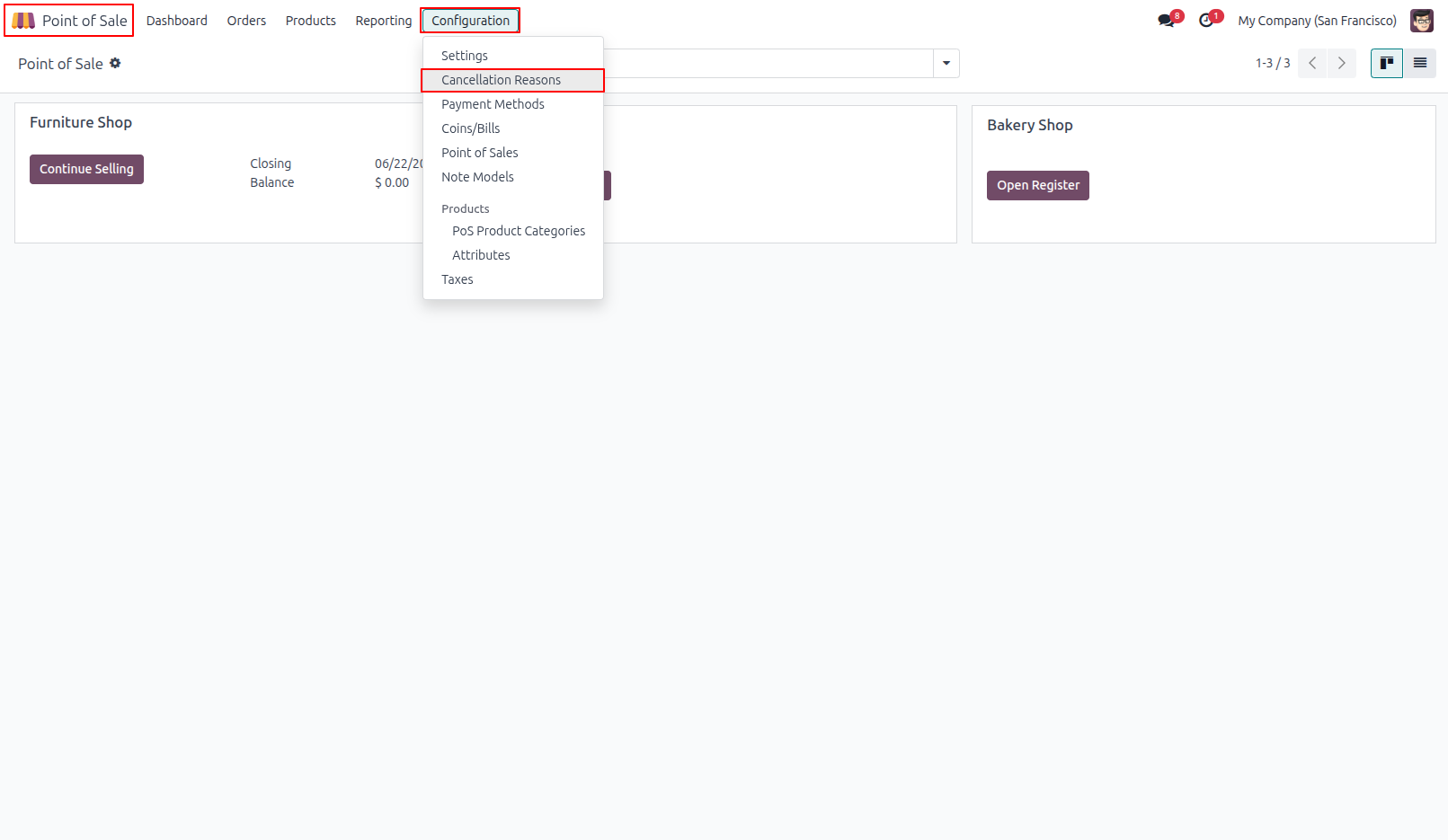
1.From reason setup to access control to backend Cancellation Reasons Menu in POS Configuration
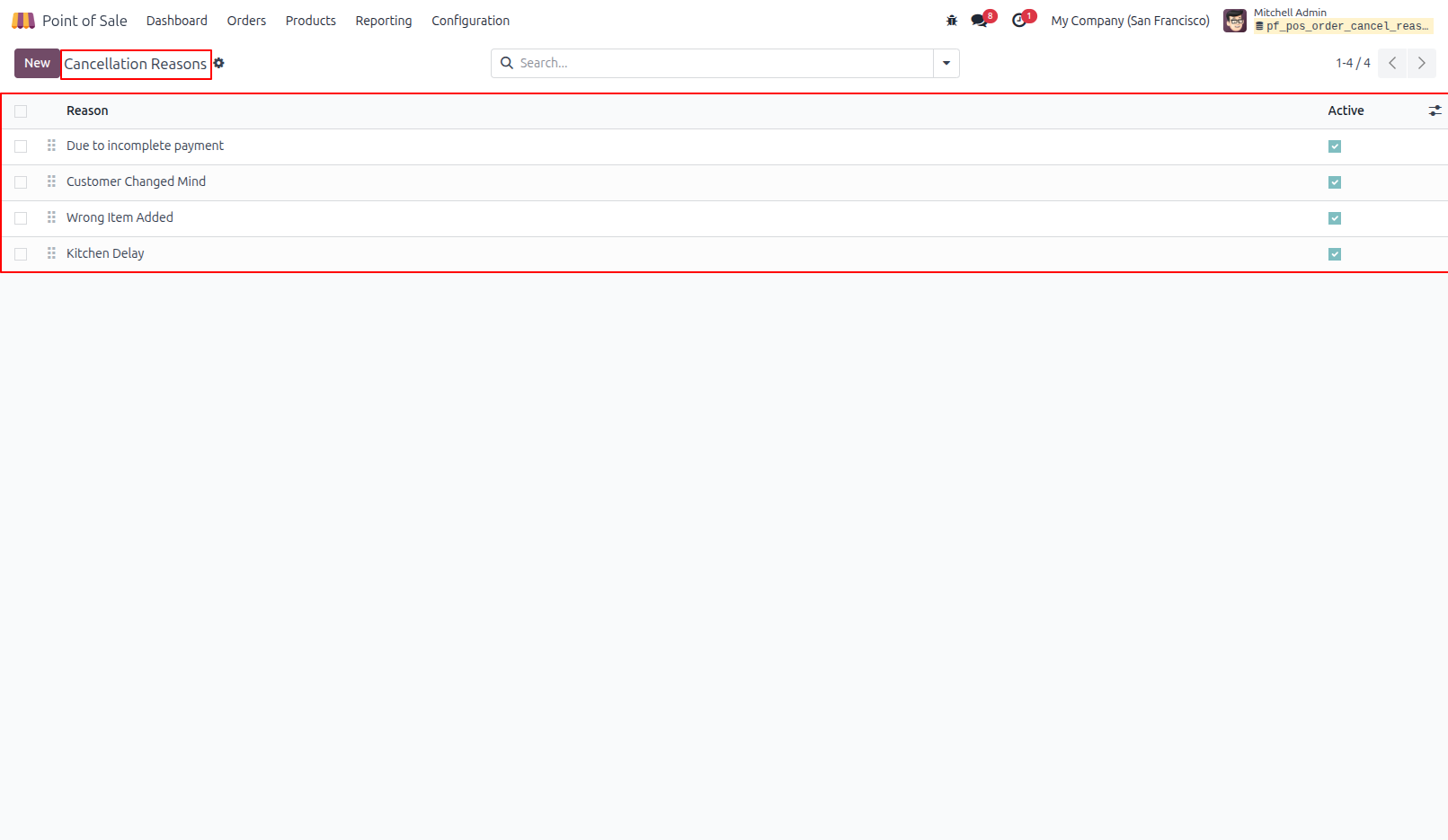
2.Cancellation Reasons List
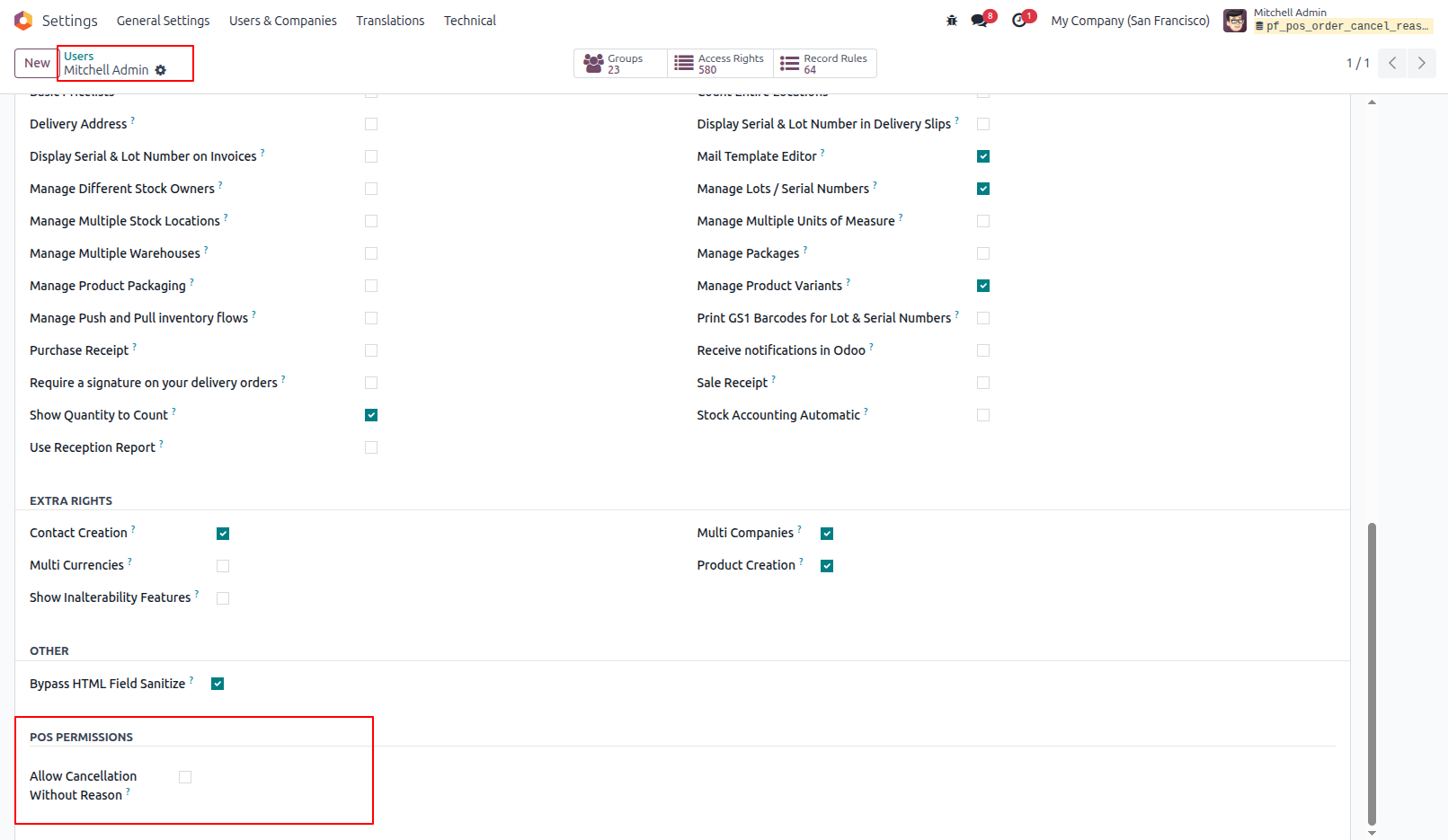
3.User - "Allow Cancellation Without Reason" OFF ( Restricted )
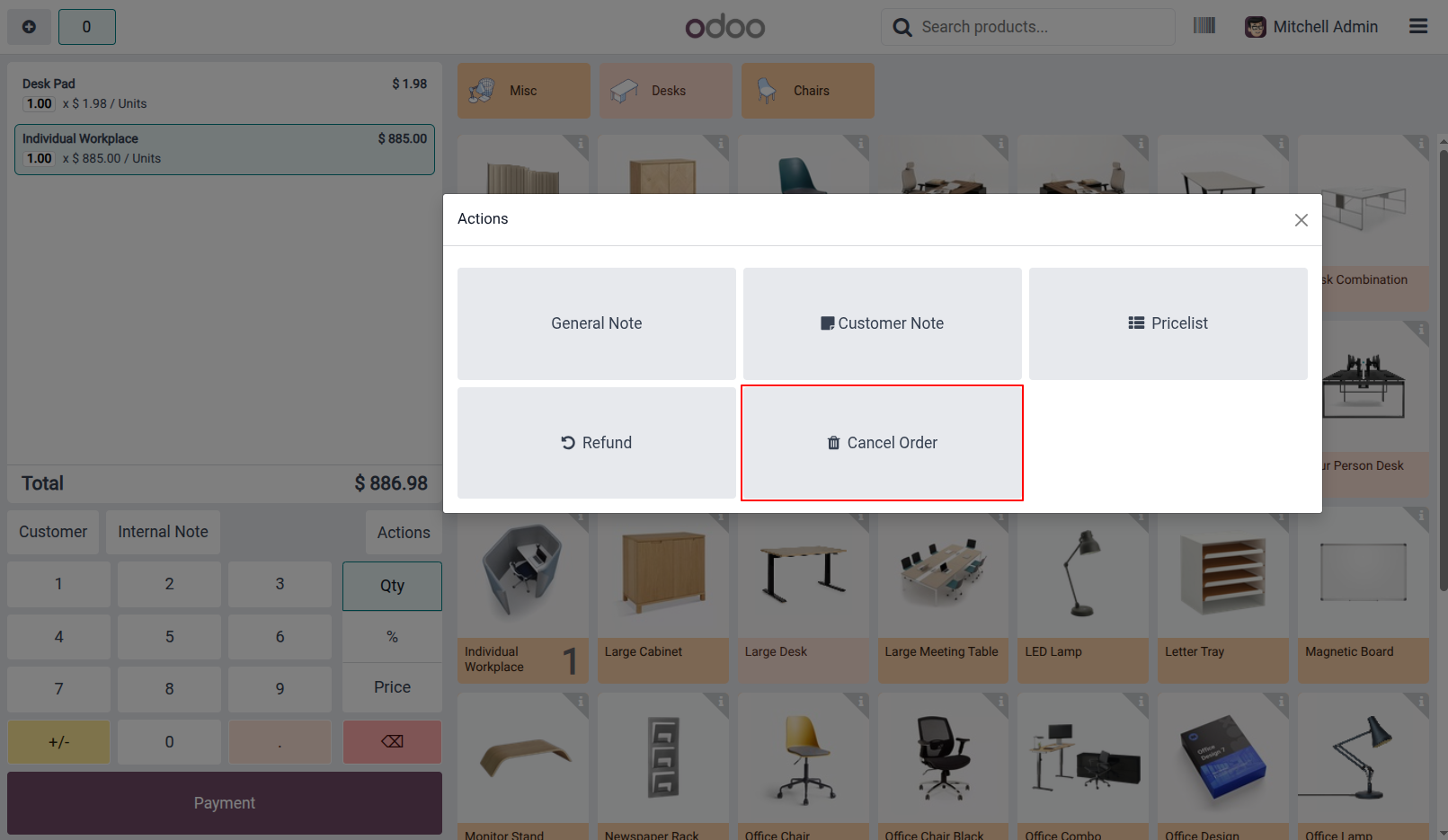
4.POS Actions Popup - Cancel Order Button
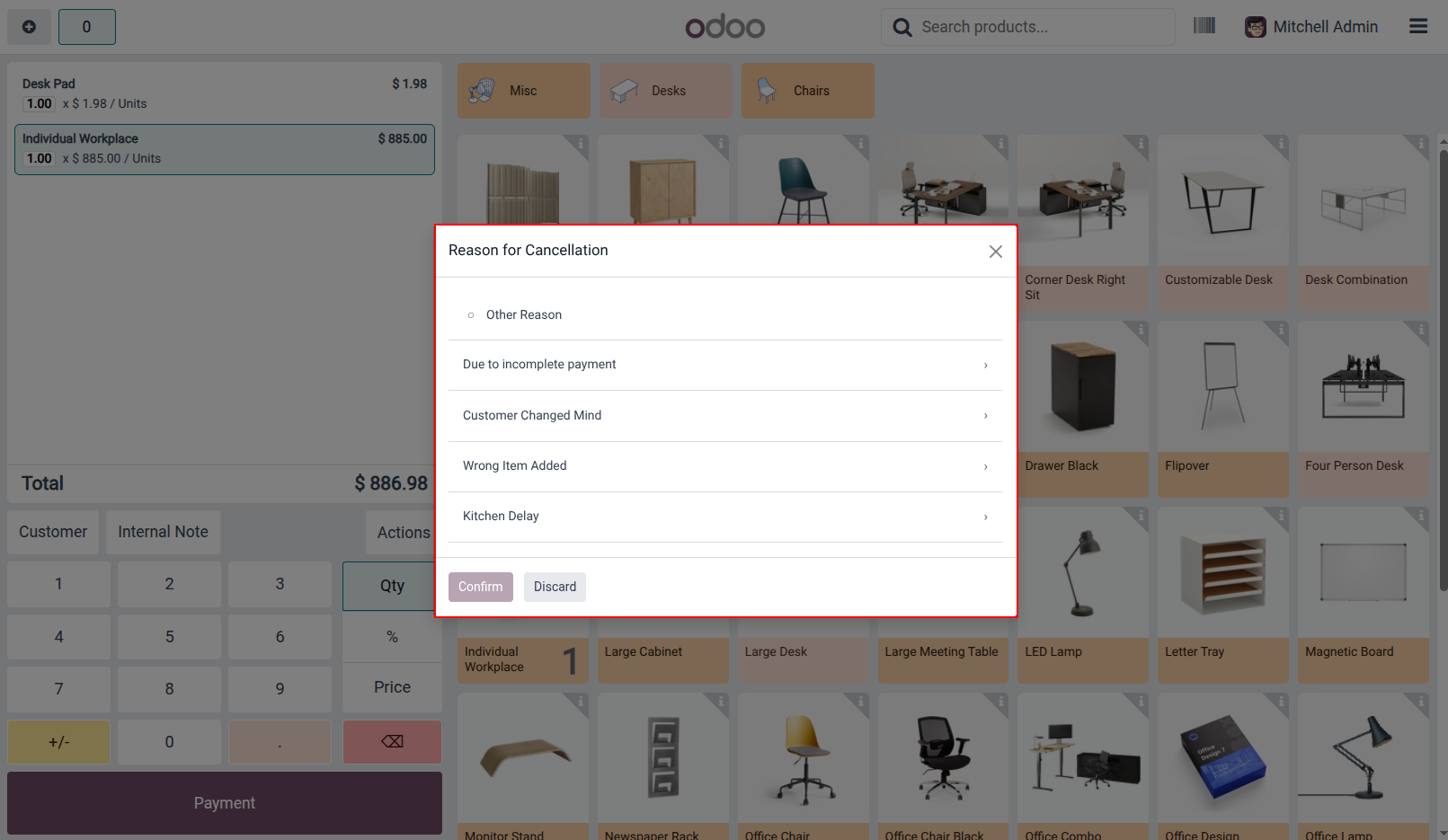
5."Reason for Cancellation" Popup with Preset Reasons
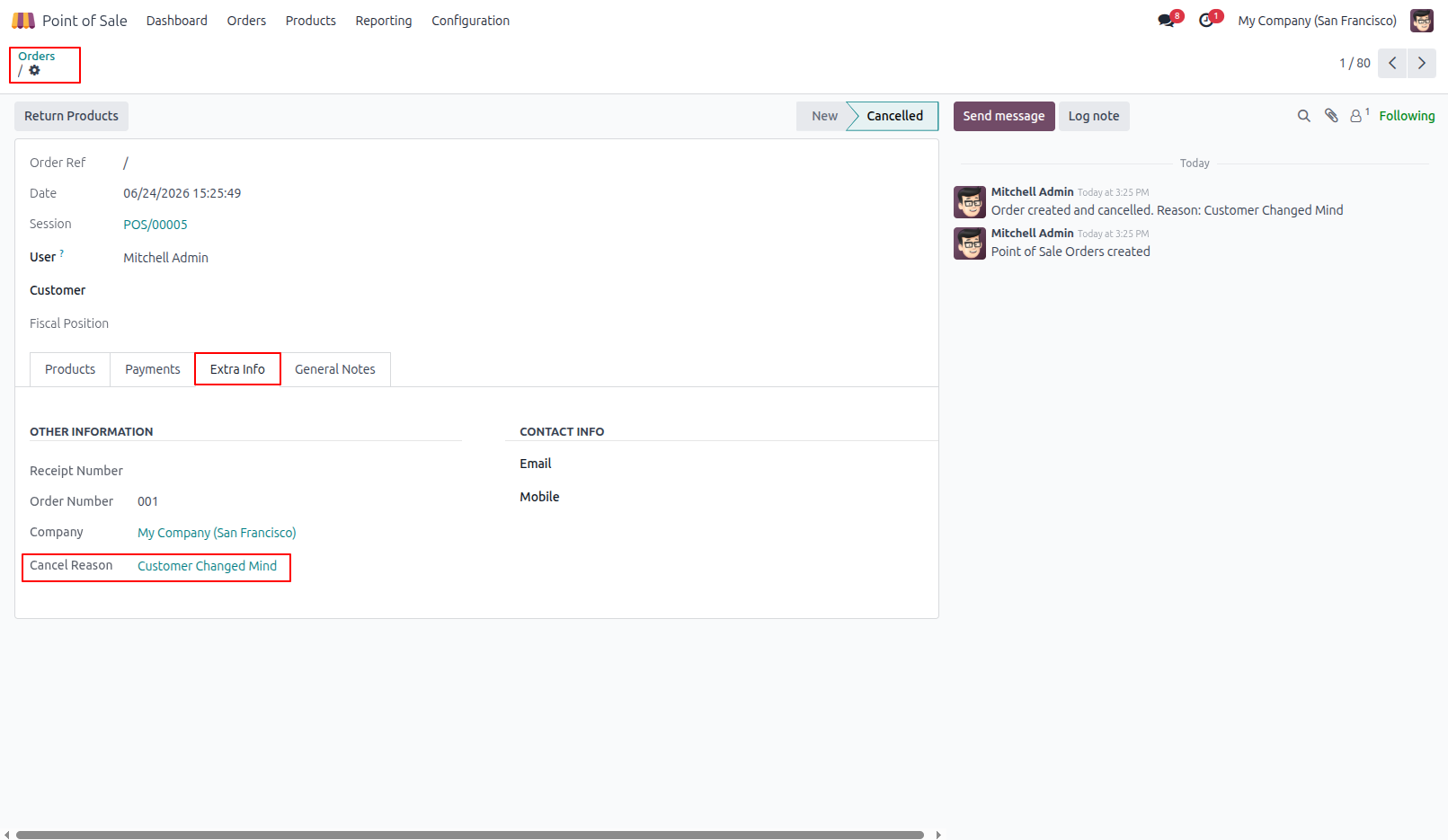
6.You can see that the reason for the cancelled order is displayed in the Extra Info tab.
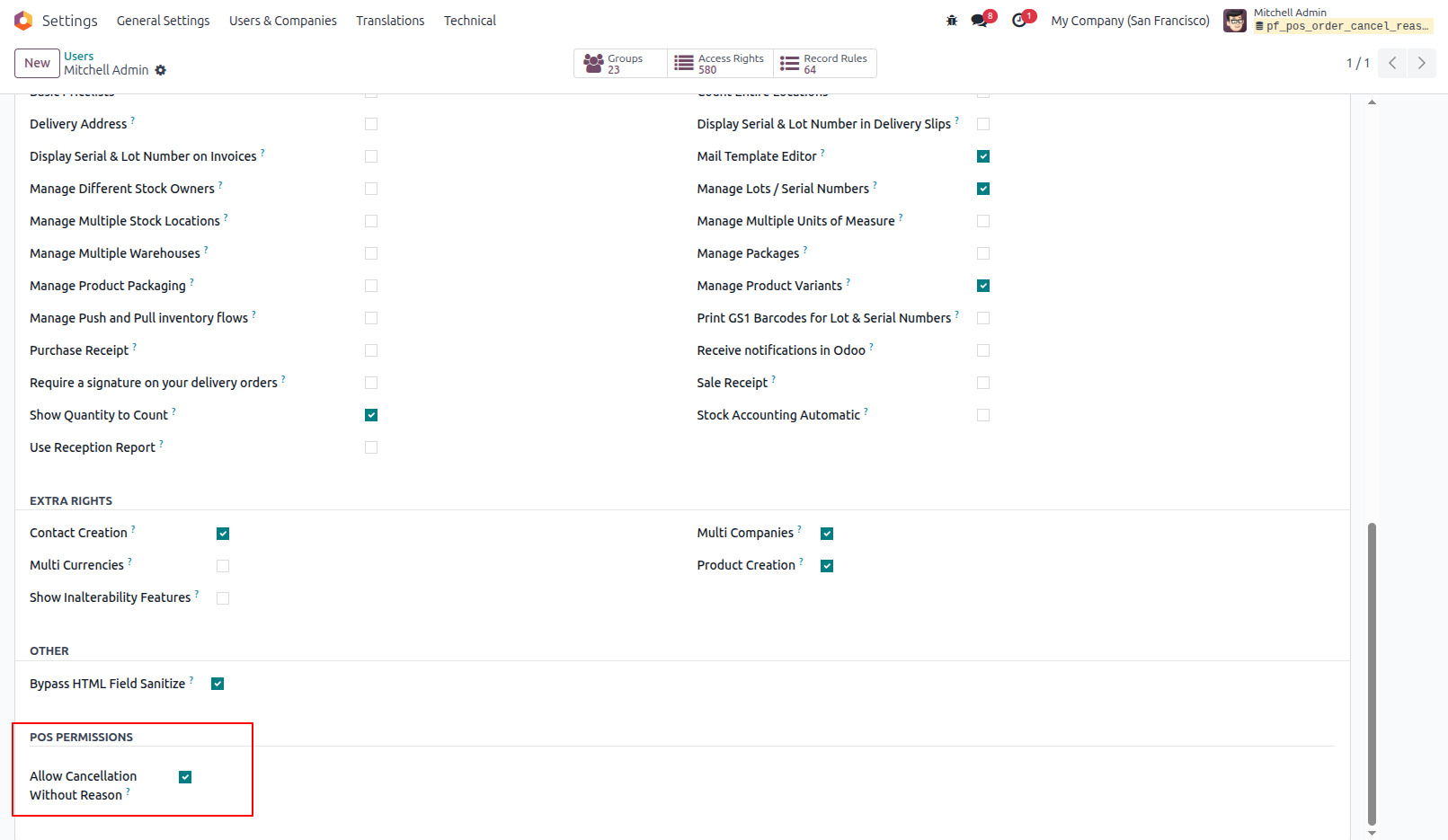
7.User - "Allow Cancellation Without Reason" ON (Bypass)
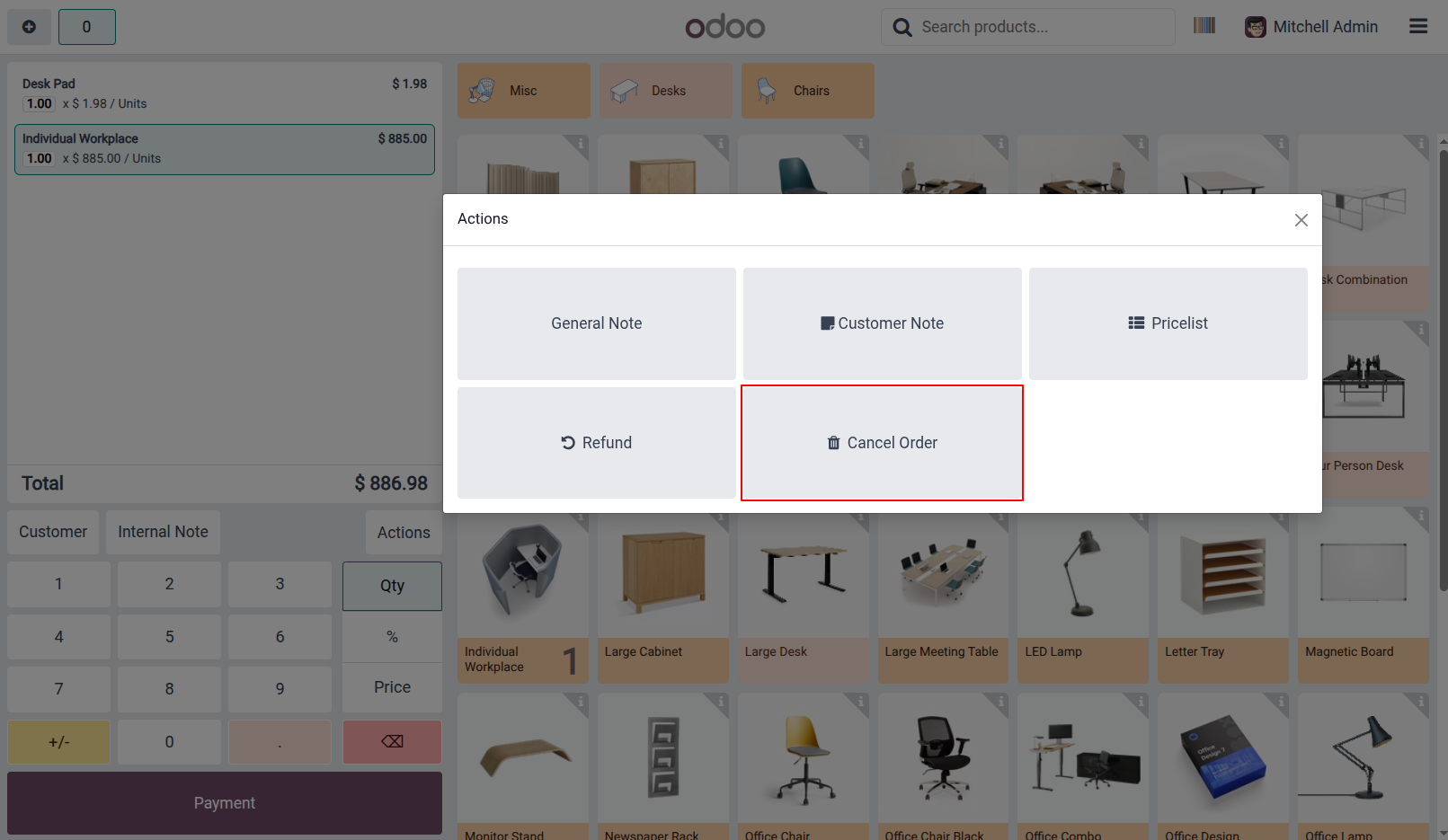
8.Cancel Order Action Without Reason Prompt
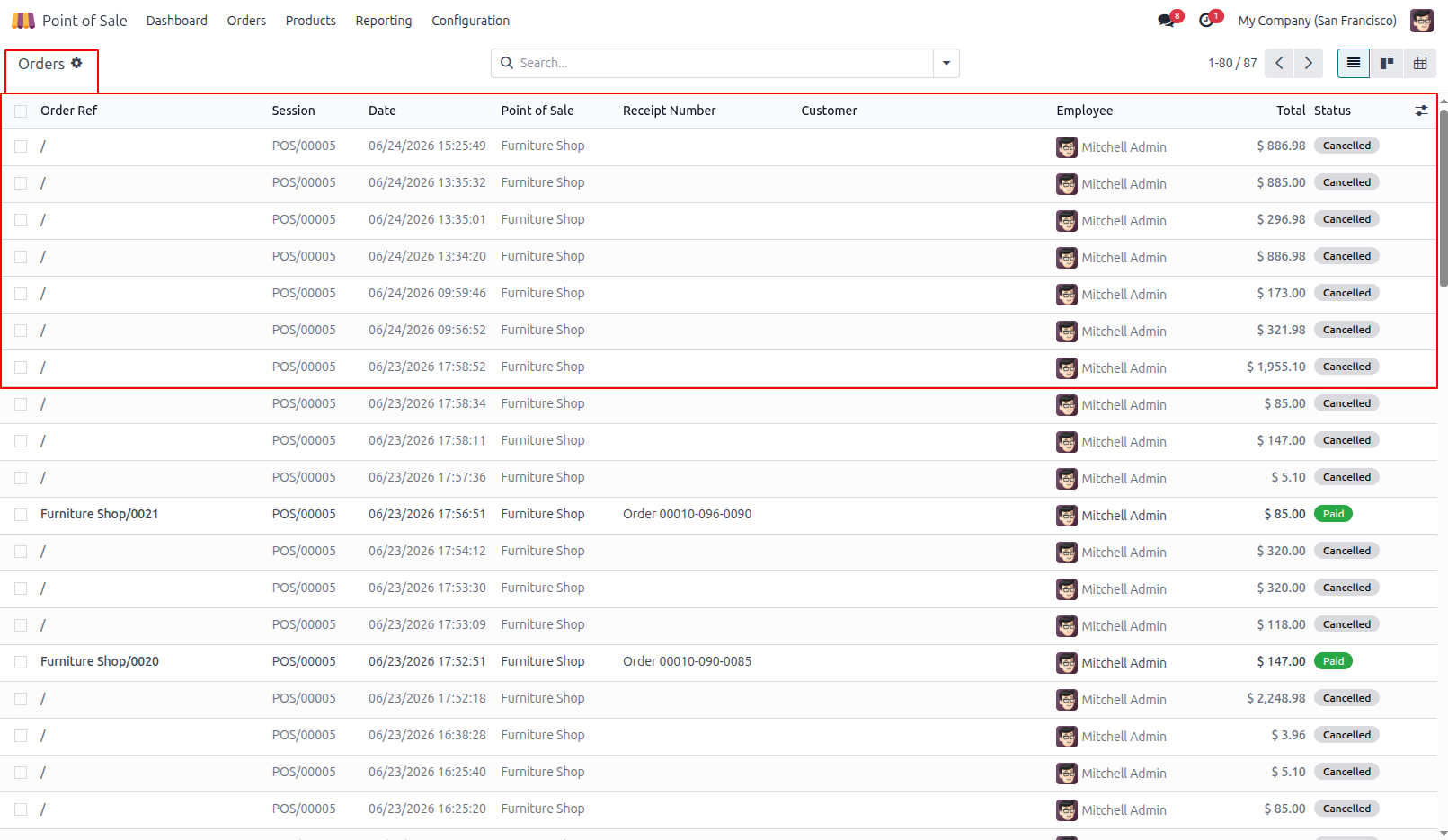
9.Cancelled POS Orders Visible with Other Orders
Our solutions focus on your problems
- Odoo Implementation
- Odoo Customization
- ERP Development and Implementation
- Odoo Ipass Cloud
- AI for Odoo
- Odoo Apps
- Aws Marketplace Products
- Business Engines
Our Pricing includes User Manual, 90 Days Support (Monday-Friday 10am to 7pm IST) and One time Setup
• Works & tested on standard installations of Odoo with no third party apps,
• Free support only for odoo installations with no third party apps,
• Paid support available for Odoo installations with third party apps.

Prefortune is a Odoo Official Partner, Odoo Development company. Our philosophy is to use Open Source tools and technologies to provide cost effective and green solutions for our customers.
Prefortune Technologies LLP is working on web development, Mobile development, and Odoo ERP.
If you need any help or want more additional features, you may contact us through:
Alternative Products
These other products might interest you
Specifications
| Version | 19.0, 18.0, 17.0, 16.0, 15.0, 14.0 |