Watch Quick Video
Odoo POS Multi Currency App
Our module, all in one Odoo POS Multi Currency App
will help you to manage multi currency transactions from Odoo POS. The system enables users to sell products and charge in multiple currencies, according to the defined pricelists and exchange rates. It ensures that the POS payment process is able to accurately convert currency so that businesses can manage their international and multi-currency transactions properly.
You can have several currencies. Select the currency of your choice. Currency Conversion with Correct Exchange Rate & Display Currency in Sales & Payment Process. Multi-currency payments, receipts, invoices and change calculations help businesses speed up POS transactions, increase payment accuracy and create a consistent multi-currency checkout experience.
Odoo POS Multi Currency App Features
- Multi-currency acceptance and payment processing directly from your POS.
- Manage and maintain currencies and rates of exchange required for the Business;
- Invoice and receive in the currency of transaction or payment as appropriate.
- When you do a POS transaction, the currency defined in the selected pricelist is automatically used.
- Automate currency conversions and calculate payments accurately across currencies.
Complete Workflow for Manage POS Multi Currency
Install and activate the Odoo POS Multi Currency App module. After installing the module, navigate to Point of Sale → Configuration → Settings and configure the POS Pricelist Currency Payment options according to your requirements. Enable Allow Payment in Pricelist Currency to let cashiers switch the payment screen to the selected pricelist currency and accept payment in that currency. Enable Allow to Change Currency Rate to allow users to manually modify the exchange rate of the selected pricelist currency during POS transactions. Enable Allow to Create Invoice According to Pricelist Currency to generate POS invoices in the selected pricelist currency instead of the company's base currency. If this option is disabled, invoices are generated in the base currency even when the order uses a different pricelist currency.
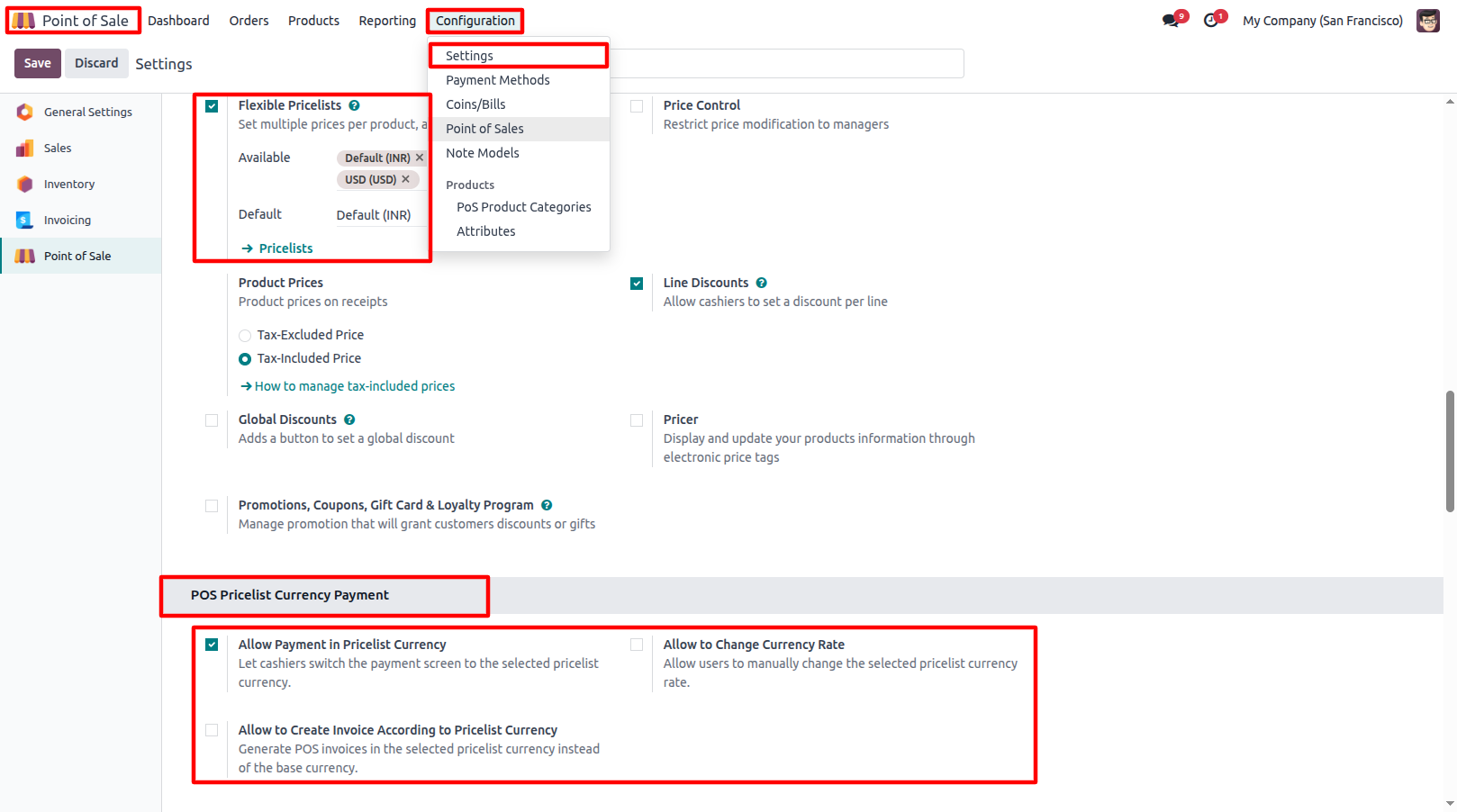
1.Go to Point of Sale → Configuration → Settings and configure the POS Pricelist Currency Payment settings according to your requirements. Enable Allow Payment in Pricelist Currency to allow payments in the selected Pricelist Currency.
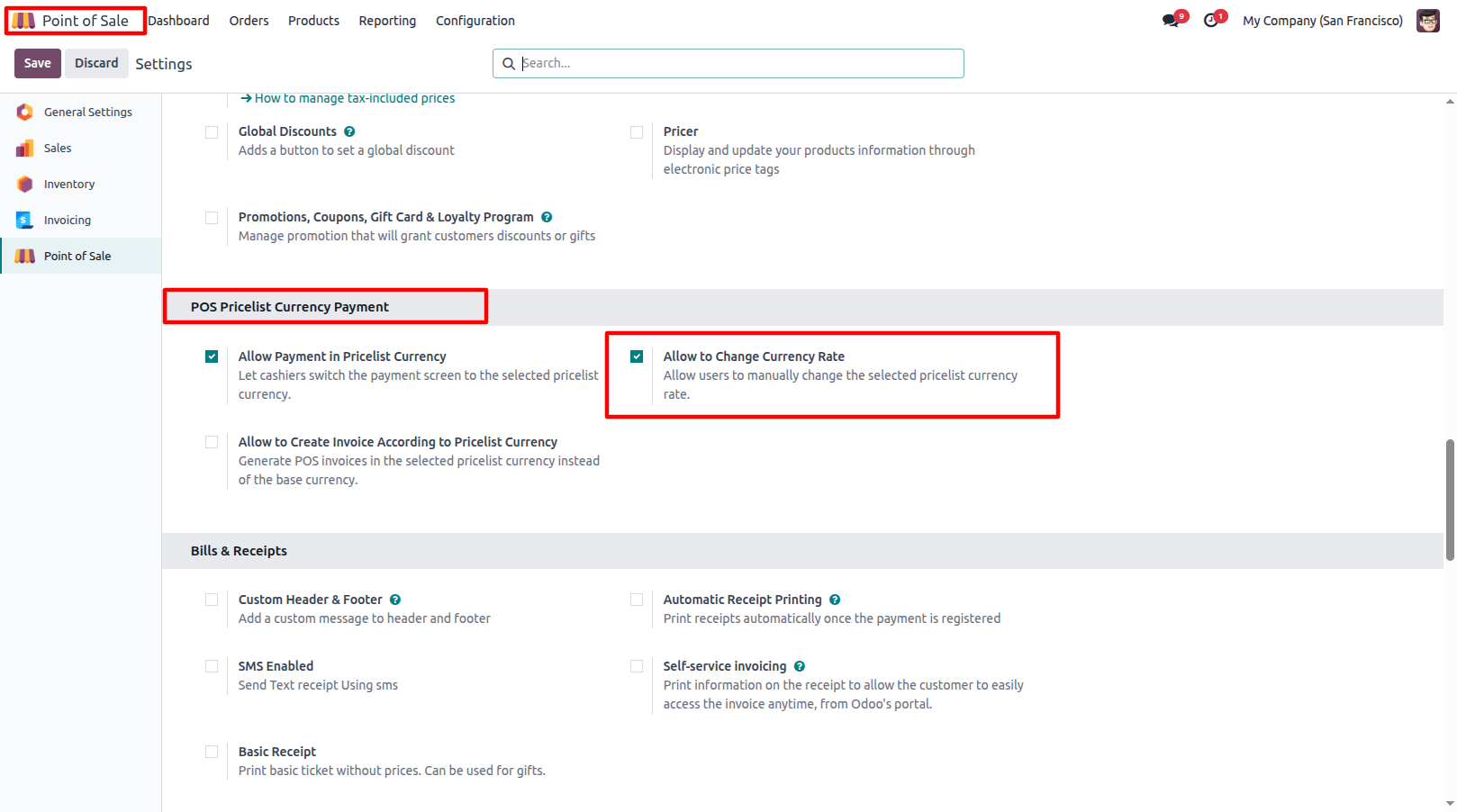
2.Enable Allow to Change Currency Rate to allow users to manually change the exchange rate of the selected Pricelist Currency during POS transactions.
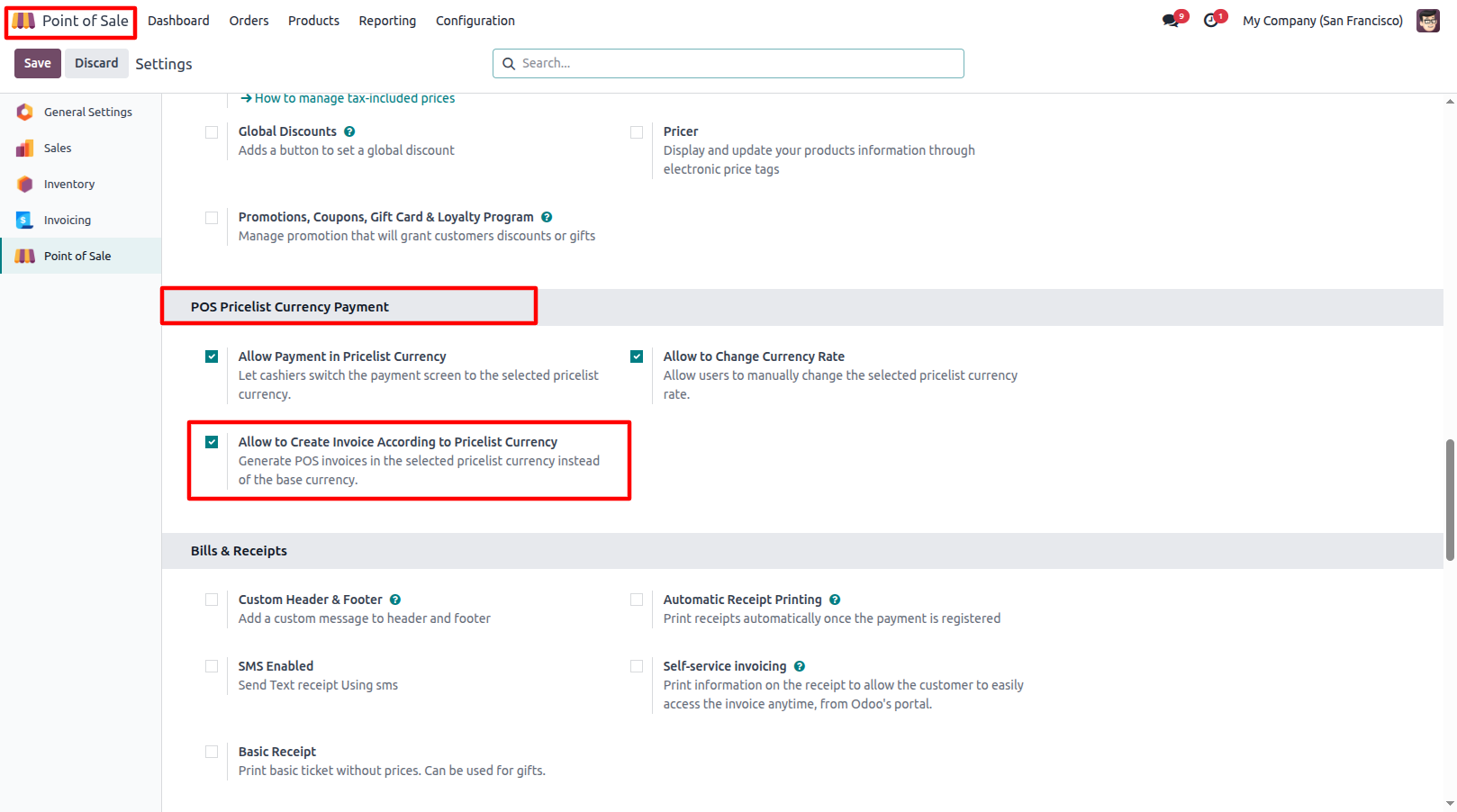
3.Enable Allow to Create Invoice According to Pricelist Currency to generate invoices in the selected Pricelist Currency instead of the company's base currency
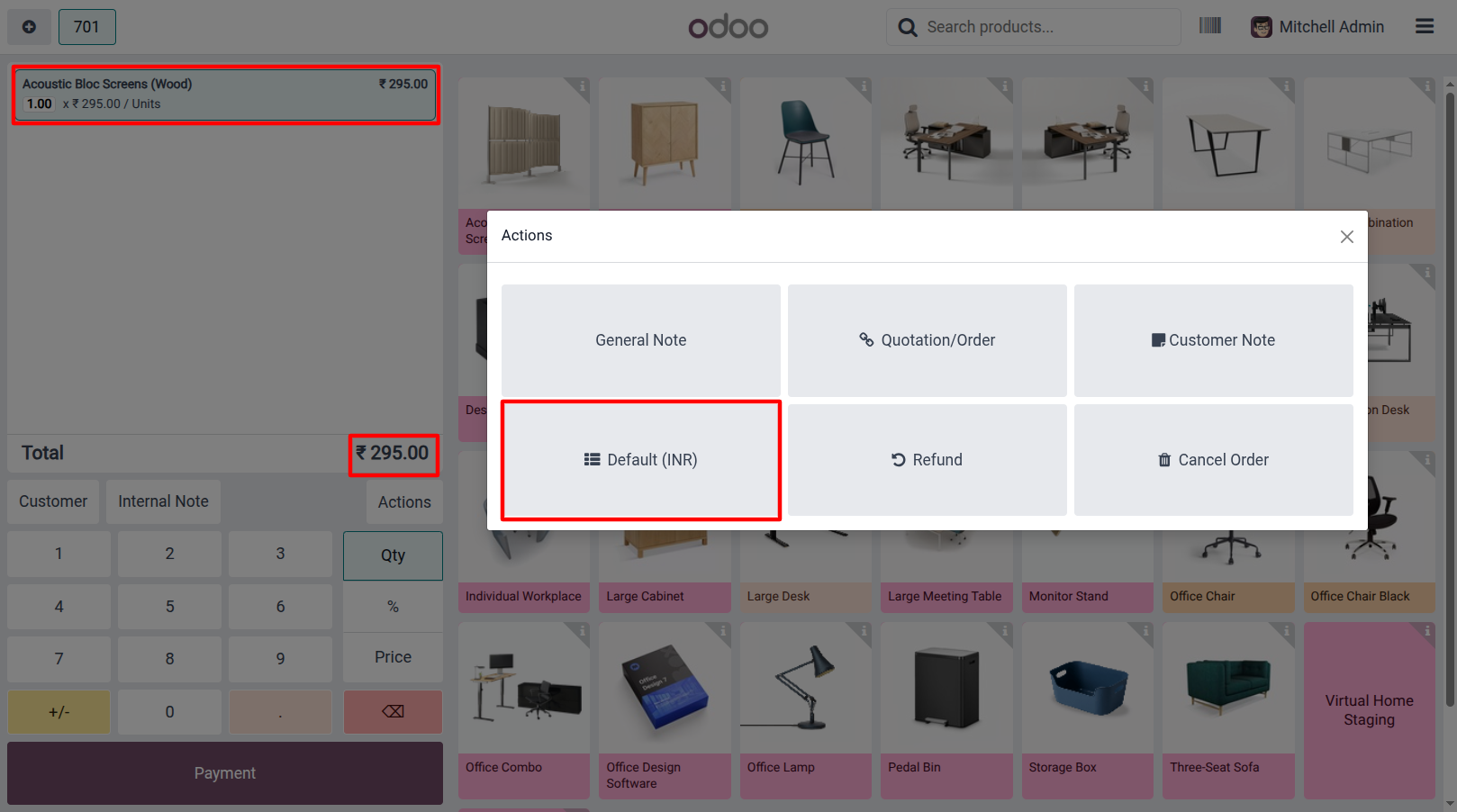
4.Create a POS Order and select a Pricelist configured with a different currency. The POS displays the prices according to the selected Pricelist Currency.
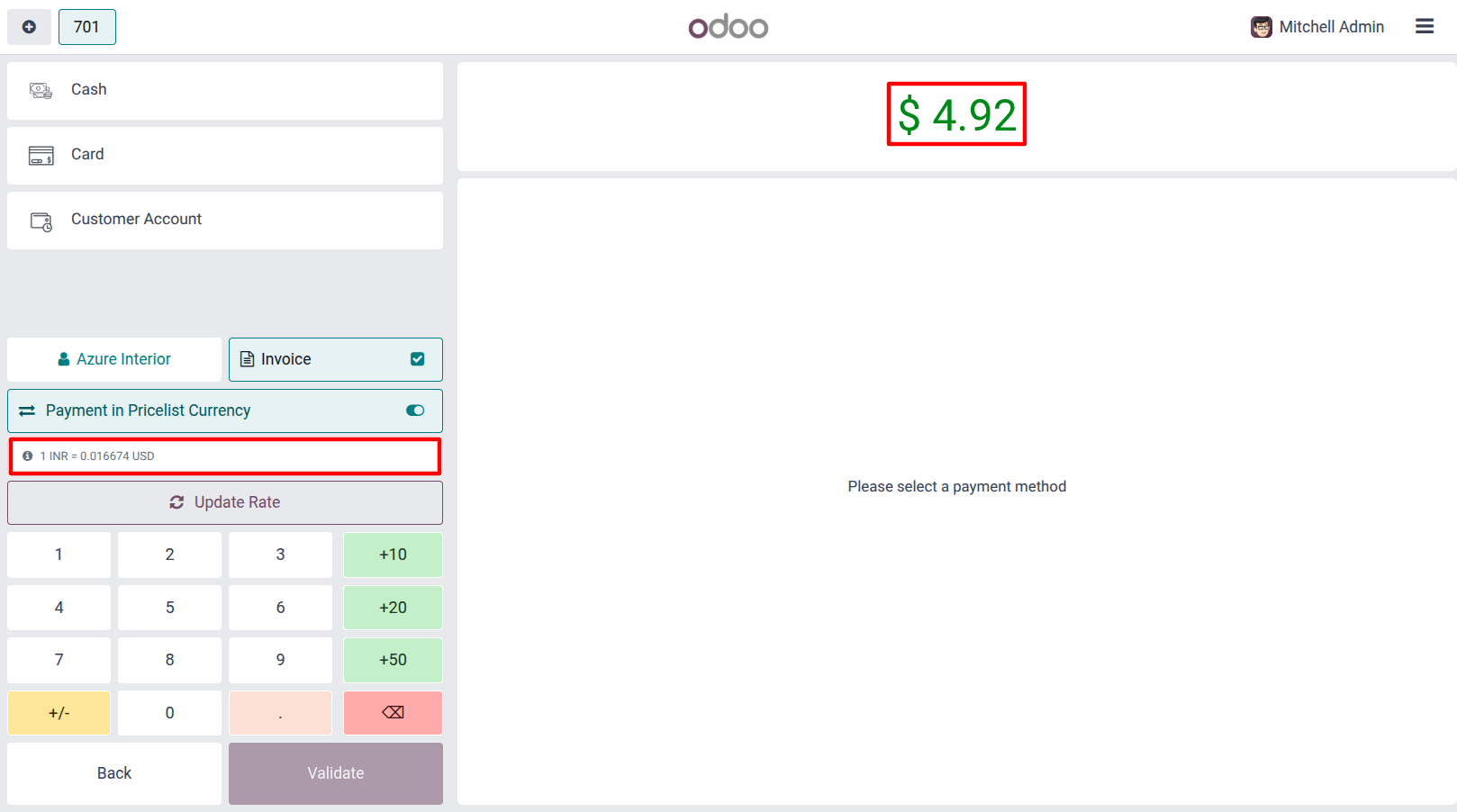
5.If Allow to Change Currency Rate is enabled, users can change the selected Currency Rate by clicking the Update Rate button during the payment process. If the option is disabled, users cannot change the configured rate.
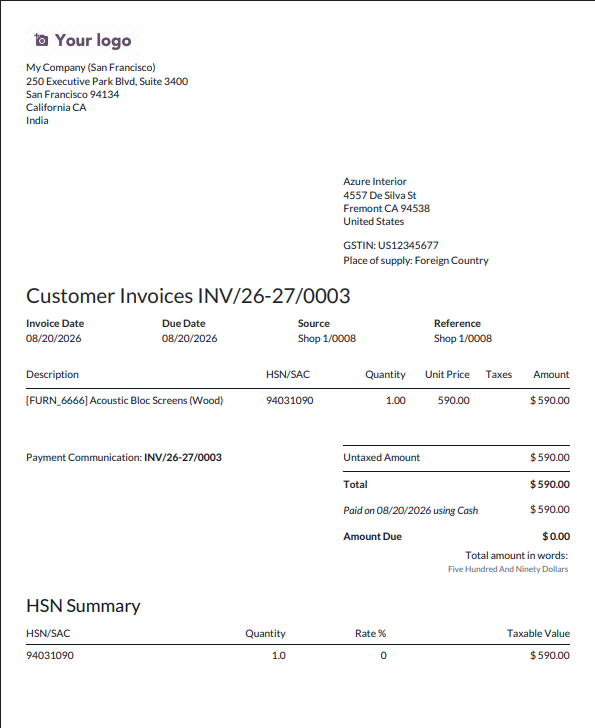
6.When Allow to Create Invoice According to Pricelist Currency is enabled, the POS invoice is generated in the selected Pricelist Currency. If the option is disabled, the invoice is generated in the company's Base Currency.
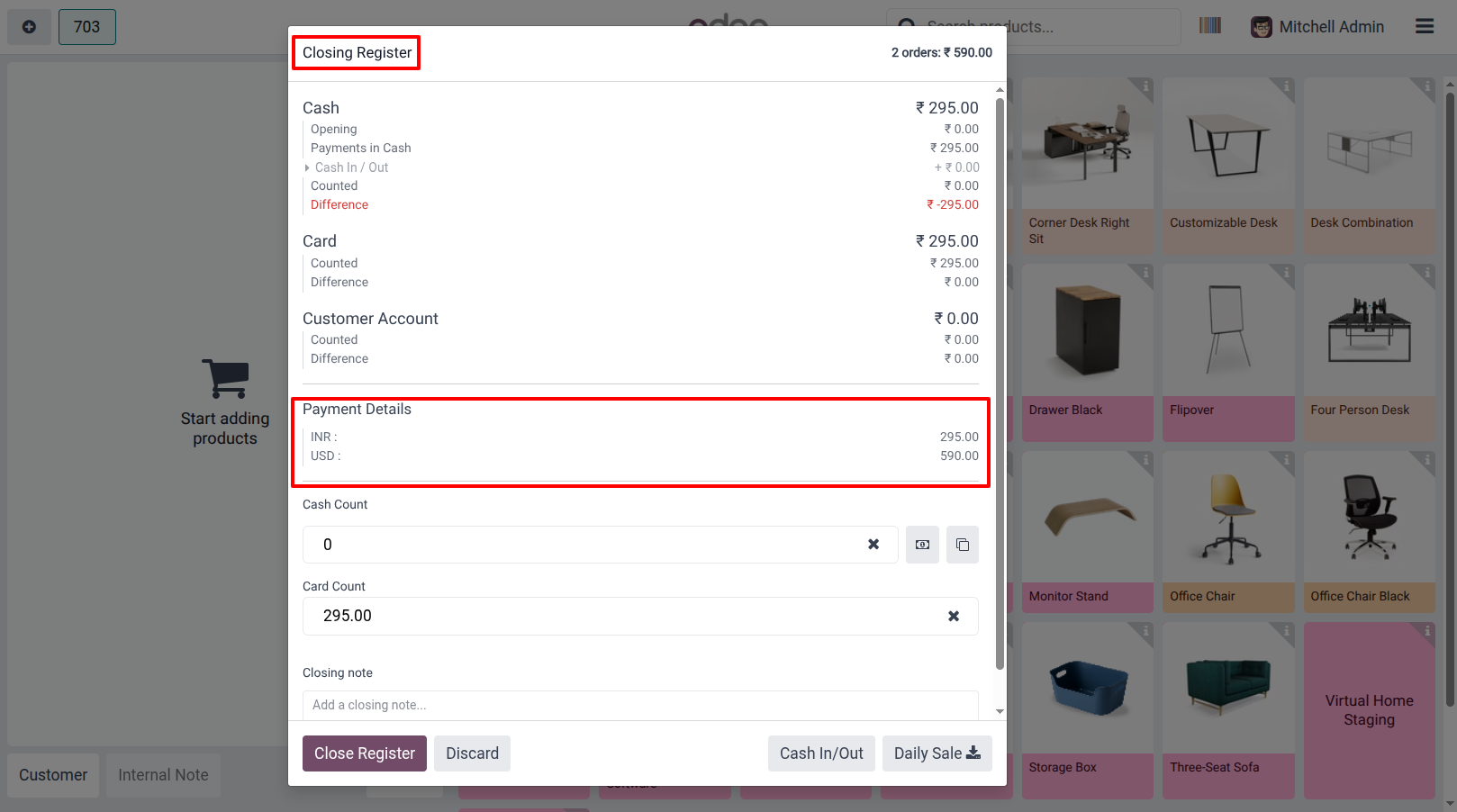
7.When the user closes the POS Session, the Closing Register displays the Payment Details with the total amount collected in each payment currency.
Our solutions focus on your problems
- Odoo Implementation
- Odoo Customization
- ERP Development and Implementation
- Odoo Ipass Cloud
- AI for Odoo
- Odoo Apps
- Aws Marketplace Products
- Business Engines
Our Pricing includes User Manual, 90 Days Support (Monday-Friday 10am to 7pm IST) and One time Setup
• Works & tested on standard installations of Odoo with no third party apps,
• Free support only for odoo installations with no third party apps,
• Paid support available for Odoo installations with third party apps.

Prefortune is a Odoo Official Partner, Odoo Development company. Our philosophy is to use Open Source tools and technologies to provide cost effective and green solutions for our customers.
Prefortune Technologies LLP is working on web development, Mobile development, and Odoo ERP.
If you need any help or want more additional features, you may contact us through:
Alternative Products
These other products might interest you
Specifications
| Version | 19.0, 18.0, 17.0, 16.0, 15.0 |