Watch Quick Video

Odoo POS Cash Transfer App
Our all-in-one
Odoo POS Cash Transfer App This module improves cash management significantly through a special interface for internal fund transfers in the Point of Sale system. To take advantage of these features, the user need to create the payment method and journal manually so that the accounting foundation is created properly. Shop managers can assign this default cash transfer journal in the POS settings of the shop after initial setup. Once the user has access to the POS session during or after the shift, he can press the “Cash Transfer” button and a transfer wizard will be launched. To properly document the transaction, the system records the transfer amount with a debit entry and a credit entry in the same amount. A practical “Cash Transfers” smart button keeps track of those movements and allows users to consult all created logs directly from the session. Finally draft payments can be authorised by personnel and balanced transactions are posted directly into the accounting ledgers. This workflow provides a reliable audit trail that is double entered for all internal cash handling.
Odoo POS Cash Transfer App Features
- The user must manually create the payment method and journal to properly link POS transactions to the accounting system.
- Users can easily enter transfer amounts and designate destination journals via a simple popup interface.
- A smart button “Cash Transfers” gives instant access to the transaction log from the active or closed POS session screen.
- When creating a transfer, balanced draft entries are created in the respective journals (debit in one, credit in the other) automatically to prevent accounting errors.
- Draft transfers can be easily checked, approved and posted as official journal entries to ensure a perfect audit trail.
Complete Workflow for Manage Odoo POS Cash Transfer App
Enable the Odoo POS Cash Transfer App First, the user configures the shop settings and initiates a cash transfer from a POS session by entering the desired amount into the transfer wizard. The system then generates a draft accounting payment that balances debits and credits, which is subsequently confirmed and posted to the destination journal.
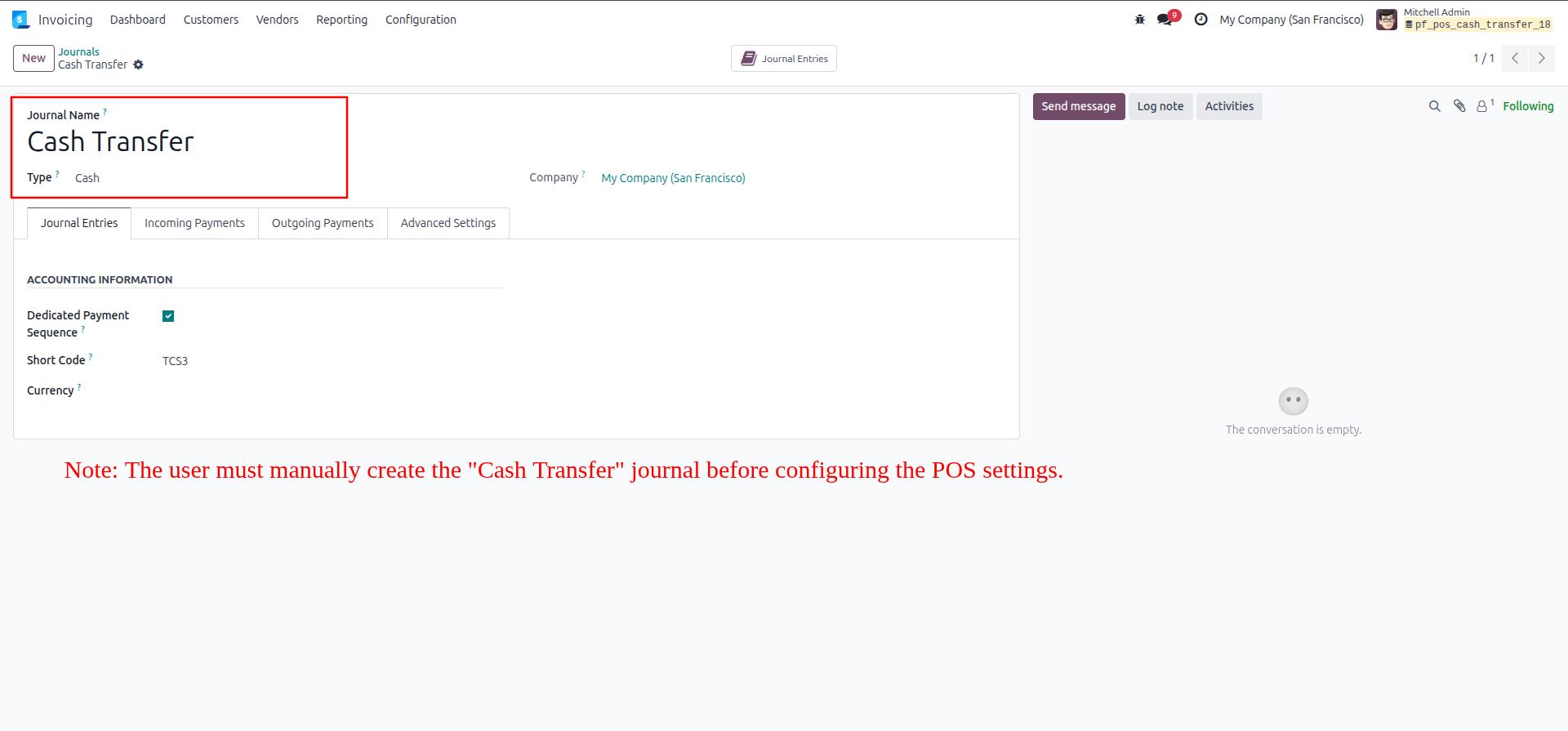
1.Manually create a new accounting journal named "Cash Transfer" and set its Type to "Cash".
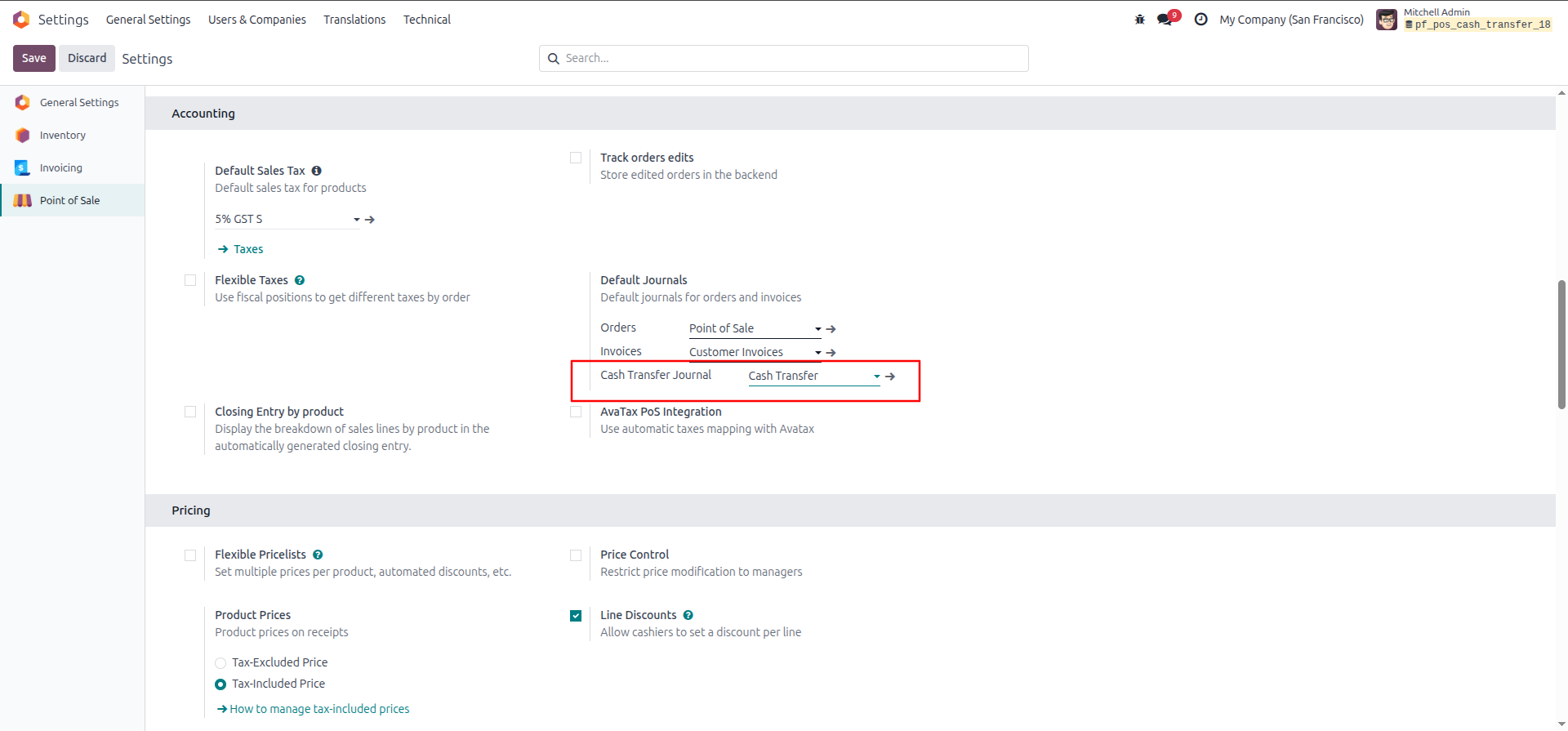
2.Navigate to the Point of Sale configuration settings and assign your newly created journal to the "Cash Transfer Journal" field under the Default Journals section.
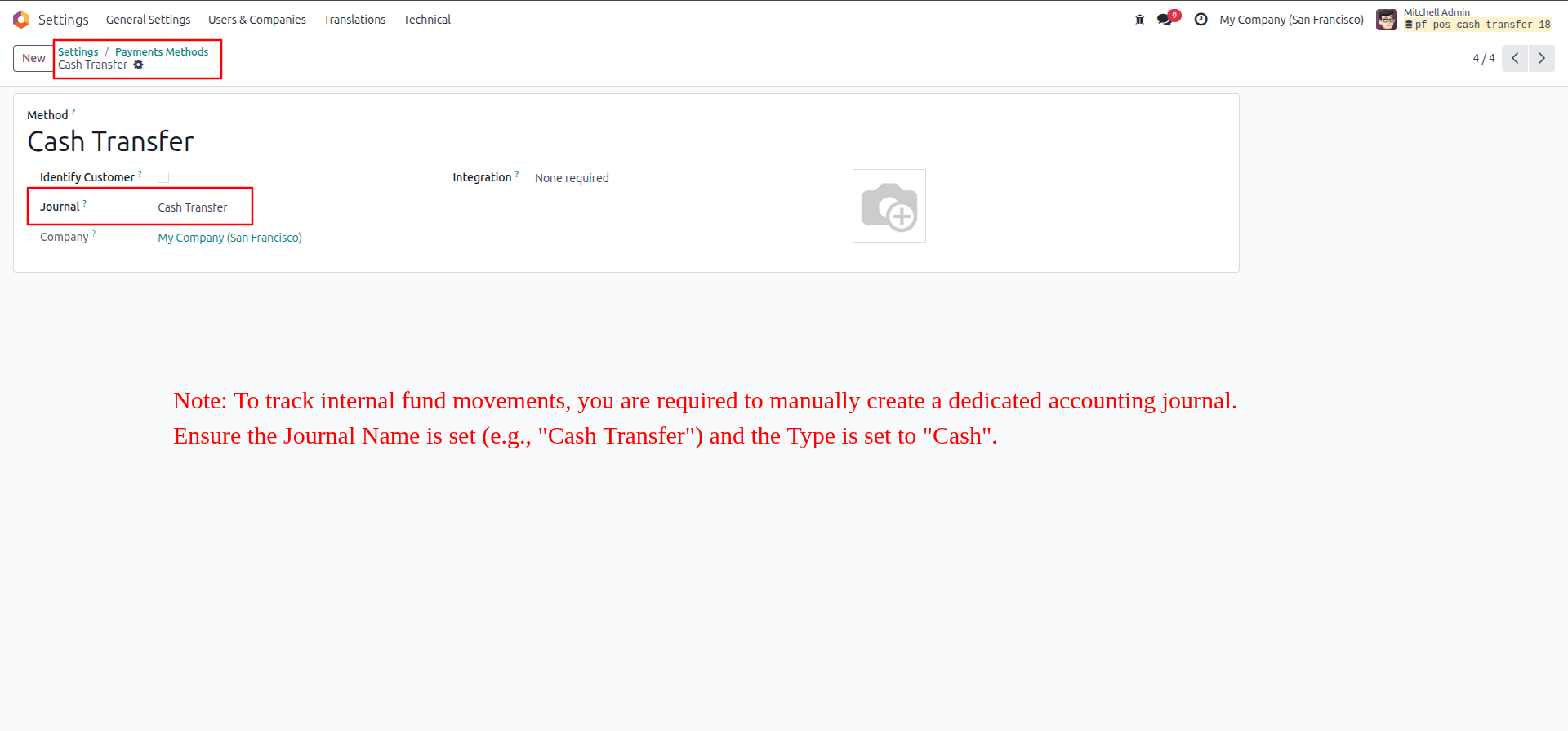
3.Manually create a new Payment Method specifically for these transfers and link it directly to your new "Cash Transfer" journal.
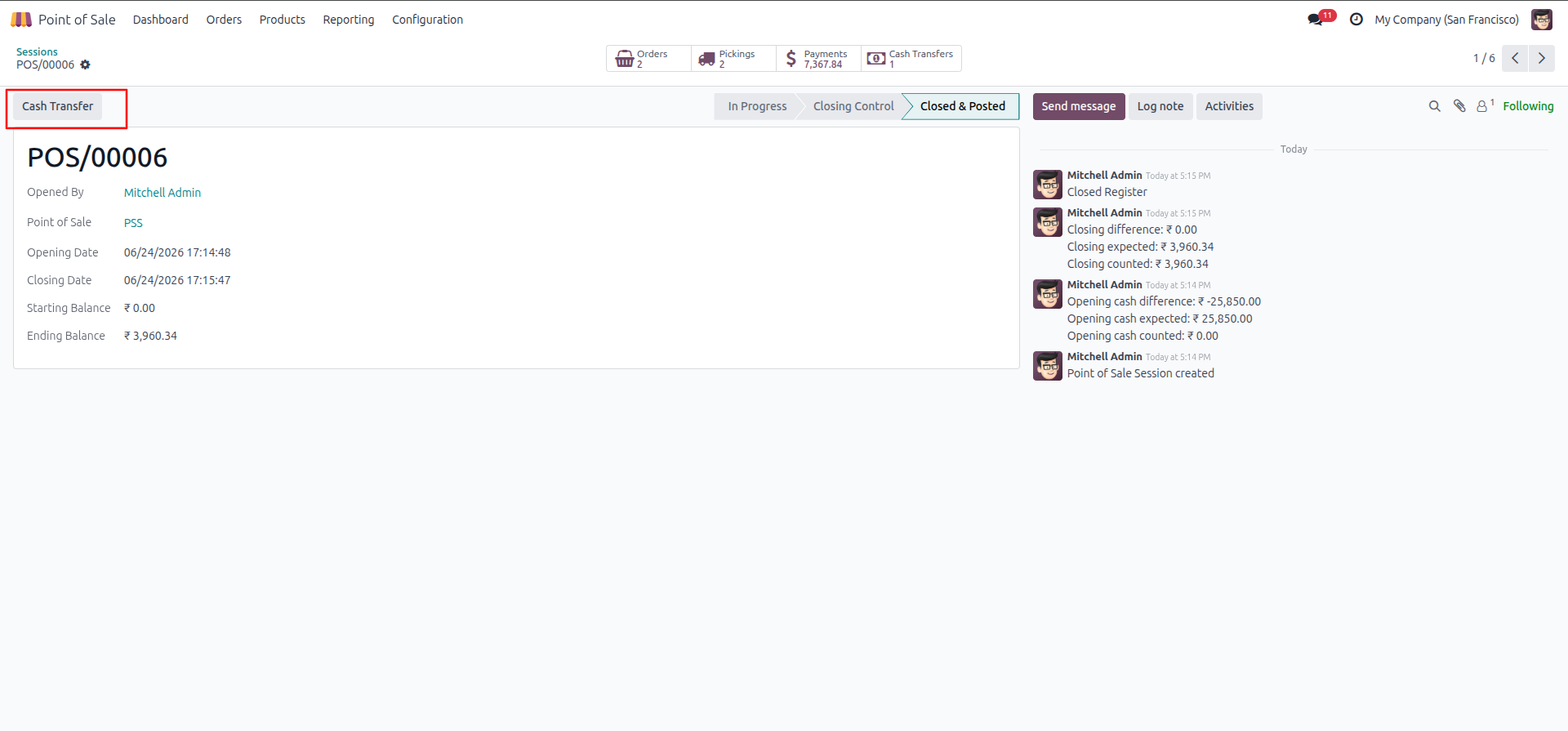
4.From a closed or posted POS session screen, click the dedicated "Cash Transfer" button located at the top left.
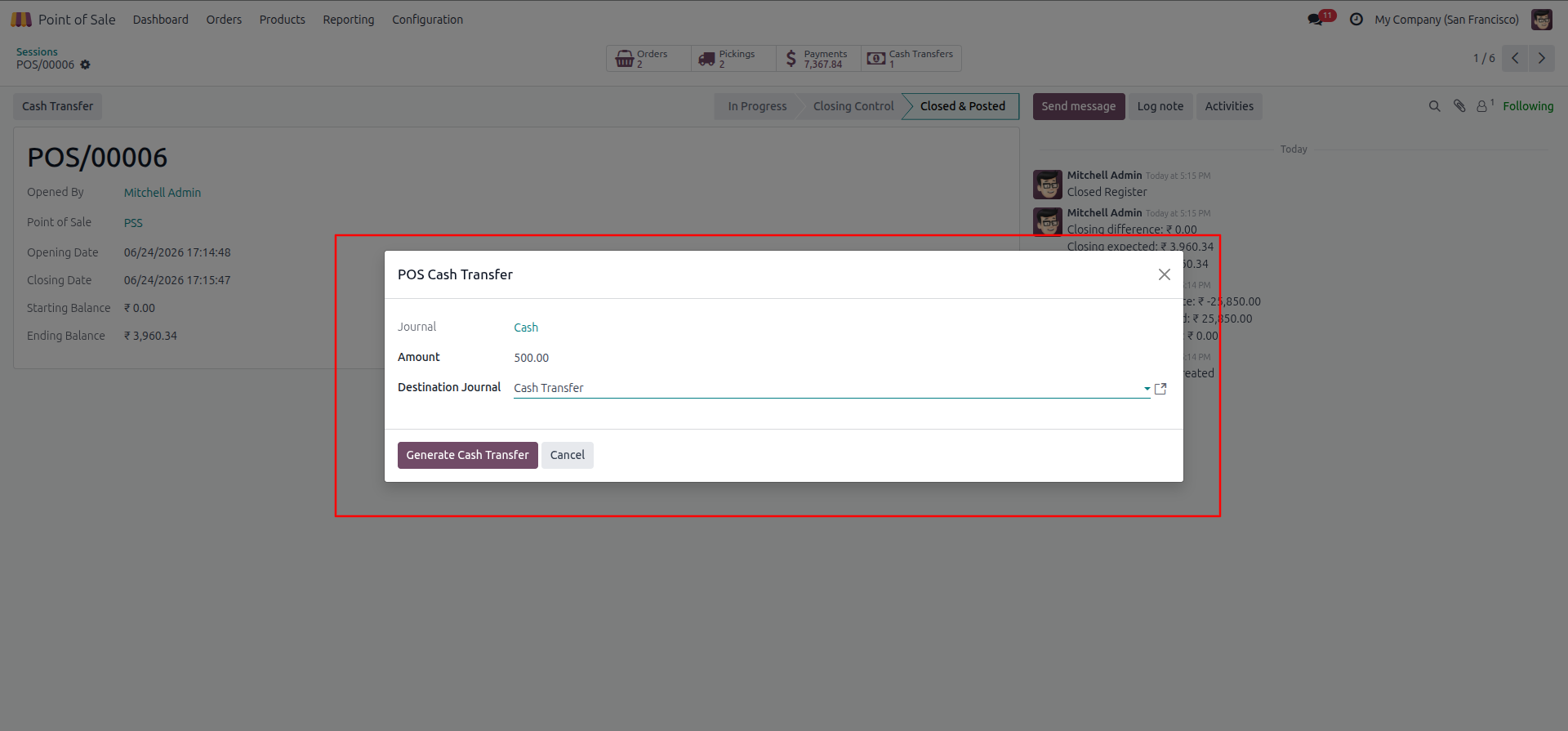
5.In the popup wizard, enter the exact Amount you wish to move (e.g., 500.00), verify the Destination Journal, and click "Generate Cash Transfer".
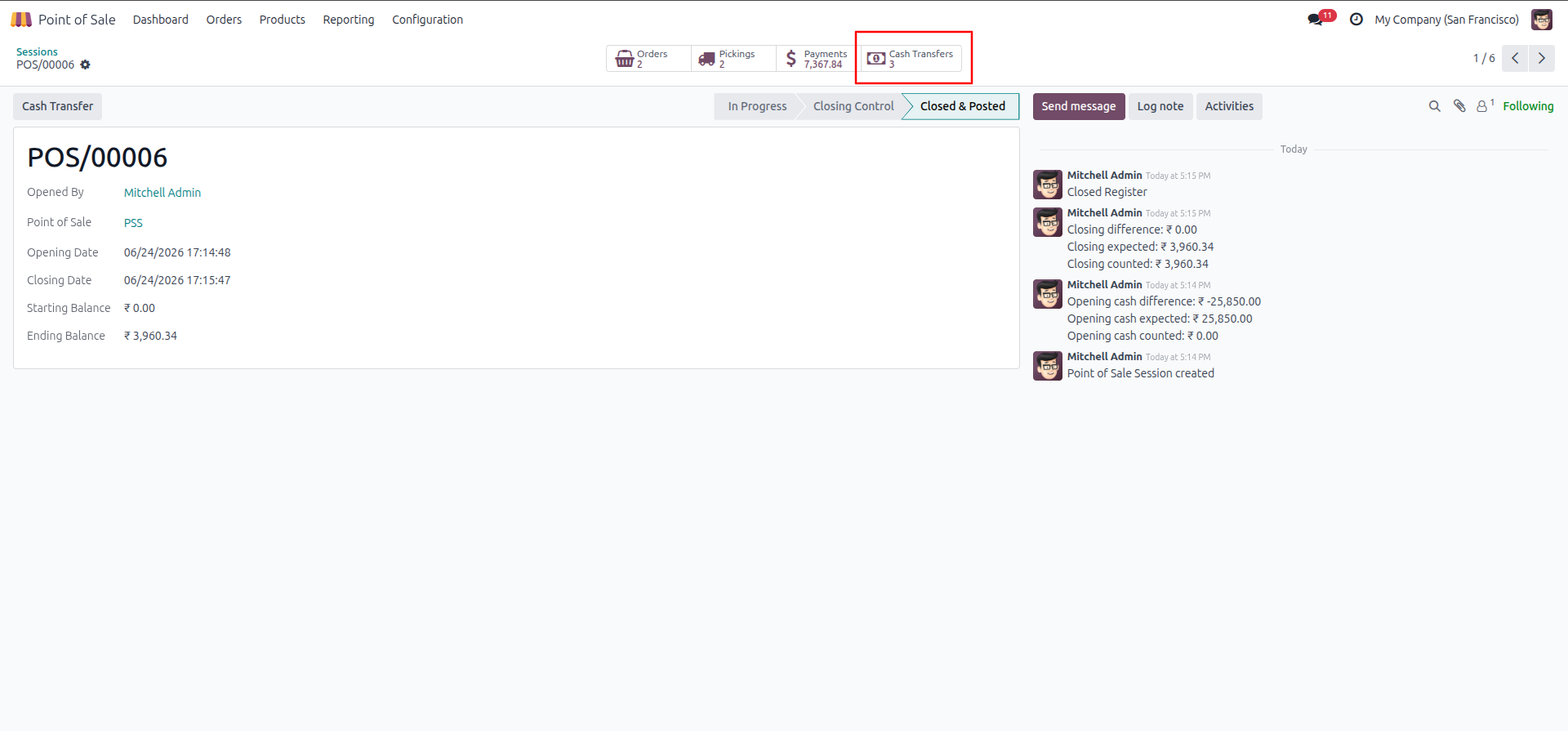
6.Back on the POS session screen, click the "Cash Transfers" smart button at the top right to view the newly generated payment logs for that session.
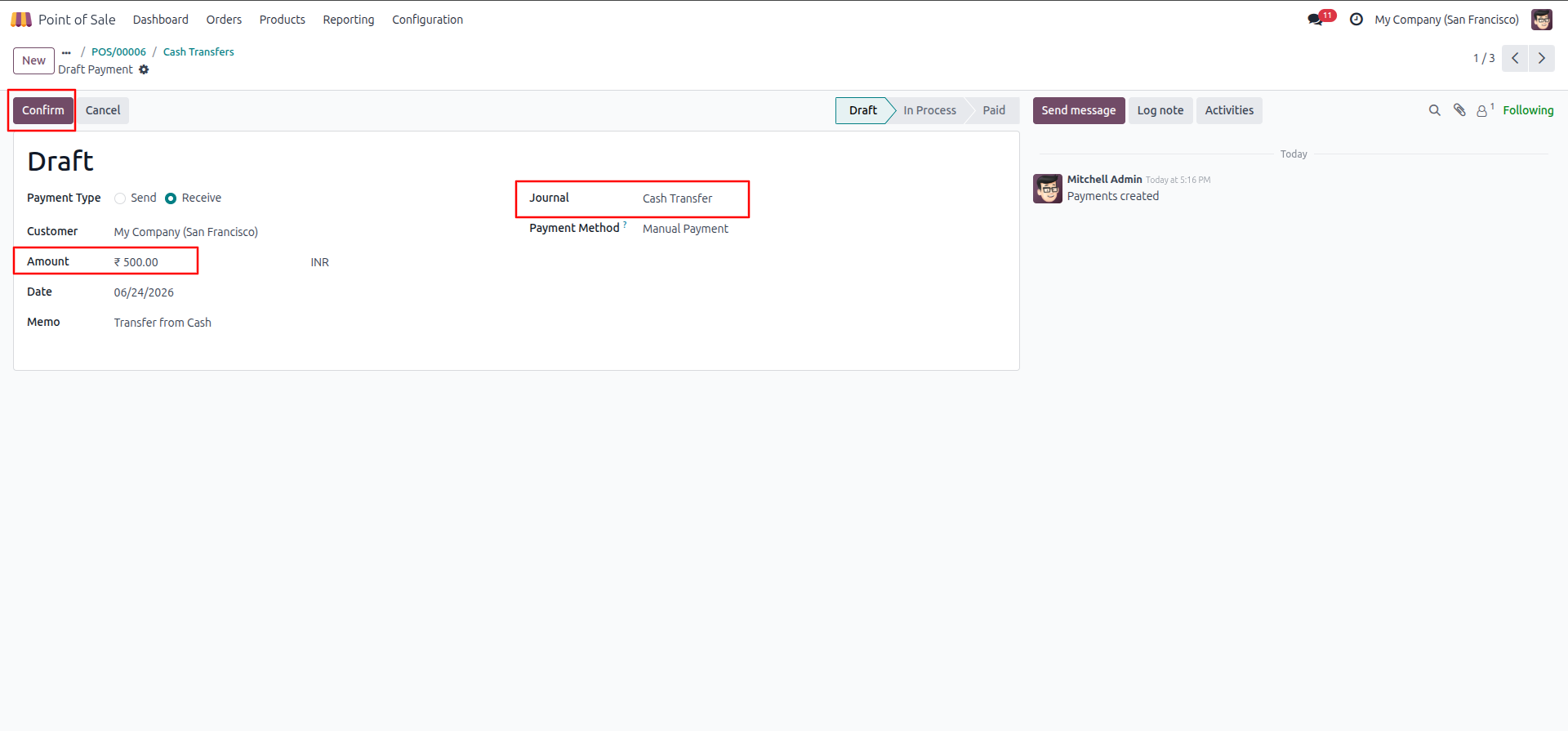
7.Open the pending Draft payment from the list and click "Confirm" to officially post the incoming funds to the destination journal.
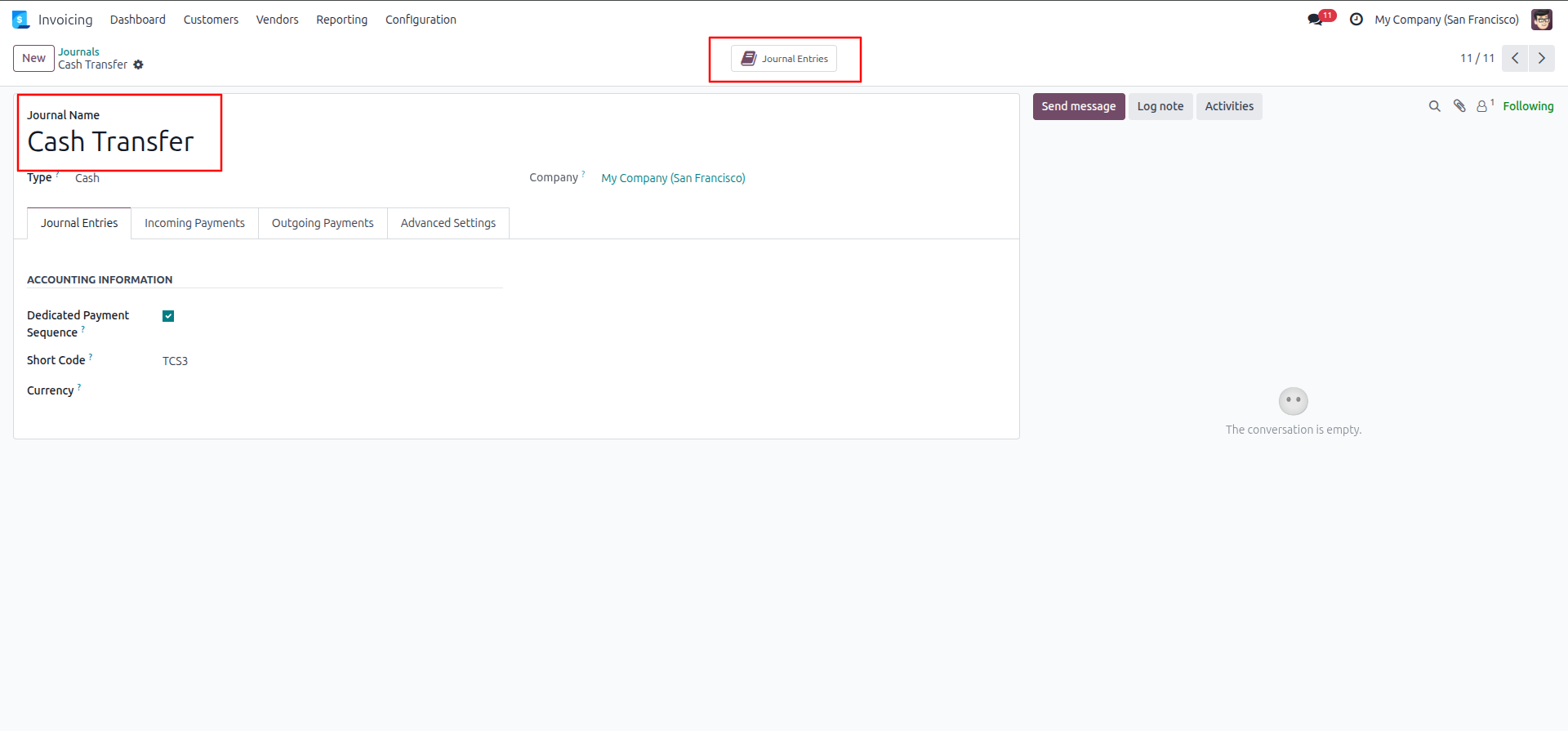
8.Navigate to the Cash Transfer journal's configuration page and click the "Journal Entries" smart button to review the accounting records.
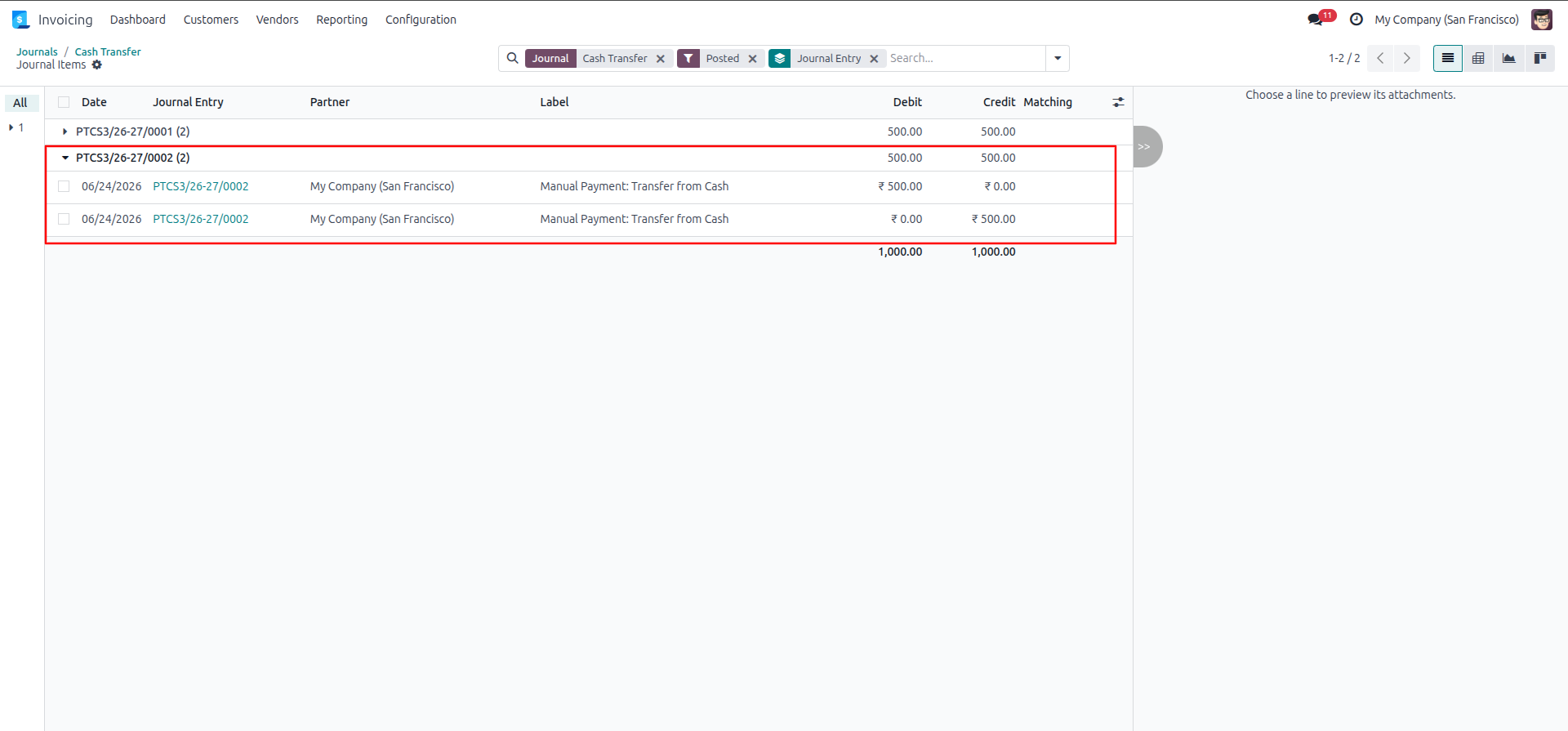
9.Verify the final Journal Items to ensure the system successfully created the perfectly balanced debit and credit lines (e.g., $500.00) for the completed transfer.
Our solutions focus on your problems
- Odoo Implementation
- Odoo Customization
- ERP Development and Implementation
- Odoo Ipass Cloud
- AI for Odoo
- Odoo Apps
- Aws Marketplace Products
- Business Engines
Our Pricing includes User Manual, 90 Days Support (Monday-Friday 10am to 7pm IST) and One time Setup
• Works & tested on standard installations of Odoo with no third party apps,
• Free support only for odoo installations with no third party apps,
• Paid support available for Odoo installations with third party apps.

Prefortune is a Odoo Official Partner, Odoo Development company. Our philosophy is to use Open Source tools and technologies to provide cost effective and green solutions for our customers.
Prefortune Technologies LLP is working on web development, Mobile development, and Odoo ERP.
If you need any help or want more additional features, you may contact us through:
Alternative Products
These other products might interest you
Specifications
| Version | 19.0, 18.0, 17.0, 16.0, 15.0, 14.0 |