Watch Quick Video
Odoo PDF Viewer
The Odoo PDF Viewer app is a robust, business-grade tool to solve the constant bother of automatic file downloads and messy, local storage in Odoo. It catches every single PDF generation event—from a simple sales order to highly complex, multi-record vendor bills—and displays them directly by smartly bypassing core HTTP controls and leveraging modern JavaScript coding. A special profile wizard allows users to easily customise their experience, with the choice of a clean OWL-based popup dialogue or a separate browser tab. The incorporated protections against aggressive browser popup blockers and Odoo native action lifecycles pave the way to a seamless, uninterrupted, and highly skilled document handling experience for your entire team.
Odoo PDF Viewer Features
- The app is a universal net hijacking intelligently QWeb reports, custom URLs and merged documents. It intercepts those files before they can cause an unwanted automatic download, immediately rerouting them into a clean, native previewer.
- Allows users to choose their preferred way of viewing. The documents are opened in a second tab, using advanced background loading mechanisms to successfully defeat modern browser popup blockers.
- The module is tightly coupled into the core Action Manager and the HTTP controller level, so it works automatically everywhere. The previewer catches all of them: Sales Orders, Vendor Bills, Inventory Labels, third-party custom reports.
- The app adds a lightweight settings shortcut directly in the user profile menu. This lets any employee switch on the fly between modal popups, new tabs, regular downloads or auto-printing, without having to go through complex backend menus.
- Because print preferences are saved directly to the user profile, administrators can set up role-specific behaviours in the standard Odoo Users menu in advance – for example, setting the Warehouse team to “Auto-Print” for instant packing slips, and assigning the Sales team to “Preview in New Tab”.
Complete Workflow for PDF Viewer Preview
Simply navigate to your user profile menu and select your preferred Report Print Behavior (Preview Document, Standard Download, or Auto-Print) and toggle the Open in New Tab setting according to your needs. Go to any application within Odoo (such as Sales, Invoicing, or Employees) and select one or multiple records, then click the standard Print or Download action button. A loading indicator will instantly appear to secure your session, followed rapidly by the generated PDF opening flawlessly in your chosen layout format. Finally, review the document natively and use the integrated toolbar to print, download, or close the preview without ever leaving your current workspace.
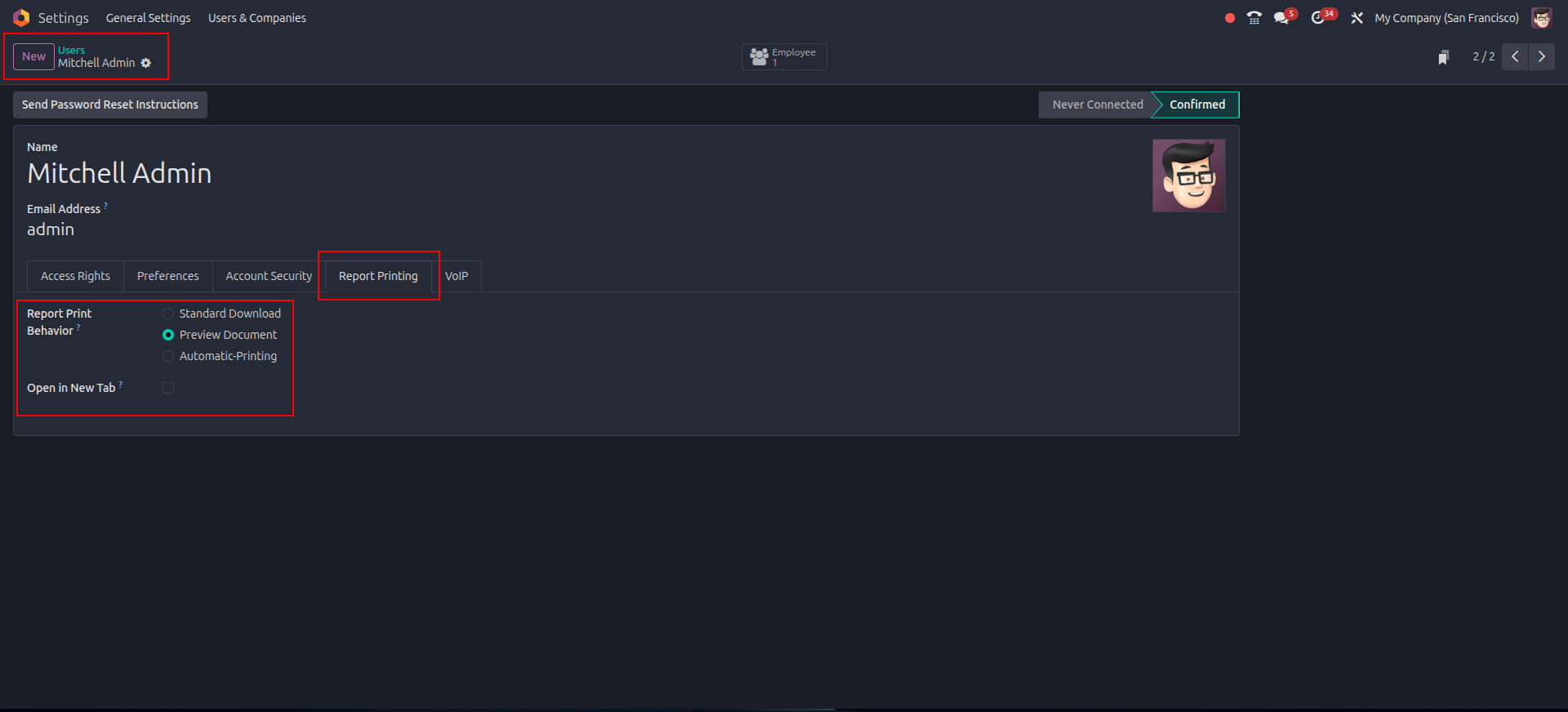
1. Admin User Configuration: Administrators can manage and define default report printing behaviors directly from the User settings.
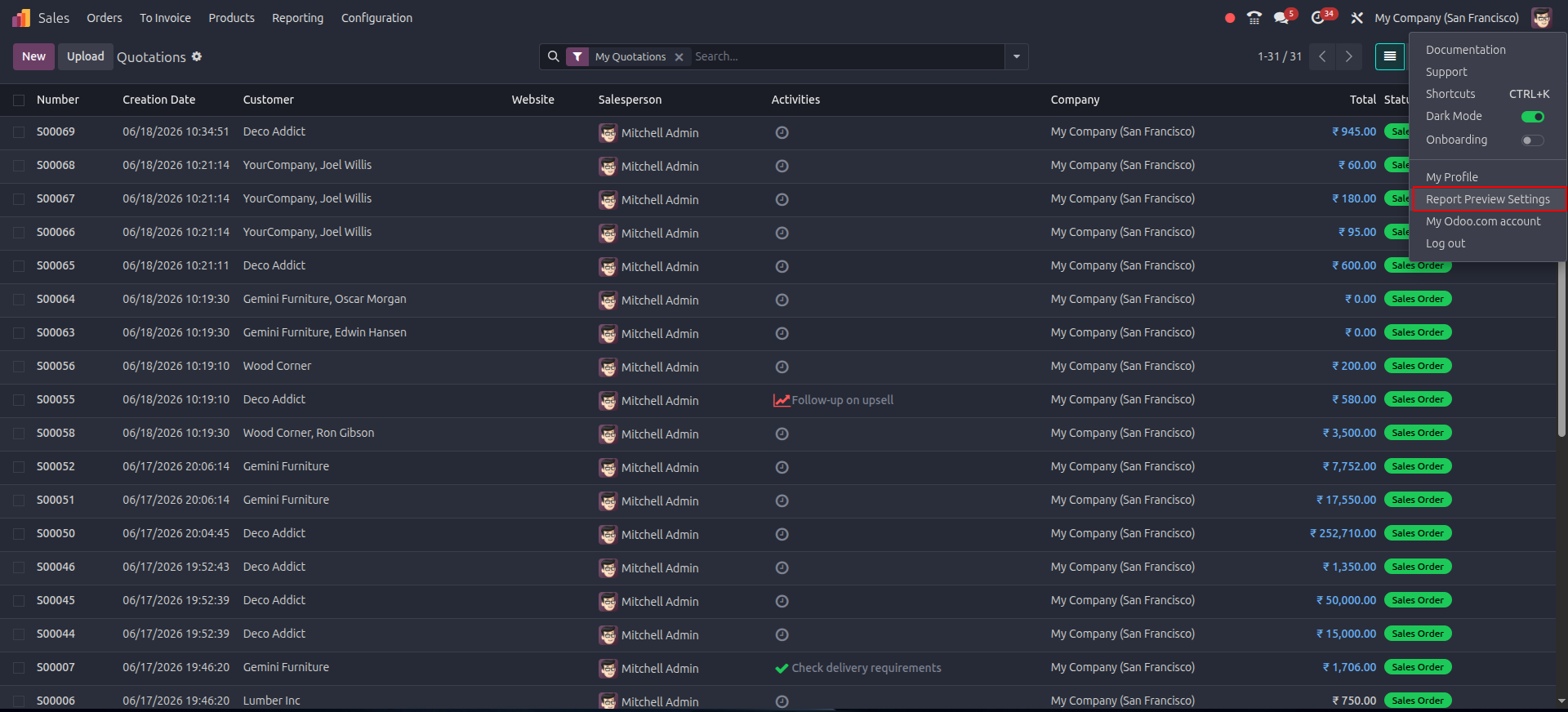
2. Quick Profile Menu: Users can access their personal report preview settings instantly from the top-right profile menu.
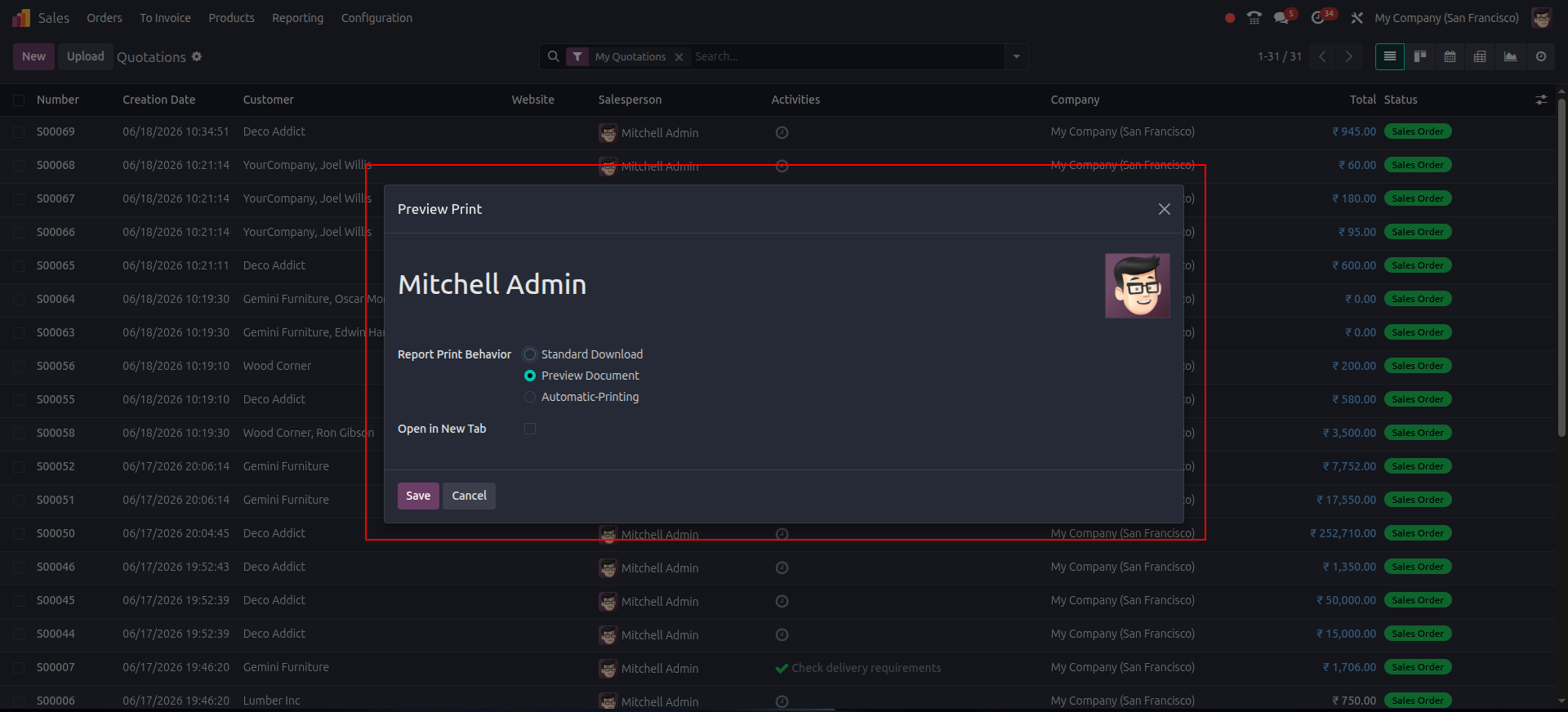
3. Personalized Settings Wizard: Choose between downloading, previewing, or auto-printing documents on the fly.
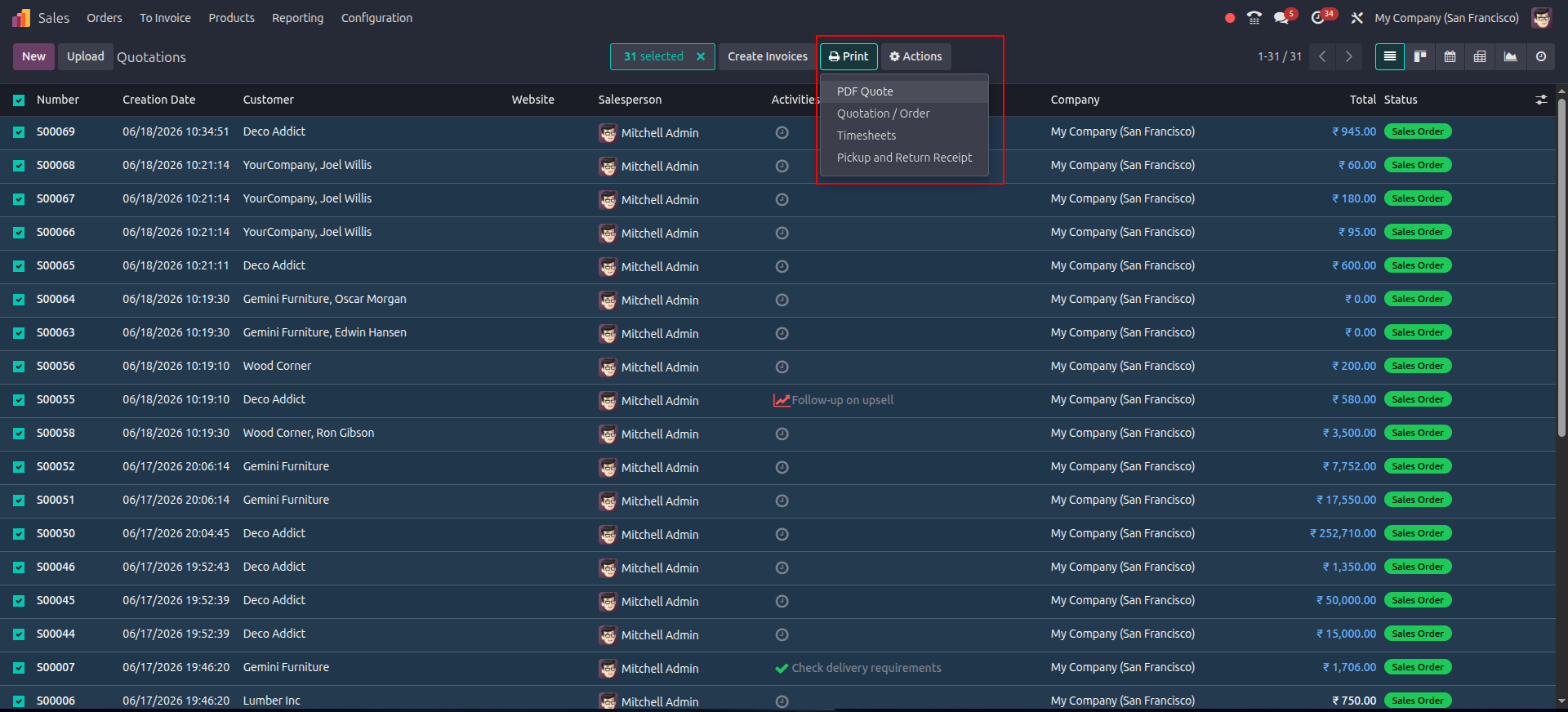
4. Multi-Record Support: Select single or multiple records (e.g., 31 Quotations) and click print to generate a merged document seamlessly.
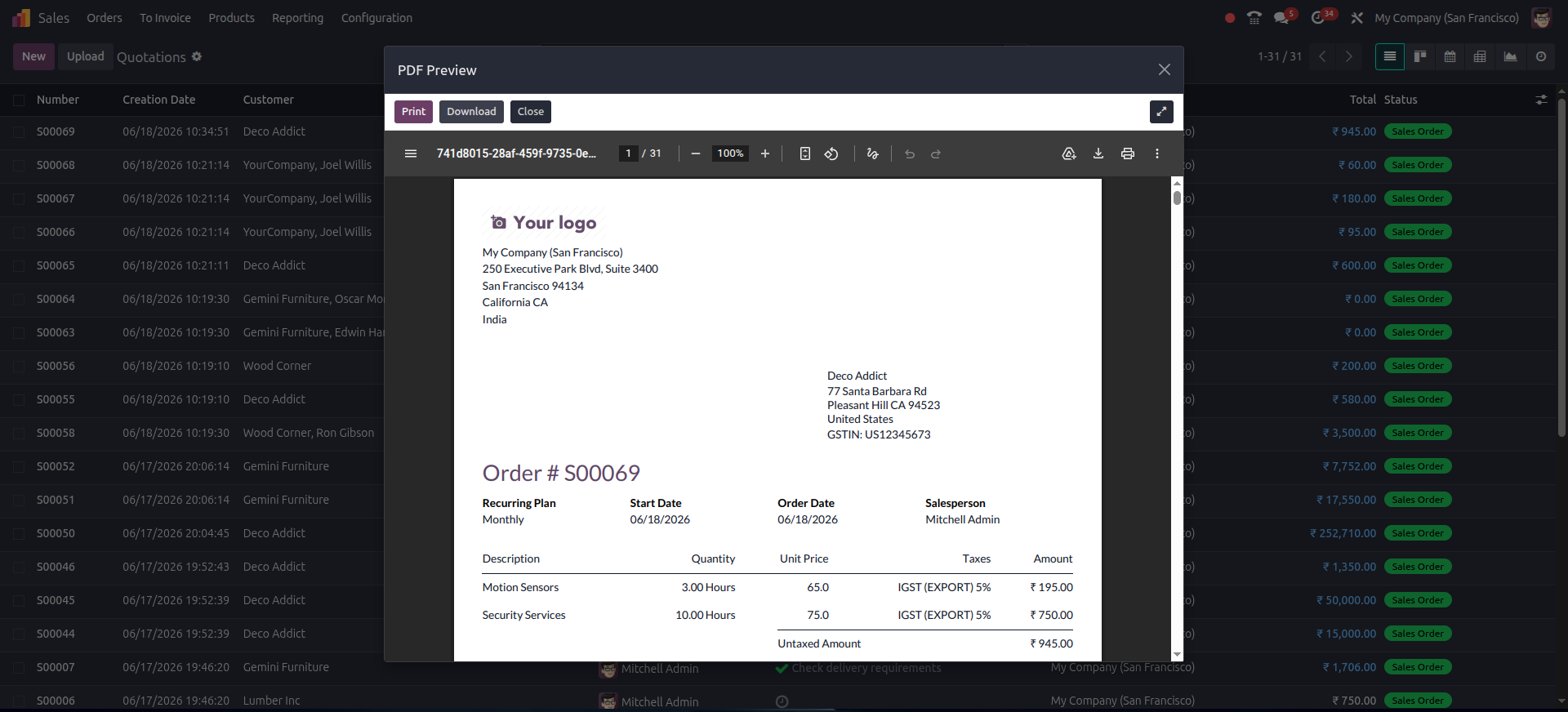
5. In-App PDF Modal: View the generated document cleanly inside an interactive OWL popup dialog, complete with quick action buttons.
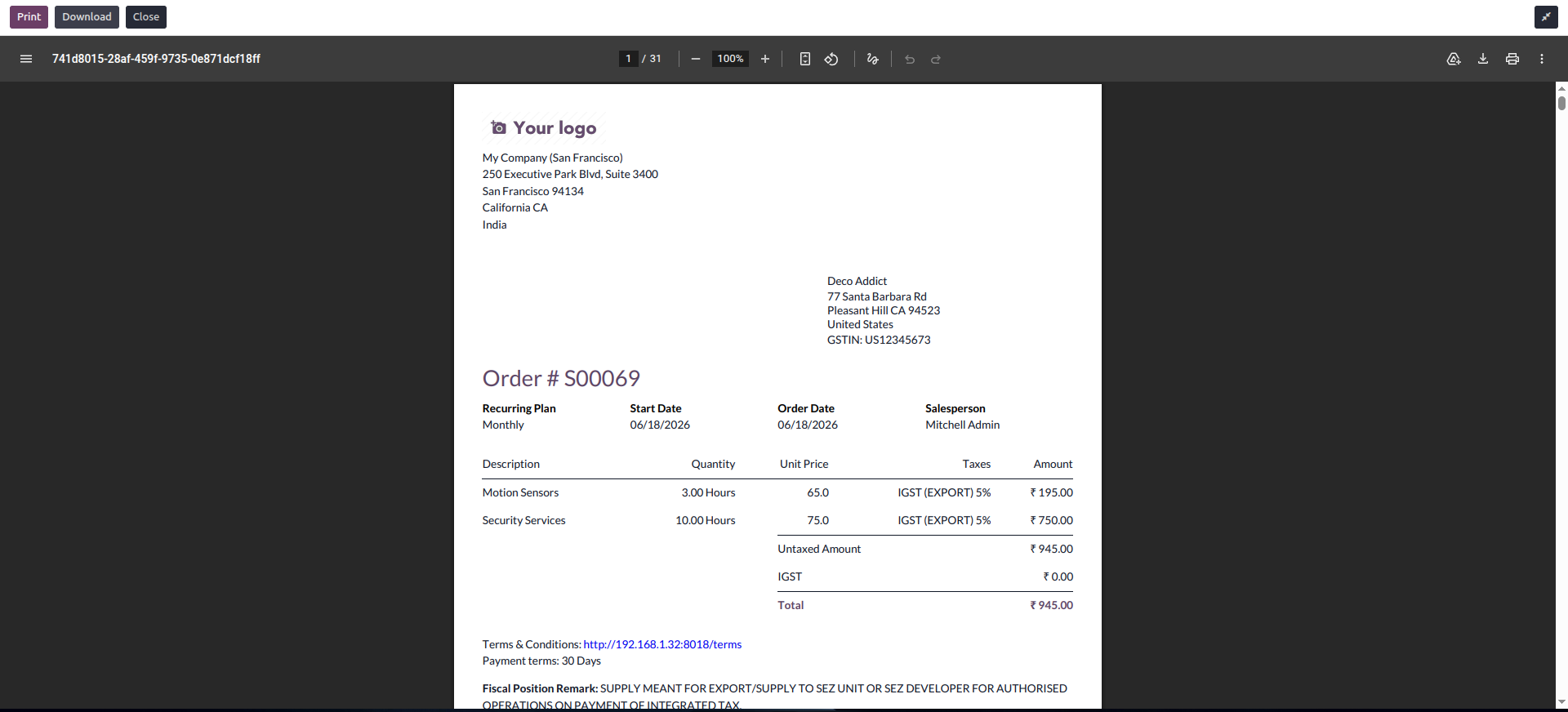
6. Fullscreen Mode: Expand the modal to fullscreen for detailed document verification and layout checks.
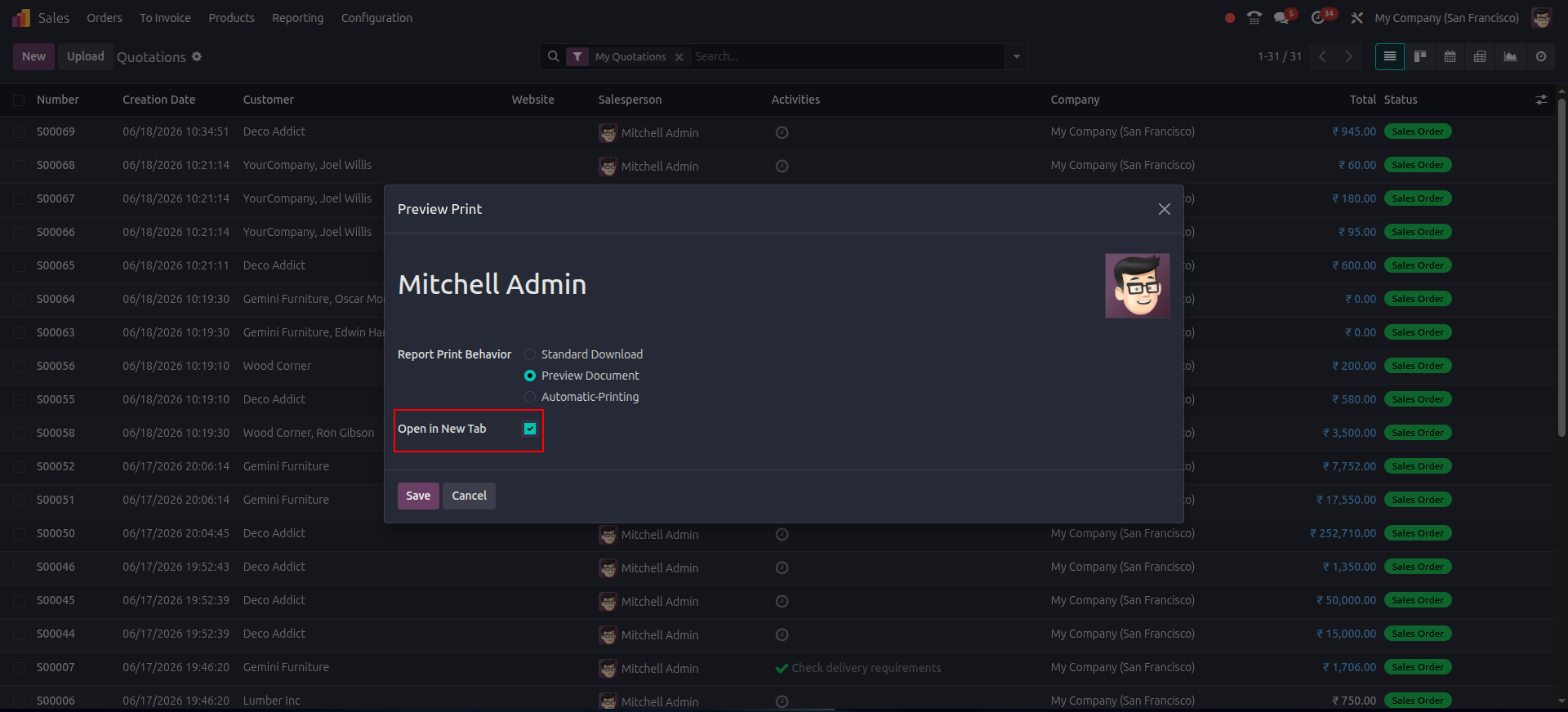
7. New Tab Configuration: Easily toggle the 'Open in New Tab' option for multi-monitor workflows.
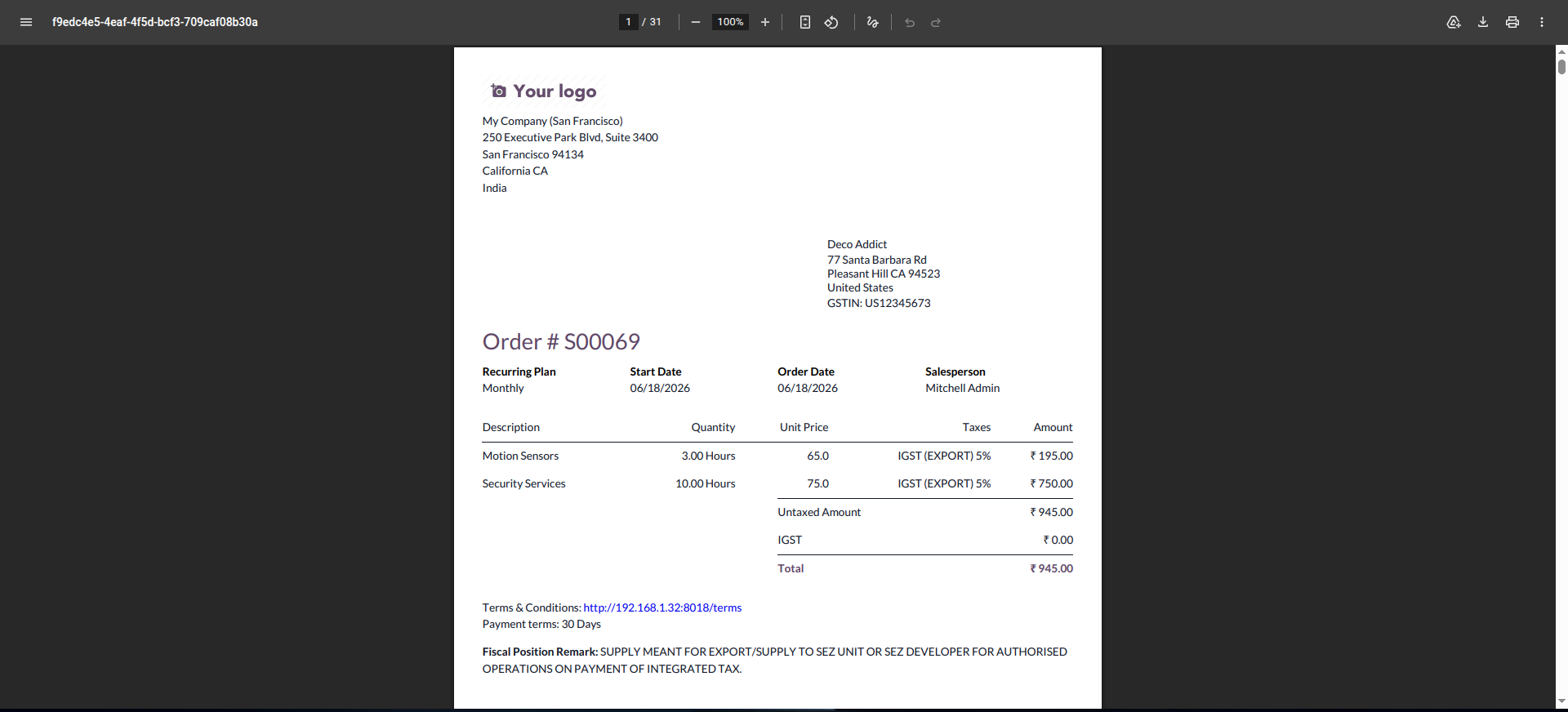
8. New Tab Preview: Documents open securely in a separate browser tab, successfully bypassing aggressive popup blockers.
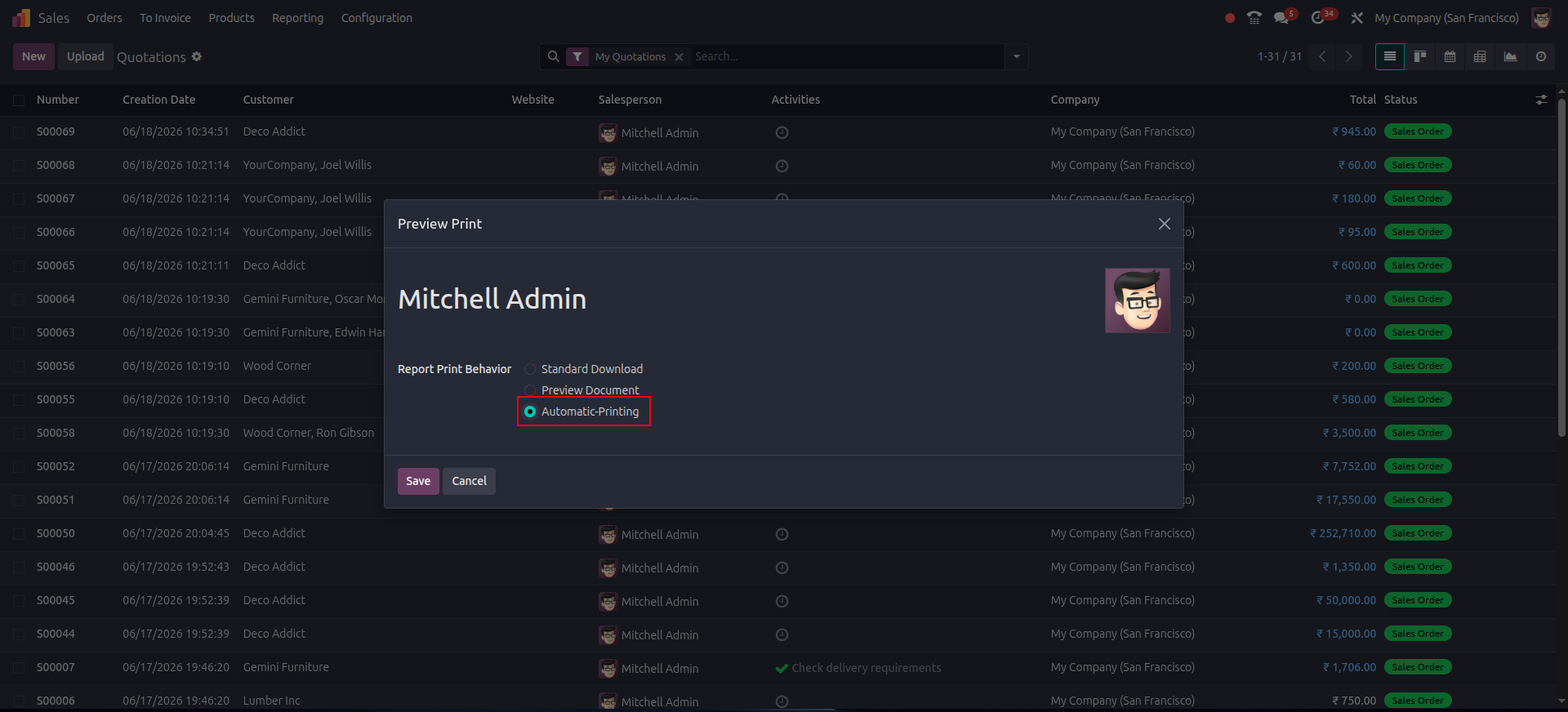
9. Automatic Printing Setup: Select 'Automatic-Printing' to skip the visual preview step entirely.
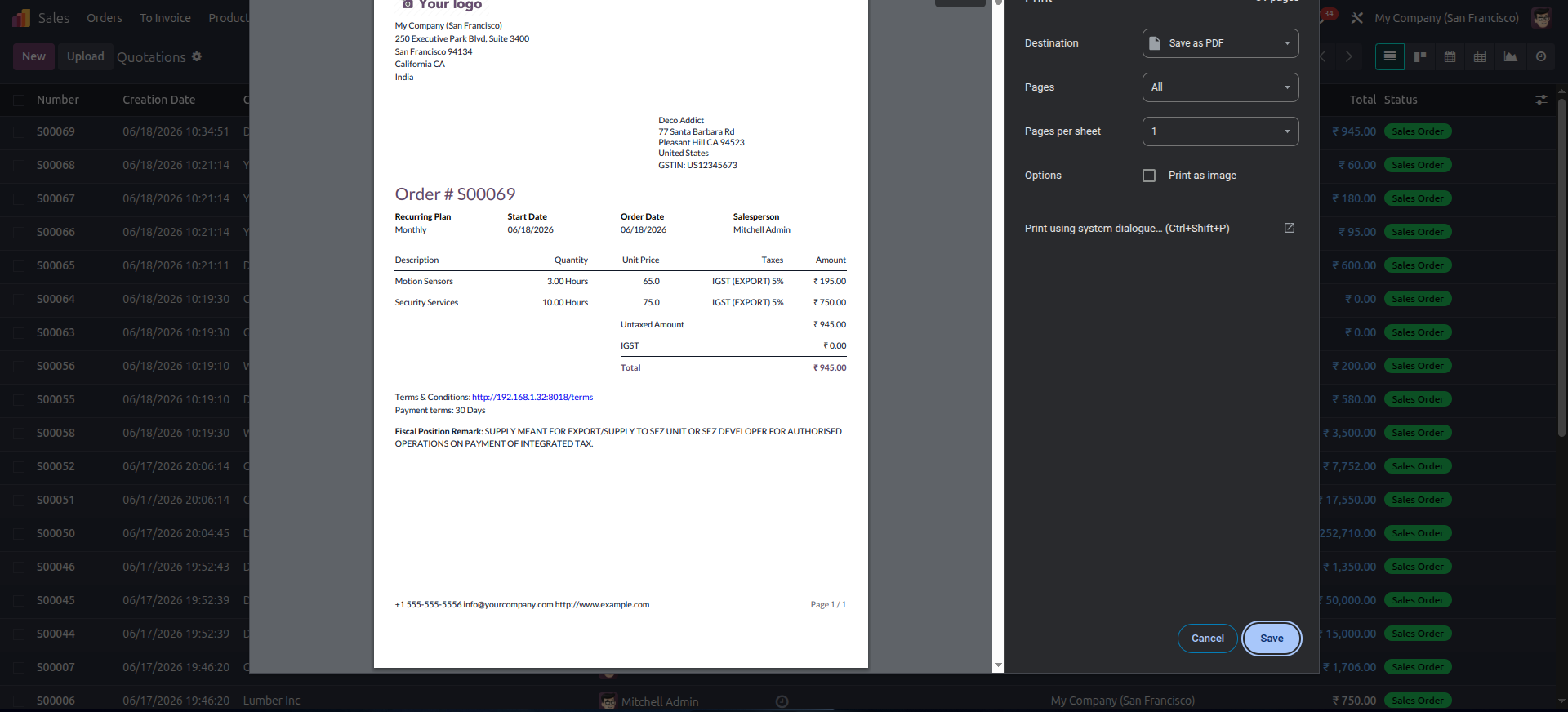
10. Instant Auto-Print: The browser's native print dialog triggers immediately over your workspace as soon as generation is complete.
Our solutions focus on your problems
- Odoo Implementation
- Odoo Customization
- ERP Development and Implementation
- Odoo Ipass Cloud
- AI for Odoo
- Odoo Apps
- Aws Marketplace Products
- Business Engines
Our Pricing includes User Manual, 90 Days Support (Monday-Friday 10am to 7pm IST) and One time Setup
• Works & tested on standard installations of Odoo with no third party apps,
• Free support only for odoo installations with no third party apps,
• Paid support available for Odoo installations with third party apps.

Prefortune is a Odoo Official Partner, Odoo Development company. Our philosophy is to use Open Source tools and technologies to provide cost effective and green solutions for our customers.
Prefortune Technologies LLP is working on web development, Mobile development, and Odoo ERP.
If you need any help or want more additional features, you may contact us through:
Alternative Products
These other products might interest you
Specifications
| Version | 19.0, 18.0, 17.0, 16.0, 15.0, 14.0 |