Watch Quick Video
Odoo Chatter Attachment ZIP Download | Download Attachments as ZIP
Odoo Chatter Attachment ZIP Download | Download Attachments as
ZIP
allows users to download all chatter attachments of an Odoo record as a single ZIP file. Users can
download attachments from Sales Orders, Purchase Orders, Invoices, Tasks, and other Odoo records without
downloading each attachment individually.
The ZIP file is generated using the record's display name and includes the current date and time based on
the logged-in user's timezone.
Odoo Chatter Attachment ZIP Download | Download Attachments as ZIP
- Download all chatter attachments as a single ZIP file in one click.
- Generate the ZIP filename using the record's display name.
- Timestamp in the ZIP filename uses the user's Odoo timezone instead of UTC.
- Works with all Odoo models inheriting mail.thread.
- Automatically handles duplicate attachment names within the same ZIP.
- Respects Odoo's standard record-level access rights and security rules.
Complete Workflow for Odoo Chatter Attachment ZIP Download | Download Attachments as ZIP
Go to any Odoo record with chatter attachments. Open the Attachment Box by clicking the paperclip icon in the chatter. A "Download Zip" button is displayed next to the "Attach Files" button. Click "Download Zip" to generate and download all record attachments as a single ZIP file. The ZIP file is saved on your system with a descriptive name, such as S00006_06-Jun-2026_11-49-29 AM.zip, using the record name and a timestamp based on the logged-in user's Odoo timezone.
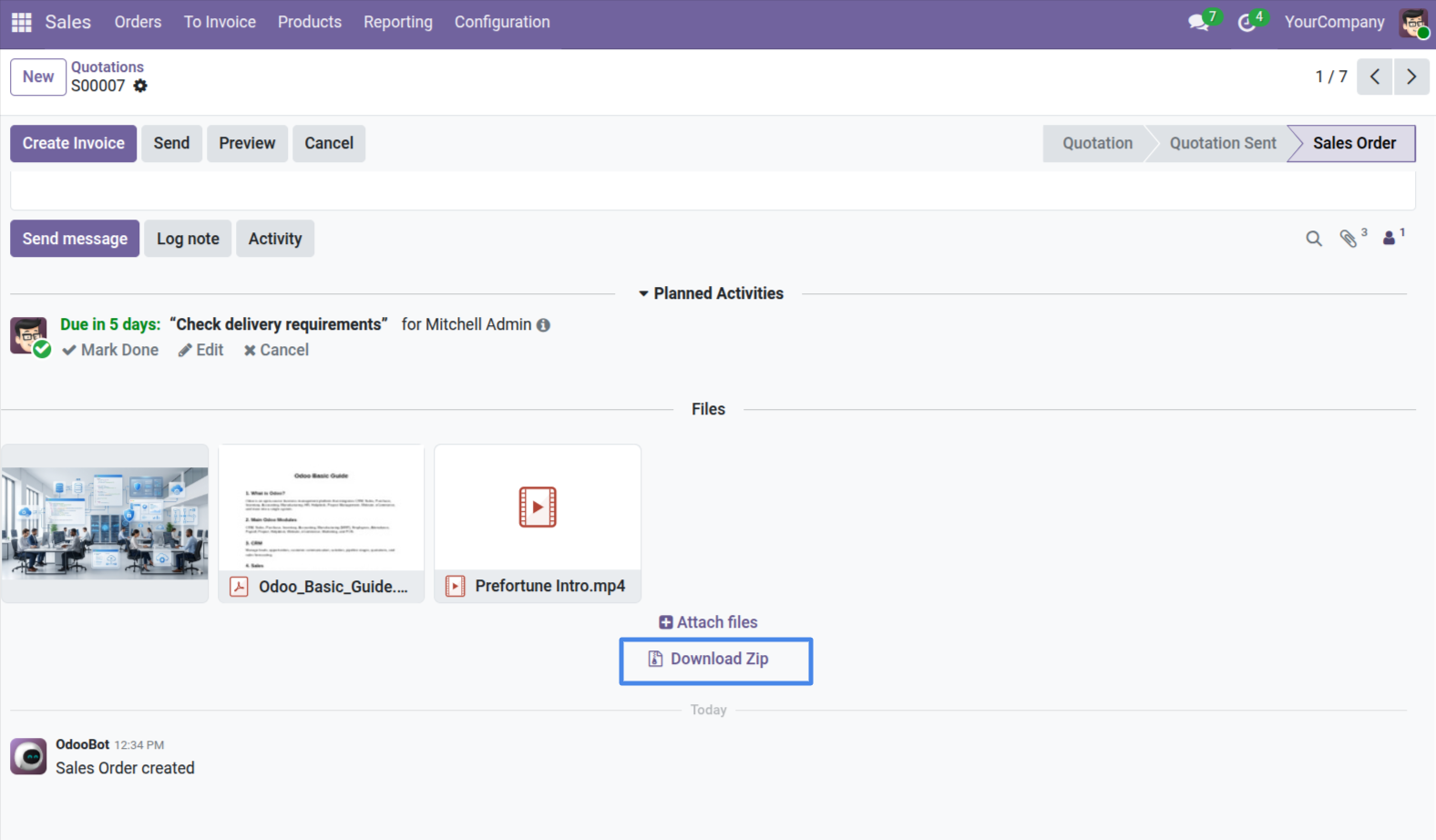
1. The "Download Zip" button is displayed in the chatter attachment box.
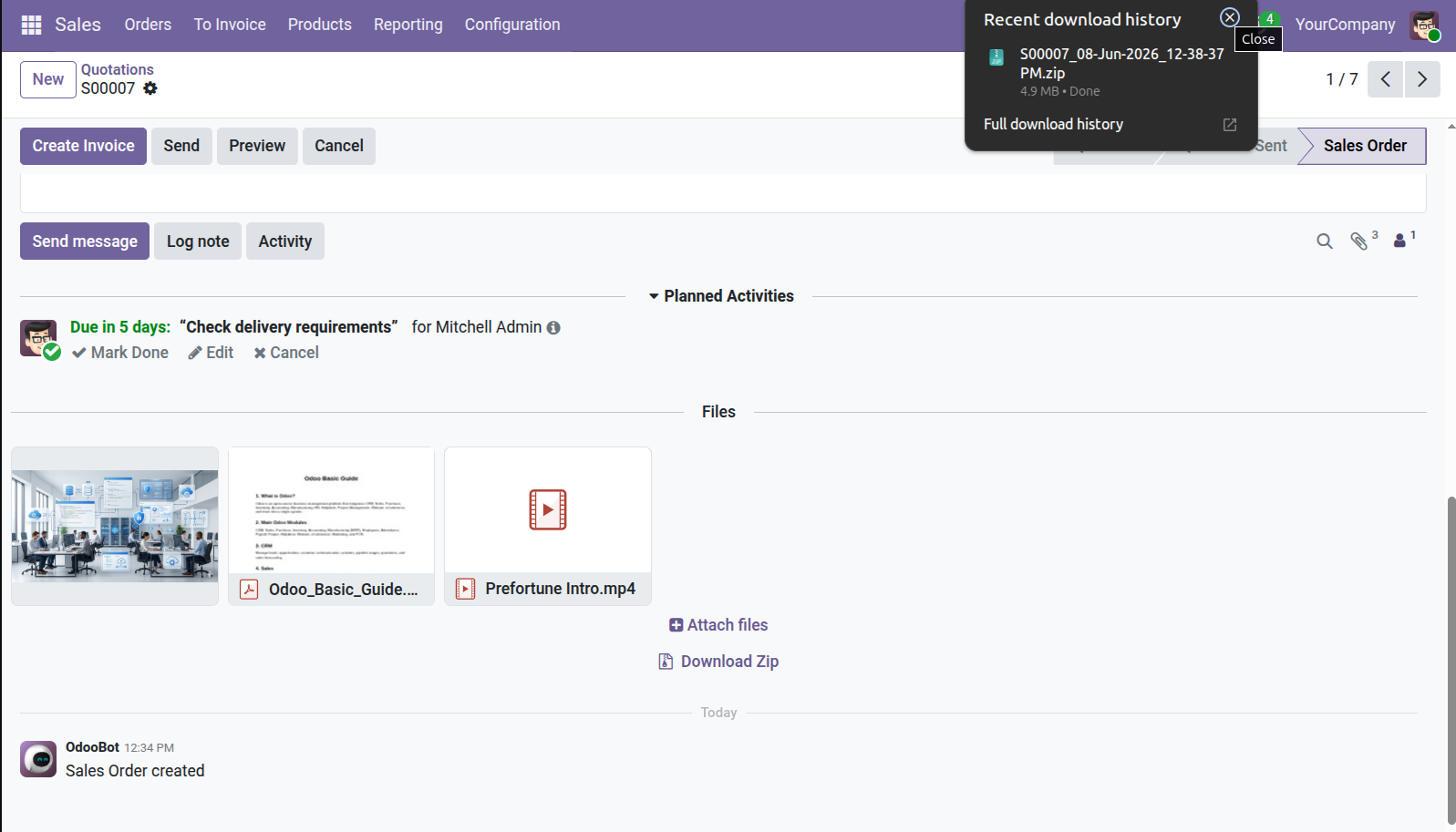
2. Downloaded ZIP file is dynamically named using the record display name and local timestamp.
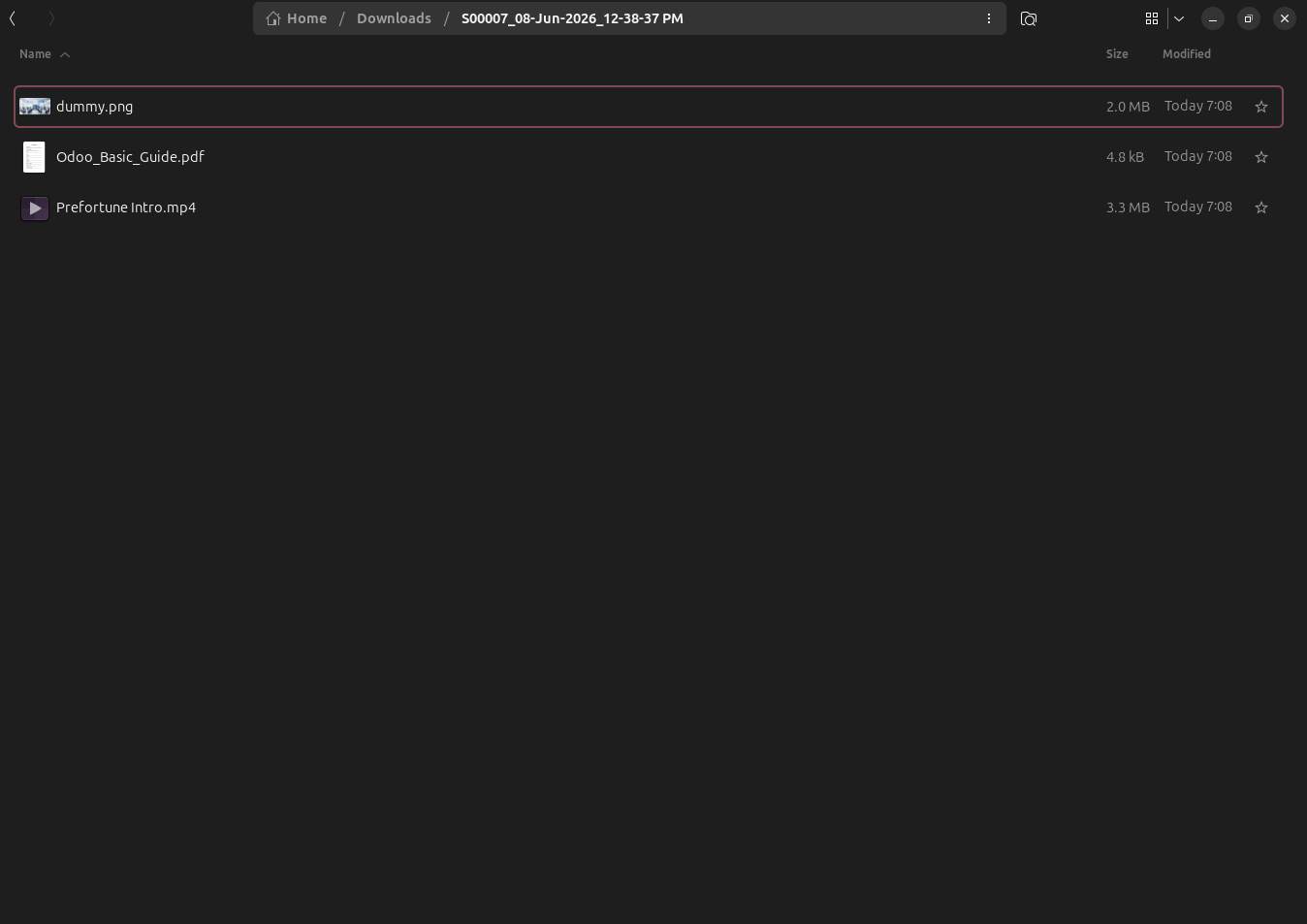
3. Extract the ZIP file to view all your attachments.
Our solutions focus on your problems
- Odoo Implementation
- Odoo Customization
- ERP Development and Implementation
- Odoo Ipass Cloud
- AI for Odoo
- Odoo Apps
- Aws Marketplace Products
- Business Engines
Our Pricing includes User Manual, 90 Days Support (Monday-Friday 10am to 7pm IST) and One time Setup
• Works & tested on standard installations of Odoo with no third party apps,
• Free support only for odoo installations with no third party apps,
• Paid support available for Odoo installations with third party apps.

Prefortune is a Odoo Official Partner, Odoo Development company. Our philosophy is to use Open Source tools and technologies to provide cost effective and green solutions for our customers.
Prefortune Technologies LLP is working on web development, Mobile development, and Odoo ERP.
If you need any help or want more additional features, you may contact us through:
Alternative Products
These other products might interest you
Specifications
| Version | 19.0, 18.0, 17.0, 16.0, 15.0, 14.0 |