Watch Quick Video
Odoo Blog & Product Cross Linking App
Our Odoo Blog & Product Cross Linking App
is an all-in-one solution to let businesses link their Odoo Blogs & Products to help customers find related products when viewing blogs & related blogs when viewing products. It enhances content visibility, product promotion and the overall browsing experience.
The module allows businesses to show related products in blogs in List or Slider view and related blogs on product pages can be shown with or without images. This allows you to show related products and content throughout your website in a flexible and attractive way.
Odoo Blog & Product Cross Linking App Features
- Display related blog posts directly on product pages.
- Display related products directly on blog post pages.
- Automatically links products and blogs in both directions when Product-Blog Sync is enabled for the website.
- Show related blogs in a list with optional images.
- Display related products in a list or slider format.
Complete Workflow for Manage Odoo Blog & Product Cross Linking App
Install and activate the Odoo Blog & Product Cross Linking App module. After installing the module, users can navigate to Website → Blog and open the required blog post. Add the required Products to display products on the blog. Products can be shown in List or Slider view. Users can also navigate to Website → eCommerce → Products and open the required product. Add the required Related Blogs to display blogs on the product page. Related blogs can be displayed With Image or Without Image. If users do not want to add related products and blogs manually on both sides, they can enable Enable Product-Blog Sync from Website → Settings. Once enabled, adding a product to a blog will automatically add that blog to the product, and adding a blog to a product will automatically add that product to the blog.
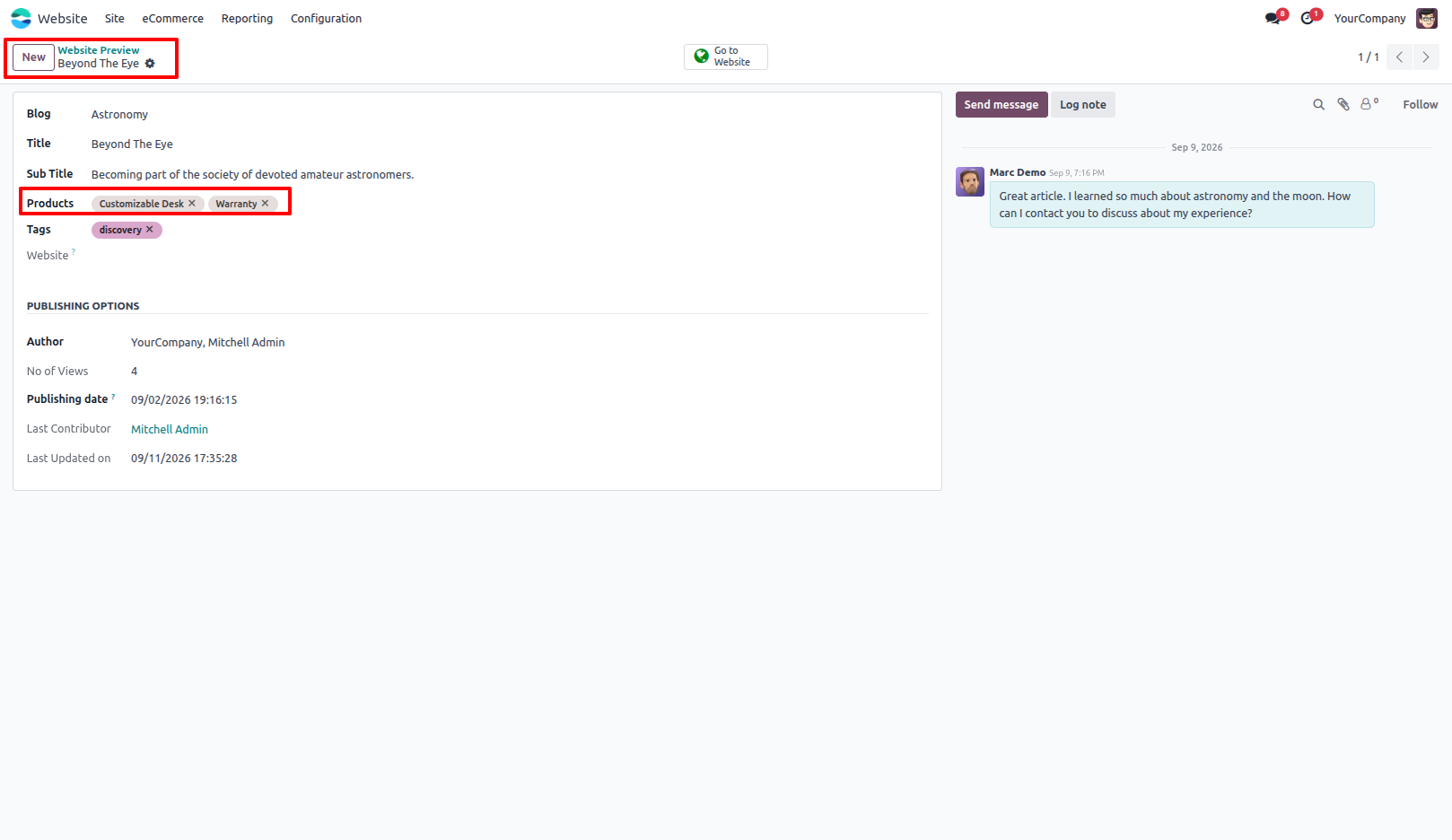
1.Go to Website → Blog and open the required Blog Post. Add the required Related Products to display products on the blog. Related products can be displayed in List or Slider view.
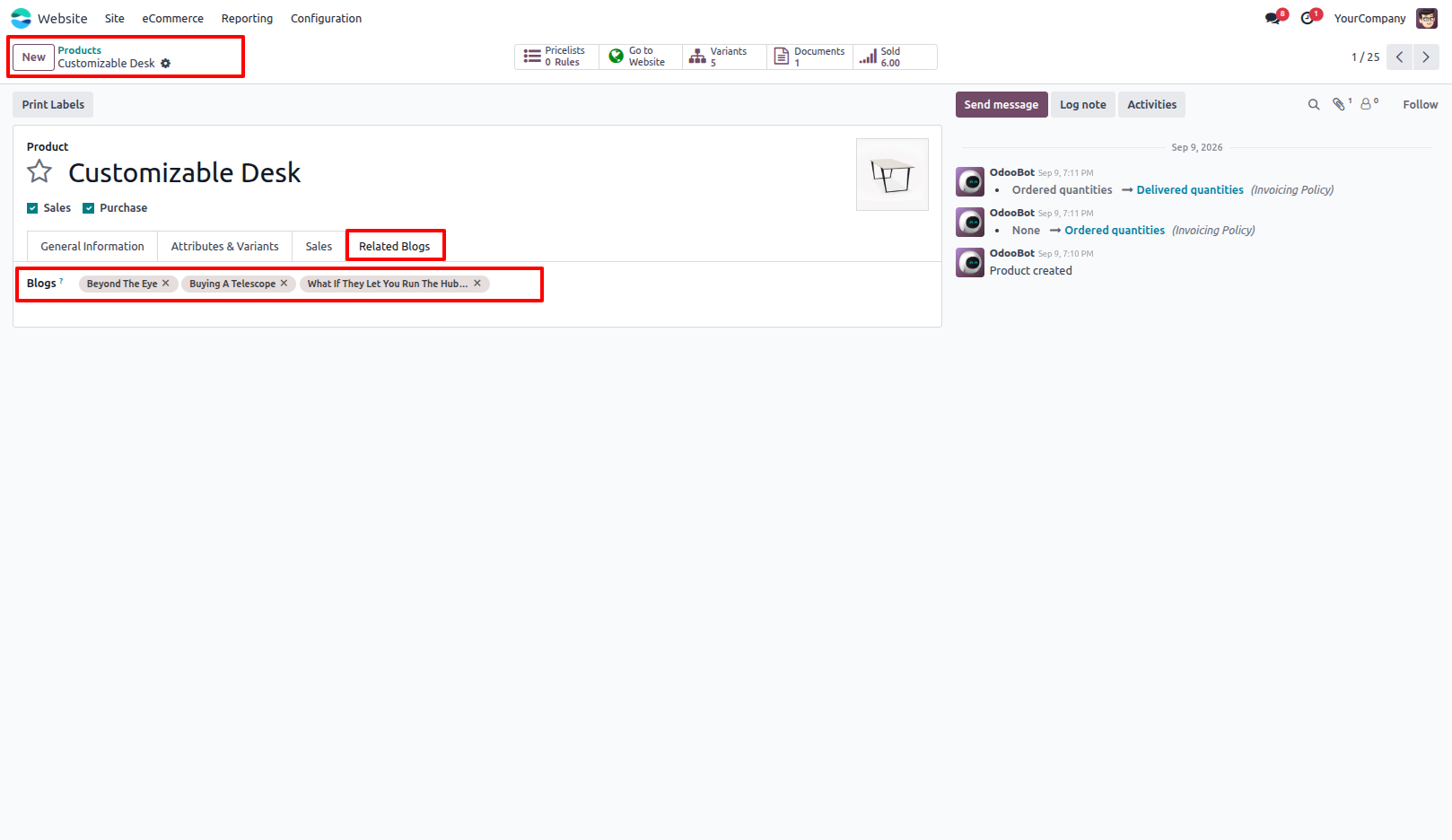
2.Go to Website → eCommerce → Products and open the required Product. Add the required Related Blogs to display blogs on the product page. Related blogs can be displayed With Image or Without Image.
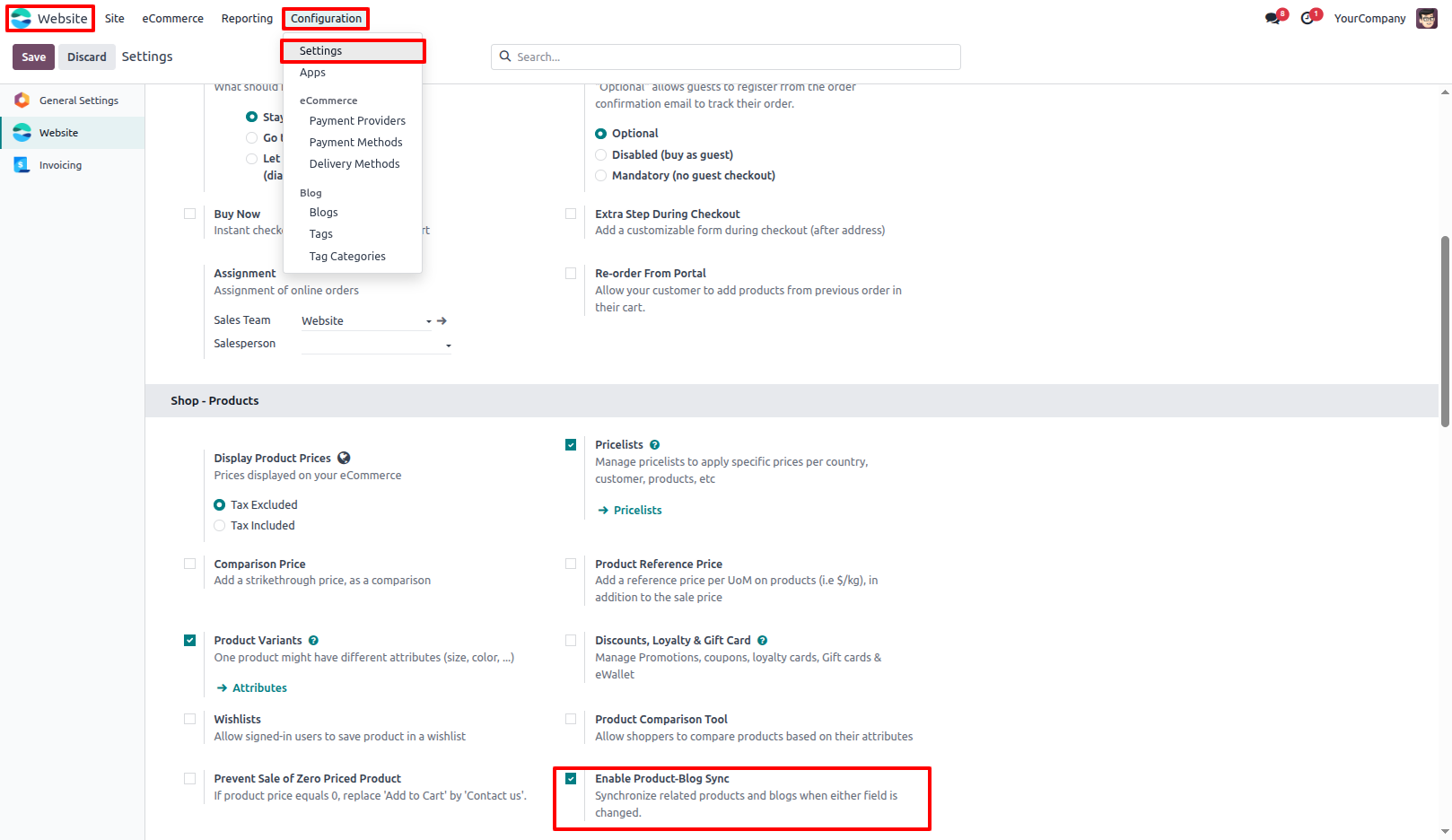
3.To automatically keep Blogs and Products connected, go to Website → Settings. Enable Enable Product-Blog Sync. Once enabled, adding a product to a blog will automatically add that blog to the product. Similarly, adding a blog to a product will automatically add that product to the blog.
Our solutions focus on your problems
- Odoo Implementation
- Odoo Customization
- ERP Development and Implementation
- Odoo Ipass Cloud
- AI for Odoo
- Odoo Apps
- Aws Marketplace Products
- Business Engines
Our Pricing includes User Manual, 90 Days Support (Monday-Friday 10am to 7pm IST) and One time Setup
• Works & tested on standard installations of Odoo with no third party apps,
• Free support only for odoo installations with no third party apps,
• Paid support available for Odoo installations with third party apps.

Prefortune is a Odoo Official Partner, Odoo Development company. Our philosophy is to use Open Source tools and technologies to provide cost effective and green solutions for our customers.
Prefortune Technologies LLP is working on web development, Mobile development, and Odoo ERP.
If you need any help or want more additional features, you may contact us through:
Alternative Products
These other products might interest you
Specifications
| Version | 19.0, 18.0, 17.0, 16.0, 15.0, 14.0 |