Watch Quick Video
Odoo Alternative Components App in Odoo App
This Odoo module adds a feature on Odoo Manufacturing to replace components on a Manufacturing Order by alternative products. It allows users to specify alternative components on each Bill of Materials line with a cost price and an optional extra price, and to select them directly from the Manufacturing Order using a simple Replace Component wizard. The module has flexible quantity control using plus and minus buttons, a live total cost and a warning if the quantity selected is greater than the expected quantity. You can see the alternative unit cost and extra price in the MO Overview report. All changes are logged in the BoM and MO chatter. It help manufacturers to easily manage the material shortages and cost variations without changing the standard flow of Odoo Manufacturing.
Odoo Alternative Components App Features
- For each BoM component, please provide many alternate products. Each has a cost price and an optional extra price and the total cost is calculated automatically
- Select Alternatives in a MO component line Select options with +/- quantity buttons and watch the total cost update live.
- If the total quantity is larger than expected a warning is shown. The user has to confirm it before doing the replacement.
- The MO Overview report uses the alternate cost with the additional price. All the talk about boM and MO changes.
Complete Workflow for Odoo Alternative Components App in Odoo Integration
The Odoo Alternative Components App module provides a simple workflow for replacing components on Odoo Manufacturing Orders. Users can enable the Show Alternate Selection option on a Bill of Materials, add alternative products to any component line, and define a cost price and an optional extra price for each one. When a Manufacturing Order is created from that BoM, the Select Alternatives button opens the Replace Component wizard. There, users can choose the quantity of the main component and of each alternative with plus and minus buttons, while the total cost updates automatically. If the total quantity exceeds the expected quantity, a warning asks for confirmation before continuing. After confirmation, the selected alternatives are added to the order, and the MO Overview report shows their unit cost and extra price. This workflow helps manufacturers handle shortages and cost changes easily while maintaining the standard Odoo Manufacturing experience.
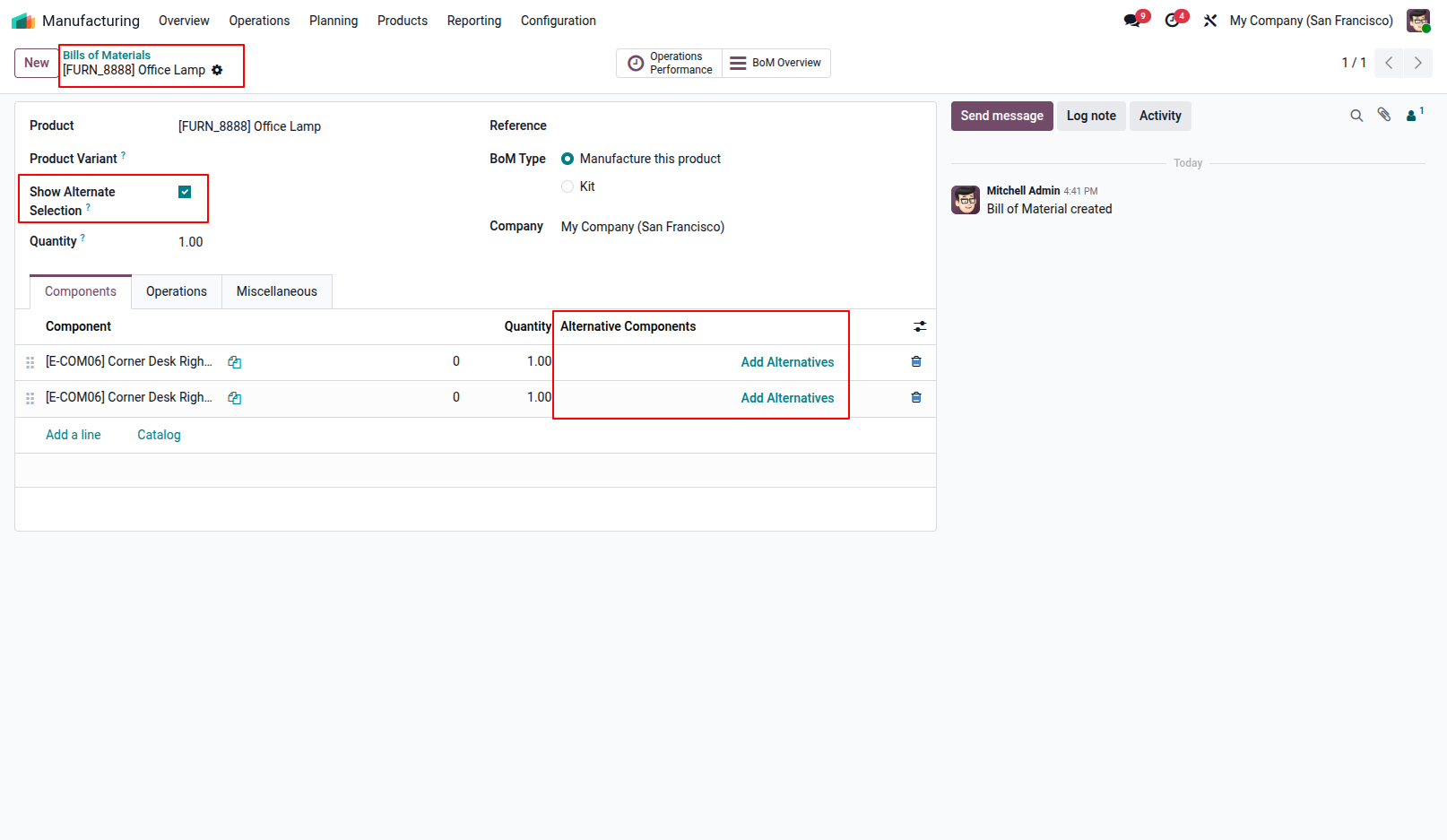
1.Enable the "Show Alternate Selection" option on the Bill of Materials (BoM) to display the "Add Alternatives" button on component lines.
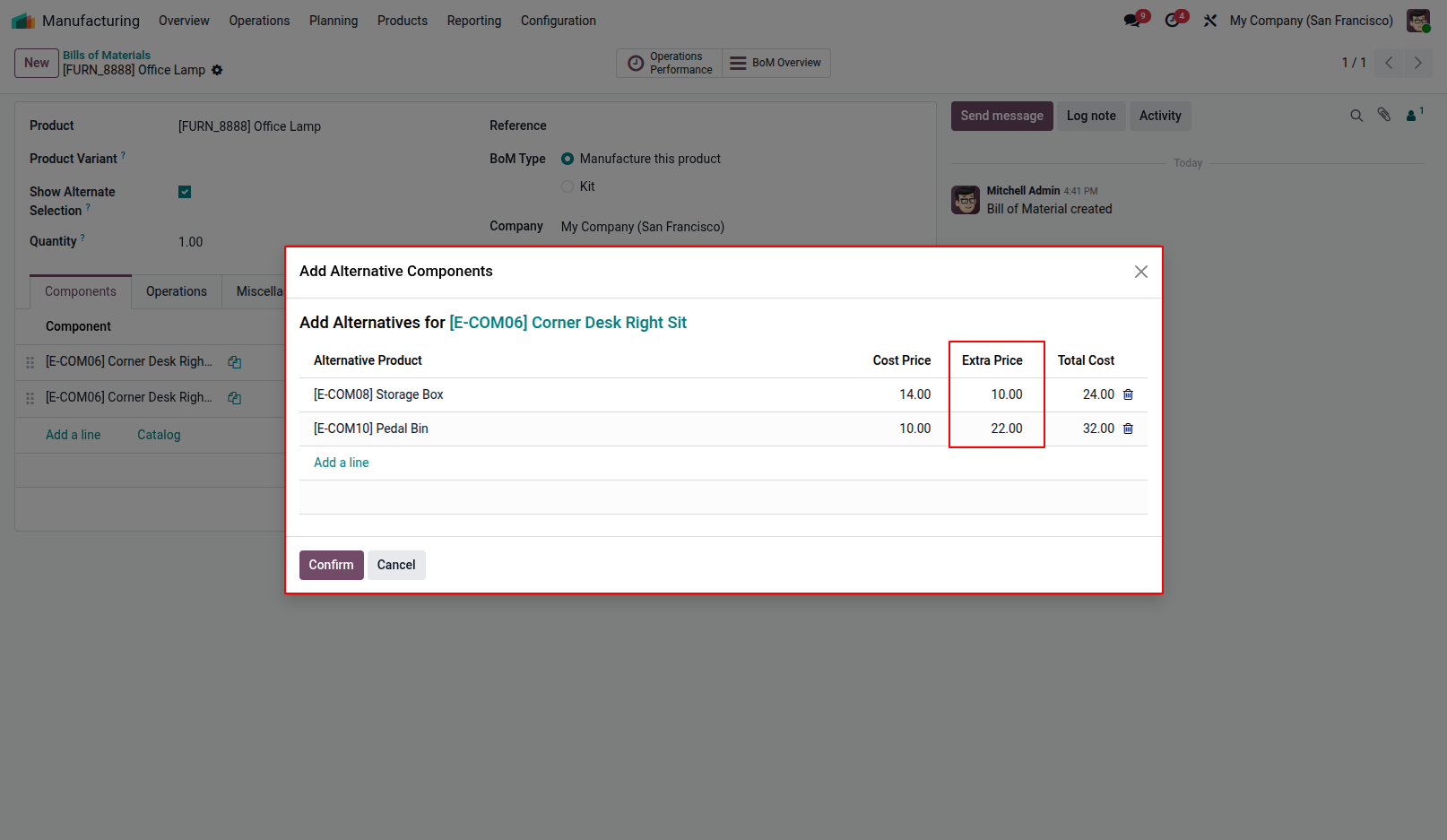
2.Click "Add Alternatives" on a BoM line to open the wizard and define alternative products, along with their cost price and extra price.
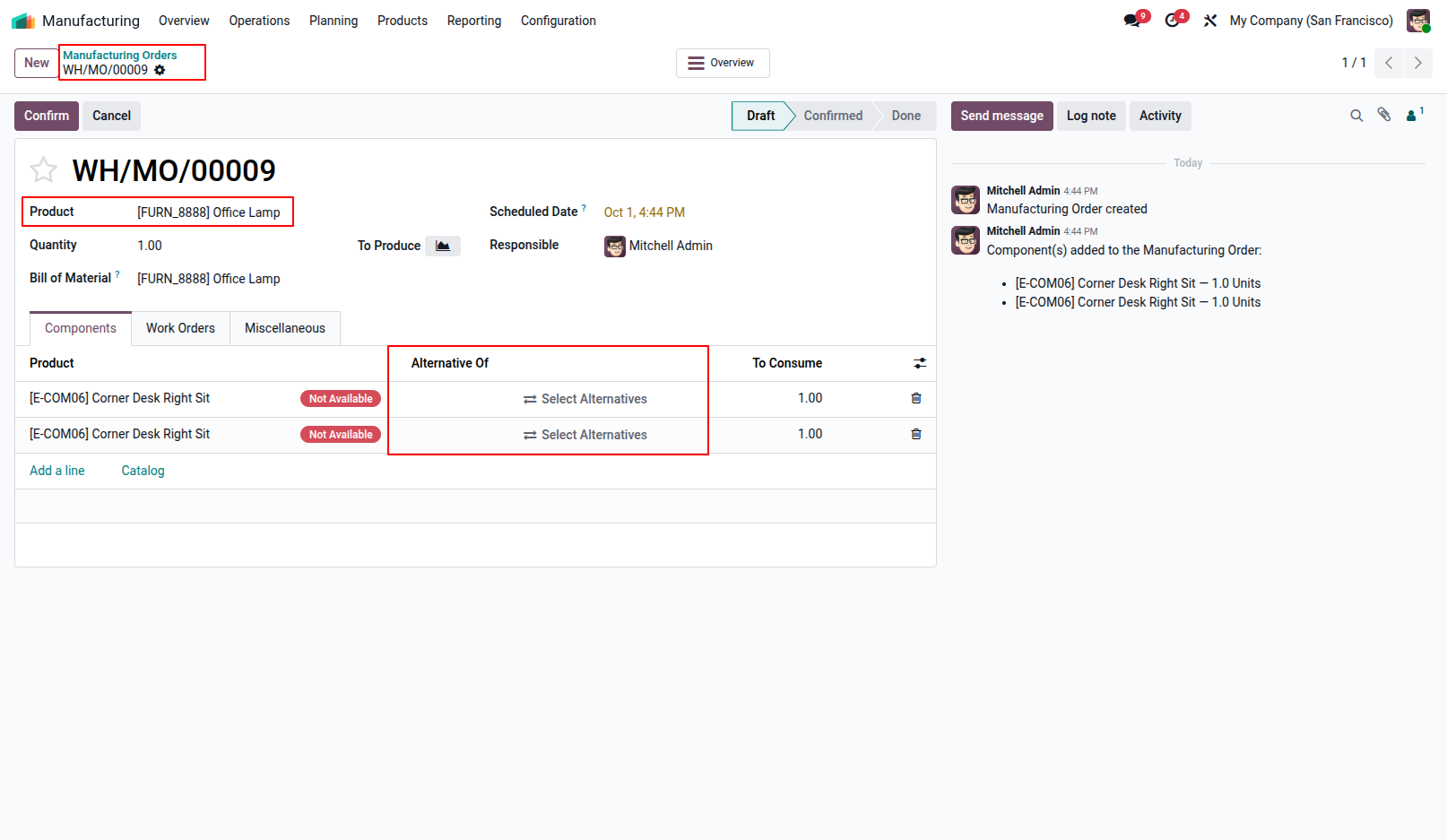
3.In the Manufacturing Order, check the component availability status and click "Select Alternatives" to swap out unavailable components.
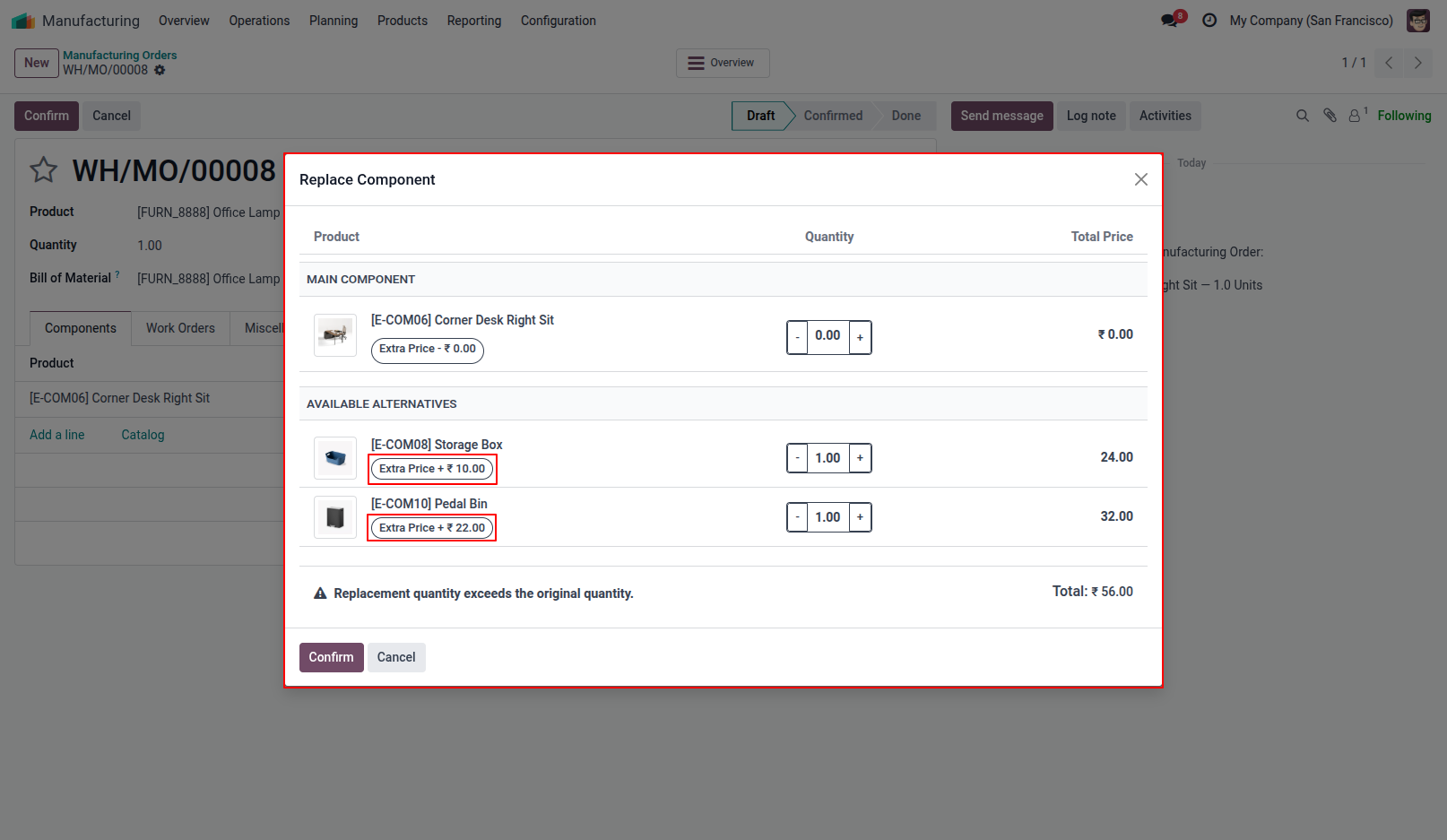
4.The "Replace Component" popup wizard opens, showing the main component and all configured alternative choices.
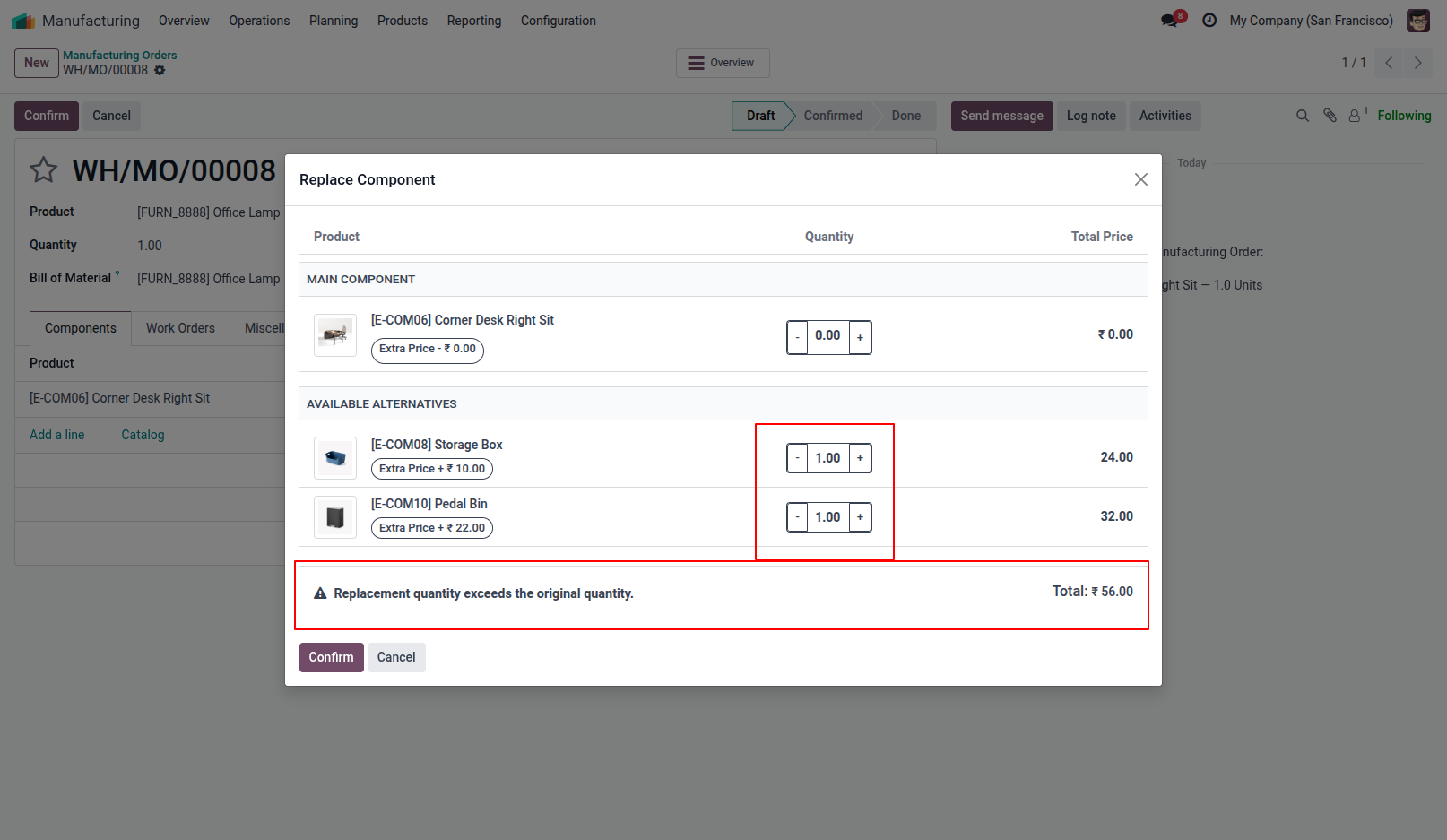
5.Adjust the quantities of the alternative components using the interactive + / - buttons. The total cost is computed dynamically, and a warning alert appears when the quantity is exceeded.
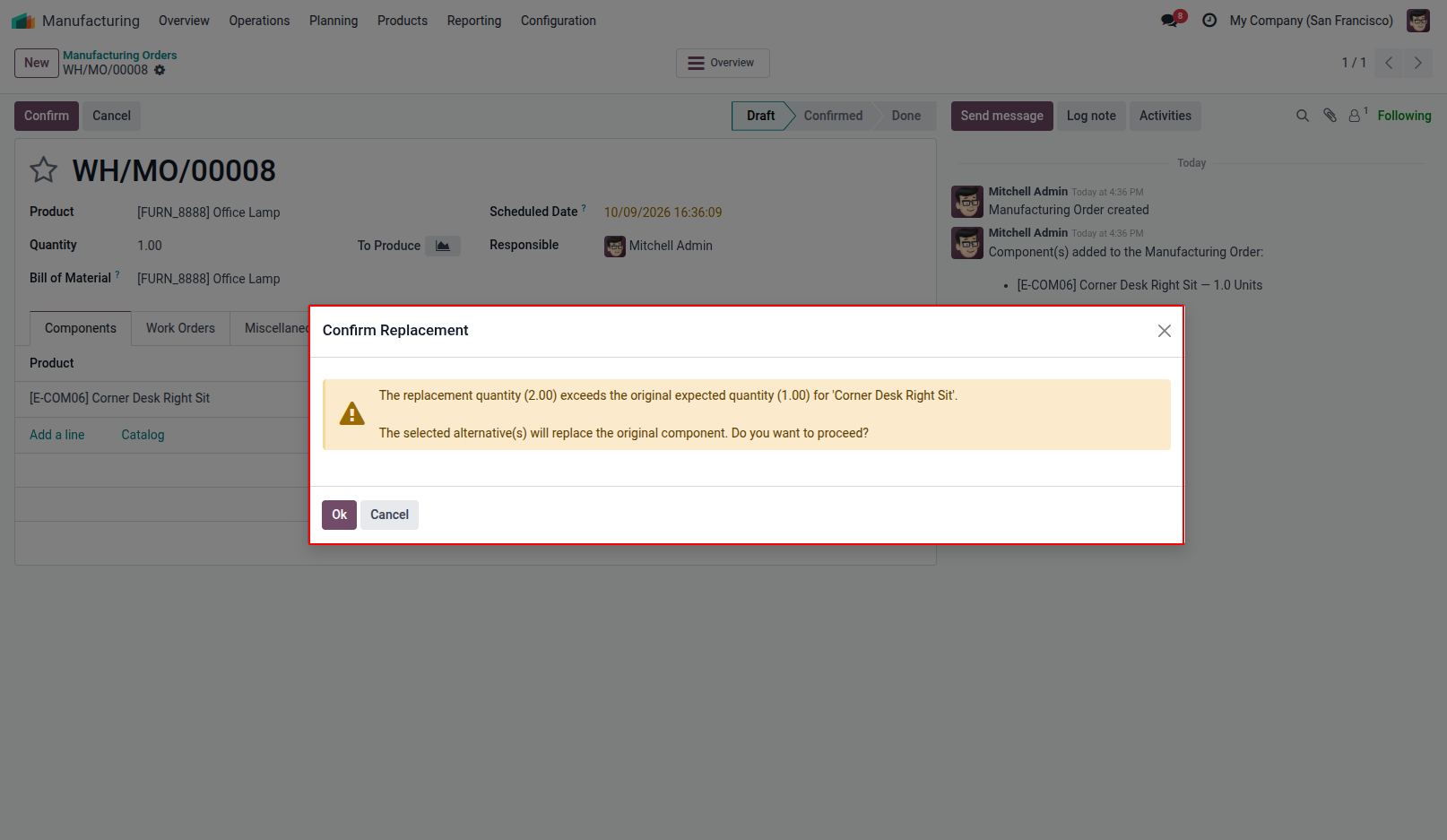
6.A confirmation popup asks the user to verify when the selected alternative quantity exceeds the original expected quantity.
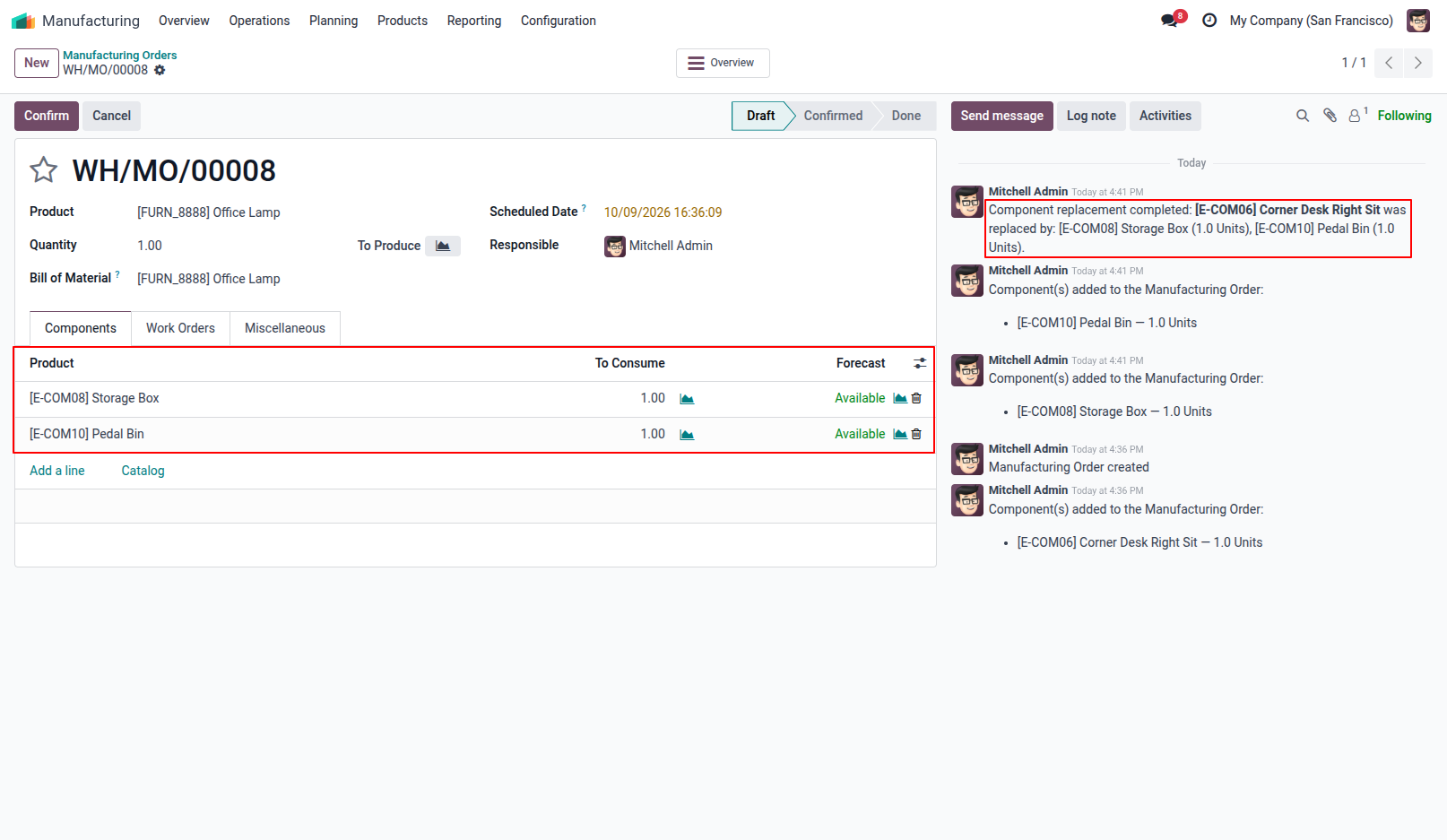
7.The Manufacturing Order component list is updated with the replacement components, showing the original component reference.
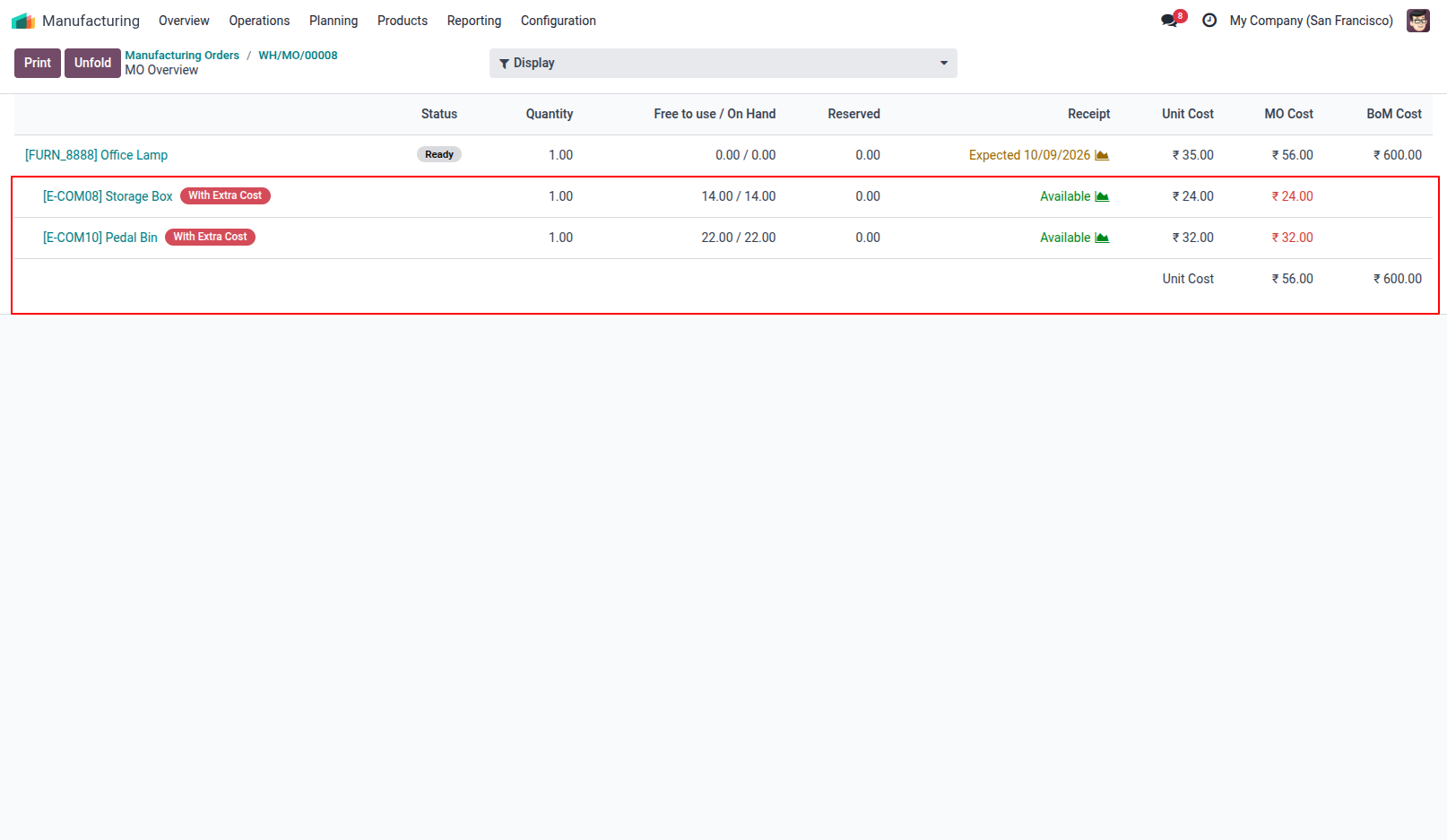
8.View the unit costs, extra cost impacts and updated overall manufacturing cost in the MO Overview.
Our solutions focus on your problems
- Odoo Implementation
- Odoo Customization
- ERP Development and Implementation
- Odoo Ipass Cloud
- AI for Odoo
- Odoo Apps
- Aws Marketplace Products
- Business Engines
Our Pricing includes User Manual, 90 Days Support (Monday-Friday 10am to 7pm IST) and One time Setup
• Works & tested on standard installations of Odoo with no third party apps,
• Free support only for odoo installations with no third party apps,
• Paid support available for Odoo installations with third party apps.

Prefortune is a Odoo Official Partner, Odoo Development company. Our philosophy is to use Open Source tools and technologies to provide cost effective and green solutions for our customers.
Prefortune Technologies LLP is working on web development, Mobile development, and Odoo ERP.
If you need any help or want more additional features, you may contact us through:
Alternative Products
These other products might interest you
Specifications
| Version | 20.0, 19.0, 18.0, 17.0, 16.0, 15.0, 14.0 |