Watch Quick Video
Negative Stock Restriction
Our all-inclusive Odoo – Negative Stock Restriction
module helps businesses maintain accurate inventory by blocking stock operations when product quantity is unavailable. It performs real-time quantity checks during stock validation during transfers/sales/POS to reduce blocking overselling and stock errors.
The module lets you set up product-by-product and location-by-location controls - all of which work together like clockwork with the Odoo Inventory, Sales, and Point of Sale systems to give you rock solid inventory accuracy & control and much smoother warehouse management.
Negative Stock Restriction
- Automatically blocks transactions using negative stock restriction rules.
- Apply stock restriction settings for specific products.
- Help in blocking overselling and stock errors.
- Perform instant stock operation validation during transactions.
- Manage restrictions based on stock transfer restriction locations.
Complete Workflow for Manage Negative Stock Restriction
Install and activate the Negative Stock Restriction module. Go to Inventory → Products → Products and configure the Allow Negative Stock option for required products. You can also manage settings category-wise from Product Categories and apply rules automatically to related products. To manage restrictions by warehouse, configure settings from Inventory Locations. During stock operations, the module performs real-time stock operation validation and blocks transactions when stock is unavailable, helping in blocking overselling and stock errors across Inventory, Sales, and POS.
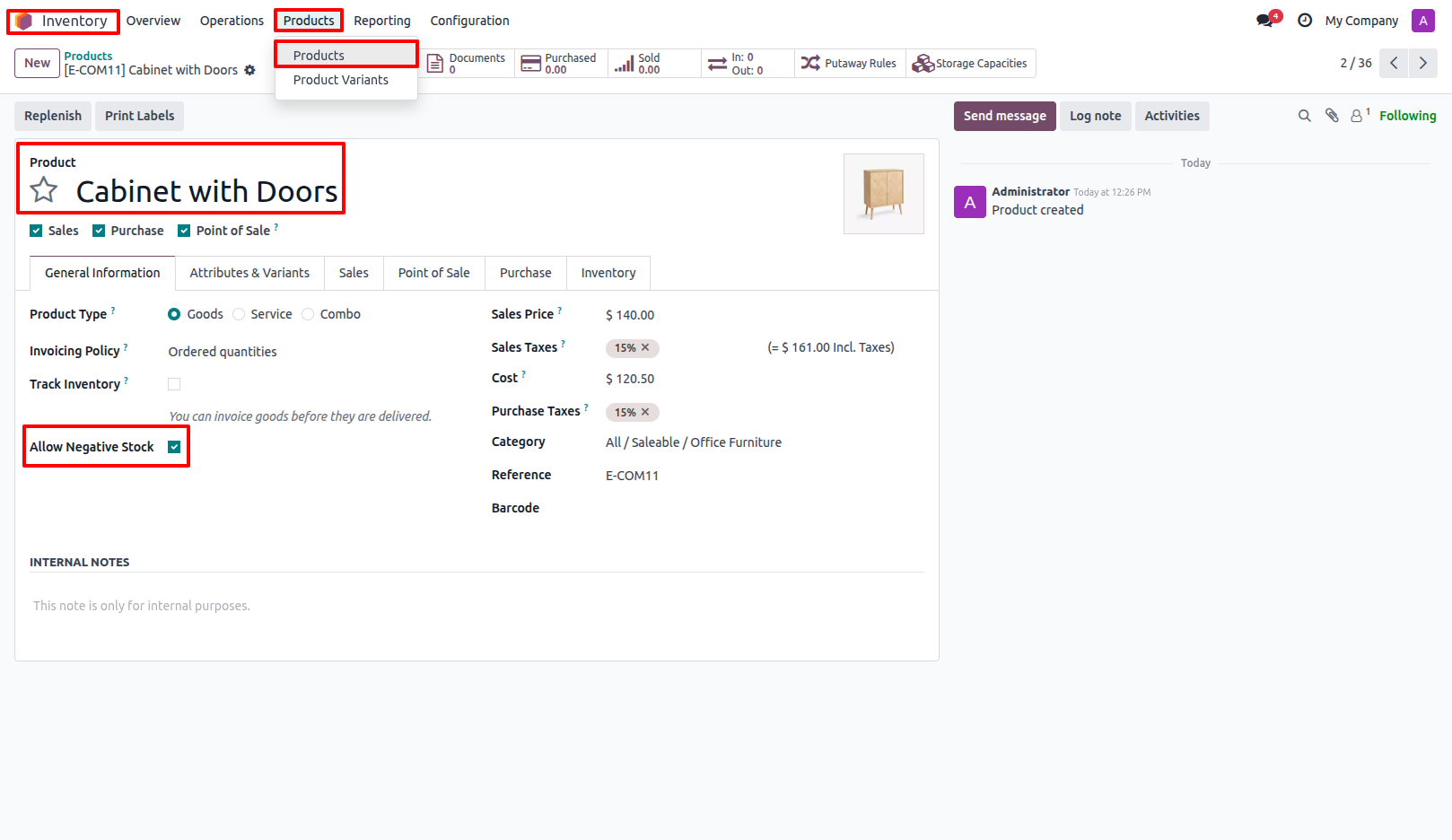
1.Go to Inventory Products and open the desired product and In the General Information tab, enable or disable the Allow Negative Stock option. Inventory → Products → Products.
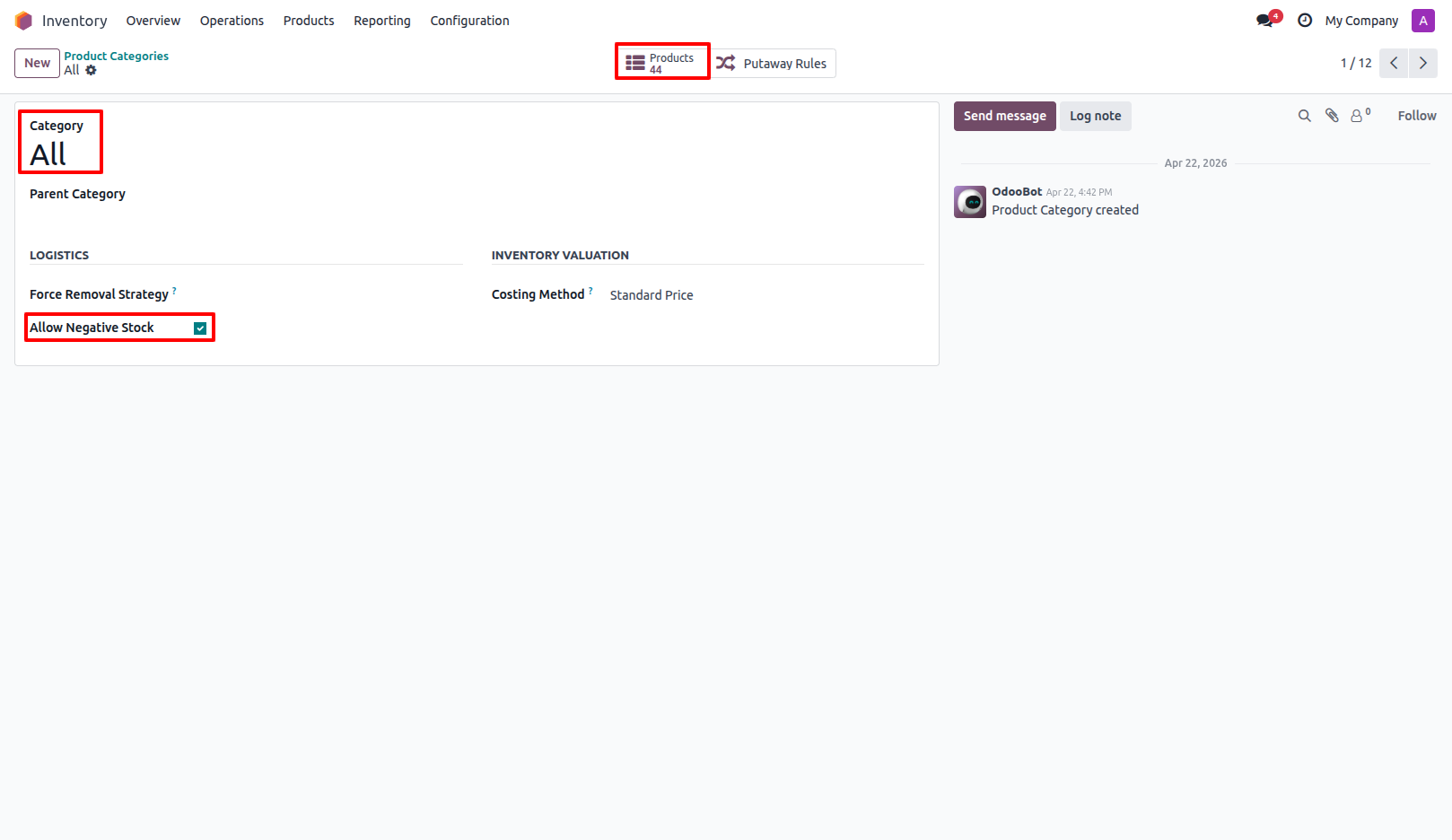
2.Go to Product Categories to manage Allow Negative Stock settings category-wise. The setting automatically applies to all products belonging to that category. Inventory → Configuration → Product Categories.
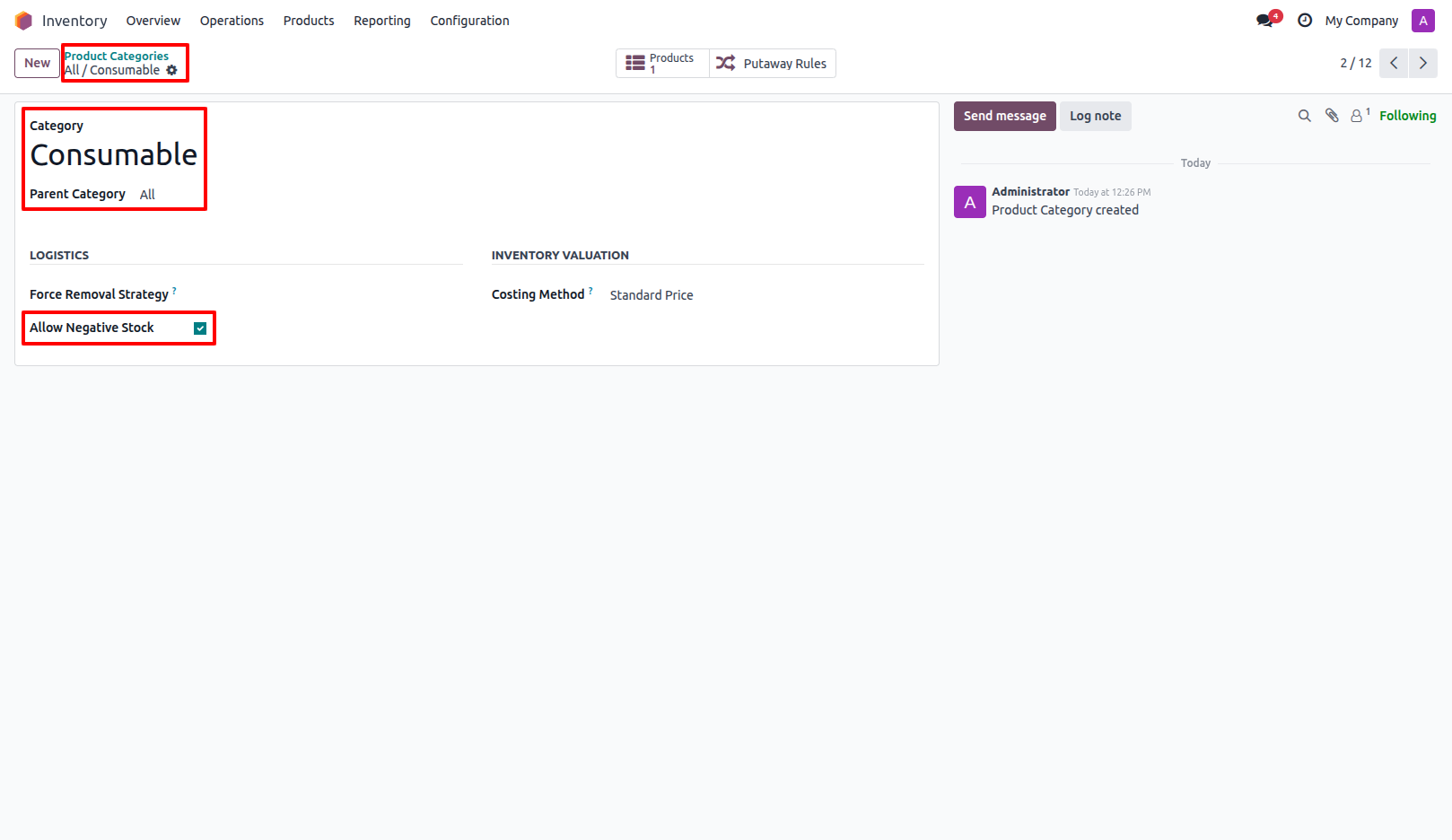
3.Enable or disable Allow Negative Stock in the category. If the parent category has Allow Negative Stock enabled, all child categories are automatically updated. However, changes in a child category do not affect the parent category setting.
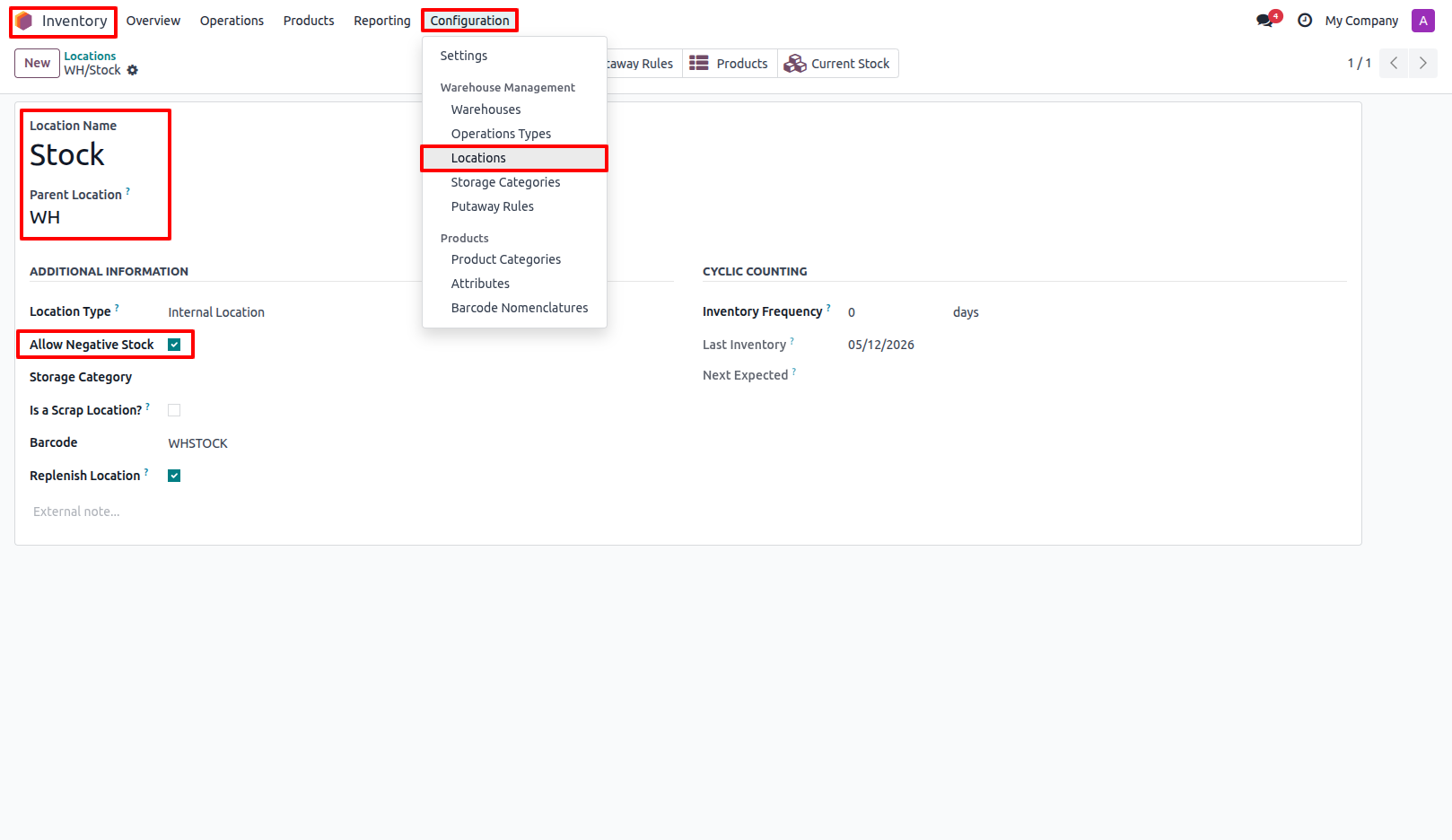
4.Go to Inventory Locations and configure Allow Negative Stock for the required location. Inventory → Configuration → Locations.
Our solutions focus on your problems
- Odoo Implementation
- Odoo Customization
- ERP Development and Implementation
- Odoo Ipass Cloud
- AI for Odoo
- Odoo Apps
- Aws Marketplace Products
- Business Engines
Our Pricing includes User Manual, 90 Days Support (Monday-Friday 10am to 7pm IST) and One time Setup
• Works & tested on standard installations of Odoo with no third party apps,
• Free support only for odoo installations with no third party apps,
• Paid support available for Odoo installations with third party apps.

Prefortune is a Odoo Official Partner, Odoo Development company. Our philosophy is to use Open Source tools and technologies to provide cost effective and green solutions for our customers.
Prefortune Technologies LLP is working on web development, Mobile development, and Odoo ERP.
If you need any help or want more additional features, you may contact us through:
Alternative Products
These other products might interest you
Specifications
| Version | 19.0, 18.0, 17.0, 16.0, 15.0, 14.0 |