Watch Quick Video
Mobile Number Option in Sign Up and Login And Reset Password Pages Odoo App
Our all-inclusive
Odoo – Mobile Number Option in Sign Up and Login And Reset Password Pages Odoo App
helps the Odoo website authentication system by introducing support for mobile numbers during user registration and password recovery processes. This module allows administrators to enable or disable mobile number usage directly from the website settings.
When the mobile signup option is enabled, users can provide their mobile number during the signup process. The system validates the mobile number to ensure it contains only numeric digits and follows the required length format. This helps maintain accurate and consistent user data.
The module automatically stores the entered mobile number in both the user profile and the related contact record, ensuring that the contact information remains synchronized across the system.
Additionally, the module improves the password recovery process by allowing users to request a password reset using their mobile number. The system identifies the associated user account and proceeds with the standard Odoo password reset flow.
By adding mobile number support to the signup and password reset processes, this module improves user convenience, enhances user data management, and provides administrators with better control over website user registration.
Mobile Number Option in Sign Up and Login And Reset Password Pages Odoo App
- Users can register using mobile number during website signup.
- Admin can enable or disable mobile signup from settings.
- System validates mobile number format and required length properly.
- Mobile number saved in both user profile and contact record.
- Users can reset password using their registered mobile number.
Mobile Number Option in Sign Up and Login And Reset Password Pages Odoo App
First, enable the Mobile Number Signup option from the website settings. Once this option is activated, a mobile number field will appear on the website signup page. During registration, users must enter a valid mobile number along with their other details. The system validates the mobile number to ensure it contains only numeric digits and meets the required length. When a user successfully registers, the entered mobile number is automatically stored in the user profile and also saved in the related contact record, ensuring that the contact information remains synchronized across the system. The module also enhances the password recovery process. If a user forgets their password, they can enter their mobile number on the reset password page. The system will identify the associated user account and continue with the standard Odoo password reset procedure. Administrators can easily enable or disable this feature from the website configuration settings, giving full control over whether mobile numbers are required during signup. This functionality improves user convenience, strengthens account identification, and enhances the overall website authentication experience.
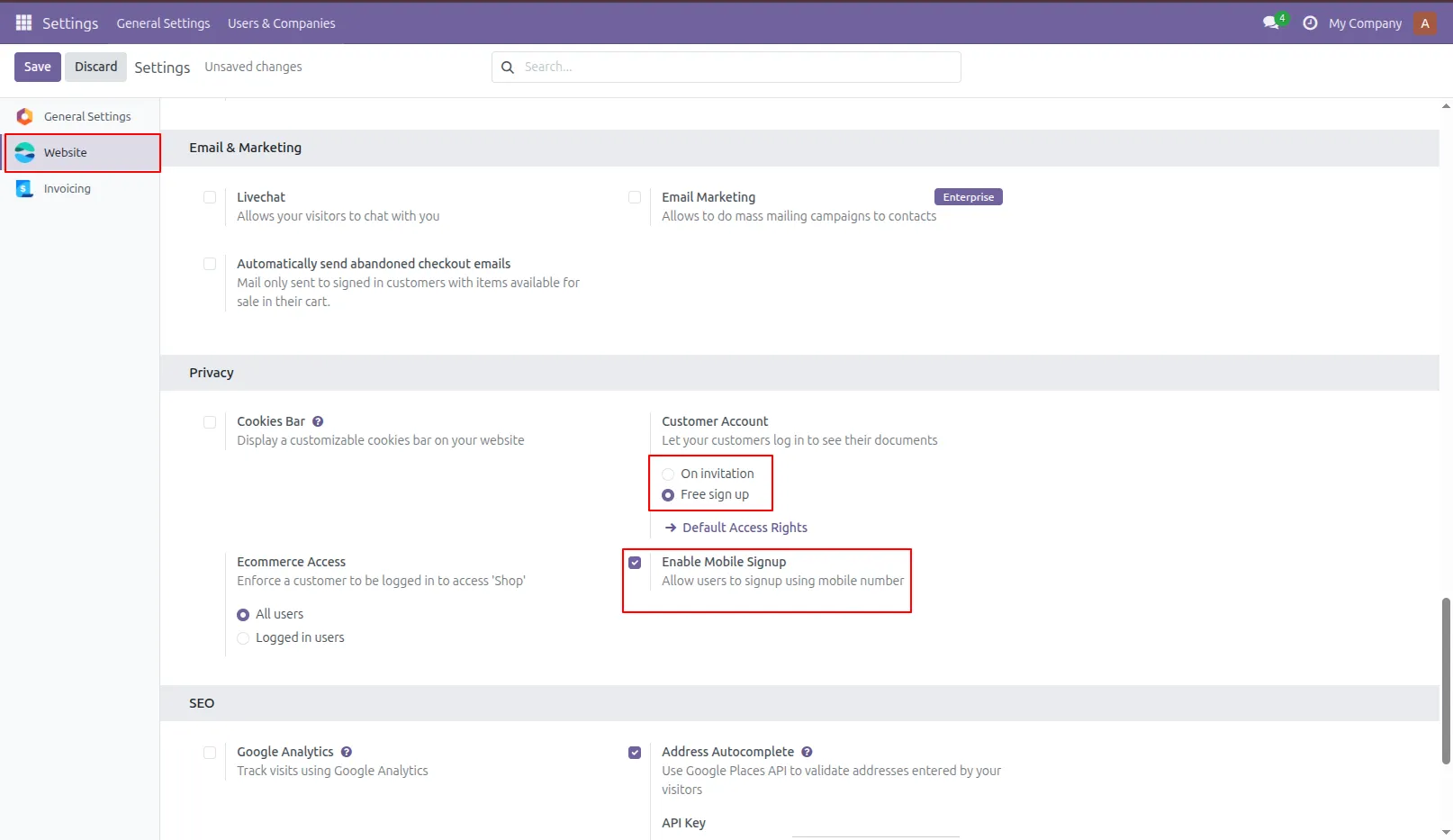
1.Tick "Password Reset" to reset your password and "Free Sign Up" to sign up via mobile. If you want to reset your password, the "Reset Password" option must be enabled in General Settings.
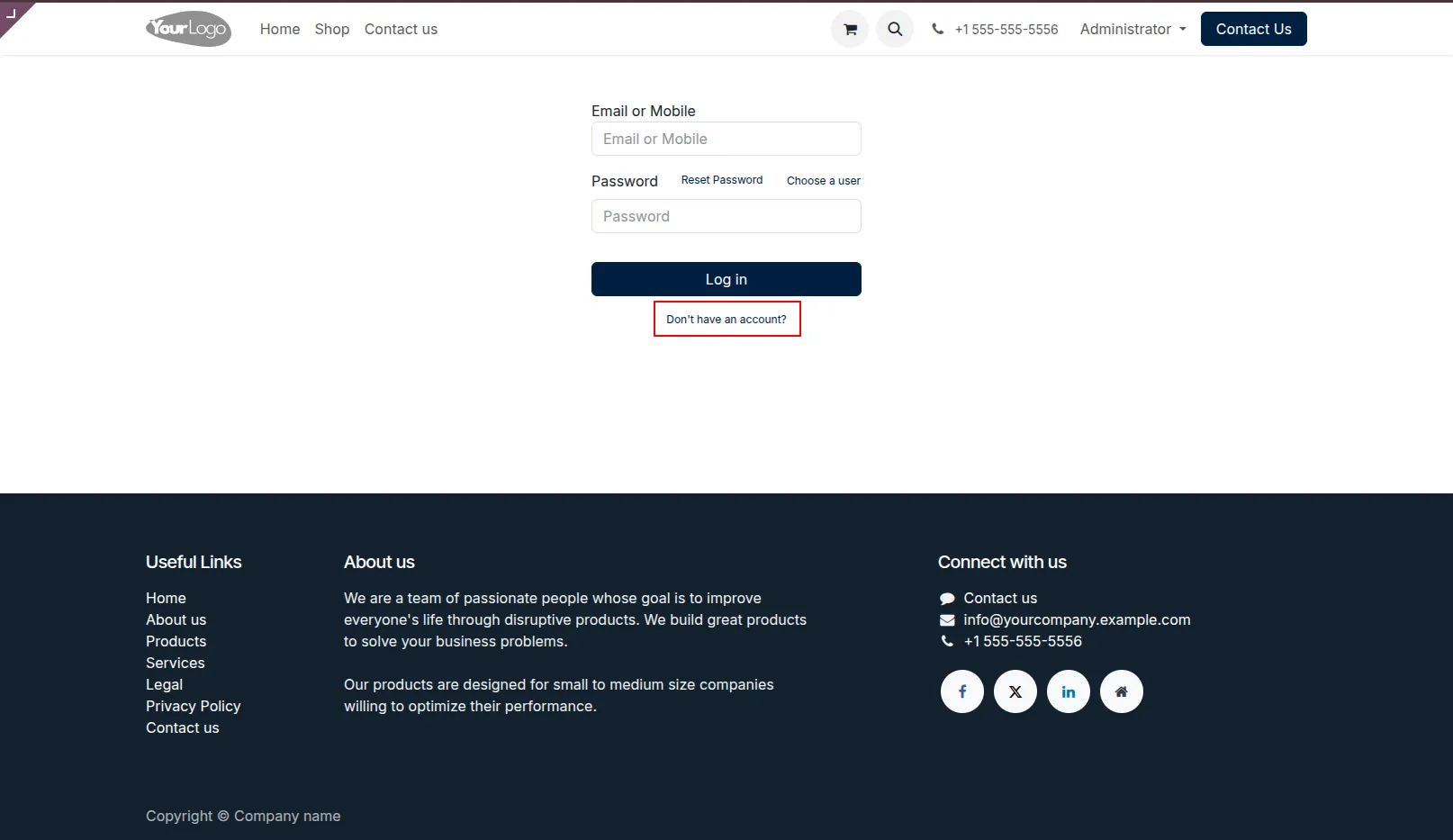
2.We create an account now.
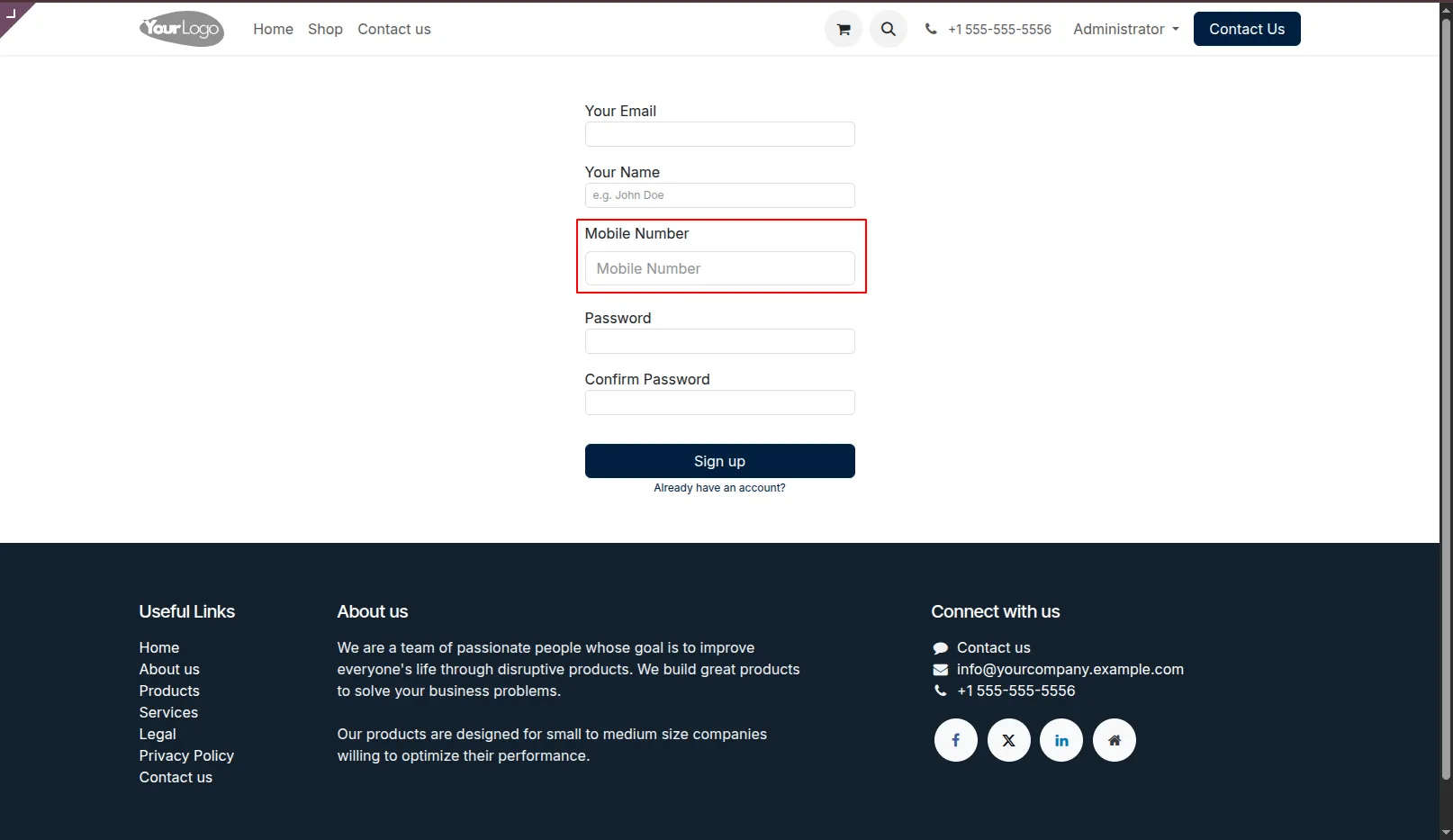
3.Mobile number field added in the signup form.
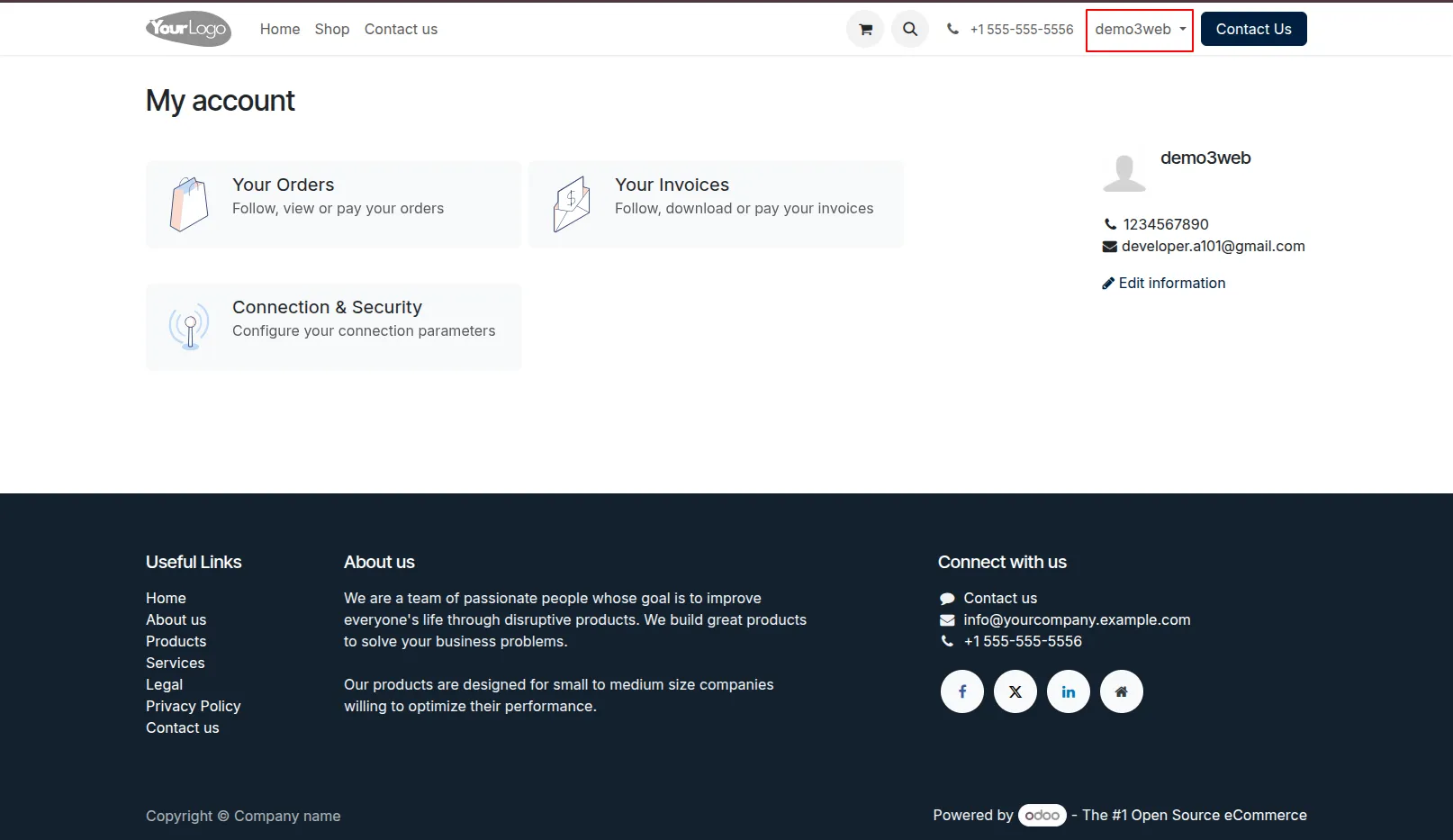
4.Signed in to account.
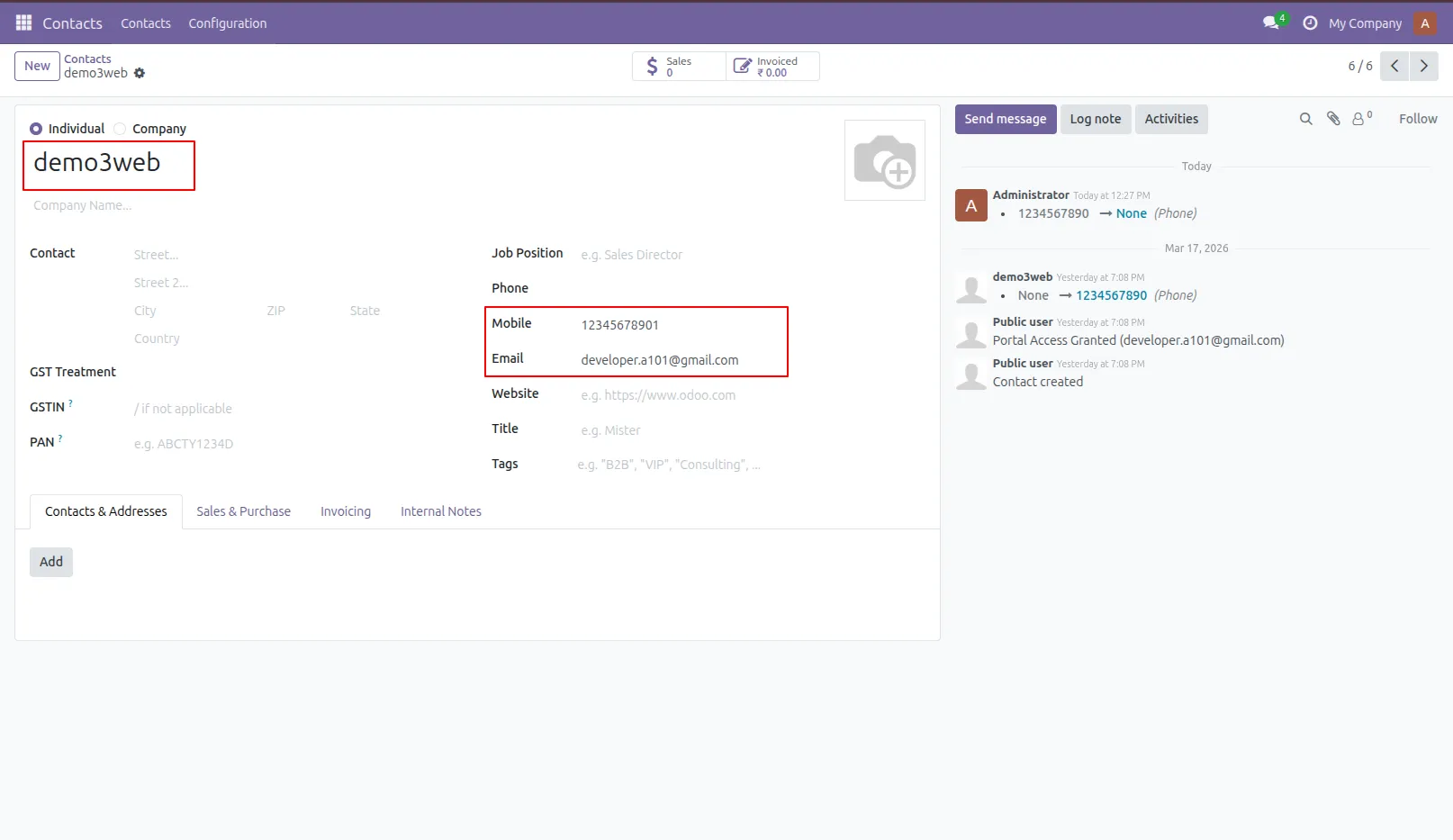
5.Mobile number & Email field added in the backend.
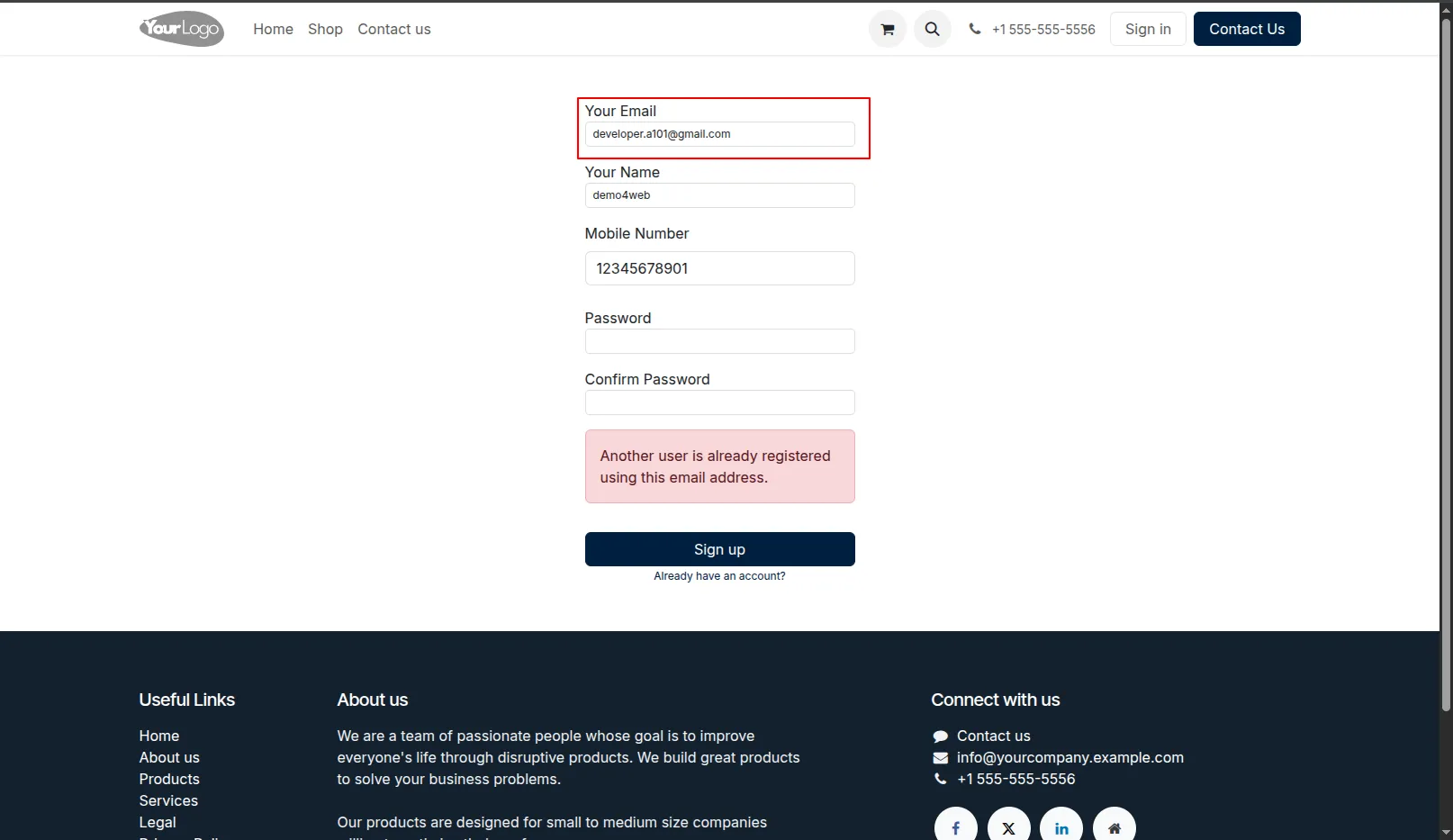
6.It generates an alert if you try to sign up with an email that is already used by another user.
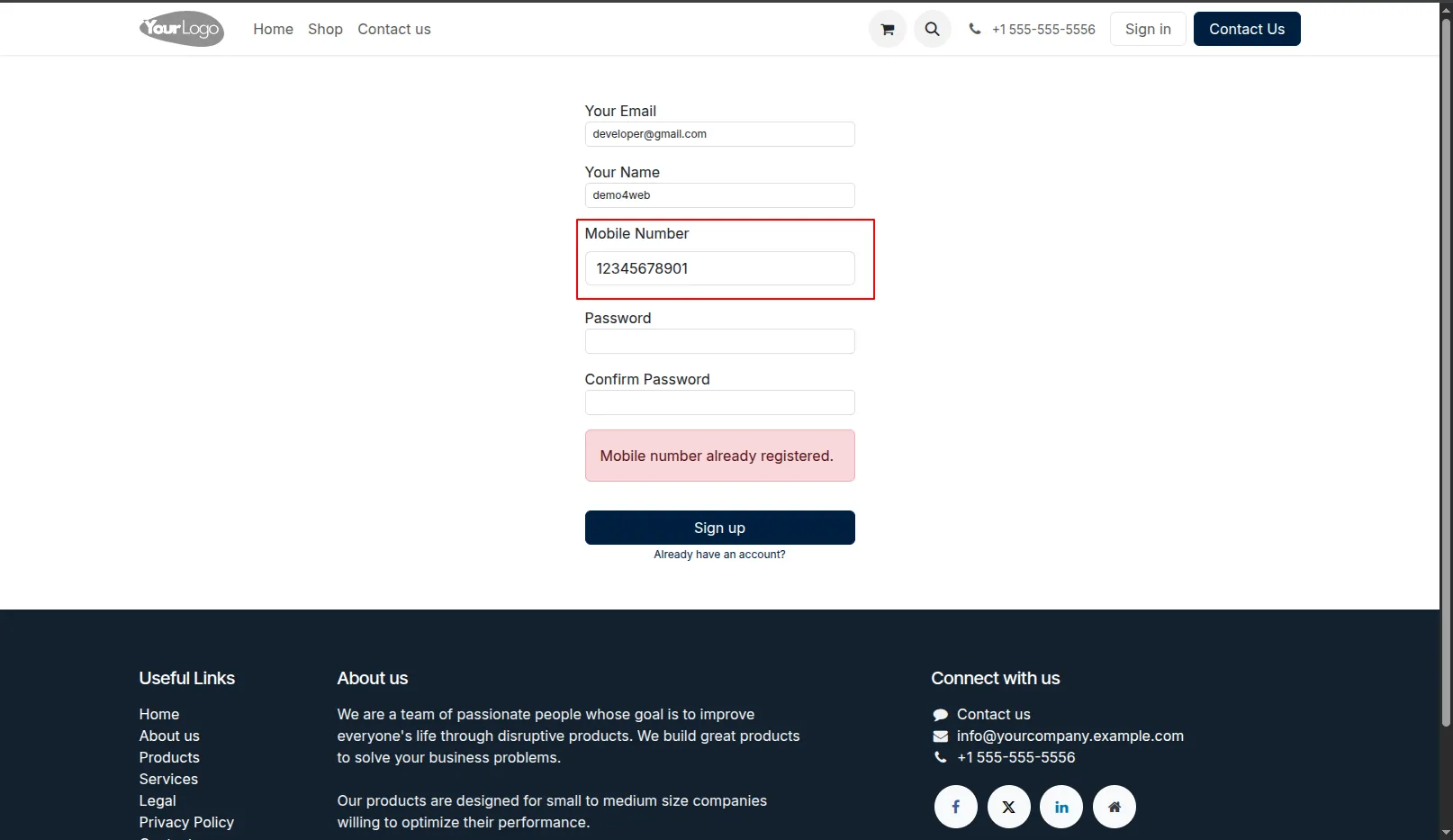
7.It generates an alert if you try to sign up with the mobile number that is already used by another user.
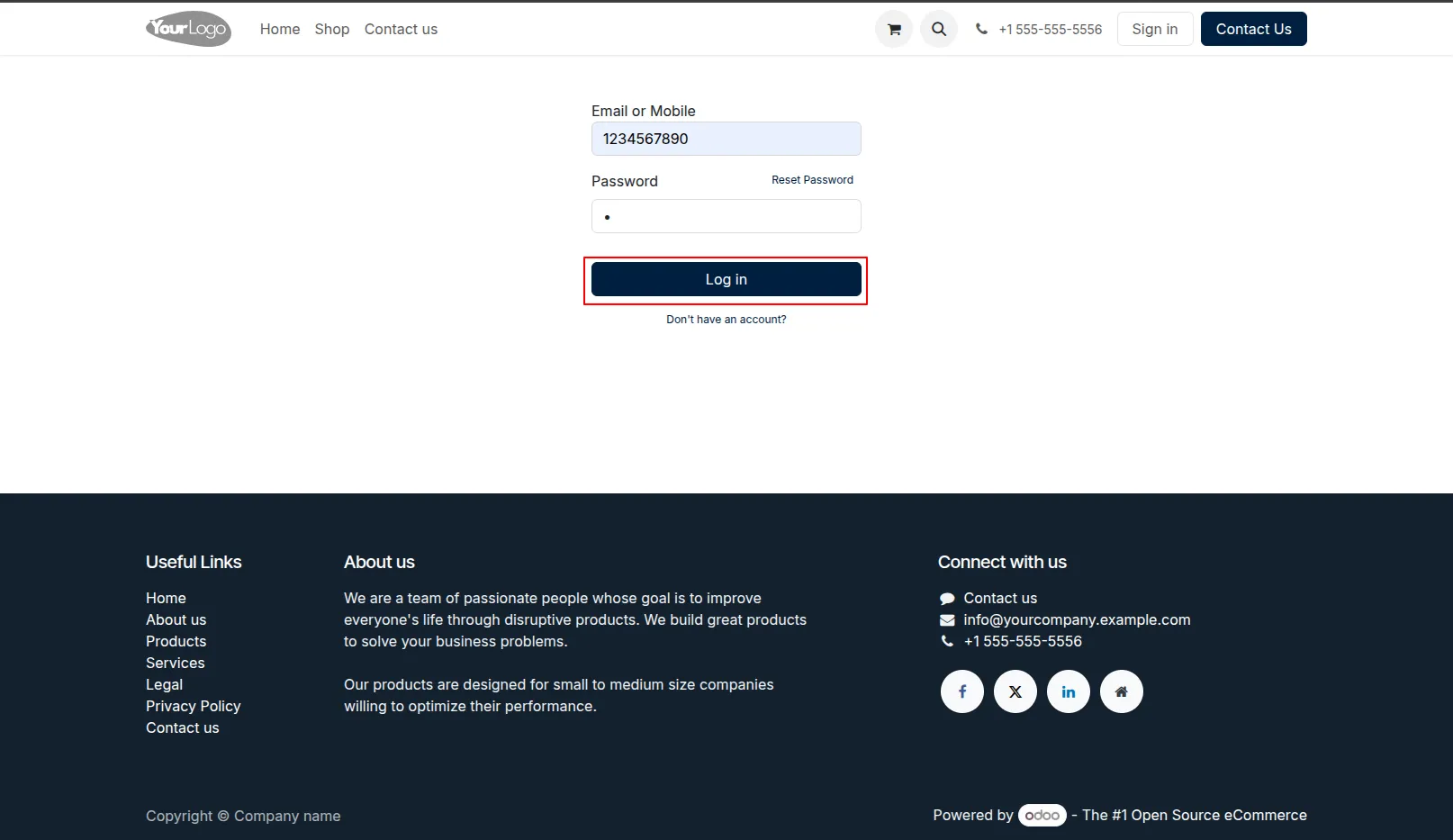
8.Now we log in with a mobile number.
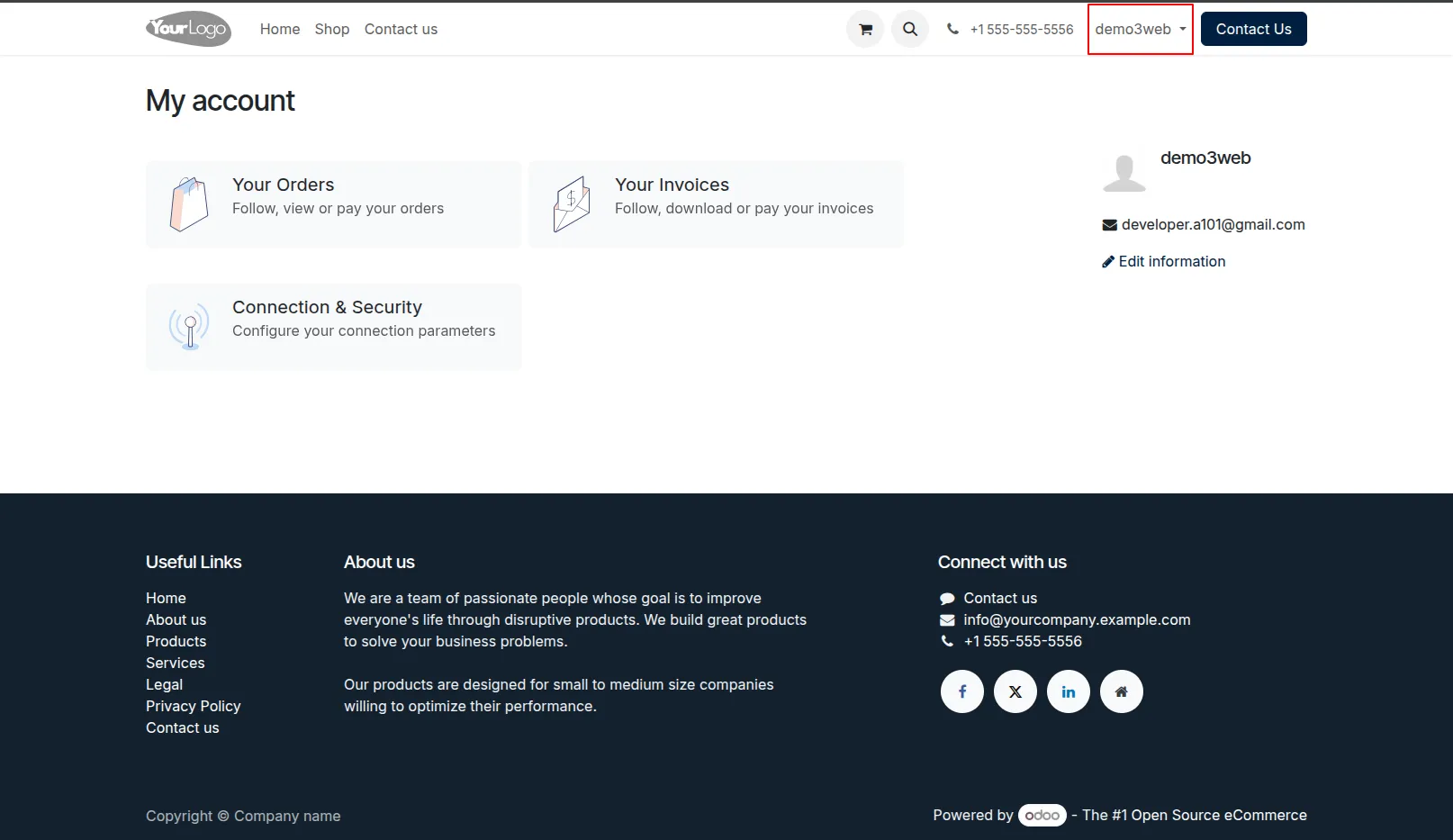
9.login successfully.
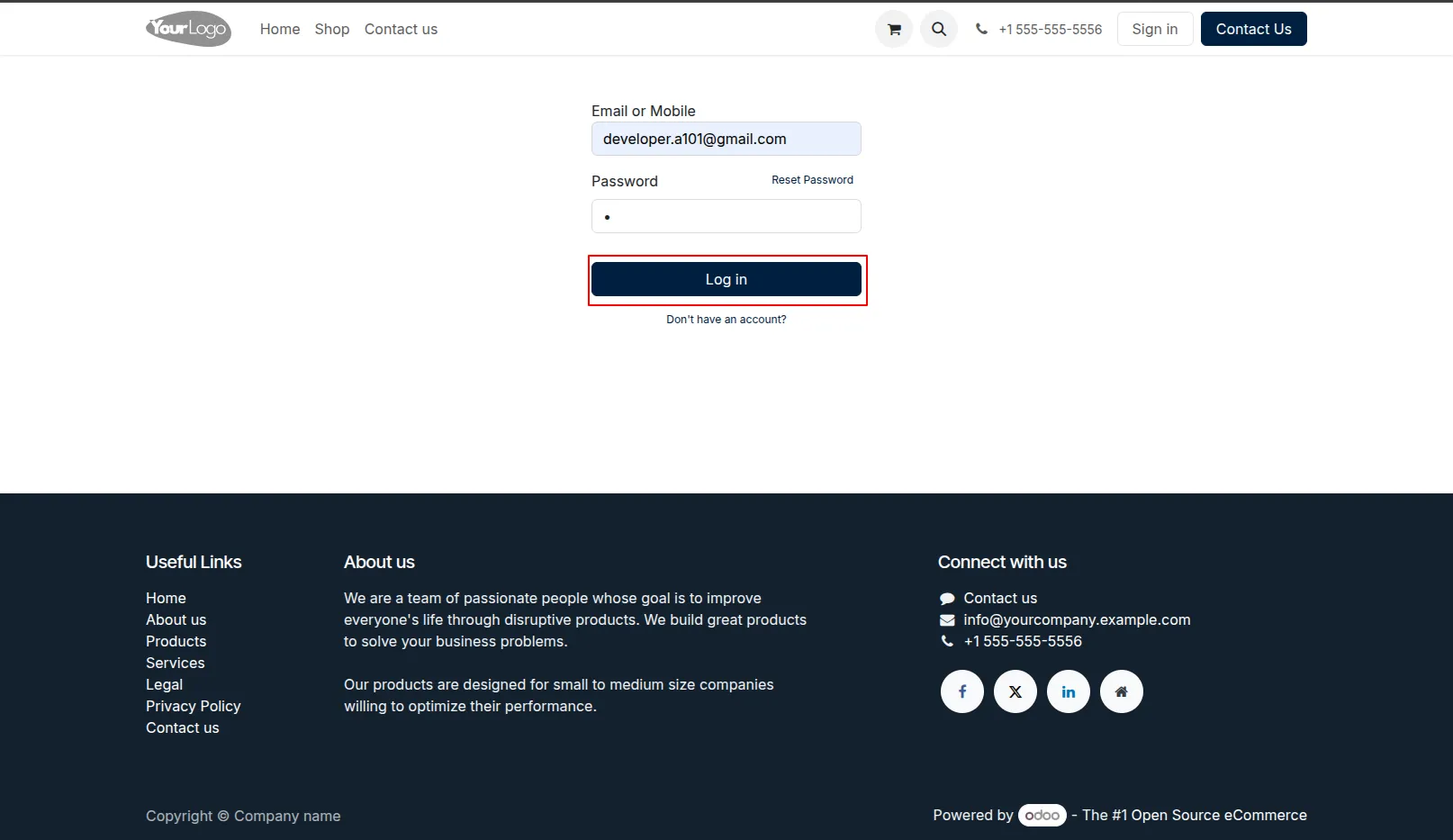
10.Now we log in with email.
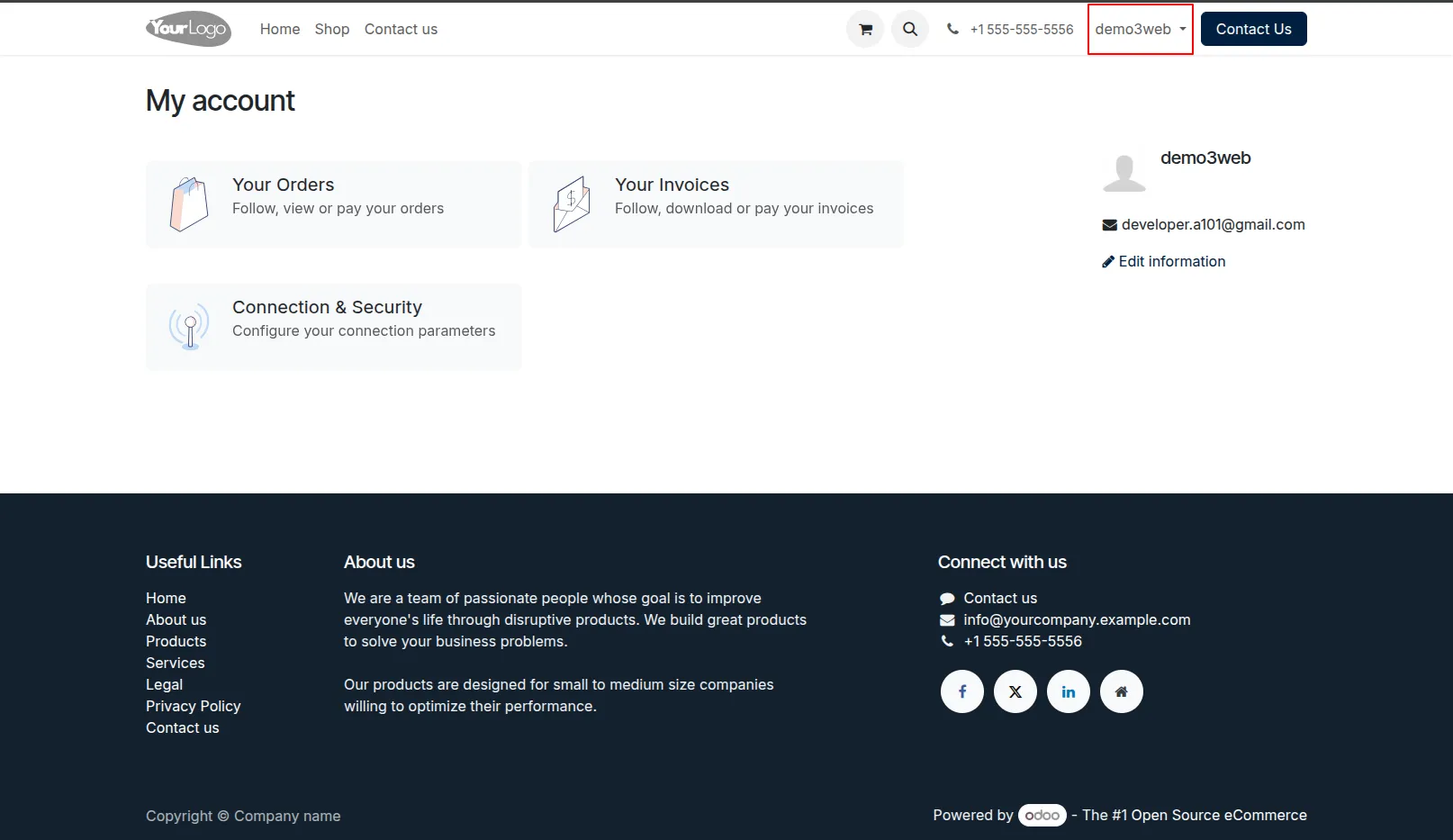
11.login successfully.
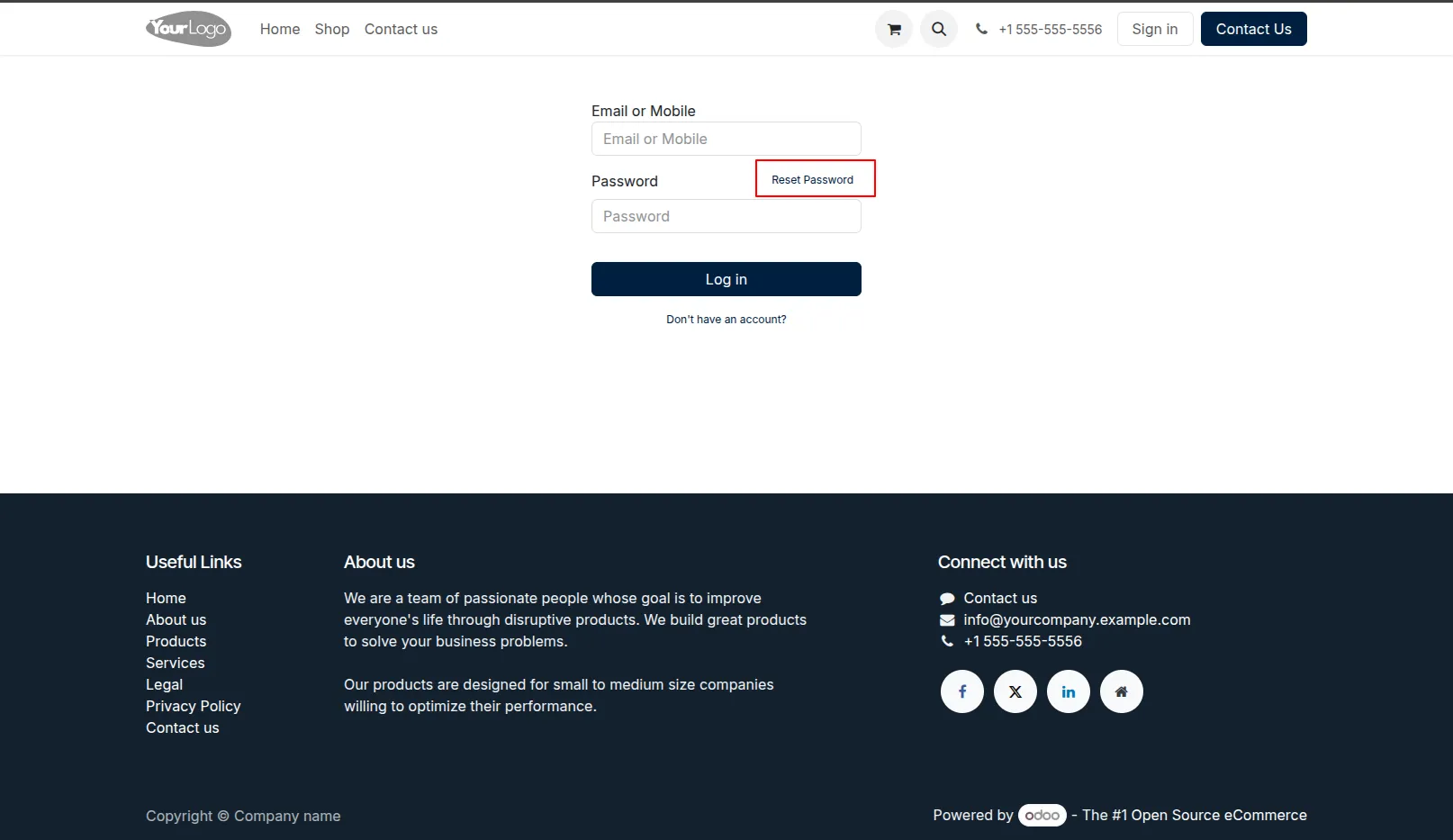
12.Now we reset the password.
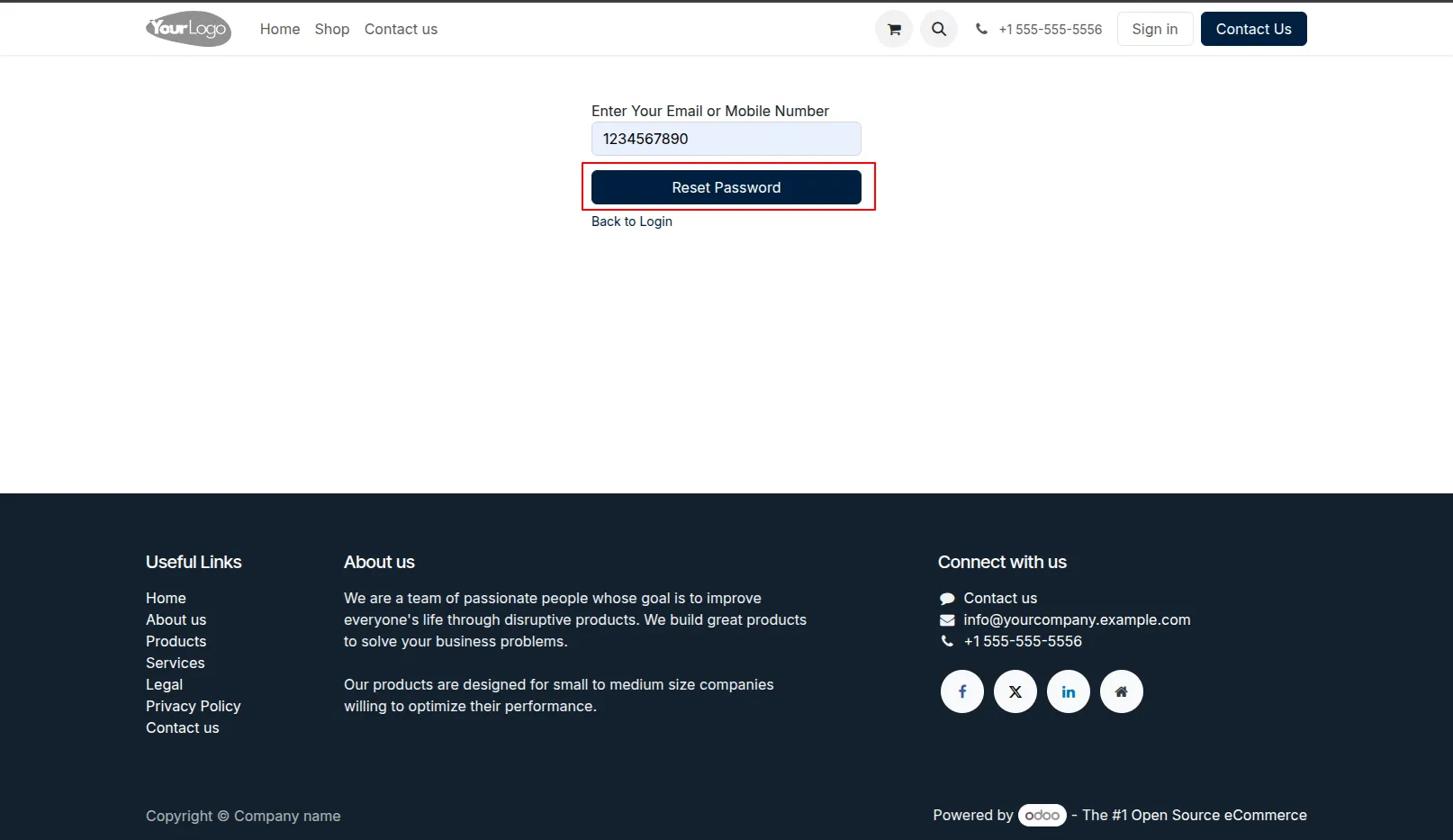
13.Enter mobile or email.
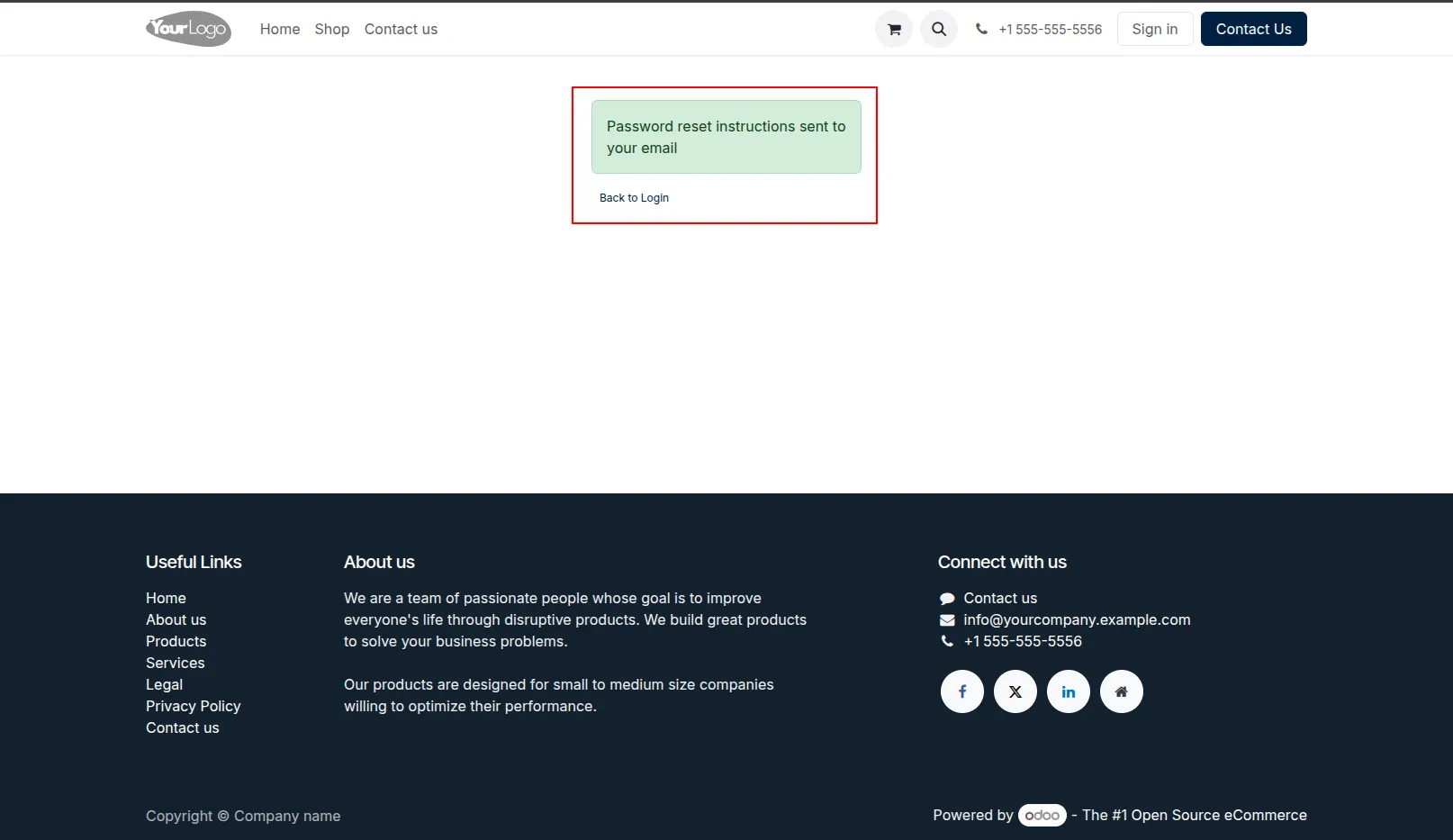
14.Reset password email sent to the related partner of that user.
Our solutions focus on your problems
- Odoo Implementation
- Odoo Customization
- ERP Development and Implementation
- Odoo Ipass Cloud
- AI for Odoo
- Odoo Apps
- Aws Marketplace Products
- Business Engines
Our Pricing includes User Manual, 90 Days Support (Monday-Friday 10am to 7pm IST) and One time Setup
• Works & tested on standard installations of Odoo with no third party apps,
• Free support only for odoo installations with no third party apps,
• Paid support available for Odoo installations with third party apps.

Prefortune is a Odoo Official Partner, Odoo Development company. Our philosophy is to use Open Source tools and technologies to provide cost effective and green solutions for our customers.
Prefortune Technologies LLP is working on web development, Mobile development, and Odoo ERP.
If you need any help or want more additional features, you may contact us through:
Alternative Products
These other products might interest you
Specifications
| Version | 19.0, 18.0, 17.0, 16.0, 15.0, 14.0 |