Watch Quick Video
Meeting Action Checklist Odoo App
Our all-in-one
Odoo – Meeting Action Checklist App
enhances meeting productivity by allowing users to manage all meeting tasks in a single interface within the calendar event. Each checklist item can be marked as completed or cancelled, and the system automatically calculates meeting progress based on task completion. The progress is visually represented as a percentage in both form and list views, giving quick insight into meeting status. Additionally, built-in filters help users easily identify completed and pending meetings. Overall, the Meeting Action Checklist app improves task tracking, accountability, and efficiency in meeting management.
Meeting Action Checklist Odoo App
- Standardize your meetings by creating reusable templates that define agendas and ensure every meeting follows a consistent structure.
- Save time with automation by instantly generating all required checklist items when selecting the appropriate template in a meeting.
- Maintain flexibility by choosing whether checklist items should remain unique or allow duplicates based on your workflow needs.
- Track meeting progress visually with an automatic percentage indicator that updates in real time as checklist items are completed.
- Quickly identify pending or completed work using smart filters designed to simplify meeting tracking and follow-ups.
Meeting Action Checklist Odoo App
To use the Meeting Action Checklist app, first enable Developer Mode in Odoo, then go to Calendar → Configuration → Meeting Checklist to create checklist items and Calendar → Configuration → Meeting Checklist Template to create templates by selecting multiple checklist items. After creating templates, navigate to Calendar → Meetings, open or create a meeting, and in the Checklist page select the required template(s), which will automatically add the related checklist items. You can manage each checklist line by marking it as Completed or Cancelled, while the system automatically calculates and displays meeting progress as a percentage on the left side of the form. Additionally, in the meeting list view, you can use filters like Completed Checklist and Uncompleted Checklist to quickly track meeting status and identify pending or completed meetings, helping you organize and manage meetings more efficiently.
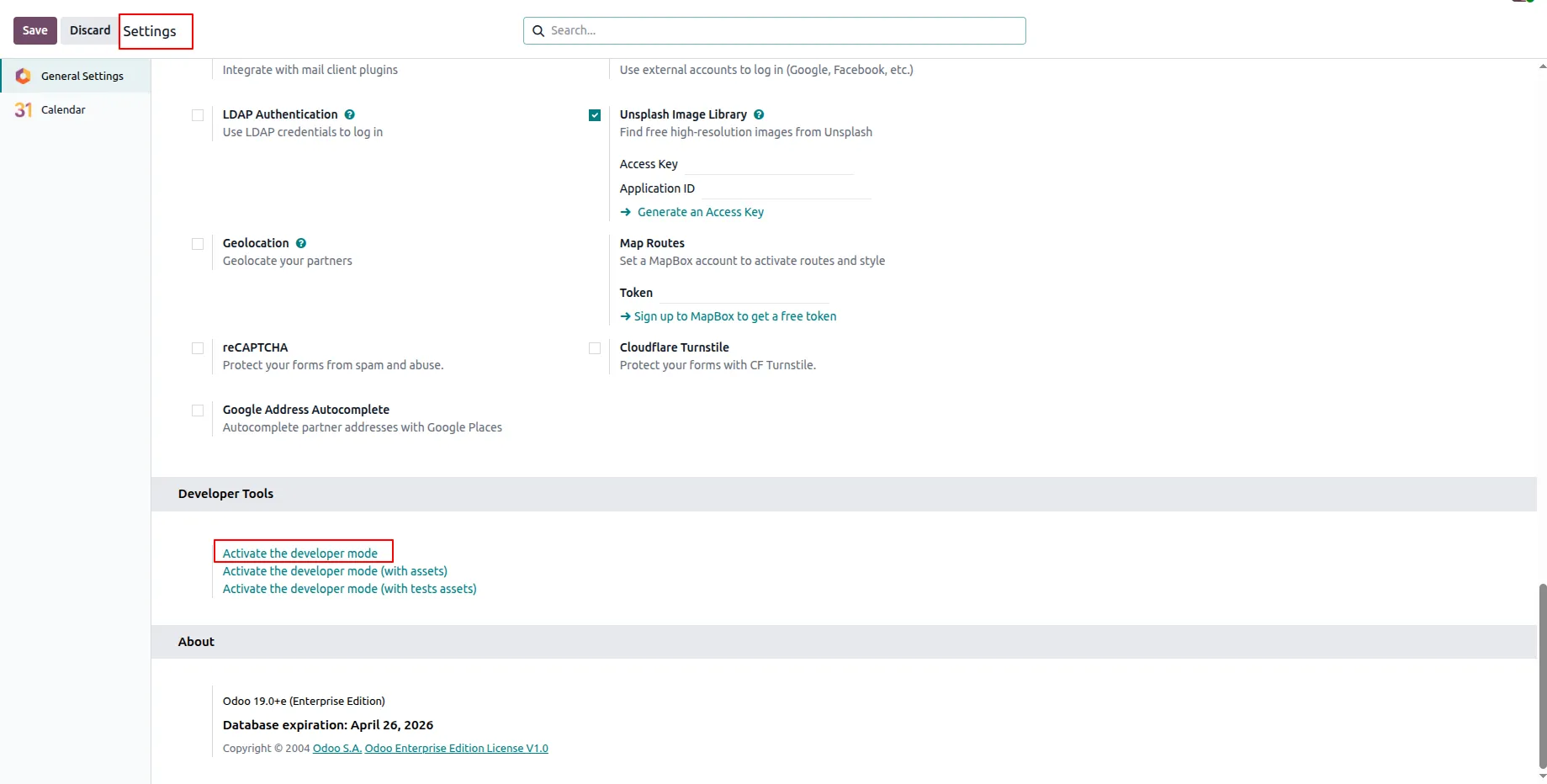
1.Enable Developer Mode from Settings → Developer Tools → Activate Developer Mode.
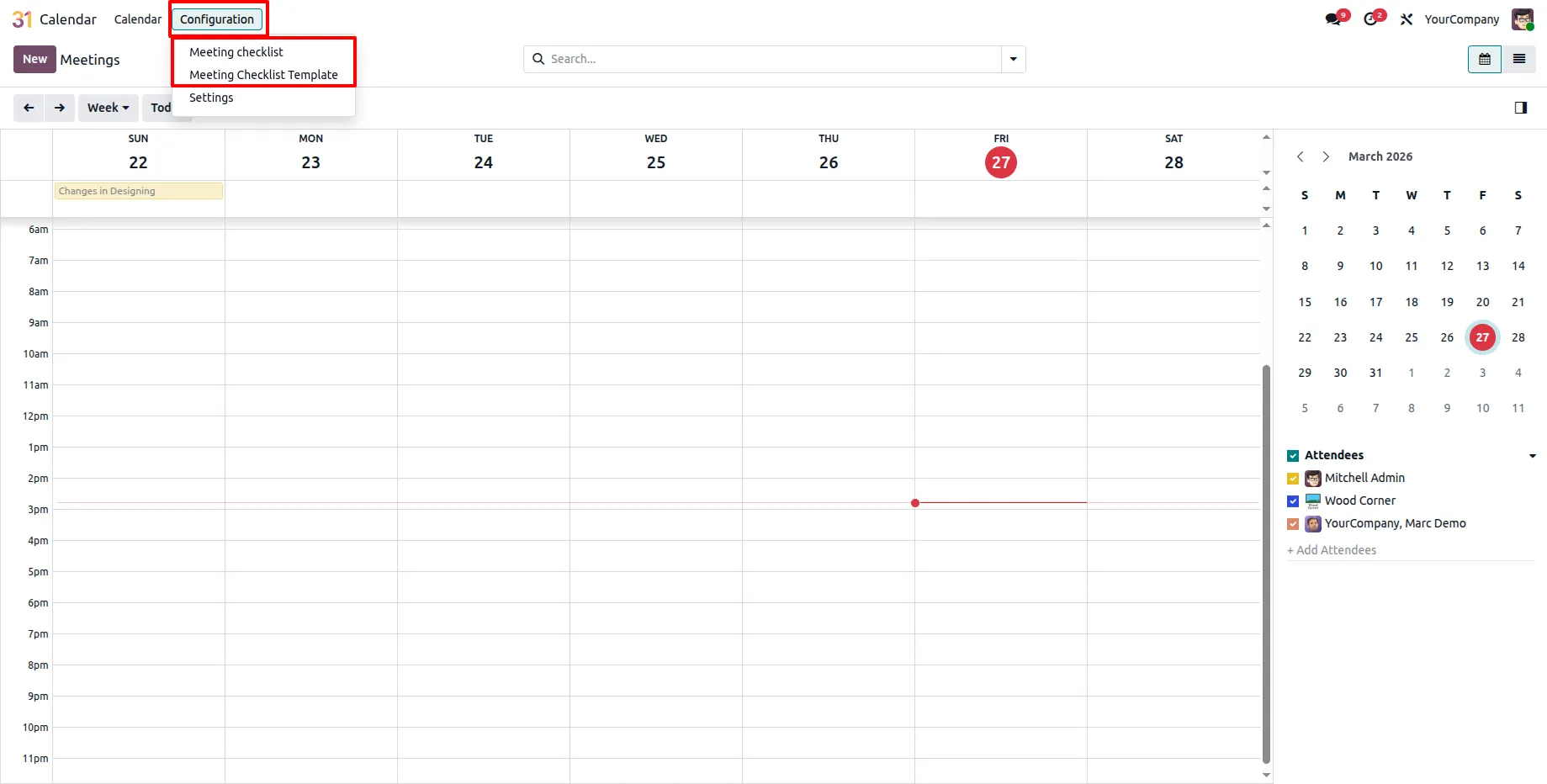
2.Go to Calendar → Configuration to access Meeting Checklist and Meeting Checklist Template.
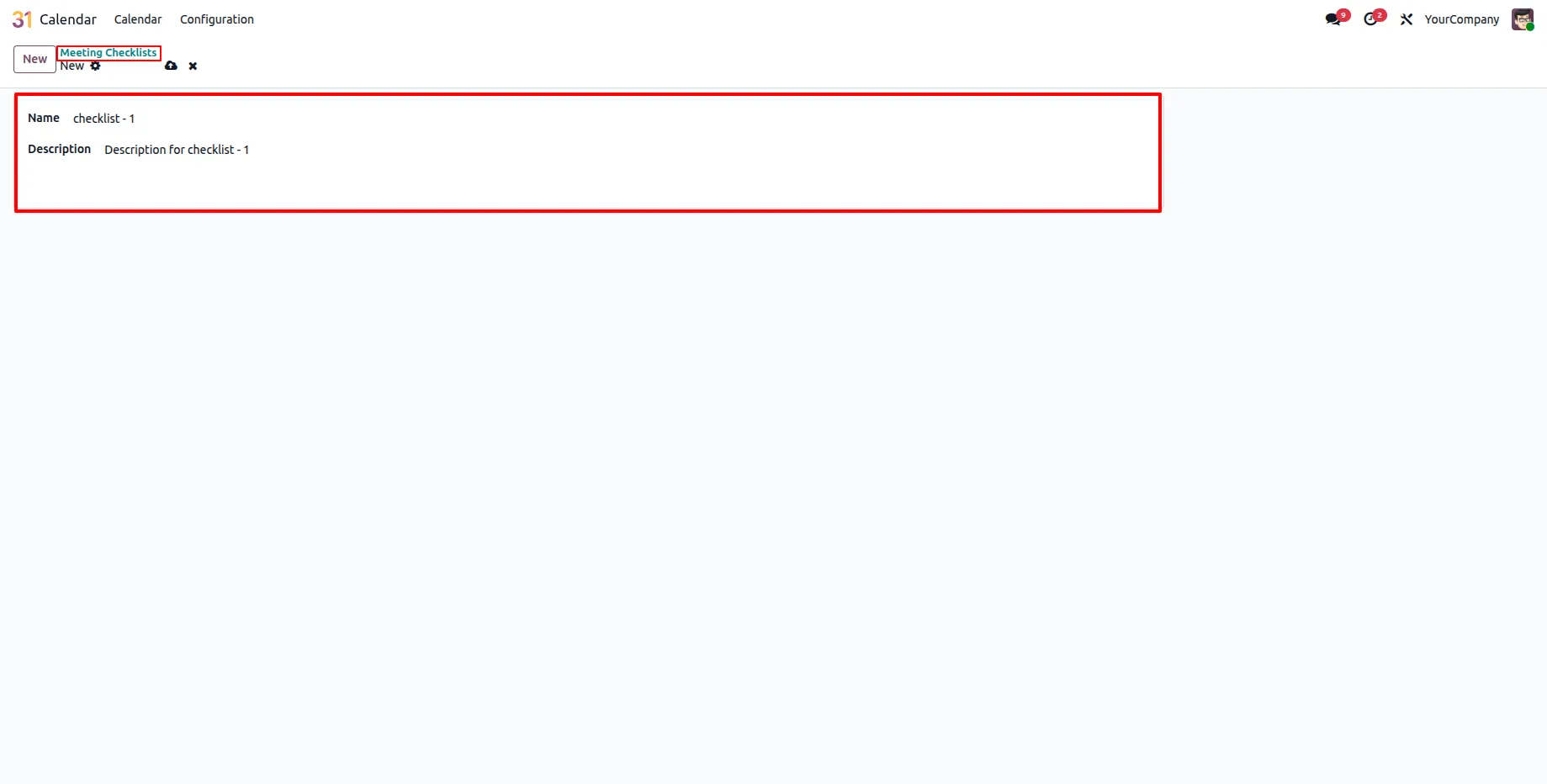
3.Create checklist items in the Meeting Checklist menu.
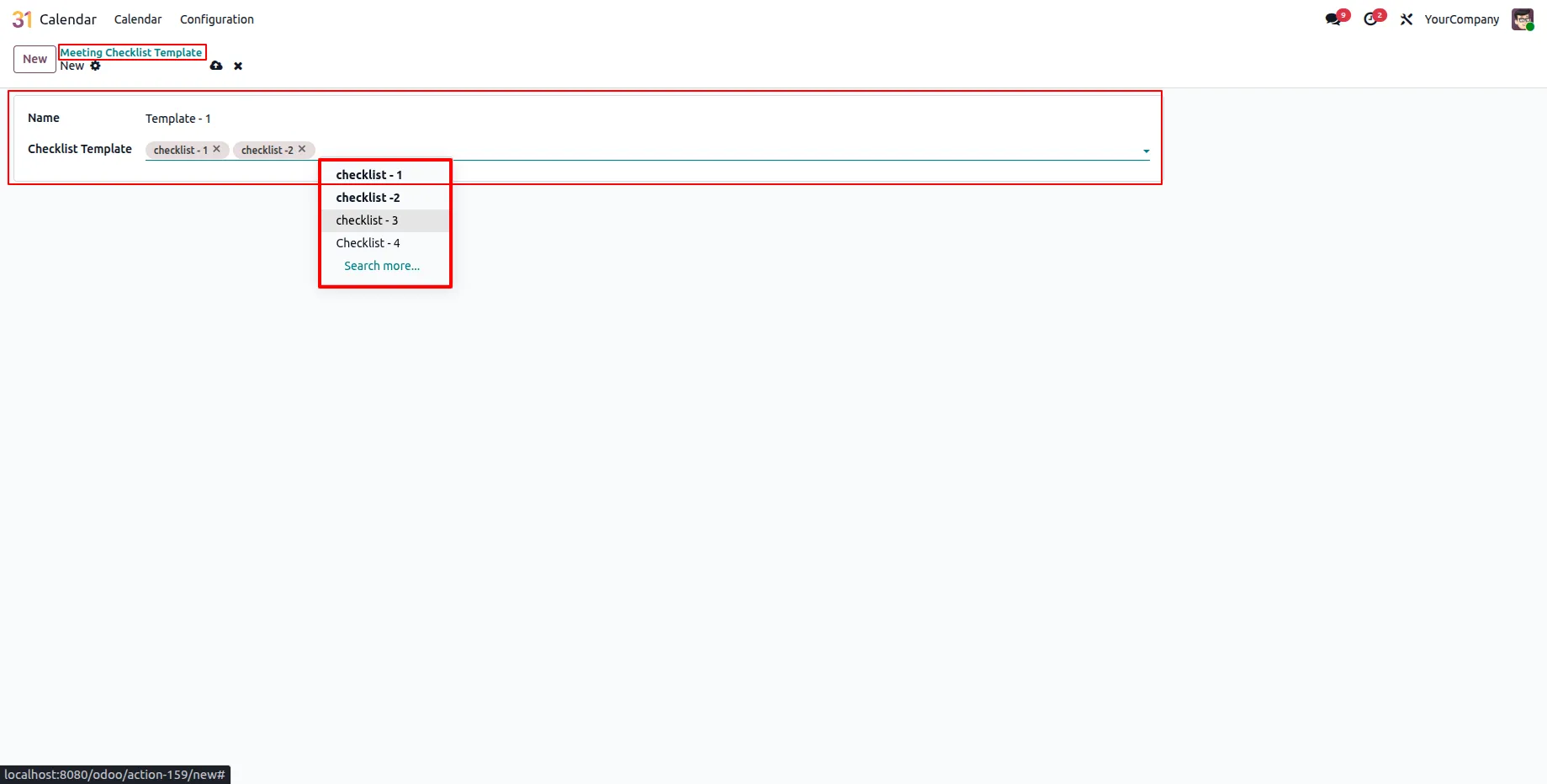
4.Create a template in Meeting Checklist Template and add required checklist items.
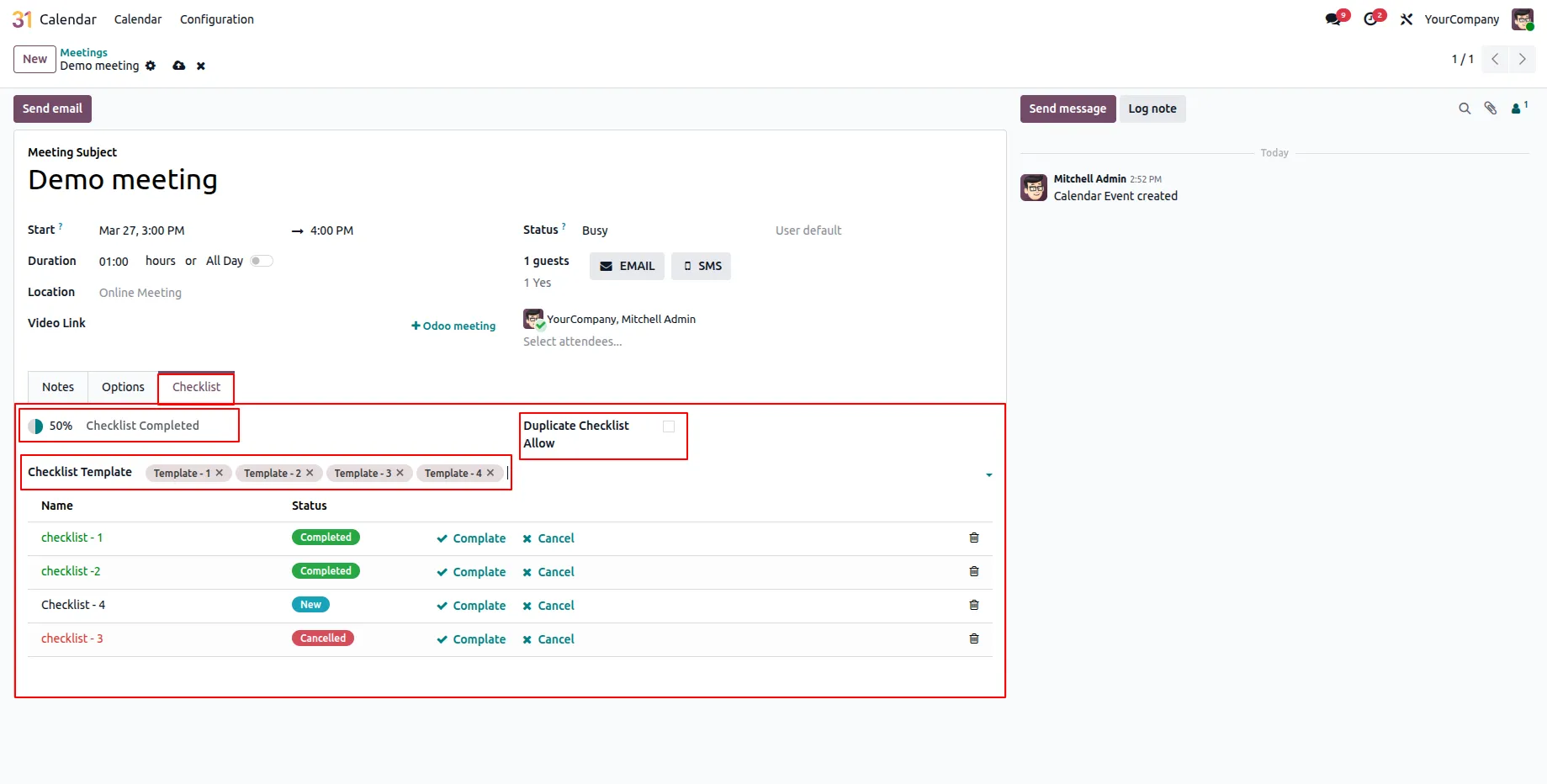
5.Create a meeting in Calendar → Meetings, select a template in the Checklist page to auto-generate items, manage them as Completed/Cancelled, and view progress at the top-left (unique items shown if copy is disabled).
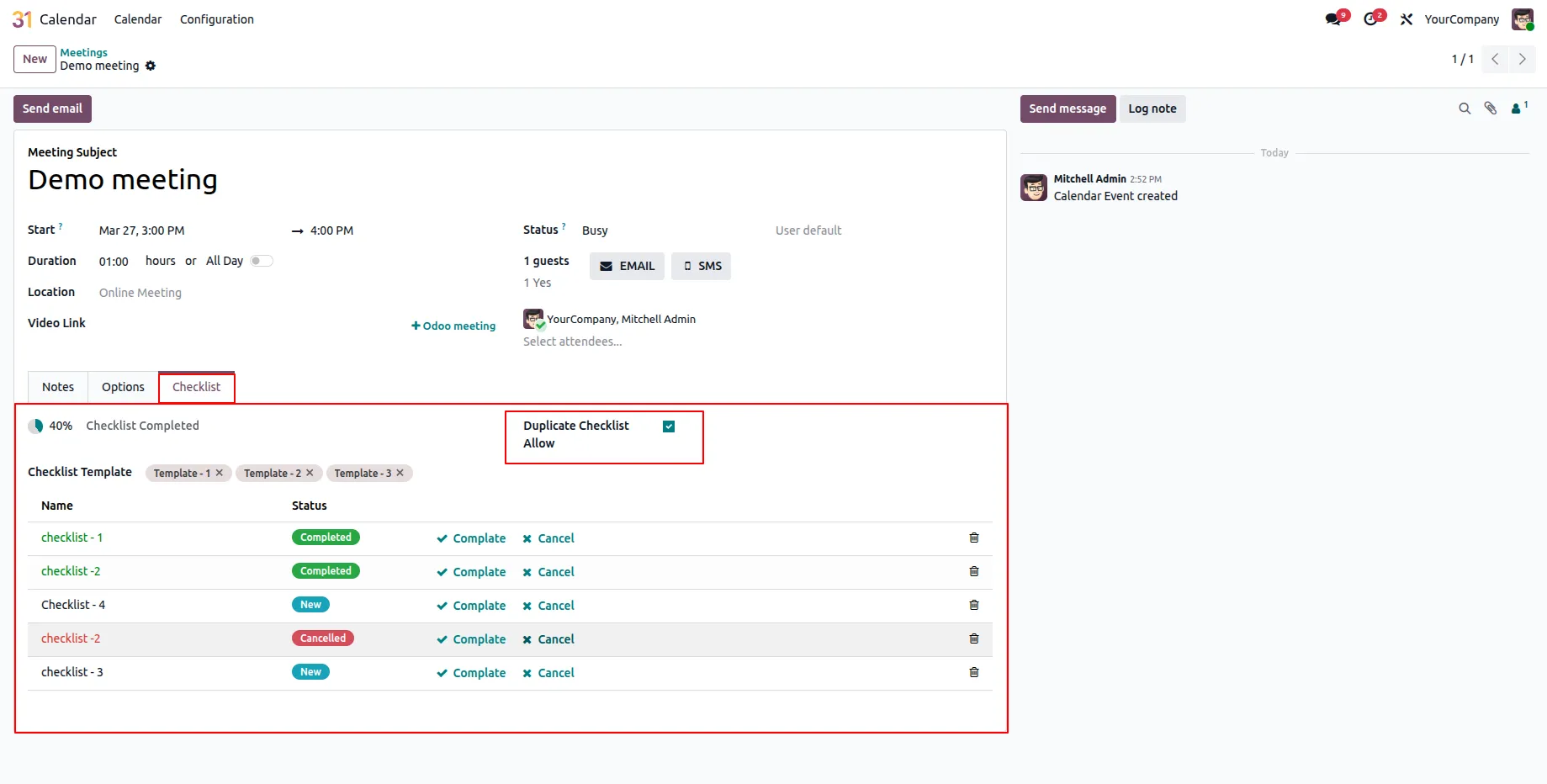
6.Enable Checklist Copy Allow to include duplicate checklist items from selected templates.
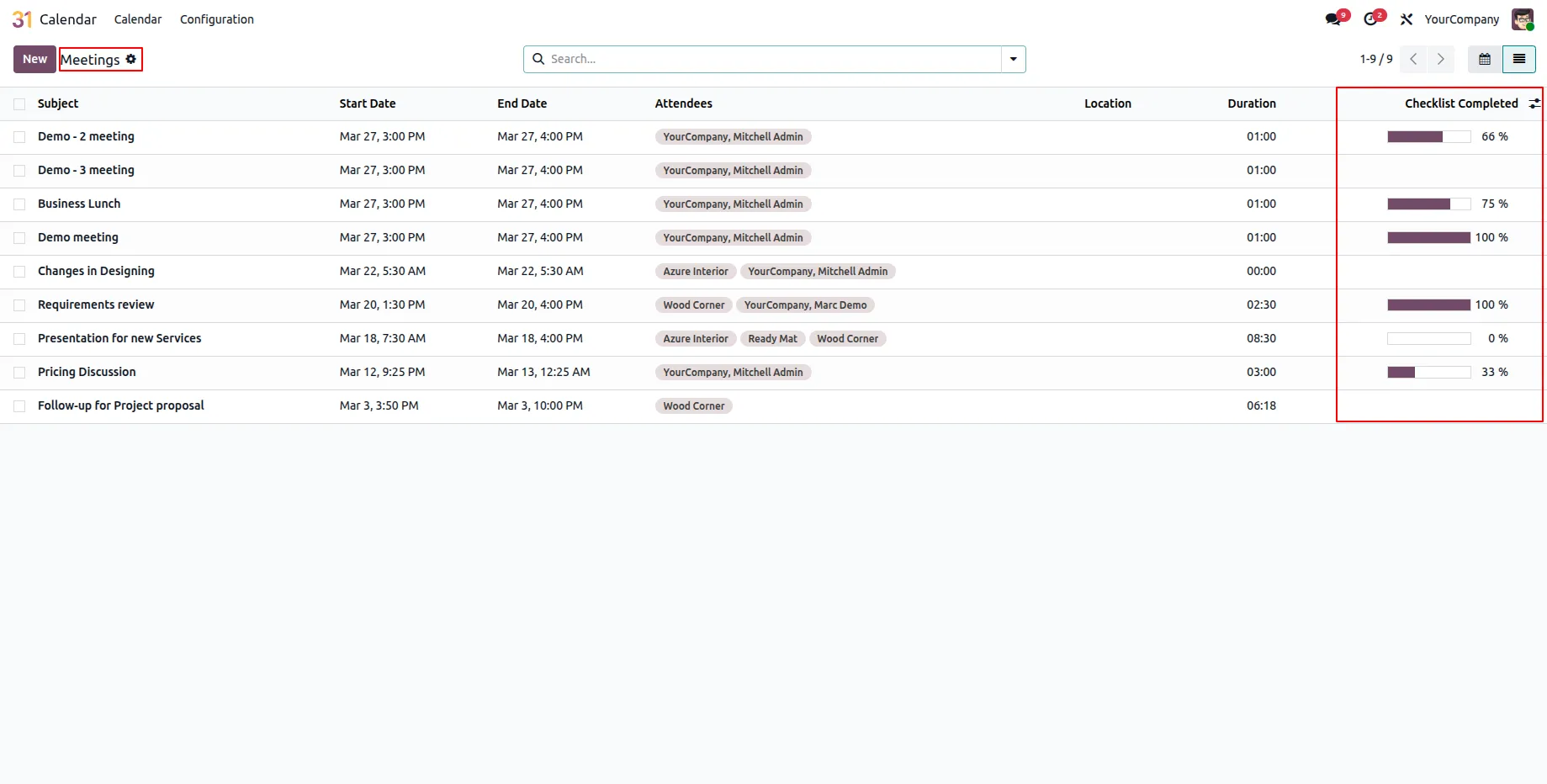
7.View checklist progress directly in the meeting list (tree view) through the progress column.
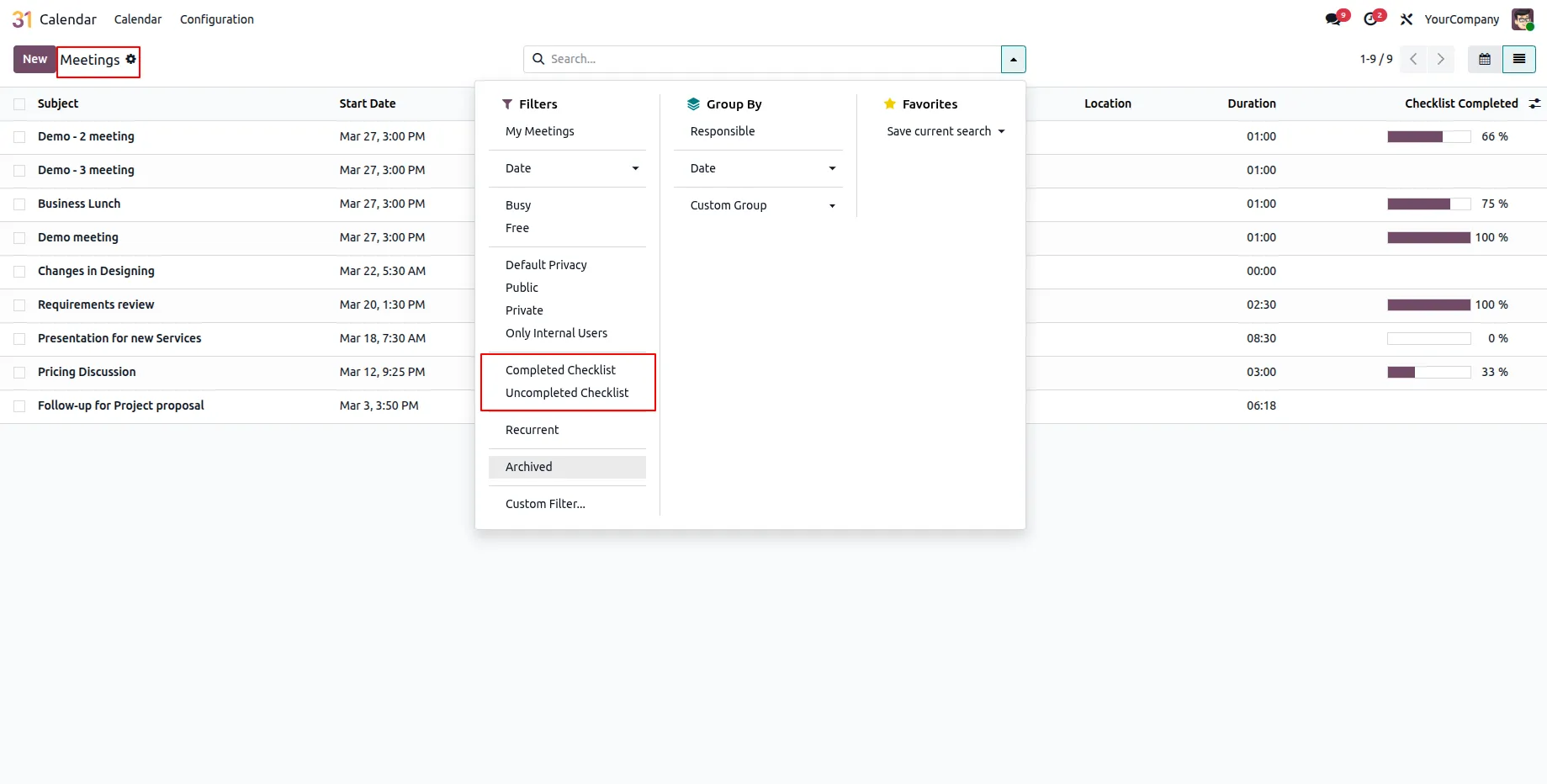
8.Use search filters Completed Checklist and Uncompleted Checklist for tracking.
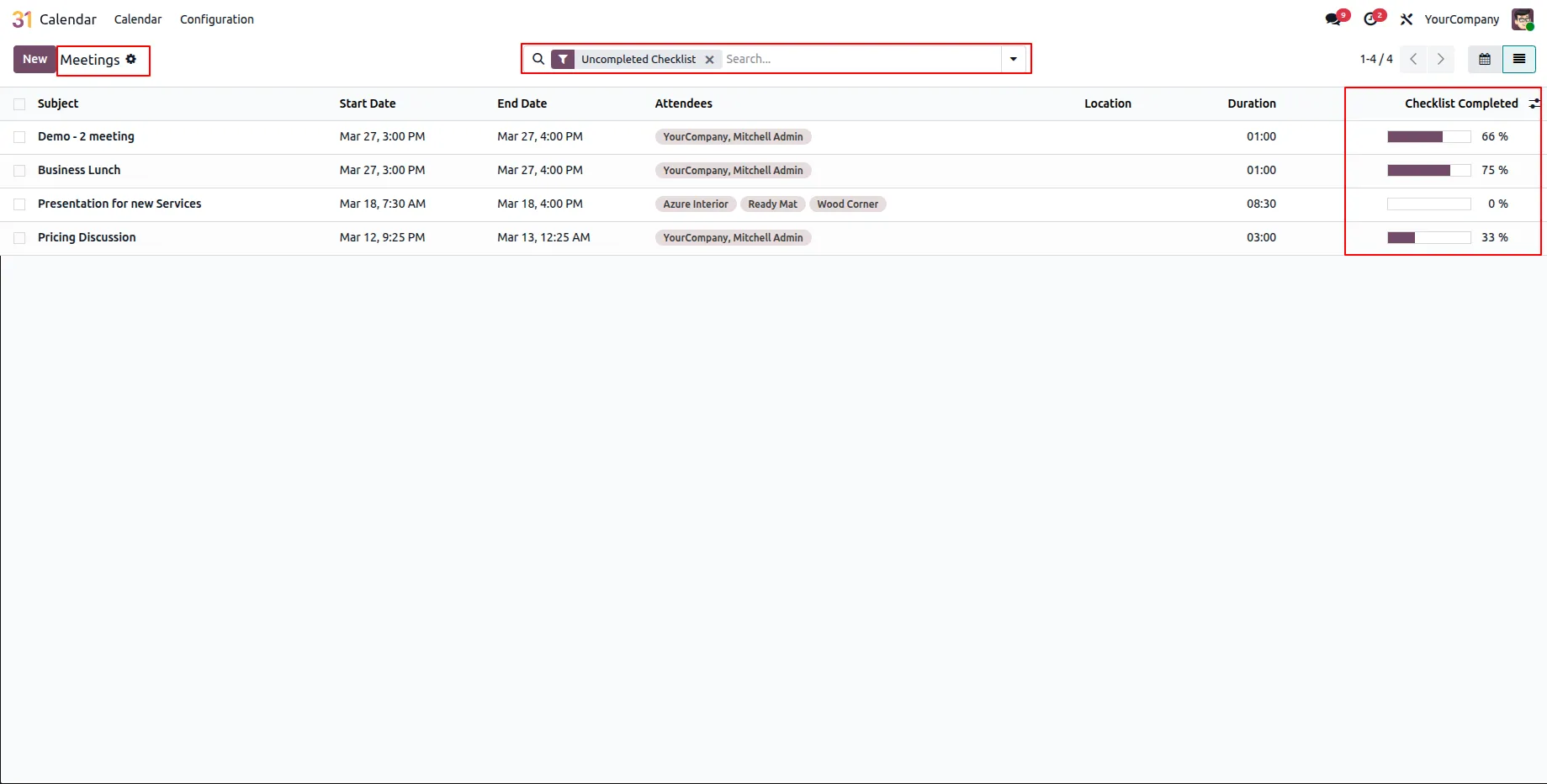
9.Select Uncompleted Checklist filter to view meetings with pending tasks.
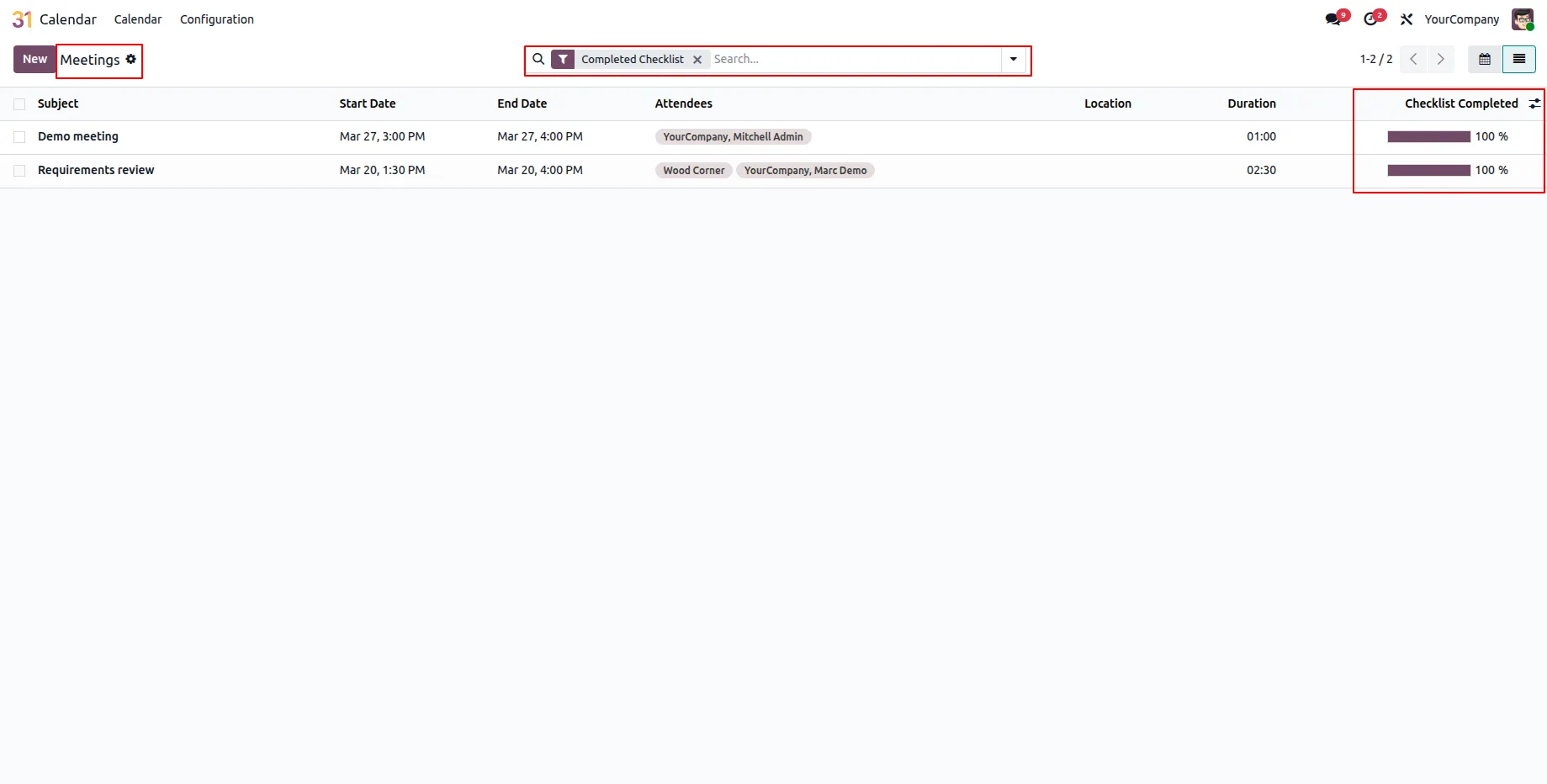
10.Select Completed Checklist filter to view fully completed meetings.
Our solutions focus on your problems
- Odoo Implementation
- Odoo Customization
- ERP Development and Implementation
- Odoo Ipass Cloud
- AI for Odoo
- Odoo Apps
- Aws Marketplace Products
- Business Engines
Our Pricing includes User Manual, 90 Days Support (Monday-Friday 10am to 7pm IST) and One time Setup
• Works & tested on standard installations of Odoo with no third party apps,
• Free support only for odoo installations with no third party apps,
• Paid support available for Odoo installations with third party apps.

Prefortune is a Odoo Official Partner, Odoo Development company. Our philosophy is to use Open Source tools and technologies to provide cost effective and green solutions for our customers.
Prefortune Technologies LLP is working on web development, Mobile development, and Odoo ERP.
If you need any help or want more additional features, you may contact us through:
Alternative Products
These other products might interest you
Specifications
| Version | 19.0, 18.0, 17.0, 16.0, 15.0, 14.0 |