Watch Quick Video
Mass Confirm Delivery & Receipt Picking Odoo App
Our efficient
Odoo – Mass Confirm Delivery & Receipt Picking App
streamlines warehouse operations by enabling users to validate multiple stock pickings in a single action.
With flexible configuration, users can manage and confirm both incoming and outgoing pickings efficiently
while ensuring proper stock handling based on availability. The system follows standard Odoo workflows and
provides better operational control and transparency.
1. User-Specific Access Control: Allows administrators to enable or restrict mass confirmation
functionality for specific users.
2. Bulk Picking Validation: Enables confirmation of multiple delivery and receipt operations at
once, reducing manual effort.
3. Support for All Picking Types: Works seamlessly for both incoming (receipts) and outgoing
(deliveries) pickings.
4. Availability-Based Processing: Handles pickings based on Fully Available, Partially
Available, or Force Available options.
5. Validation Summary & Tracking: Provides a clear summary of successful and failed pickings
for better monitoring and control.
This ensures improved efficiency, accuracy, and streamlined inventory operations.
Mass Confirm Delivery & Receipt Picking Odoo App
- Flexible Setup – Admin can configure mass confirmation settings and control which users are allowed to perform bulk picking validation, ensuring proper access and flexibility.
- Bulk Validation – The system enables users to validate multiple delivery and receipt pickings in a single action, reducing manual effort and saving time.
- Multi-Type Support – Supports both incoming (receipts) and outgoing (deliveries) pickings, allowing seamless handling of all stock operations.
- Auto Validation – Each selected picking is processed using standard validation workflows, including backorder and immediate transfer handling where applicable.
- Tracking & Summary – Users receive a clear summary of successful and failed pickings, helping them monitor operations and take necessary actions efficiently.
Complete Workflow for Mass Confirm Delivery & Receipt Picking Odoo App
Configure Mass Picking Validation for specific users from Settings → Users by enabling the required permission. To validate deliveries, go to Sales, select the orders you want to process, and choose Action → Mass Validate Picking. Select the desired availability type (Fully Available, Partially Available, or Force Available) and confirm to validate multiple outgoing pickings. Similarly, for receipts, navigate to Purchase, select multiple orders, and use Action → Mass Validate Receipt to process incoming pickings in bulk.
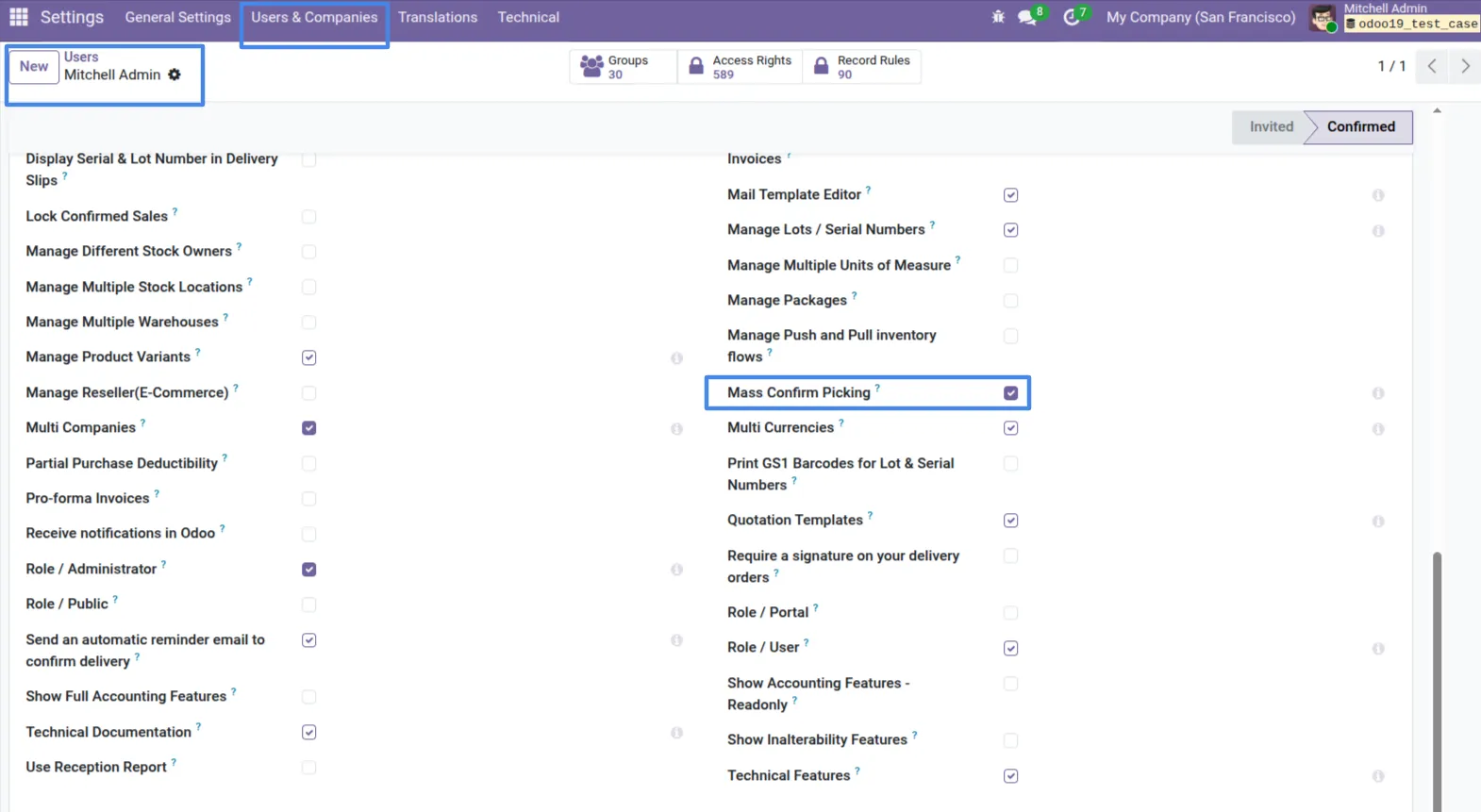
1. Go to Settings -> Users & Companies, select the user and enable the Mass Confirm Picking feature to allow bulk validation.
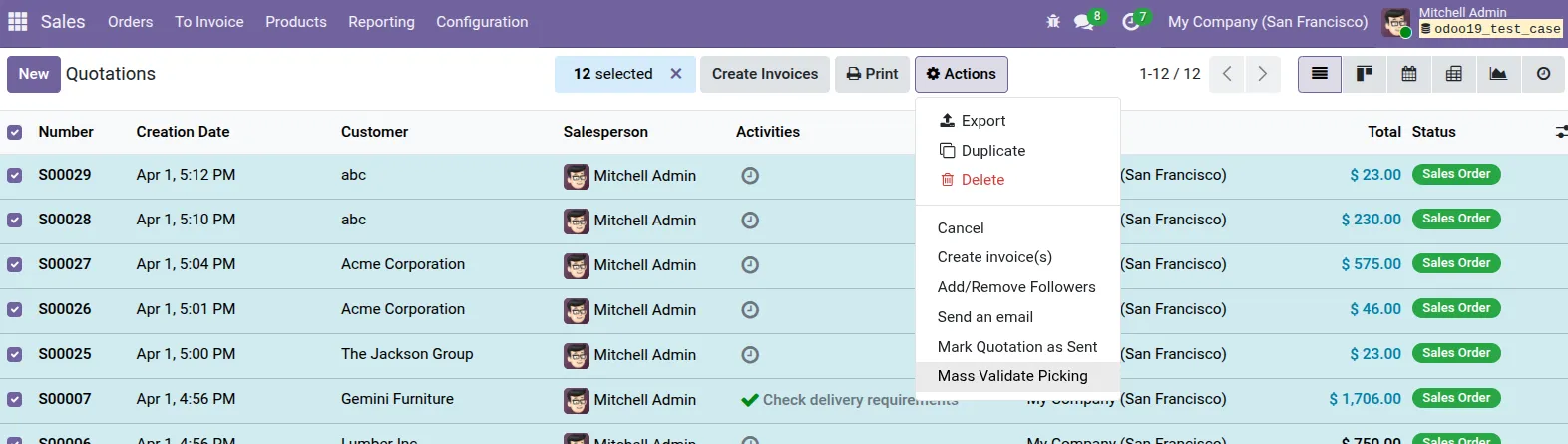
2. Navigate to the Sales app, select the Sale Orders you want to validate, click on the Action menu and select "Mass Validate Picking".
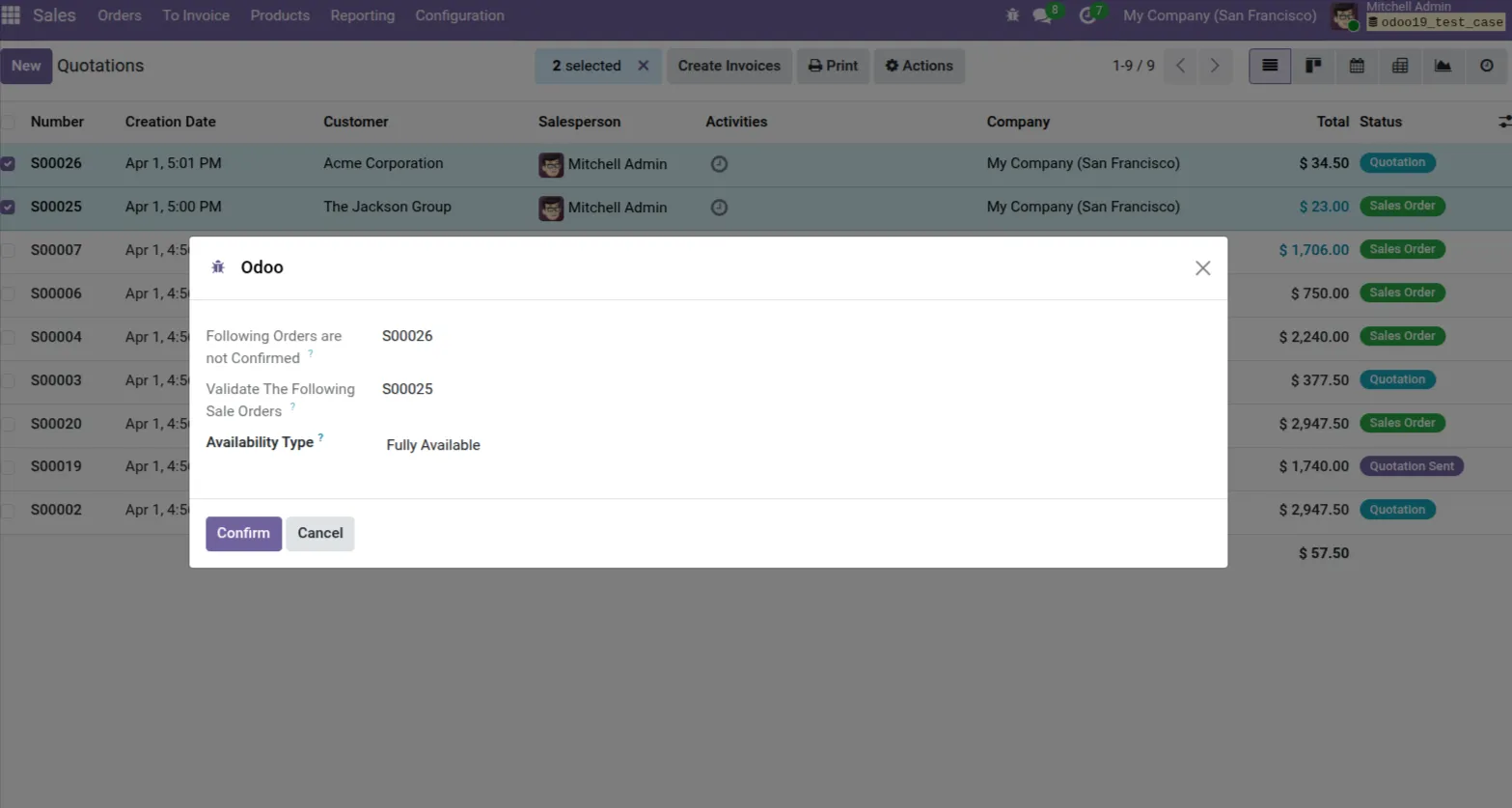
3. A wizard will appear showing the selected Sale Orders. It displays any unconfirmed orders and lets you select the Availability Type (e.g., "Fully Available").
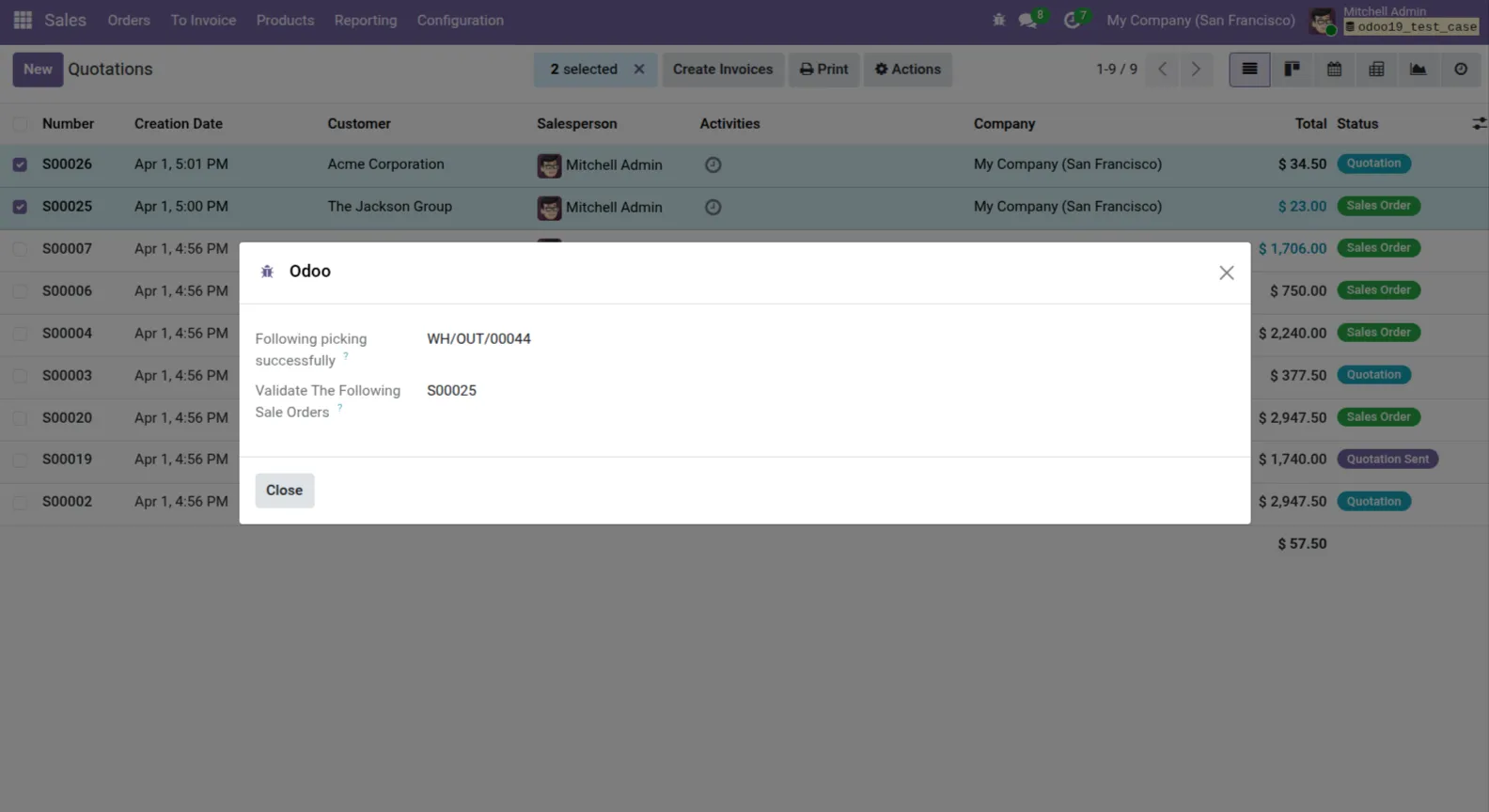
4. After confirmation, the wizard displays a success message with the validated picking references (e.g., WH/OUT/00044).
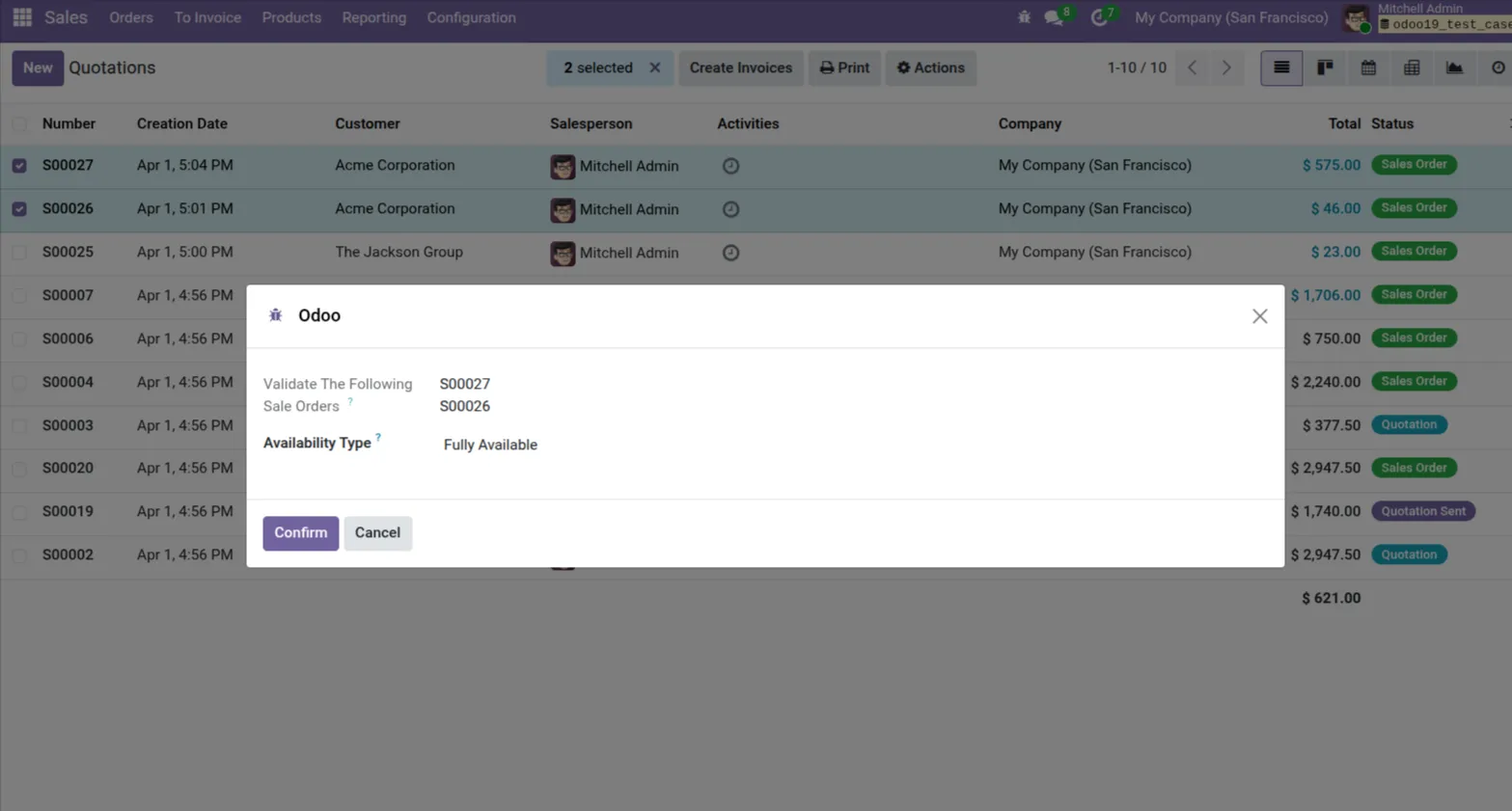
5. You can process multiple Sale Orders simultaneously by choosing the Availability Type for bulk validation.
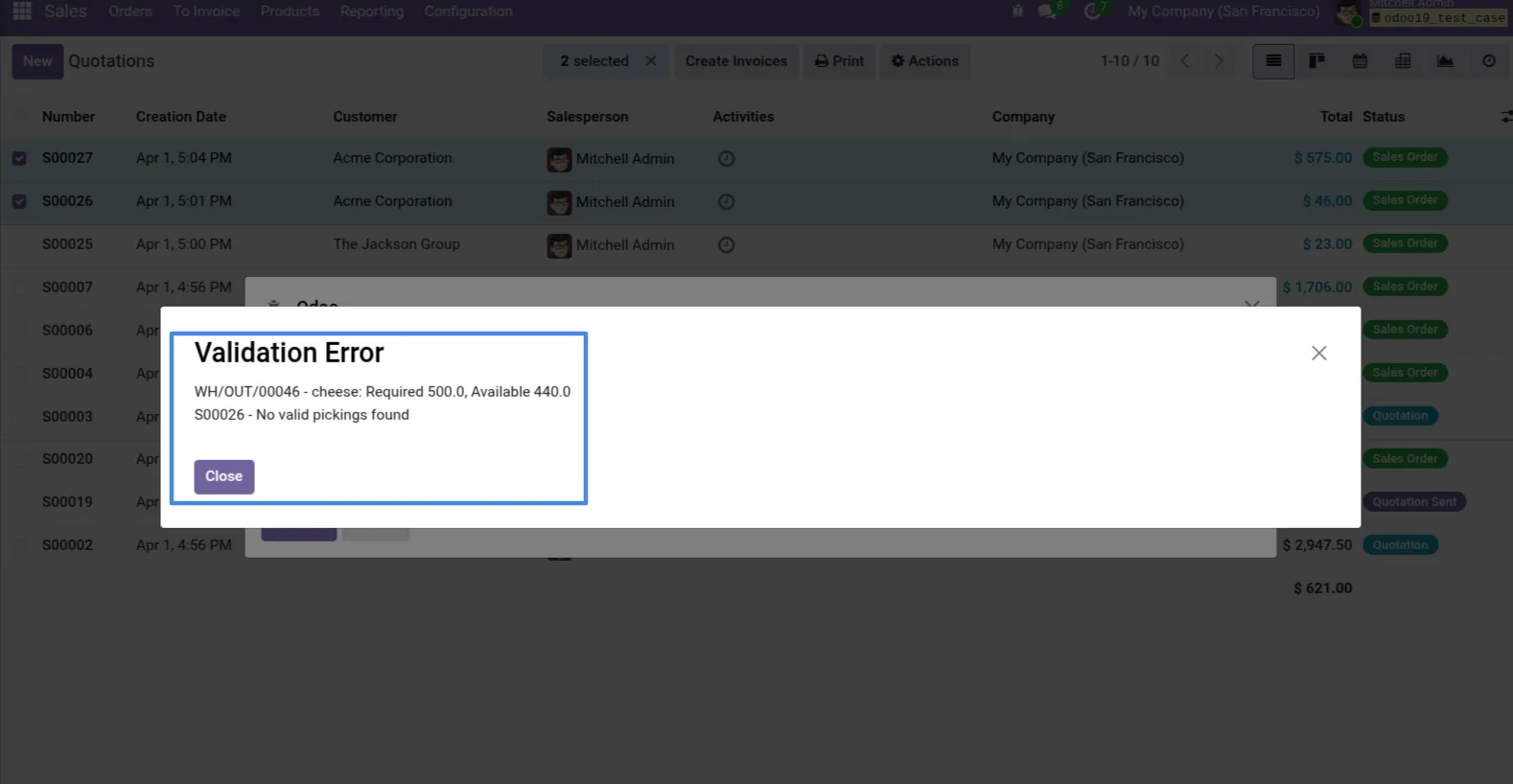
6. If there is insufficient stock, the system will show a Validation Error with required and available quantities.
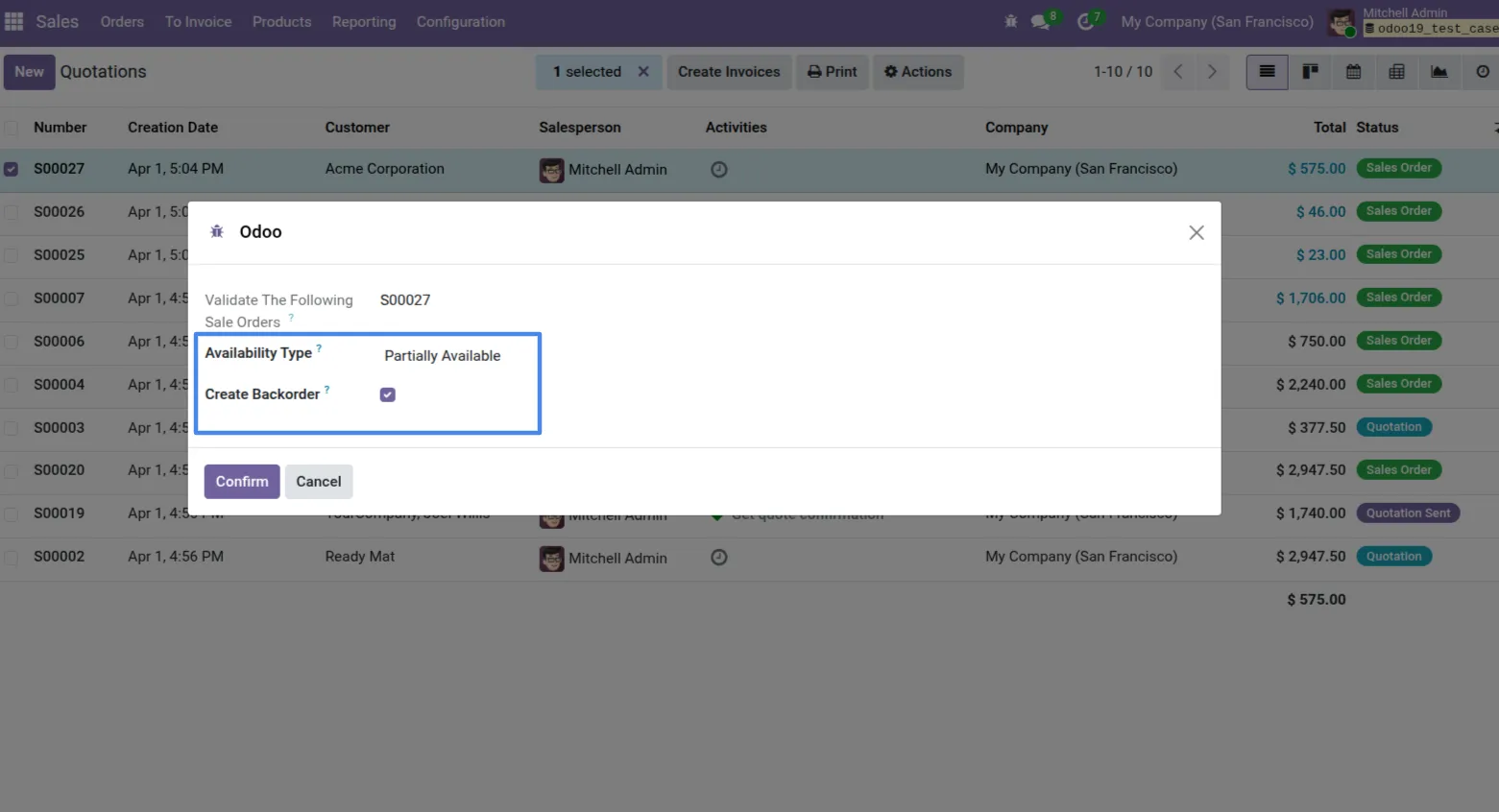
7. By selecting the "Partially Available" Availability Type, you are prompted with an option to "Create Backorder" for the remaining quantities.
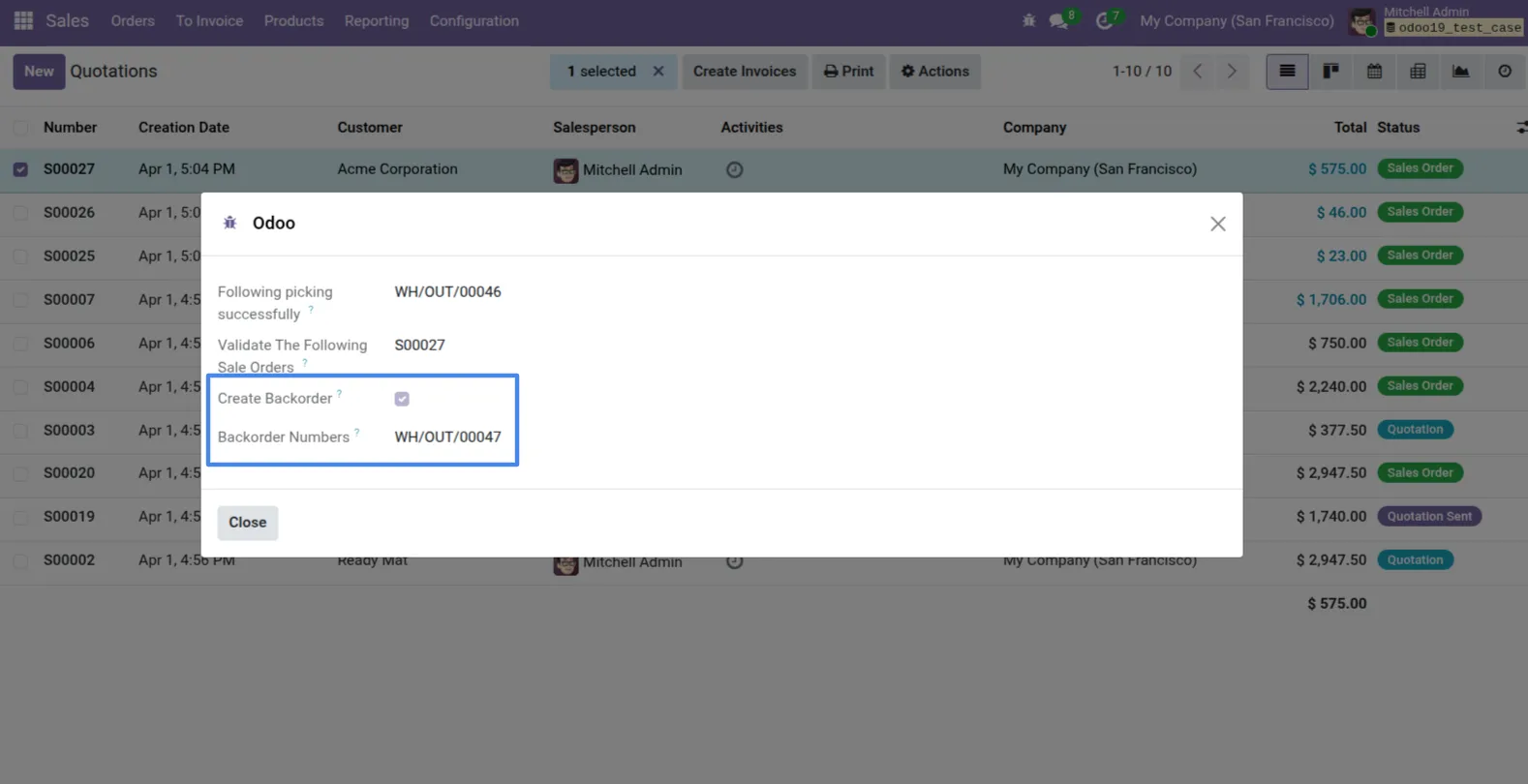
8. Confirming a partial validation successfully creates the picking and automatically generates the Backorder reference.
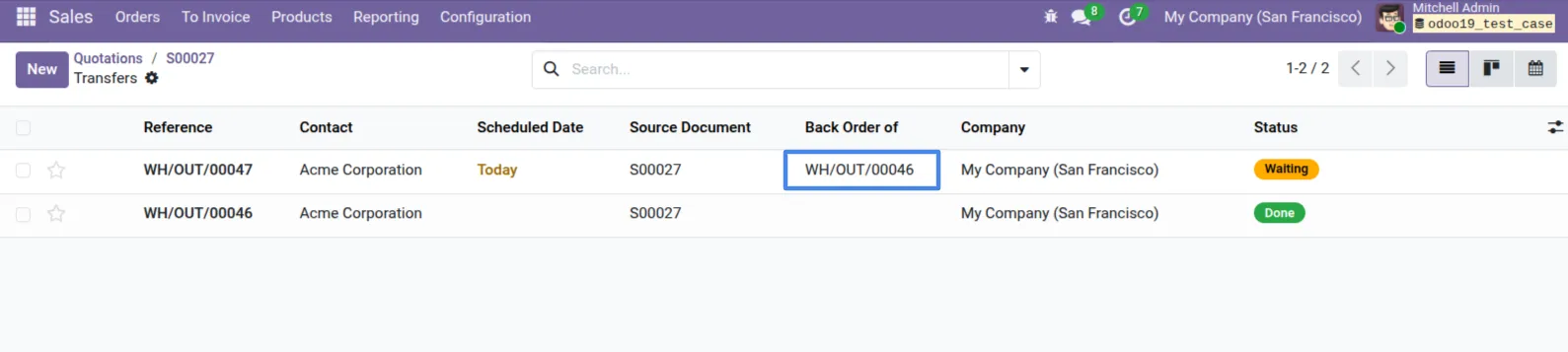
9. In the Delivery order transfers, you will clearly see the initial transfer is set to "Done" and the backorder is set to "Waiting".
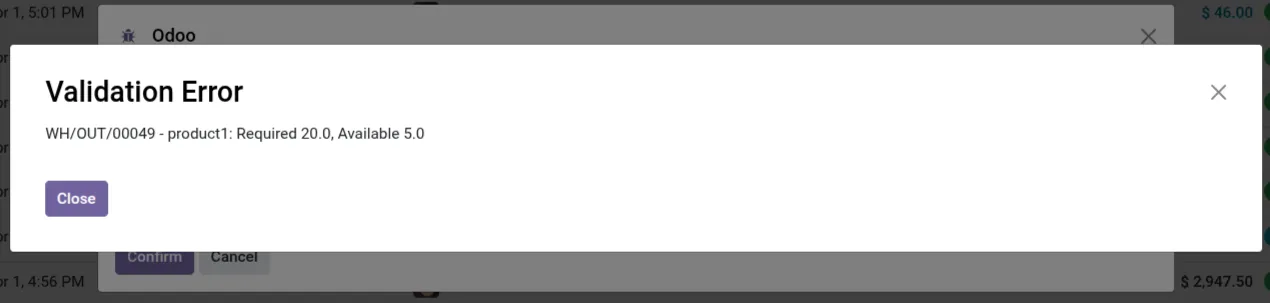
10. Accurate validation alerts prevent incorrect picking operations when available stock metrics do not meet the requirement.
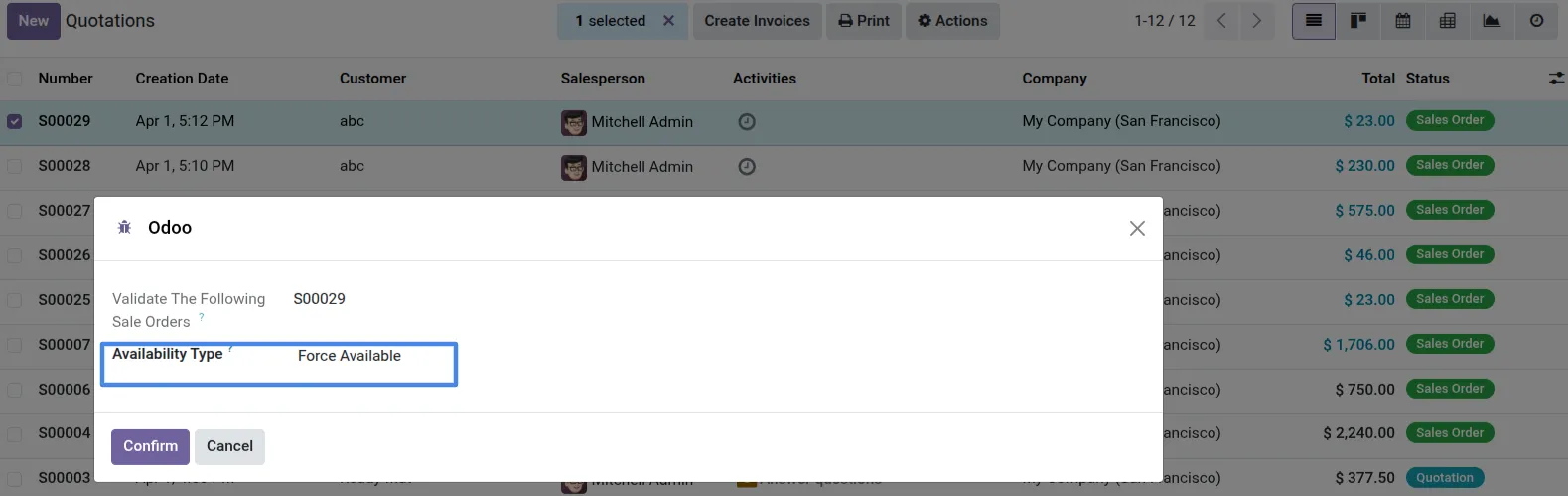
11. Selecting the "Force Available" Availability Type allows you to forcefully process pickings regardless of the current stock.
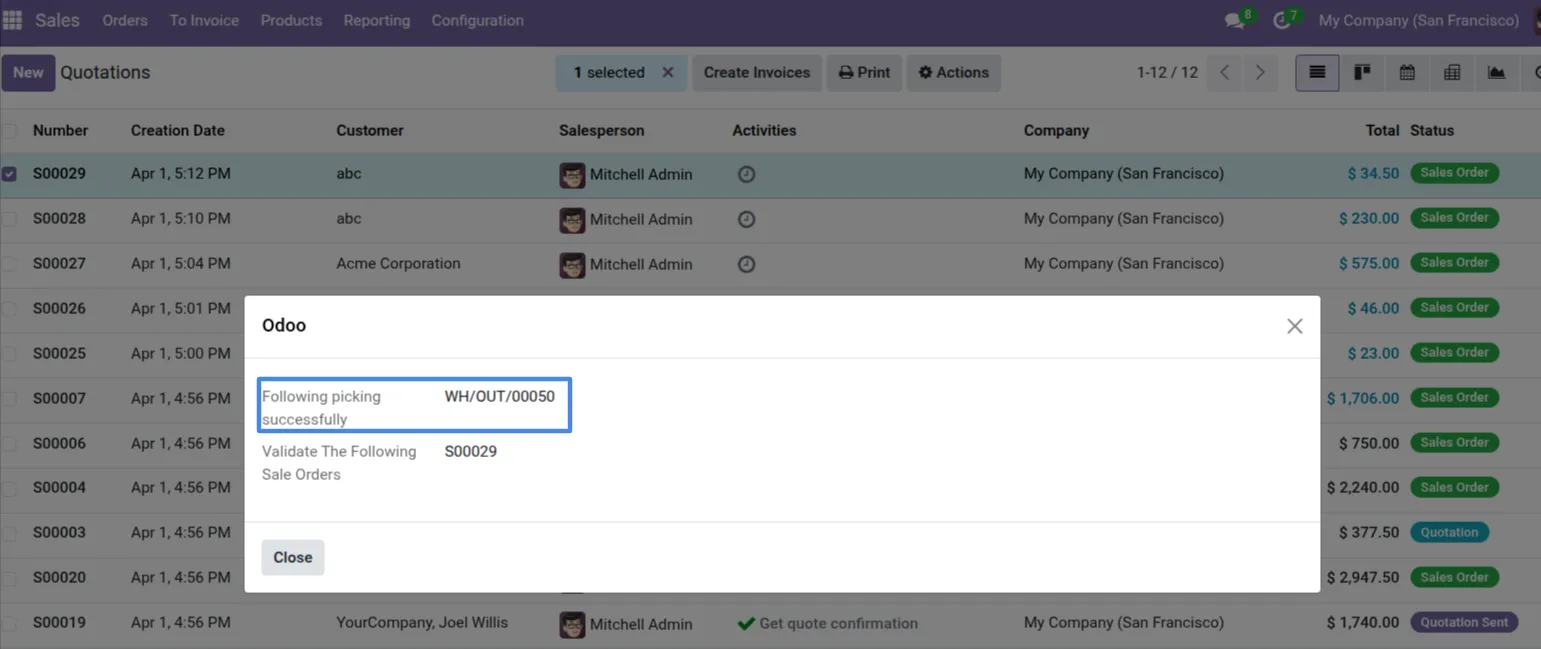
12. The system confirms the forcibly processed deliveries with success messages indicating the completed picking references.
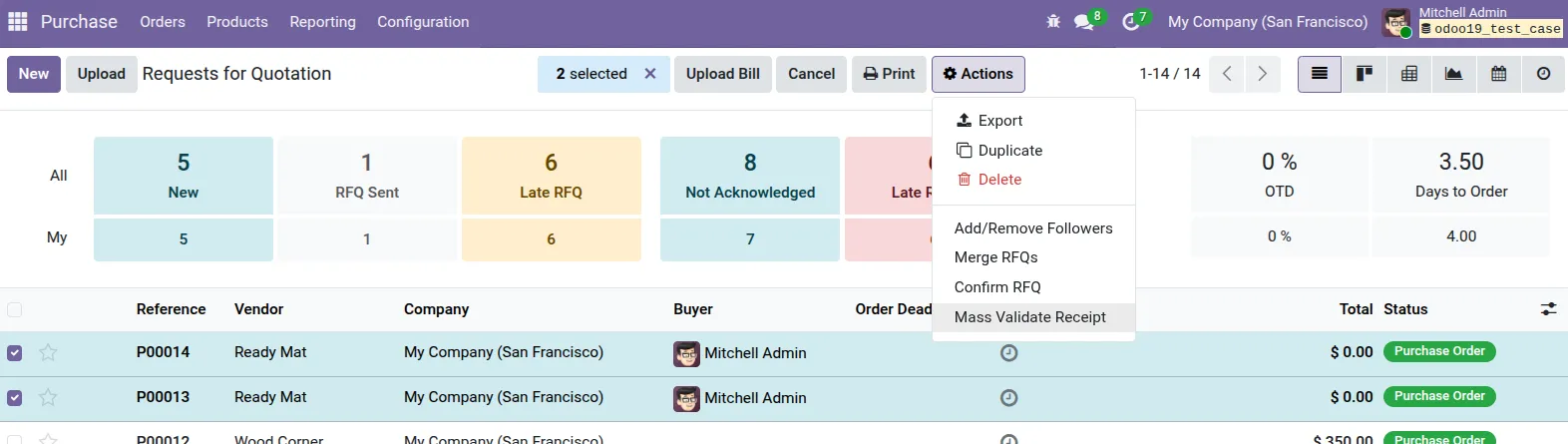
13. For incoming operations, navigate to the Purchase app, select your Purchase Orders, click Actions, and choose "Mass Validate Receipt".
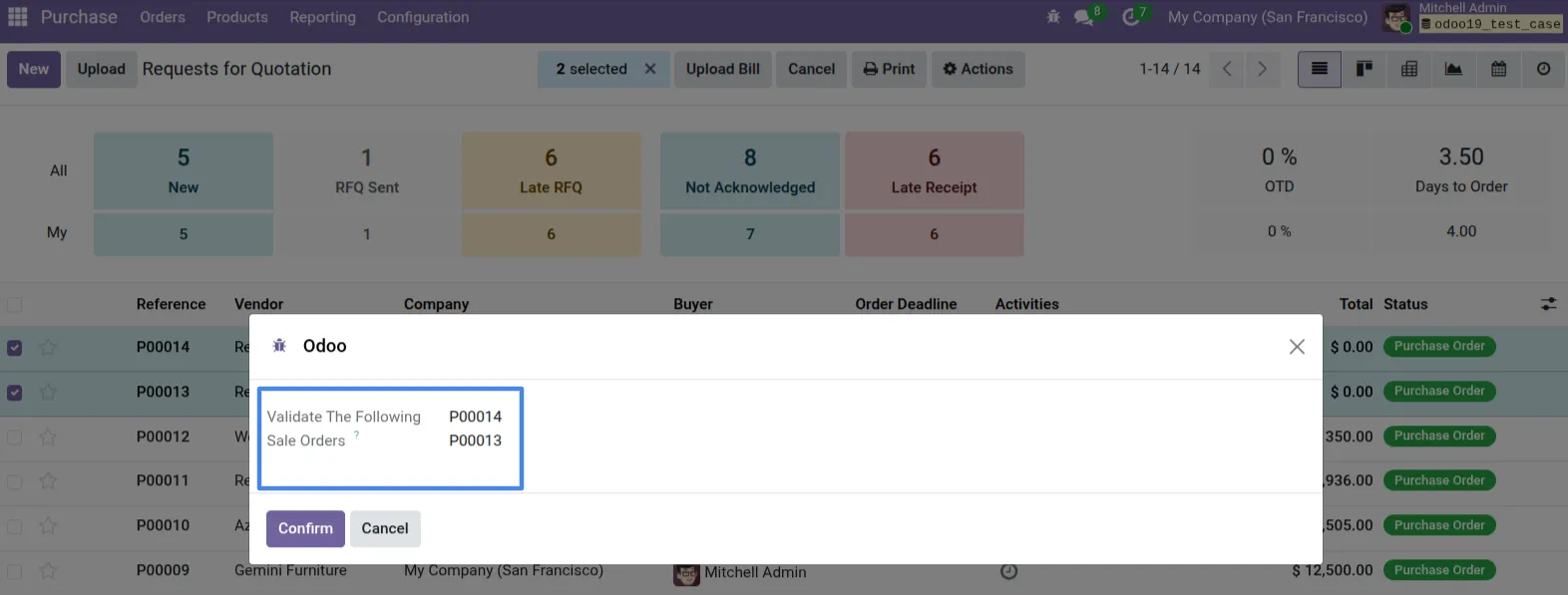
14. A similar mass validation wizard appears for incoming receipts, showing the selected Purchase Orders ready for confirmation.
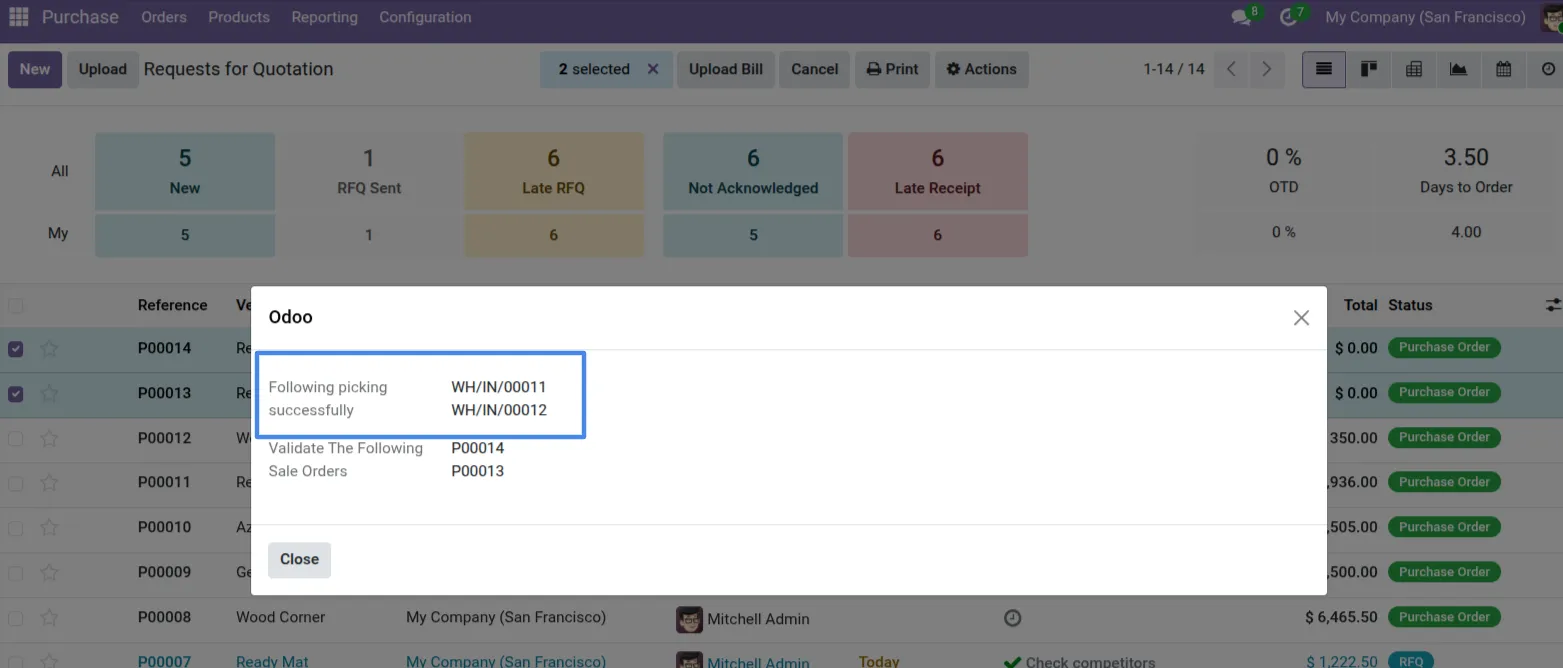
15. Once confirmed, the system successfully processes and validates the selected incoming receipts in bulk, displaying the IN references.
This module streamlines warehouse workflows by allowing you to validate multiple incoming and outgoing stock pickings in a single action. You can use options like Fully, Partially, or Force Available while maintaining standard validation workflows.
With user-wise administrative controls and clear execution summaries, it ensures better operational control and accuracy.
Our solutions focus on your problems
- Odoo Implementation
- Odoo Customization
- ERP Development and Implementation
- Odoo Ipass Cloud
- AI for Odoo
- Odoo Apps
- Aws Marketplace Products
- Business Engines
Our Pricing includes User Manual, 90 Days Support (Monday-Friday 10am to 7pm IST) and One time Setup
• Works & tested on standard installations of Odoo with no third party apps,
• Free support only for odoo installations with no third party apps,
• Paid support available for Odoo installations with third party apps.

Prefortune is a Odoo Official Partner, Odoo Development company. Our philosophy is to use Open Source tools and technologies to provide cost effective and green solutions for our customers.
Prefortune Technologies LLP is working on web development, Mobile development, and Odoo ERP.
If you need any help or want more additional features, you may contact us through:
Alternative Products
These other products might interest you
Specifications
| Version | 19.0, 18.0, 17.0, 16.0, 15.0, 14.0 |