Watch Quick Video
Manufacturing Order From POS
Our all-inclusive
Odoo – Create Manufacturing Order From POS in Odoo Our all-inclusive Odoo – Manufacturing Order From POS module helps businesses automate the pos to manufacturing workflow by generating manufacturing orders directly from POS sales. Users can enable automatic MO creation from the product form and configure production rules based on stock availability.The module supports automatic production completion, configurable product variants, and smart stock and manufacturing integration for smoother operations. It also allows businesses to create manufacturing orders only when stock is insufficient, helping improve inventory control and overall manufacturing efficiency in Odoo.
Key Features
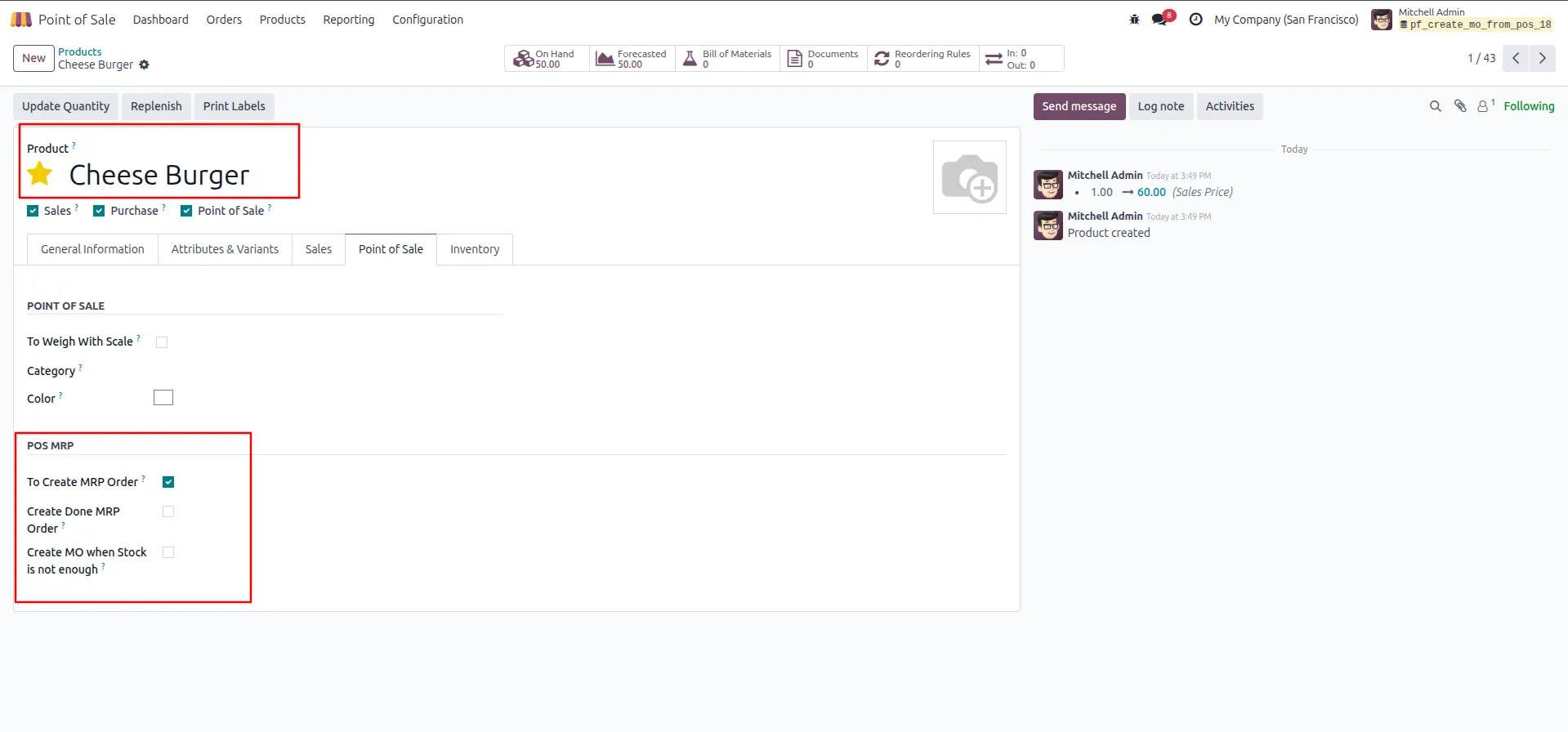
1.On product form → Point of Sale tab → POS MRP section → enable "To Create MRP Order".
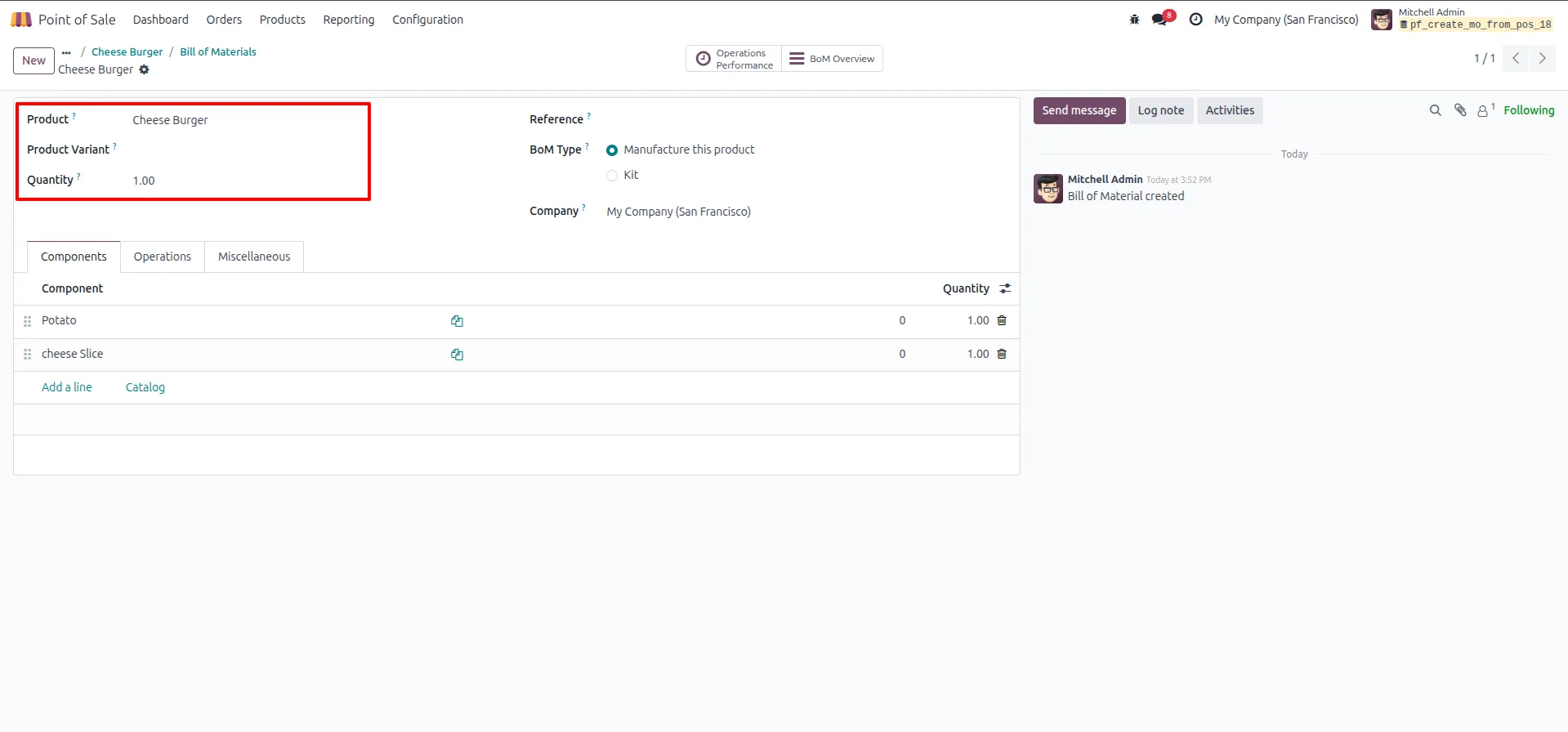
2.Create Bill of Materials → add components with quantities.
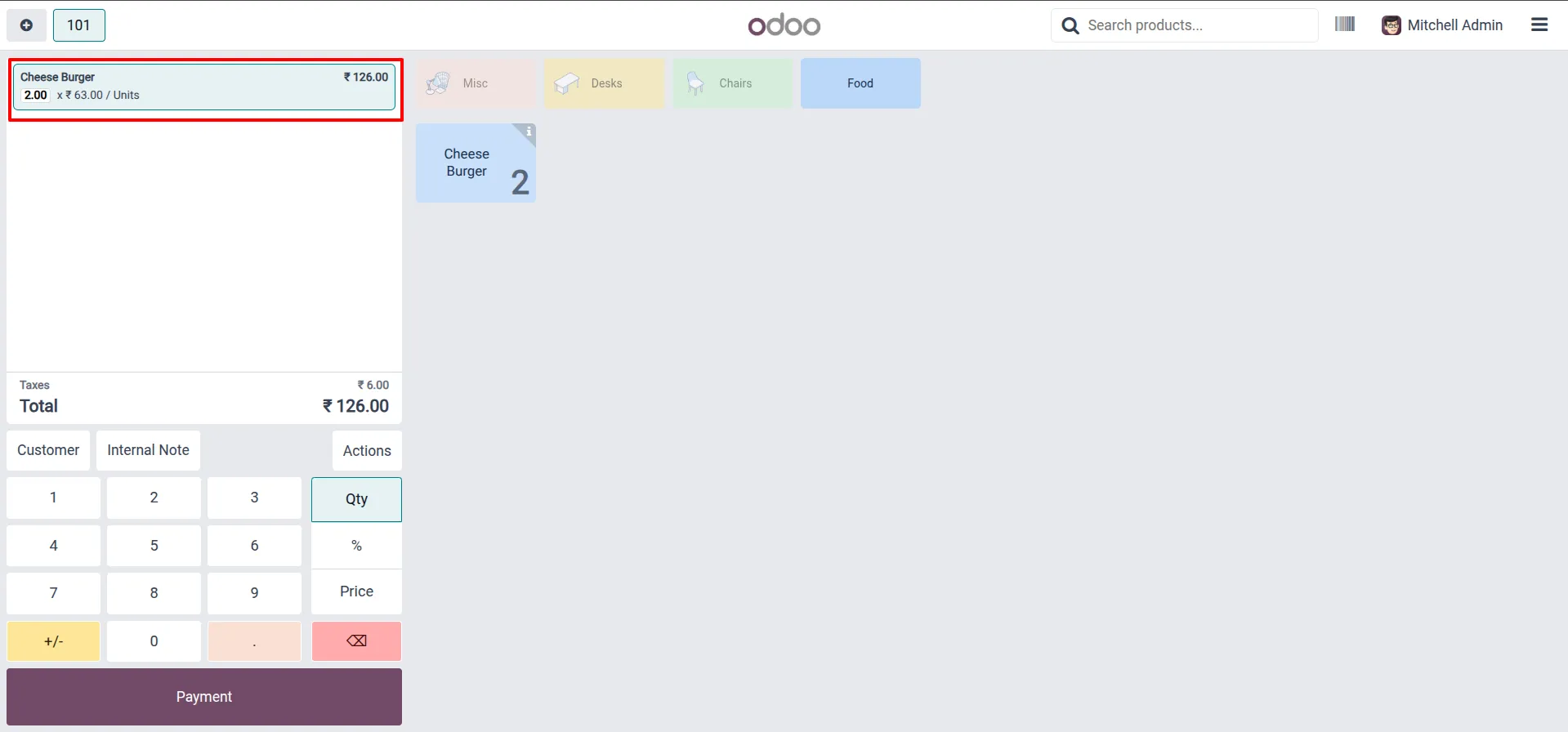
3.In POS session → add product to order → set quantity → proceed to Payment.
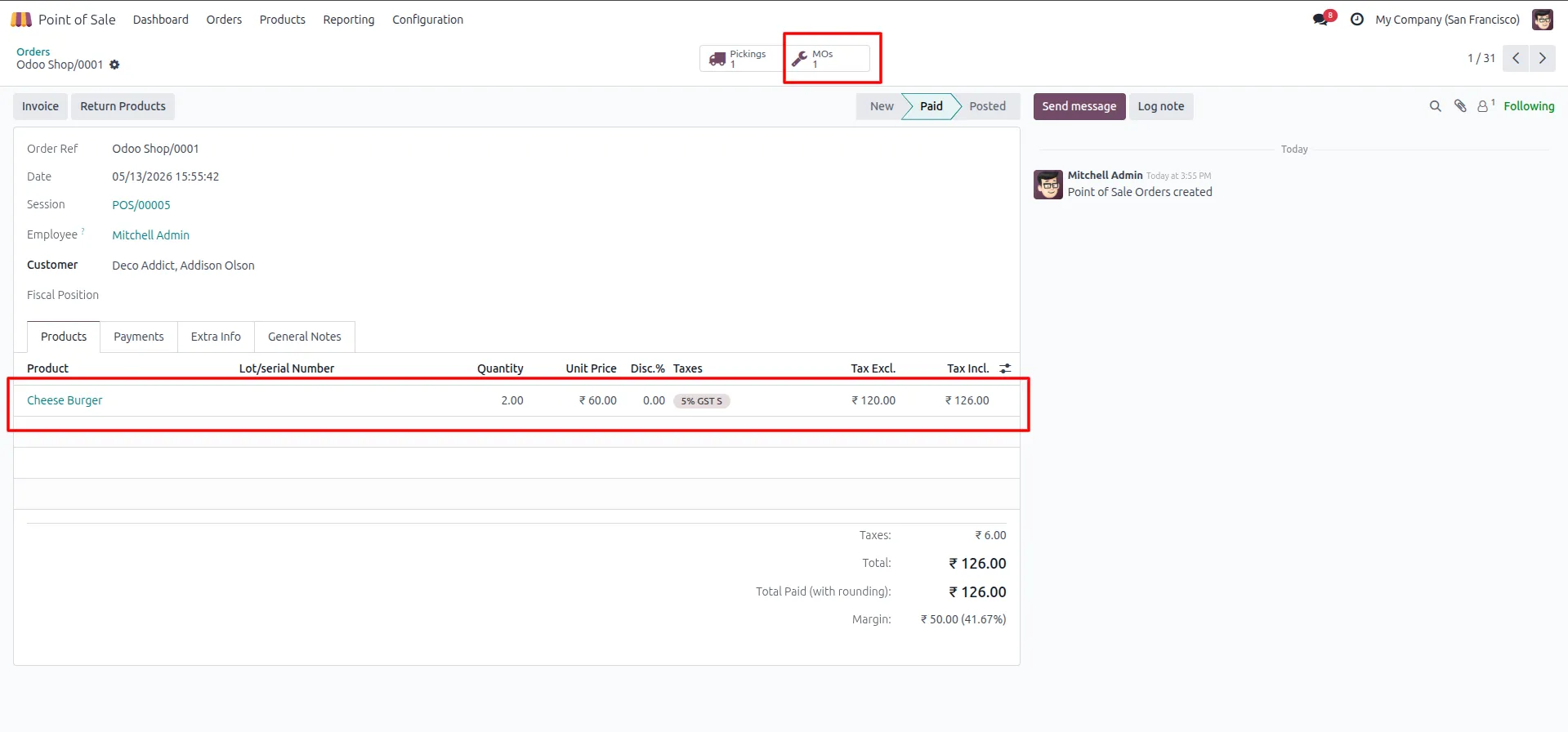
4.POS order paid → MOs: 1 button appears on the order.
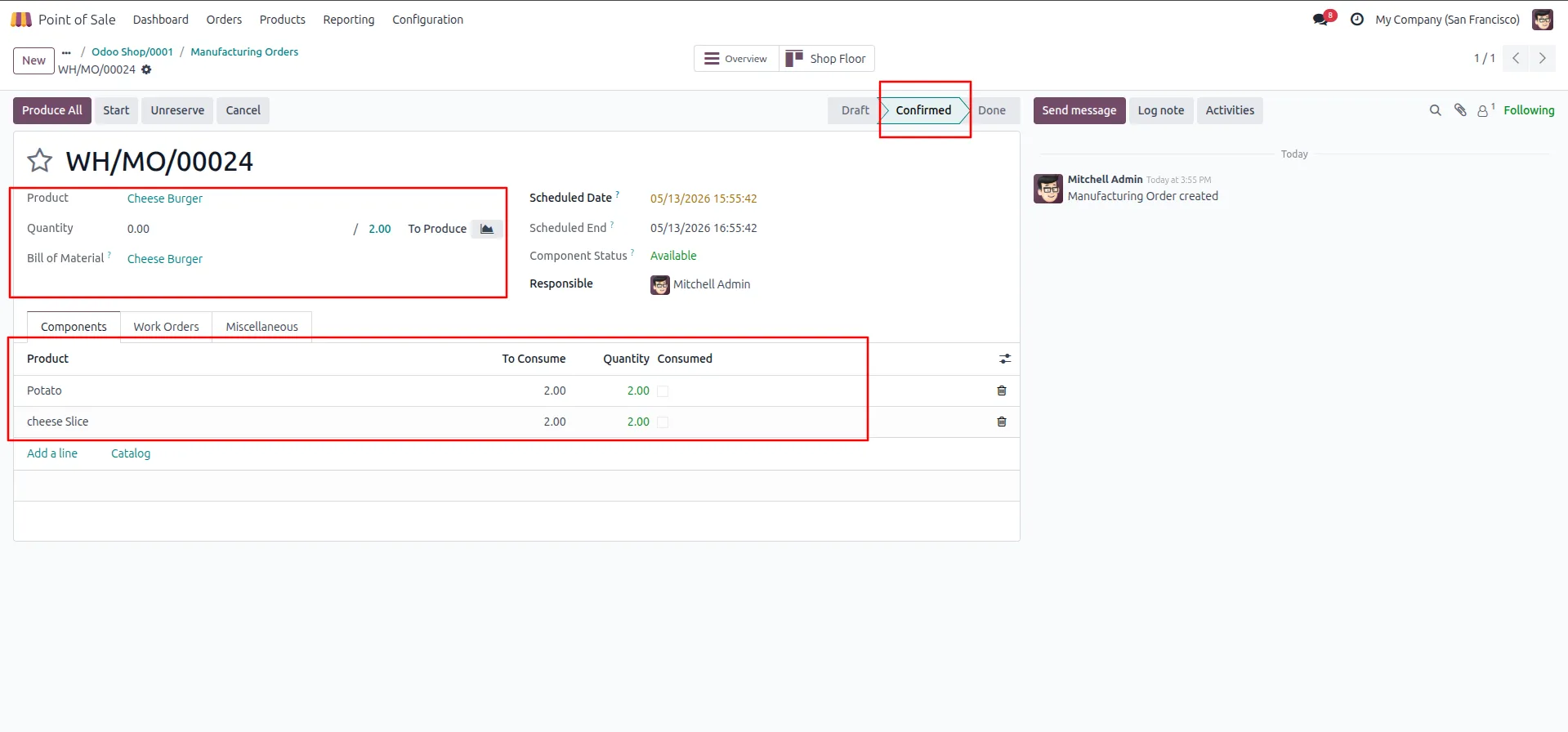
5.MO auto-created in Confirmed state → components listed with quantities available.
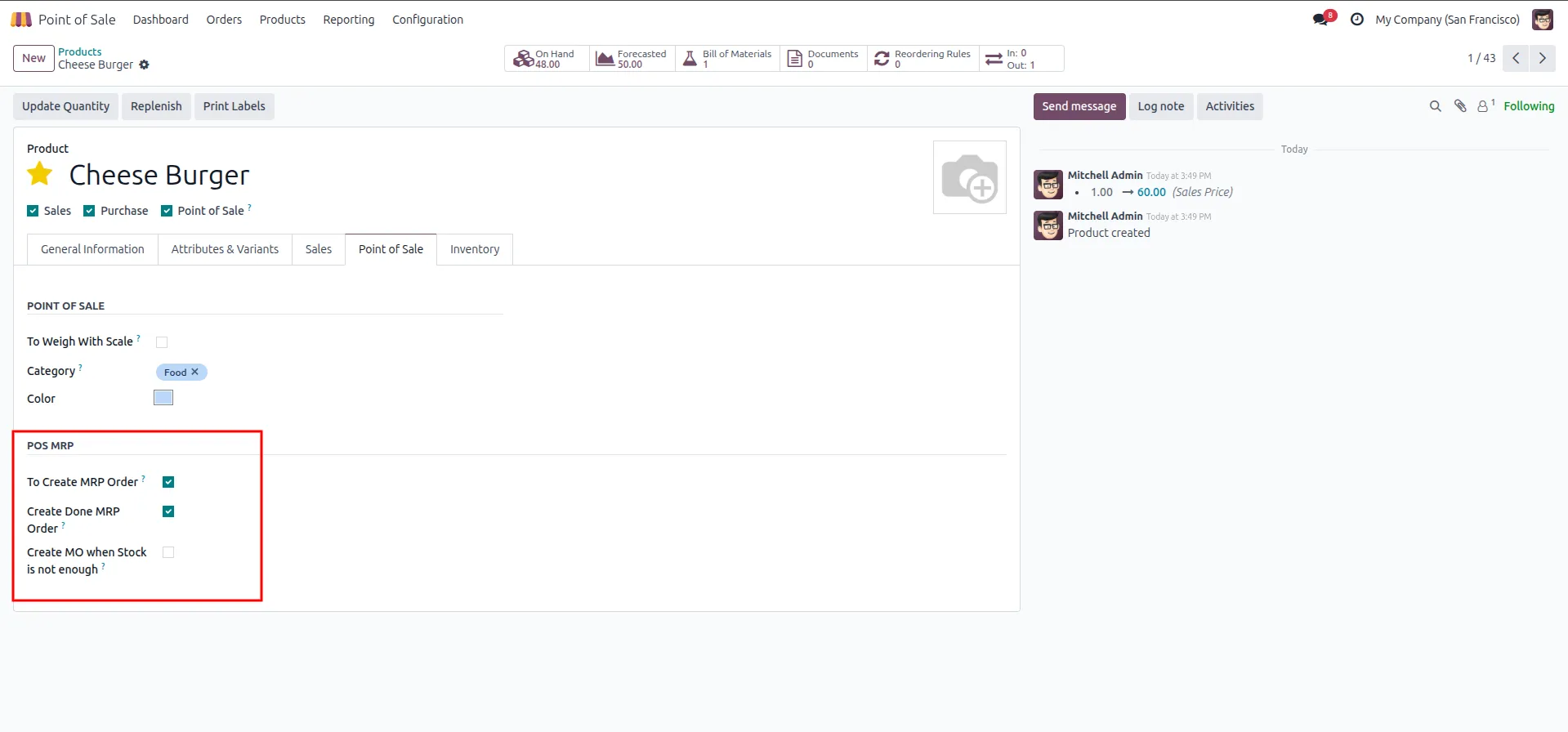
6.On product form → POS MRP section → enable "Create Done MRP Order".
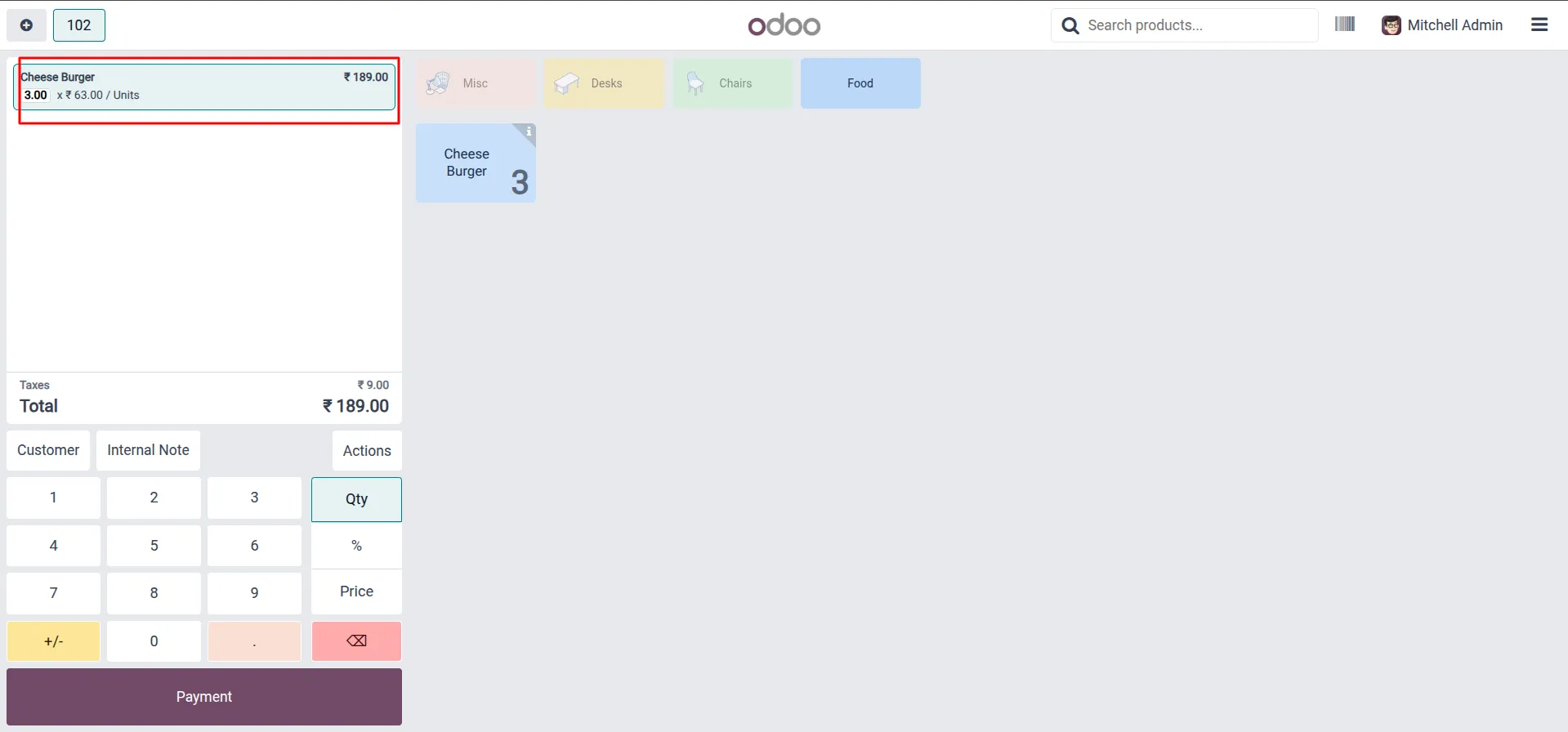
7.In POS session → add product → set quantity → proceed to Payment.
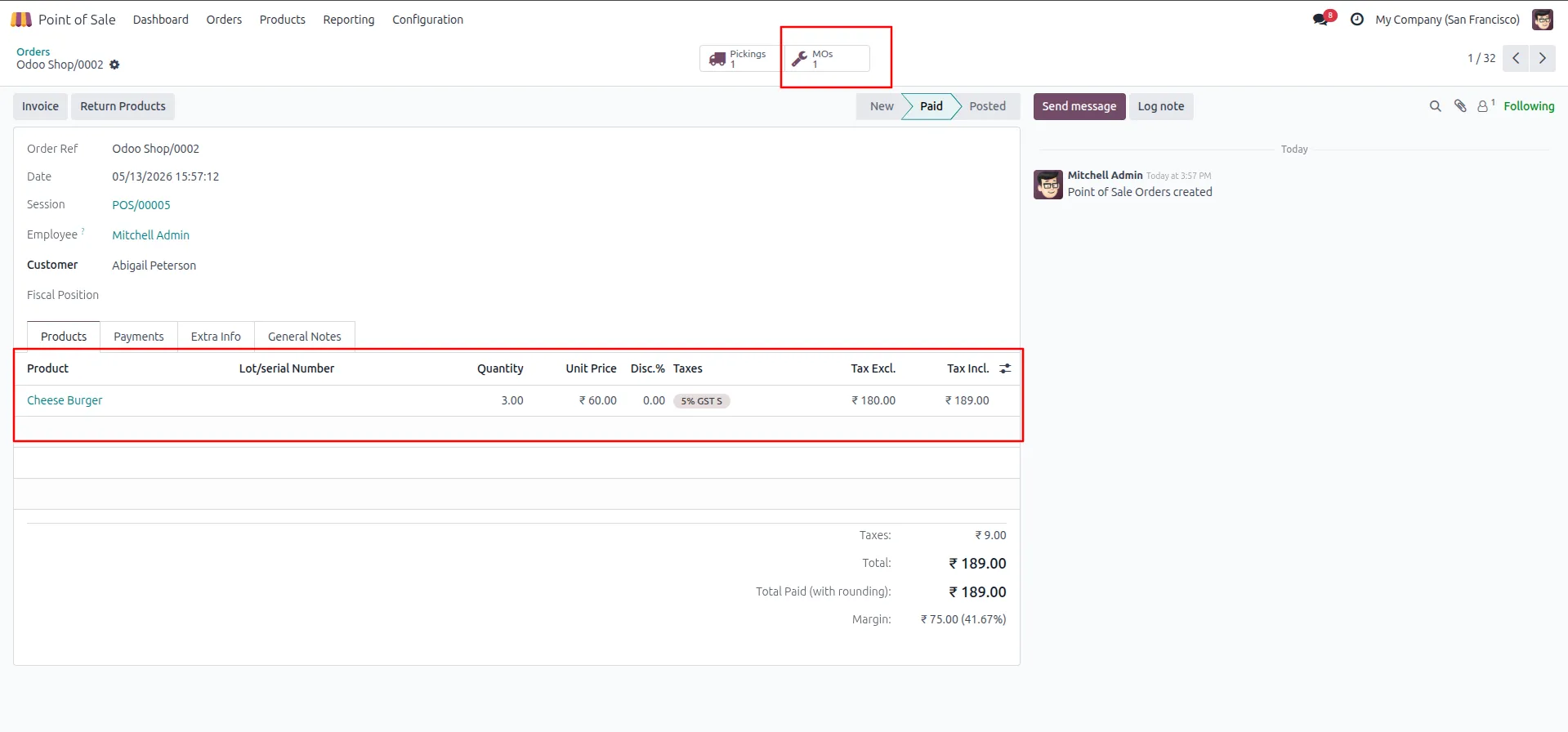
8.POS order paid → MOs: 1 button appears on the order.
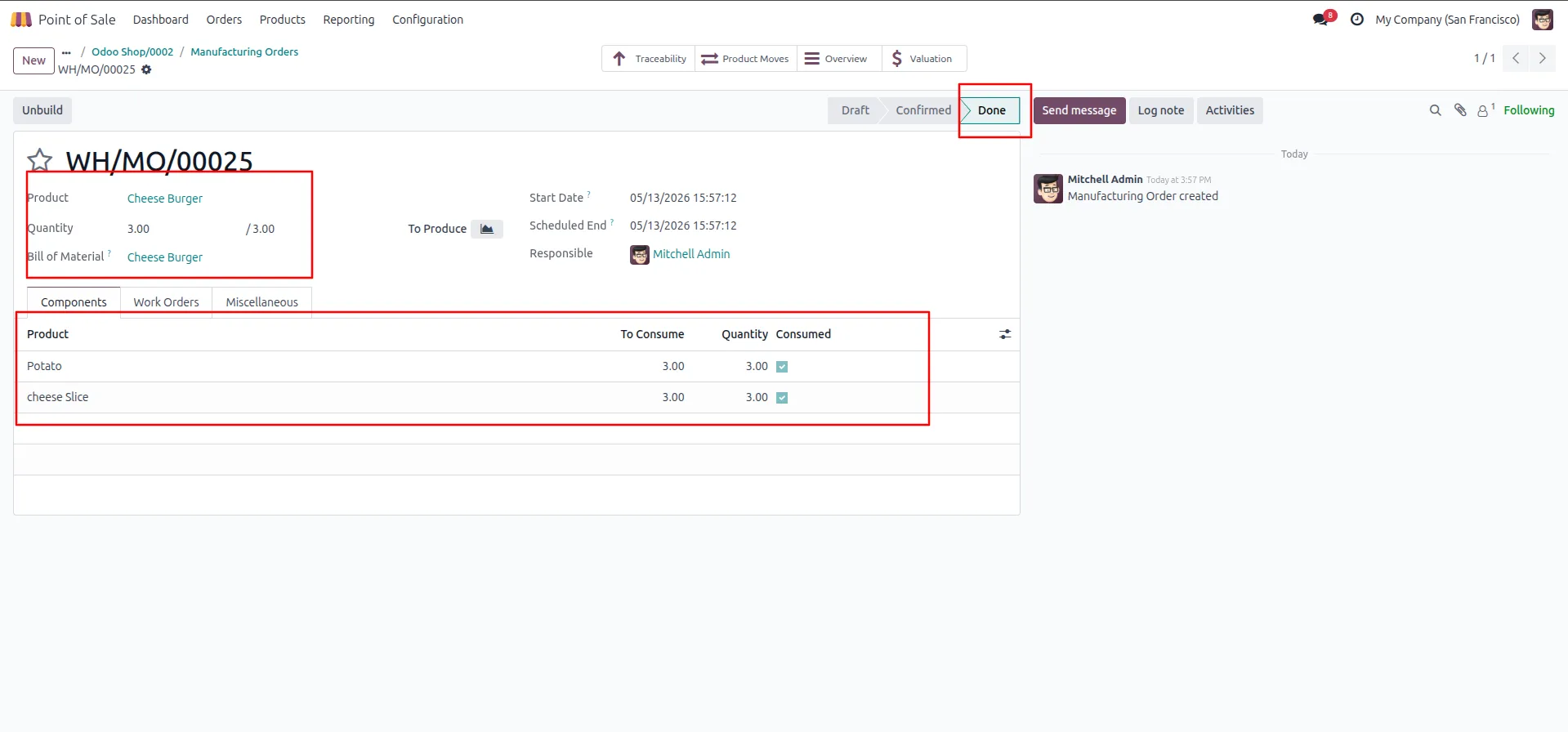
9.MO auto-created AND auto-completed in Done state → all components consumed.
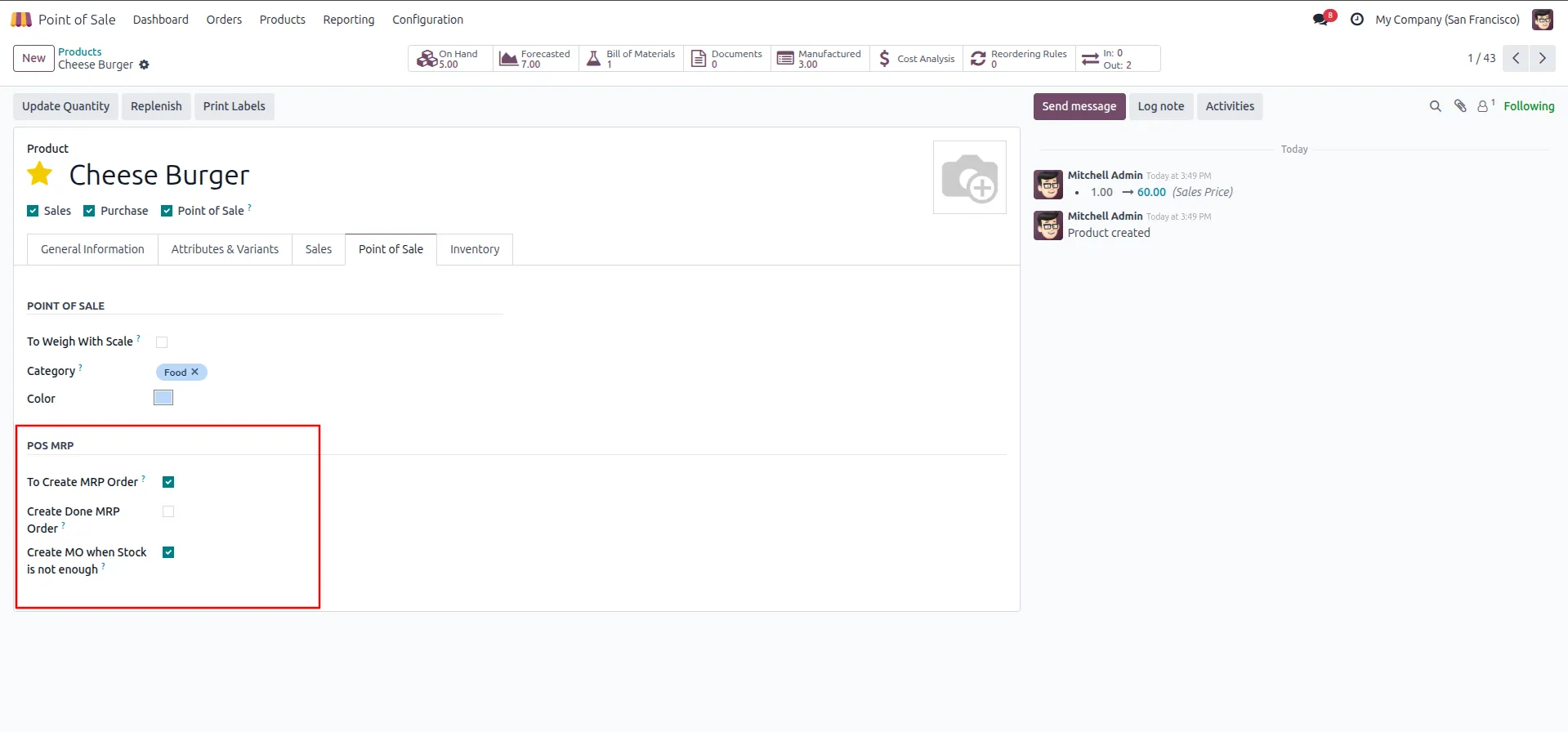
10. On product form → POS MRP section → enable "Create MO when Stock is not enough".
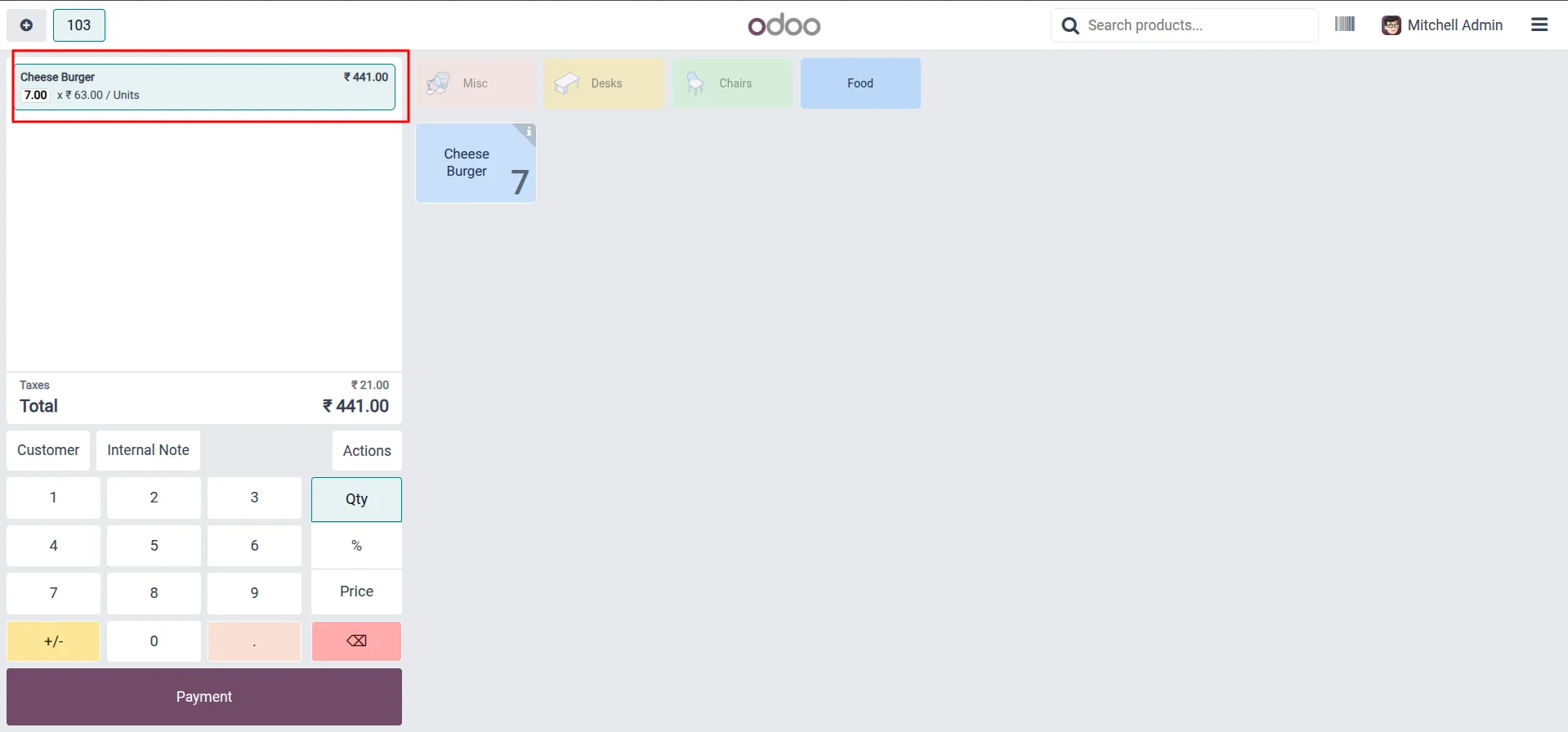
11. In POS session → add product → set quantity exceeding on-hand stock → proceed to Payment.
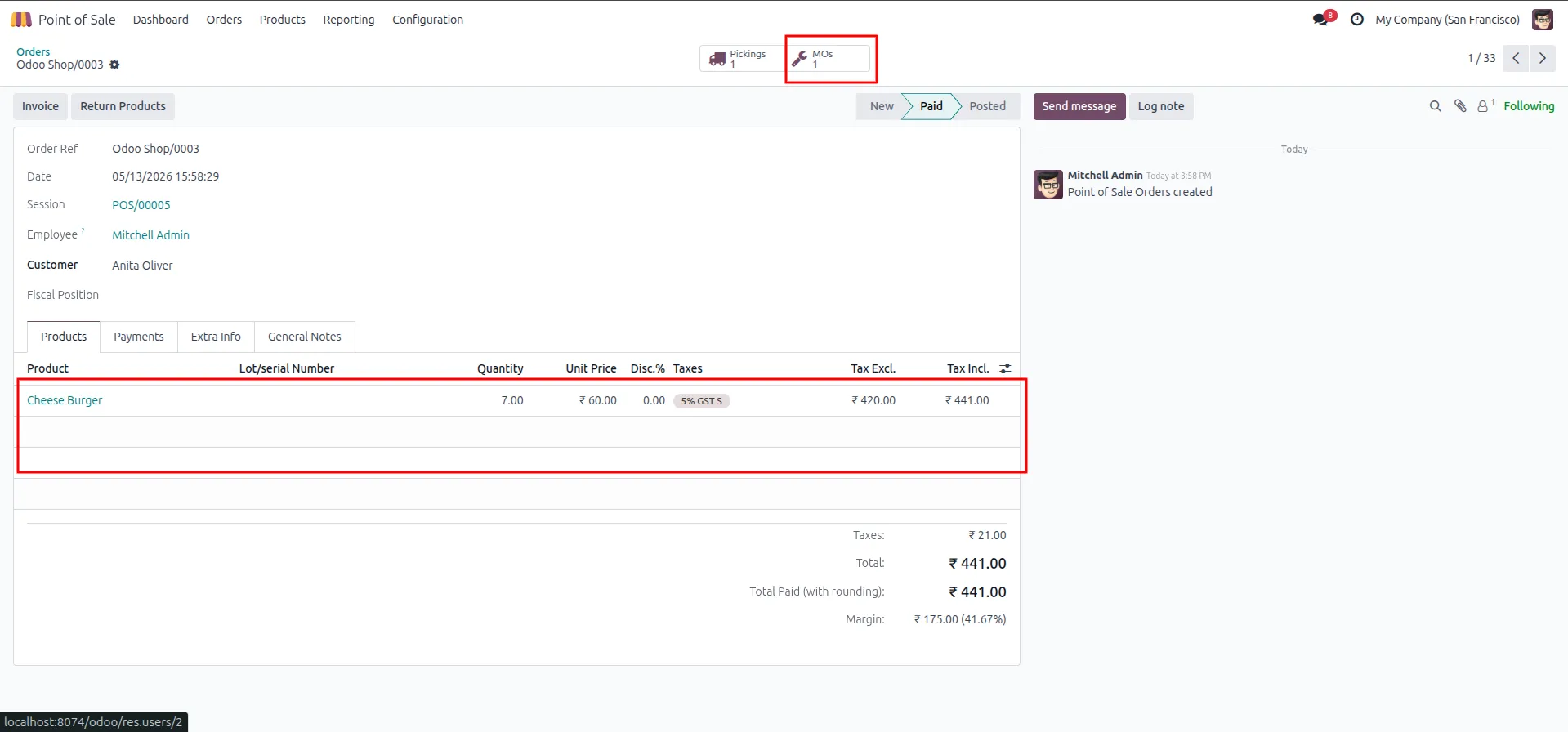
12.POS order paid → MOs: 1 button appears on the order.
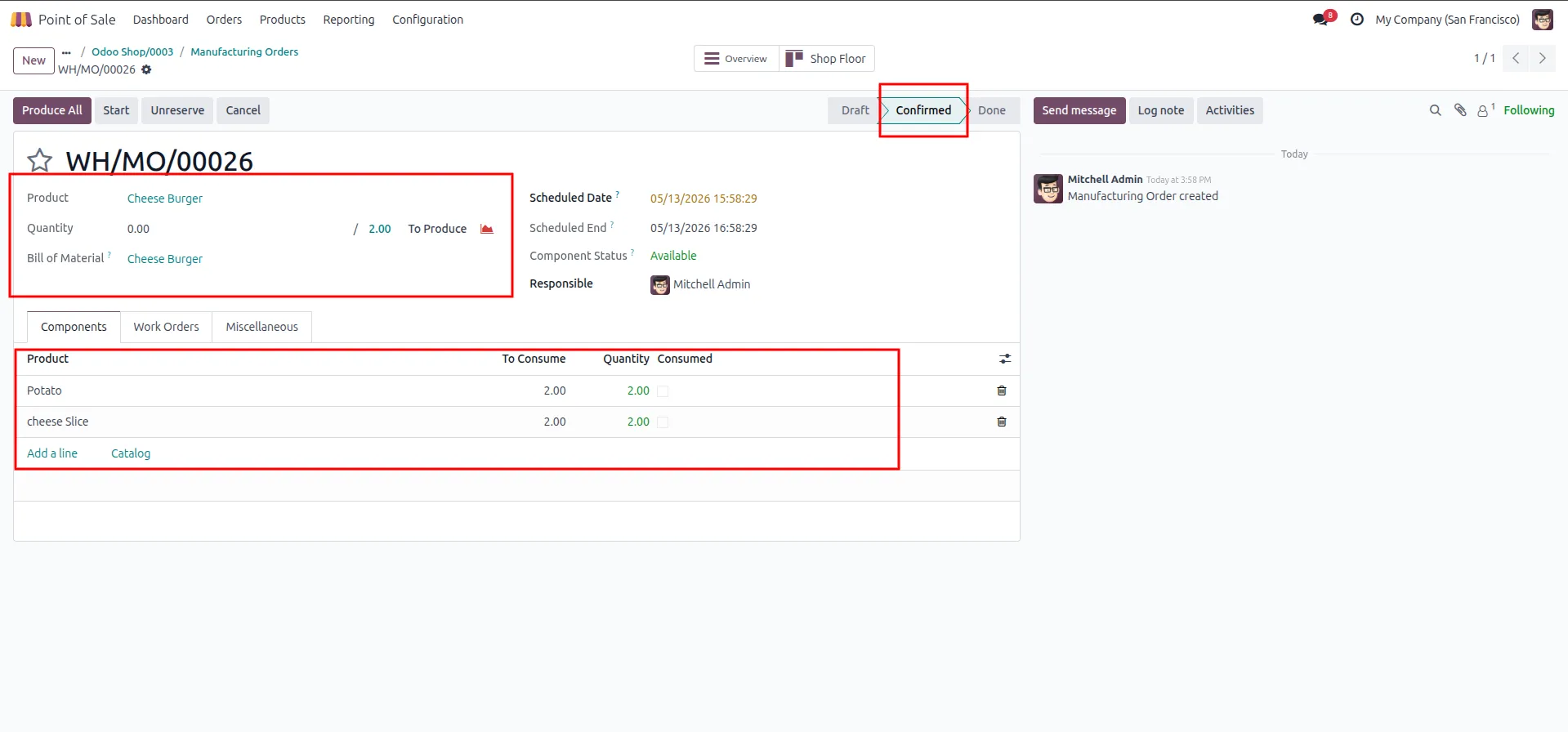
13.MO auto-created in Confirmed state → quantity = stock gap only, components set accordingly.
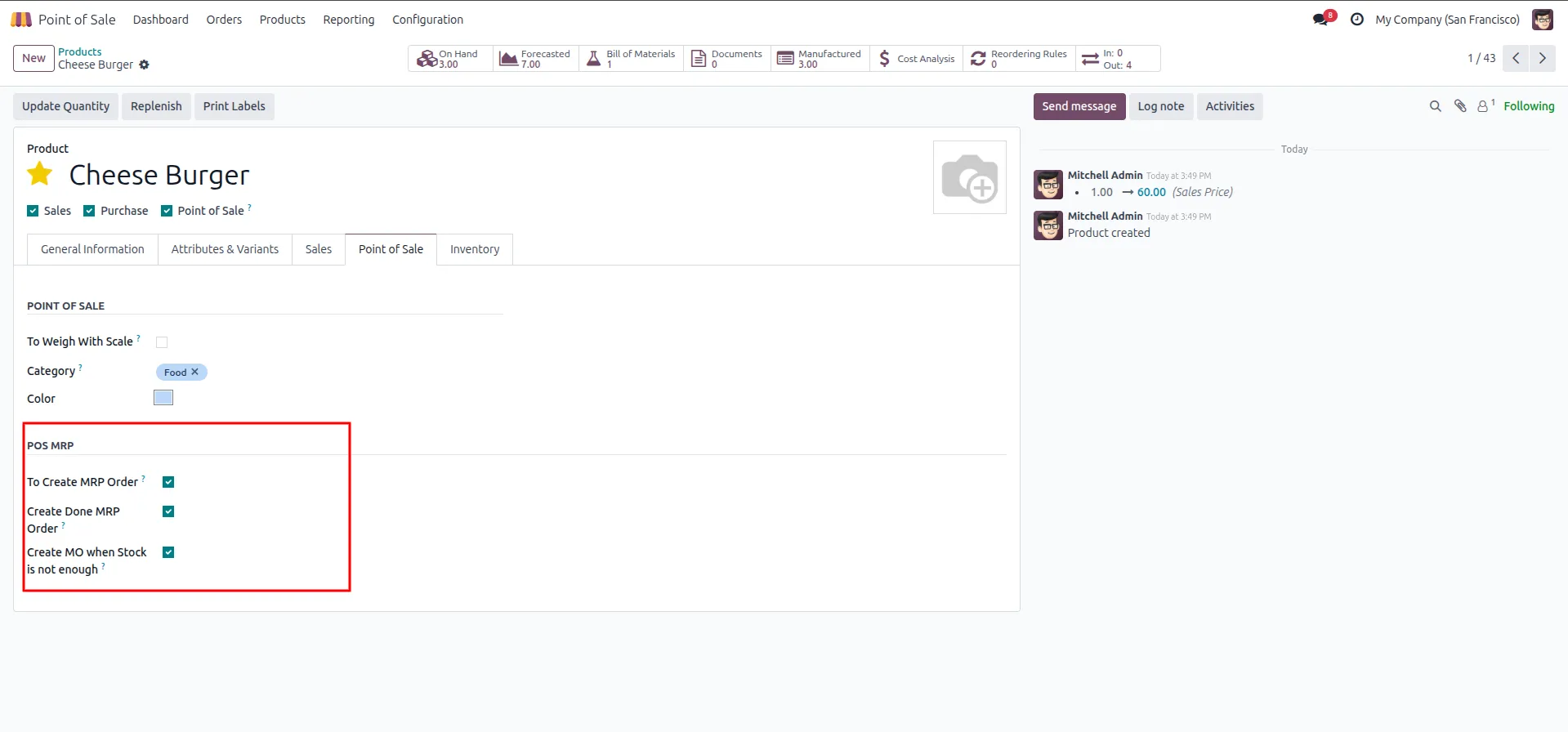
14.On product form → confirm all 3 POS MRP flags now enabled .
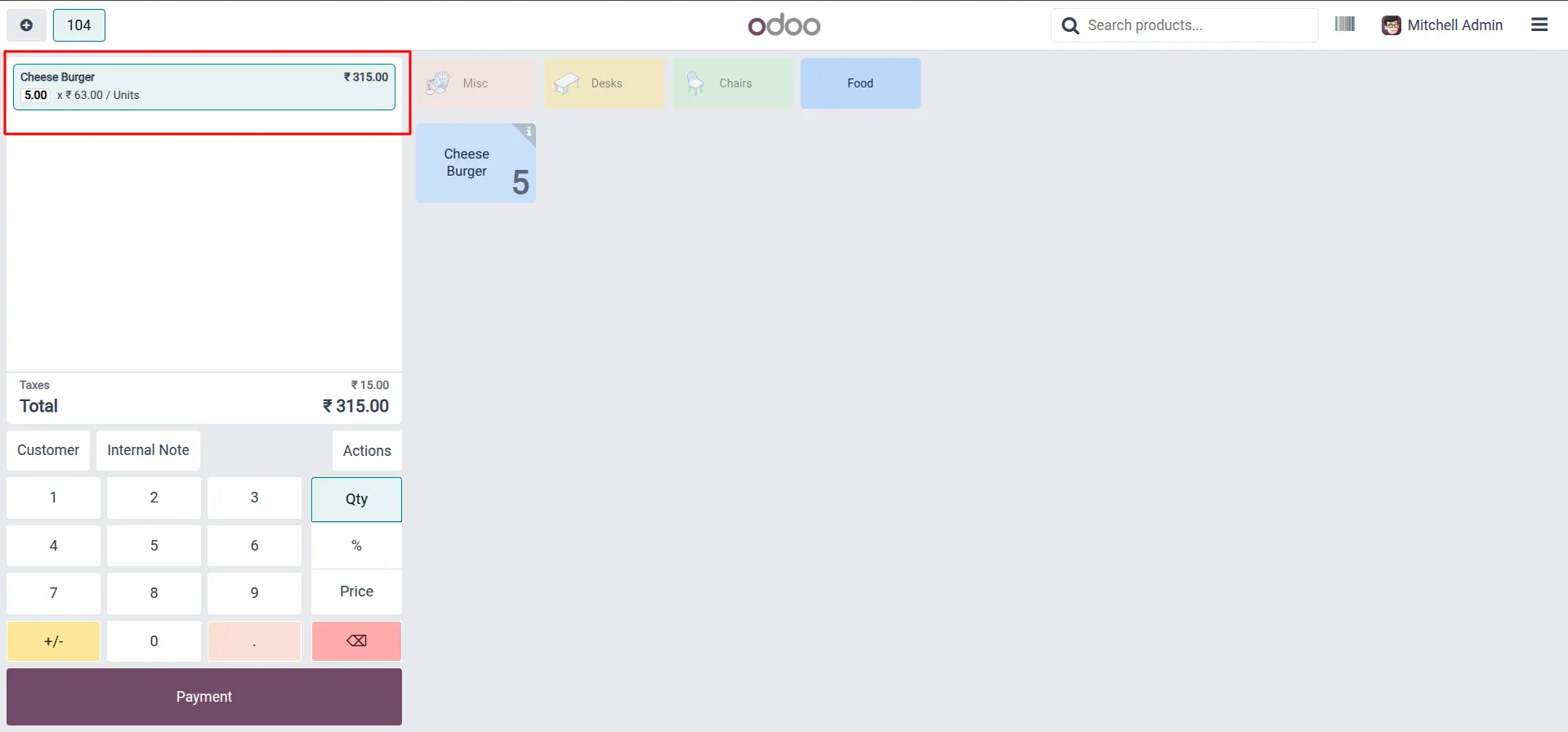
15.In POS session → add product → set quantity → proceed to Payment.
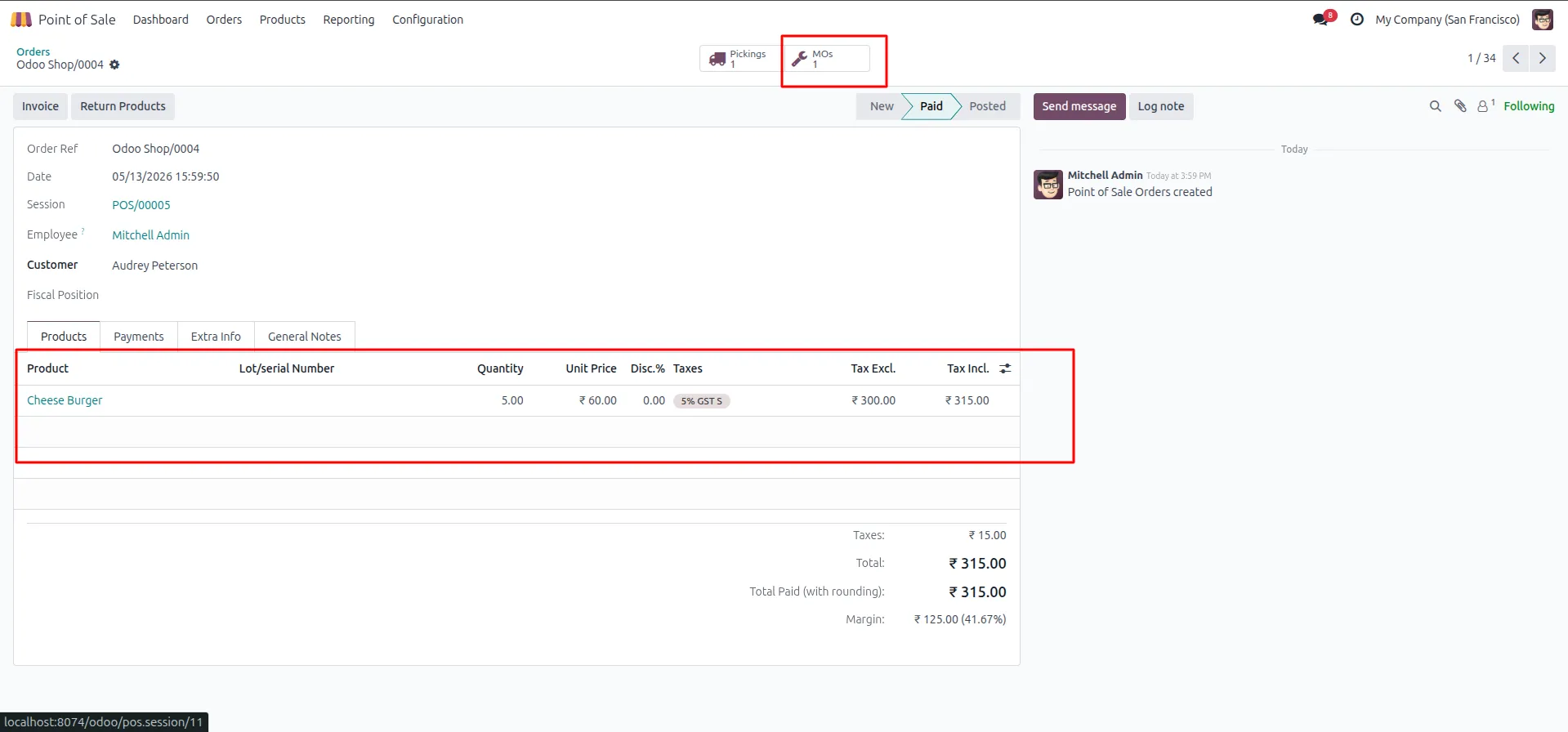
16.POS order paid → MOs: 1 button appears on the order.
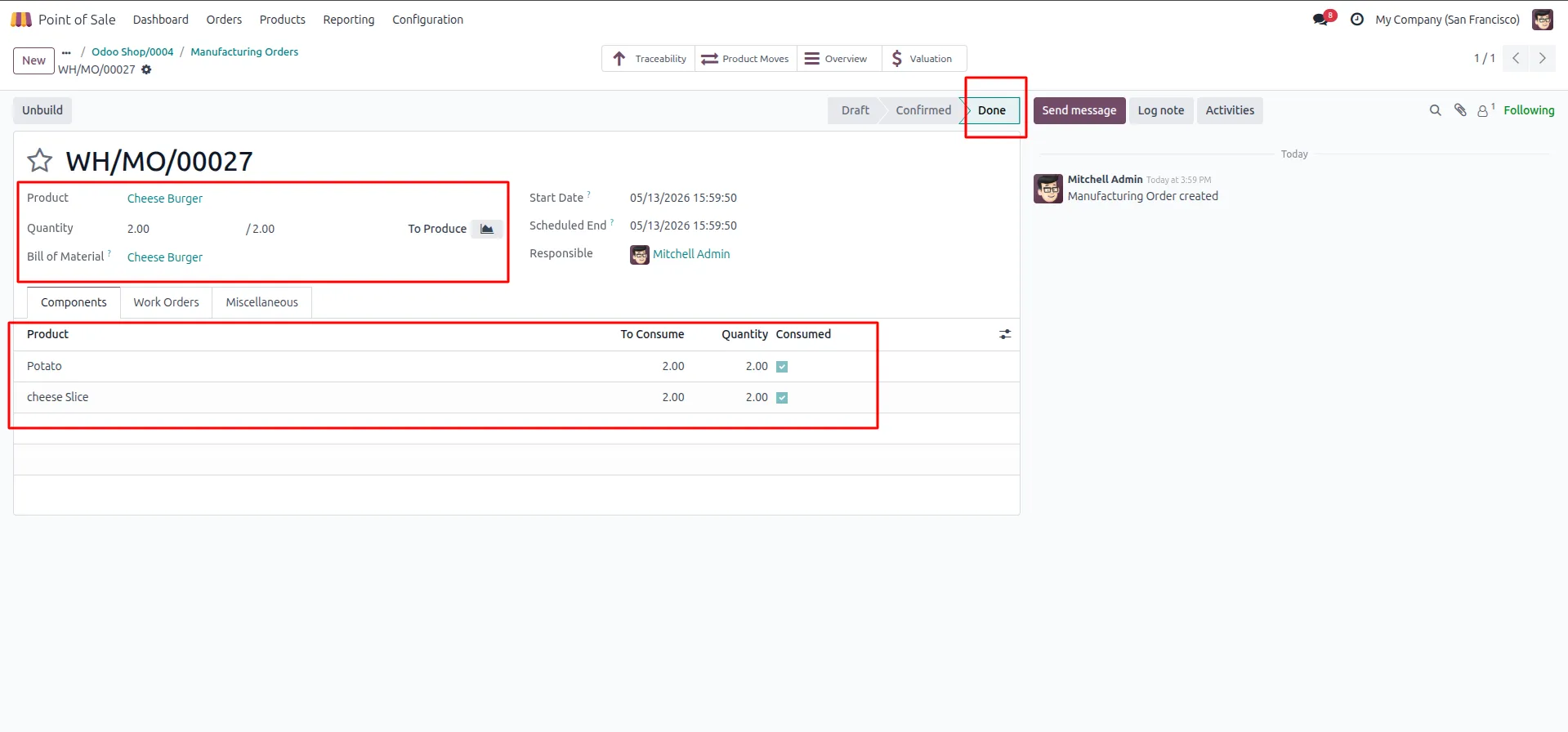
17.MO auto-created AND auto-completed in Done state → components consumed.
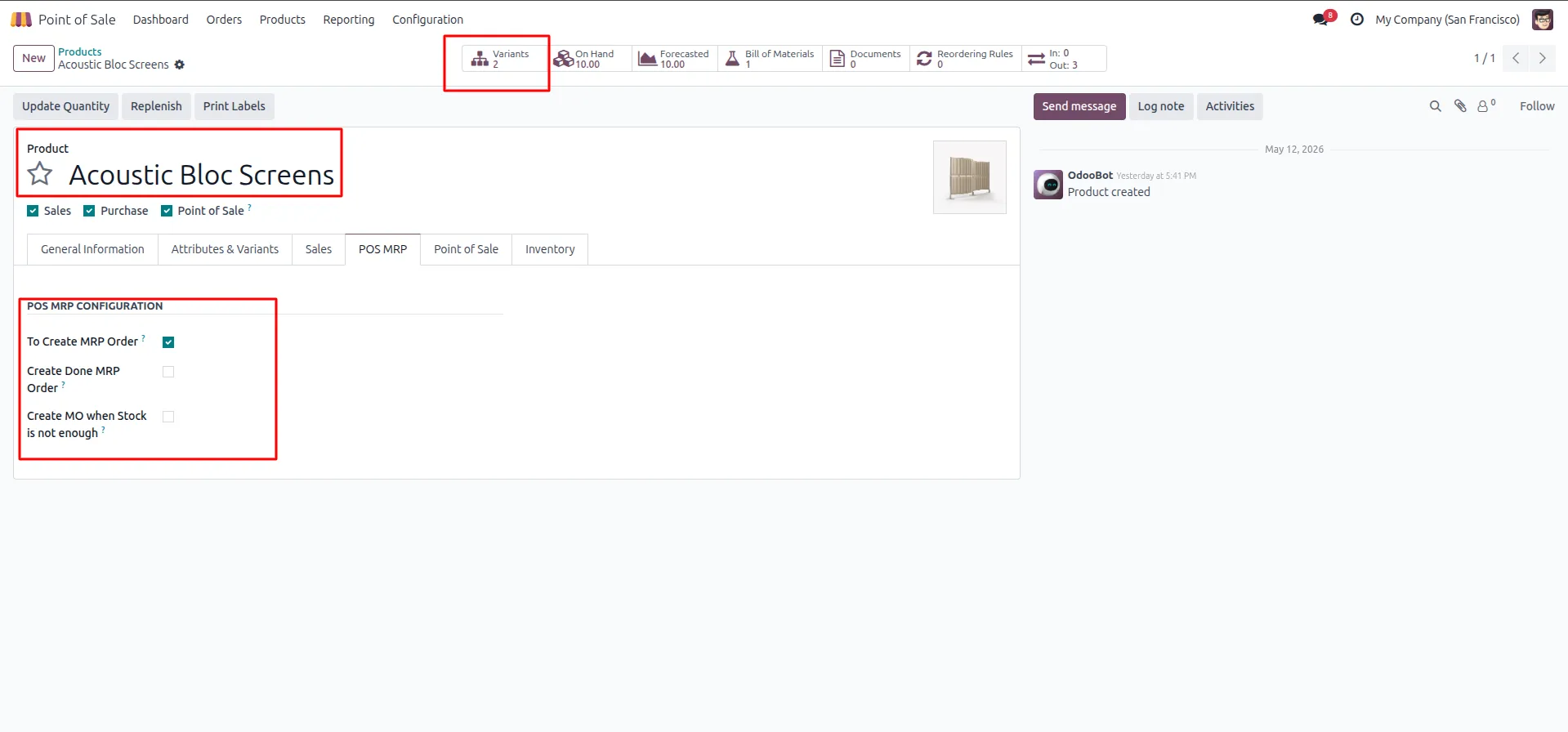
18.On product with variants → POS MRP tab → enable "To Create MRP Order".
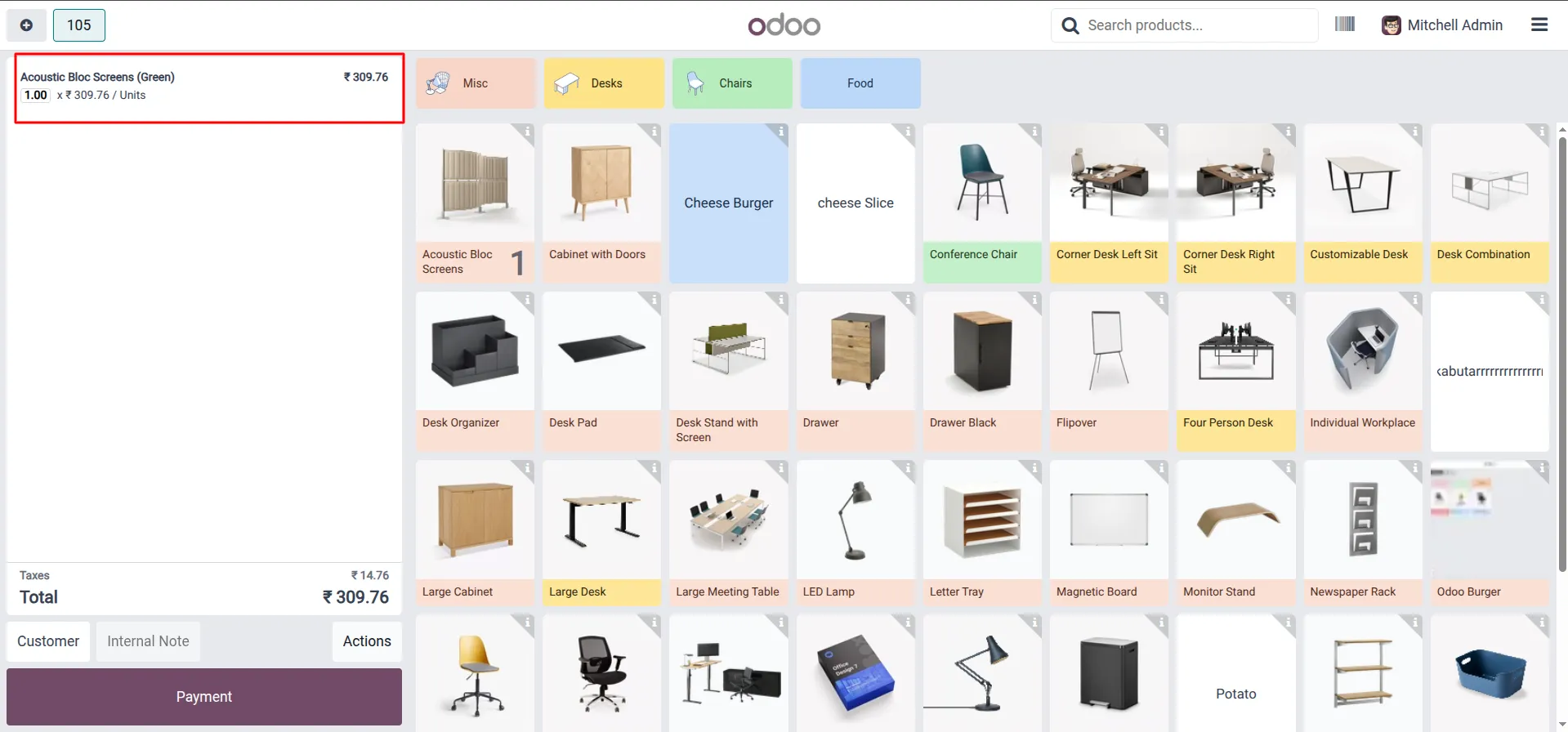
19.In POS session → add specific variant to order → proceed to Payment.
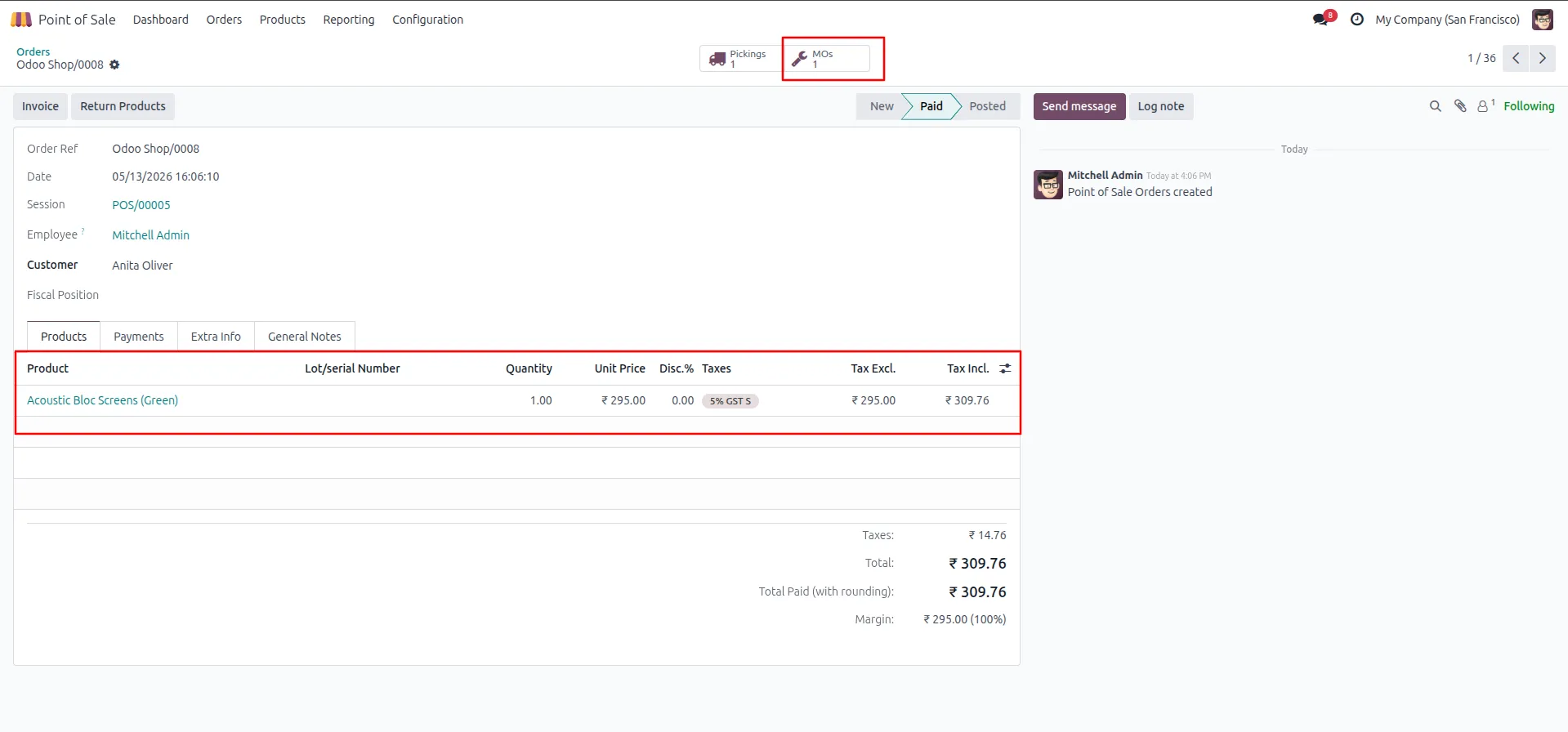
20.POS order paid → MOs: 1 button appears, variant correctly reflected in order line.
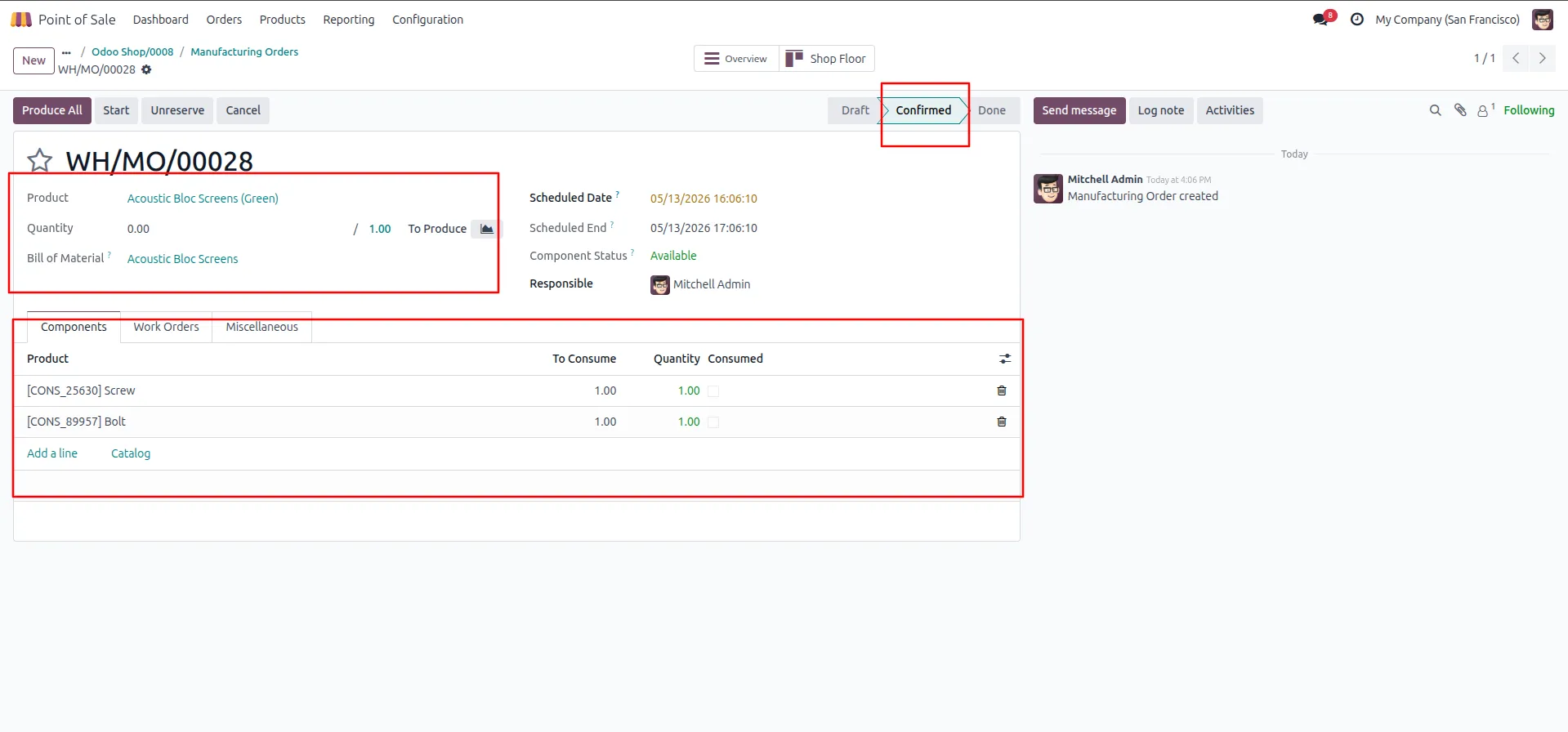
21.MO auto-created in Confirmed state → correct variant listed, components available and ready to consume.
Our solutions focus on your problems
- Odoo Implementation
- Odoo Customization
- ERP Development and Implementation
- Odoo Ipass Cloud
- AI for Odoo
- Odoo Apps
- Aws Marketplace Products
- Business Engines
Our Pricing includes User Manual, 90 Days Support (Monday-Friday 10am to 7pm IST) and One time Setup
• Works & tested on standard installations of Odoo with no third party apps,
• Free support only for odoo installations with no third party apps,
• Paid support available for Odoo installations with third party apps.

Prefortune is a Odoo Official Partner, Odoo Development company. Our philosophy is to use Open Source tools and technologies to provide cost effective and green solutions for our customers.
Prefortune Technologies LLP is working on web development, Mobile development, and Odoo ERP.
If you need any help or want more additional features, you may contact us through:
Alternative Products
These other products might interest you
Specifications
| Version | 19.0, 18.0, 17.0, 16.0, 15.0, 14.0 |