Watch Quick Video
Employee Entry and Exit Checklist
Our efficient
Odoo – Employee Entry and Exit Checklist app helps
HR teams create standardized employee processes with configurable checklist management and activity
tracking. Businesses can define separate entry and exit activities, attach descriptions, and organize HR
operations more efficiently inside Odoo.
The module supports job position based checklist assignment, automatic checklist updates when employee
roles change, and quick monitoring through Kanban and List view status display. Managers can directly
verify checklist completion from employee records, helping improve HR workflow management, employee
coordination, and overall process visibility.
Key Features
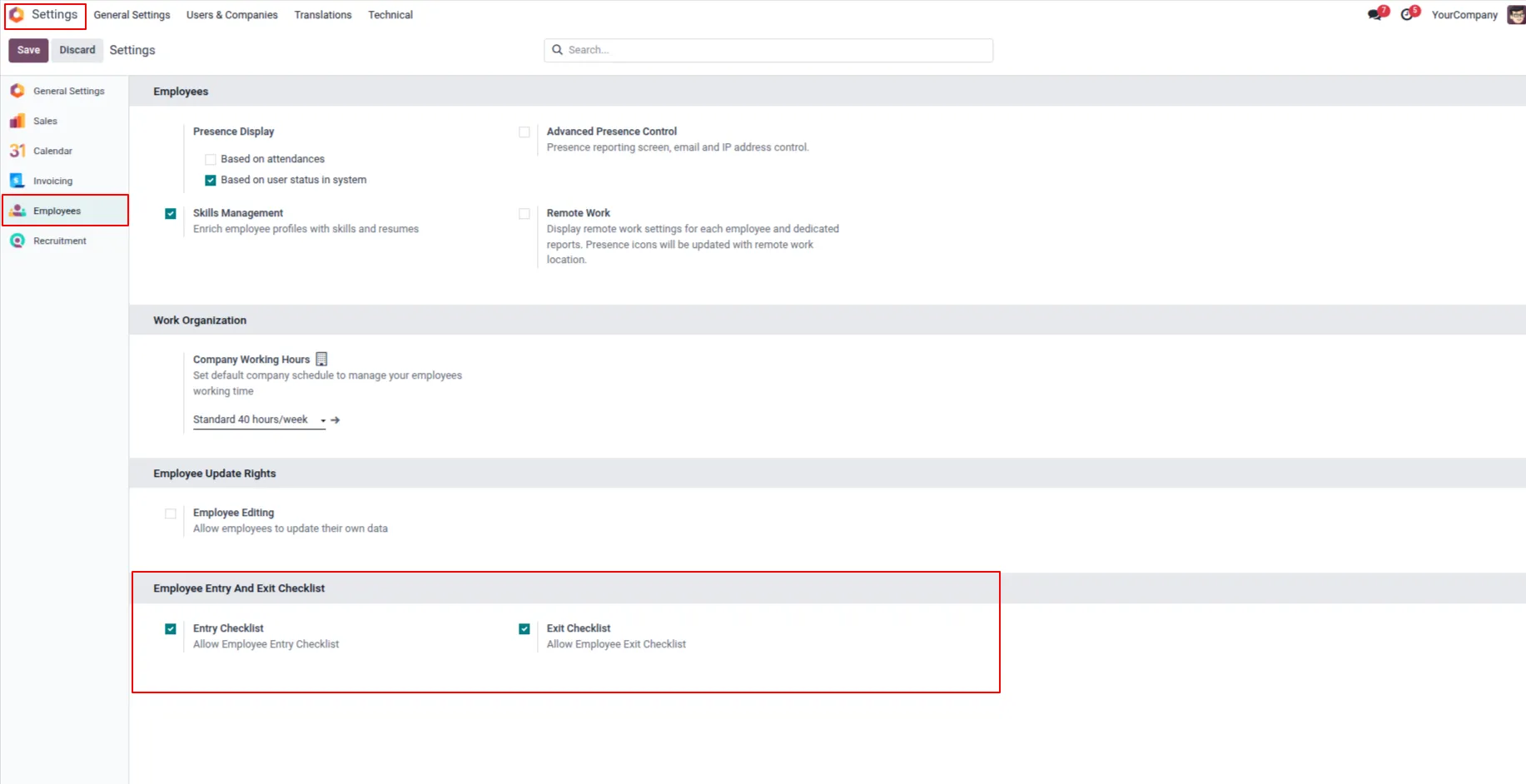
1. Go to Employees → Configuration → Settings and enable the Entry and Exit Checklist option by ticking the checkbox.
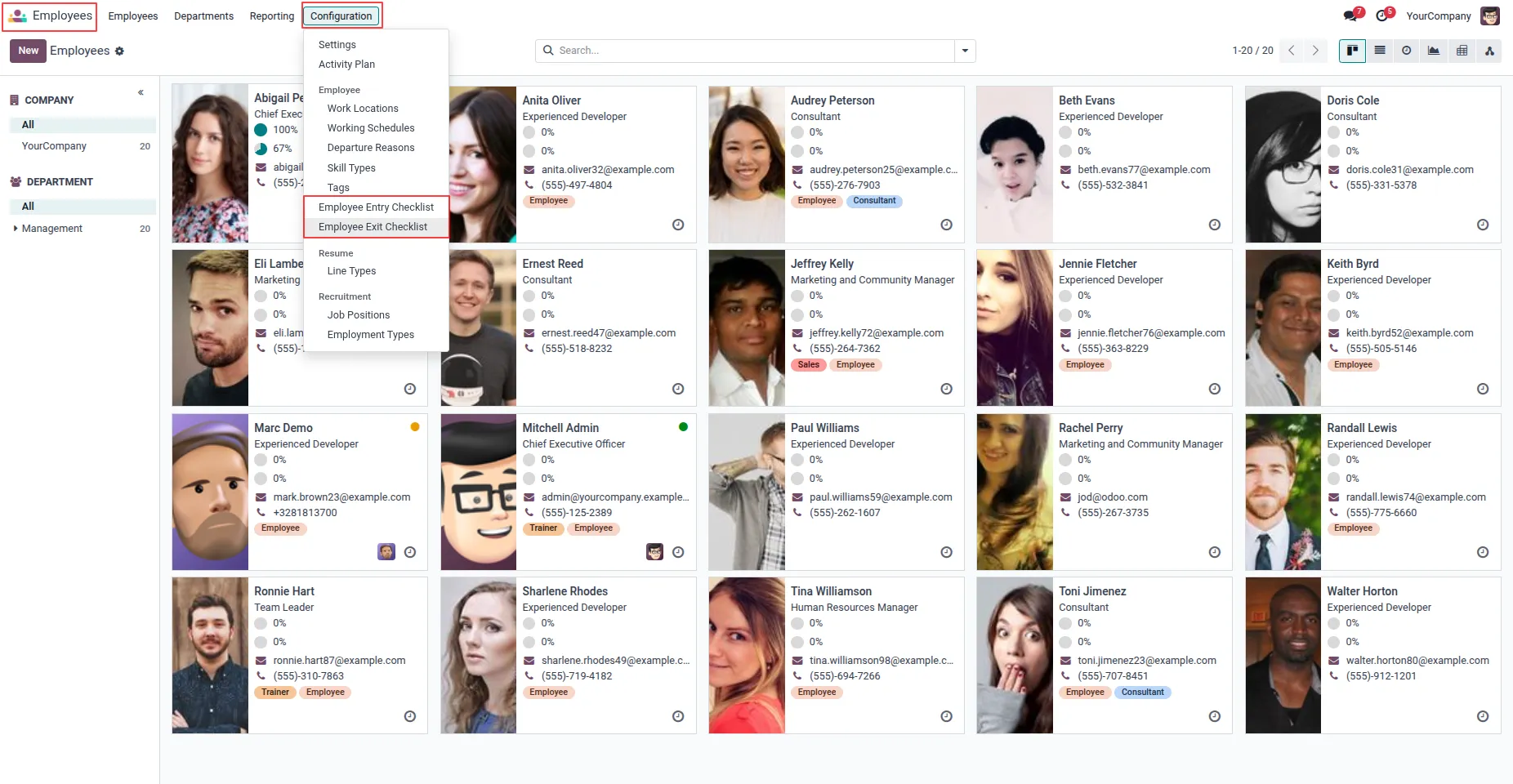
2. Go to Employees → Configuration → Employee Entry Checklist menu and create an entry checklist with a description.
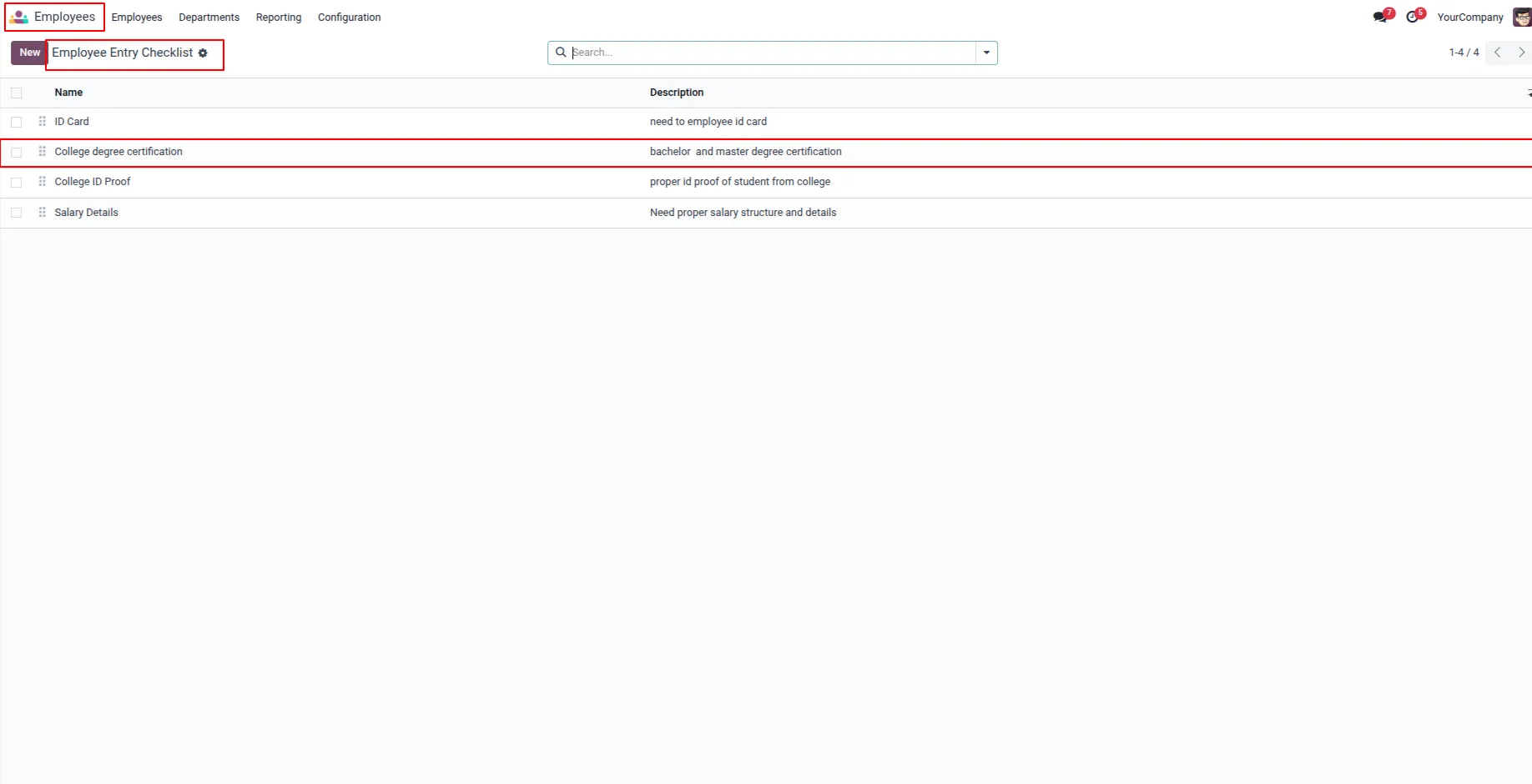
3. All entry checklist records are displayed in the tree view along with their name and description.
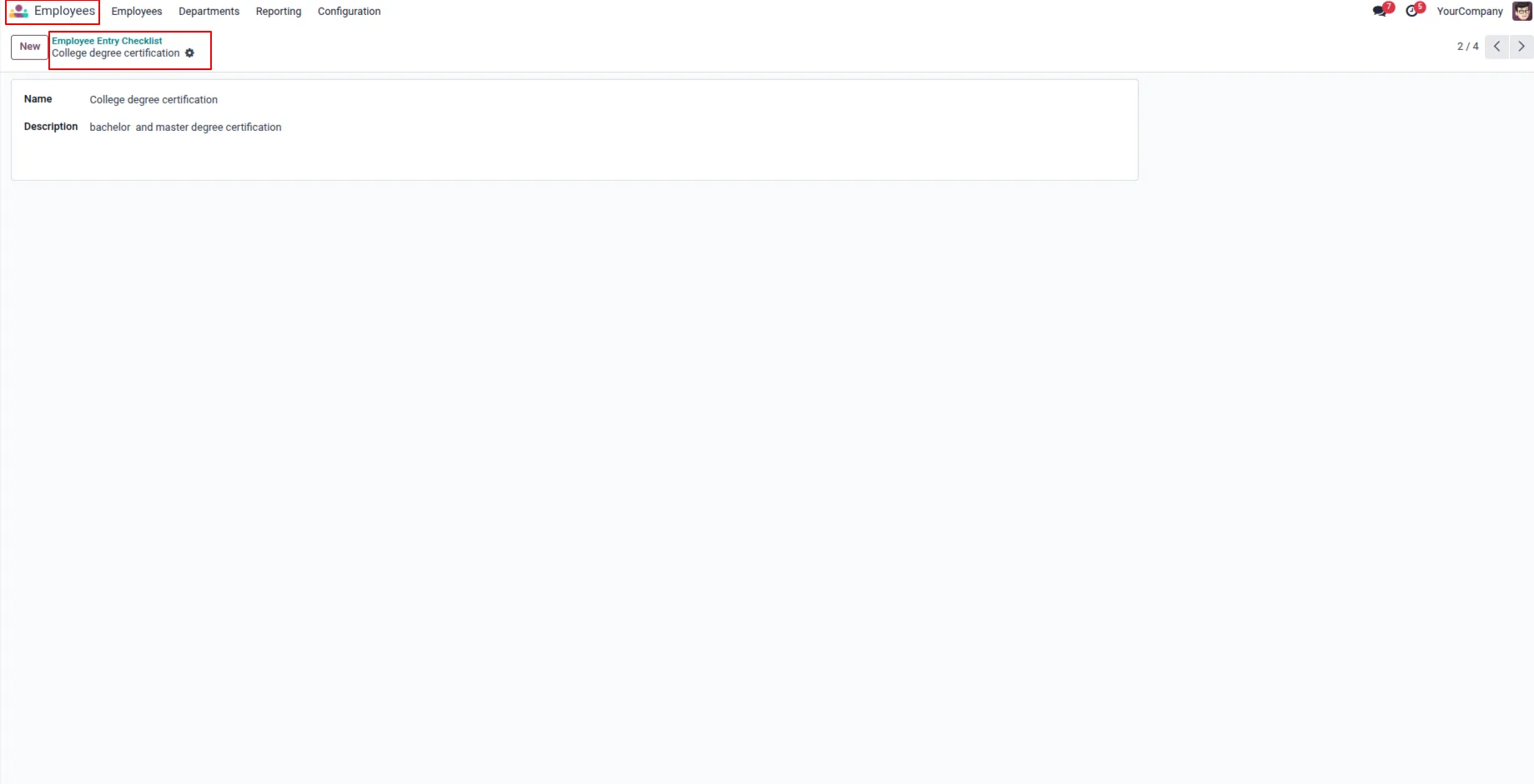
4. When a particular record inside the Entry Checklist records is clicked, its form view opens and displays the record name and description.
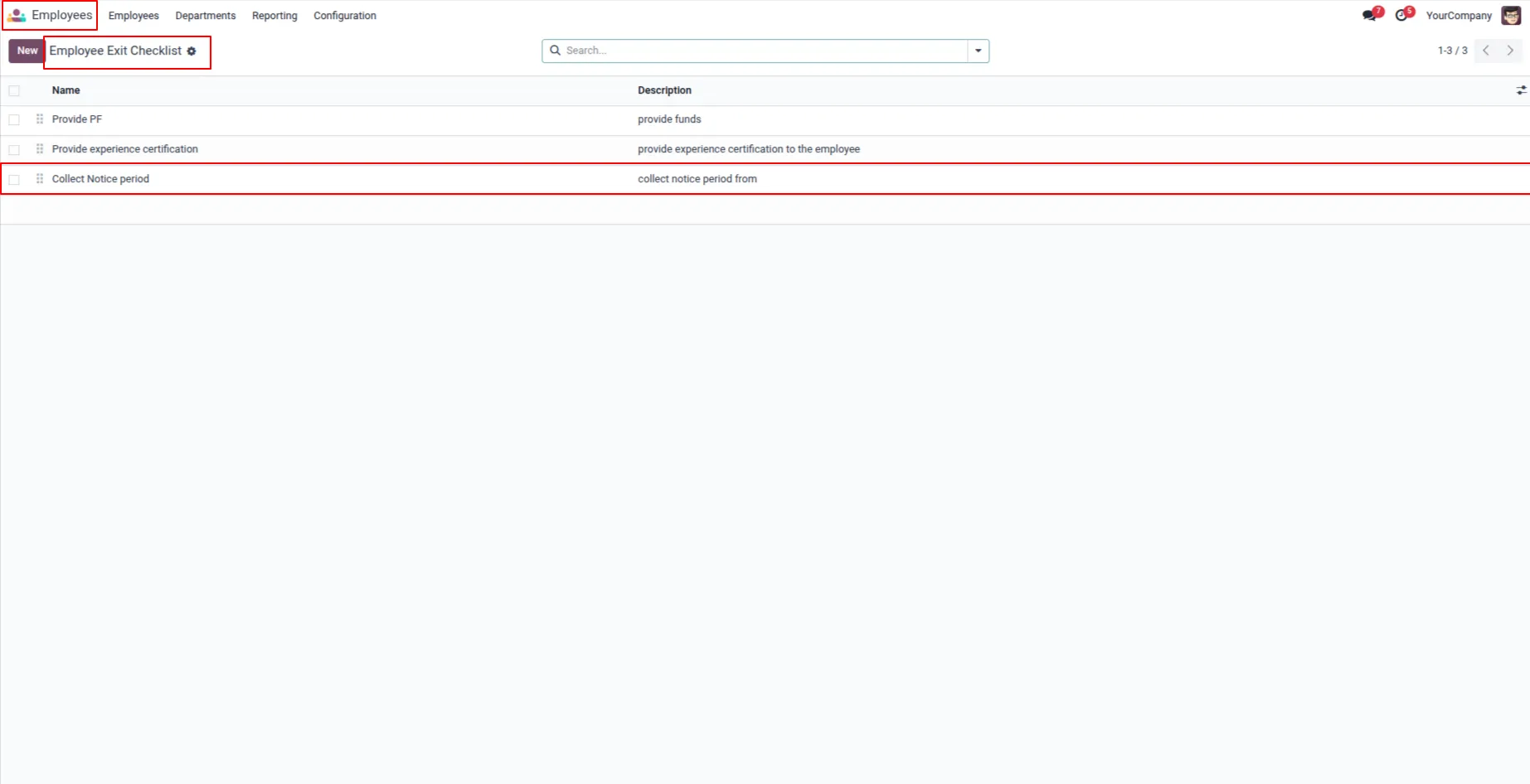
5. All Exit checklist records are displayed in the tree view along with their name and description.
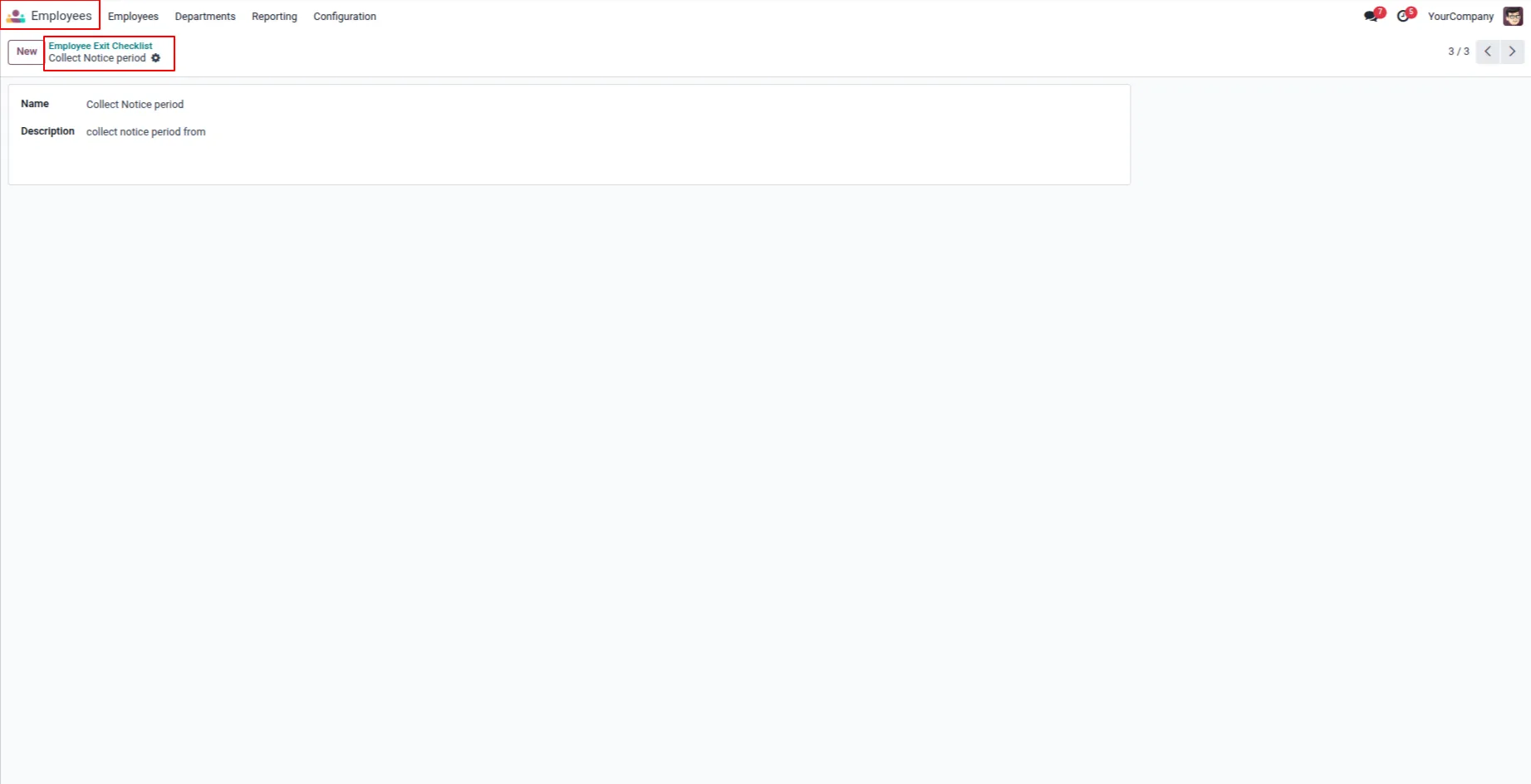
6. When a particular record inside the Exit Checklist records is clicked, its form view opens and displays the record name and description.
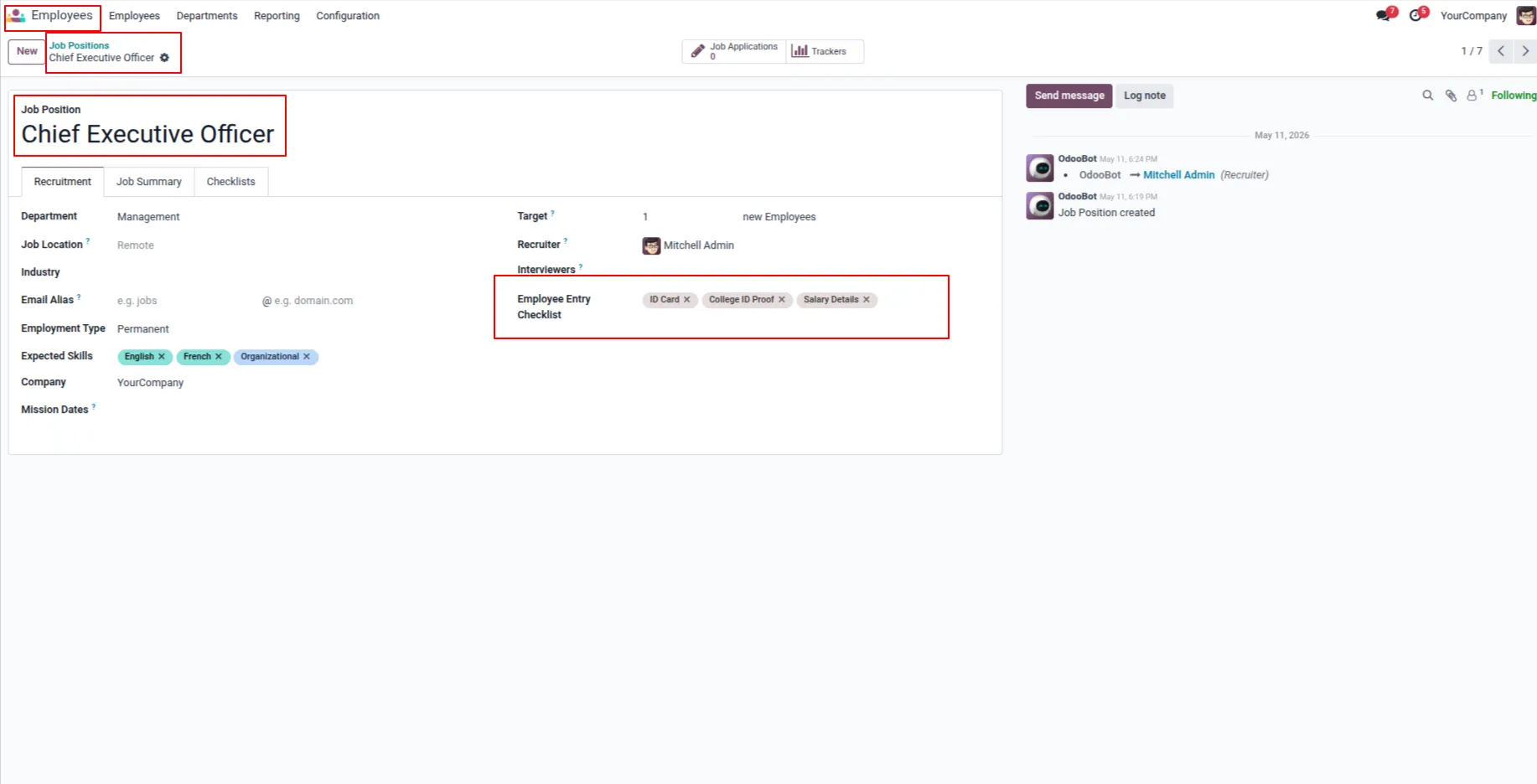
7. You can assign an Employee Entry Checklist based on the selected checklist in the Job Position, and it will automatically apply to the employee.
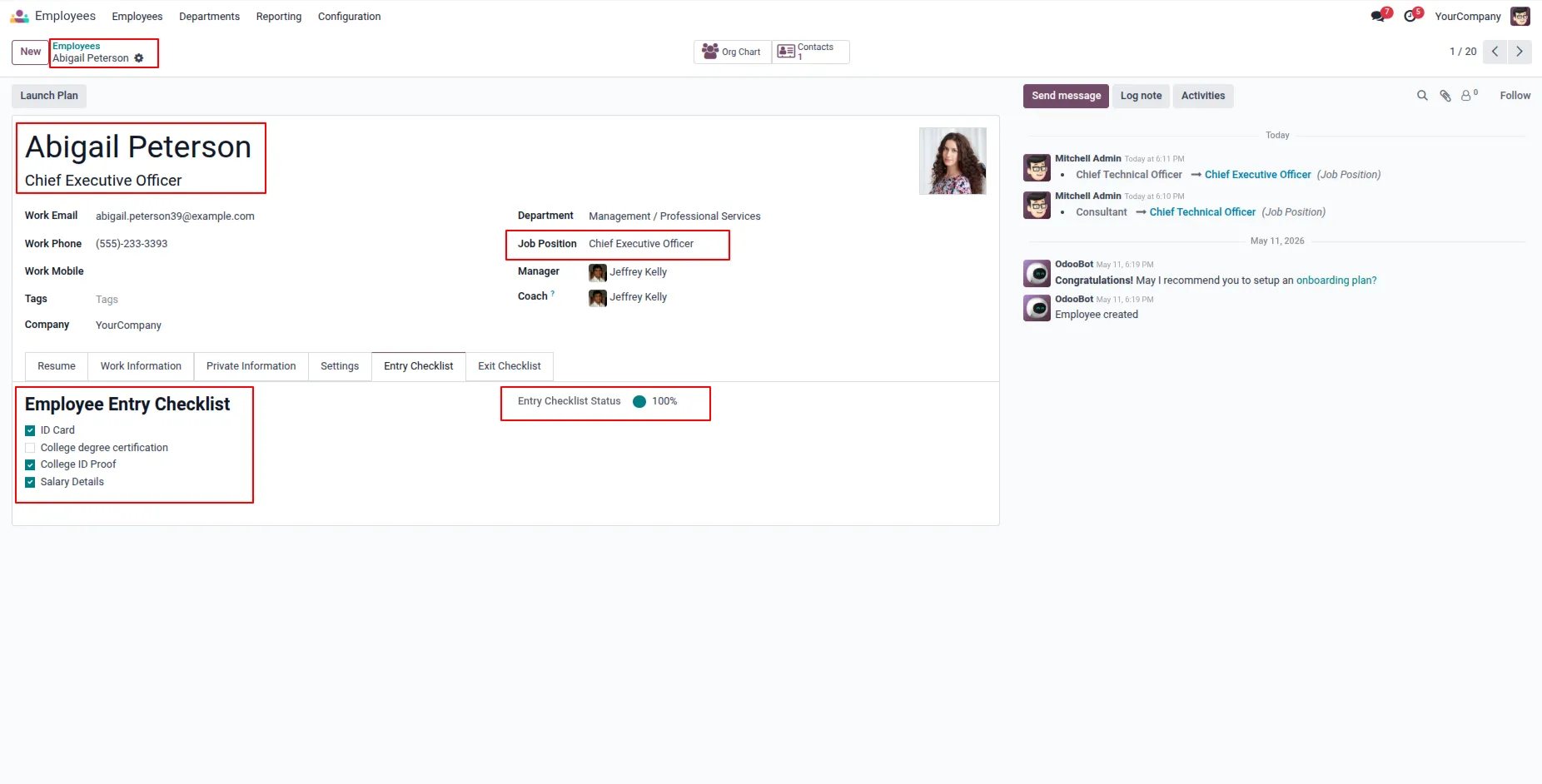
8. Under employee's form view, You can see employee entry checklist should applied based on job position, if you tick on entry checklist, based on that entry checklist status updated.
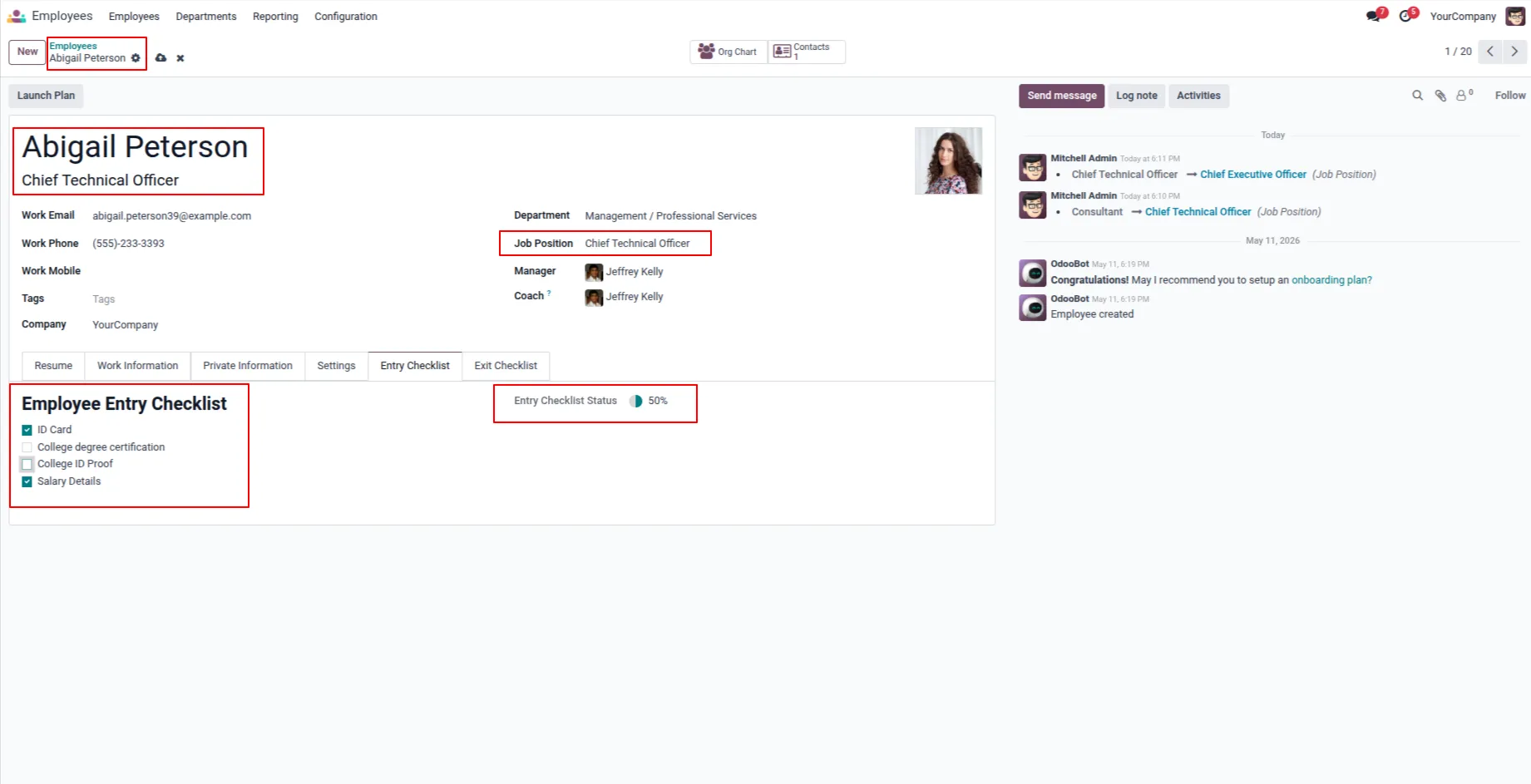
9. In the Employee Entry Checklist form view, if the employee’s job position is updated, the employee’s entry checklist will also update accordingly, and the employee manager can tick the checklist to update its status.
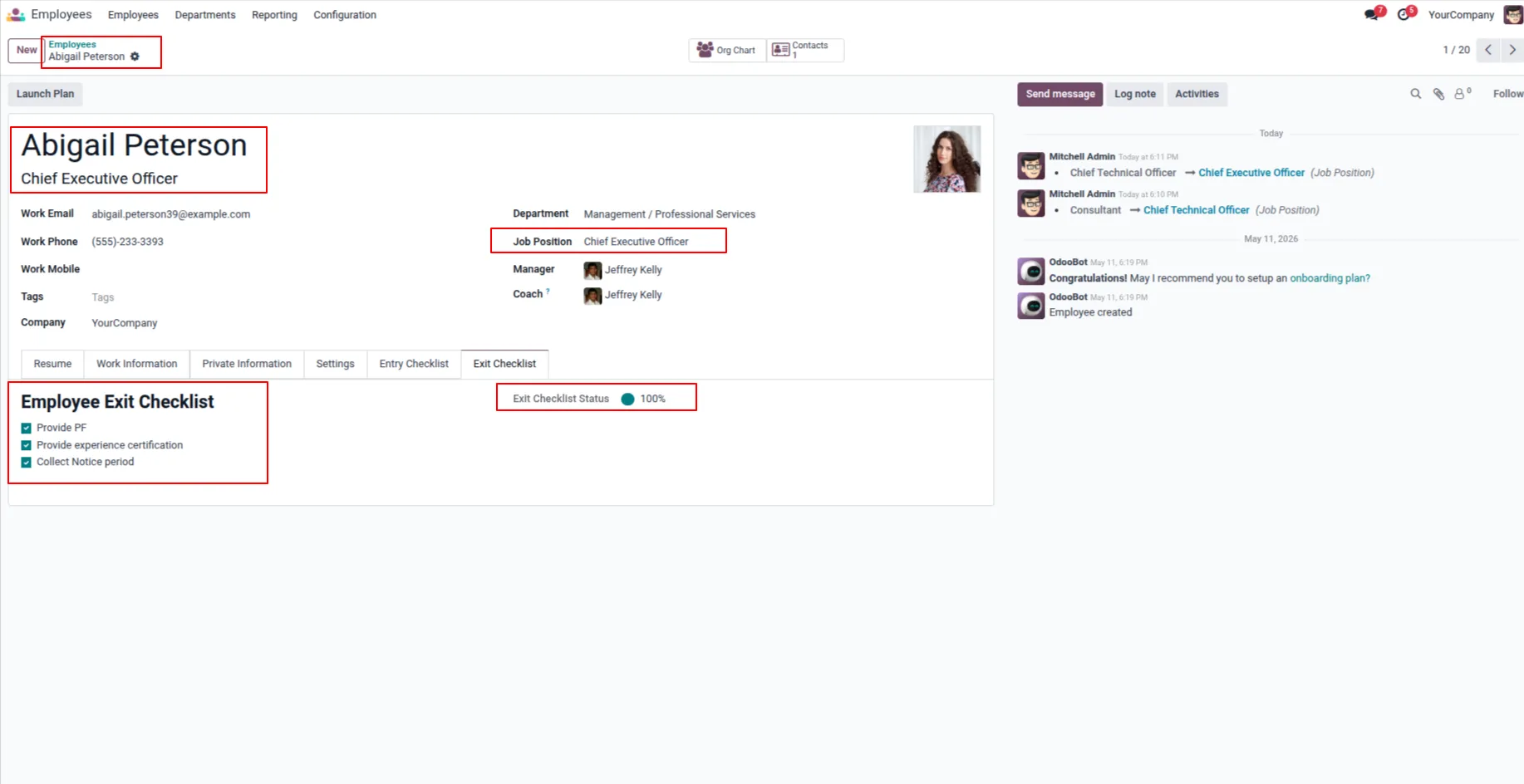
10. In the Employee Exit Checklist form view, the employee manager can tick the exit checklist, and the checklist status will be updated accordingly.
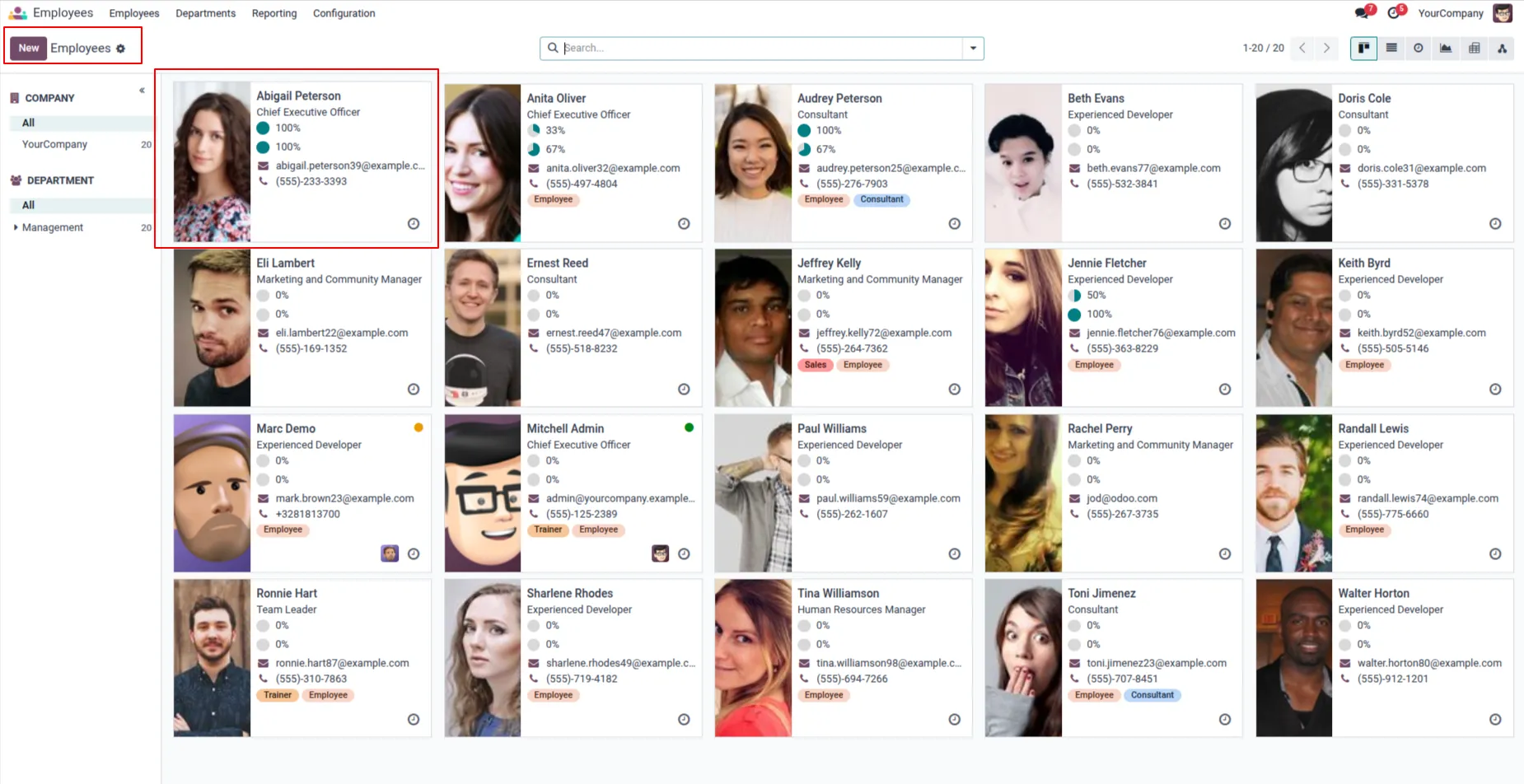
11. Display Employees Entry and Exit Checklist Status on Kanban View
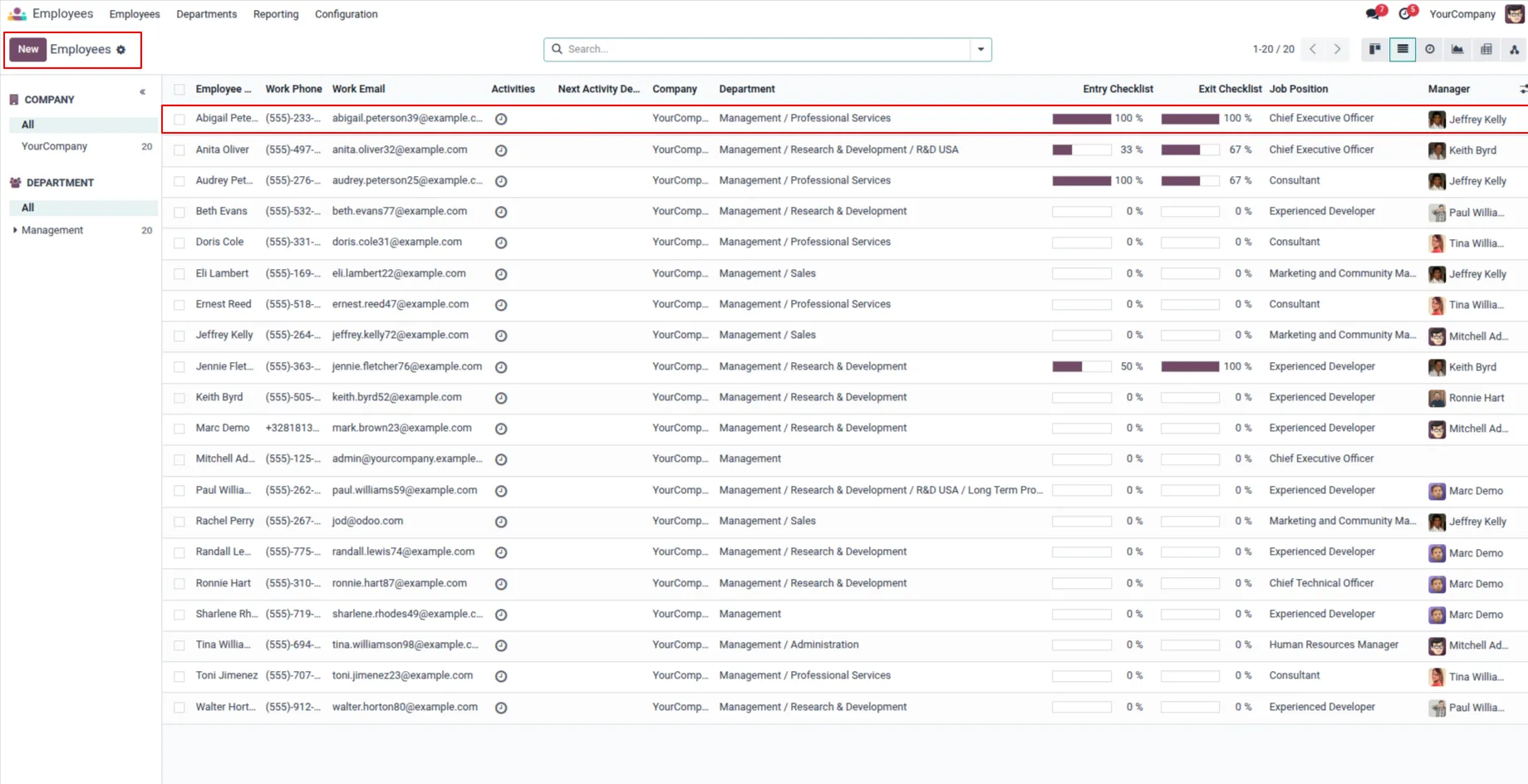
12. Display Employees Entry and Exit Checklist Status on List View
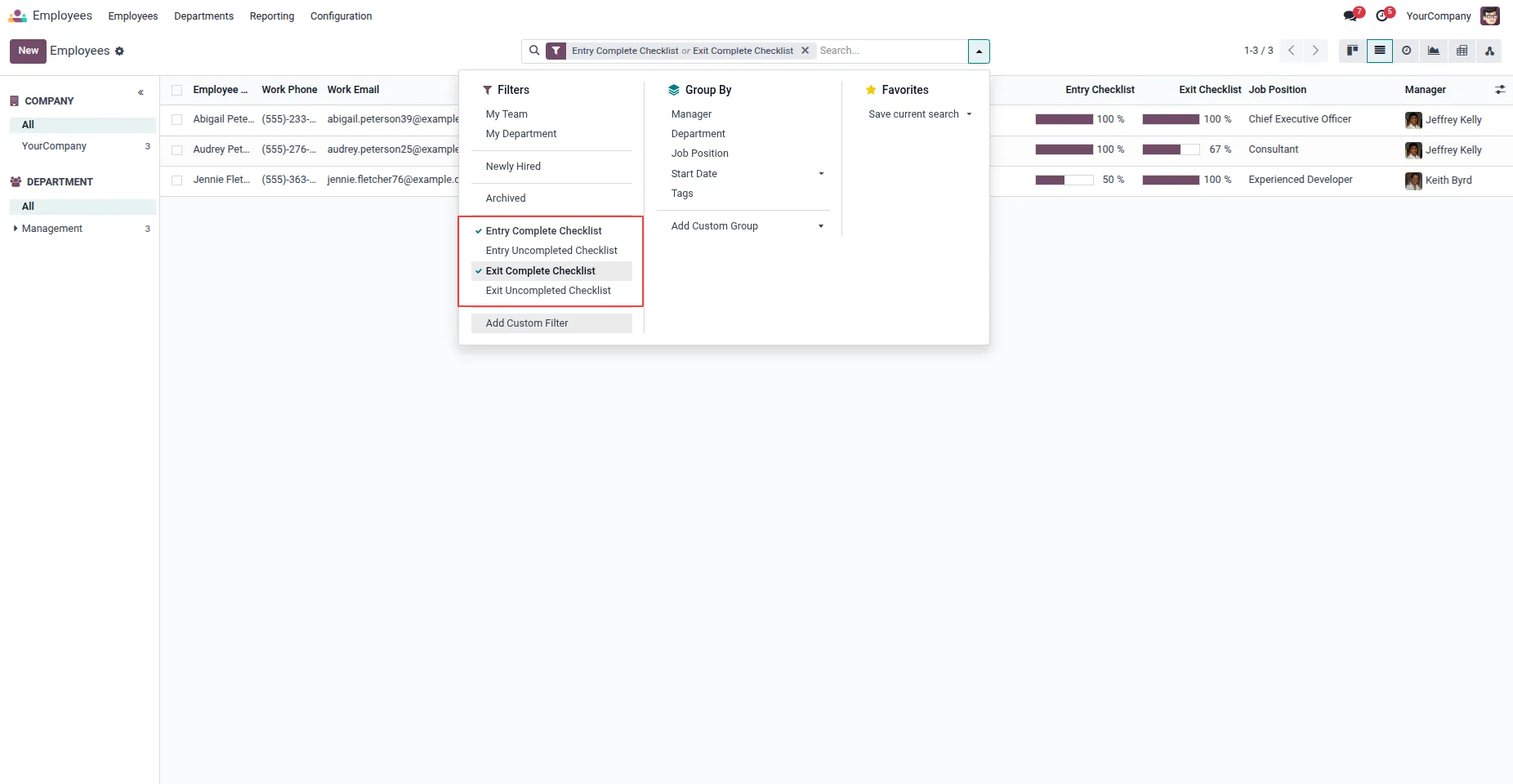
13. Added filters for Entry Completed Checklist, Entry Uncompleted Checklist, Exit Completed Checklist, and Exit Uncompleted Checklist. Based on the selected filter, employee records will be displayed accordingly. For example, if the Entry Completed Checklist filter is selected, then only employees whose Entry Checklist status is 100% completed will be shown.
Our solutions focus on your problems
- Odoo Implementation
- Odoo Customization
- ERP Development and Implementation
- Odoo Ipass Cloud
- AI for Odoo
- Odoo Apps
- Aws Marketplace Products
- Business Engines
Our Pricing includes User Manual, 90 Days Support (Monday-Friday 10am to 7pm IST) and One time Setup
• Works & tested on standard installations of Odoo with no third party apps,
• Free support only for odoo installations with no third party apps,
• Paid support available for Odoo installations with third party apps.

Prefortune is a Odoo Official Partner, Odoo Development company. Our philosophy is to use Open Source tools and technologies to provide cost effective and green solutions for our customers.
Prefortune Technologies LLP is working on web development, Mobile development, and Odoo ERP.
If you need any help or want more additional features, you may contact us through:
Alternative Products
These other products might interest you
Specifications
| Version | 19.0, 18.0, 17.0, 16.0, 15.0, 14.0 |