Watch Quick Video
Hide POS Customers | Odoo App
Our hide
Hide POS Customers App
is an easy and effective all-in-one way of controlling customer visibility in the Point of Sale. The
feature can be enabled at the company level, with individual contacts then marked as Hide In POS. This
will stop the contact appearing in the POS customer search and selection, while still remaining fully
available in the backend. This keeps a clean and relevant customer list, reduces selection errors and
improves the cashier checkout experience. We provide an easy to use configuration for the module that does
not delete or archive your customer records. It is a simple and effective solution to manage the POS
customer visibility in single or multi-company environments.
Hide POS Customers | Odoo App Features
- Hide selected contacts from POS customer list in one click.
- Enable or disable contact visibility control at company level.
- Set control visibility per customer with the option to Hide In POS.
- Keep hidden contacts available in the backend but exclude them from POS.
- POS efficiency. Cleaner, more relevant customer database.
Complete Workflow for Manage Hide POS Customers App
In **Settings → Companies** toggle **Hide POS Contacts** on or off for the company you want. Then, open **Contacts** and edit the customer you want to hide. Check **Hide In POS** on the contact form and save the record. After configuration, open the **Point of Sale** session and go to the list of customers. Contacts marked as **Hide In POS** will no longer show up in the POS customer search or selection. However, the contacts will still be fully available in the backend for other business operations. This leaves a clean and controlled customer list in POS without affecting the contact records.
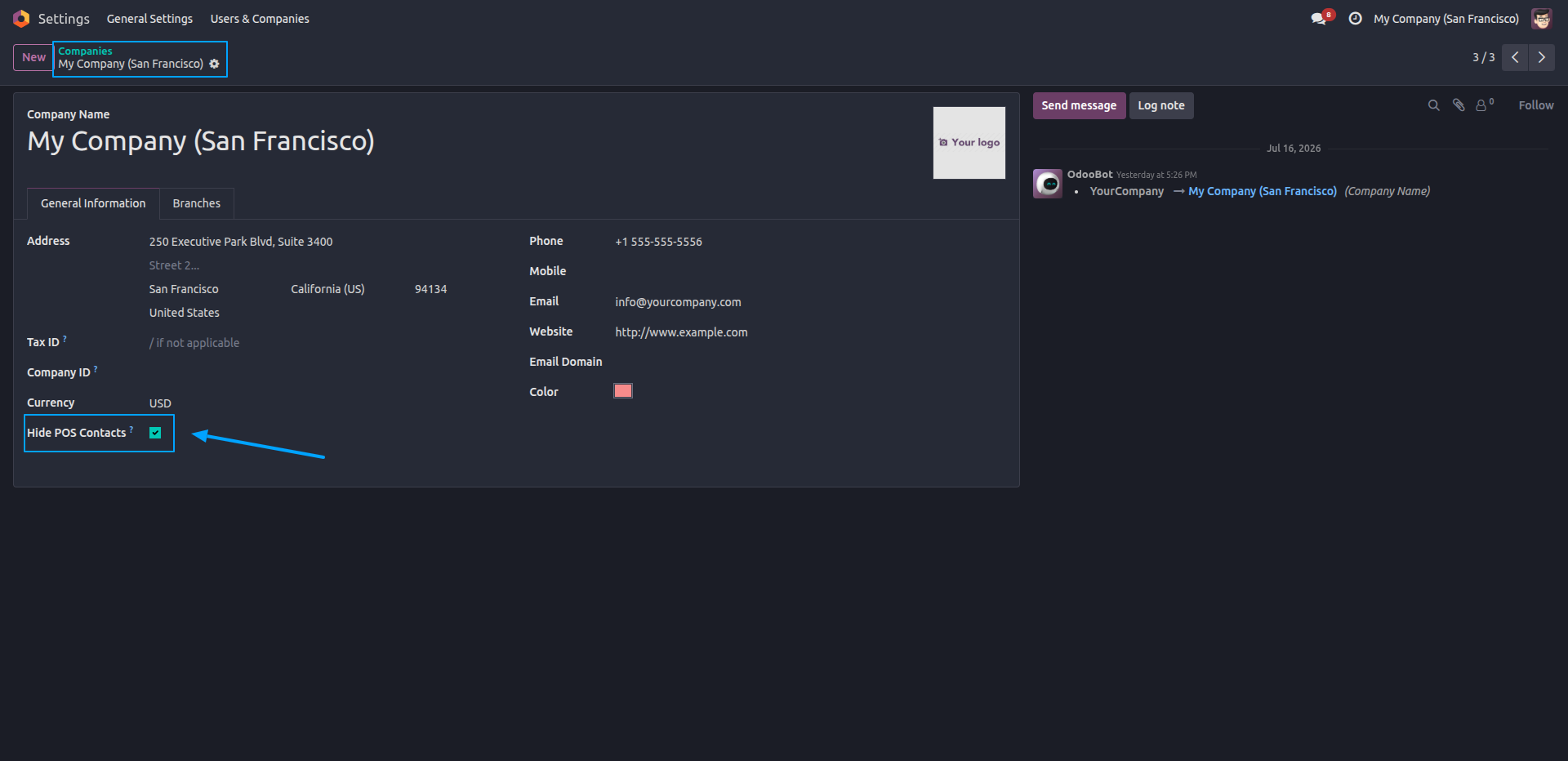
1.Enable the "Hide POS Contacts" option in the company settings to activate contact filtering for the selected company.
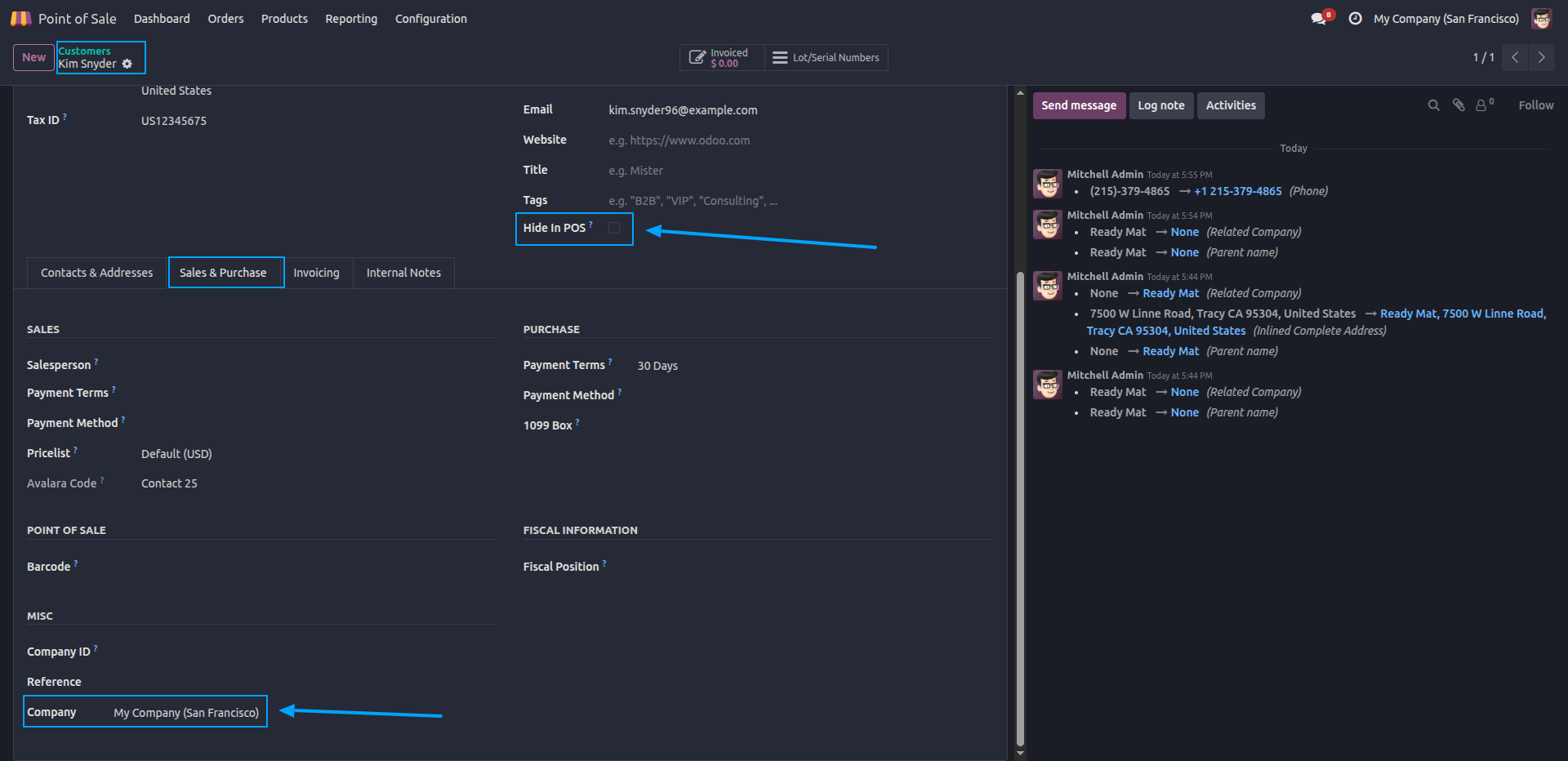
2.Open the desired contact and enable the "Hide In POS" option to exclude the customer from the POS customer list.
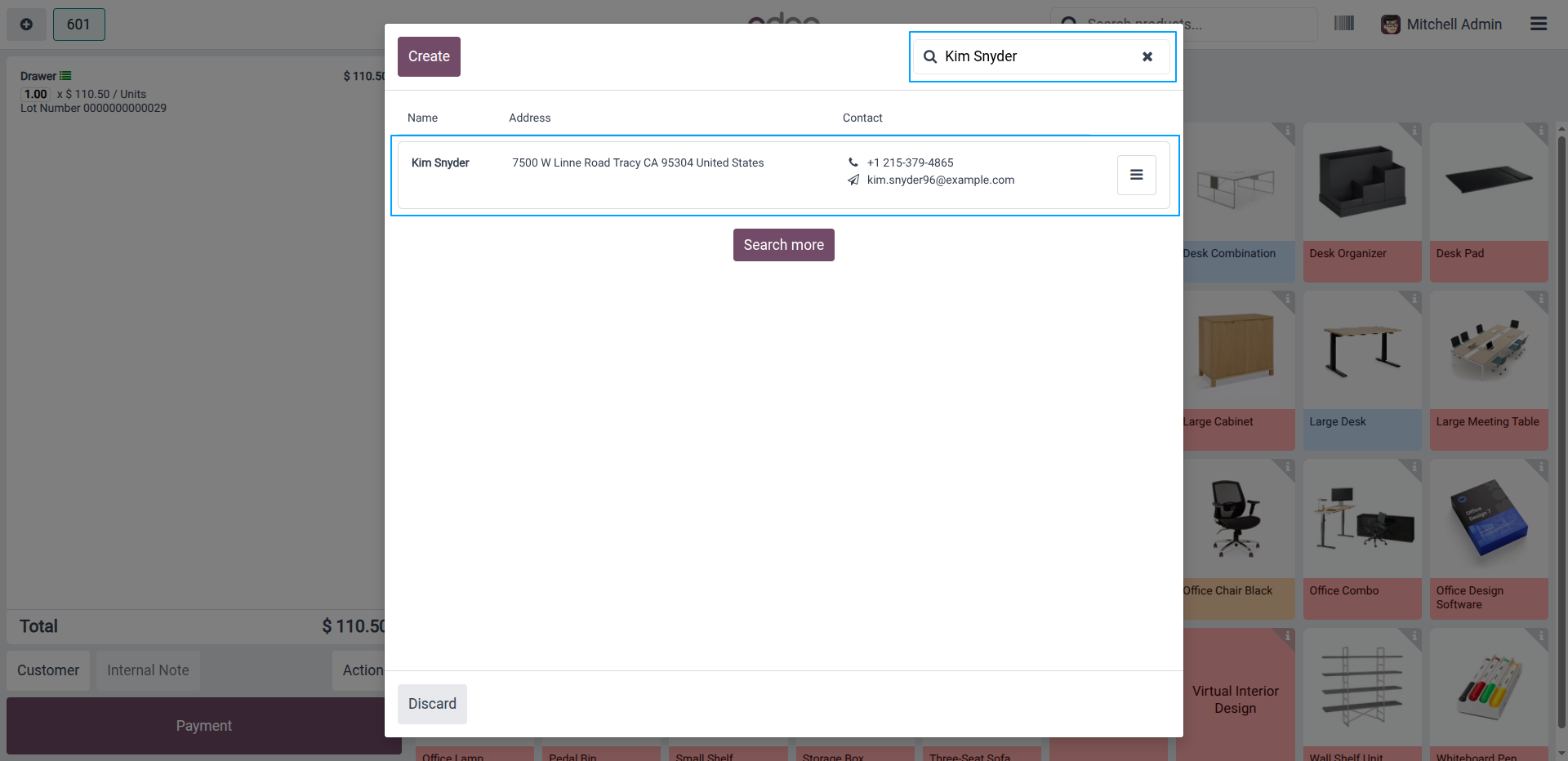
3.In the POS customer selection window, the contact is visible and searchable when the "Hide In POS" option is disabled.
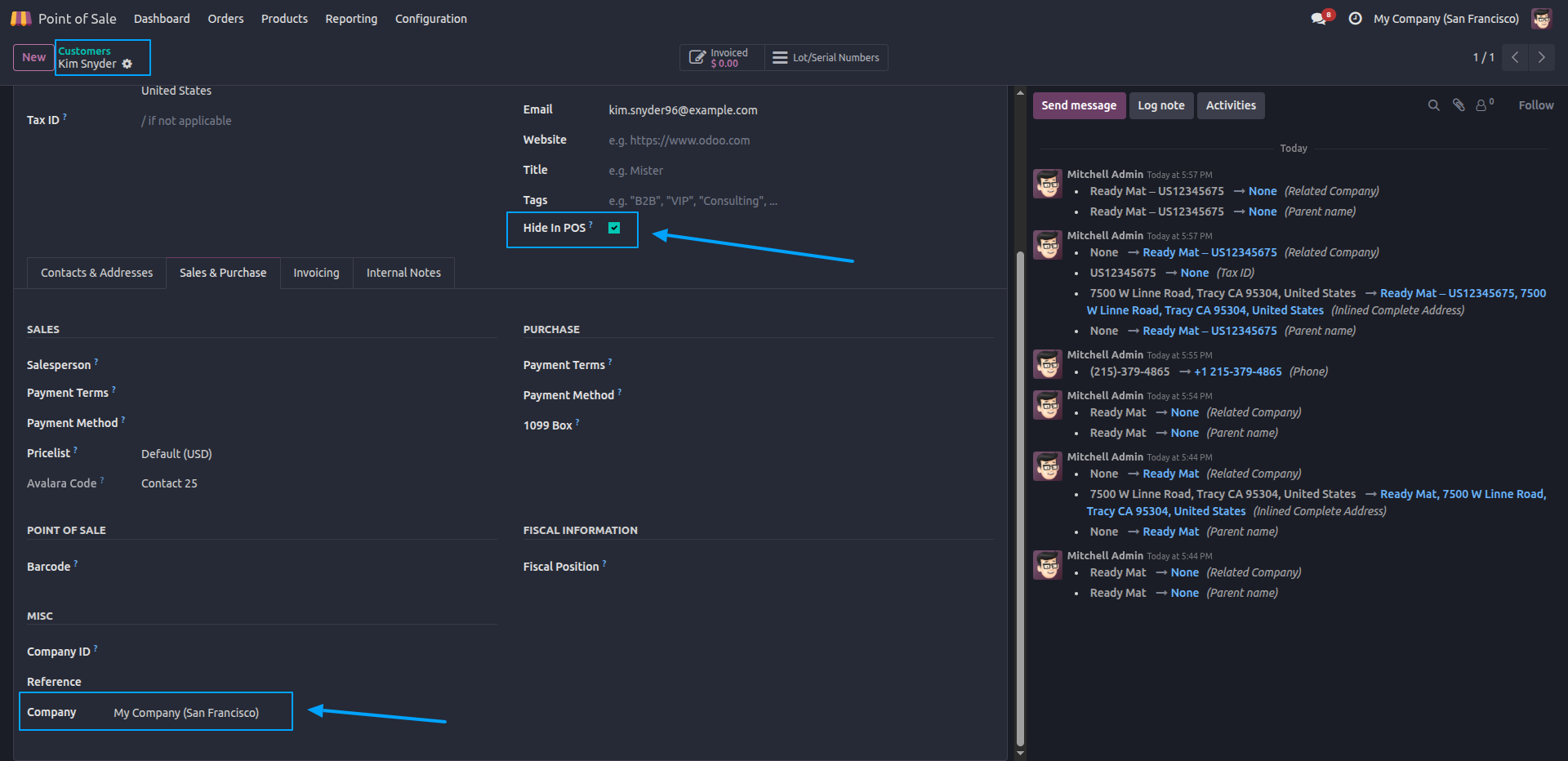
4.After enabling "Hide In POS" and saving the contact, the customer is marked to be hidden from the POS.
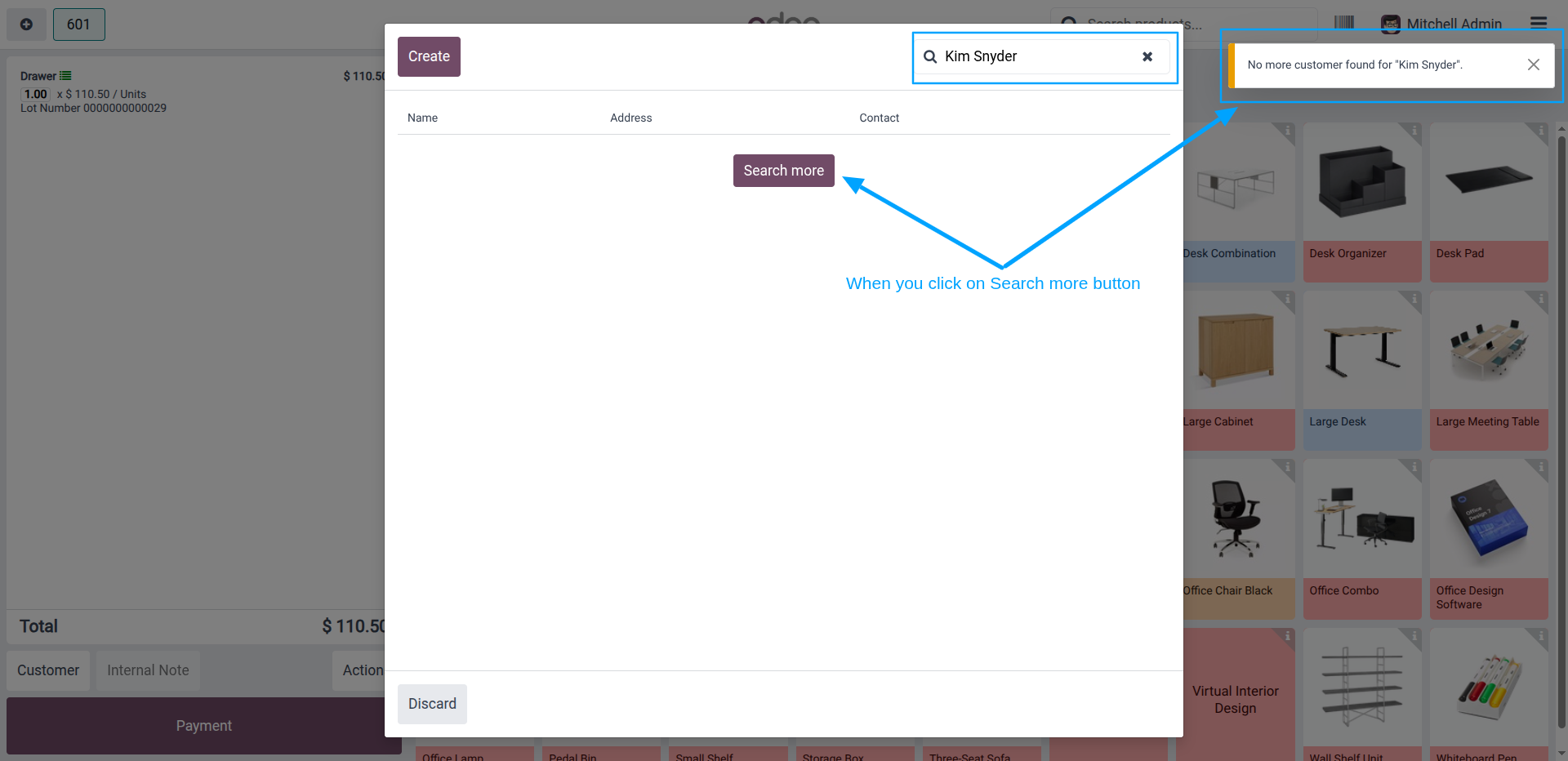
5.Searching for the hidden contact in POS returns no results, confirming the customer is no longer available for selection.
Our solutions focus on your problems
- Odoo Implementation
- Odoo Customization
- ERP Development and Implementation
- Odoo Ipass Cloud
- AI for Odoo
- Odoo Apps
- Aws Marketplace Products
- Business Engines
Our Pricing includes User Manual, 90 Days Support (Monday-Friday 10am to 7pm IST) and One time Setup
• Works & tested on standard installations of Odoo with no third party apps,
• Free support only for odoo installations with no third party apps,
• Paid support available for Odoo installations with third party apps.

Prefortune is a Odoo Official Partner, Odoo Development company. Our philosophy is to use Open Source tools and technologies to provide cost effective and green solutions for our customers.
Prefortune Technologies LLP is working on web development, Mobile development, and Odoo ERP.
If you need any help or want more additional features, you may contact us through:
Alternative Products
These other products might interest you
Specifications
| Version | 19.0, 18.0, 17.0, 16.0, 15.0, 14.0 |