Watch Quick Video
Hide Any Menu,Submenu, Field and Reports Pro Odoo App
Our efficient
Odoo – Hide Any Menu,Submenu, Field and Reports Pro
app simplifies system management by allowing administrators to control visibility of menus, submenus, fields, and reports at both user and group levels. This module enhances security and usability by ensuring users can only access elements relevant to their roles, creating a clean and controlled working environment across the system.
It provides flexible options for managing access control:
1. User-Level Configuration: Hide menus, submenus, fields, and reports for specific users to restrict access to sensitive or unnecessary features.
2. Group-Based Access Control: Apply visibility rules based on user groups, making it easy to manage permissions for multiple users at once.
3. Dynamic Field Control: Set fields as readonly or invisible directly from configuration without any code changes.
4. Controlled Visibility: Users can only see the elements assigned to them, reducing confusion and preventing unauthorized actions.
5. Seamless System Integration: All restrictions are automatically applied across forms, views, and reports without affecting the normal workflow.
Hide Any Menu,Submenu, Field and Reports Pro Odoo App
- Easily hide any menu or submenu for specific users to create a clean and role-based interface.
- Restrict menus, reports, and features based on user groups for better security and structured access control.
- Enable or disable report access for individual users or groups to prevent unauthorized data access.
- Set any field as readonly or invisible dynamically based on user or group permissions.
- Real-time UI changes without code modification, improving user experience and reducing clutter.
Complete Workflow for Hide Any Menu,Submenu, Field and Reports Pro Odoo App
Enable the Hide Any Menu,Submenu, Field and Reports Promodule from Settings or install the app and configure visibility rules in the User or Group for Select which Menus, Submenus, Fields, and Reports you want to hide or restrict.When users navigate through the system, they will only see the allowed elements as per their access.The system will automatically apply restrictions across all forms and views.Fields can be set as Readonly or Invisible to control data access.This ensures secure access control, improves usability, and maintains a clean workflow.
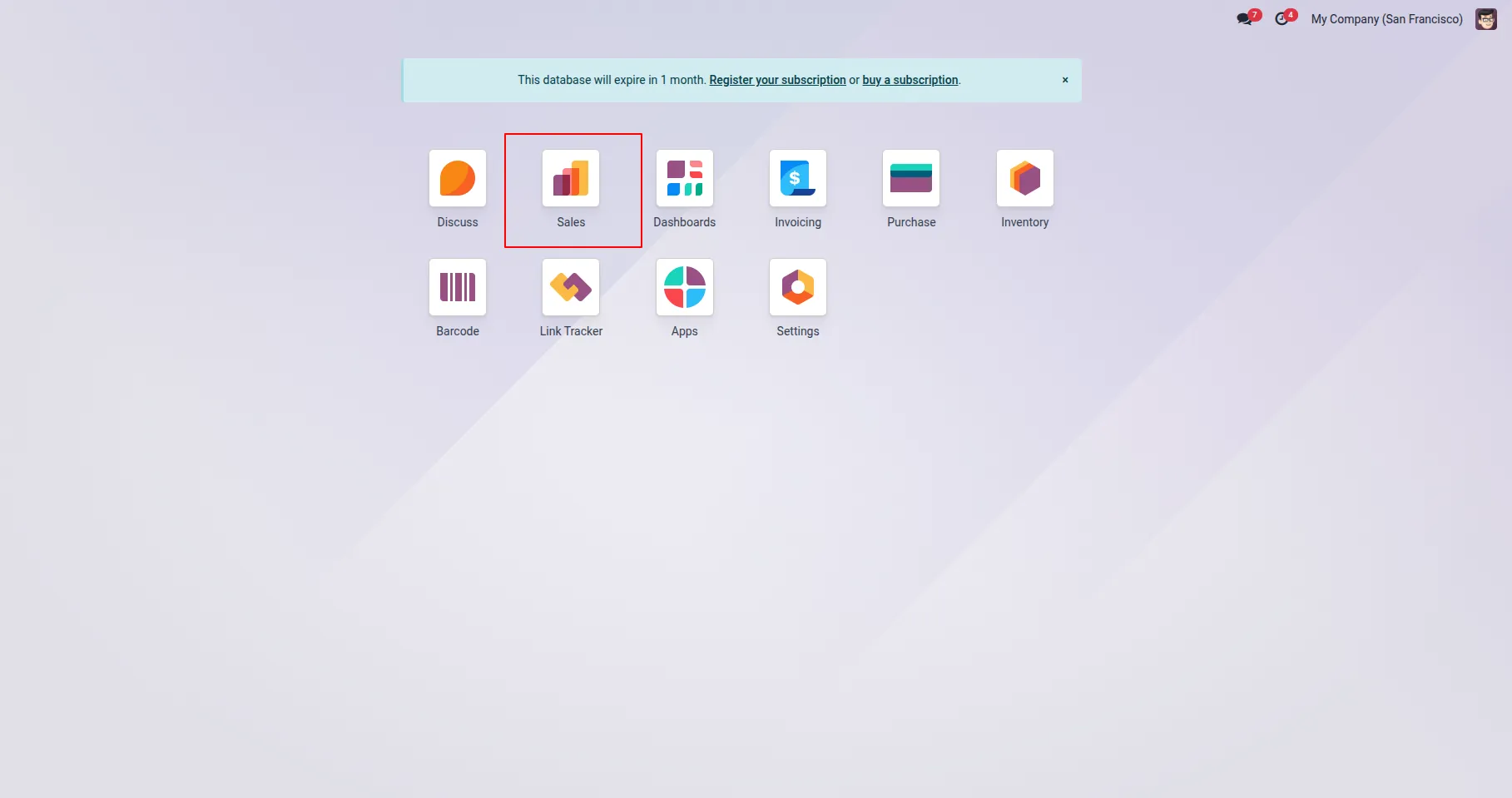
1. Users can only see the menus that are allowed for them.
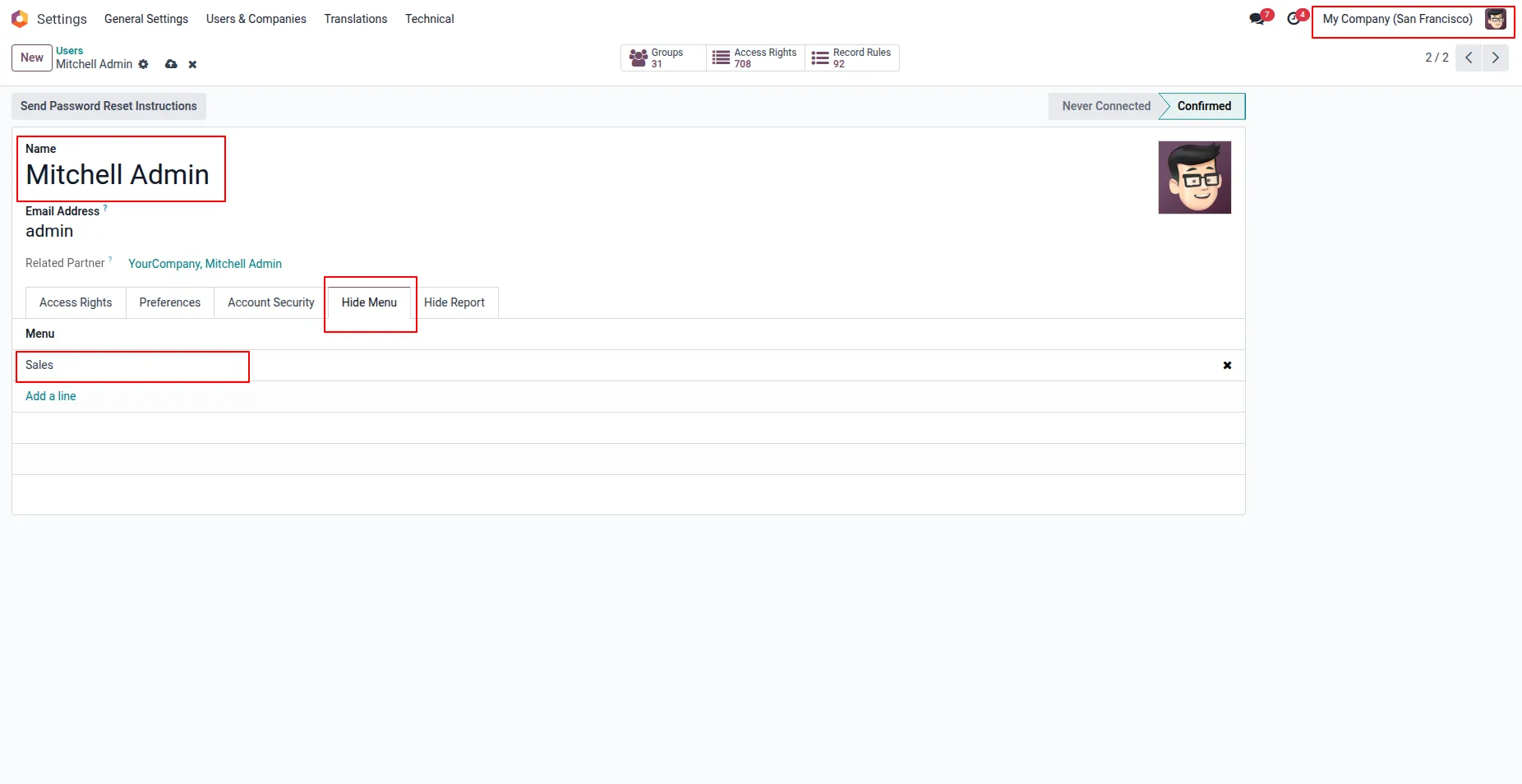
2. Under Settings > User & Companies > Users menu user can "Hide Menu" tab, User have to add menu that he/she wants to hide for particular user.
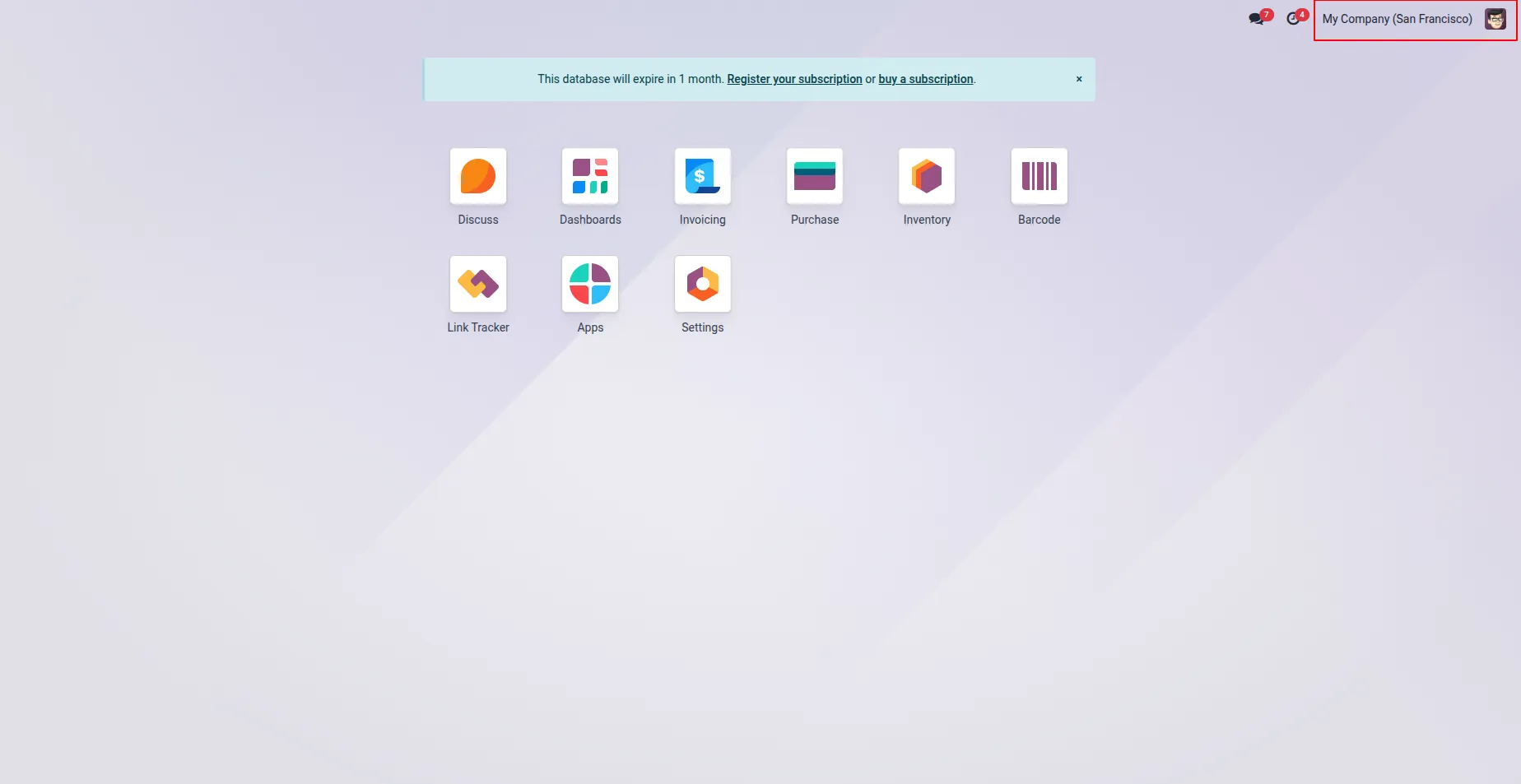
3.User can see here selected menus are hidden/invisible for user.
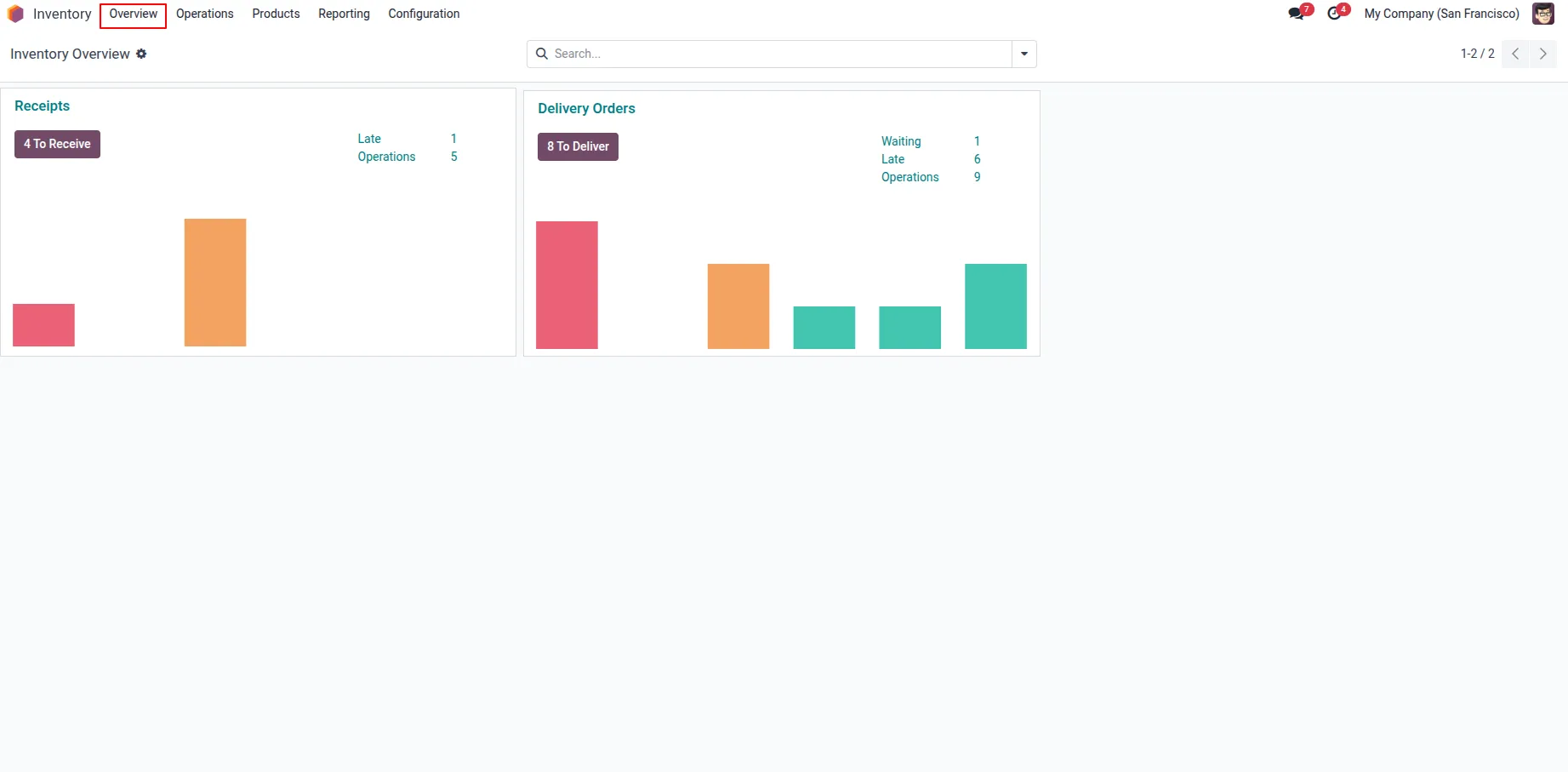
4.User have option to hide menu also from Settings > User & Companies > Groups menu.
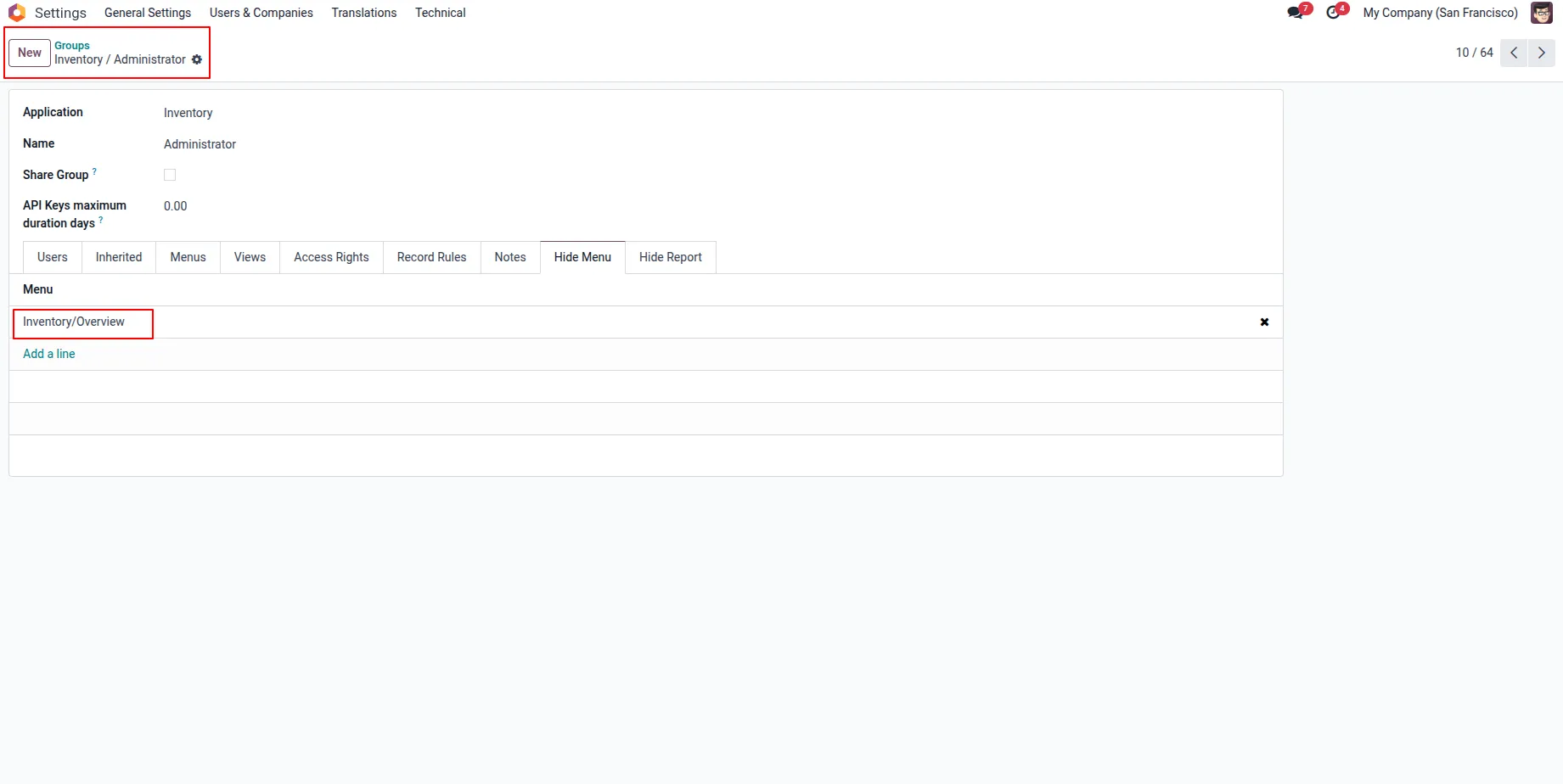
5.On Groups form view user can see "Hide Menu" tab, here user have to select menu items that he/she wants to hide from specific groups, users belongs to this groups also can not see selected menus.
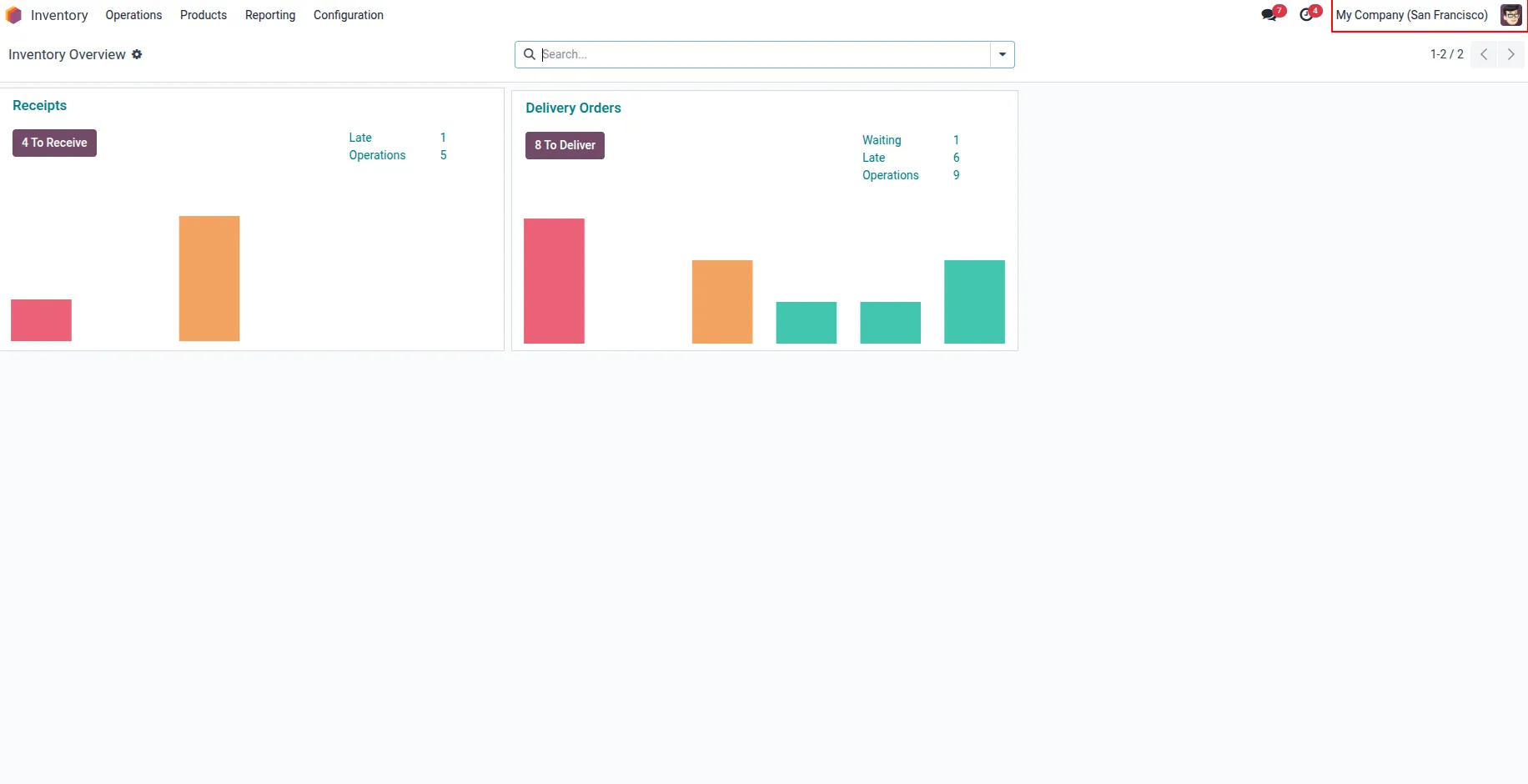
6.User can see selected menu on groups are hidden/invisible.
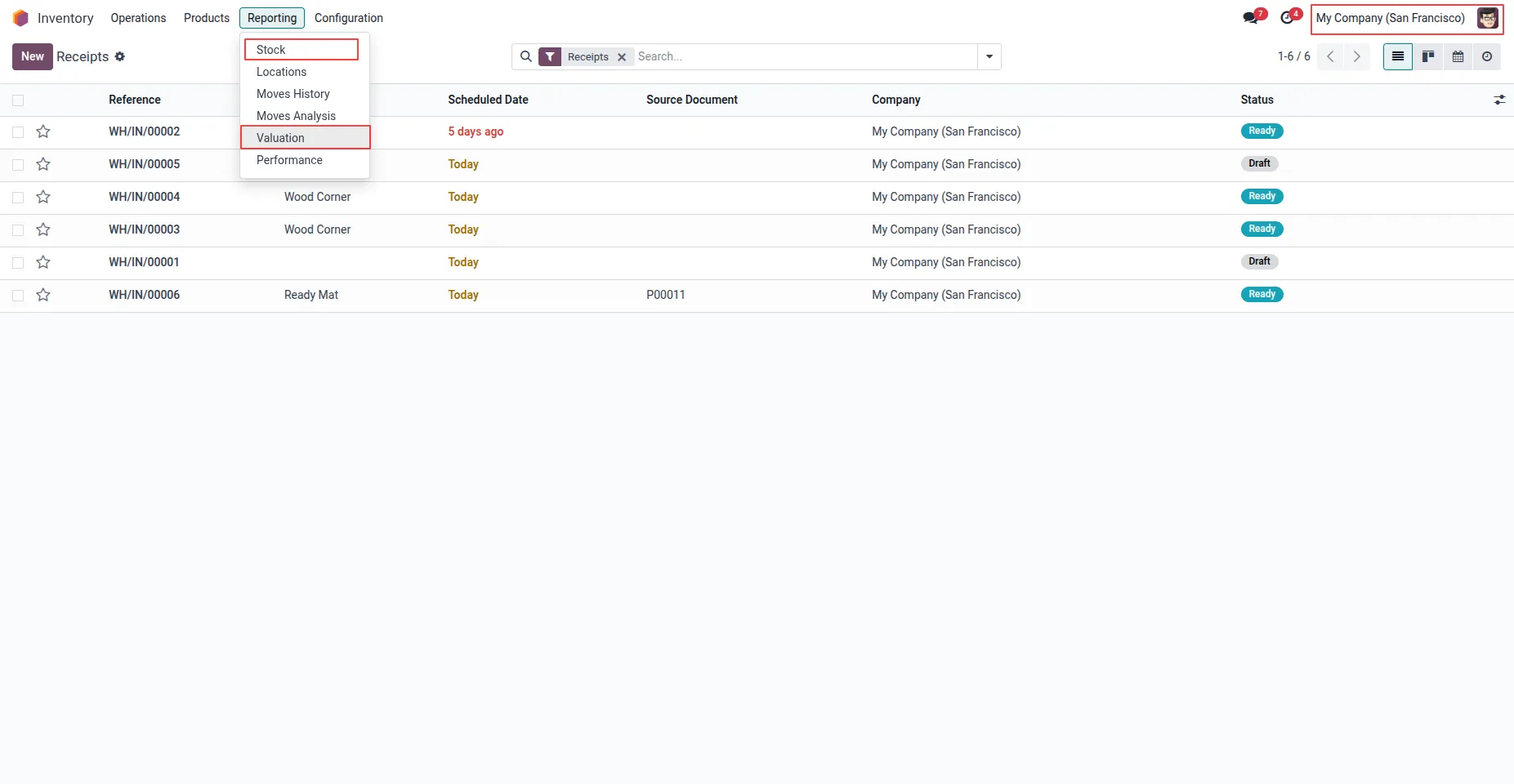
7.User can hide submenu from both user or groups configuration. User can see visible submenu for user.
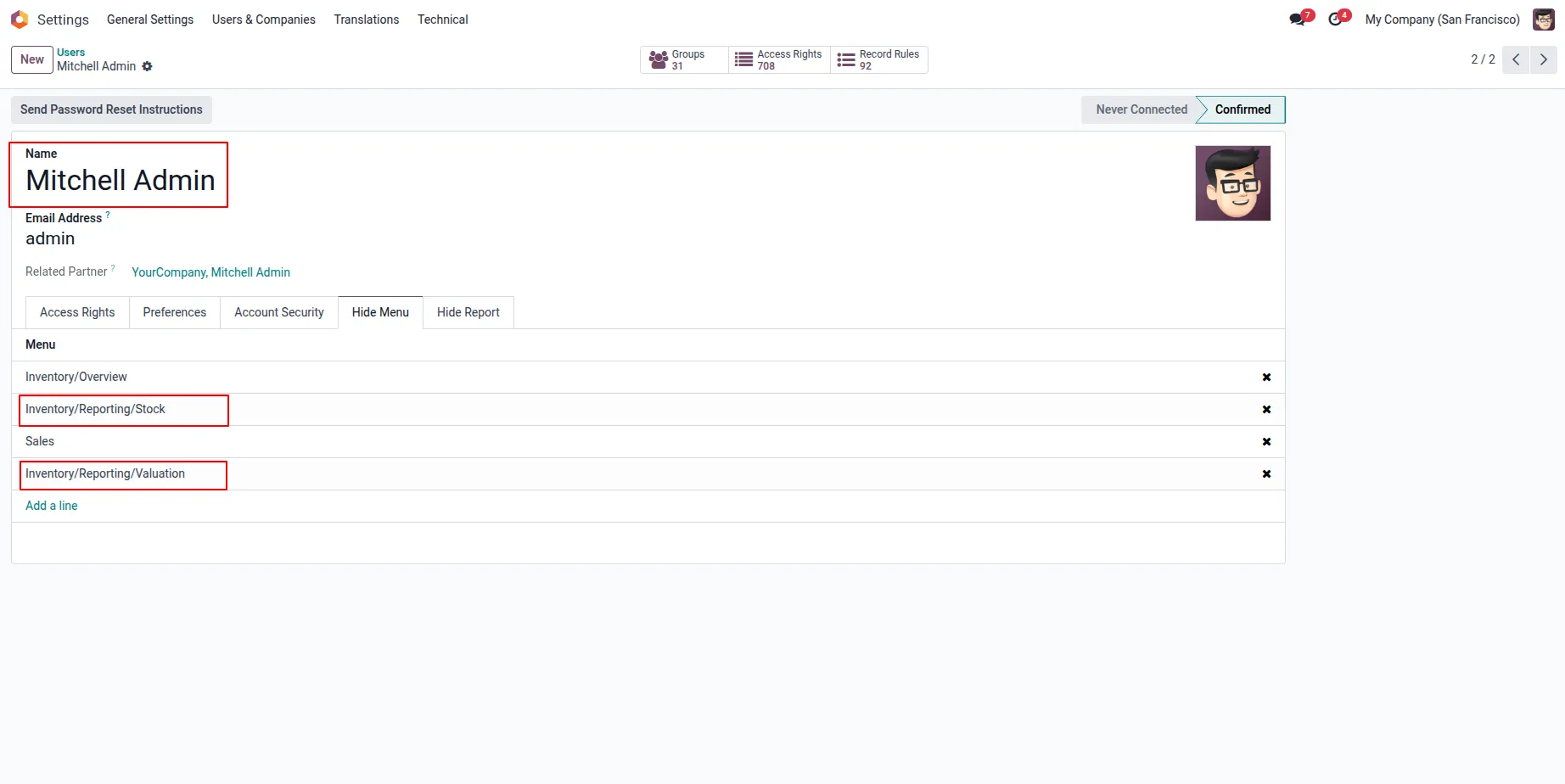
8.User heve to add submenu that he/she wants to hide by adding "Hide Menu' tab.
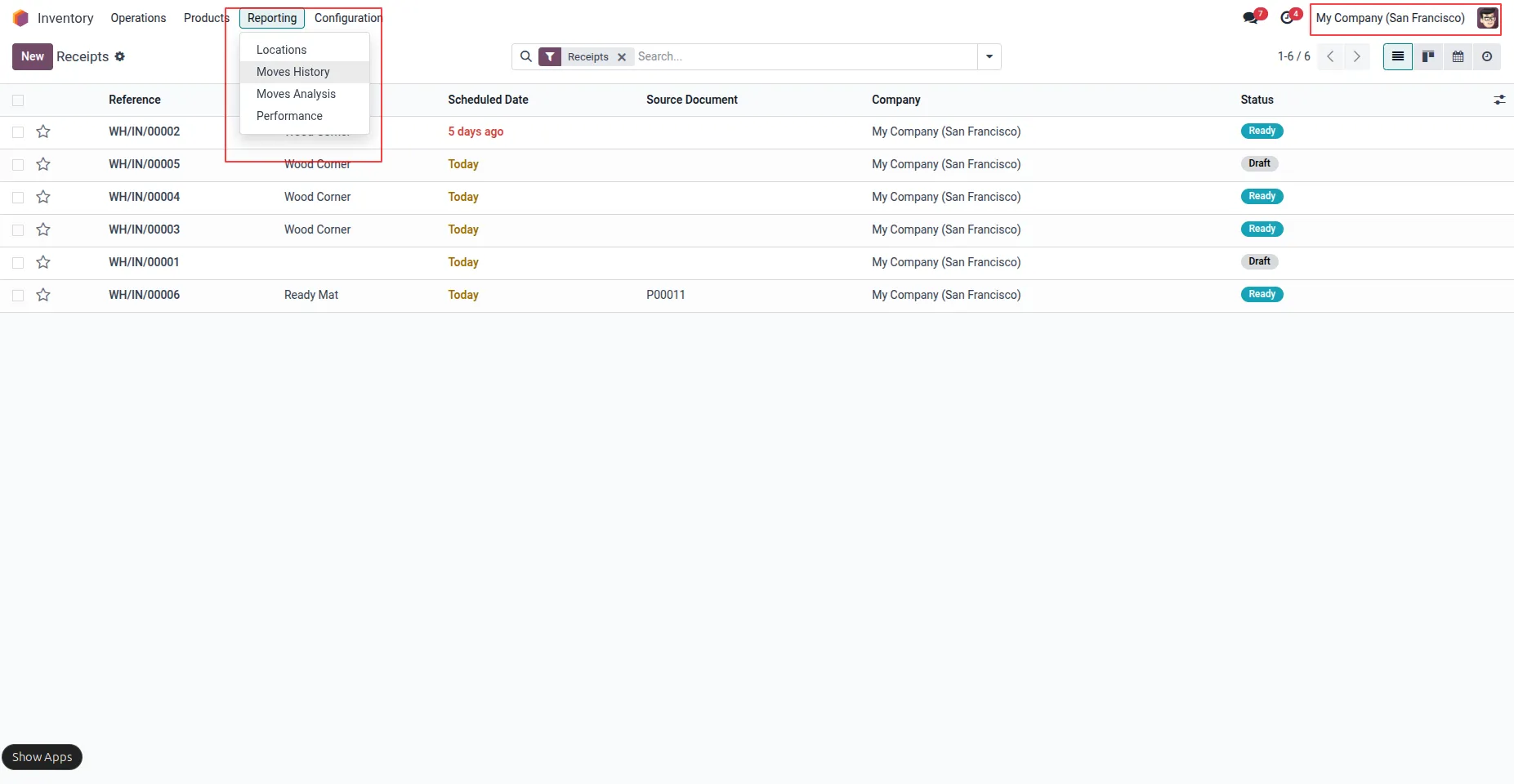
9.User can see selected submenus are hidden/invisible.
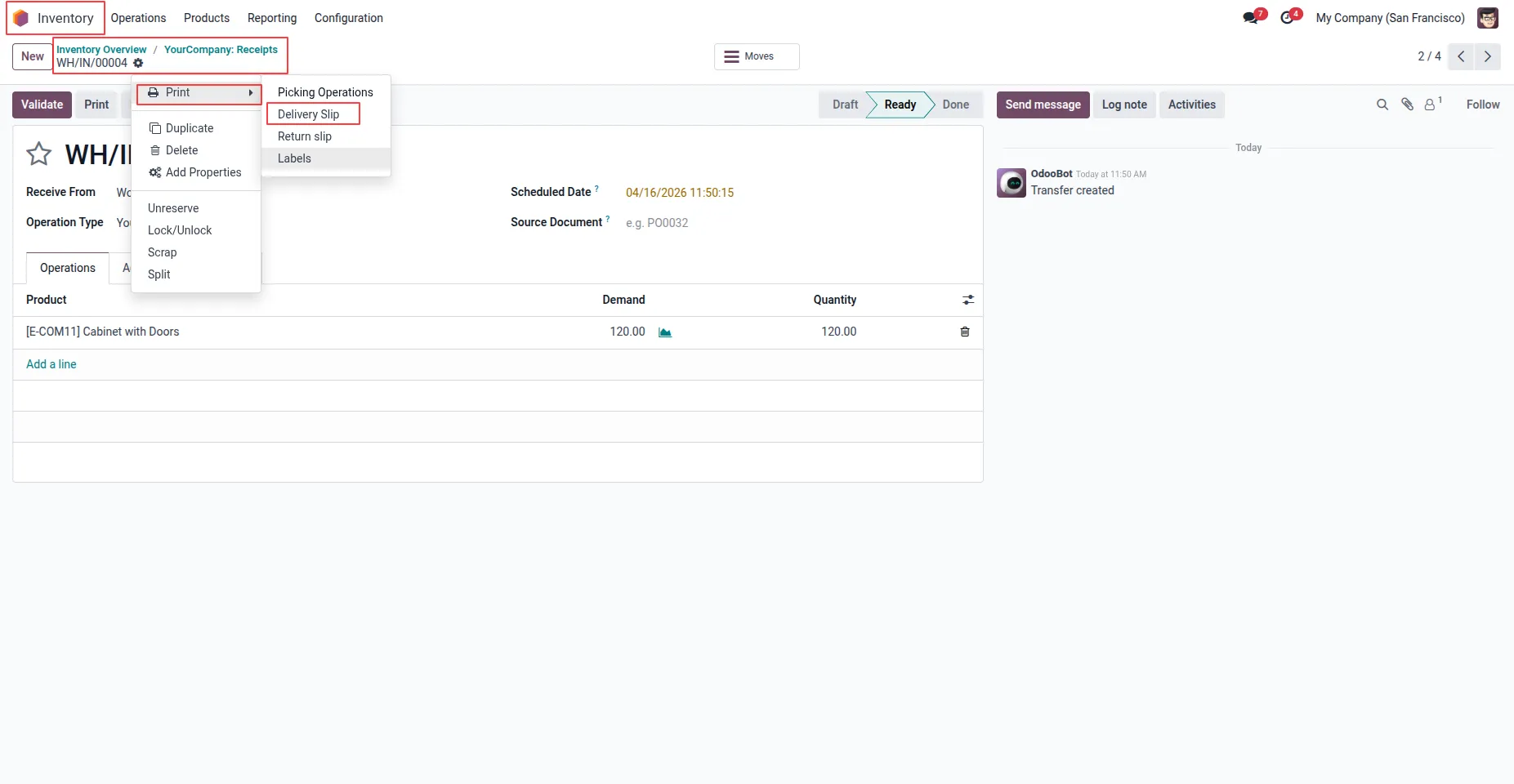
10.Users can only see report menus that are permitted for them.
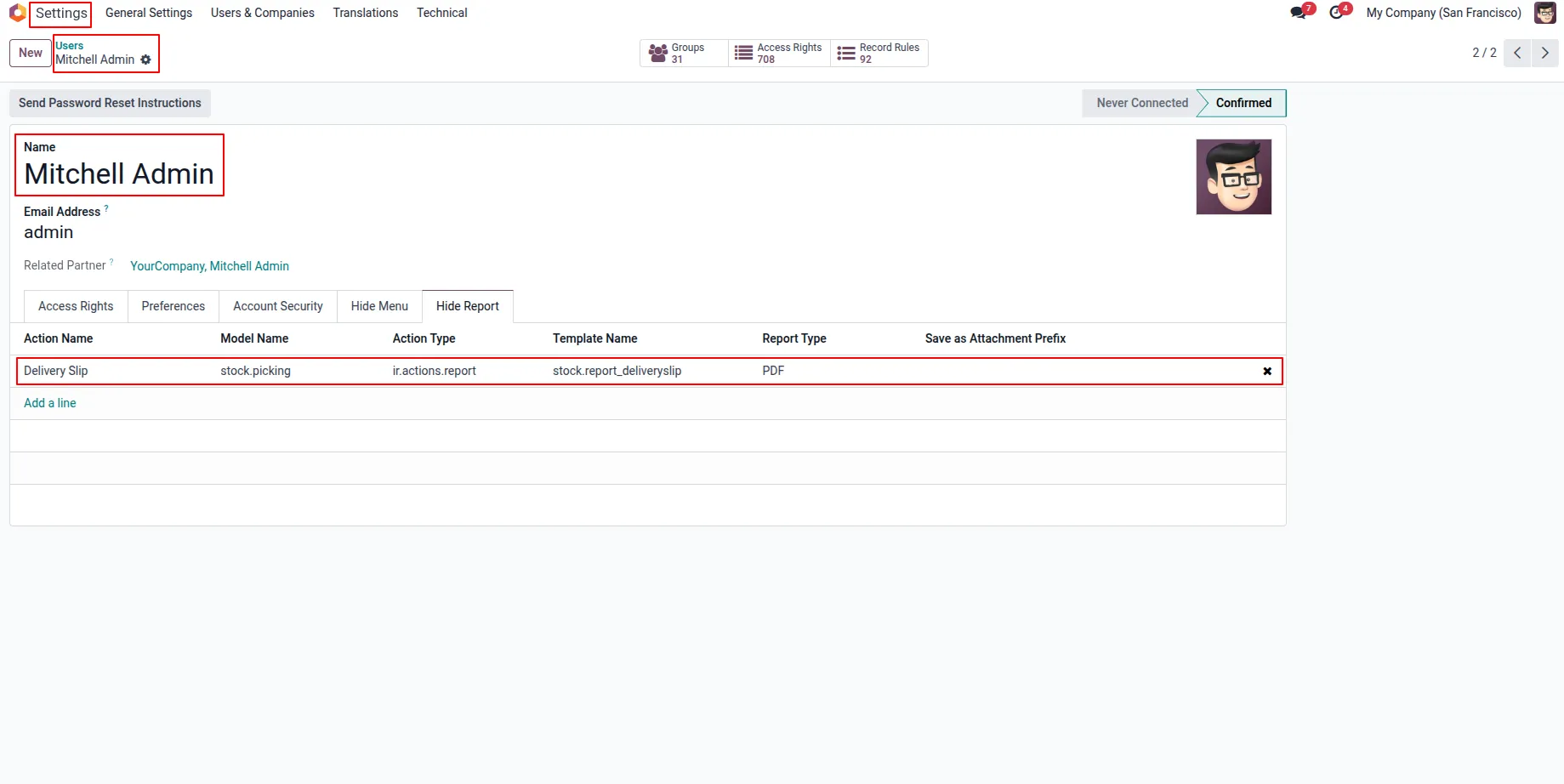
11.User can hide report menu from group configuration by adding to "Hide Report" tab.
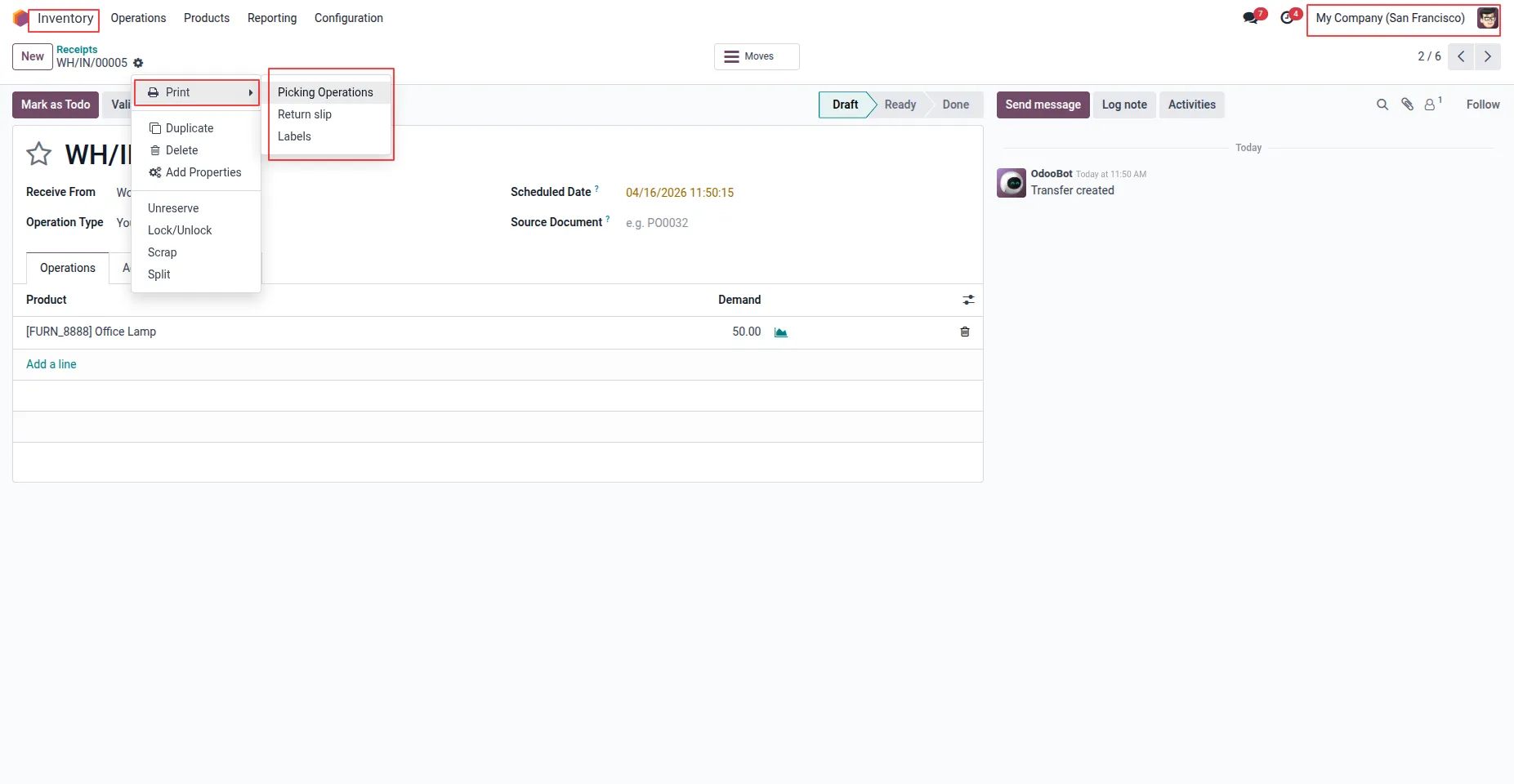
12.User can see selected menu is hidden.
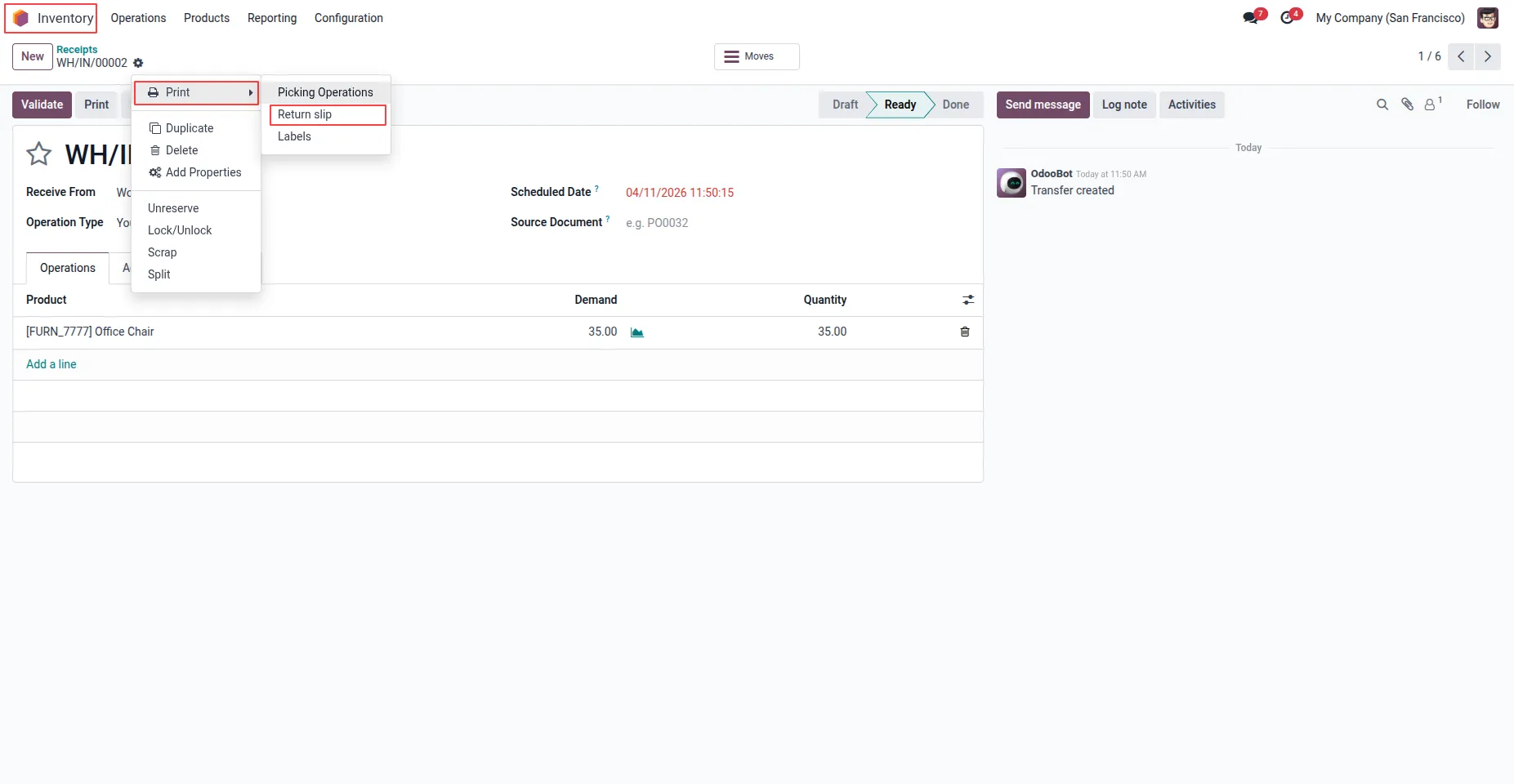
13.Users can only see report menus assigned to their group.
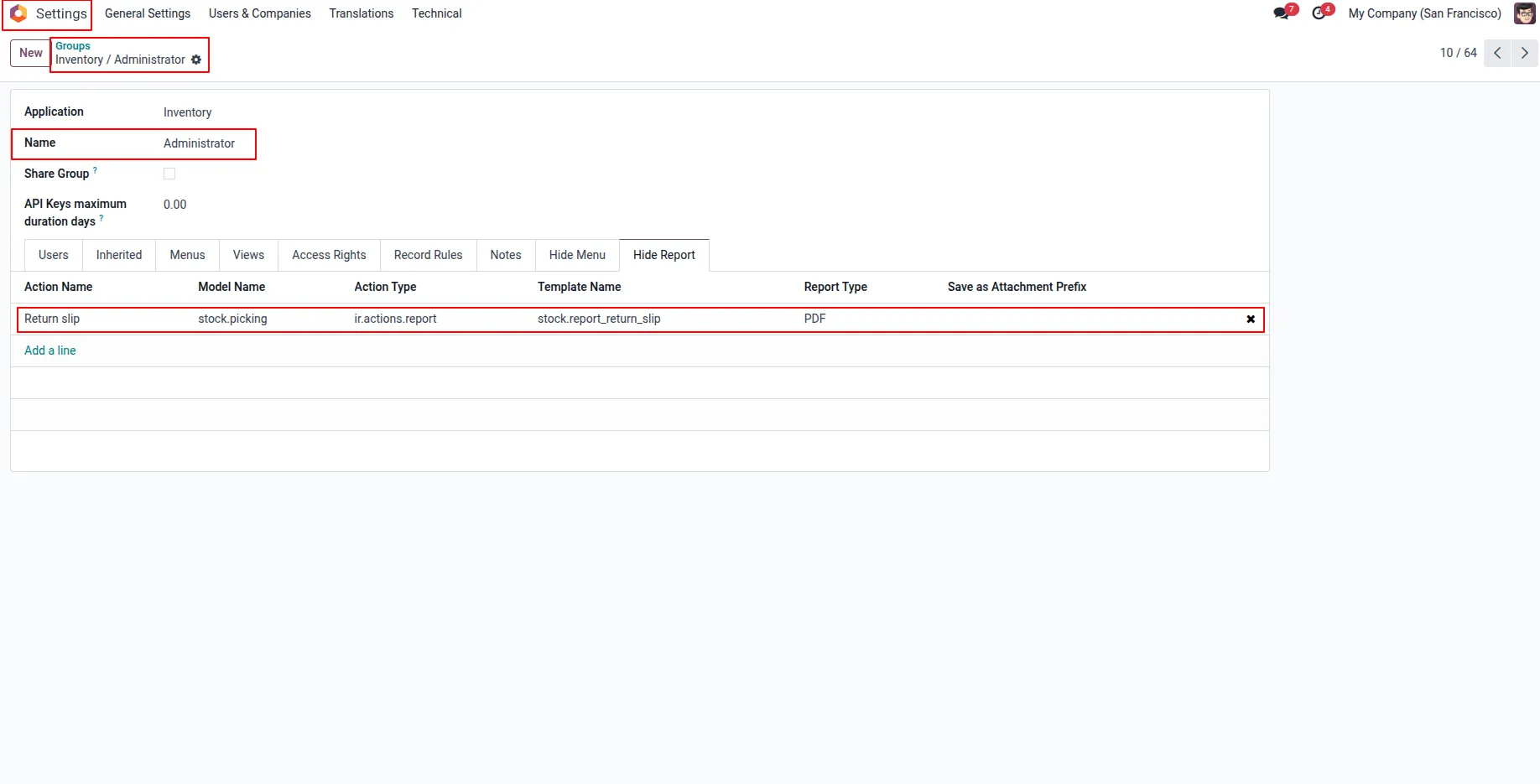
14.Settings > User & Companies > Groups menu user have to add report menu on "Hide Report" menu.
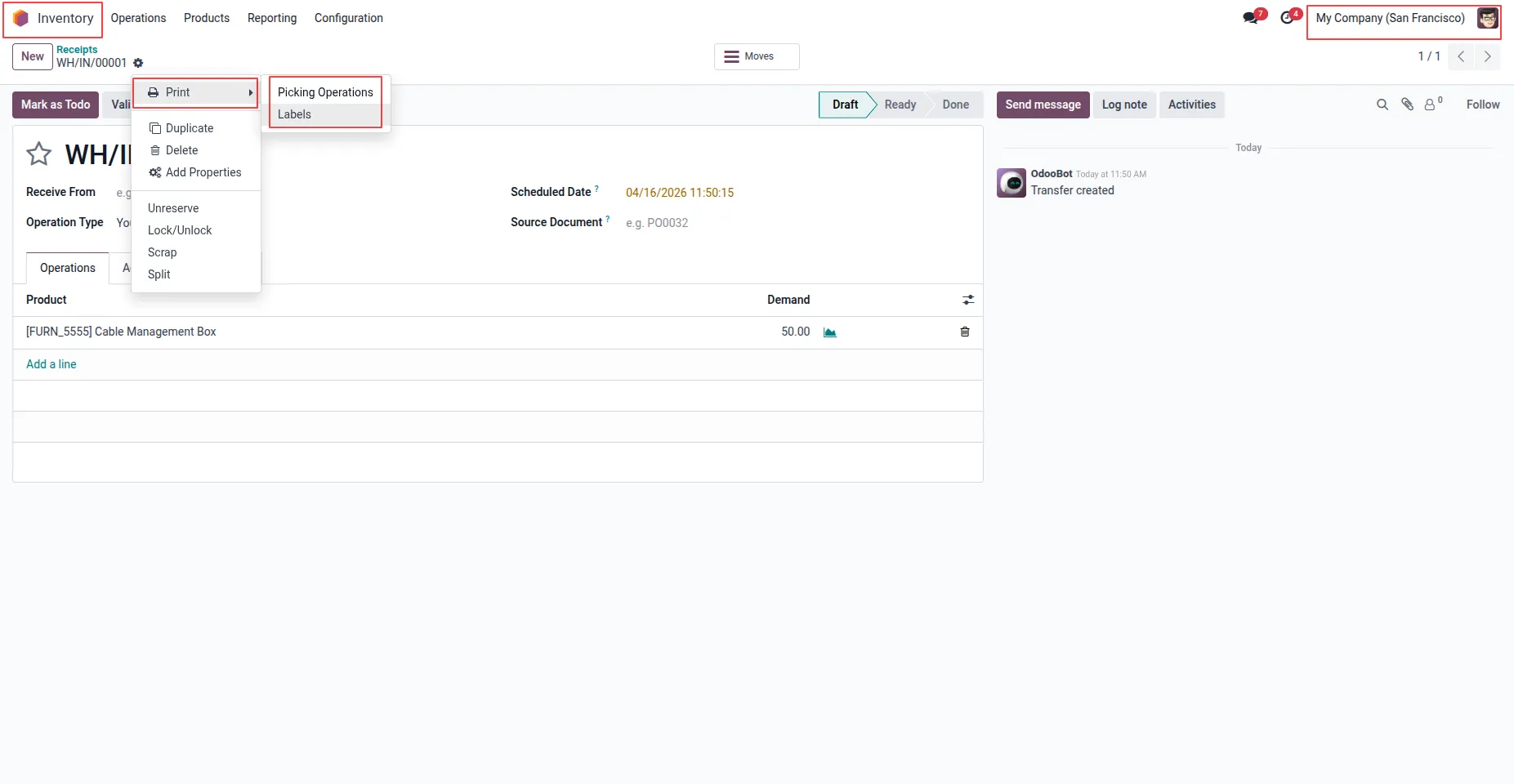
15.User can see selected report menu invisible/ hidden for group and group users.
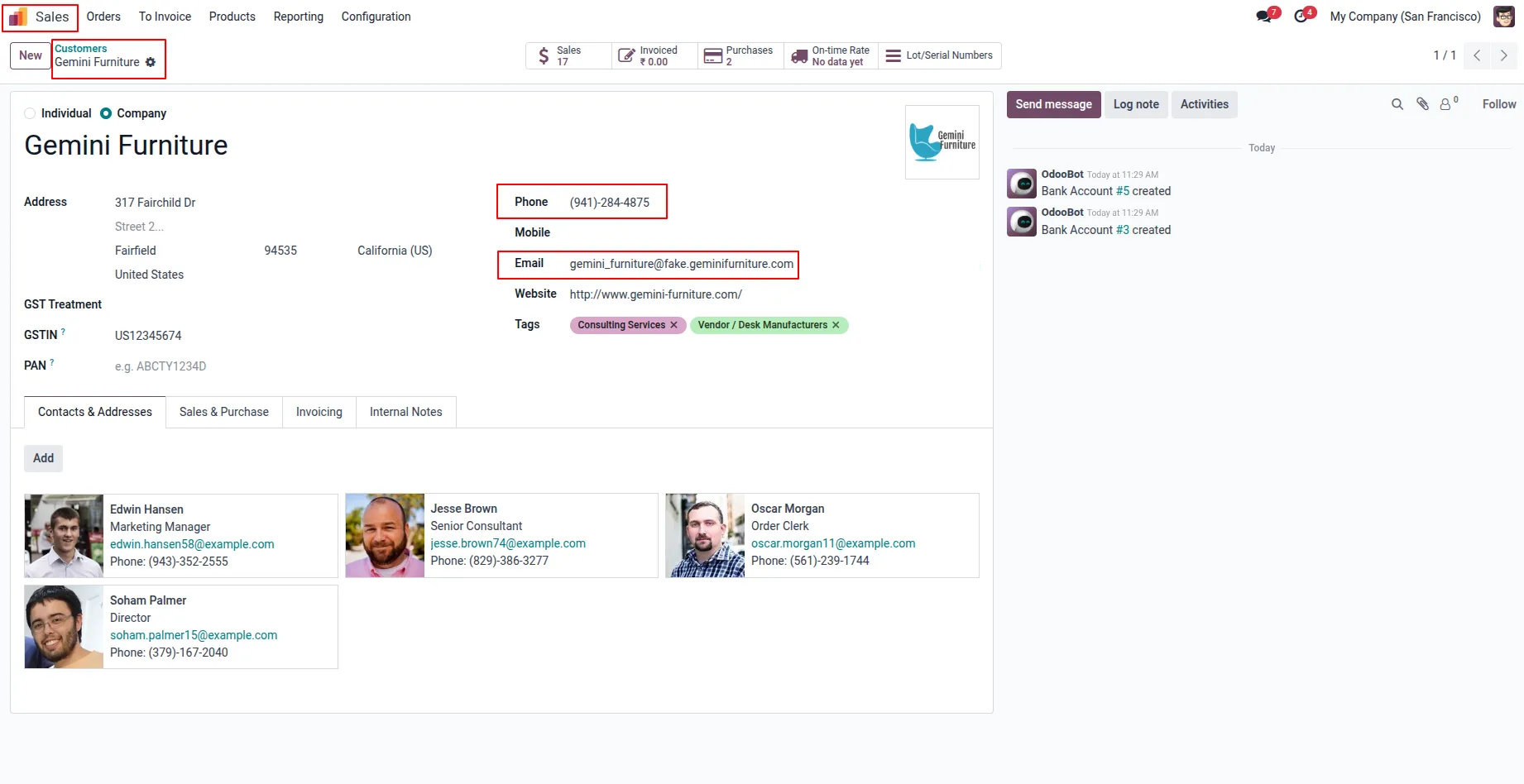
16.Users can hide fields or set them as read-only, such as keeping "Email" visible while making "Phone" editable.
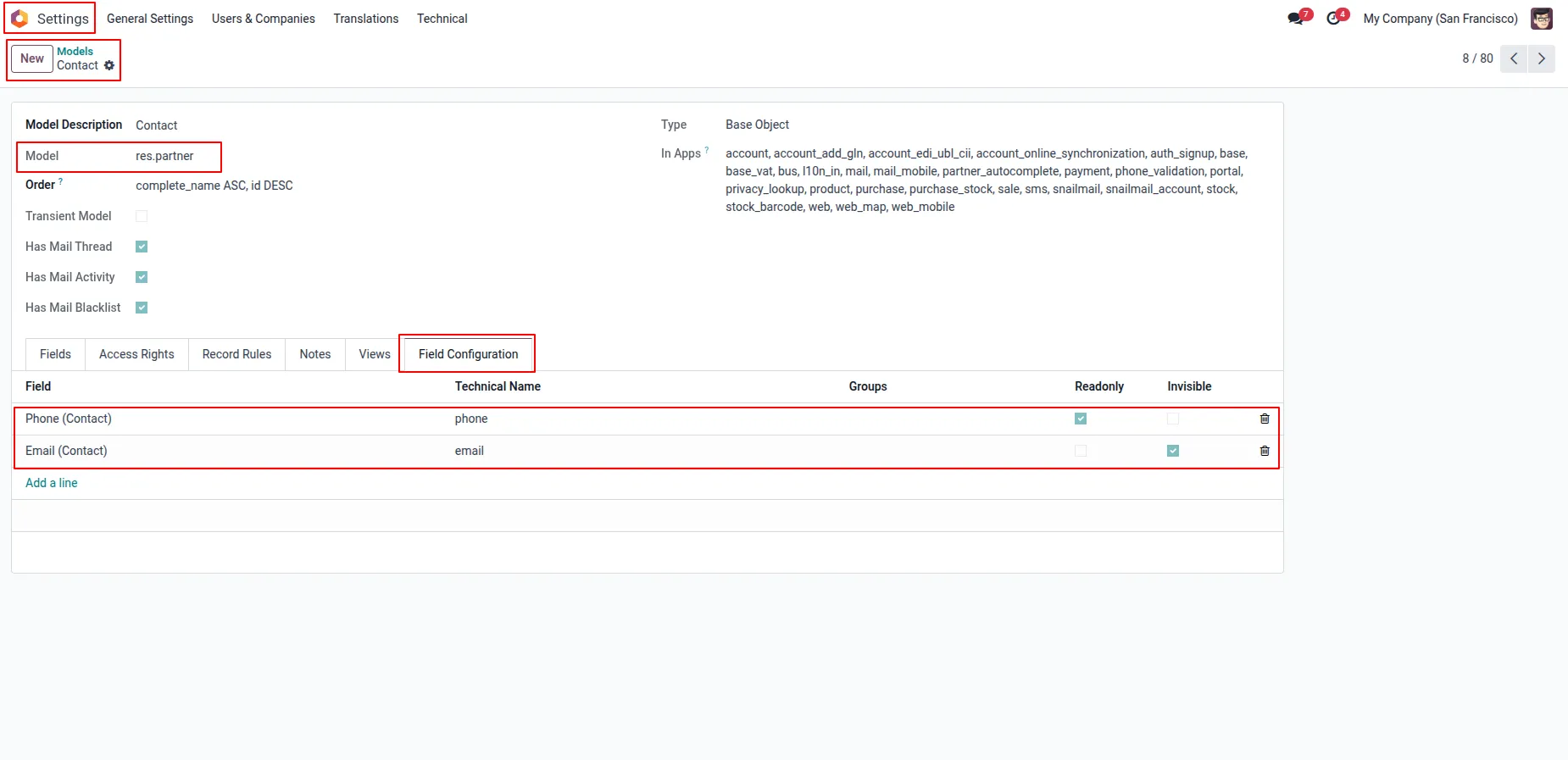
17.Under models form view user can see "Field Configuration" tab, here user have to add fields and enable "Readonly" and "Invisible" attribute, user also can select groups and this only applies to selected group and groups users.
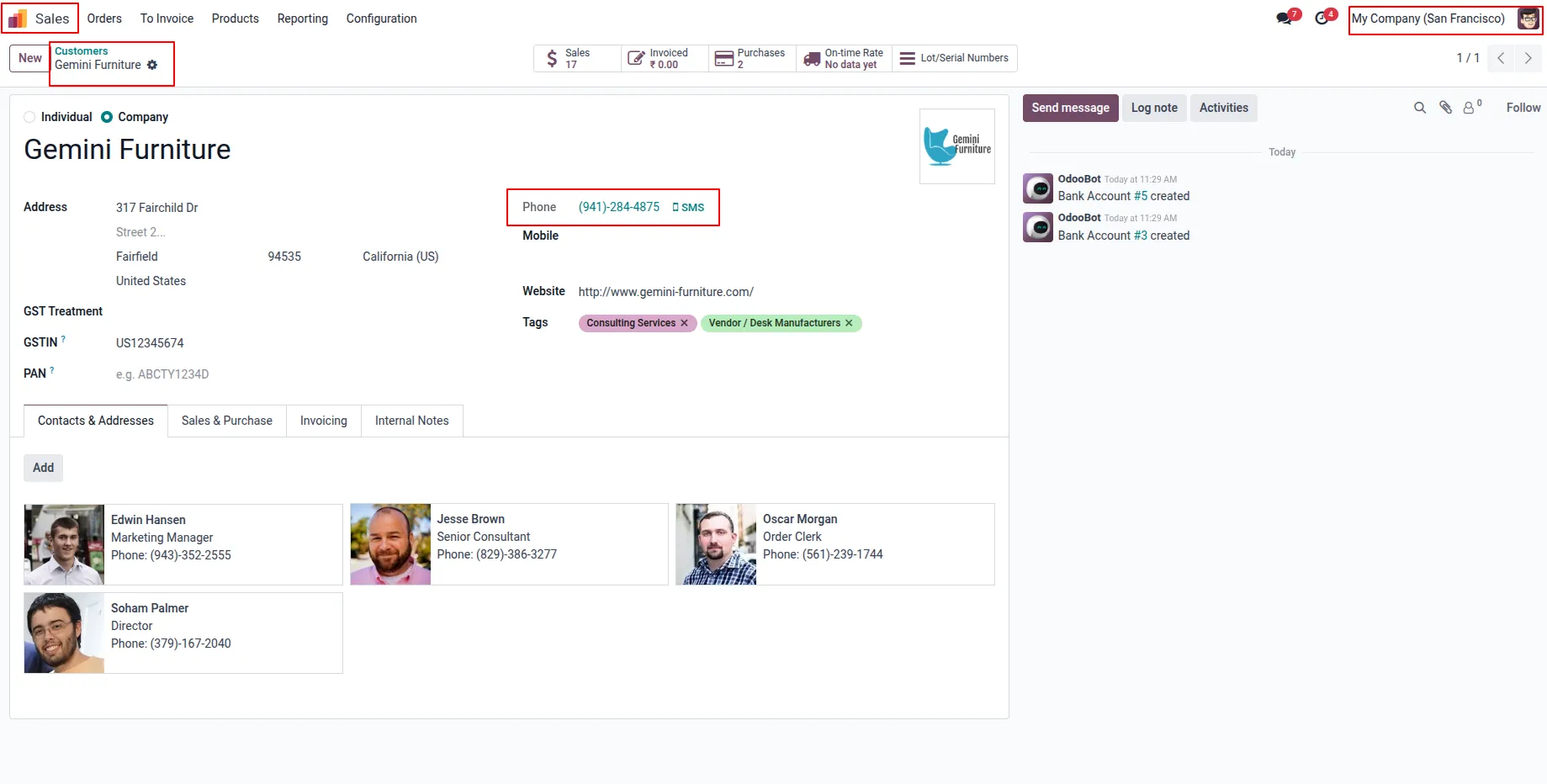
18.User can see "Email" field is invisible and "Phone" field is readonly.
Our solutions focus on your problems
- Odoo Implementation
- Odoo Customization
- ERP Development and Implementation
- Odoo Ipass Cloud
- AI for Odoo
- Odoo Apps
- Aws Marketplace Products
- Business Engines
Our Pricing includes User Manual, 90 Days Support (Monday-Friday 10am to 7pm IST) and One time Setup
• Works & tested on standard installations of Odoo with no third party apps,
• Free support only for odoo installations with no third party apps,
• Paid support available for Odoo installations with third party apps.

Prefortune is a Odoo Official Partner, Odoo Development company. Our philosophy is to use Open Source tools and technologies to provide cost effective and green solutions for our customers.
Prefortune Technologies LLP is working on web development, Mobile development, and Odoo ERP.
If you need any help or want more additional features, you may contact us through:
Alternative Products
These other products might interest you
Specifications
| Version | 19.0, 18.0, 17.0, 16.0, 15.0, 14.0 |