Watch Quick Video

Generate Dynamic Export Excel & PDF For All Application Odoo App
Our all-inclusive Odoo – Generate Dynamic Export Excel & PDF For All Application Odoo App helps businesses efficiently generate and download reports in both Excel and PDF formats across multiple Odoo applications. This module provides a flexible way to export data from different models with simple configuration, allowing users to quickly select required fields and generate structured reports as needed.
Once configured, users can generate reports with a single click, and the system instantly prepares the file for download in the selected format. Whether exporting sales data or other records, the module ensures accurate and well-organized output, giving users clear visibility of their data in both Excel and PDF formats. The consistent report structure also makes it easier to review, share, and manage information across teams.
Seamlessly integrated with the standard Odoo workflow, this app improves productivity by simplifying report generation, reducing manual effort, and providing a reliable way to export and share data without disrupting existing processes.
Generate Dynamic Export Excel & PDF For All Application Odoo App
- Export reports in both Excel and PDF formats.
- Generate reports from multiple Odoo models and applications.
- Easy configuration to select and export required data fields.
- One-click download option for generated reports.
- Maintain consistent formatting across Excel and PDF outputs.
Complete Workflow for Manage Generate Dynamic Export Excel & PDF For All Application Odoo App
First we need to activate Generate Dynamic Export Excel & PDF For All Application then access the feature from the respective model or application where data needs to be exported. After that, configure the export settings by selecting required fields and report format (Excel or PDF). Select Data, Choose Format, Generate Report once configured, click on the export button to generate the report, and the system will instantly prepare the file for download in the selected format. This helps users quickly export structured data, improve reporting efficiency, and manage information across different applications without any complex process.
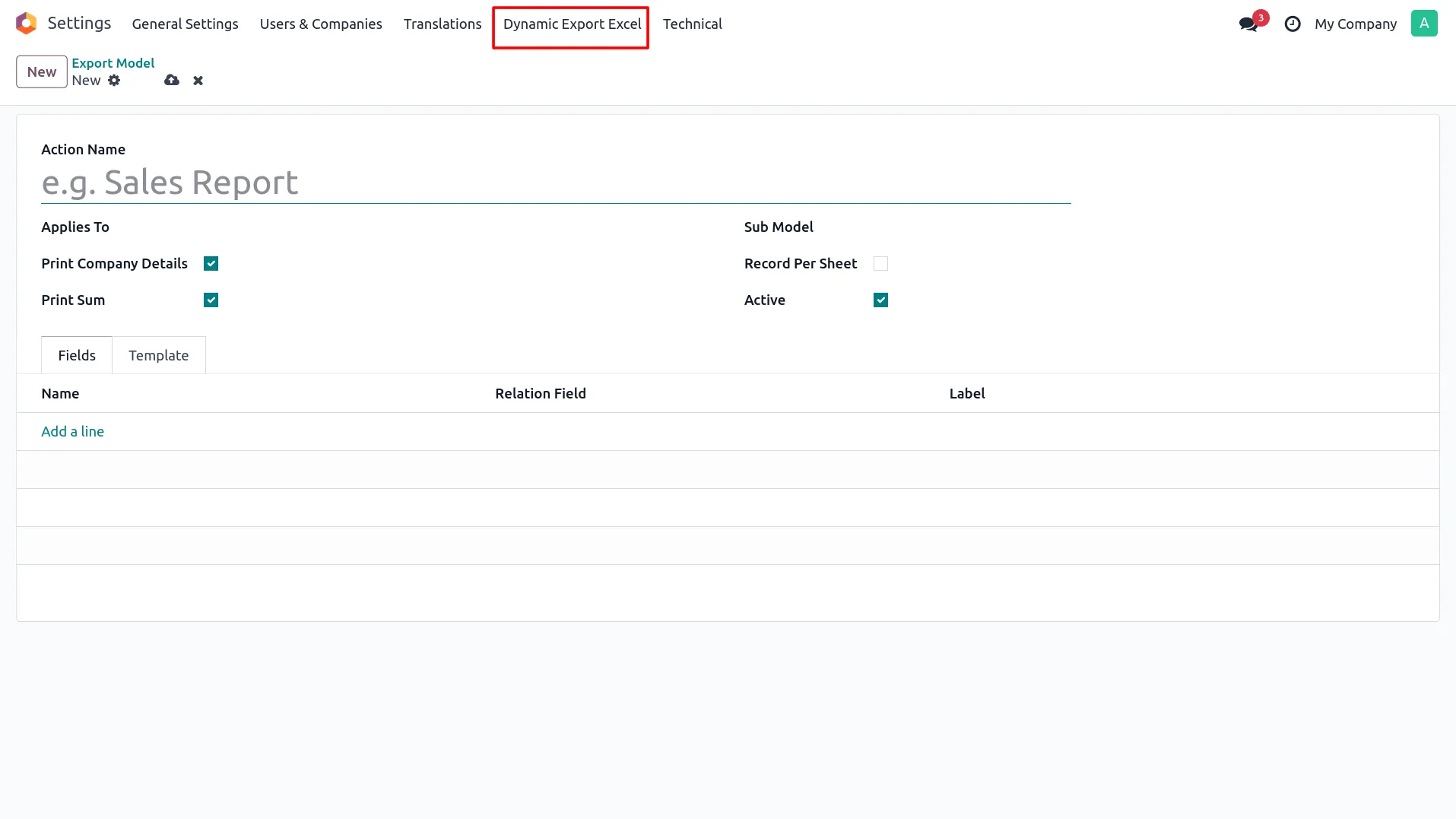
1. Go to Settings → Dynamic Export Excel.
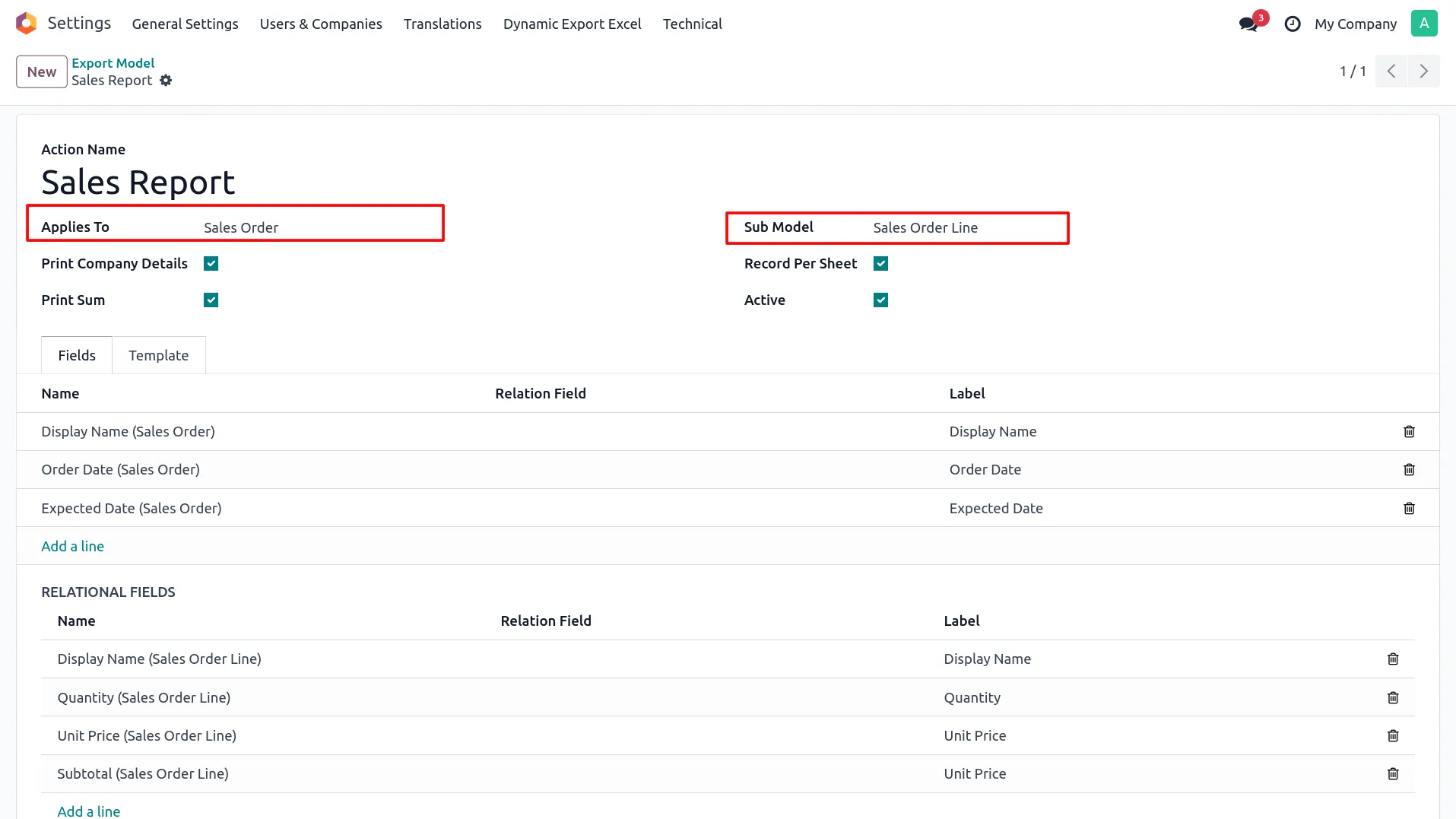
2. Create a new configuration by adding Name, Applies To (Model), Submodel, Fields, and other settings.
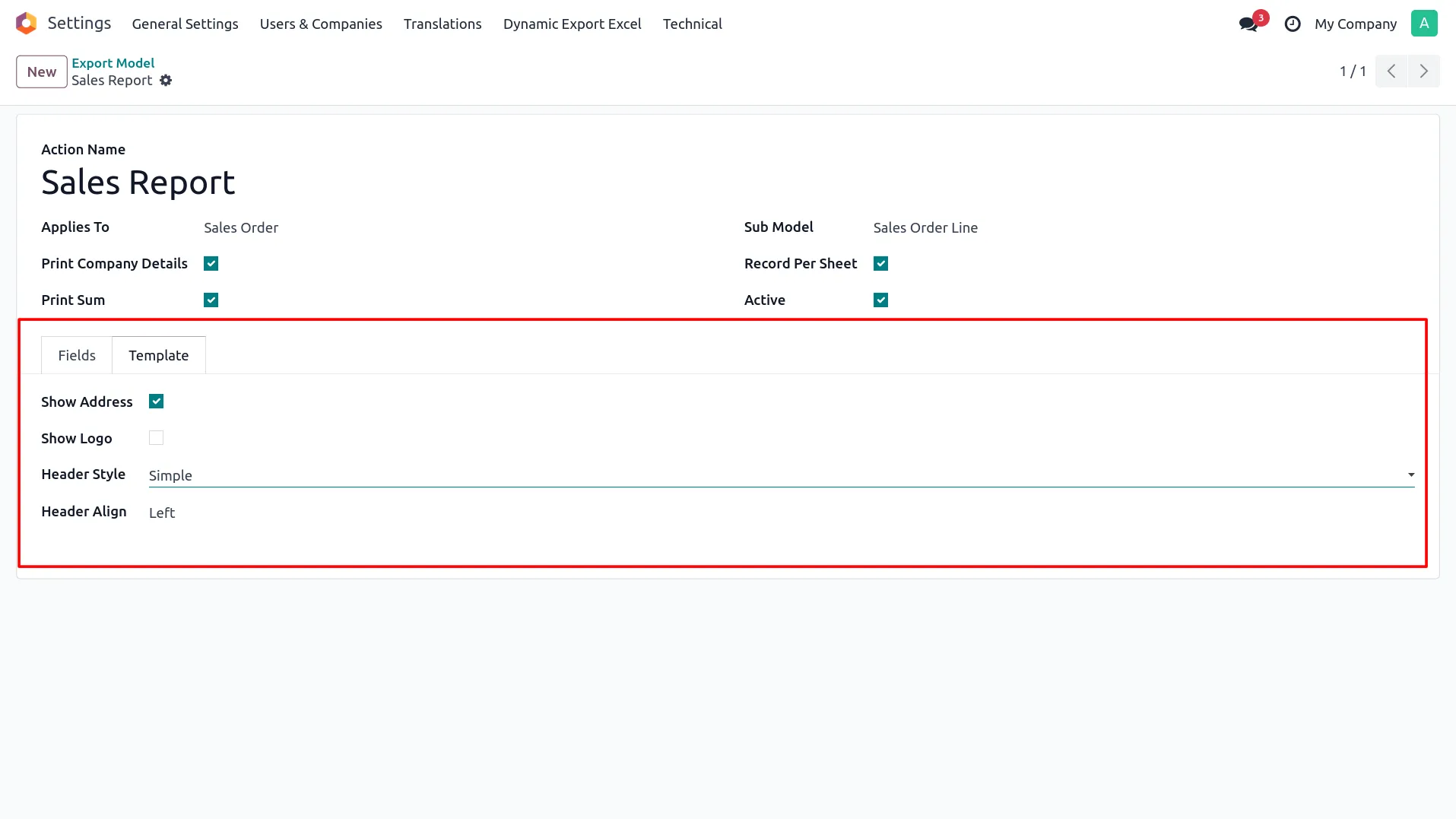
3. Configure the template page with company Address, Logo, Header Style, and Alignment.
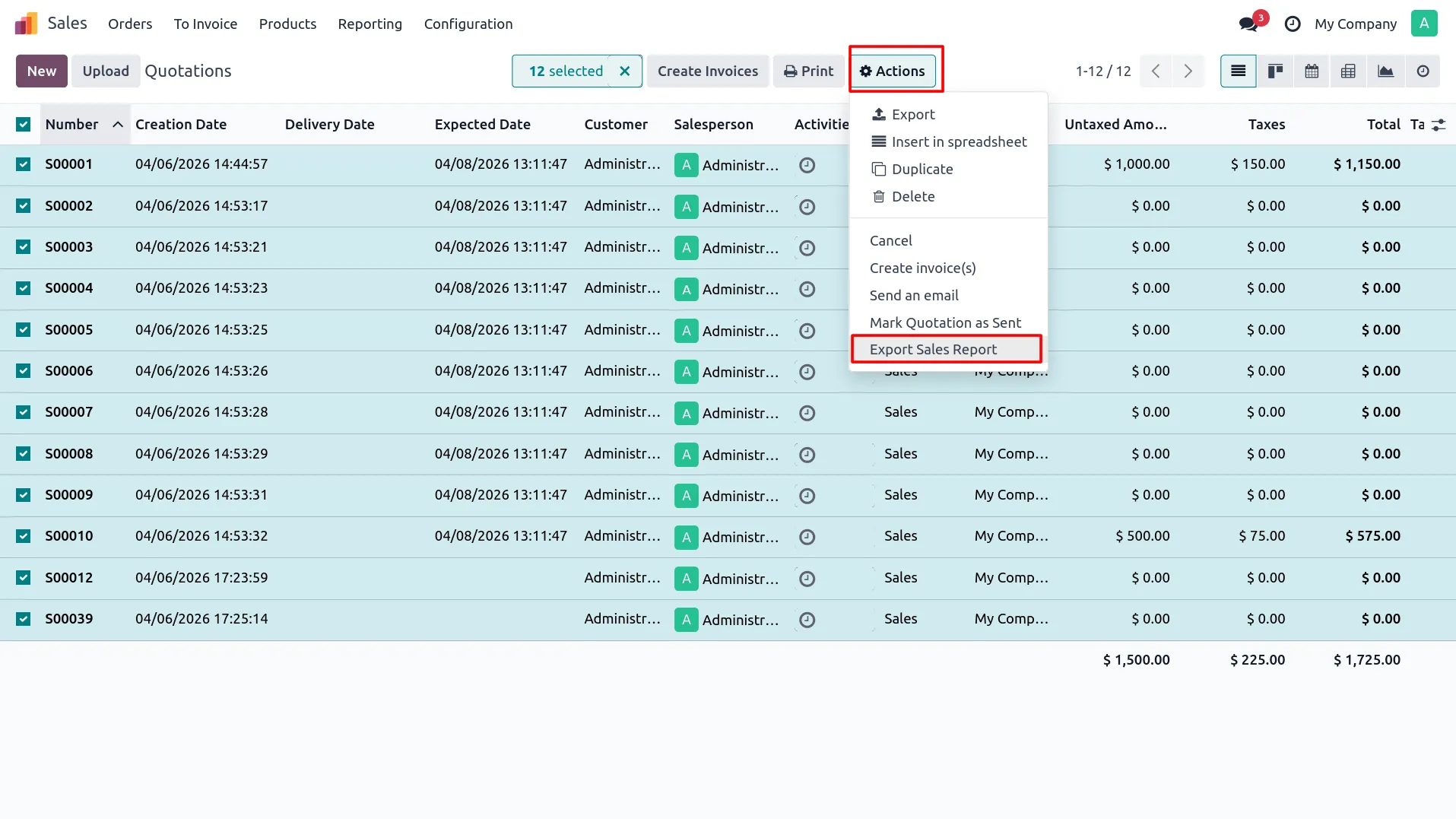
4. In Sale Order, select the Export Action from the Action menu.
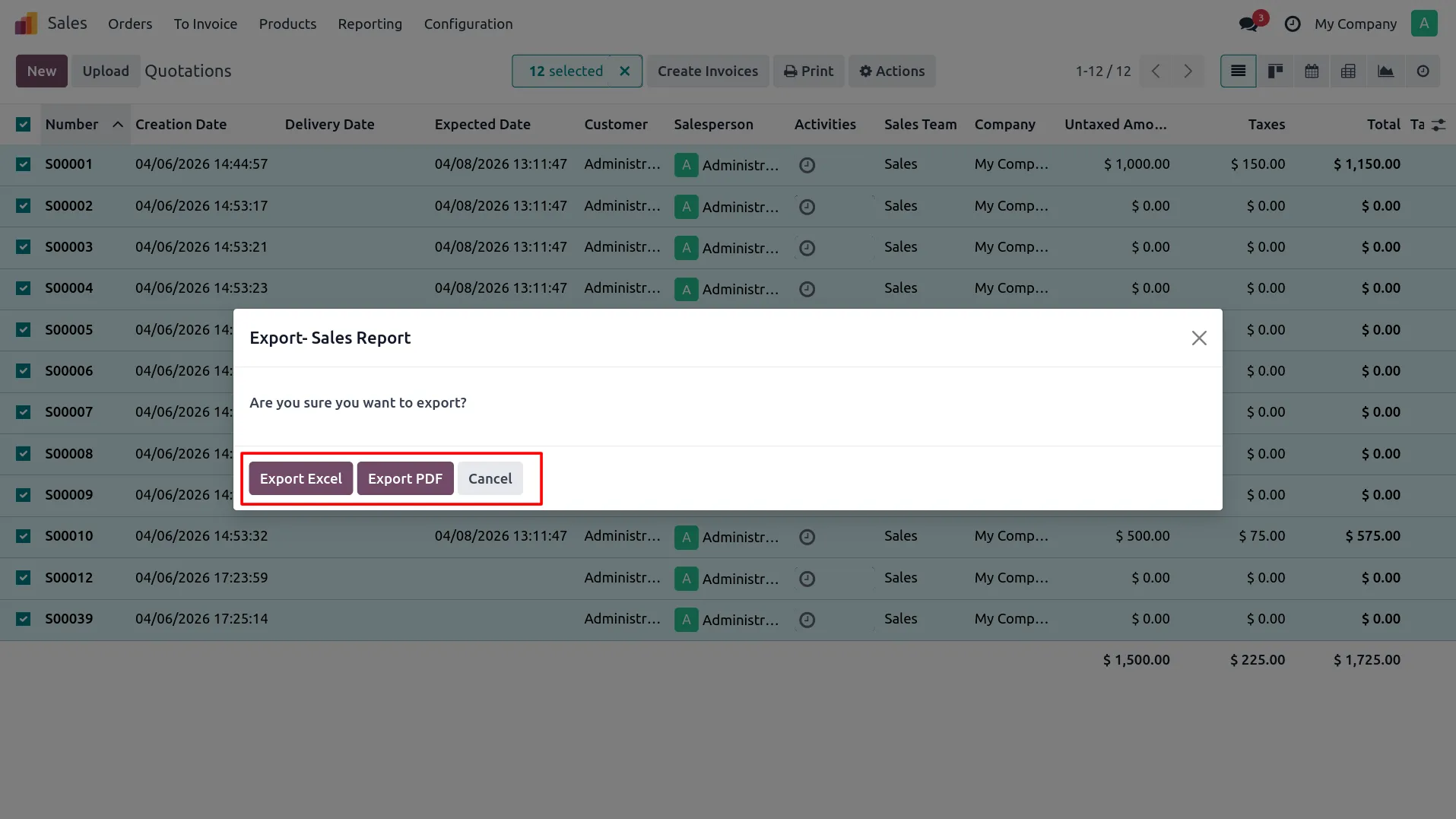
5. Choose the report type to generate (Excel, PDF, or both).
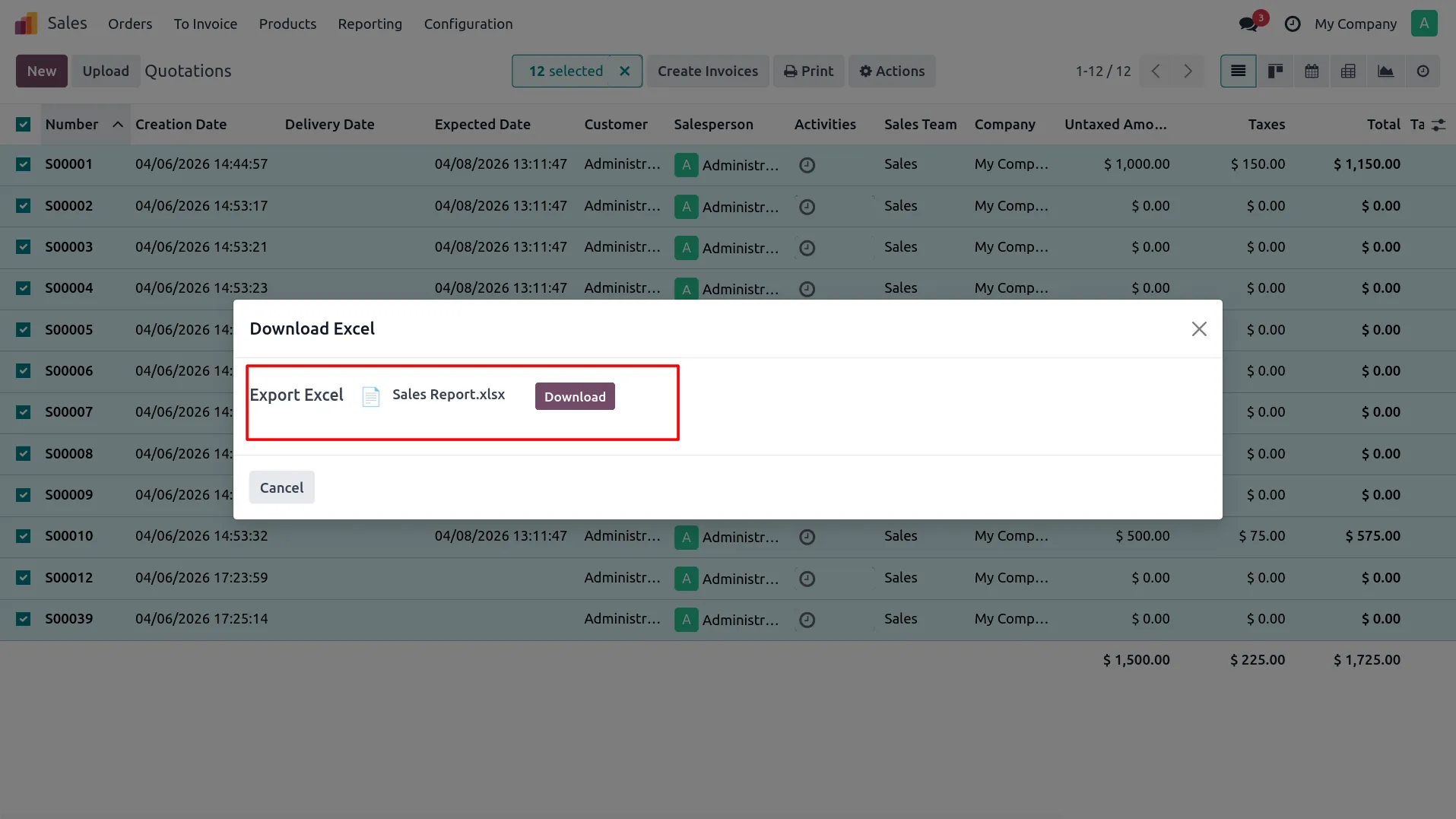
6. Click on the download button to generate the Excel report.
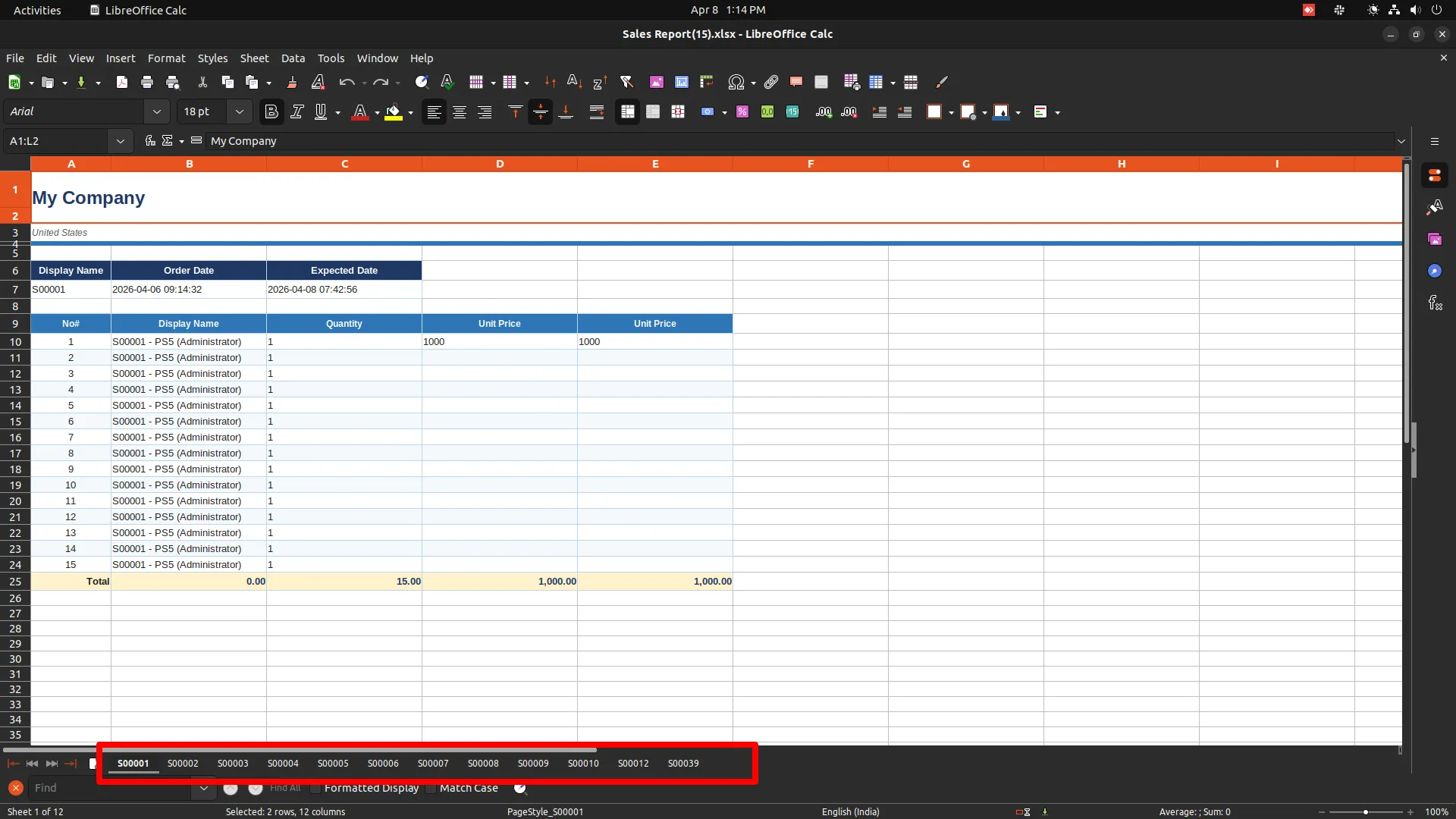
7. Open the Excel file and verify all records (records per sheet).
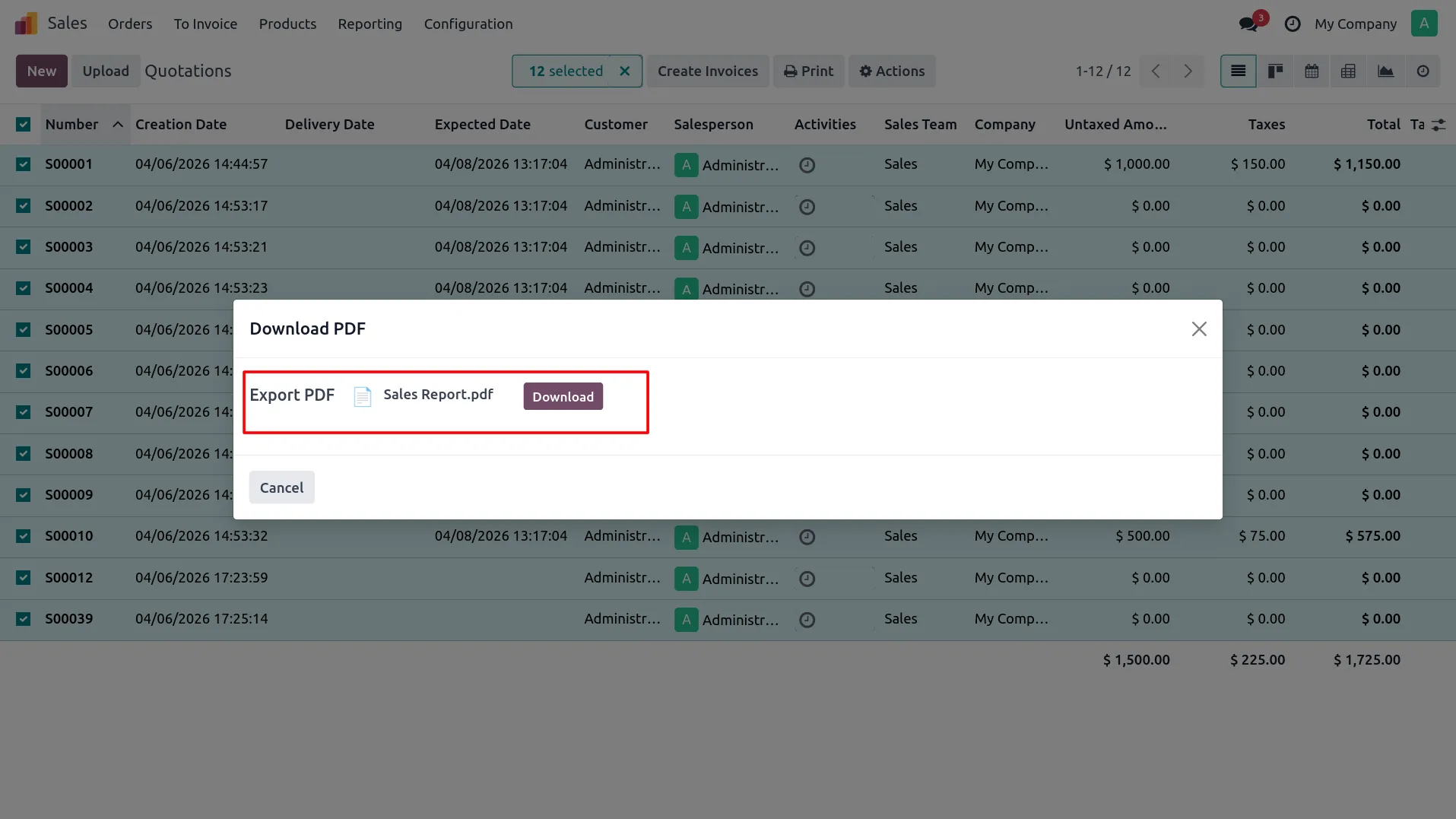
8. Click on the download button to generate the PDF report.
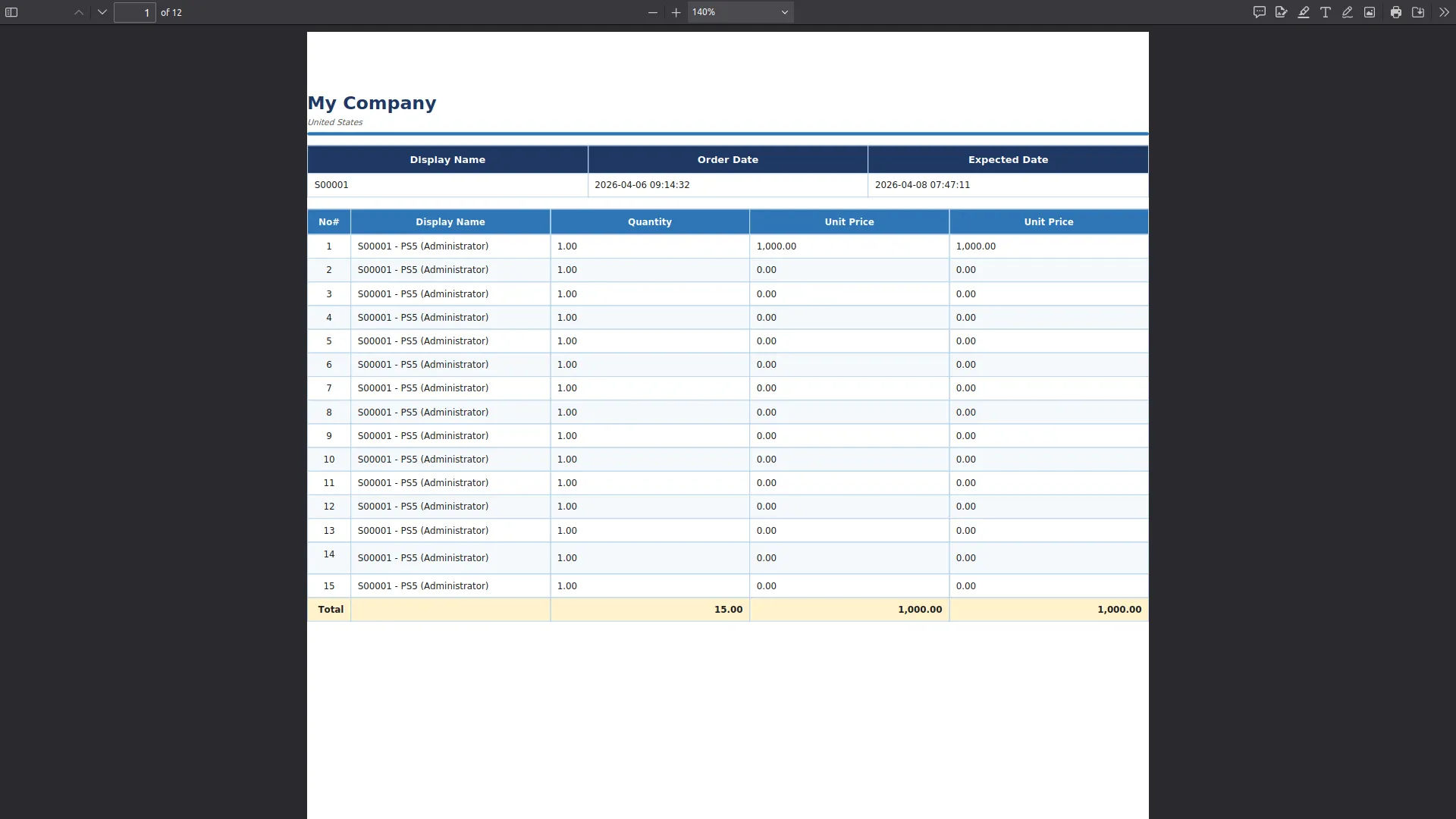
9. Open the PDF file and verify the formatted report output.
Our solutions focus on your problems
- Odoo Implementation
- Odoo Customization
- ERP Development and Implementation
- Odoo Ipass Cloud
- AI for Odoo
- Odoo Apps
- Aws Marketplace Products
- Business Engines
Our Pricing includes User Manual, 90 Days Support (Monday-Friday 10am to 7pm IST) and One time Setup
• Works & tested on standard installations of Odoo with no third party apps,
• Free support only for odoo installations with no third party apps,
• Paid support available for Odoo installations with third party apps.

Prefortune is a Odoo Official Partner, Odoo Development company. Our philosophy is to use Open Source tools and technologies to provide cost effective and green solutions for our customers.
Prefortune Technologies LLP is working on web development, Mobile development, and Odoo ERP.
If you need any help or want more additional features, you may contact us through:
Alternative Products
These other products might interest you
Specifications
| Version | 19.0, 18.0, 17.0, 16.0, 15.0, 14.0 |