Watch Quick Video
Favorite Messages for Odoo
Enhance Your Odoo Internal Transfer with Our
Favorite Messages for Odoo Module
The Favourite Messages module for Odoo enriches the Odoo chatter by enabling users to flag important messages and log notes as favourite via the star icon. Favourite messages are marked, then automatically collected and displayed in a dedicated collapsable section at the top of the chatter, making it easy to access critical information without scrolling through long conversations.
This is very helpful especially for teams working with records that generate a lot of communication such as Sales Orders, Purchase Orders, Projects, Helpdesk Tickets and other business documents. Users can easily flag important updates, customer conversations, approvals or internal notes and come back to them when needed.
The module boosts productivity by bringing critical messages into view and within reach, aiding users to stay organised and focused on the most critical information within chatter.
Favorite Messages for Odoo Messages
- With one click you can mark chatter messages and log notes as favourite and access them anytime from a favourite section in the chatter.
- Automatically organise all favourite messages into a special collapsable section, making it easy to find important updates and keep the chatter organised.
- Quickly jump to important updates, discussions and notes without having to scroll through the entire chatter history.
- Works perfectly on all Odoo chatter enabled records such as Sales, Purchase, Projects, Helpdesk etc.
- Helps users communicate more efficiently by organising important messages and making them easily accessible, optimising team collaboration.
Complete Workflow for Favorite Messages for Odoo
Install the Favorite Messages for Odoo module and open any record that supports the Odoo Chatter. Users can click the star icon on any chatter message or log note to mark it as a favourite. Once starred, the message is automatically added to the Favourite Messages section displayed at the top of the chatter. Users can then expand or collapse this section to quickly view important updates, discussions, and notes without searching through the entire conversation history. If a message is no longer needed, users can simply click the star icon again to remove it from the favourites list.
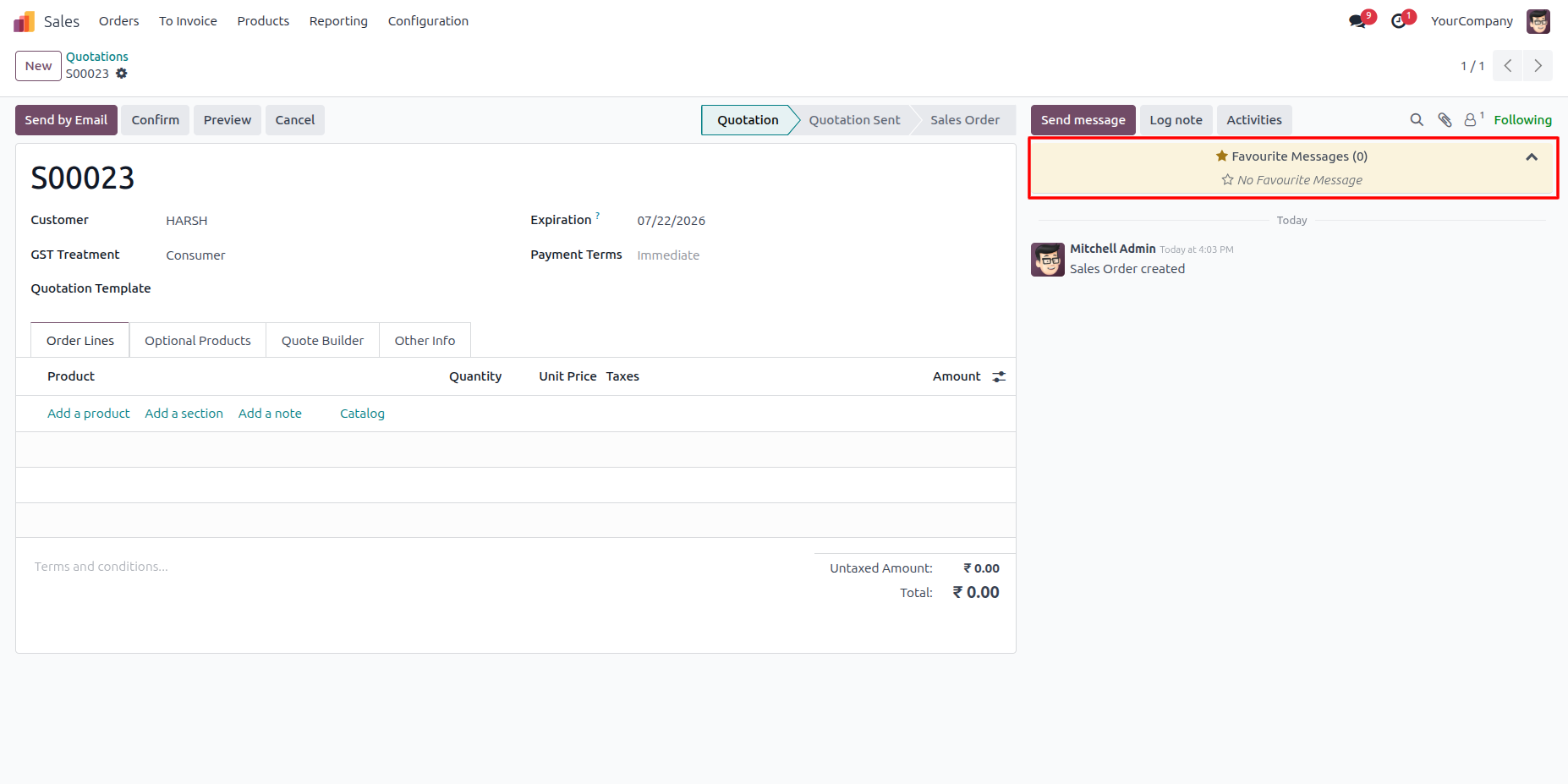
1. Displays a dedicated Favourite Messages section in the chatter, allowing users to quickly view and manage all starred messages from a single location.
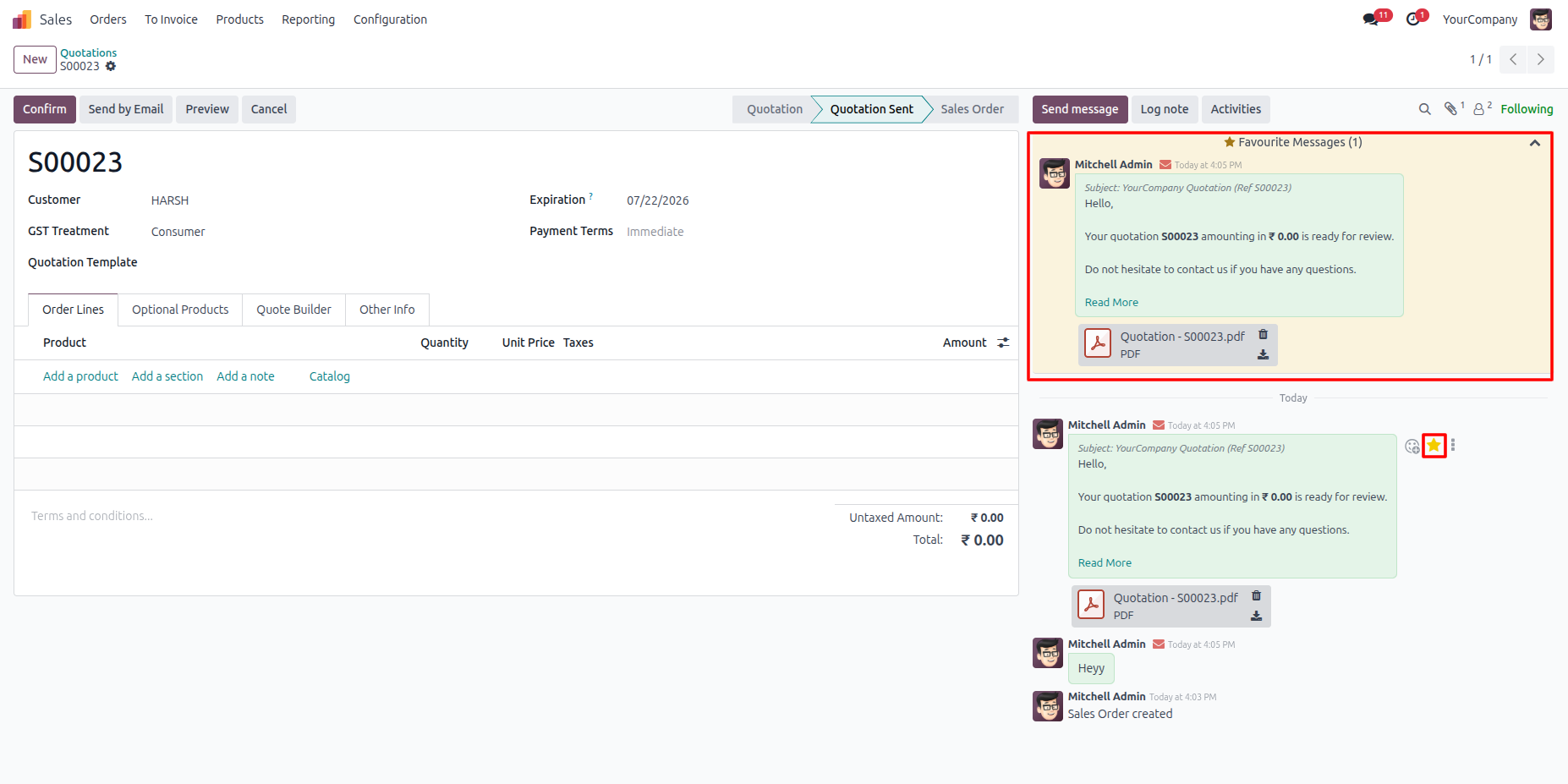
2. Mark any chatter message or log note as a favourite using the star icon and instantly display it in the Favourite Messages section for quick access.
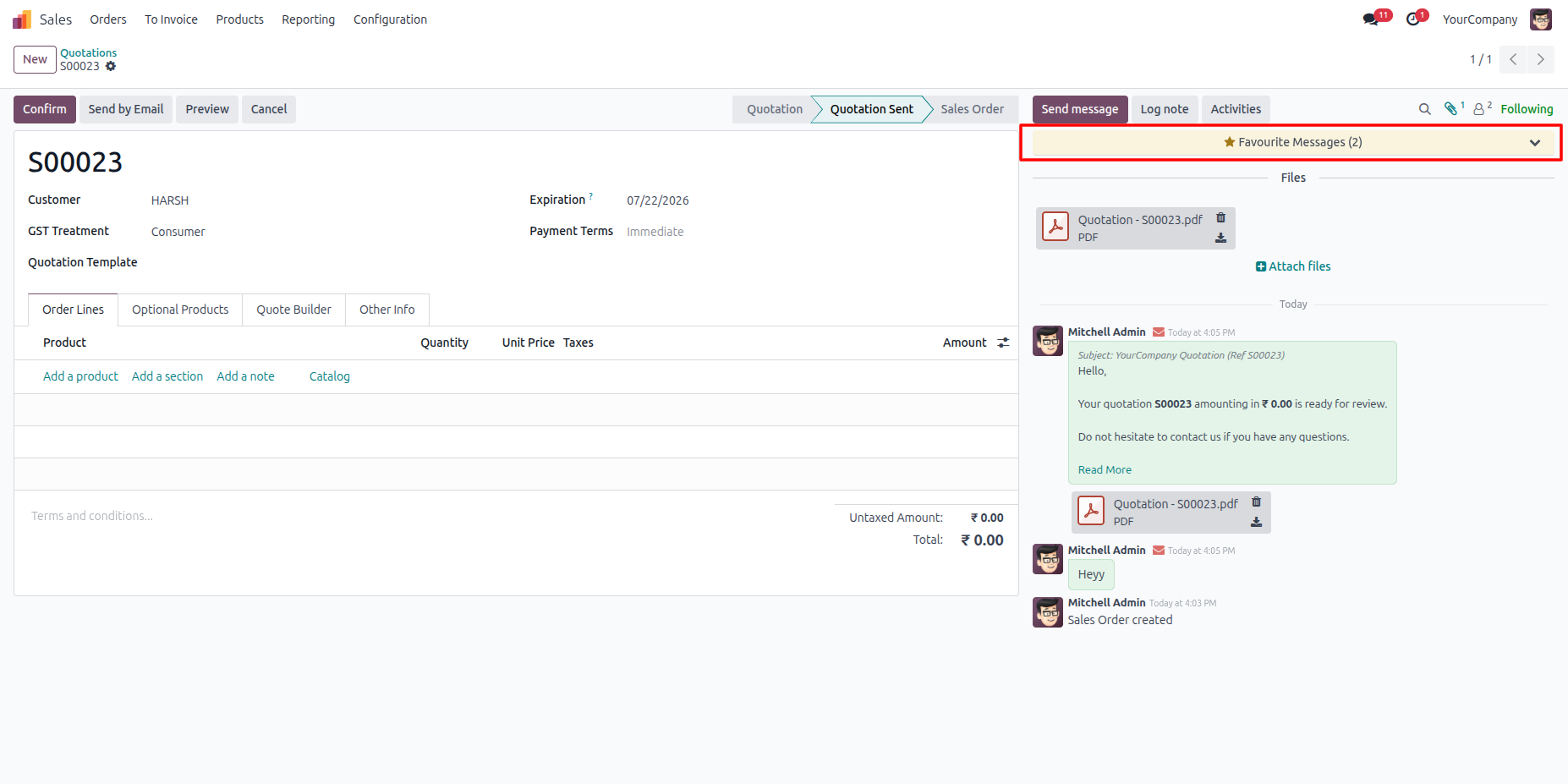
3. Organize favourite messages in a collapsible section that provides quick access without occupying unnecessary chatter space.
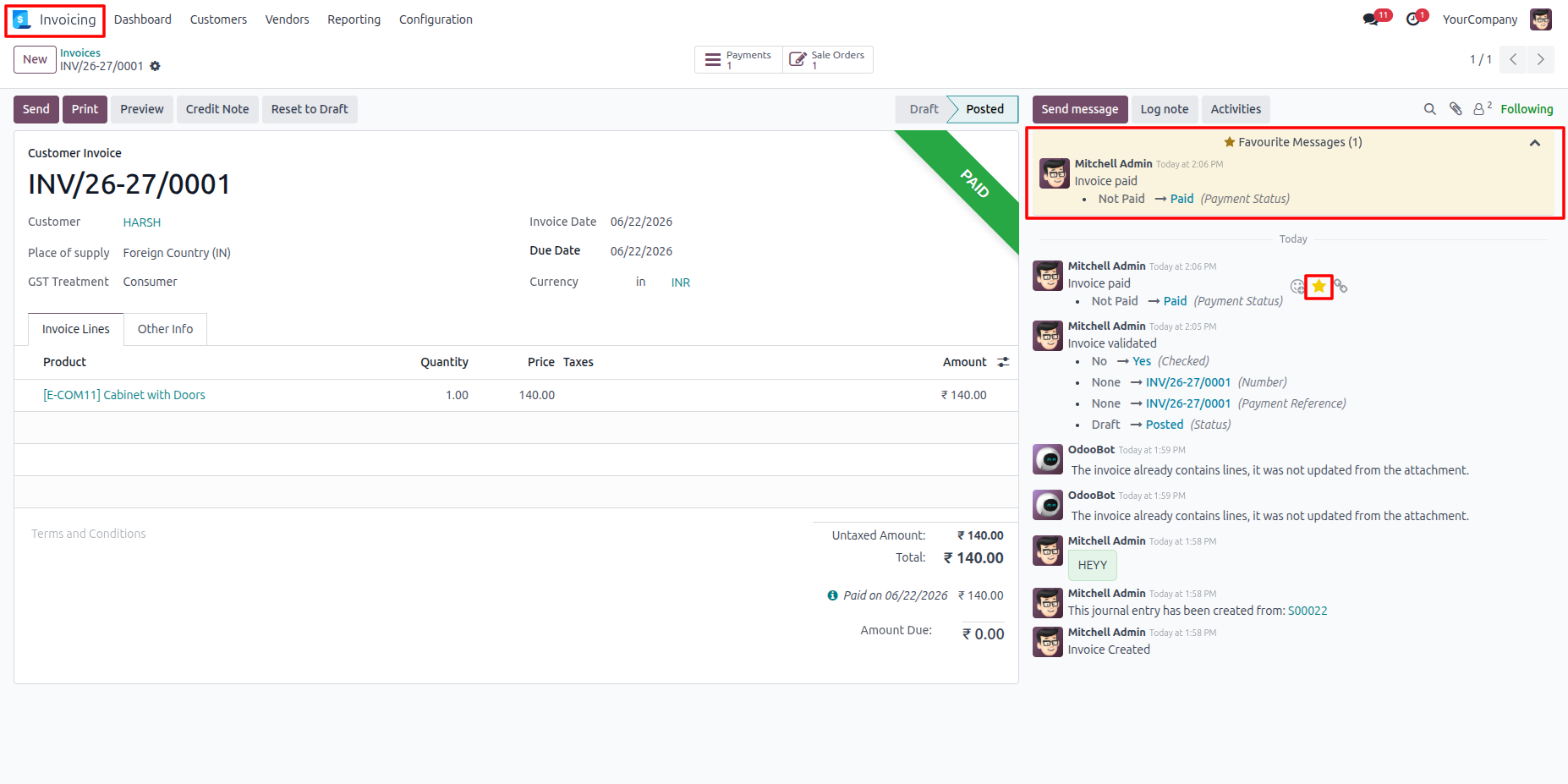
4. Works across all Odoo modules that support chatter, including Sales, Purchase, Invoicing, CRM, Projects, Helpdesk, Inventory, and more.
Our solutions focus on your problems
- Odoo Implementation
- Odoo Customization
- ERP Development and Implementation
- Odoo Ipass Cloud
- AI for Odoo
- Odoo Apps
- Aws Marketplace Products
- Business Engines
Our Pricing includes User Manual, 90 Days Support (Monday-Friday 10am to 7pm IST) and One time Setup
• Works & tested on standard installations of Odoo with no third party apps,
• Free support only for odoo installations with no third party apps,
• Paid support available for Odoo installations with third party apps.

Prefortune is a Odoo Official Partner, Odoo Development company. Our philosophy is to use Open Source tools and technologies to provide cost effective and green solutions for our customers.
Prefortune Technologies LLP is working on web development, Mobile development, and Odoo ERP.
If you need any help or want more additional features, you may contact us through:
Alternative Products
These other products might interest you
Specifications
| Version | 19.0, 18.0, 17.0, 16.0, 15.0, 14.0 |