Watch Quick Video
Failed Email Report App for Odoo
Our
Failed Email Report App for Odoo
module is an efficient tool that will help business to monitor and manage email delivery failures. It
automatically catches emails that did not get delivered and produces a detailed failure report, so you
don’t have to track it manually. A scheduled cron job periodically scans failed outgoing emails and
produces a detailed summary, grouped by company, to easily identify delivery problems across multiple
companies. Notification emails are automatically sent only to authorized users in the configured
notification group so the right people are notified immediately. The module is fully integrated into
Odoo’s standard email framework so that the administrator quickly identifies email delivery problems,
increases the reliability of communications, reduces manual monitoring and ensures that important business
emails are not missed.
It has good features to help you keep track of failed emails:
1. Auto Tracking for Failed Emails: Track failed emails for reporting purposes. Failed email
transactions are detected automatically so no need to check manually.
2. Summary Report of Schedule Failures: There’s a built in cron job that will periodically
create and send failure summaries. admins will get timely updates without any manual work.
3. Company-wise Email Failure Analysis: Get the failed email records grouped by company and
display the total failure count for each company. This makes firms that operate in more than one business
setting more visible.
4. User Group Alerts (Configurable) The report is only delivered to users in the defined
notification security group. This way it does not send failure alerts to unauthorized users.
5. HTML Email Reports: Detailed HTML Email Reports with per company failed email statistics
and overall failure count. The report format makes it simple to locate and examine problems in mail
delivery.
6. Odoo Mail Integration: Integration with the default mail system of Odoo will be smooth and
won’t change the core functionality of default mail system of Odoo. This module is light-weight, easy to
configure and can be integrated into existing email processes to improve email tracking and
administration.
Failed Email Report App for Odoo
- Automatically detects all outgoing emails that are not sent in Odoo. Automated email record failure tracking, without the need for manual monitoring.
- Uses Odoo Scheduled Actions (Cron) to automatically generate and send email failure notifications. Makes sure delivery failures get quickly noticed by administrators.
- Groups failed emails by company and shows total failed email count for each company. Makes it easy to figure out what company is having delivery problems.
- Sends reports only to users in the Notify Email Failed security group. Provides controlled and secure access to failure notifications.
- Integrates seamlessly with Odoo’s built in email system and no complicated configuration needed. It is easy to configure and can be installed for single or multi-company environment.
Complete Workflow for Failed Email Report App for Odoo
When an outgoing email Fails to Deliver, the module automatically Detects and records the failure for monitoring. A scheduled cron job Scans failed emails and Generates a company-wise summary report. The report is automatically Sent to users assigned to the Notify Email Failed group. This streamlined workflow ensures timely notifications and simplifies email failure management without manual effort.
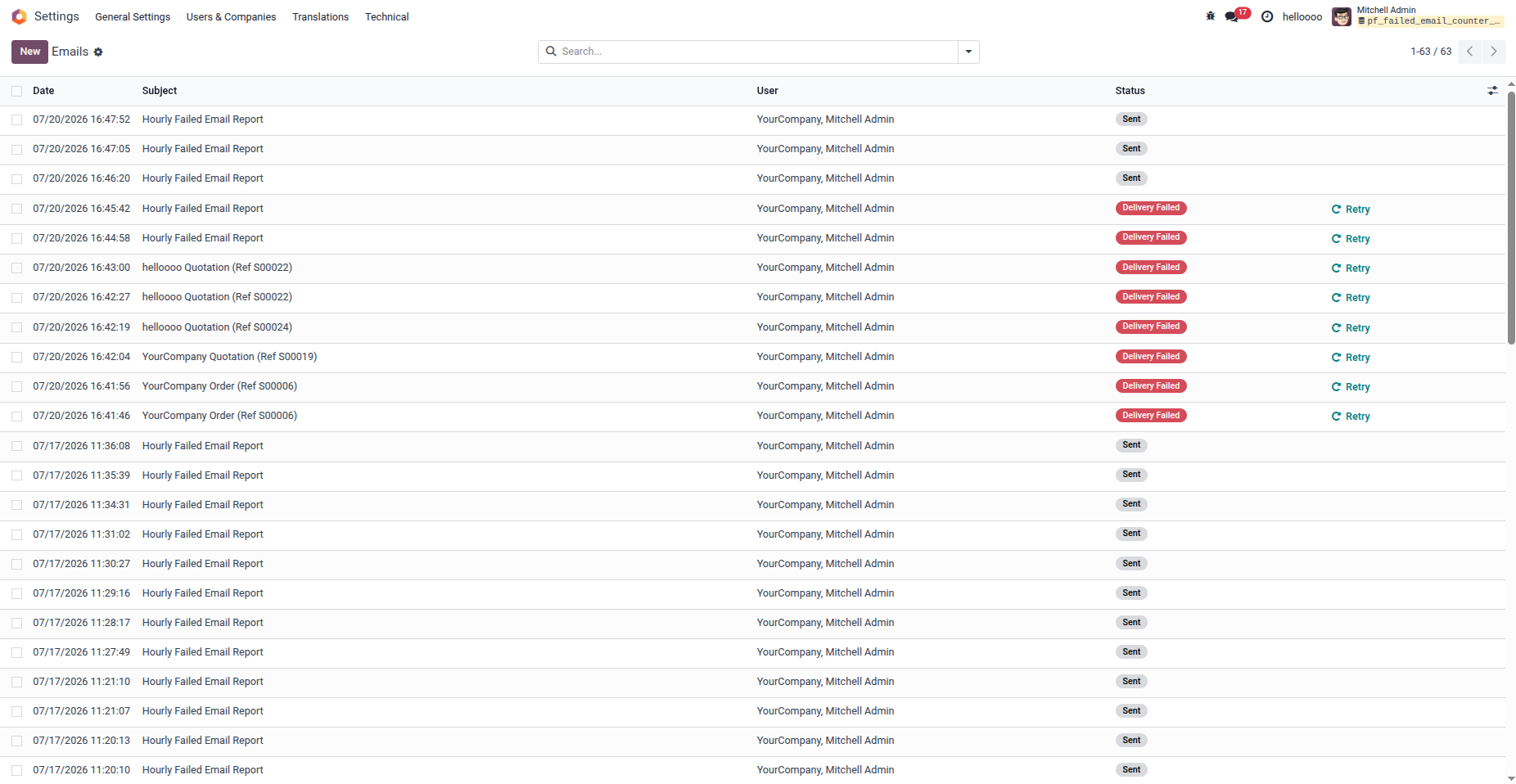
1. View all outgoing emails and easily identify the ones with 'Delivery Failed' status.
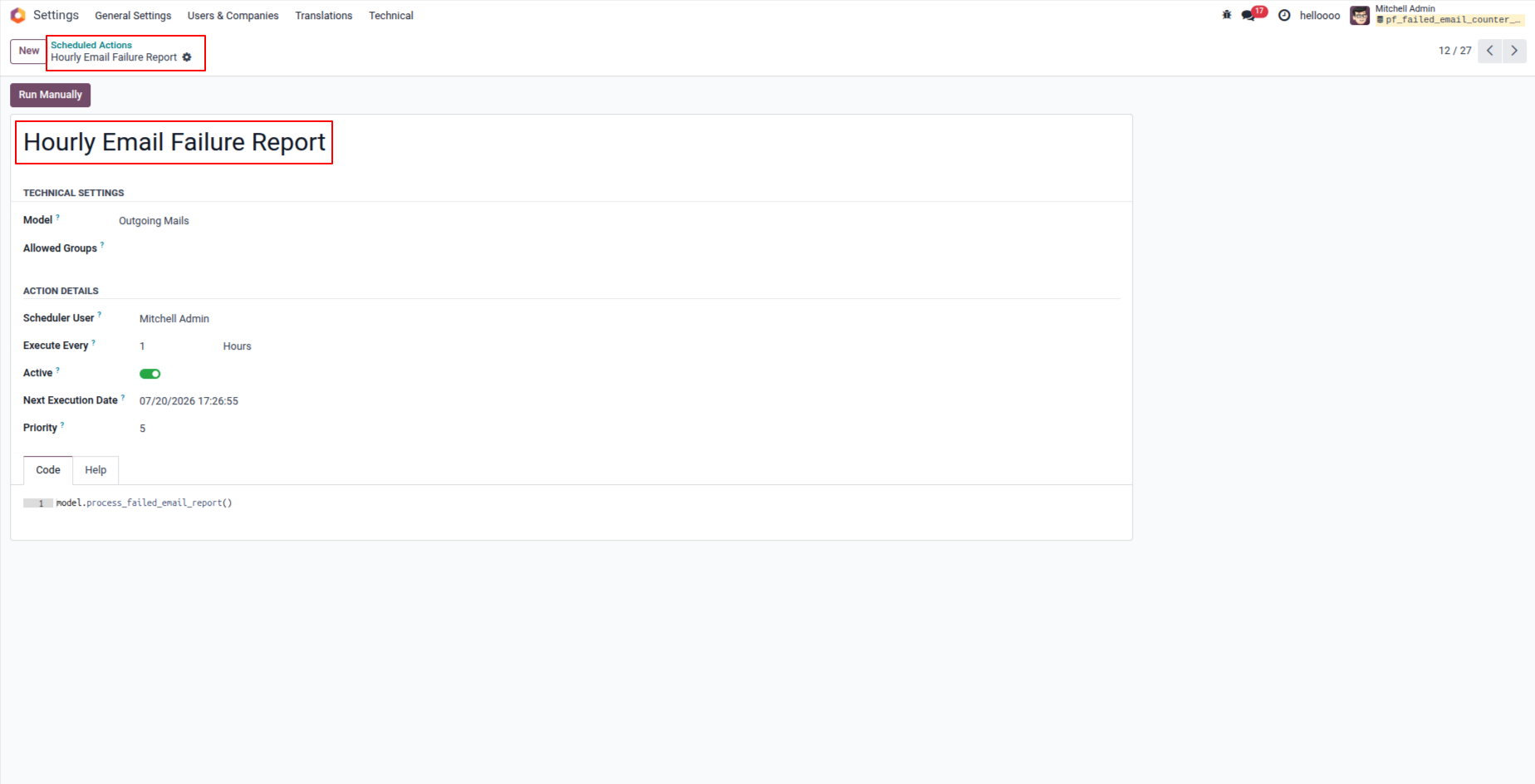
2. The module uses a Scheduled Action (cron job) to automatically check for failed emails at regular intervals.
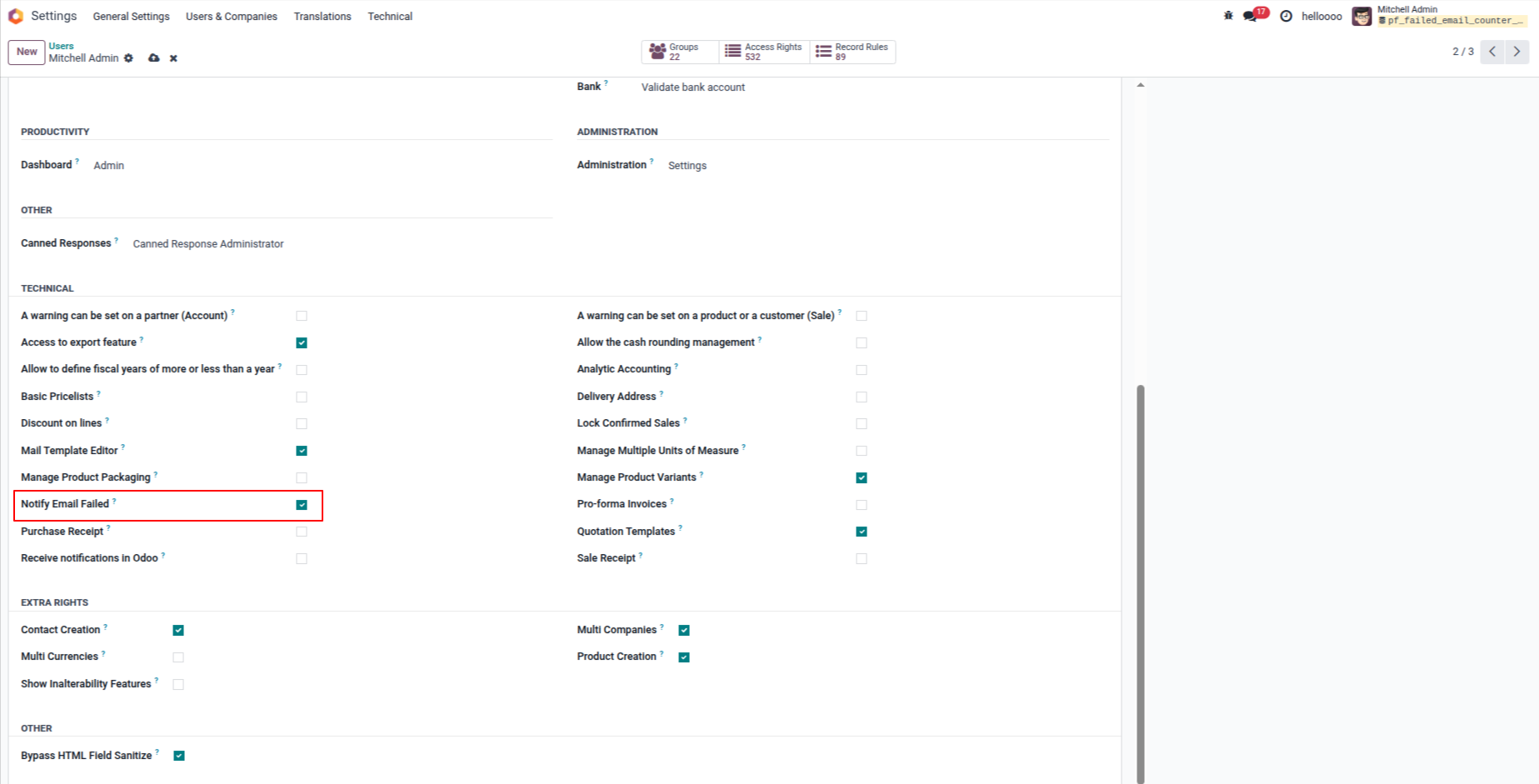
3. Enable the 'Notify Email failed' option in the user access rights to specify which users will receive the failure notification reports.
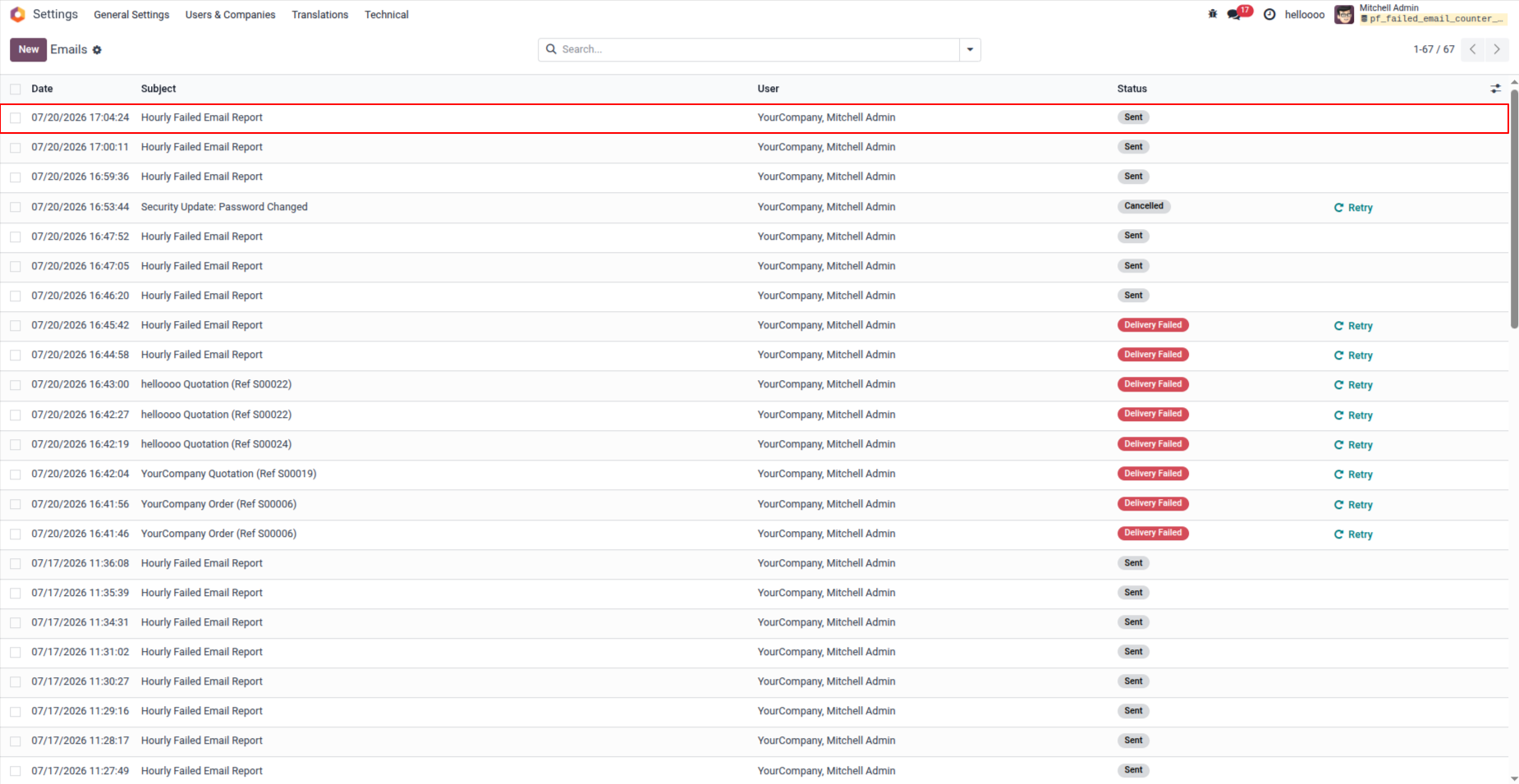
4. The system automatically generates and sends an 'Hourly Email Failure Report' to the configured users.
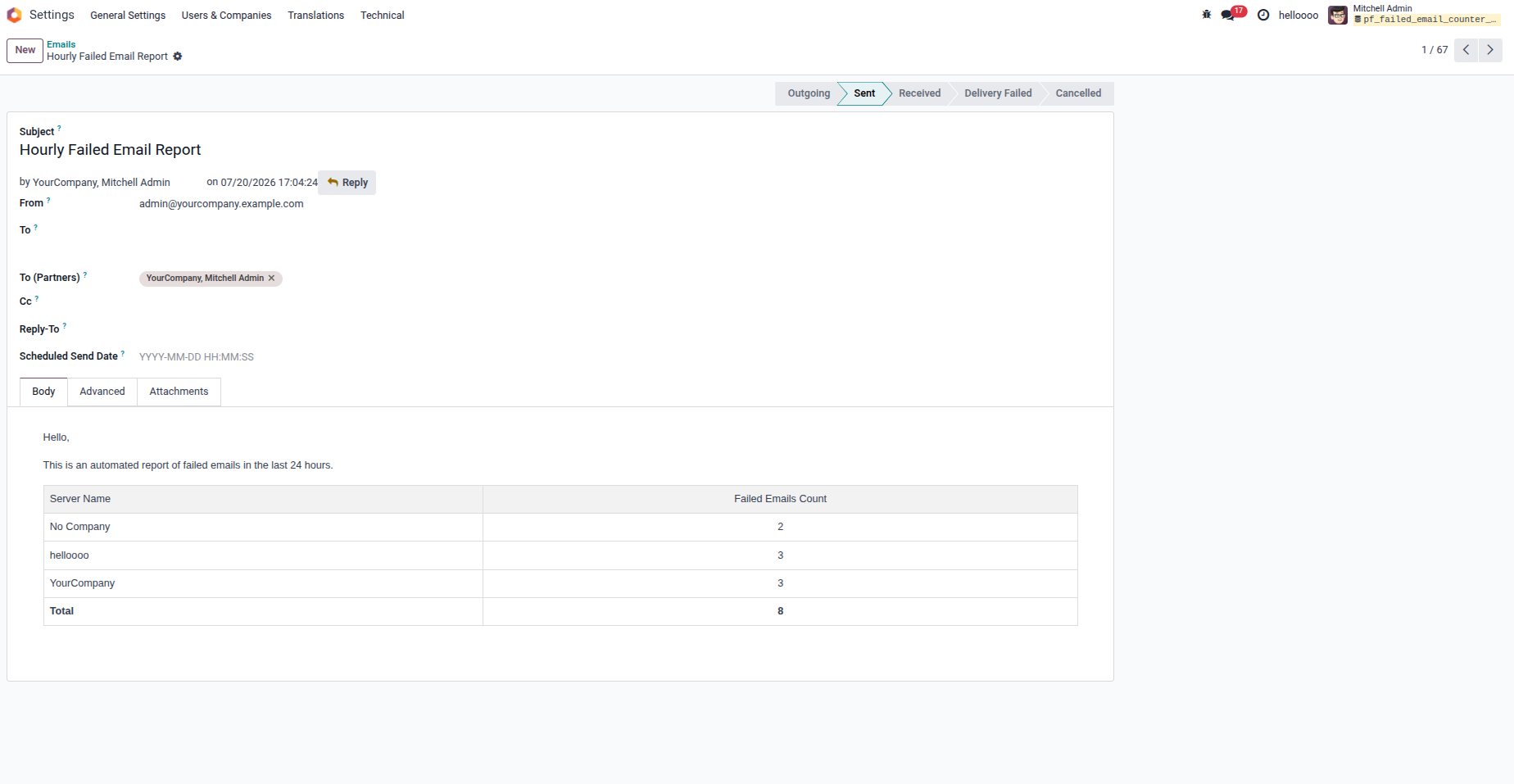
5. The notification email contains a clear, tabular report showing the count of failed emails grouped by company.
Our solutions focus on your problems
- Odoo Implementation
- Odoo Customization
- ERP Development and Implementation
- Odoo Ipass Cloud
- AI for Odoo
- Odoo Apps
- Aws Marketplace Products
- Business Engines
Our Pricing includes User Manual, 90 Days Support (Monday-Friday 10am to 7pm IST) and One time Setup
• Works & tested on standard installations of Odoo with no third party apps,
• Free support only for odoo installations with no third party apps,
• Paid support available for Odoo installations with third party apps.

Prefortune is a Odoo Official Partner, Odoo Development company. Our philosophy is to use Open Source tools and technologies to provide cost effective and green solutions for our customers.
Prefortune Technologies LLP is working on web development, Mobile development, and Odoo ERP.
If you need any help or want more additional features, you may contact us through:
Alternative Products
These other products might interest you
Specifications
| Version | 19.0, 18.0, 17.0, 16.0, 15.0, 14.0 |