Watch Quick Video
Odoo Chatter Management | Show, Hide & Resize
Our complete Odoo – Odoo Chatter Management | Show, Hide & Resize
module enhances the Odoo user experience with a versatile and customizable chatter panel. It allows users to hide or display the chatter, select its position and resize it, creating a more efficient and comfortable workspace. You can configure all the chatter related settings quickly and easily in My Preferenses → Chatter.
Users can select whether they want the chatter to appear in Standard or Always Bottom. You can resize the chatter to help you maximize your screen space and increase productivity when working with records. The module is integrated in Odoo forms without impact on the standard behaviour. Is meant to be used in desktop only.
Odoo Chatter Management Features
- Easily display or hide the chatter to maximize workspace.
- Choose between Standard and Always Bottom layouts.
- Manage all chatter options from My Preferenses → Chatter.
- Adjust the chatter size to suit your workspace and improve productivity.
Complete Workflow for Manage Odoo Chatter Management
Install and activate the Odoo Chatter Management | Show, Hide & Resize module. After installing the module, navigate to My Preferences → Chatter. Use the Chatter section to configure chatter behavior. You can show or hide the chatter panel, choose the chatter position as Standard or Always Bottom. The chatter panel can be resized by dragging its border to adjust its size according to your workspace. The module helps users create a more organized workspace, reduce screen clutter, and improve productivity while working with Odoo records. All settings are applied seamlessly without affecting standard Odoo functionality.
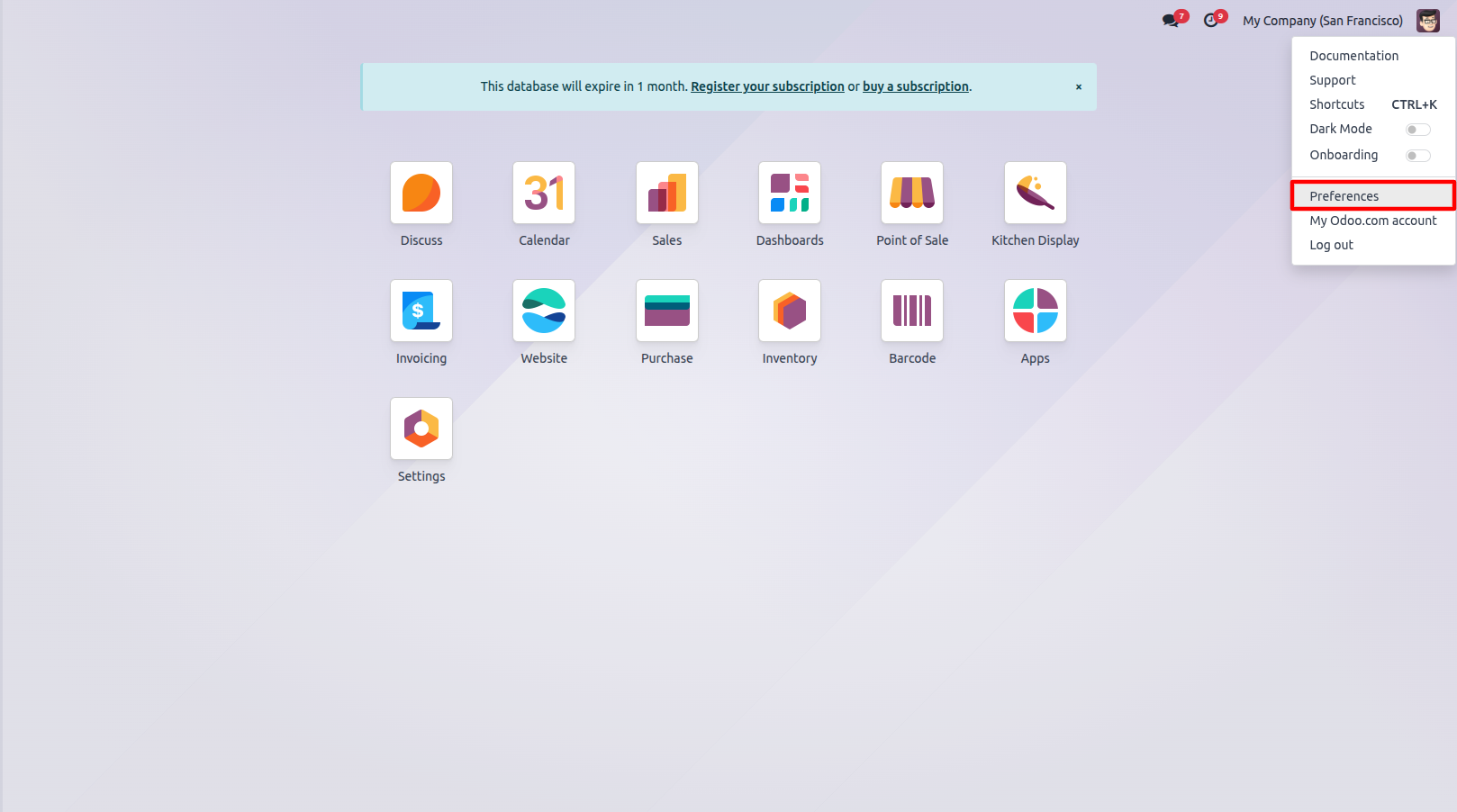
1.Go to My Preferences.
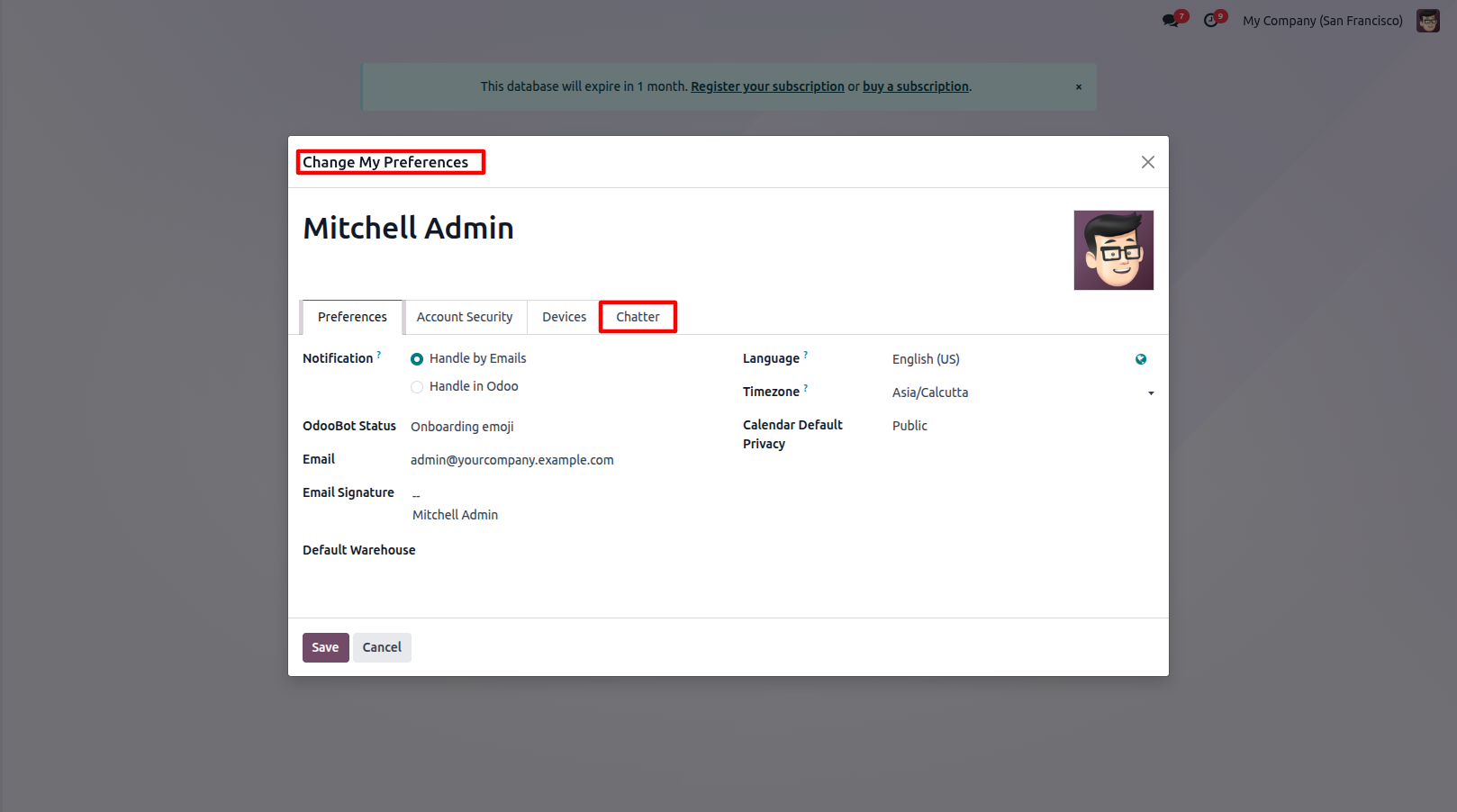
2.Open the Chatter section in My Preferences.
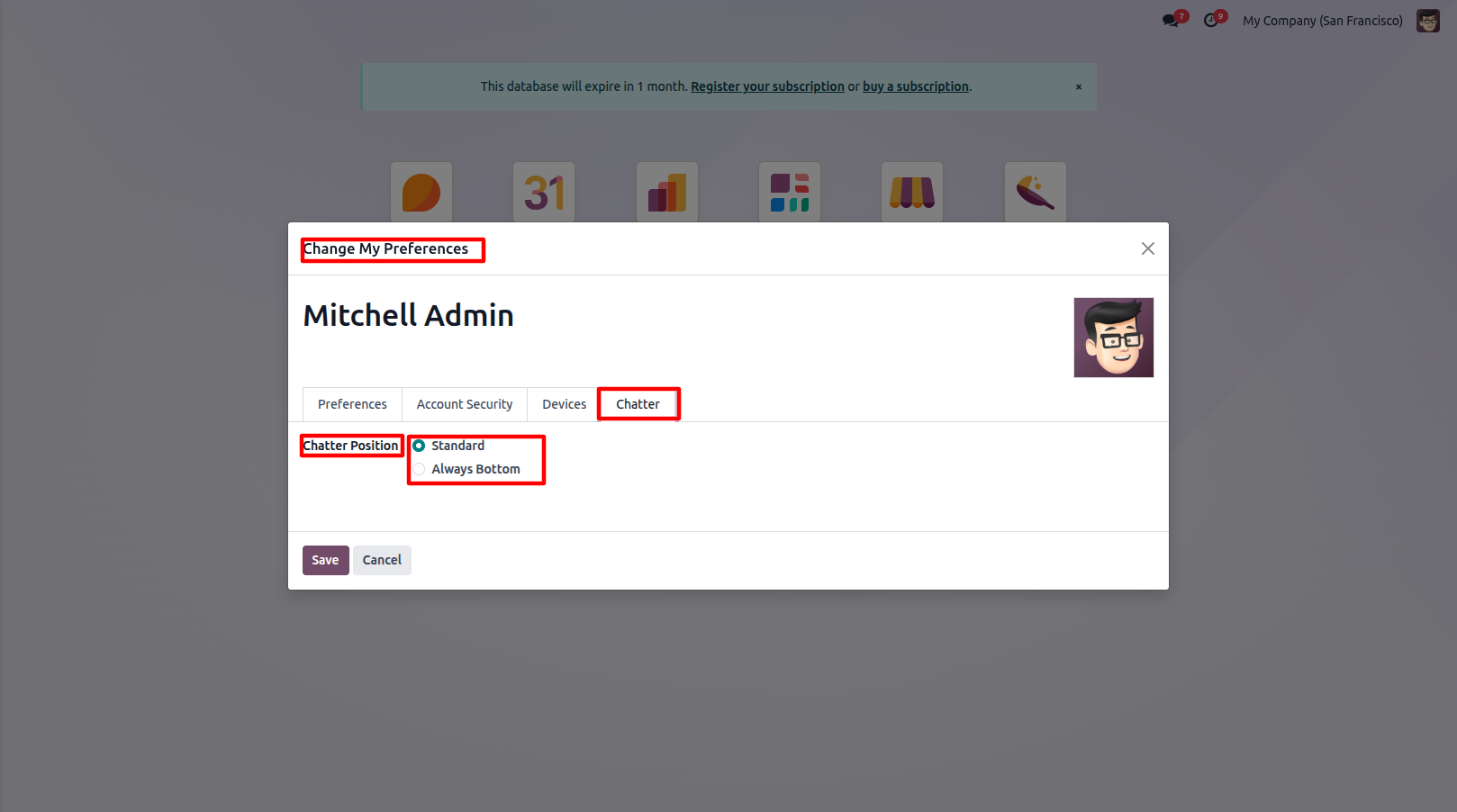
3.Select the chatter position as Standard or Always Bottom.
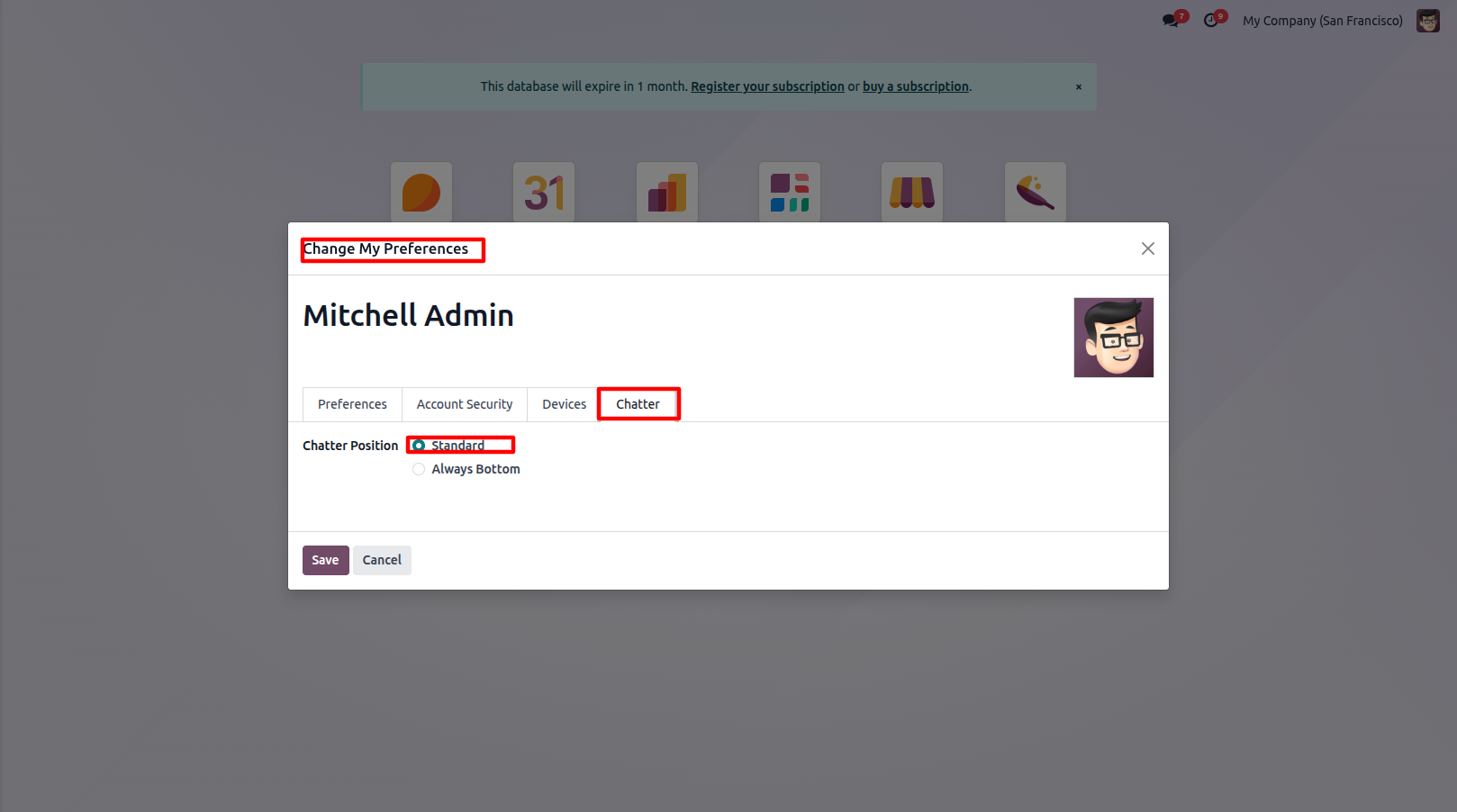
4.When Standard is selected, the chatter is displayed on the right side of the form. You can adjust the chatter panel width by dragging its border to suit your workspace.
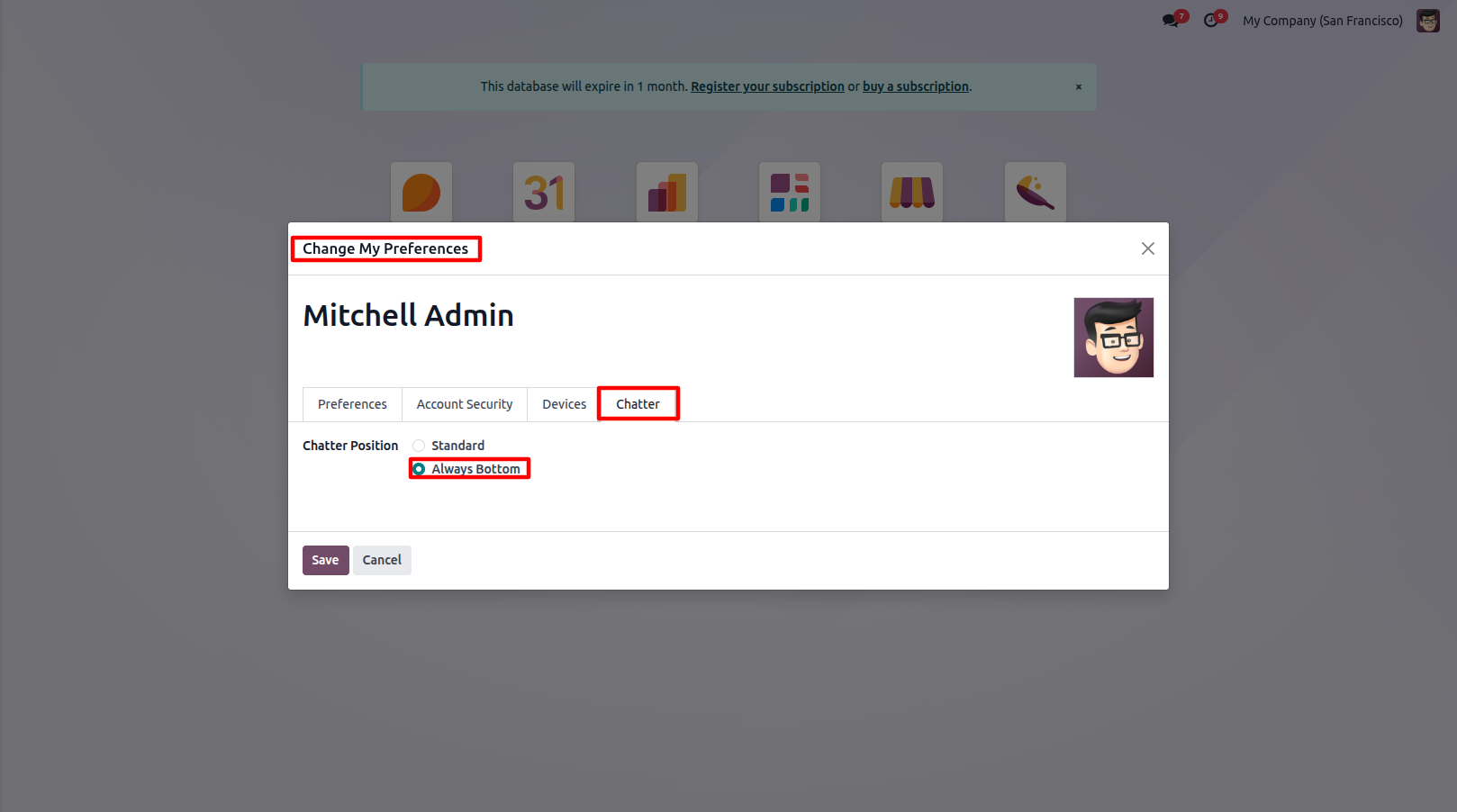
5.When Always Bottom is selected, the chatter is displayed below the form view.
Our solutions focus on your problems
- Odoo Implementation
- Odoo Customization
- ERP Development and Implementation
- Odoo Ipass Cloud
- AI for Odoo
- Odoo Apps
- Aws Marketplace Products
- Business Engines
Our Pricing includes User Manual, 90 Days Support (Monday-Friday 10am to 7pm IST) and One time Setup
• Works & tested on standard installations of Odoo with no third party apps,
• Free support only for odoo installations with no third party apps,
• Paid support available for Odoo installations with third party apps.

Prefortune is a Odoo Official Partner, Odoo Development company. Our philosophy is to use Open Source tools and technologies to provide cost effective and green solutions for our customers.
Prefortune Technologies LLP is working on web development, Mobile development, and Odoo ERP.
If you need any help or want more additional features, you may contact us through:
Alternative Products
These other products might interest you
Specifications
| Version | 19.0, 18.0, 17.0, 16.0, 15.0, 14.0 |