Watch Quick Video
Event sponsorship in Odoo
all-inclusive Odoo –Event sponsorship module Sponsors can easily view available opportunities displayed on the event page and seamlessly apply through an integrated Stripe Checkout system. After successful payment, a confirmation screen reassures the sponsor, and automated email notifications keep both the sponsor and the event organizer informed. The solution also includes simple management of sponsorship details directly within each event and a straightforward setup for Stripe credentials under General Settings, ensuring a smooth and professional experience for both organizers and sponsors.
Event sponsorship in Odoo
- Real-Time Payment Tracking.
- Event-Specific Sponsorship Listings.
- Once the payment is successfully processed, an automated email notification is sent.
- Public Display of Sponsorship Options.
- Seamless Stripe Payment Integration.
Complete Workflow for Event sponsorship in odoo
Configure Event Settings – Go to Event Settings and enter the Stripe Secret Key.Next, add sponsorship details to each event. When a sponsor decides to apply, they can click the "Apply" button, which redirects them to Stripe's secure Checkout page to complete the payment. Once the payment is successfully processed, a confirmation screen is displayed. Finally, automated email notifications are sent to both the sponsor and the event organizer, confirming the sponsorship and payment details.
Note :This module uses the Stripe Payment Gateway for processing sponsorship payments. Therefore, the Python library (stripe) is required for proper functionality.

1. Install Event Sponsorship module
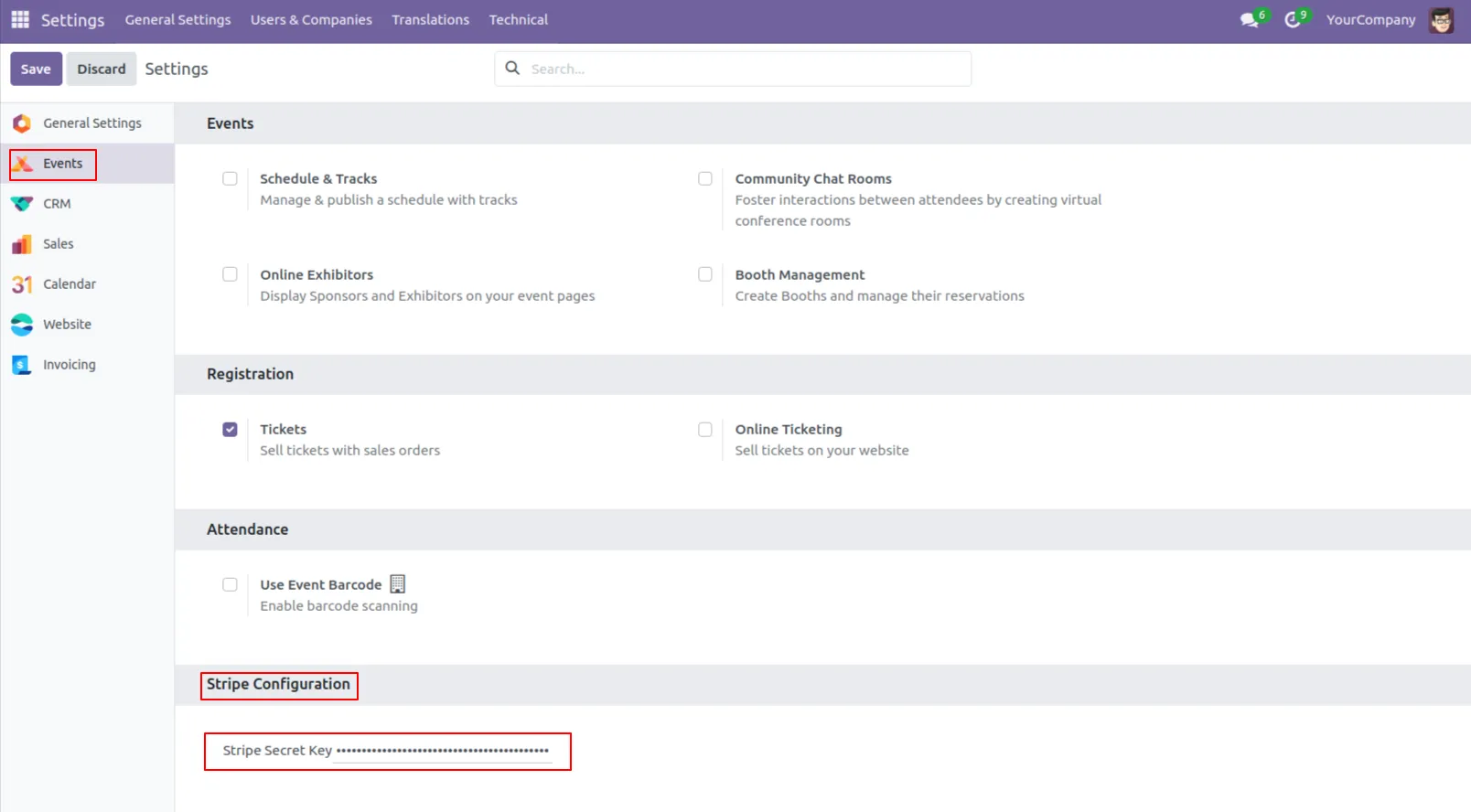
2. Go to Event Settings and enter the Stripe Secret Key.
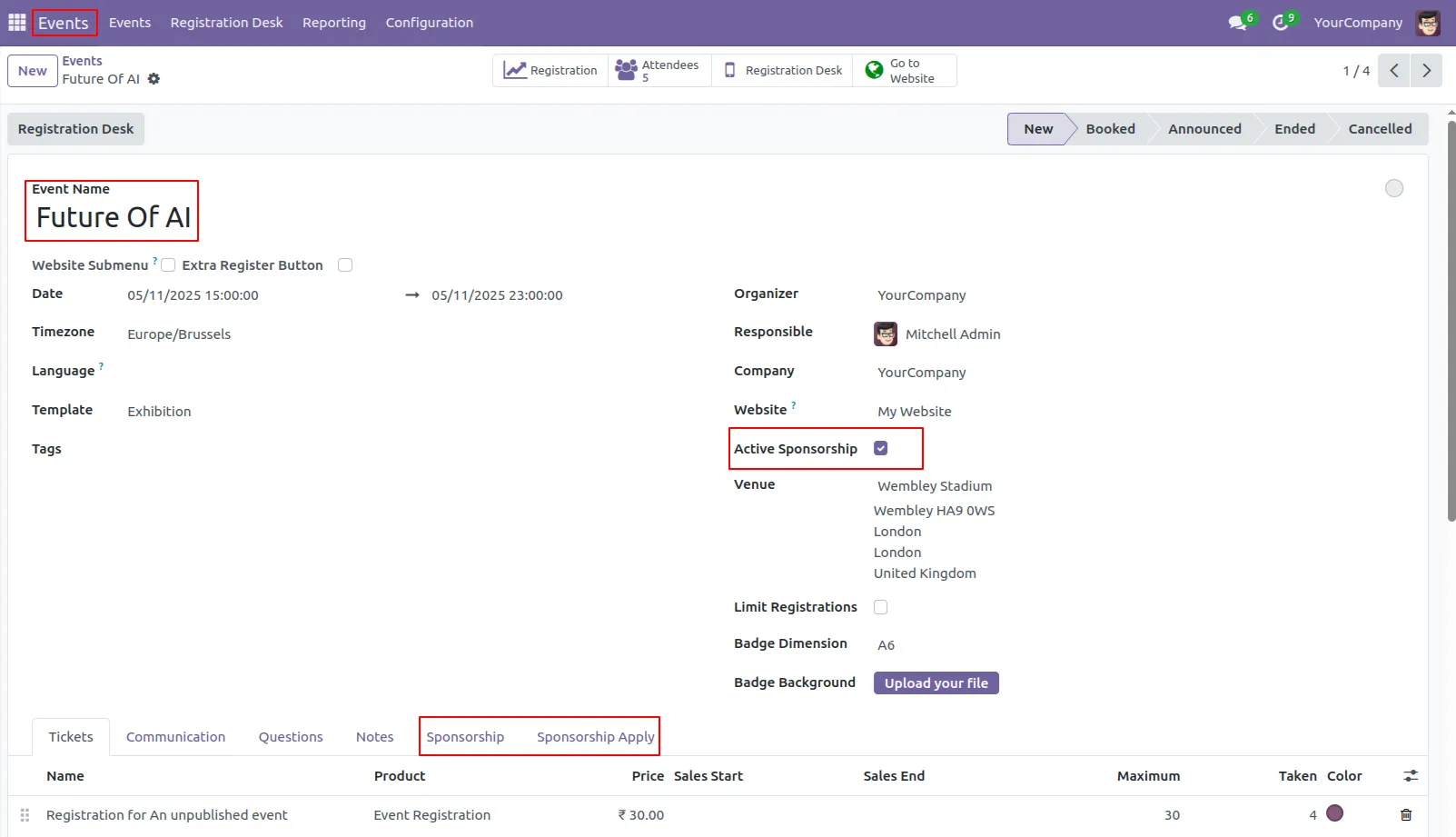
3. Go to the Event menu, create a new event, and enable the 'Active Sponsorship' field. Than show the two sections will appear: 'Sponsorship' and 'Sponsorship Apply.
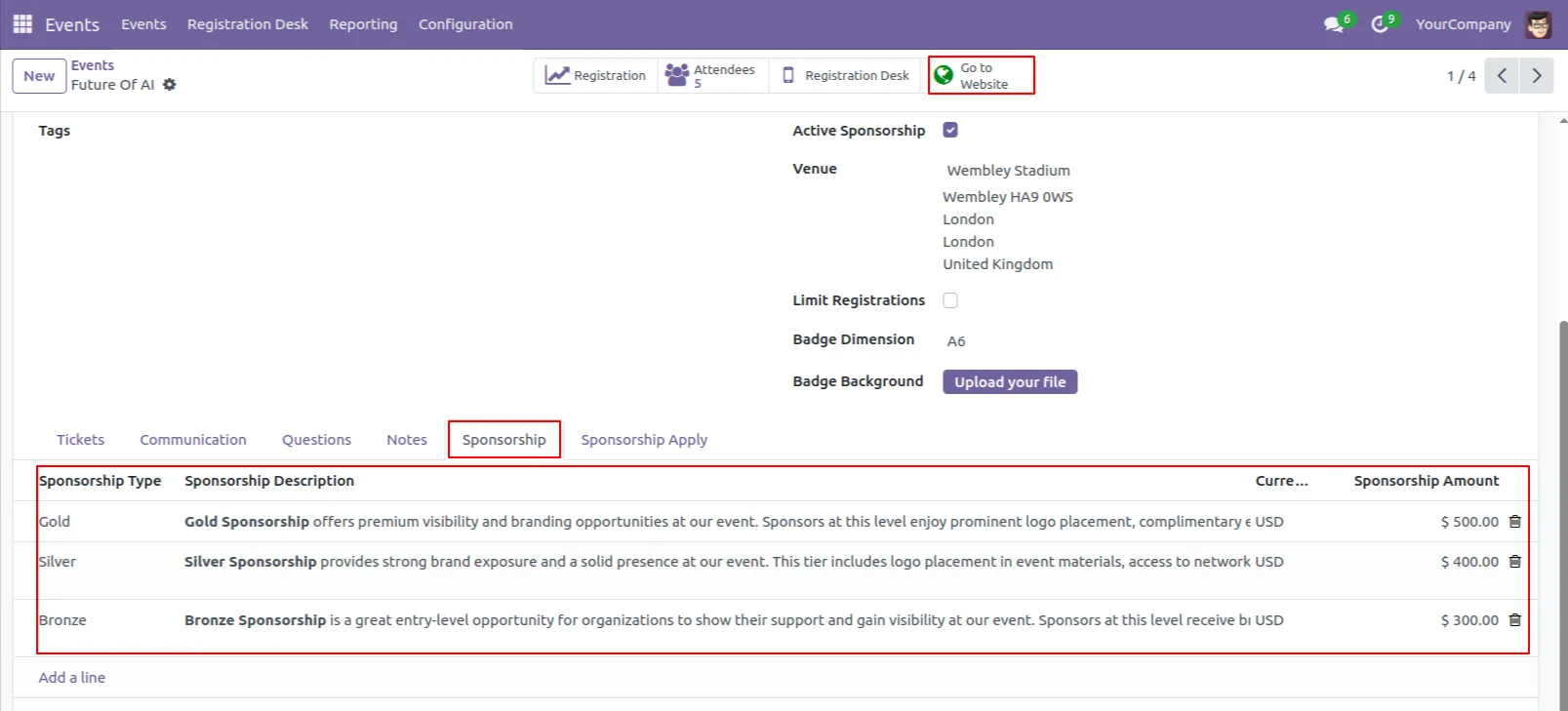
4. In the 'Sponsorship' section, add the sponsorship details, and then click the 'Go to Website' button
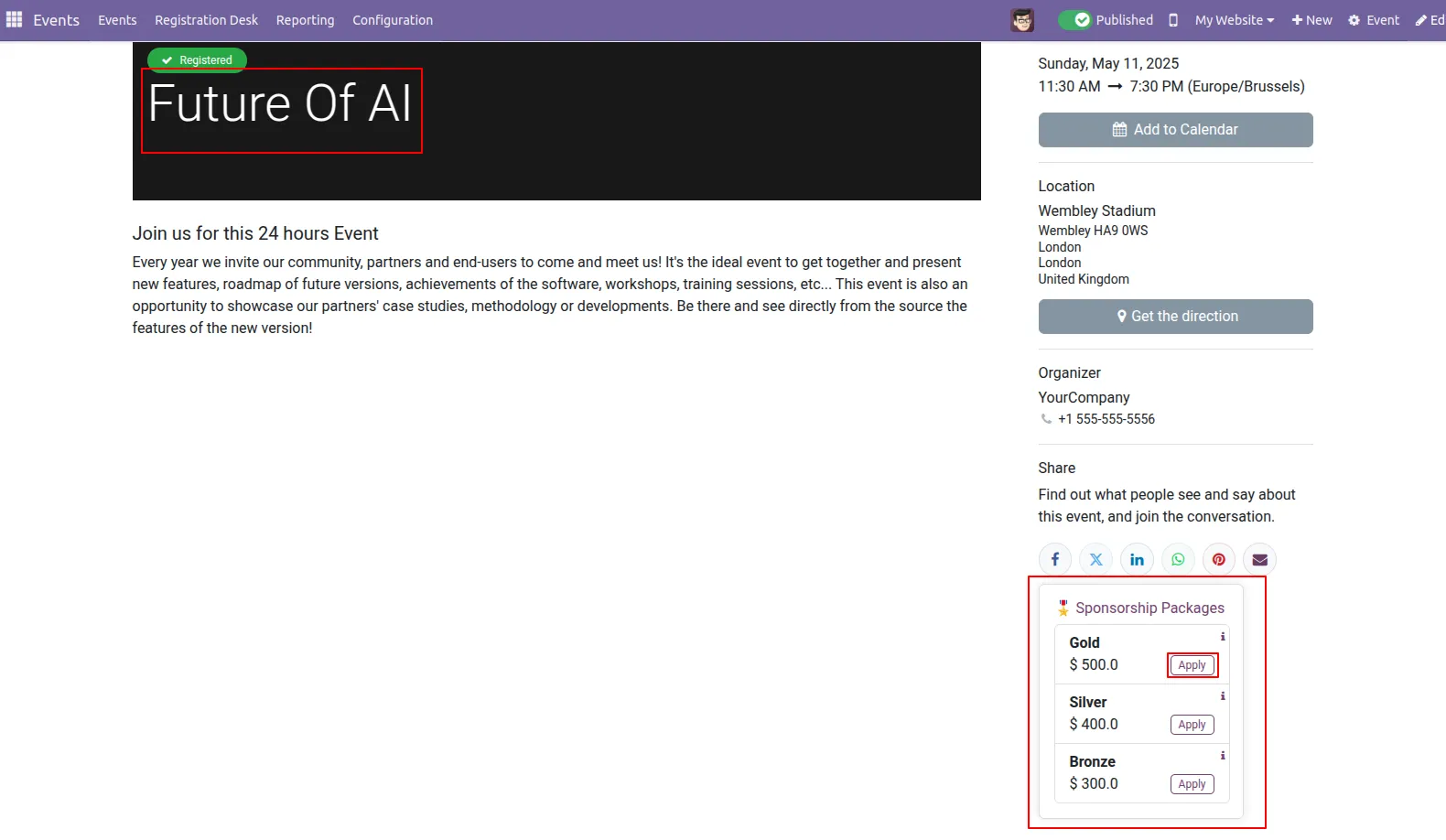
5. Show the Event Sponsorship on the website And click on the 'Apply' button make a payment..
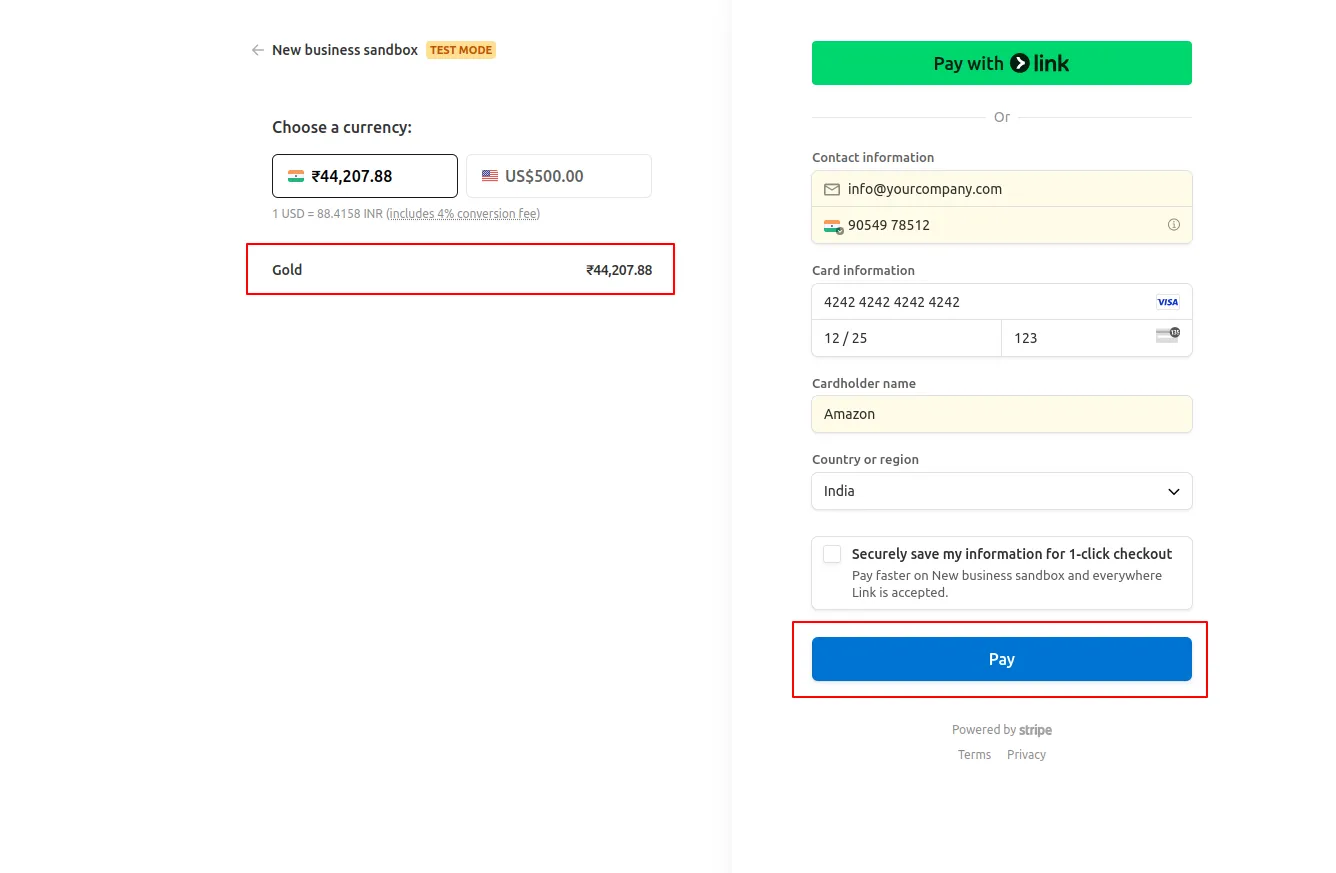
6. Fill in all the details and click the 'Payment' button.
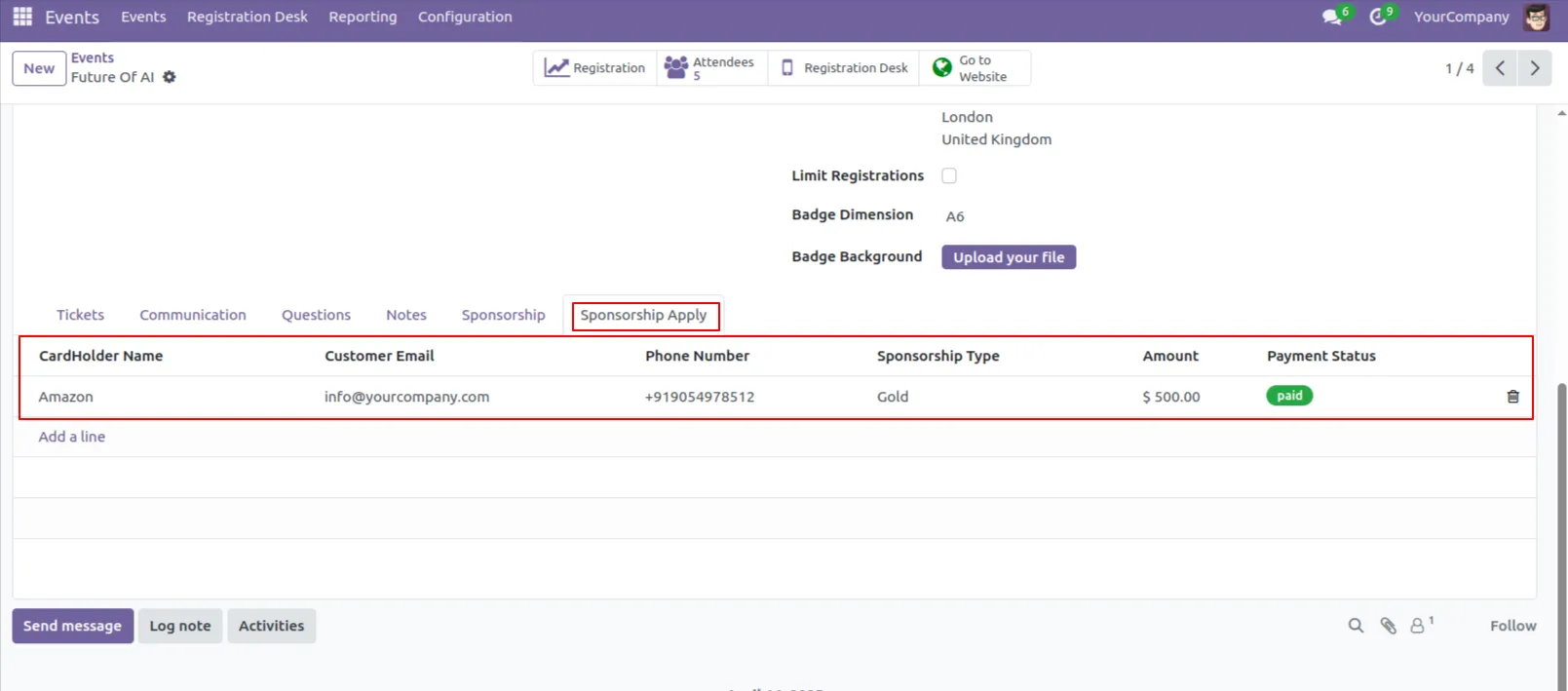
8. Go to the Event menu and view the 'Sponsorship Apply' section, where the sponsership details are displayed once the payment is completed.
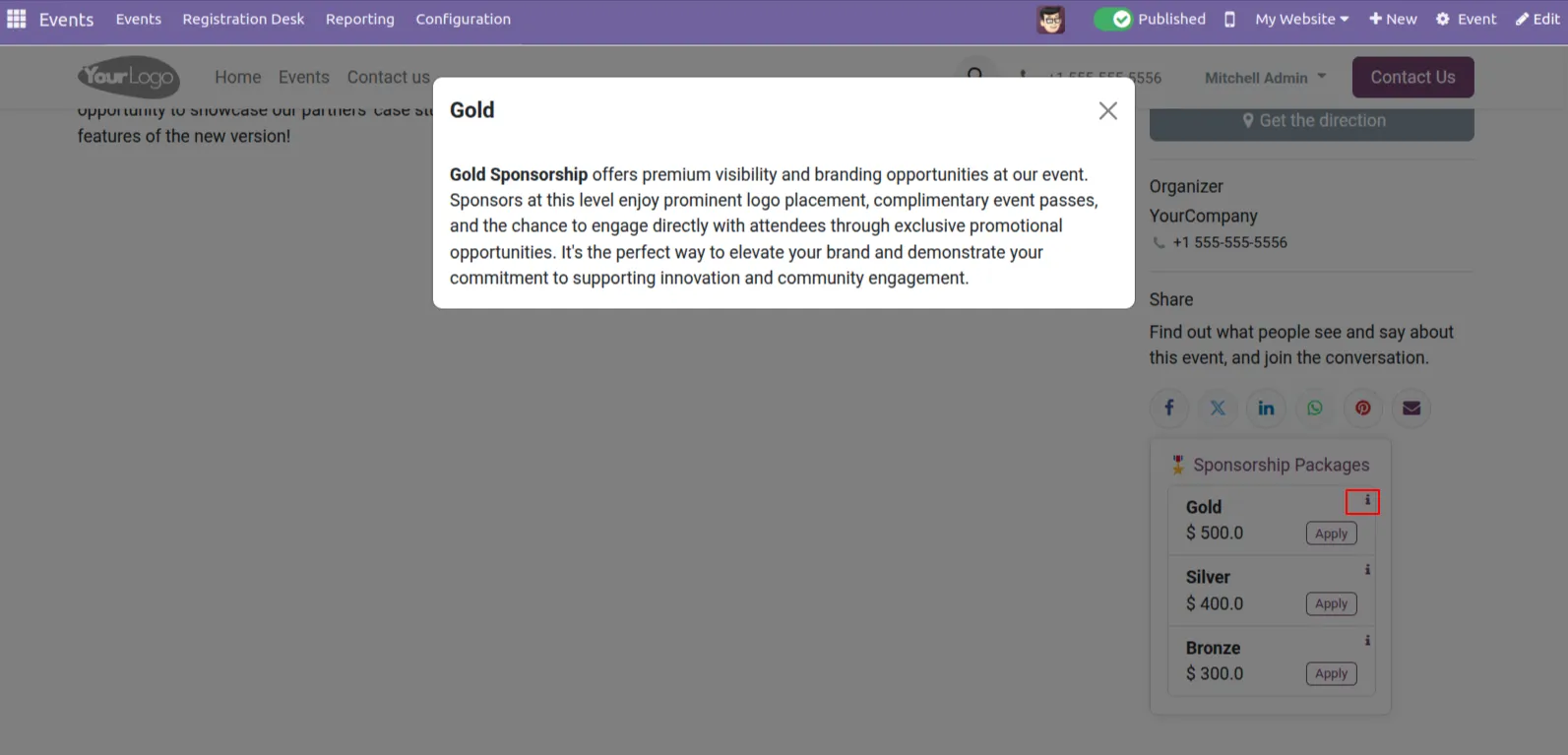
9. Click on the information icon to view the details of the particular event.
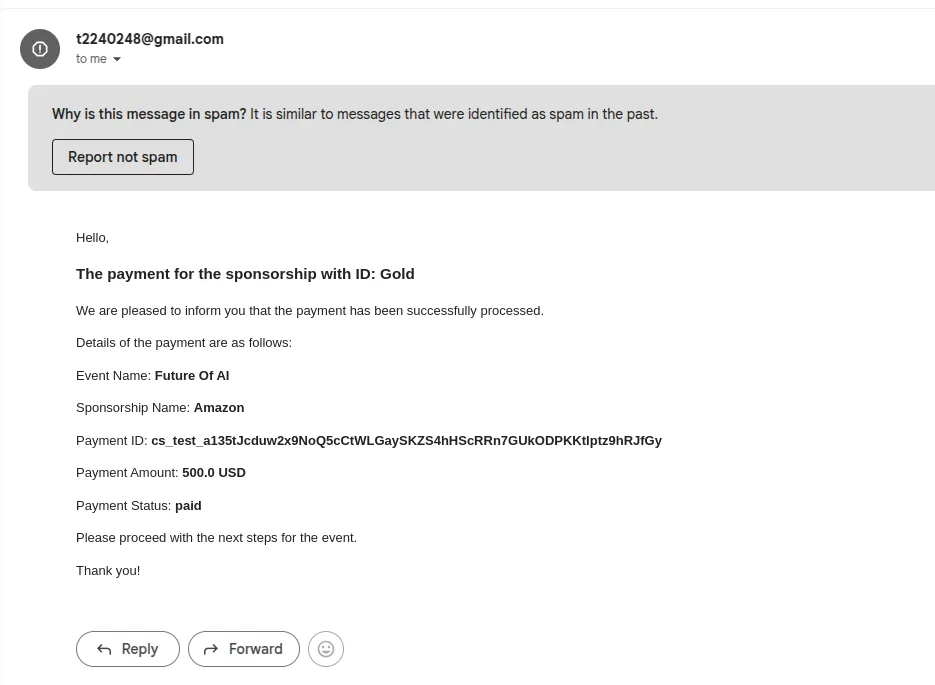
10. Once the payment is successfully processed, an automated email notification is sent.
Our solutions focus on your problems
- Odoo Implementation
- Odoo Customization
- ERP Development and Implementation
- Odoo Ipass Cloud
- AI for Odoo
- Odoo Apps
- Aws Marketplace Products
- Business Engines
Our Pricing includes User Manual, 90 Days Support (Monday-Friday 10am to 7pm IST) and One time Setup
• Works & tested on standard installations of Odoo with no third party apps,
• Free support only for odoo installations with no third party apps,
• Paid support available for Odoo installations with third party apps.

Prefortune is a Odoo Official Partner, Odoo Development company. Our philosophy is to use Open Source tools and technologies to provide cost effective and green solutions for our customers.
Prefortune Technologies LLP is working on web development, Mobile development, and Odoo ERP.
If you need any help or want more additional features, you may contact us through:
Alternative Products
These other products might interest you
Specifications
| Version | 18.0, 17.0, 16.0, 15.0, 14.0, 13.0 |