Watch Quick Video
Employee Less Working Hour Notifications Odoo App
Our all-inclusive
Odoo – Employee Less Working Hour Notifications Odoo App
helps organizations effectively monitor and manage employee attendance by automatically tracking daily working hours. This module ensures that employees meet the required minimum working hours defined by the organization, improving attendance transparency and workforce accountability within the Odoo system.
The module introduces an automated monitoring system that analyzes employee attendance records and calculates the total worked hours for each day. Administrators can configure the minimum working hours requirement and define email addresses to receive notification summaries. If an employee’s worked hours fall below the configured minimum limit, the system automatically triggers notifications.
Employees can receive email alerts informing them that their worked hours are below the required threshold. At the same time, managers or HR administrators receive summary notifications containing details of all employees who worked less than the expected hours. This allows management to quickly identify attendance issues and take appropriate action.
The system also handles multiple check-in and check-out records within a single day by combining total worked hours, ensuring accurate calculations. If an employee forgets to check out, the system records the worked hours accordingly based on attendance data.
A scheduled cron job automatically runs daily to evaluate attendance records and send notifications without requiring manual intervention. By automating attendance monitoring and reporting, this module helps organizations maintain discipline, improve productivity, and streamline attendance management processes across the entire Odoo environment.
Note : Outgoing Mail Server must be configured properly for this module to work. If the Outgoing Mail Server is not set, email notifications will not be sent.
Employee Less Working Hour Notifications Odoo App
- Automatically tracks employee daily working hours from attendance records.
- Identifies employees who worked fewer hours than the required working time.
- Sends alerts or notifications to managers when employees complete less working hours.
- Runs automated background checks daily to detect insufficient working hours.
- Provides a clear overview of employees who worked fewer hours.
Employee Less Working Hour Notifications Odoo App
First, configure the Minimum Working Hours and notification email addresses from the system settings. Once configured, the system automatically monitors employee attendance and calculates daily worked hours based on check-in and check-out records. If an employee’s worked hours are less than the configured minimum hours, the system automatically sends an email notification to the employee and a summary notification to the configured recipients. A scheduled cron job runs daily to check attendance records and trigger notifications automatically, helping organizations maintain proper attendance tracking and workforce accountability.
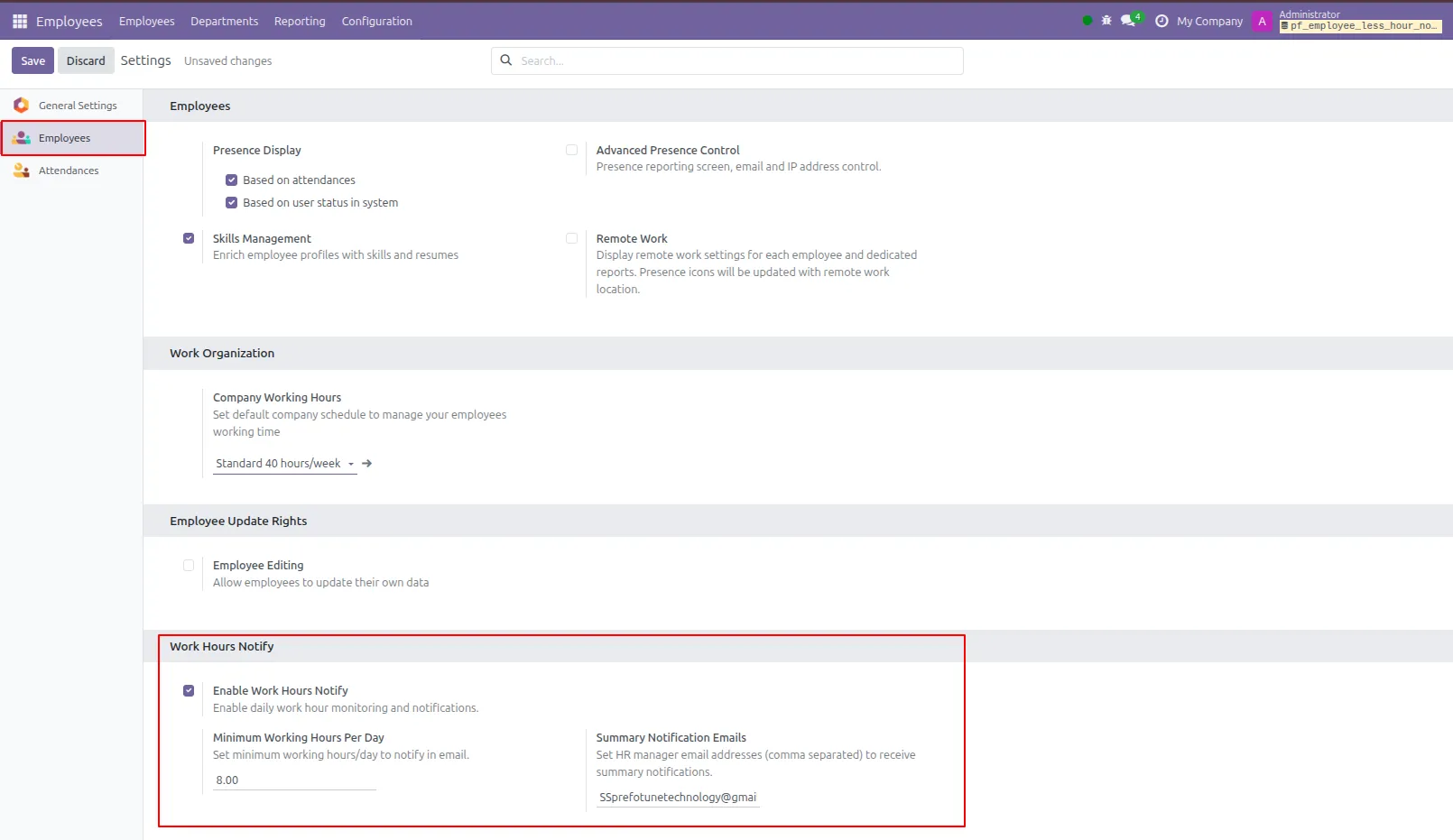
1.Set minimum working hours for all employees, and enter email addresses to which notification email summaries need to be sent.
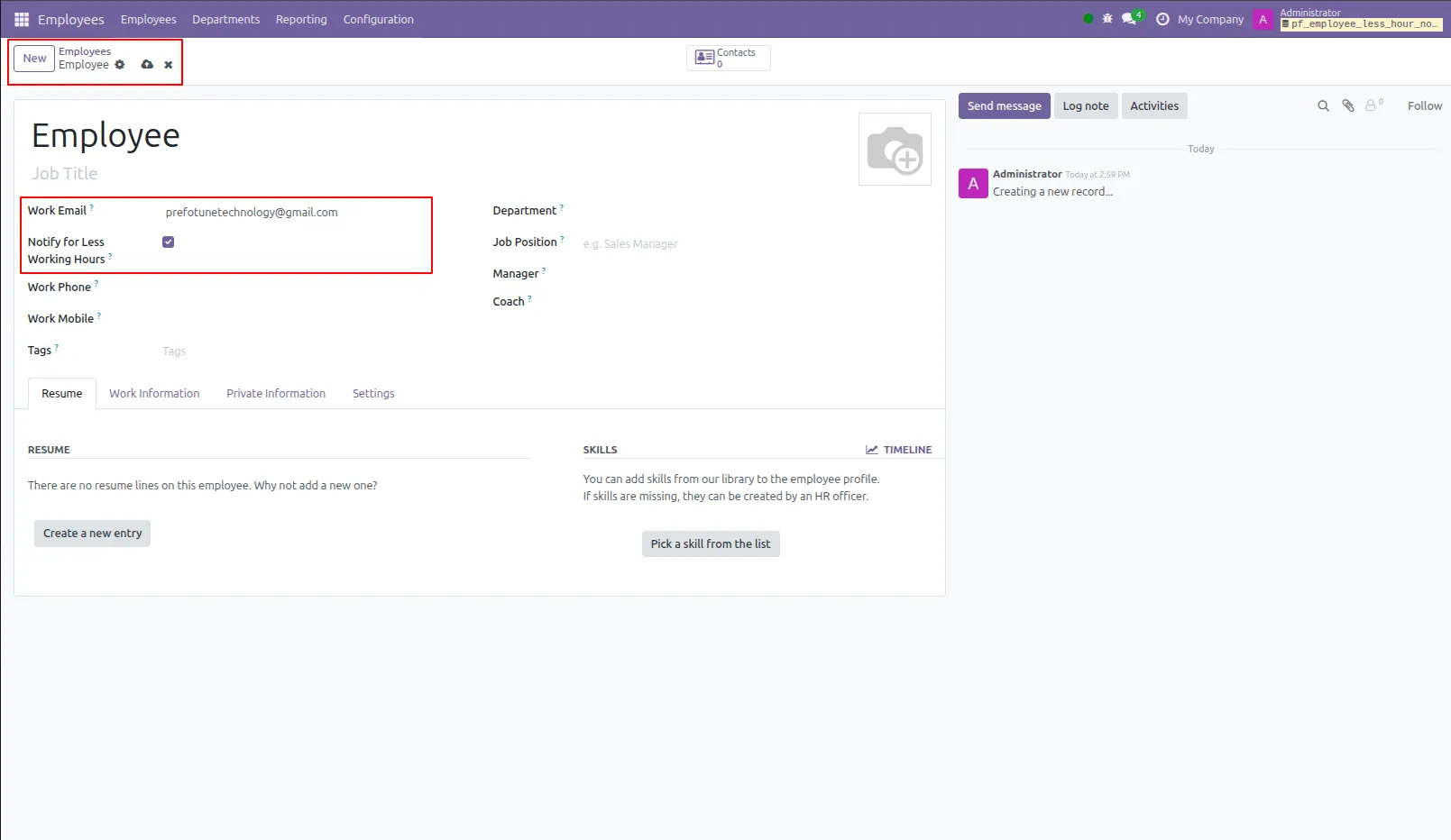
2.Set the employee's email address on which mail will be sent, you can set if an employee should be notified or not by for minimum working hours.
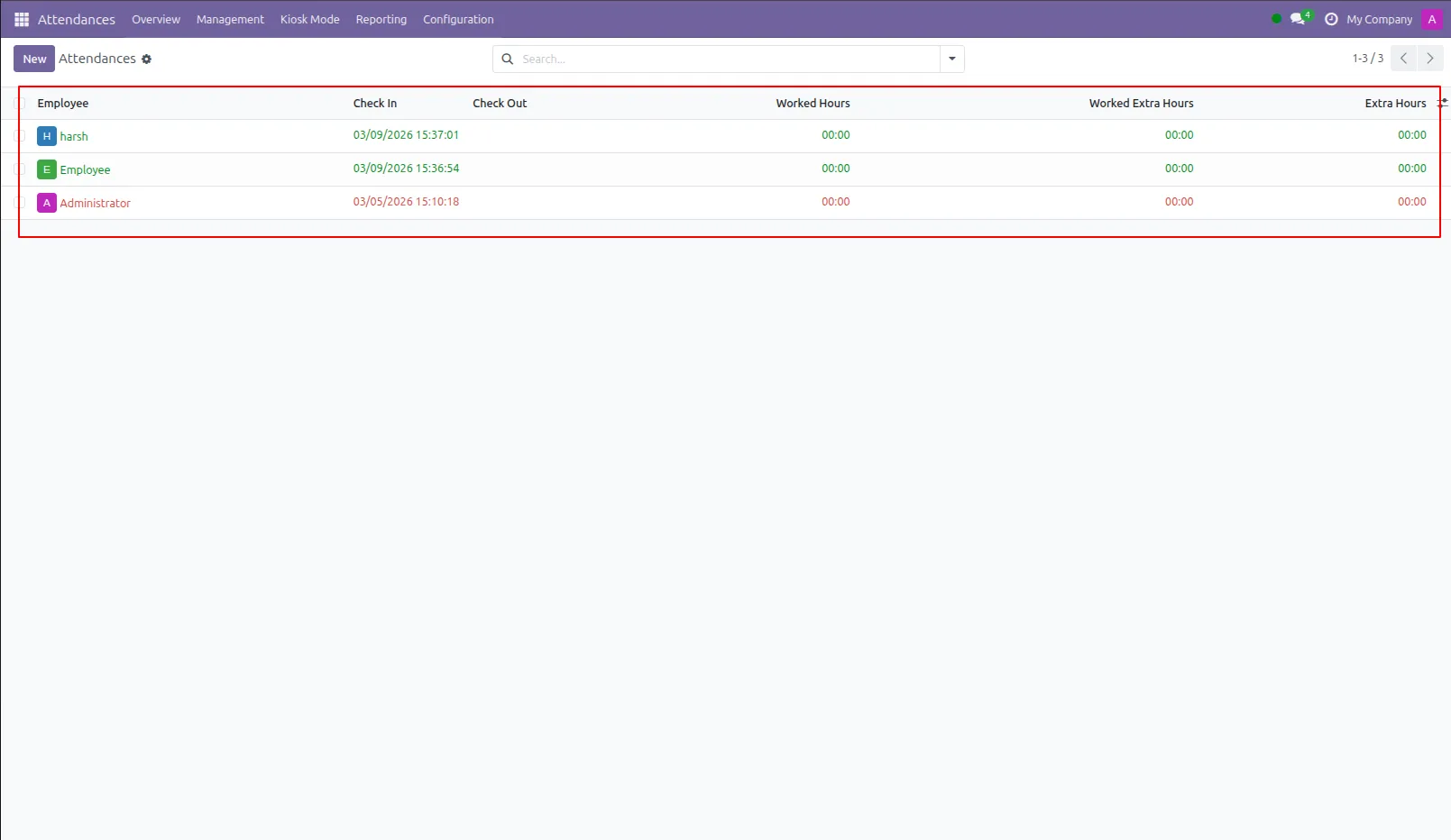
3.Attendance of employees. If an employee forgot to check out then its worked hours on that day will be calculated as Zero. Employees check out and again check in on the same day and both hours will be added.
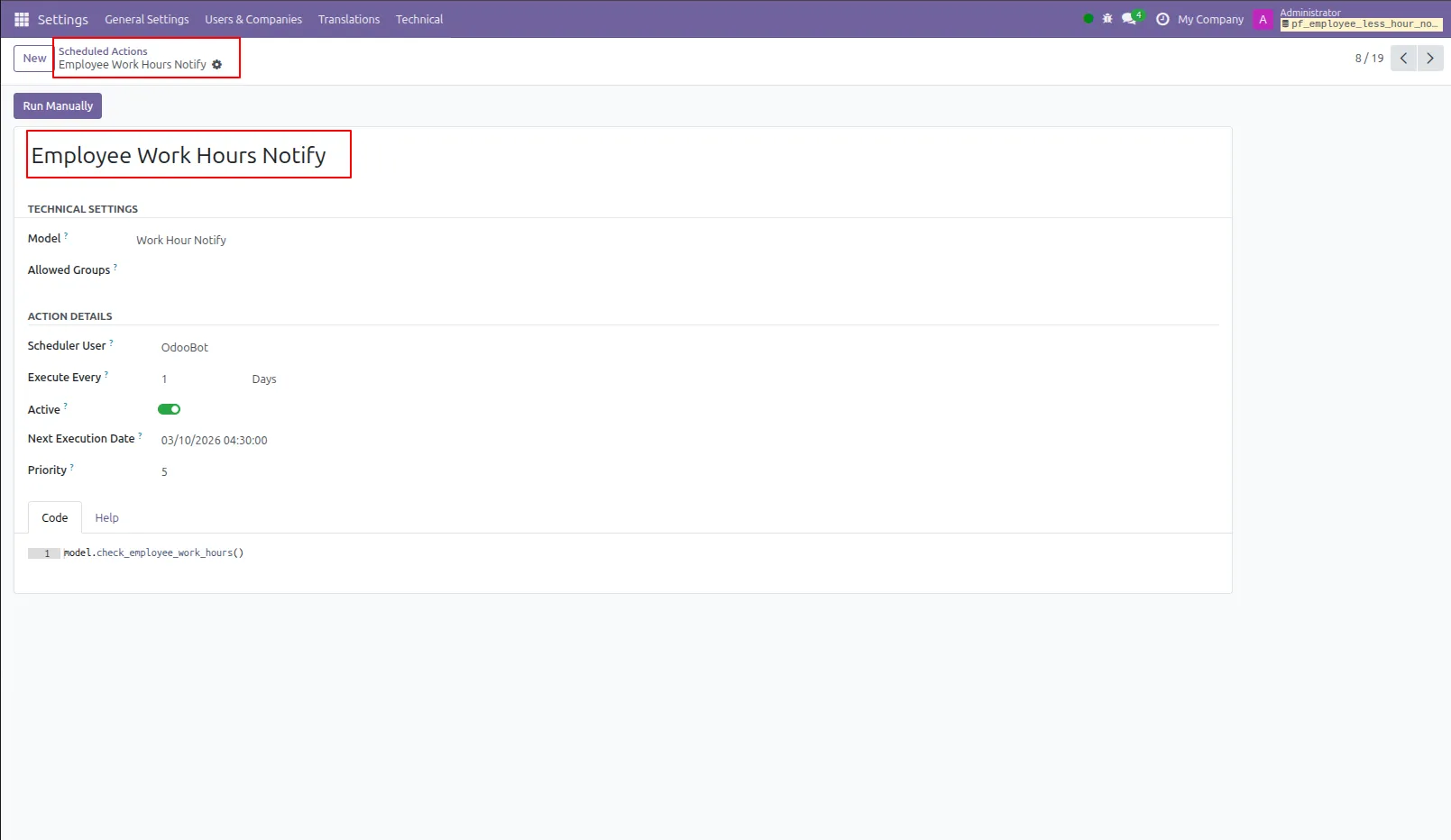
4.Created a cron job that will run every day for 23 Hours 45 Minutes.
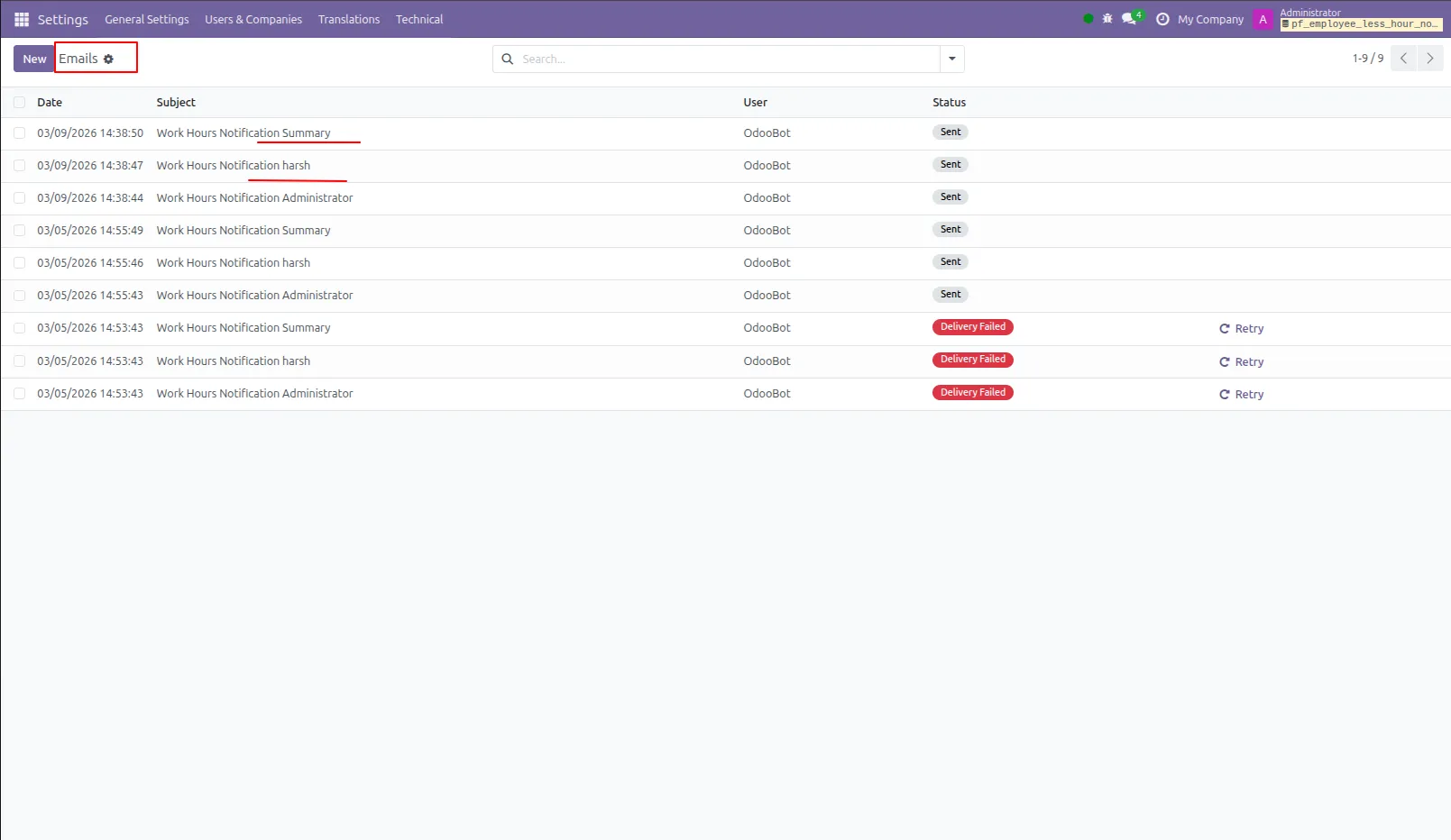
5.Email sent to all employees who is set to notify and whose worked hours is less than mentioned minimum working hours.
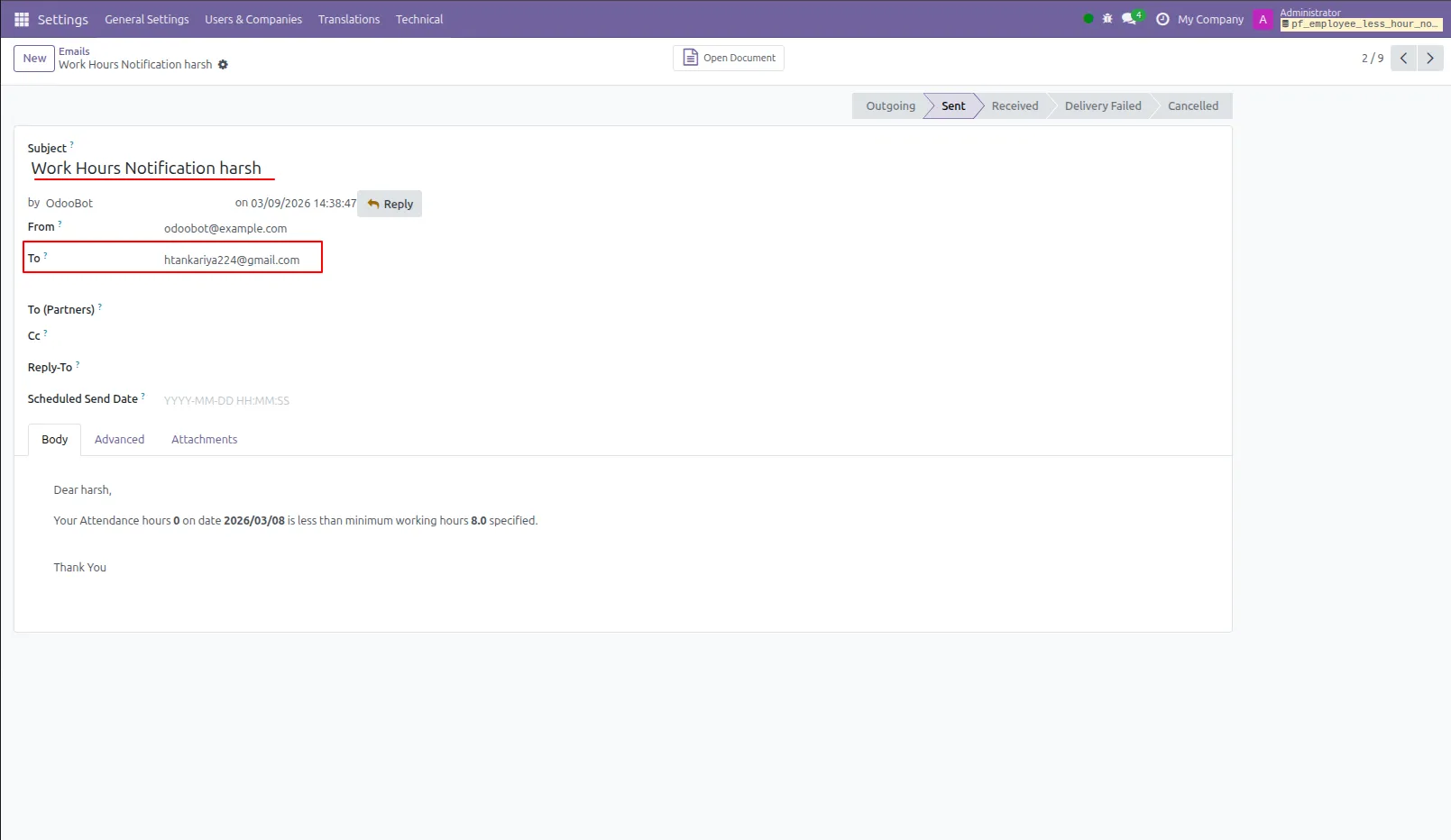
6.Worked hours email to employee on his email address for less worked hours.
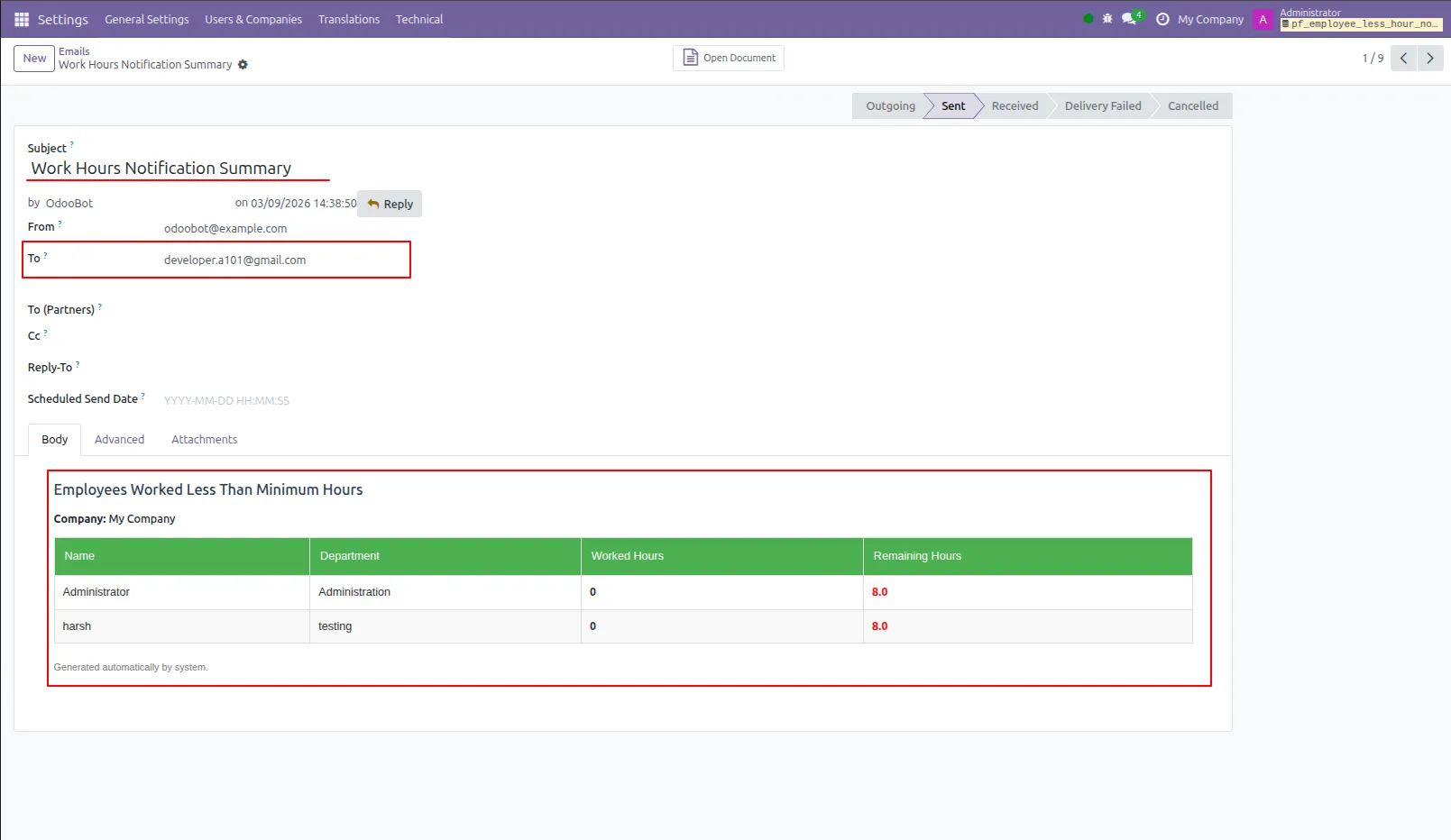
7.Worked hours email summary of all employee whose worked hours is less than mentioned email addresses.
Our solutions focus on your problems
- Odoo Implementation
- Odoo Customization
- ERP Development and Implementation
- Odoo Ipass Cloud
- AI for Odoo
- Odoo Apps
- Aws Marketplace Products
- Business Engines
Our Pricing includes User Manual, 90 Days Support (Monday-Friday 10am to 7pm IST) and One time Setup
• Works & tested on standard installations of Odoo with no third party apps,
• Free support only for odoo installations with no third party apps,
• Paid support available for Odoo installations with third party apps.

Prefortune is a Odoo Official Partner, Odoo Development company. Our philosophy is to use Open Source tools and technologies to provide cost effective and green solutions for our customers.
Prefortune Technologies LLP is working on web development, Mobile development, and Odoo ERP.
If you need any help or want more additional features, you may contact us through:
Alternative Products
These other products might interest you
Specifications
| Version | 19.0, 18.0, 17.0, 16.0, 15.0, 14.0 |