Watch Quick Video
Employee Company and Branch Transfer with Relocation odoo
Employee Company and Branch Transfer with Relocation helps businesses simplify employee relocation, branch transfer management, and internal workforce movement directly in Odoo. The module improves the complete transfer approval workflow with structured approvals, automated HR operations, multi branch employee management, and accurate transfer tracking for better organizational workflow management.
- Transfer Workflow Management: Manage company transfer management and branch transfer workflow with structured approvals between sender and receiver companies.
- Relocation & Reassignment: Handle employee relocation process, workforce reassignment, and work location transfer smoothly across branches and departments.
- Automated HR Operations: Automatically archive records, close contracts, and create new profiles in the target company for seamless transfer handling.
- Multi-Company Visibility Rules: Control internal employee transfer visibility based on workflow stages for secure and organized operations.
- Tracking & Access Control: Maintain accurate transfer history tracking with role-based access for HR managers and department managers in Odoo.
Key Features
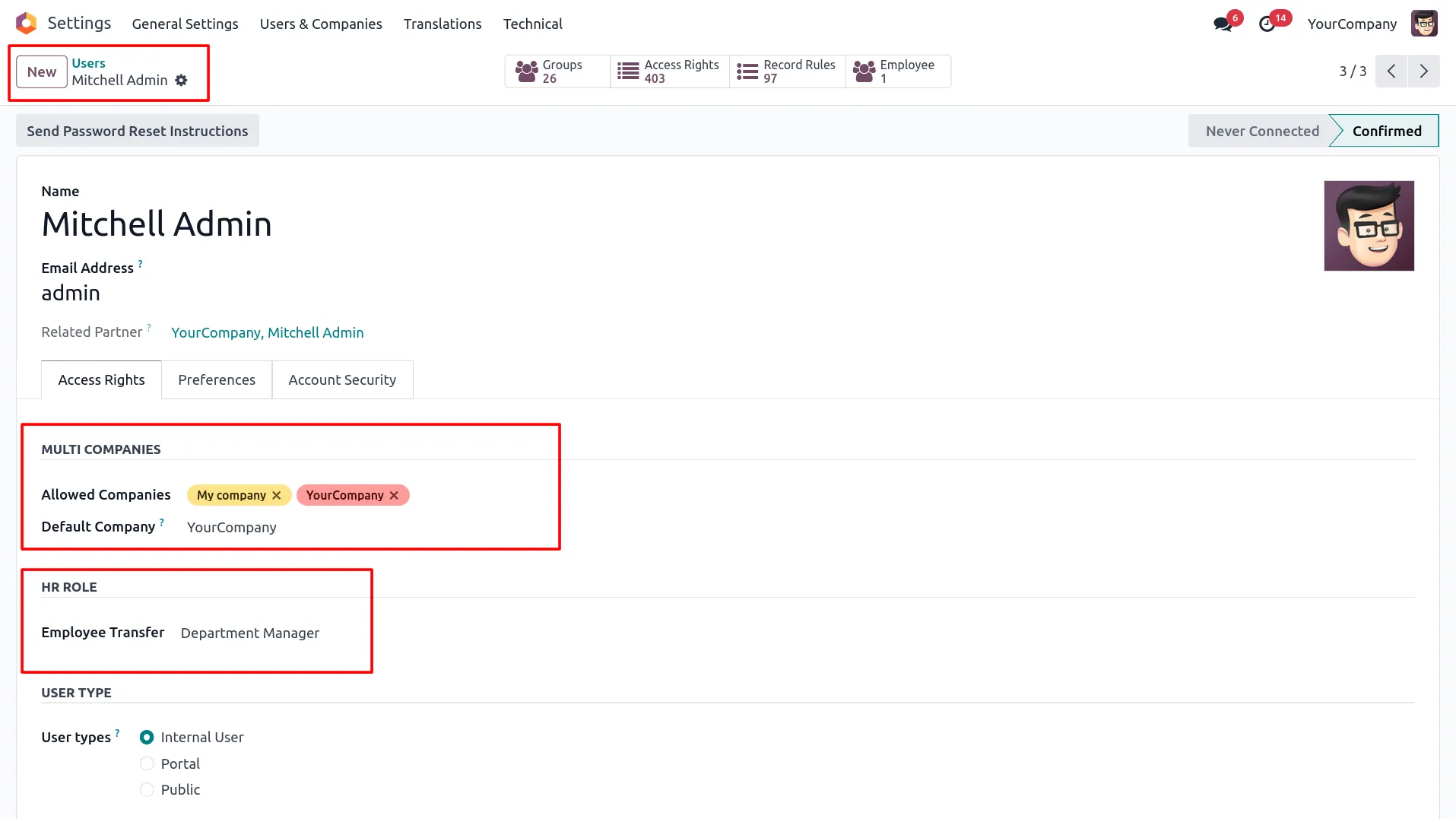
1. Assign Department Manager or HR Manager role to users from Settings.
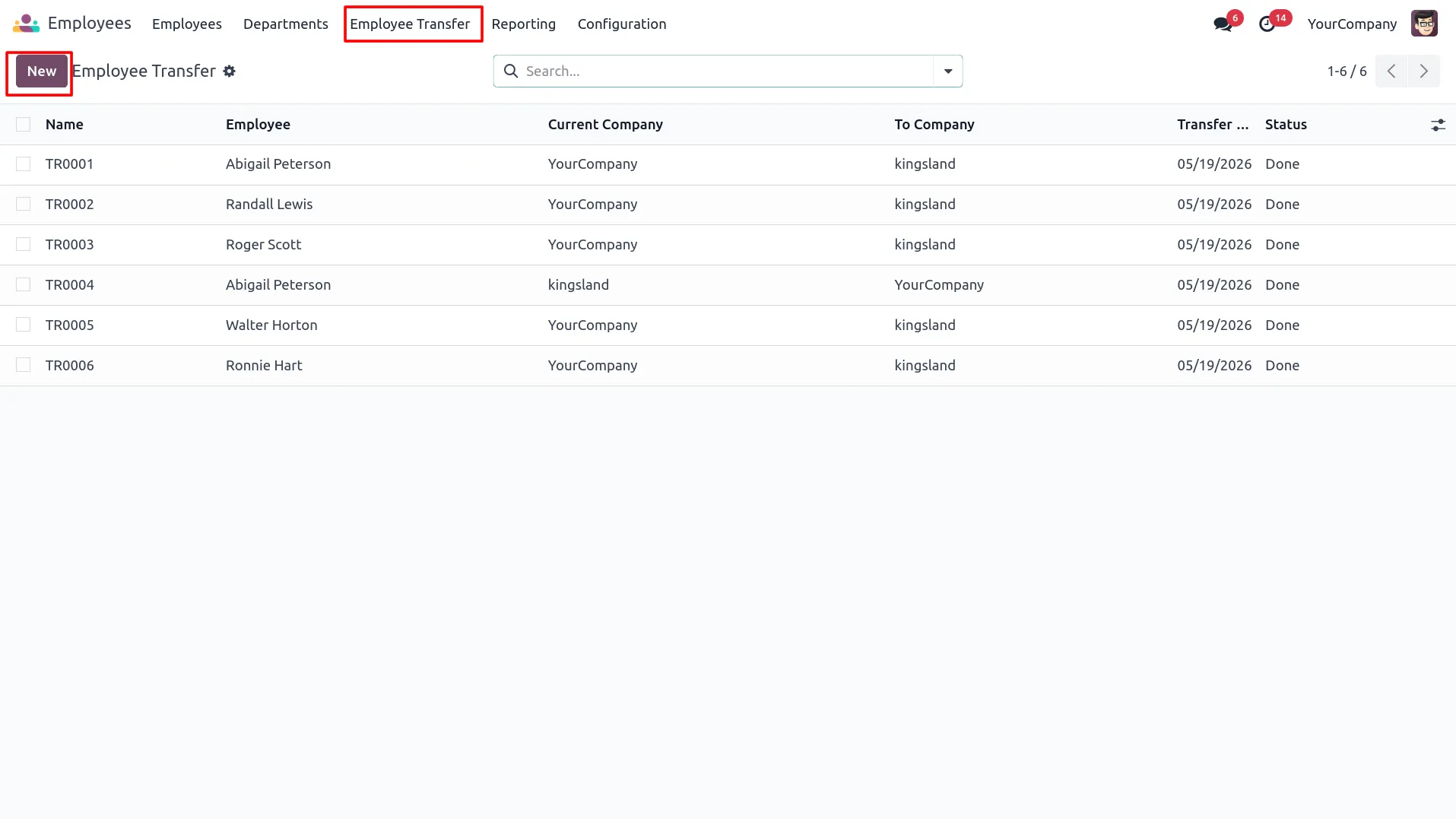
2. Access Employee Transfer menu under Employees app and view all transfer records.
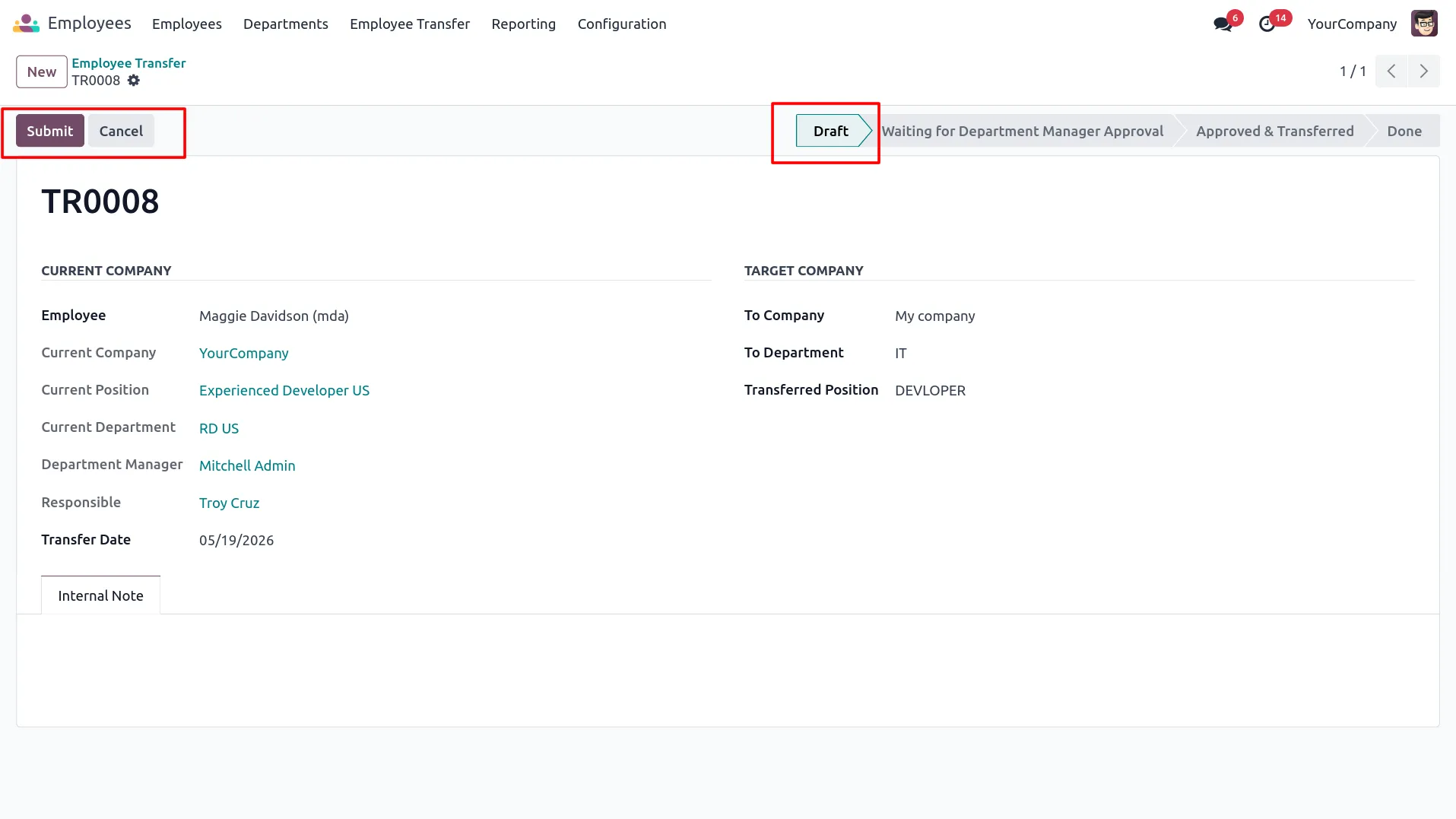
3. Create a new transfer by selecting employee, target company, department and position, then submit.
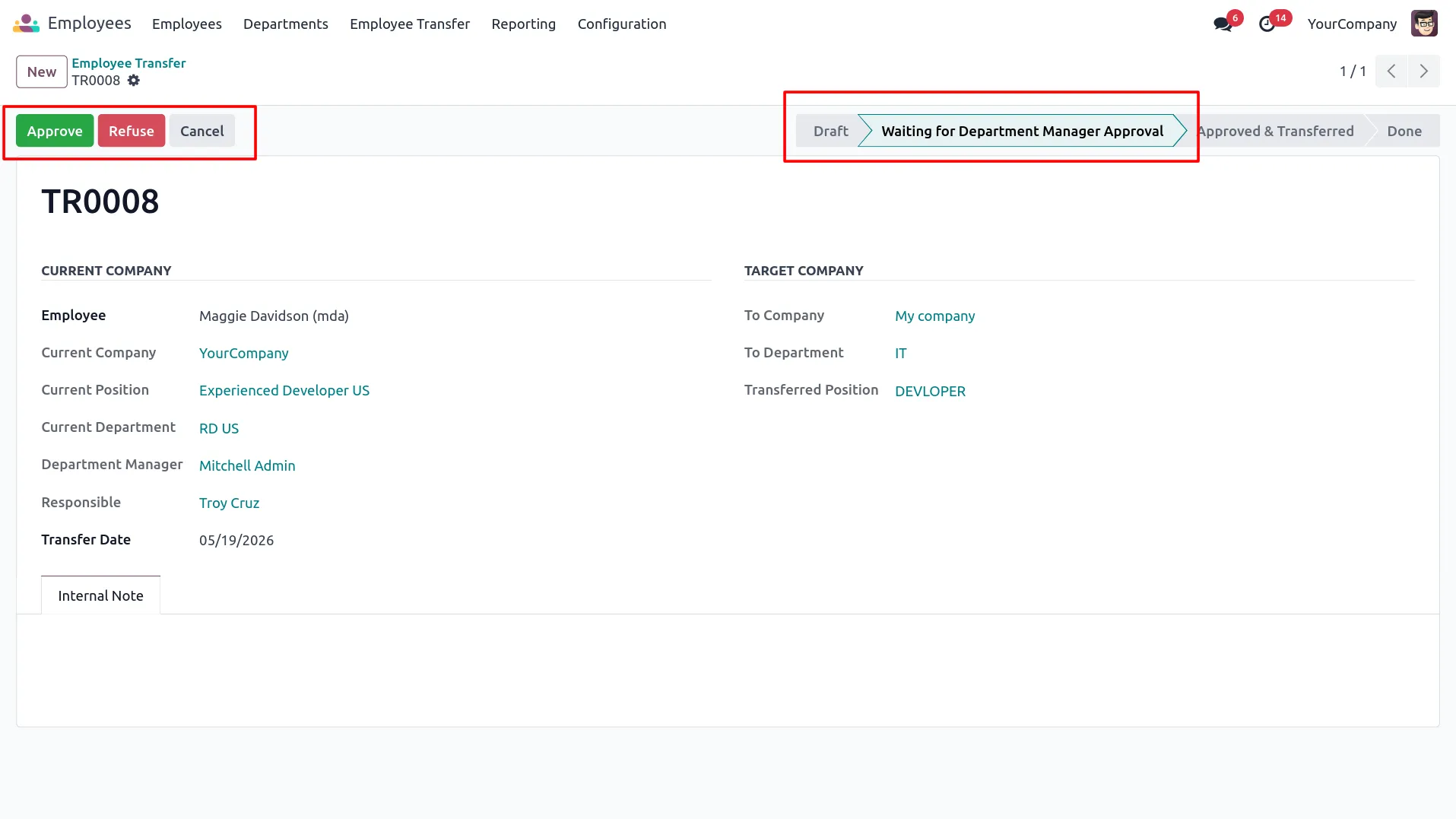
4. Department Manager reviews and approves the transfer request from the sender company.
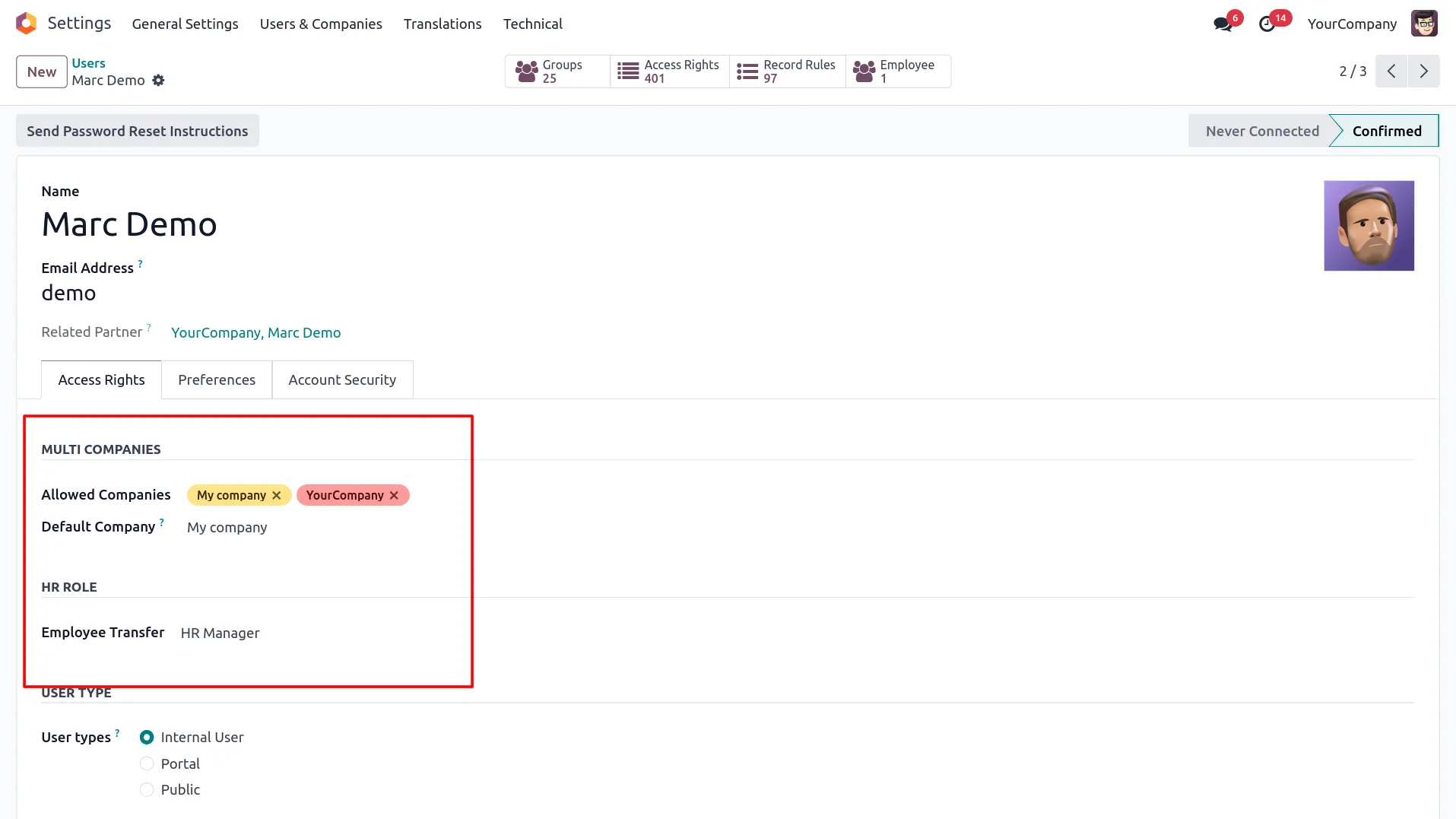
5. HR Manager of the receiver company is configured with default company set accordingly.
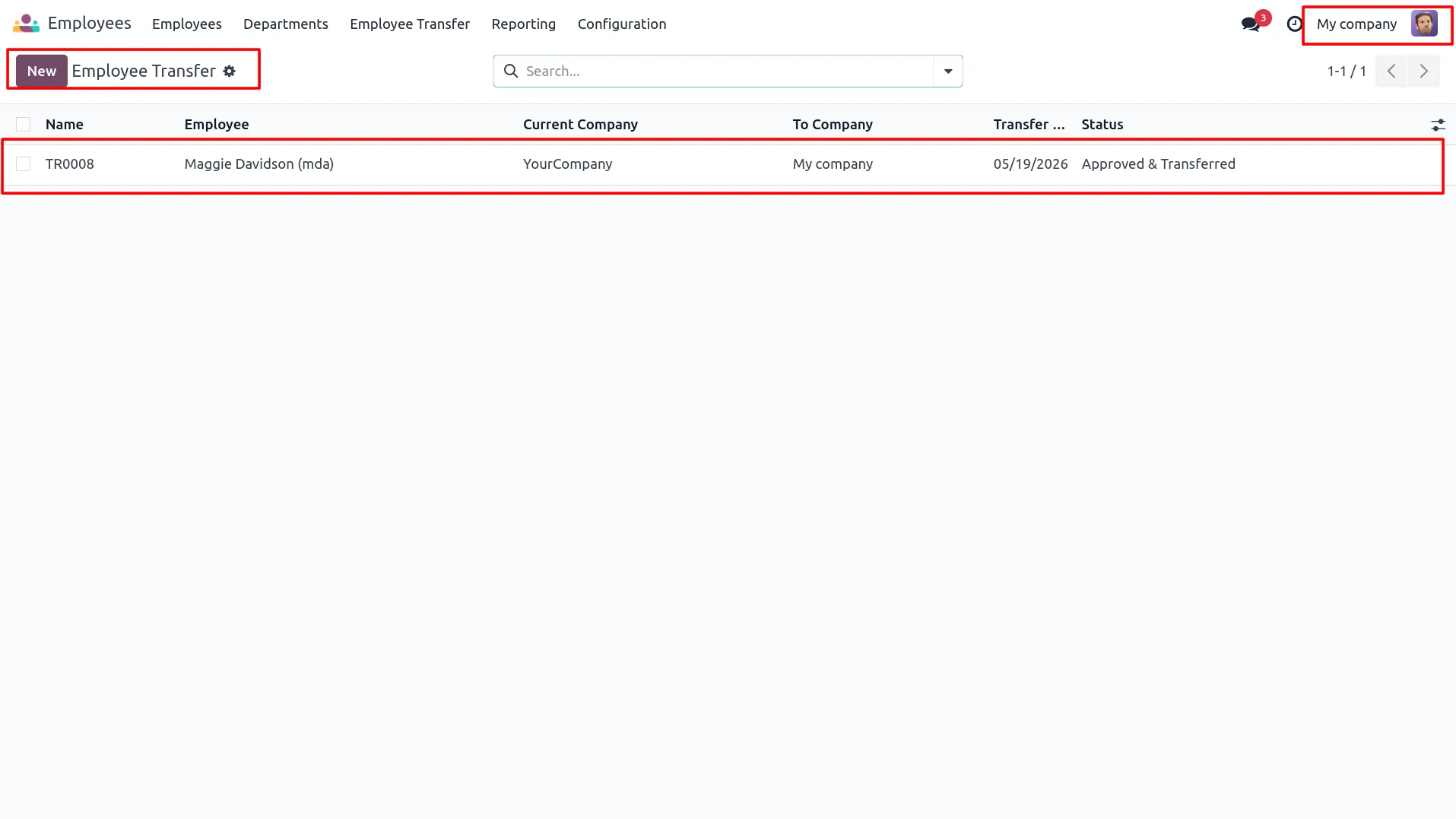
6. Receiver company HR Manager sees the approved transfer record in the Employee Transfer list.
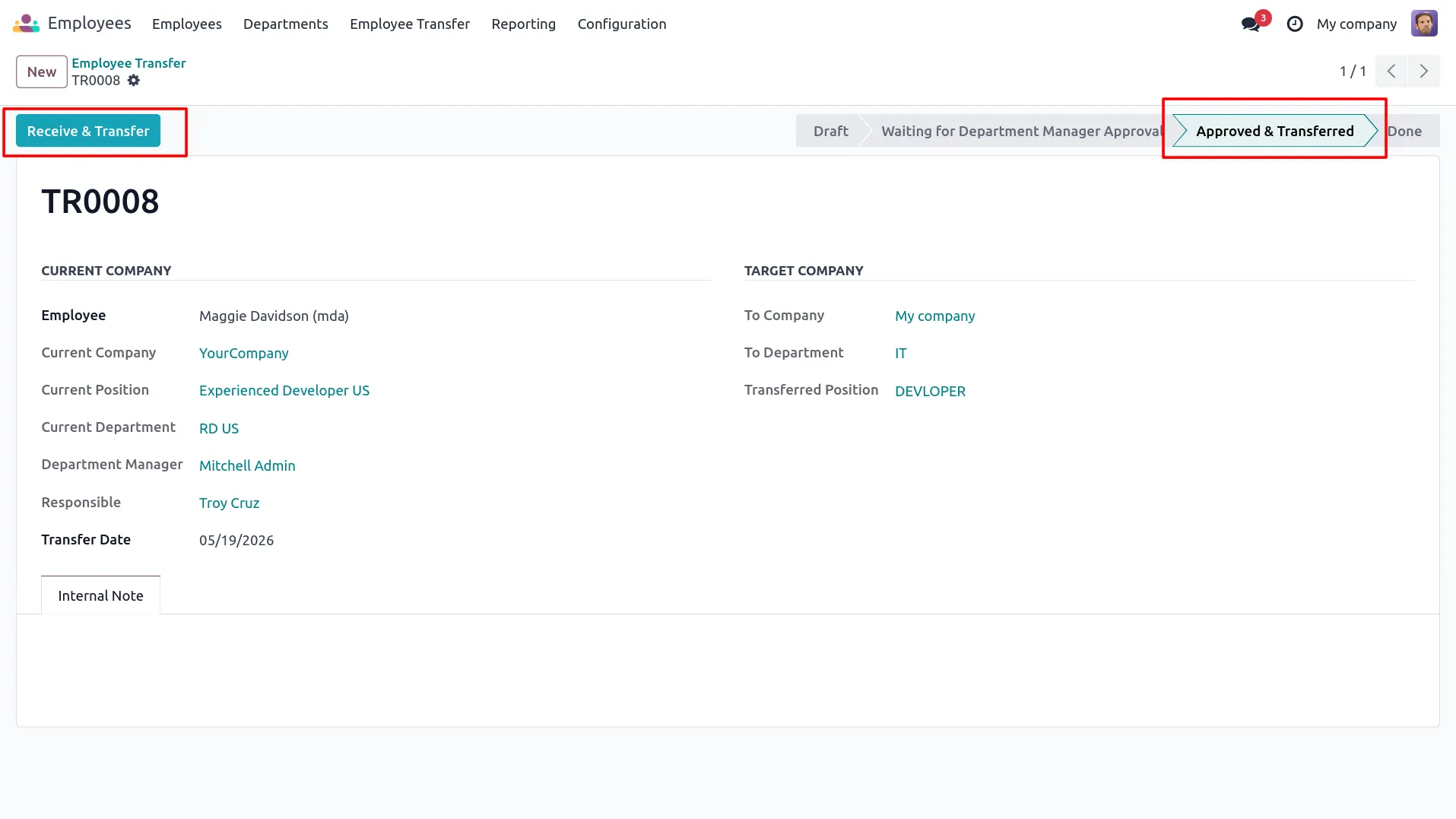
7. HR Manager clicks Receive & Transfer to complete the employee relocation process.
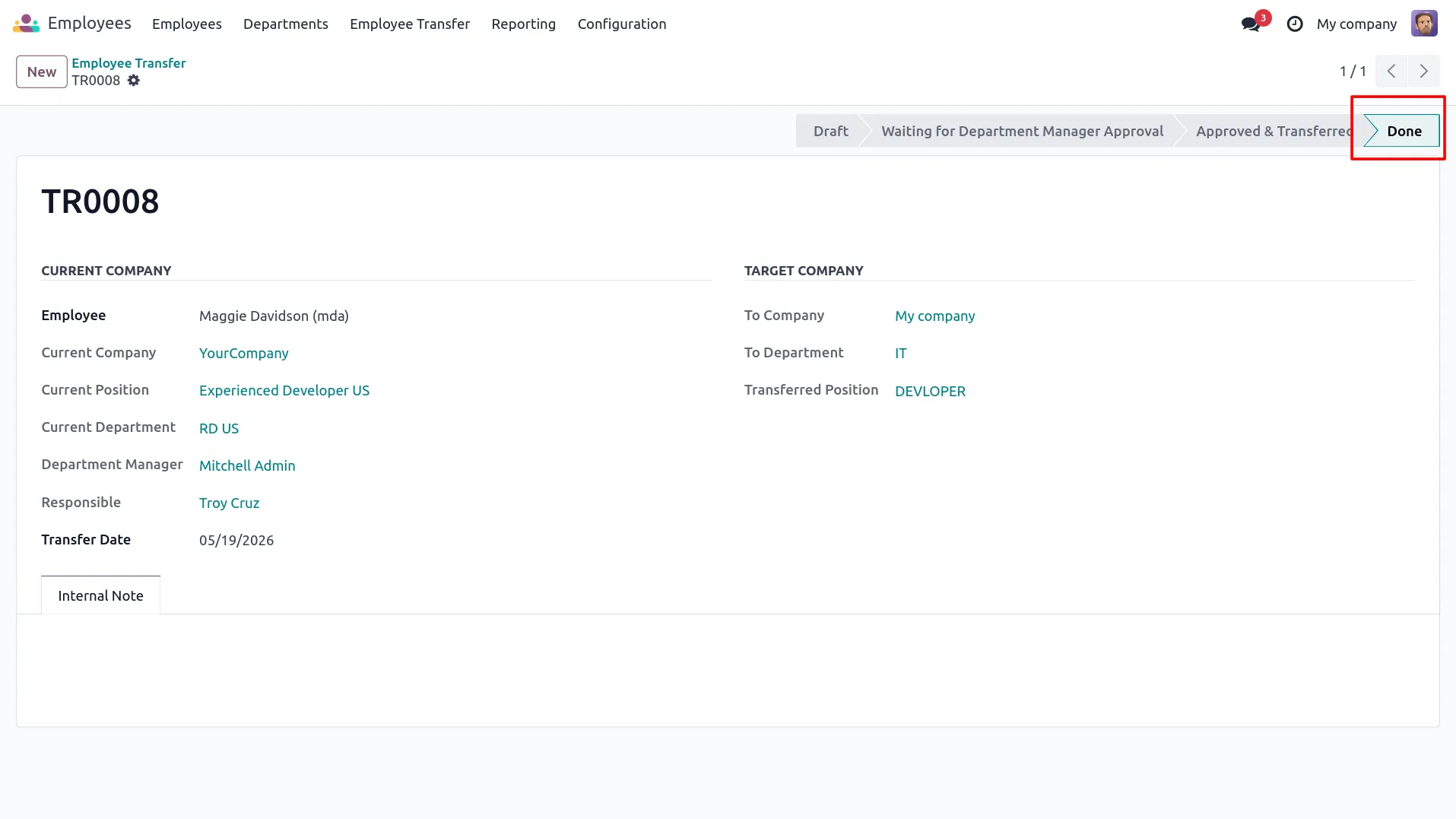
8. Transfer record moves to Done stage, visible to both sender and receiver companies.
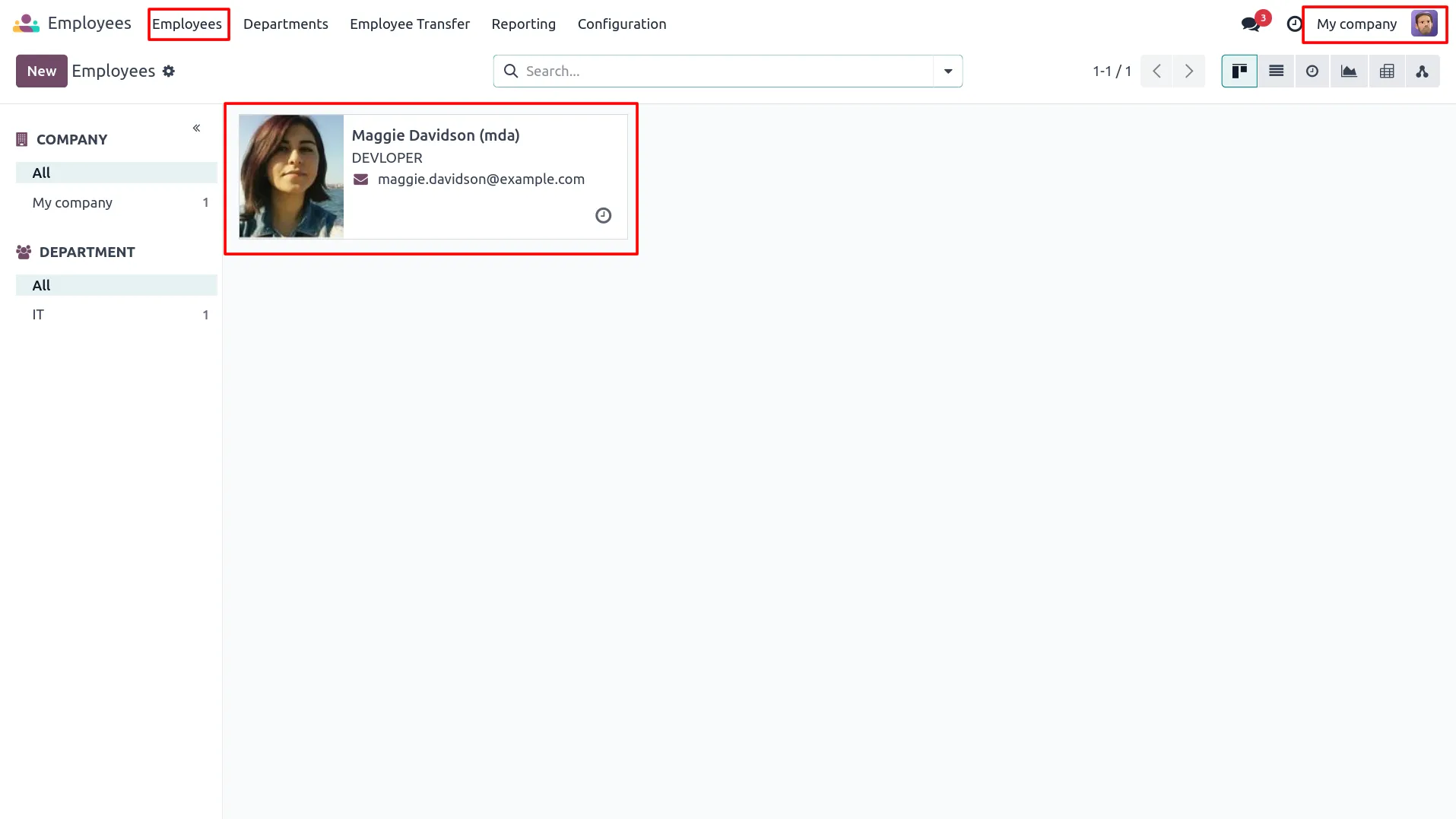
9. New employee record is created automatically in the target company with transferred details.
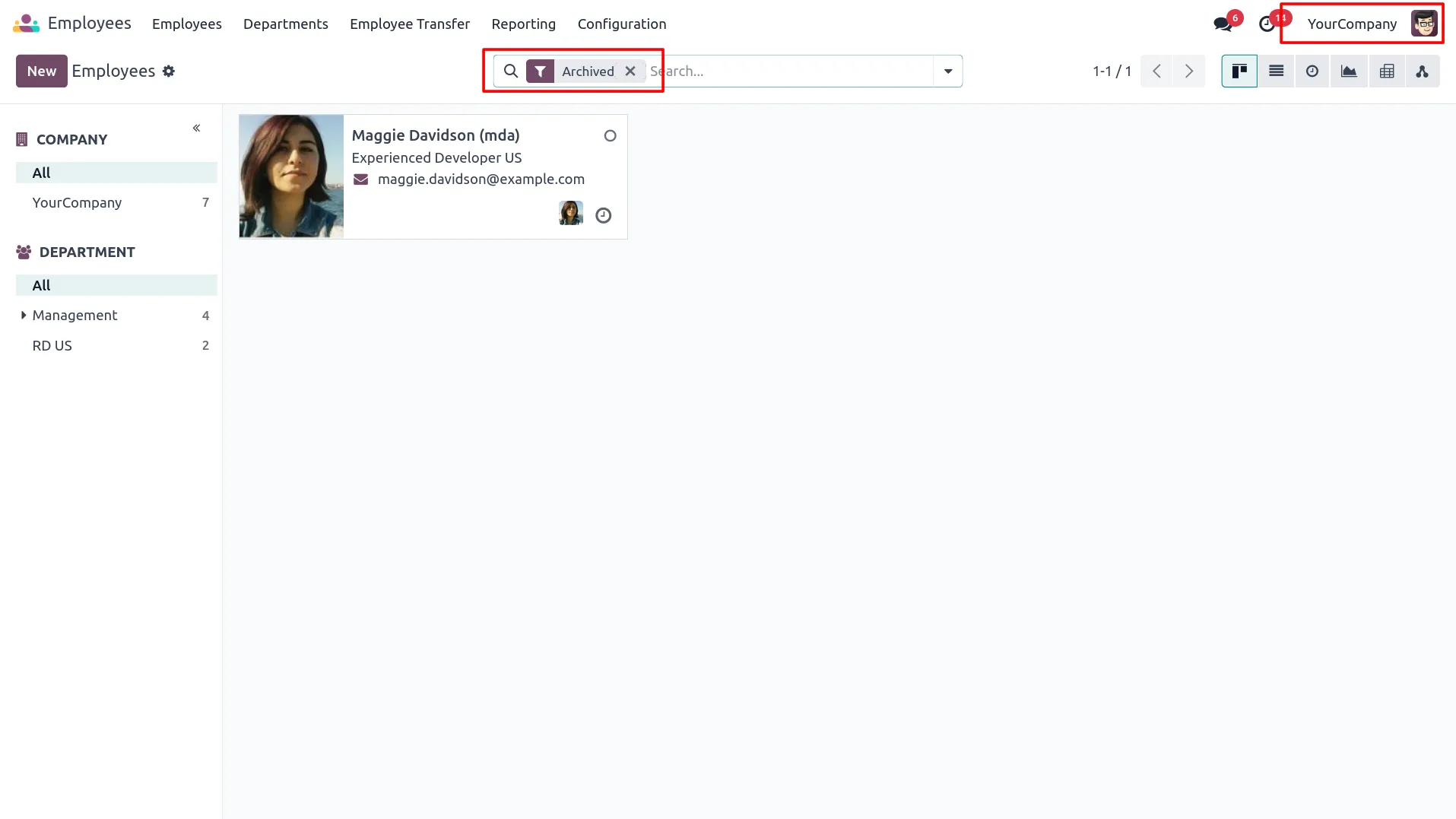
10. Transferred employee is archived in the source company and visible under the Archived filter.
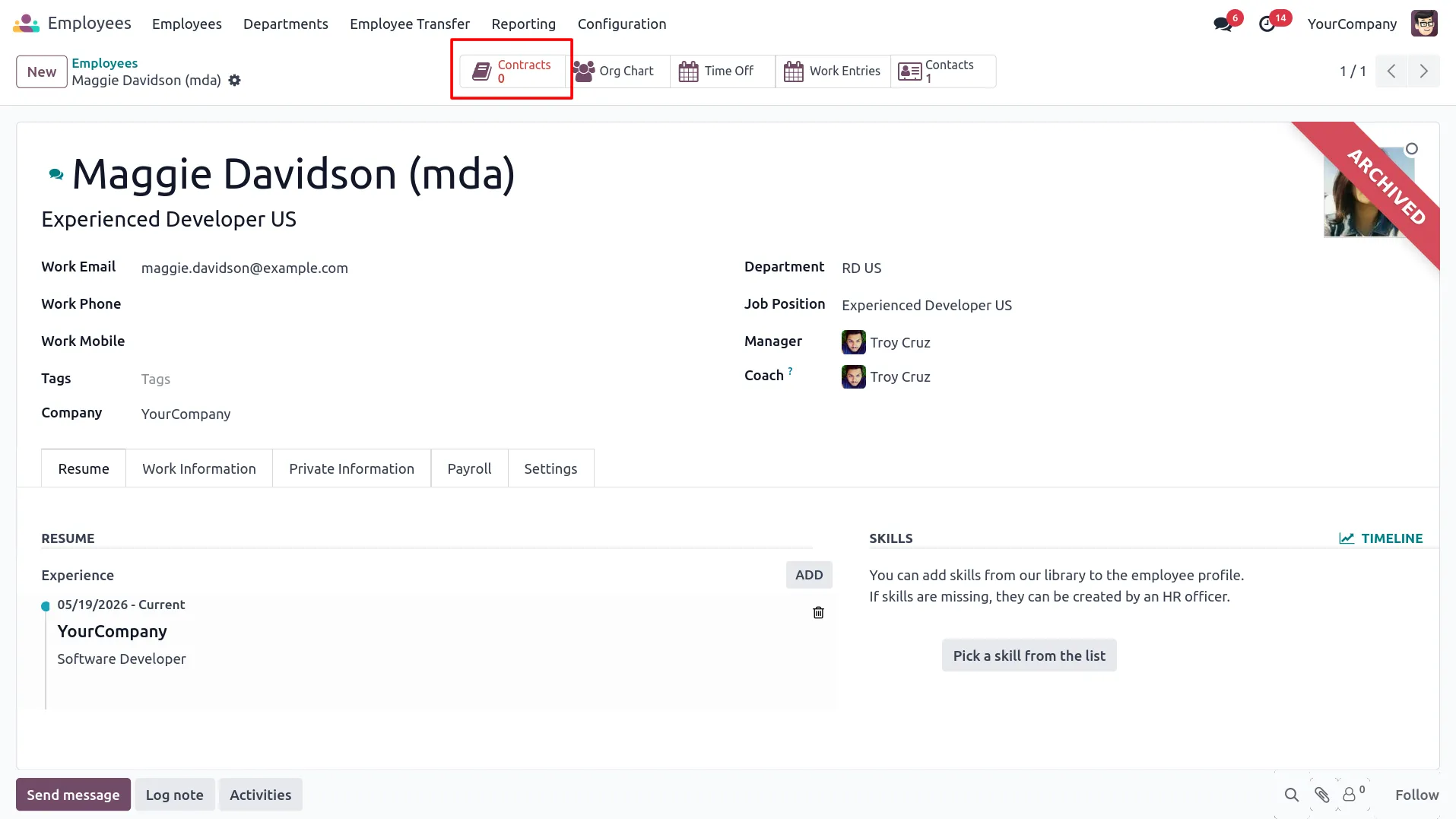
11. Active contracts of the archived employee are terminated and removed from the source company.
Our solutions focus on your problems
- Odoo Implementation
- Odoo Customization
- ERP Development and Implementation
- Odoo Ipass Cloud
- AI for Odoo
- Odoo Apps
- Aws Marketplace Products
- Business Engines
Our Pricing includes User Manual, 90 Days Support (Monday-Friday 10am to 7pm IST) and One time Setup
• Works & tested on standard installations of Odoo with no third party apps,
• Free support only for odoo installations with no third party apps,
• Paid support available for Odoo installations with third party apps.

Prefortune is a Odoo Official Partner, Odoo Development company. Our philosophy is to use Open Source tools and technologies to provide cost effective and green solutions for our customers.
Prefortune Technologies LLP is working on web development, Mobile development, and Odoo ERP.
If you need any help or want more additional features, you may contact us through:
Alternative Products
These other products might interest you
Specifications
| Version | 19.0, 18.0, 17.0, 16.0, 15.0, 14.0 |