Watch Quick Video
eCommerce Donation App for Odoo
The eCommerce Donation App
is an Odoo module that enables a simple donation system to be added to the shopping cart of your eCommerce website. Let your customers support your campaigns, store causes or charities without interrupting their purchase flow.
1. Flexible Contributions: set fixed donation amounts or allow the customer to choose a donation amount.
2. Multi-site Do you have more than one eCommerce store on the same Odoo database? Create a different cause for every website to donate to.
3. Dynamic Cart UI: Thanks to Odoo's AJAX architecture, when you add or delete a donation, the cart updates automatically without reloading the page.
4. Thank You Automated: Swap the donation box for a donation-style Thank You confirmation.
Remember donations ! Transform your Odoo webshop into a distraction-free donation experience with this module today.
eCommerce Donation App for Odoo App Highlights
- Customizable Title, Description, and Thank You Message per website.
- Automatically marks items as "Donation Product" on the backend.
- Overrides standard pricing to honor the customer's custom amount.
- Fully responsive design that looks stunning on mobile and desktop.
Workflow of eCommerce Donation App for Odoo
Backend Configuration: Go to Website > Configuration > Websites and Enable “Donation Applied” Choose the product you want, type your text and specify your comma separated donation amounts (e.g. 10, 50, 100).
Customer Experience: On the checkout page, a lovely block appears that invites customers to donate. They select an amount and then click Donate. This amount is added to the cart and the box disappears, replaced with your custom “Thank You” message. Remove the donation and the box magically reappears (without the page refreshing)!
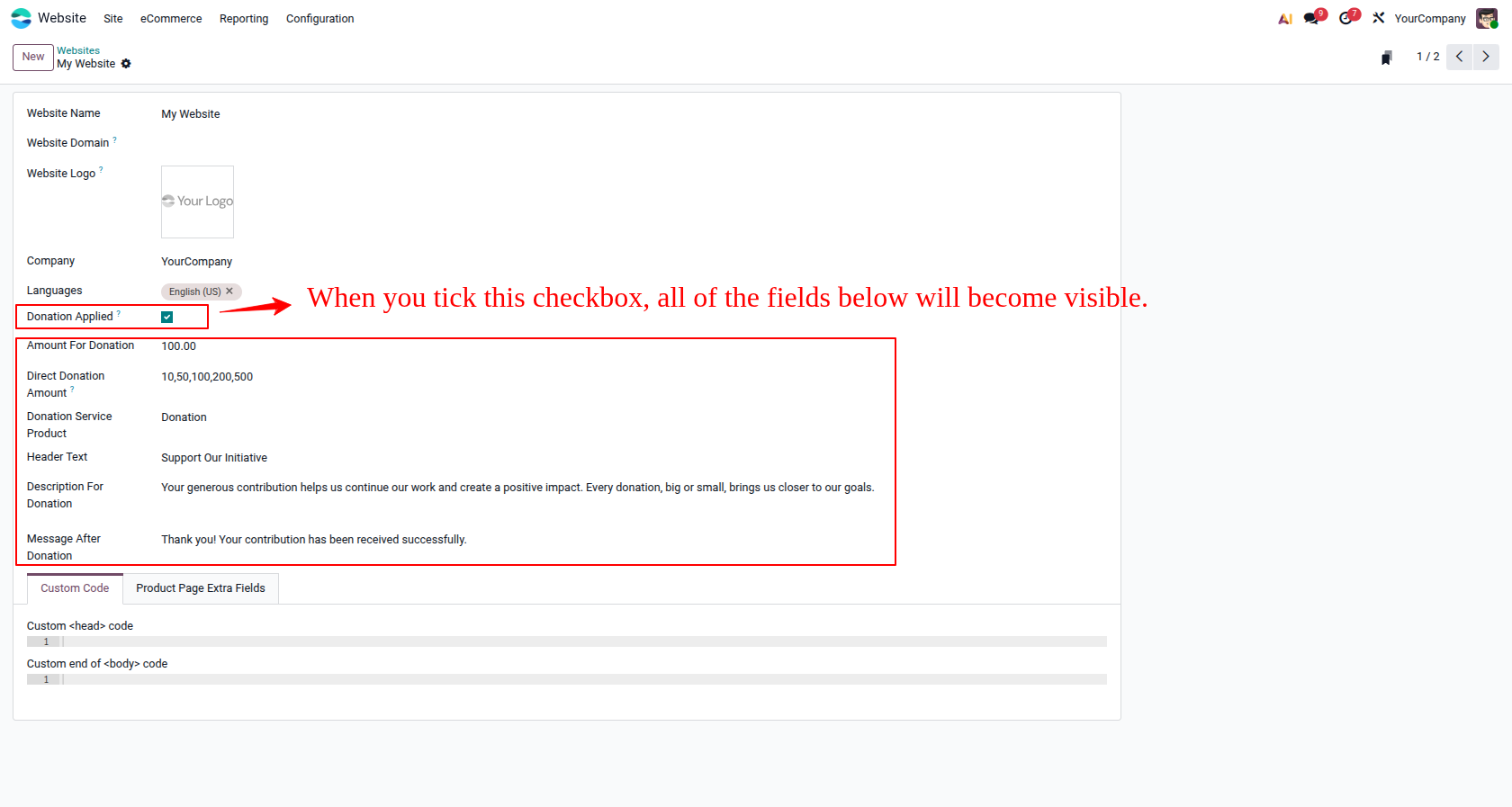
1. Website Configuration: Configure donation fields specifically for each eCommerce Website.
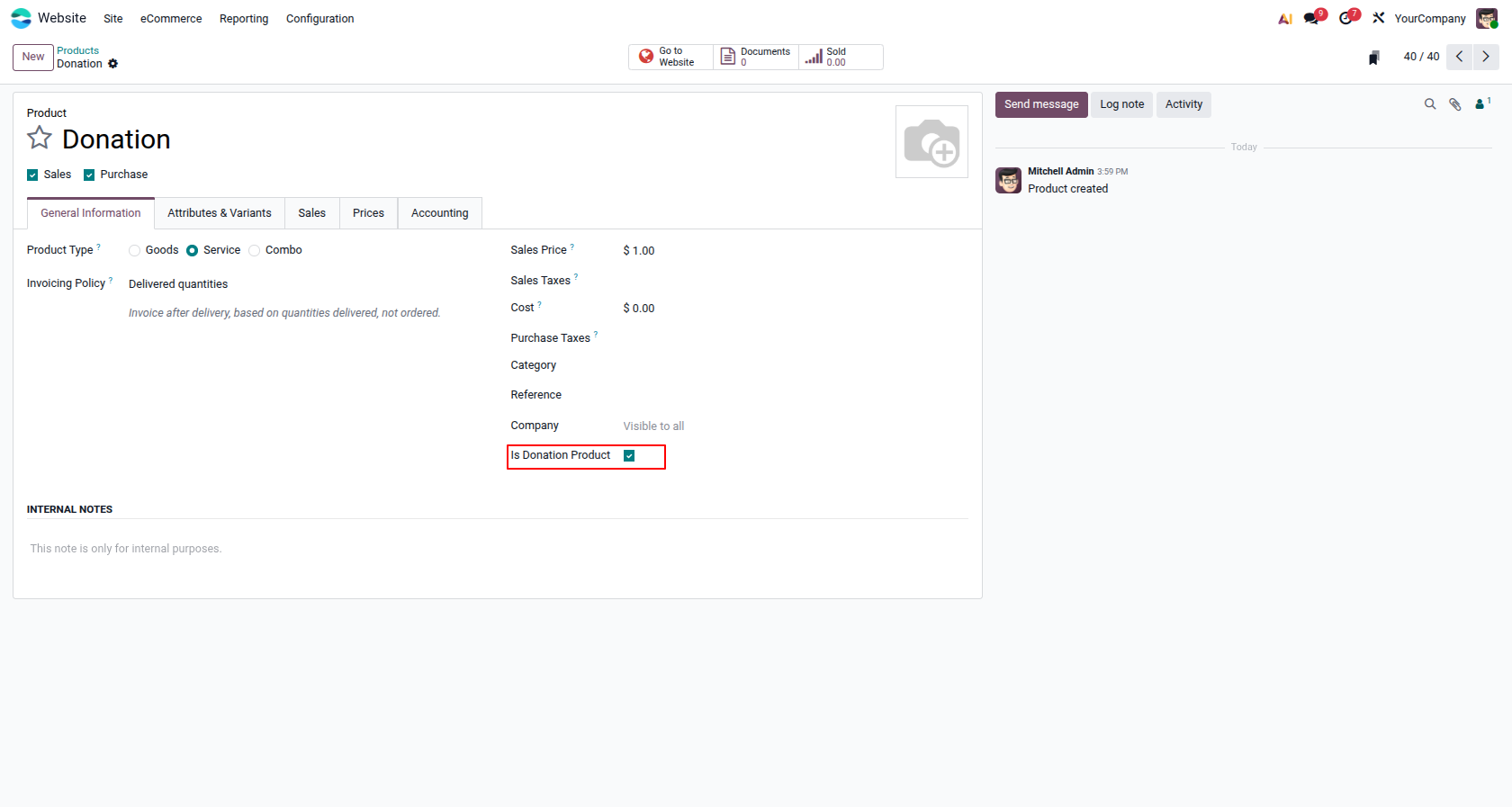
2. Product Configuration: Enable 'Is Donation Product' on your service products.
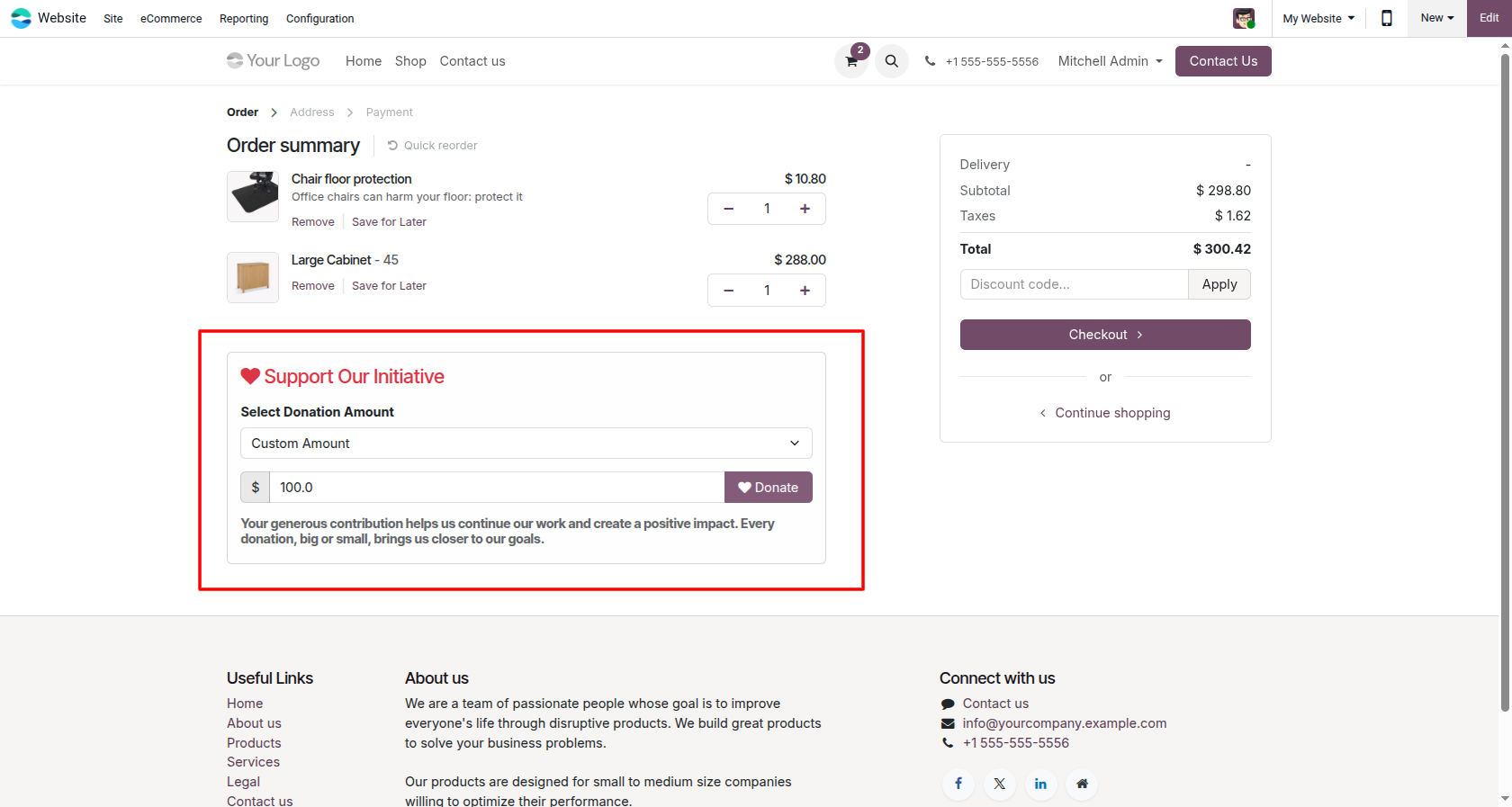
3. Checkout Block: Customers can select from predefined amounts or enter custom values.
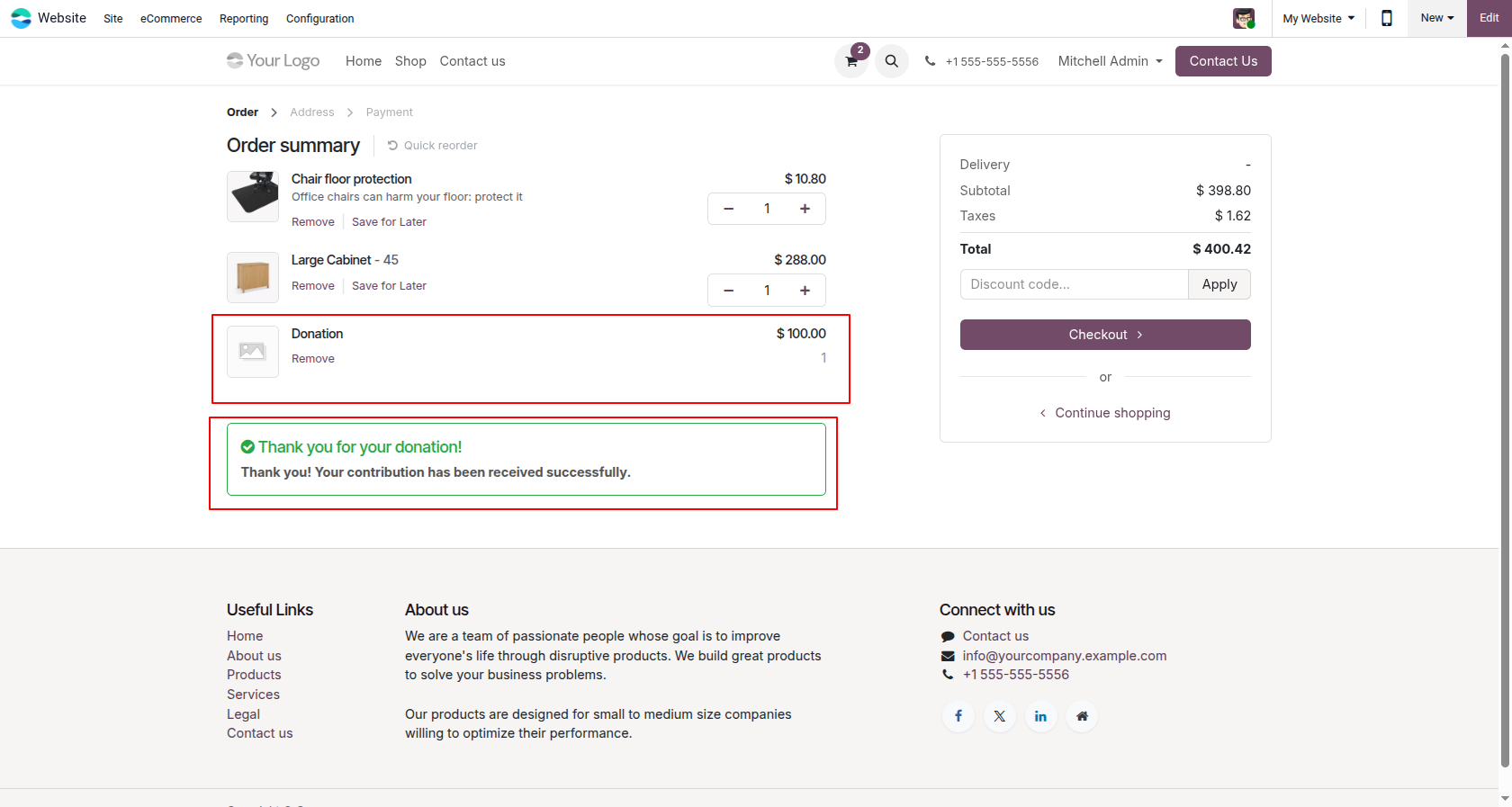
4. Thank You Message: The cart dynamically displays a success message upon donation without refreshing.
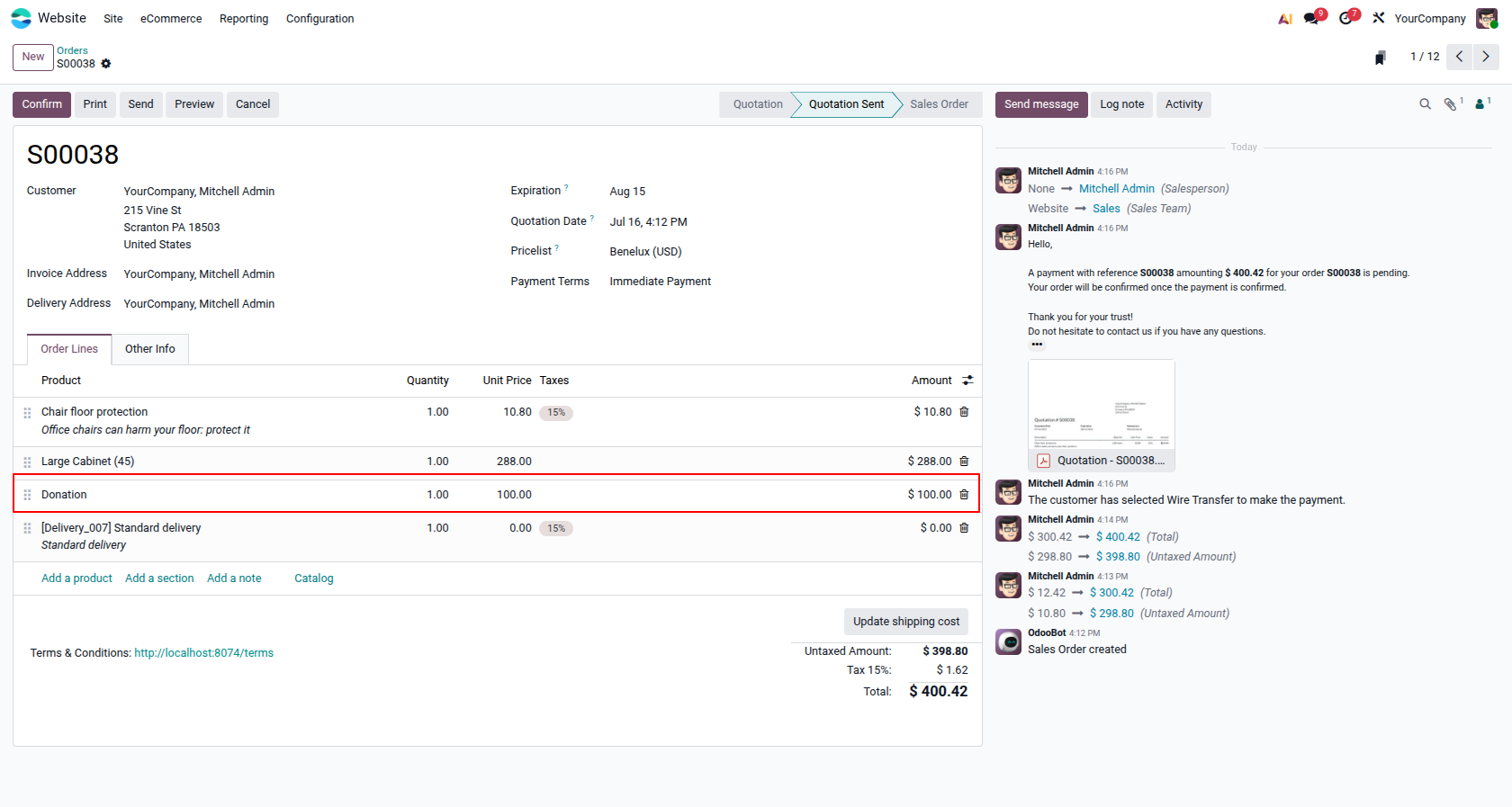
5. Sales Order: The donation is automatically added as a distinct order line in the backend.
Our solutions focus on your problems
- Odoo Implementation
- Odoo Customization
- ERP Development and Implementation
- Odoo Ipass Cloud
- AI for Odoo
- Odoo Apps
- Aws Marketplace Products
- Business Engines
Our Pricing includes User Manual, 90 Days Support (Monday-Friday 10am to 7pm IST) and One time Setup
• Works & tested on standard installations of Odoo with no third party apps,
• Free support only for odoo installations with no third party apps,
• Paid support available for Odoo installations with third party apps.

Prefortune is a Odoo Official Partner, Odoo Development company. Our philosophy is to use Open Source tools and technologies to provide cost effective and green solutions for our customers.
Prefortune Technologies LLP is working on web development, Mobile development, and Odoo ERP.
If you need any help or want more additional features, you may contact us through:
Alternative Products
These other products might interest you
Specifications
| Version | 19.0, 18.0, 17.0, 16.0, 15.0, 14.0 |