
Watch Quick Video

eCommerce Address Management
Enhance Your eCommerce website with Our
eCommerce Address Management
Our module improves the Odoo website checkout workflow with smart address field management and better checkout optimization. Administrators can easily manage Billing and Shipping Address fields, show or hide checkout fields, set required or optional fields, and configure default countries directly from website settings.
The module helps simplify customer address management, improve checkout usability, and create a cleaner Odoo eCommerce checkout experience with flexible address form control and shipping address management.
eCommerce Address Management
- Manage Billing and Shipping Address fields with flexible address field management controls.
- Show or hide checkout address fields for better checkout optimization and cleaner forms.
- Set required or optional address fields using simple validation toggle controls.
- Configure default countries and country selection control for smoother customer address management.
Complete Workflow for Manage eCommerce Address Management
Install the eCommerce Address Management module to manage Billing and Shipping Address fields in the Odoo website checkout workflow. Administrators can easily show or hide checkout fields, set fields as required or optional, configure default countries, and control country selection for better checkout optimization and customer address management. The module works seamlessly with the Odoo eCommerce checkout flow and helps create a cleaner, more flexible, and user-friendly checkout experience without additional technical configuration.
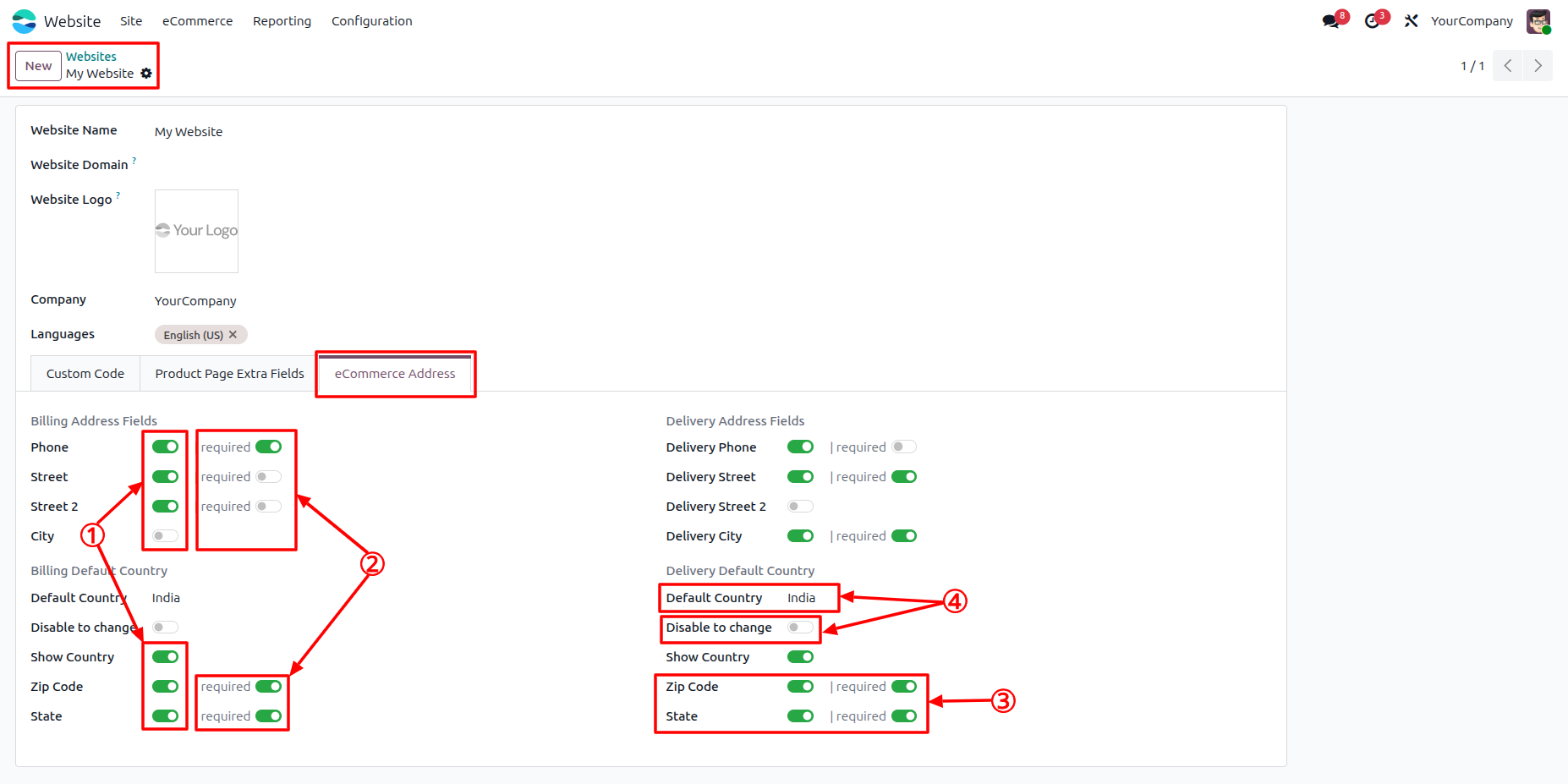
①. You can hide or show the address fields by enabling or disabling these toggles. ②. Use these toggles to make the corresponding address fields required or optional during checkout. ③. The Zip Code and State fields in the address are country-dependent. Their required behavior is based on the selected default country and can only be modified by system administrators. ④.Select a default country and optionally prevent customers from changing it during checkout. The selected country is automatically synchronized between Billing Address and Delivery Address. For example, if you select India in the Billing Address, it will automatically be selected in the Delivery Address as well, and vice versa. The State and Zip Code required toggle behavior is also synchronized based on the selected country configuration.
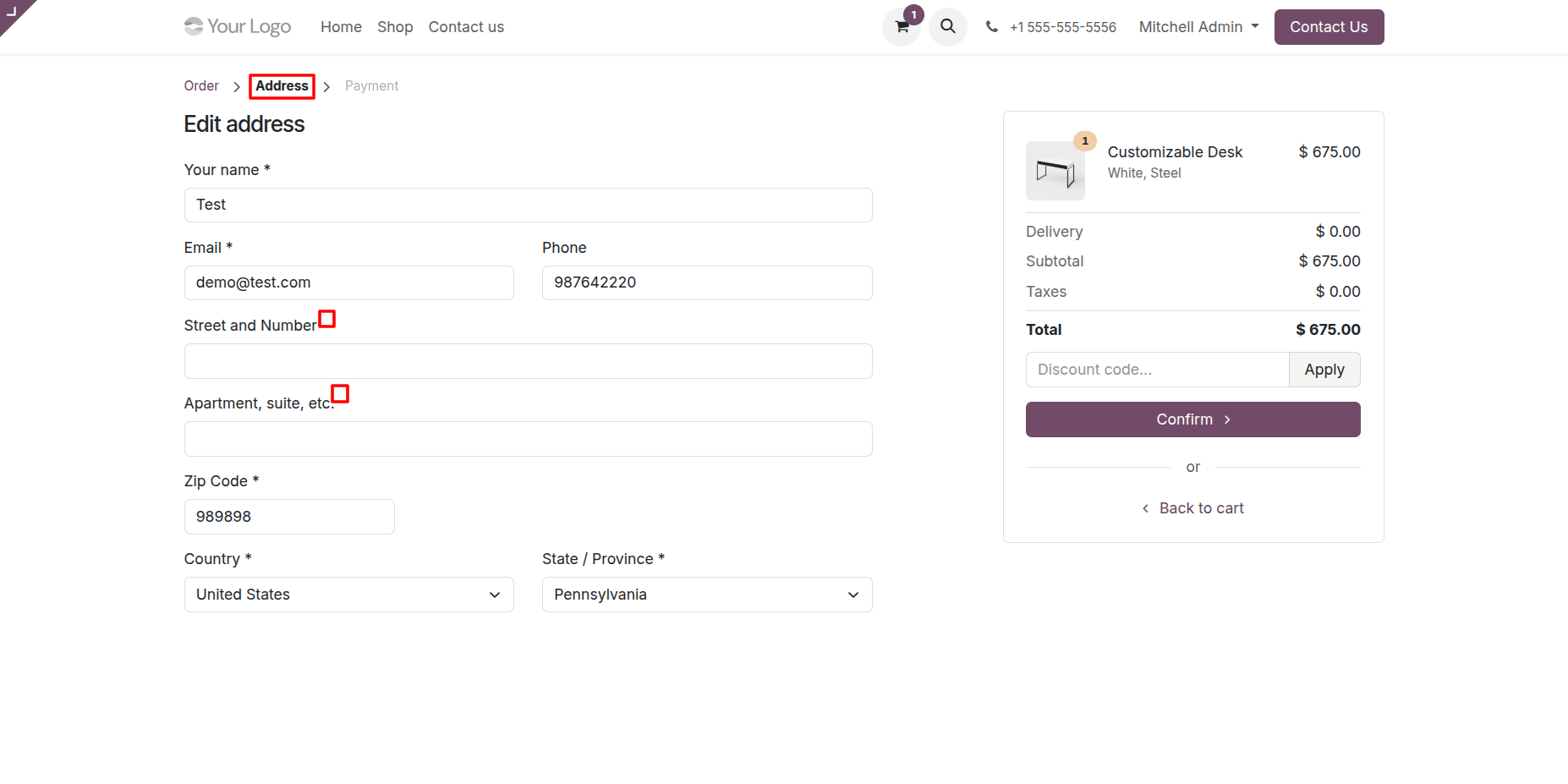
2. The Billing Address webpage after applying the configured settings and field changes.
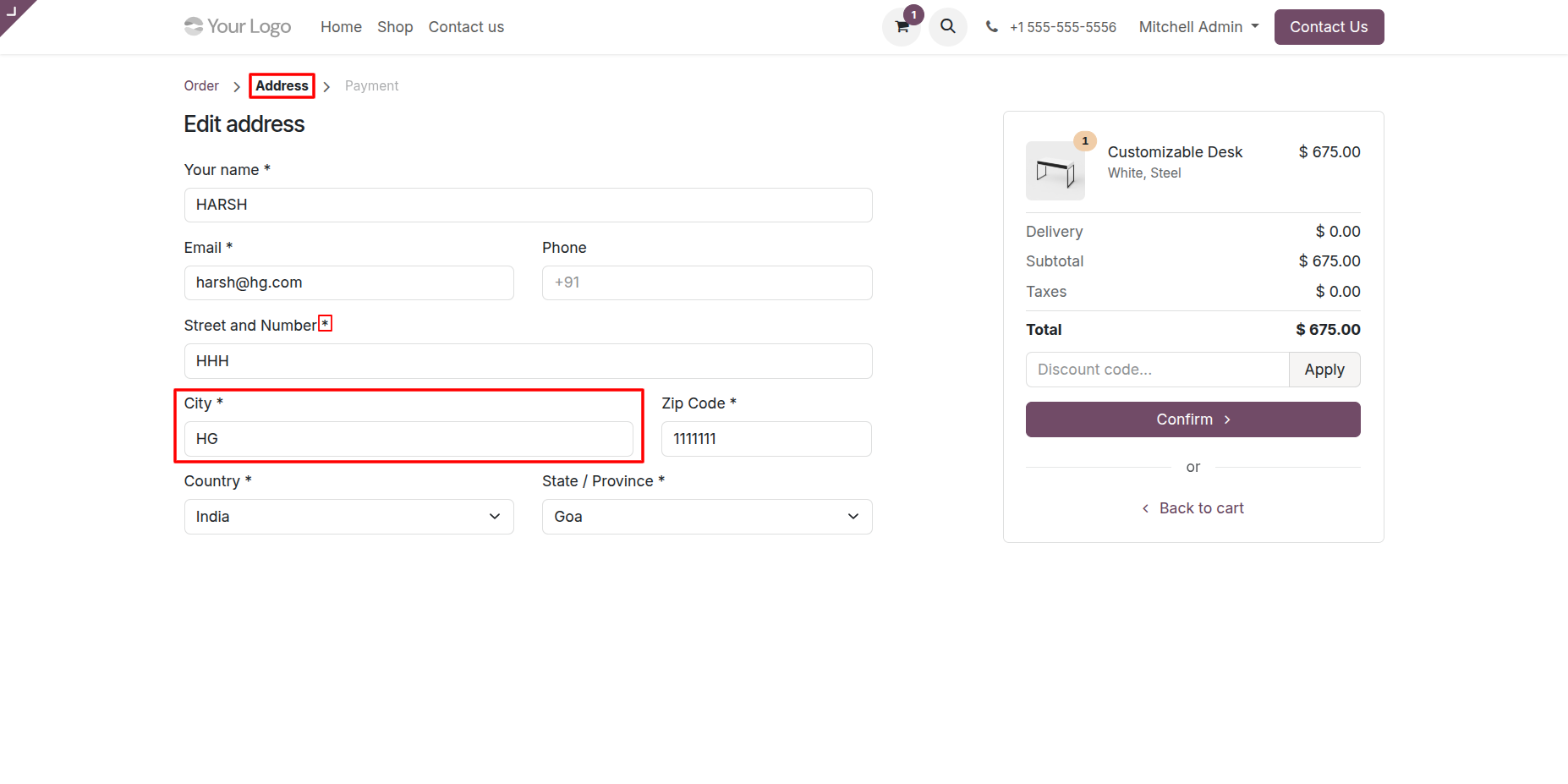
3. The Delivery Address webpage after applying the configured settings and field changes.
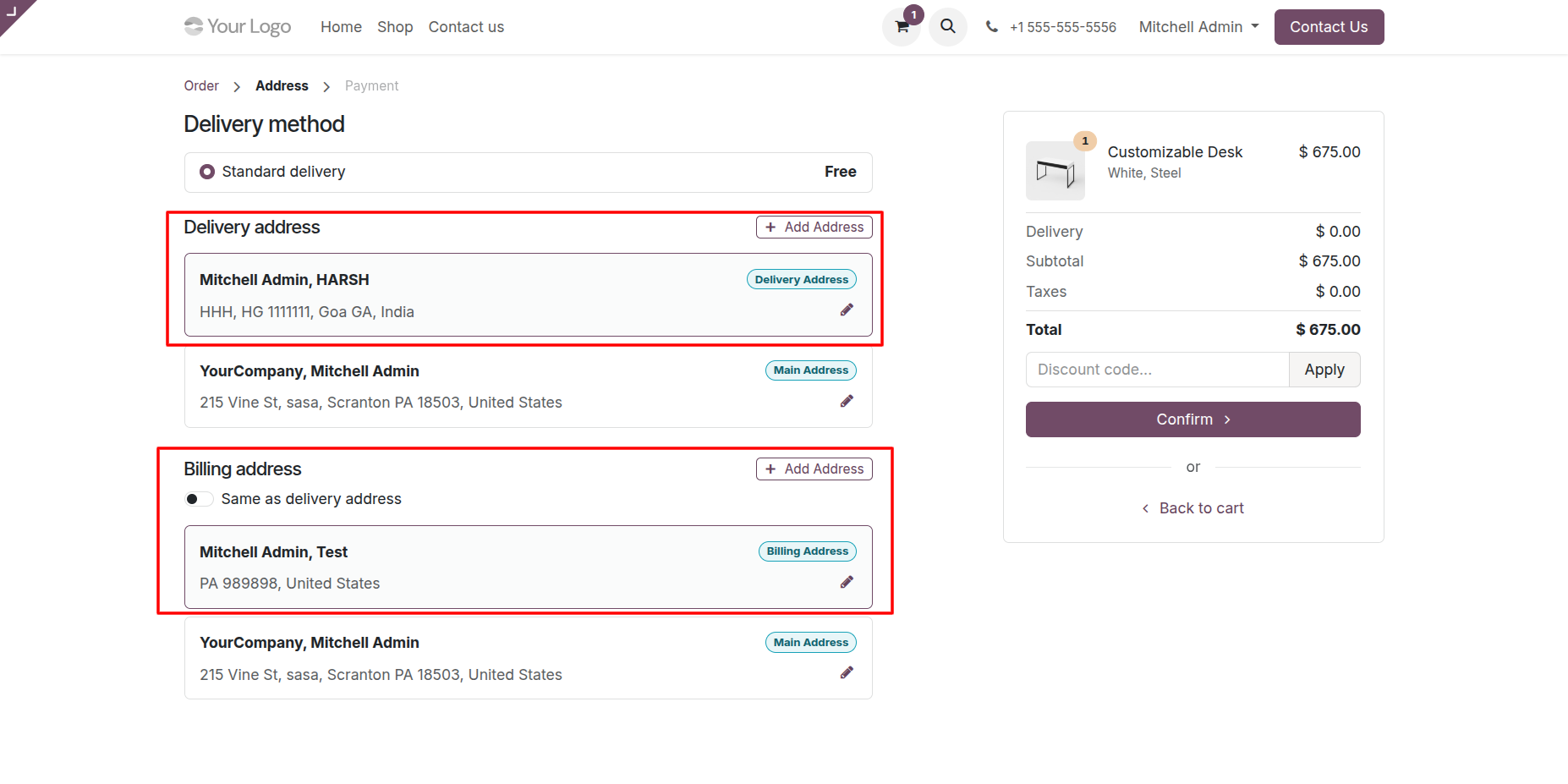
4. The configured Billing and Delivery Address settings are applied and displayed during the checkout process.
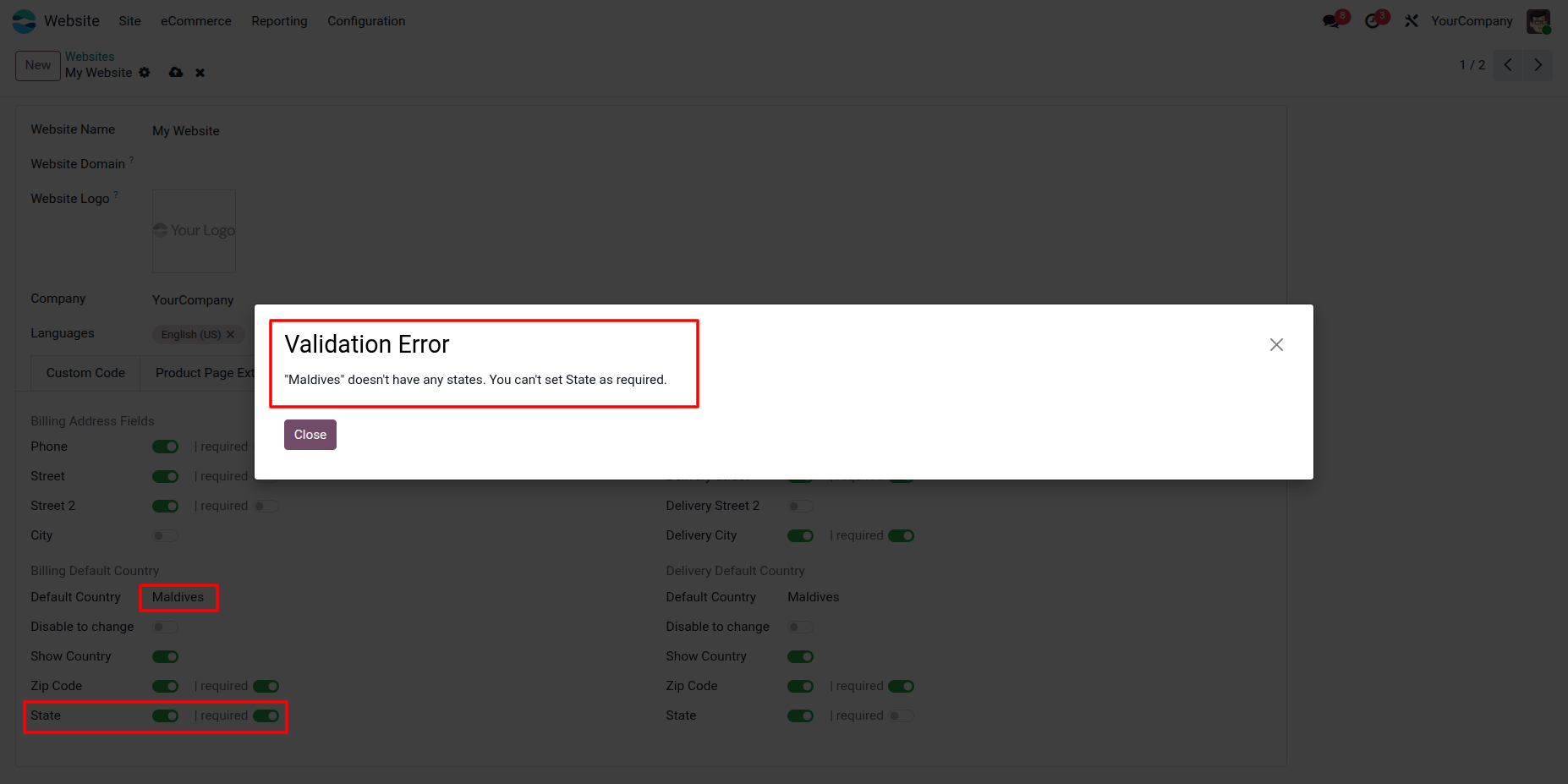
5. A validation warning is displayed when you try to configure the State field as required for a country that does not contain states.
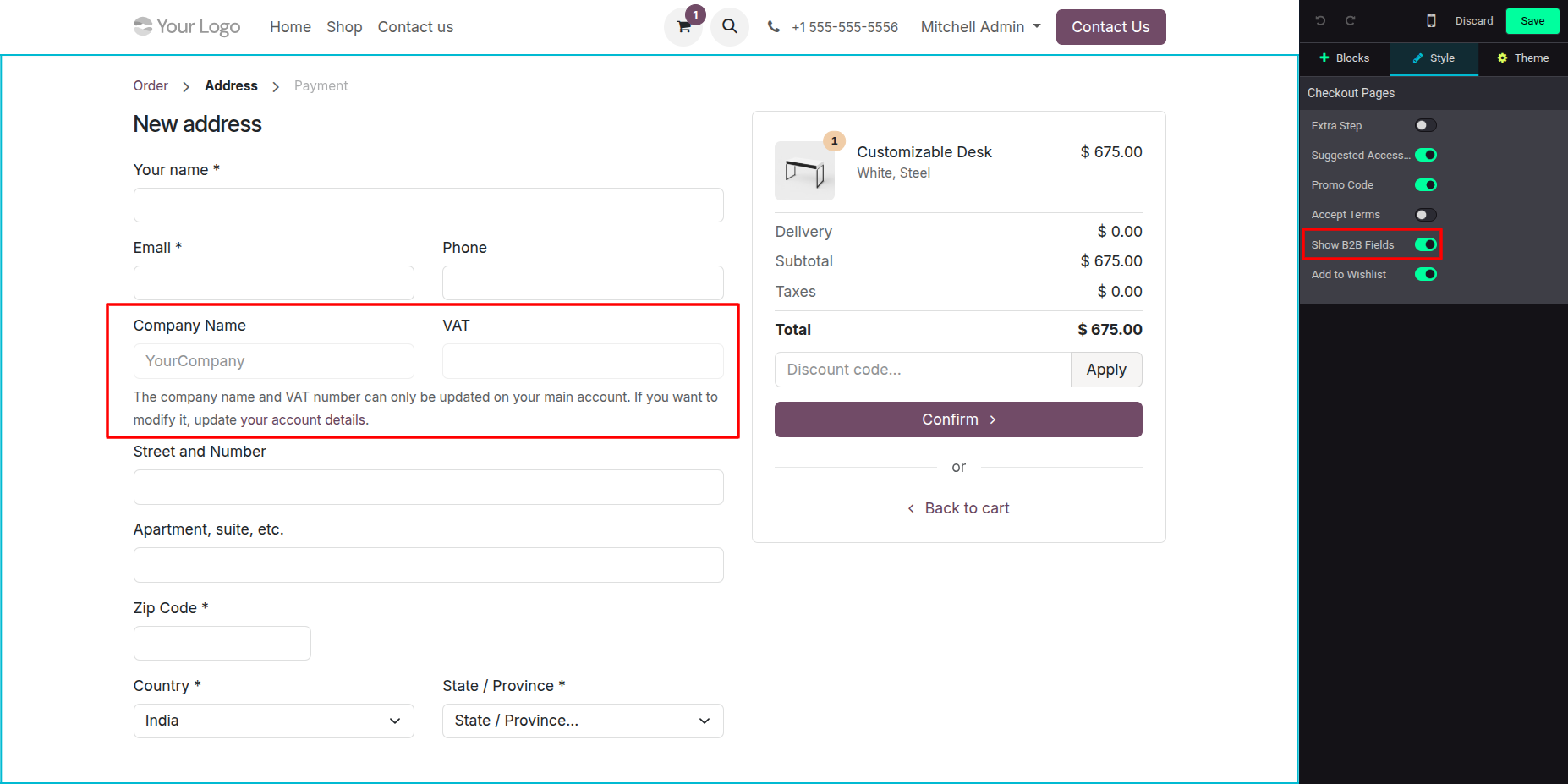
6. Enable or disable the Company Name and VAT fields using Odoo’s built-in “Show B2B Fields” website checkout option.
Our solutions focus on your problems
- Odoo Implementation
- Odoo Customization
- ERP Development and Implementation
- Odoo Ipass Cloud
- AI for Odoo
- Odoo Apps
- Aws Marketplace Products
- Business Engines
Our Pricing includes User Manual, 90 Days Support (Monday-Friday 10am to 7pm IST) and One time Setup
• Works & tested on standard installations of Odoo with no third party apps,
• Free support only for odoo installations with no third party apps,
• Paid support available for Odoo installations with third party apps.

Prefortune is a Odoo Official Partner, Odoo Development company. Our philosophy is to use Open Source tools and technologies to provide cost effective and green solutions for our customers.
Prefortune Technologies LLP is working on web development, Mobile development, and Odoo ERP.
If you need any help or want more additional features, you may contact us through:
Alternative Products
These other products might interest you
Specifications
| Version | 19.0, 18.0, 17.0, 16.0, 15.0, 14.0 |