Watch Quick Video
Dynamic Warnings in any form Odoo App
Our all-inclusive
Odoo – Dynamic Warnings in any form Odoo App
helps businesses reduce errors and improve process control by displaying smart warning banners
on records based on configurable conditions. This app allows administrators to create dynamic
alert rules for any form, so users receive guidance instantly while viewing or editing documents.
The module supports flexible rule configuration with conditions based on fields like customer,
status, amounts, dates, company, and more—making it useful across Sales Orders, Purchase Orders,
Invoices, CRM leads, Products, Inventory operations, HR forms, and any custom model.
You can display different types of alerts such as Info, Warning, and
Danger, depending on the situation. This ensures users clearly understand whether
a message is informational, a caution, or a critical warning that needs attention before proceeding.
Once configured, the warning banner automatically appears when the record matches the rule and
disappears when it no longer applies, keeping the form clean and relevant. It works without
disturbing standard workflows and supports multiple rules on the same form for better control.
Seamlessly integrated into standard Odoo forms, the app improves data accuracy, ensures policy
compliance, prevents incorrect actions on sensitive documents, and helps teams work faster with
fewer mistakes—without any changes to your existing business operations.
Dynamic Warnings in any form Odoo App
- Show dynamic warning banners automatically based on configurable conditions.
- Create multiple warning rules for the same form to cover different cases.
- Works on any model/form: Sales, Purchase, Invoice, CRM, Inventory, HR, and custom forms.
- Display alert levels like Info, Warning, and Danger for clear understanding.
- Seamless integration with standard Odoo forms without affecting existing workflows.
Complete Workflow for Manage Dynamic Warnings in any form Odoo App
First we need to activate Dynamic Warnings in any form then configure warning rules from the Settings by selecting the models/forms where you want alerts to appear. Select Model/Form, Add Condition, Set Alert Type, Write Message once configured, the system will automatically display the warning banner on the chosen form whenever the record matches the defined condition and hide it when it no longer applies, helping users avoid mistakes and follow company rules without affecting normal workflows.
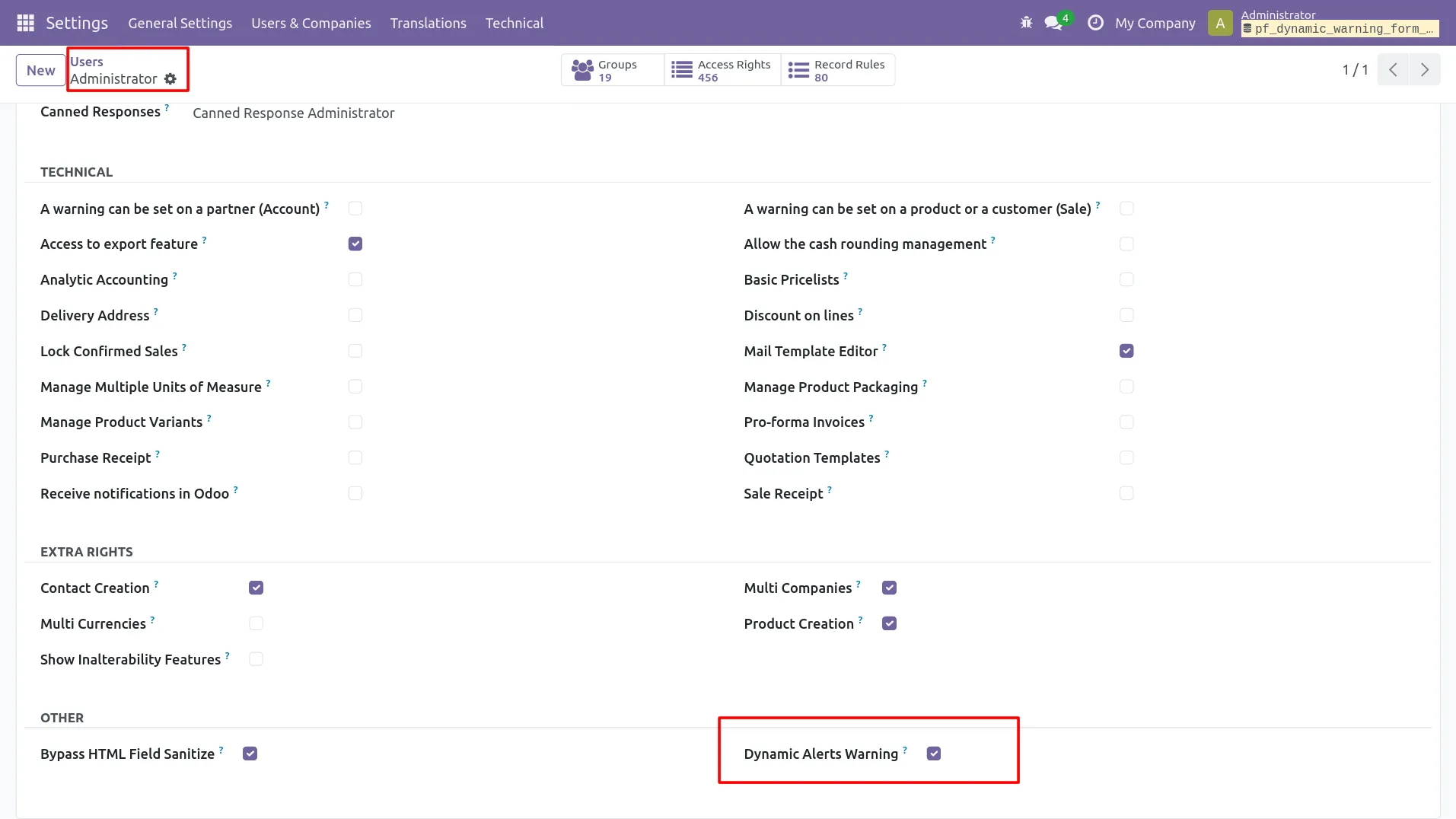
1. Open Settings and access Dynamic Warnings configuration.
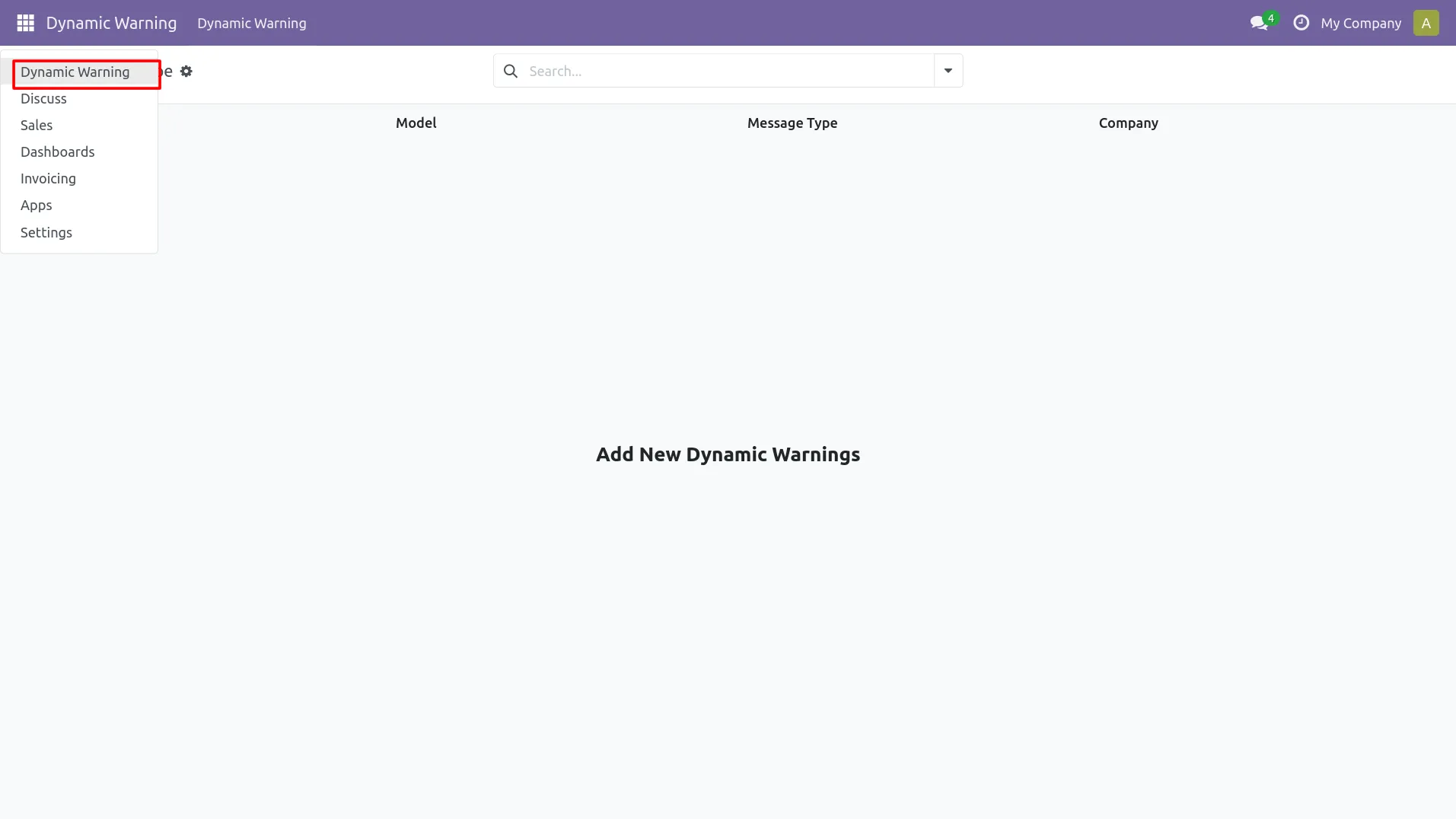
2. Go to Dynamic Warnings menu to manage alert rules.
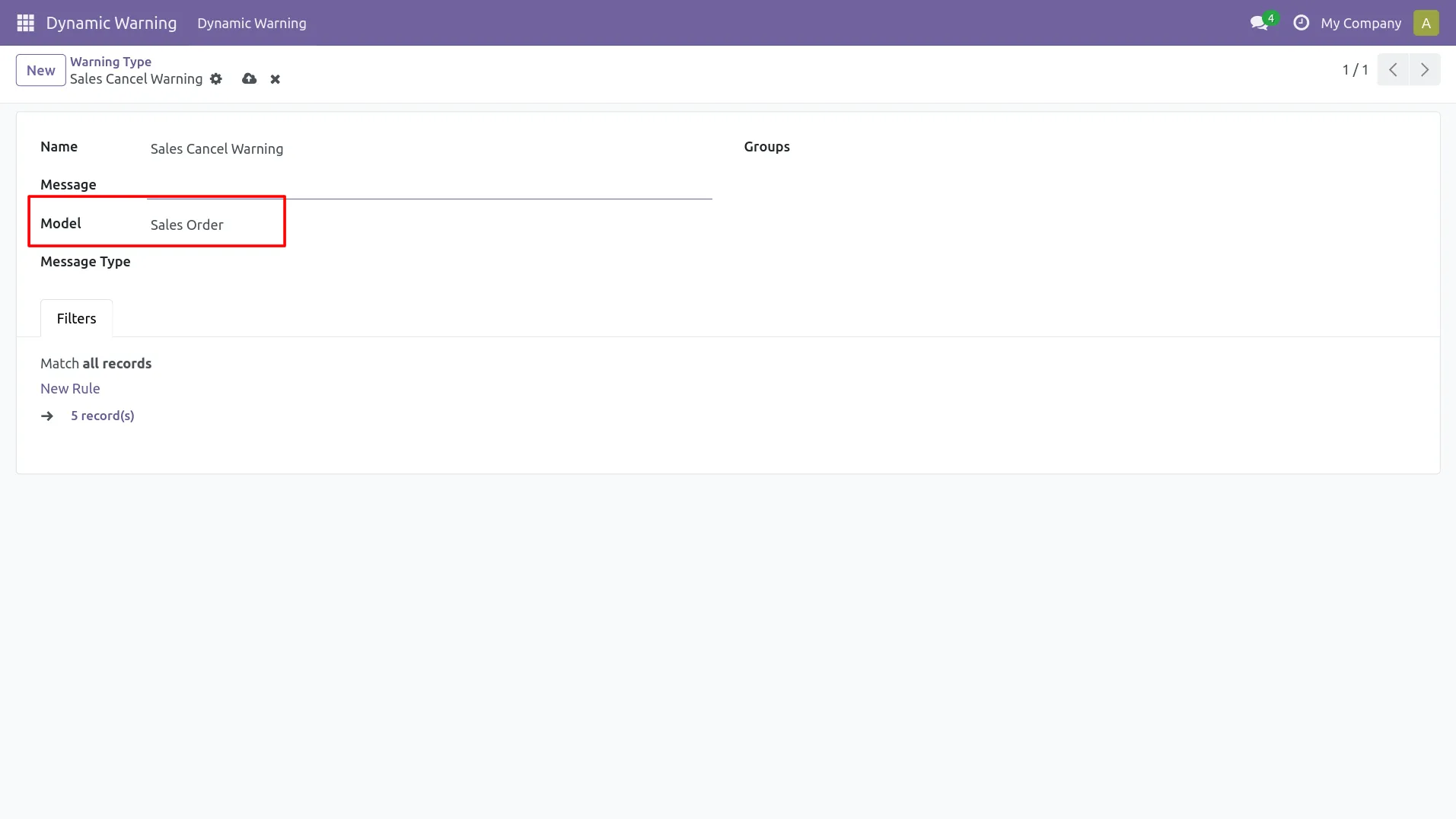
3. Select the target Model/Form where warning should appear.
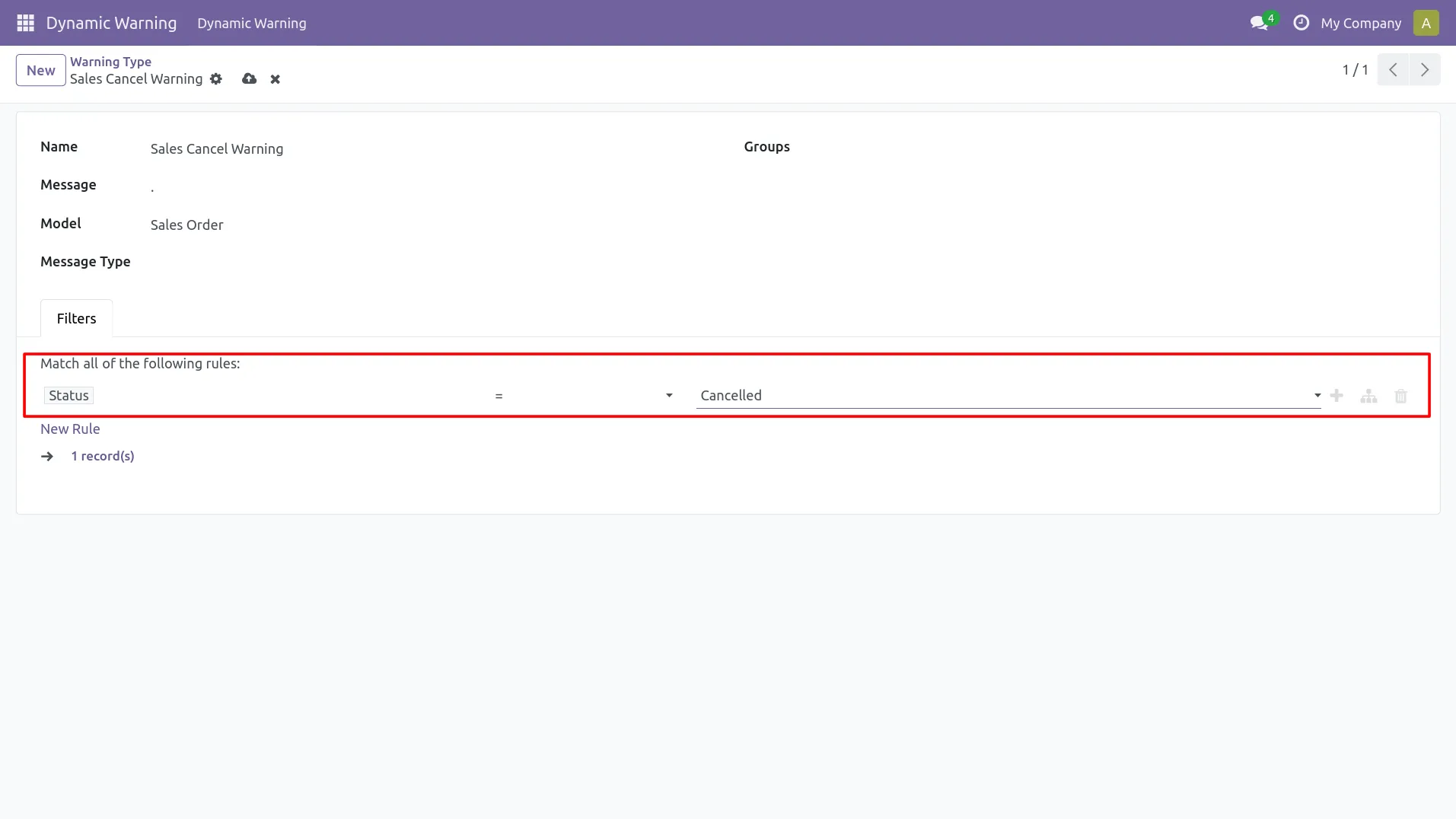
4. Add conditions (domain) to trigger warning automatically.
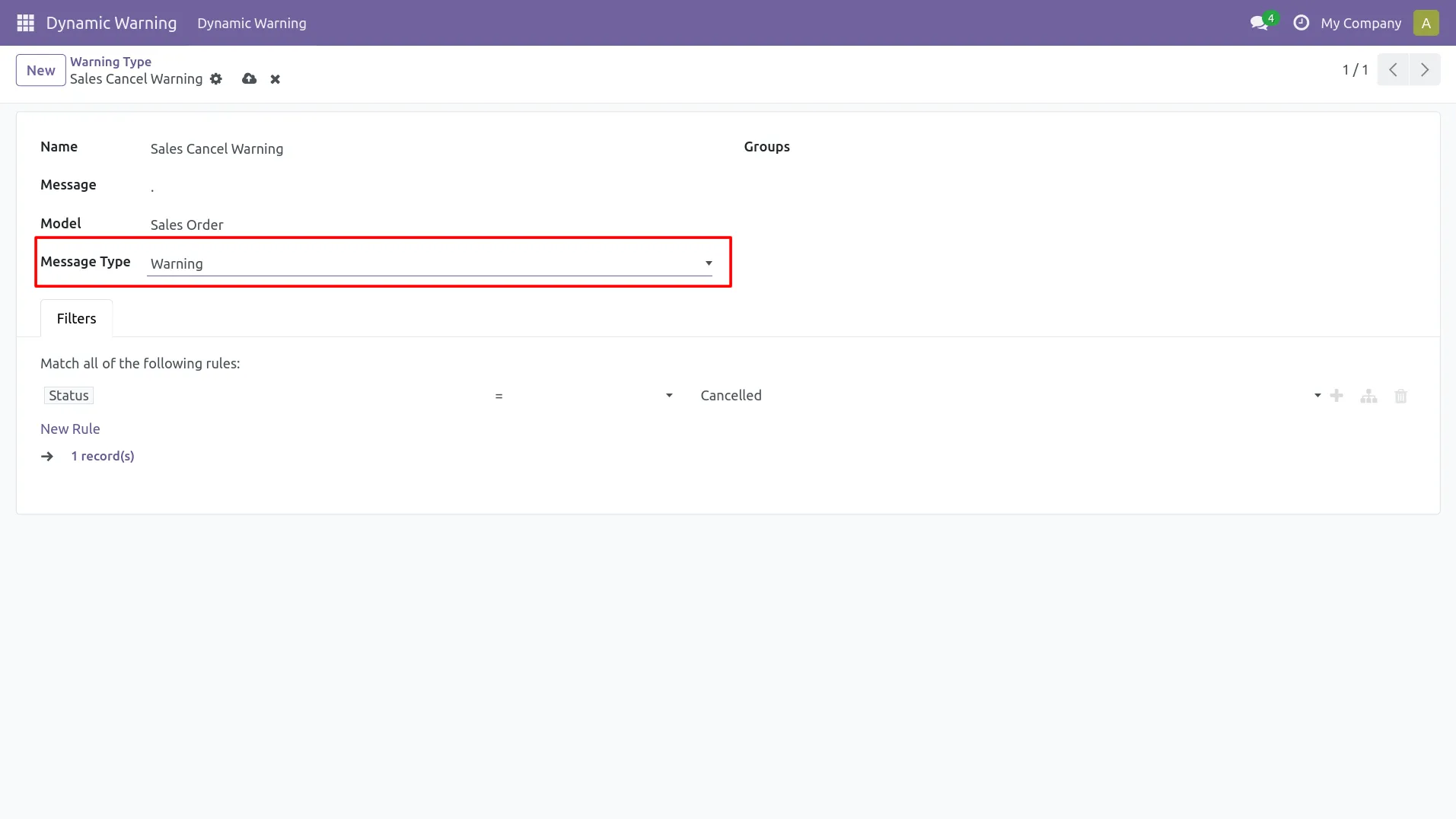
5. Choose alert type: Info / Warning / Danger.
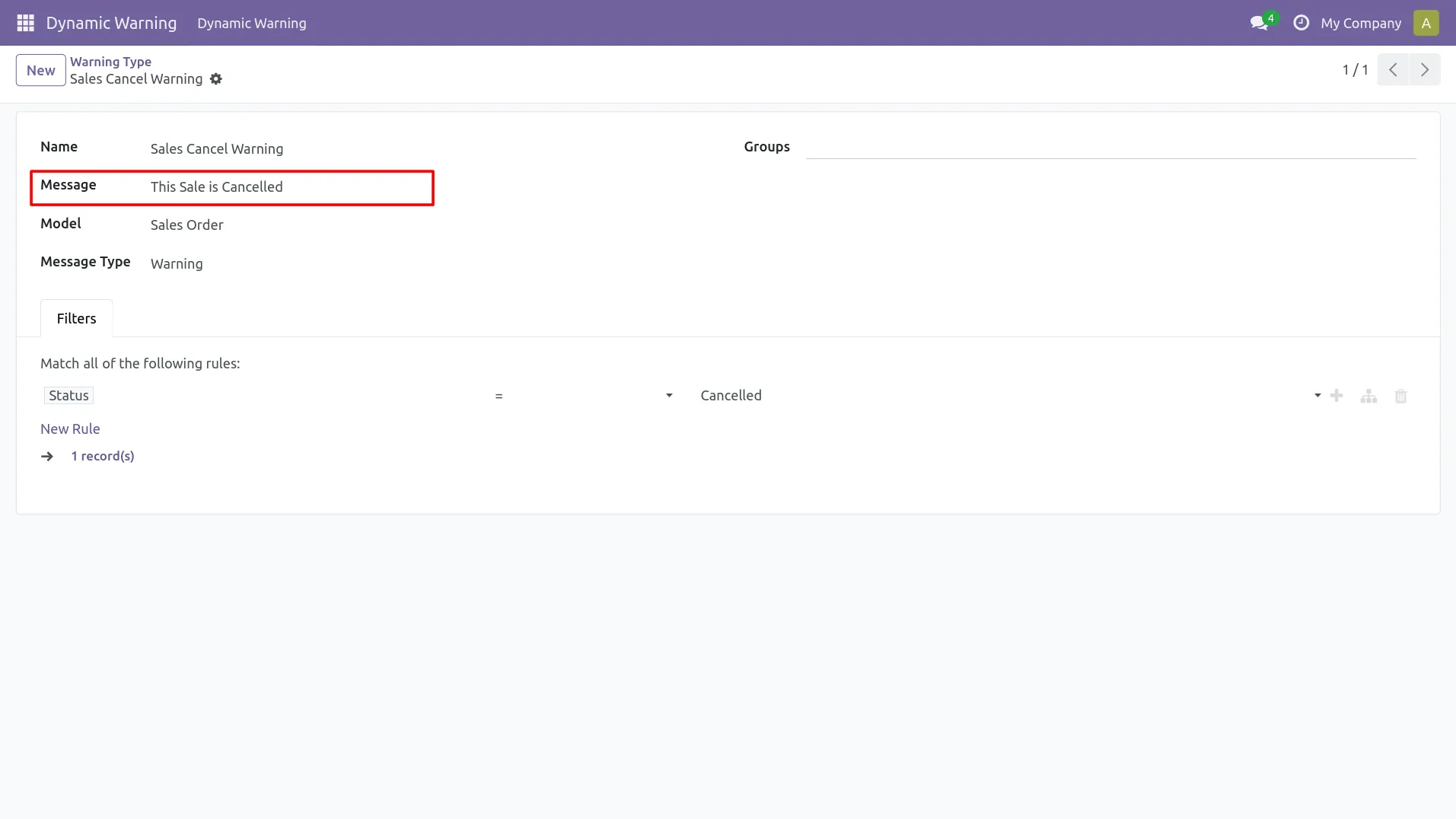
6. Write the warning message shown to the user on the form.
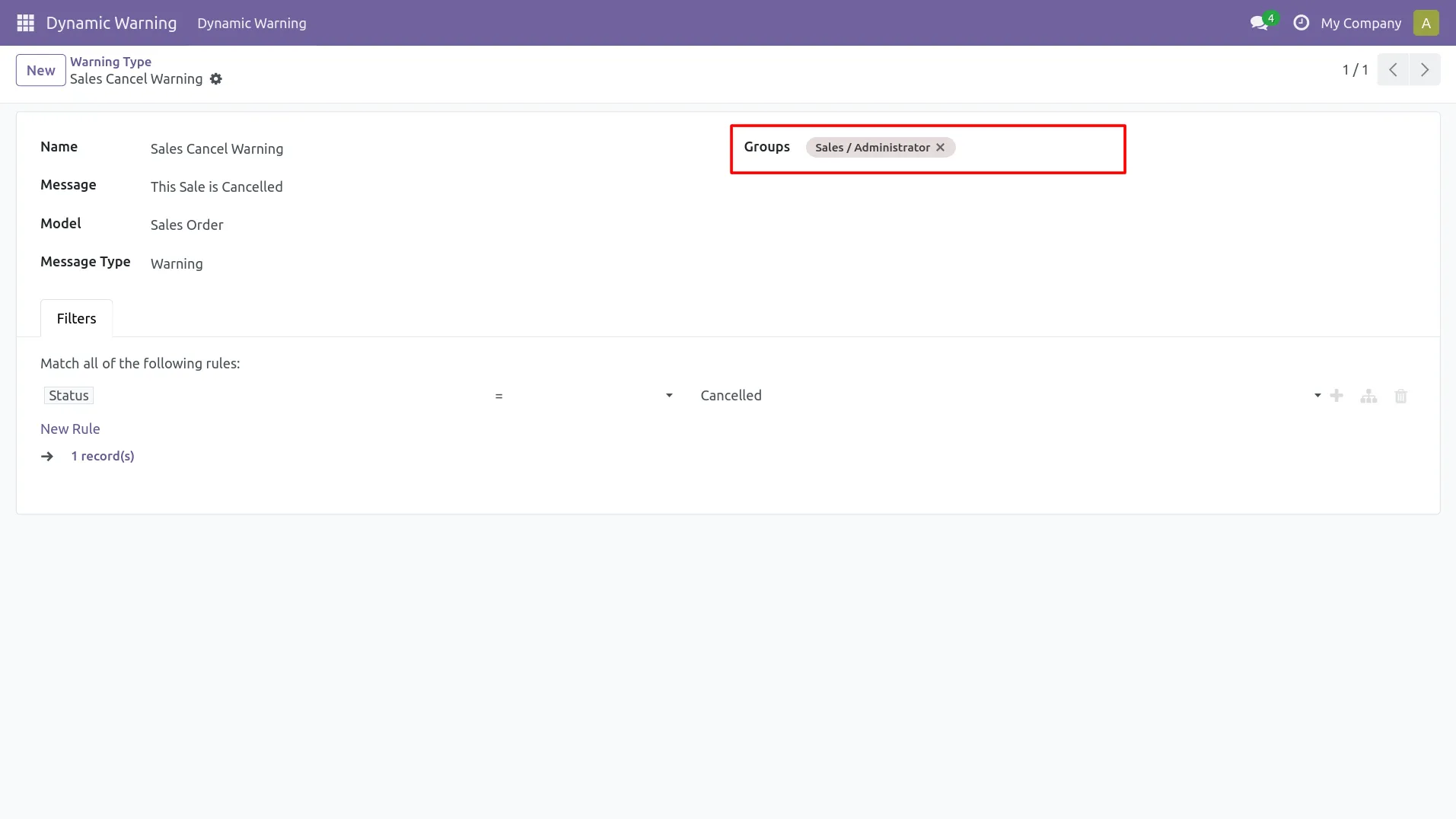
7. Select User Groups to show warnings only for selected roles.
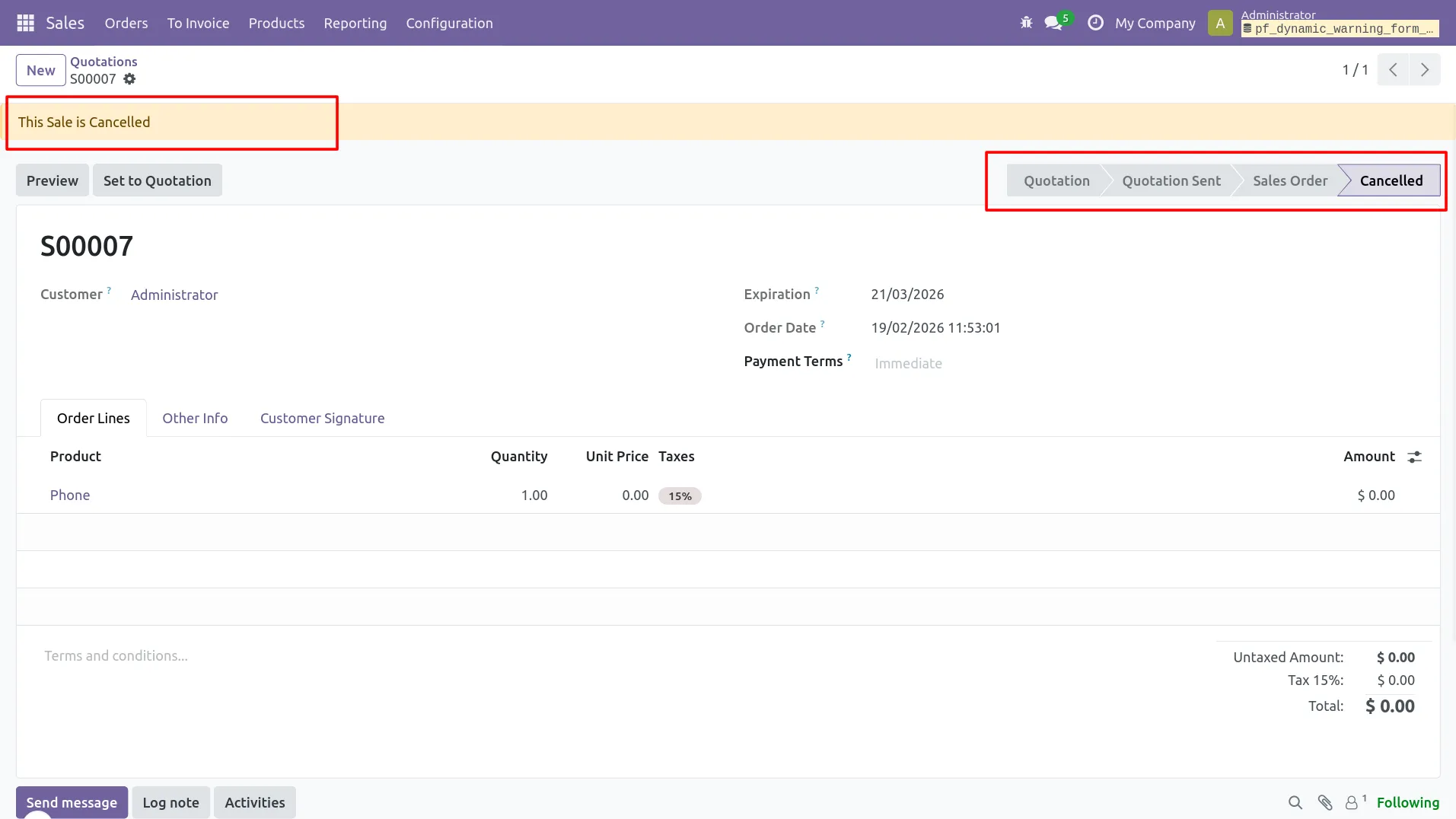
8. Open the selected form and check the warning banner display.
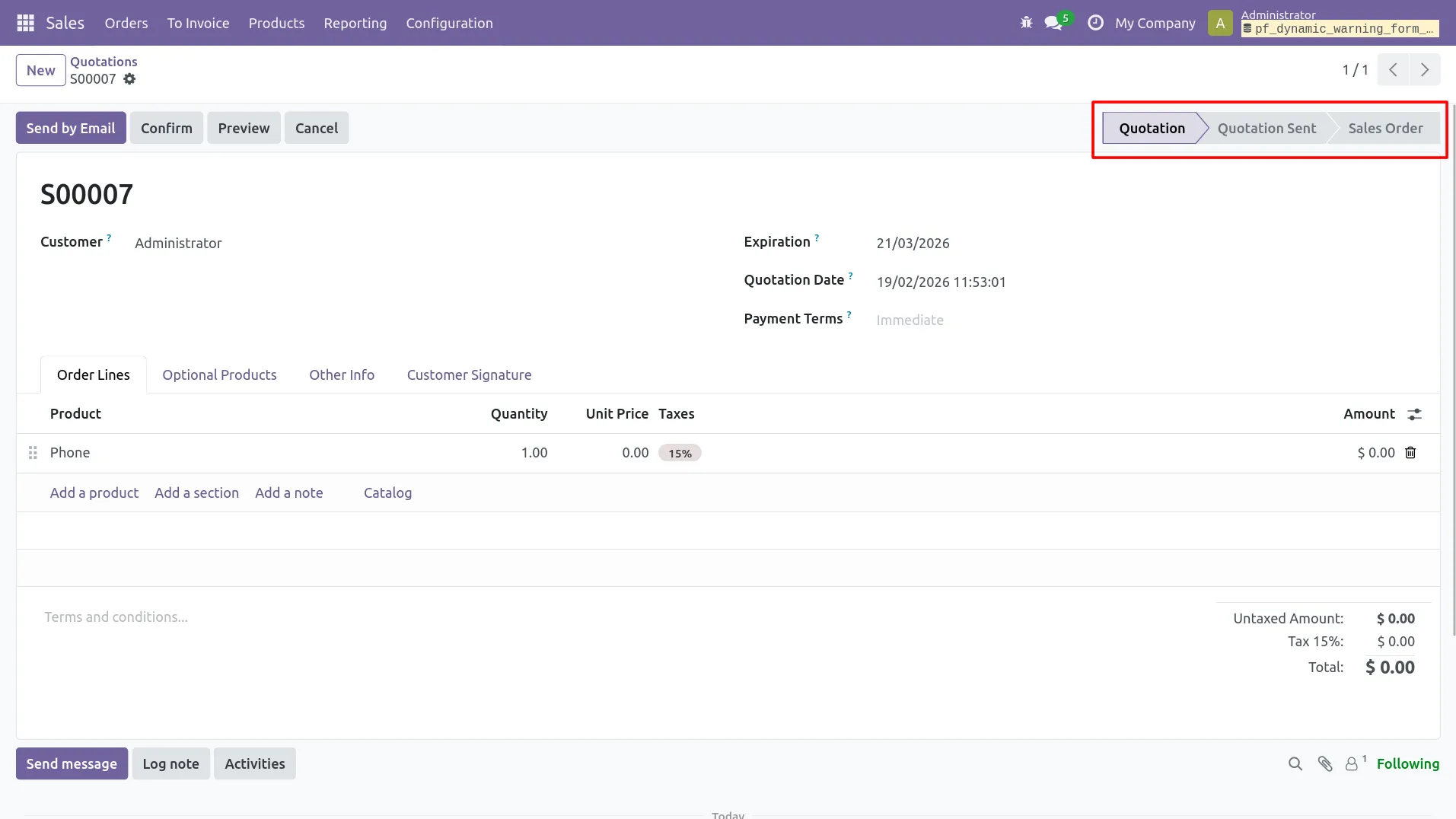
9. Update record values to see warning appear/disappear automatically.
Our solutions focus on your problems
- Odoo Implementation
- Odoo Customization
- ERP Development and Implementation
- Odoo Ipass Cloud
- AI for Odoo
- Odoo Apps
- Aws Marketplace Products
- Business Engines
Our Pricing includes User Manual, 90 Days Support (Monday-Friday 10am to 7pm IST) and One time Setup
• Works & tested on standard installations of Odoo with no third party apps,
• Free support only for odoo installations with no third party apps,
• Paid support available for Odoo installations with third party apps.

Prefortune is a Odoo Official Partner, Odoo Development company. Our philosophy is to use Open Source tools and technologies to provide cost effective and green solutions for our customers.
Prefortune Technologies LLP is working on web development, Mobile development, and Odoo ERP.
If you need any help or want more additional features, you may contact us through:
Alternative Products
These other products might interest you
Specifications
| Version | 19.0, 18.0, 17.0, 16.0, 15.0, 14.0 |