Watch Quick Video
Display POS Product Price | Odoo POS Product Price Display
Our all-inclusive Odoo – Display POS Product Price | Odoo POS Product Price Display module enhances the Point of Sale interface by allowing clear visibility of product prices according to configuration settings. When the Price option is enabled in POS configuration, product prices are displayed directly on the POS screen, giving staff immediate access to accurate pricing. If disabled, prices remain hidden, providing flexibility and control over what information is shown to POS users. This helps sales teams efficiently manage pricing visibility at the POS, ensuring clarity for both staff and customers while maintaining control over displayed information.
Display POS Product Price | Odoo POS Product Price Display
- Enable or disable product prices on the POS screen via configuration.
- Reflects price changes immediately in the POS interface.
- Price display can be configured individually for different POS setups.
- Shows prices according to tax-included or tax-excluded settings.
- Makes it easy for POS staff to view prices at a glance.
Complete Workflow for Manage Display POS Product Price | Odoo POS Product Price Display
First, install and activate the "Display POS Product Price | Odoo POS Product Price Display" module. After installing the module, go to Point of Sale → Configuration → Settings → POS Interface. Enable the Price to display product prices on the POS screen. Once enabled, open the Point of Sale interface and navigate through products. The prices of products will now be visible directly on the POS display. If the Price option is disabled, product prices will remain hidden from the POS screen. This ensures POS staff can view product prices clearly when needed while maintaining control over what is displayed in the interface.
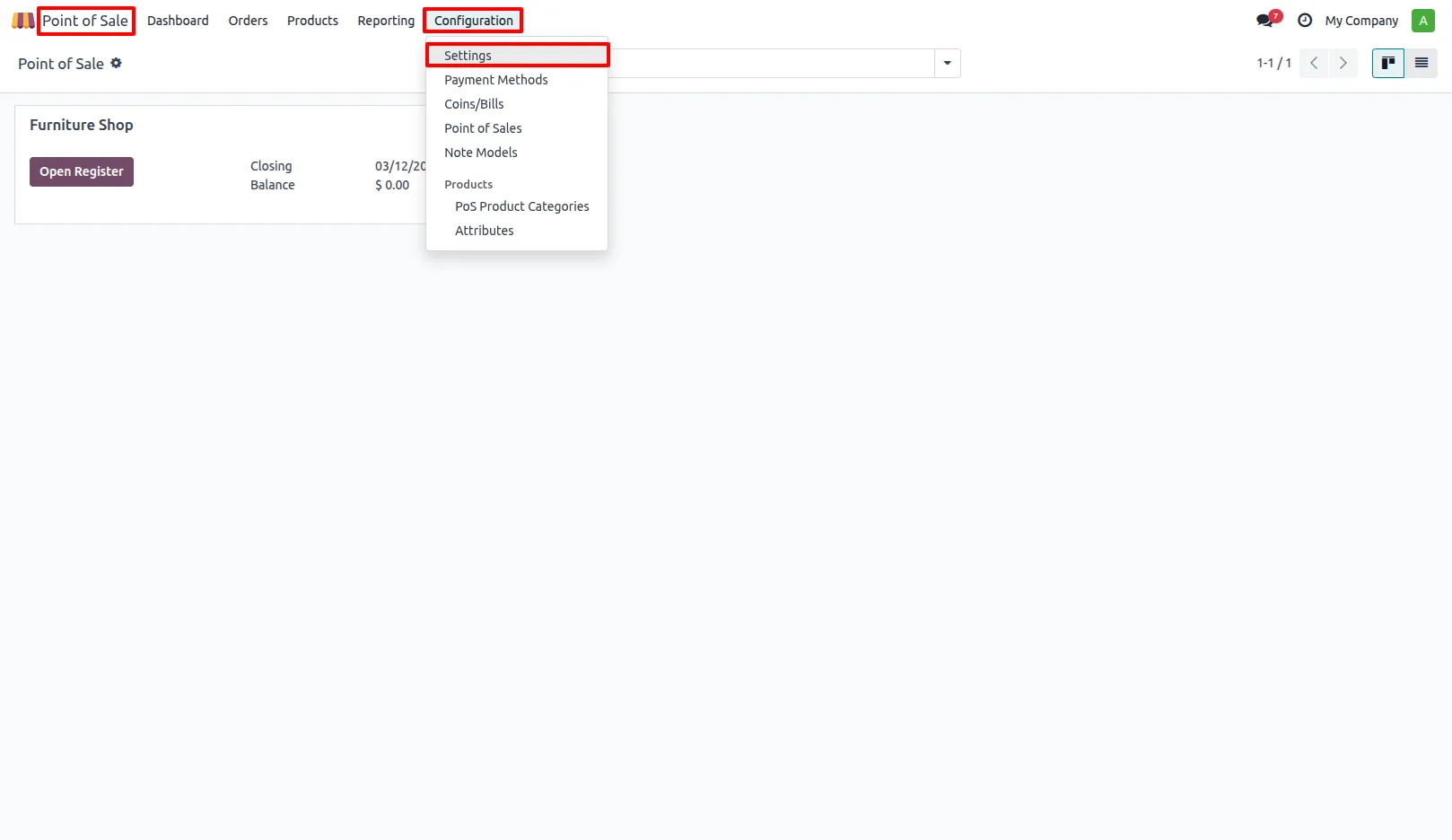
1. Go to Point of Sale → Configuration → Settings
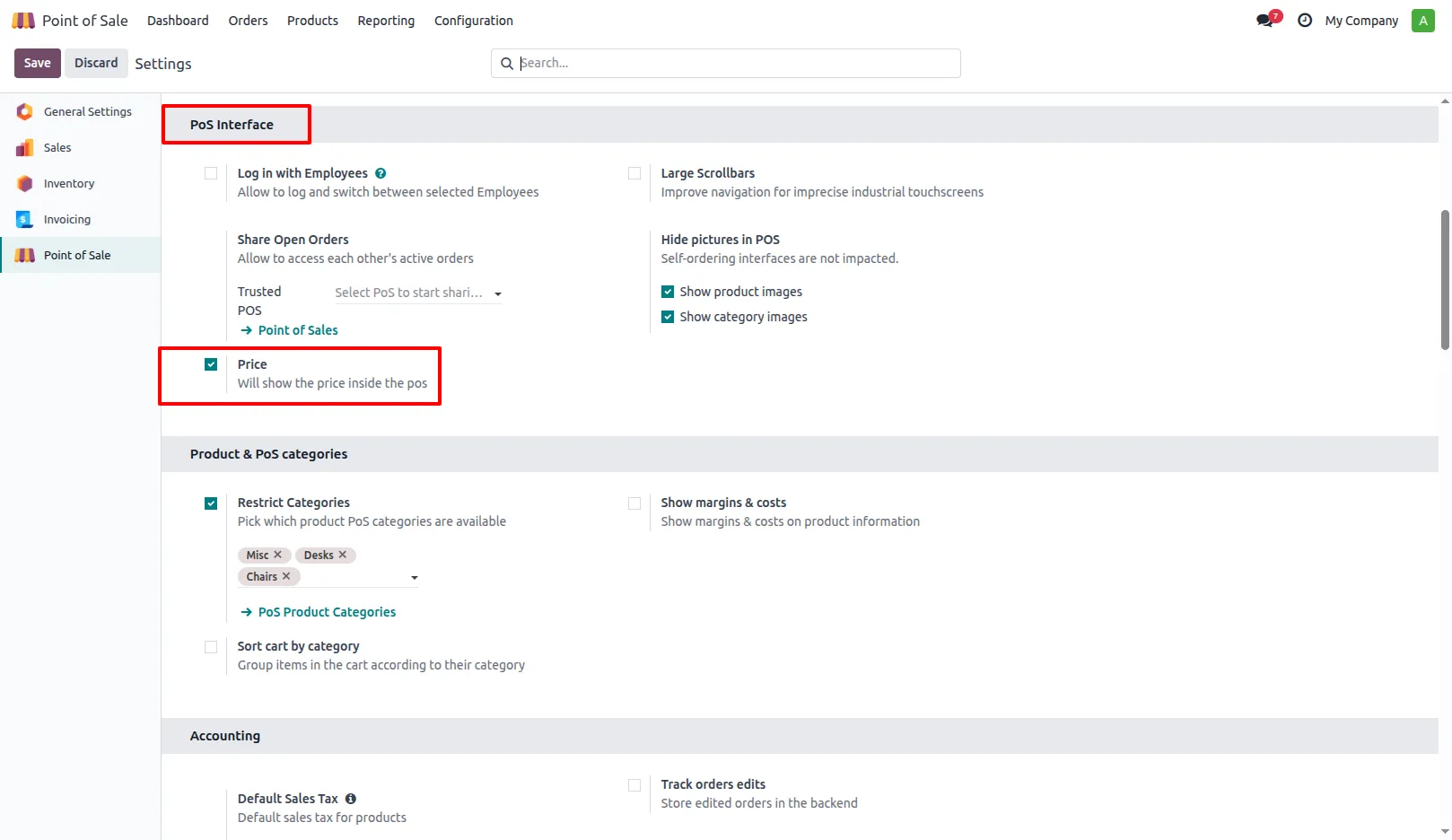
2. Navigate to POS Interface and enable the Price to display product prices in the POS interface.
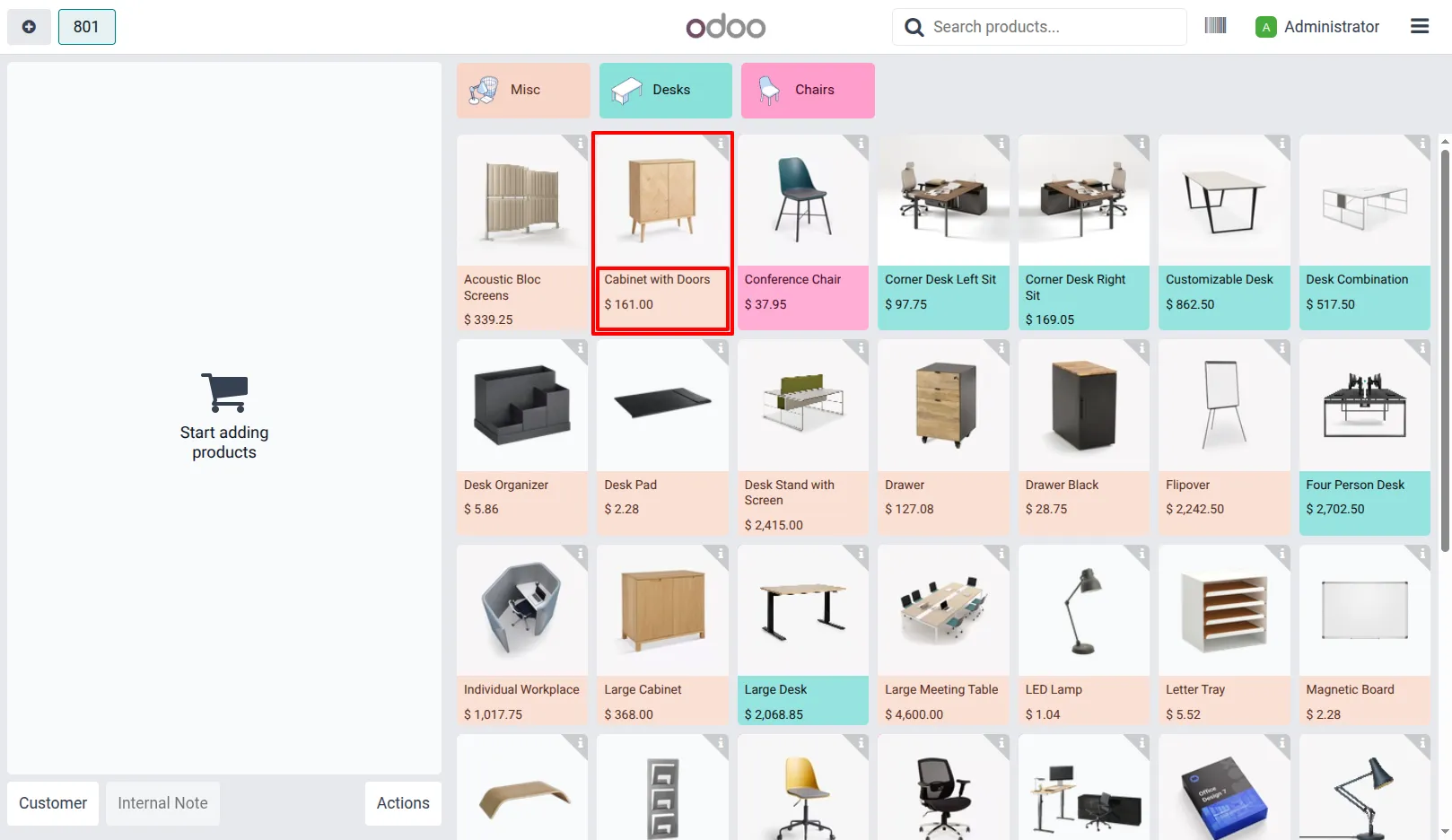
3. Open the POS session; product prices will now be visible on the POS screen.
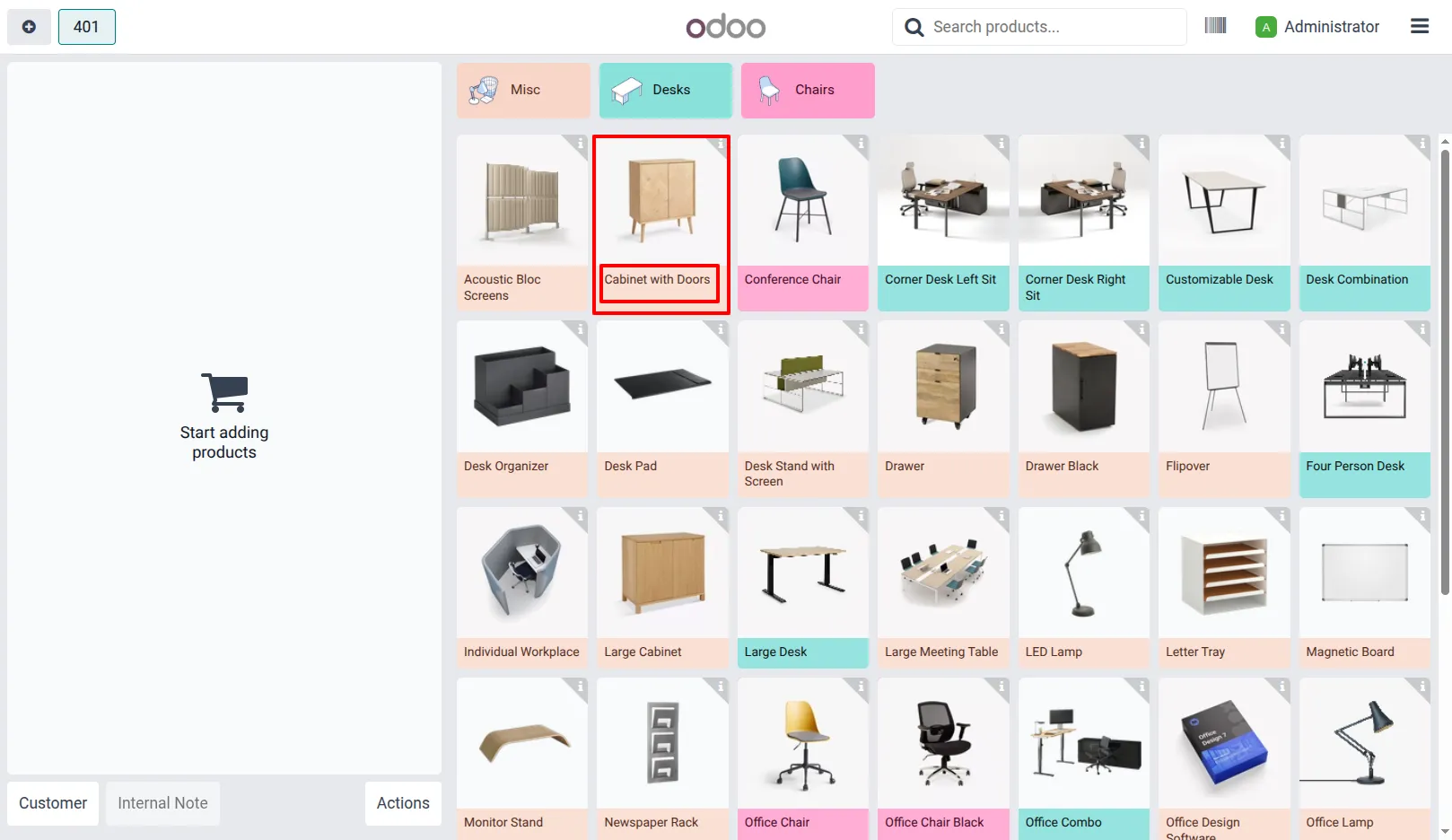
4. If the Price is disabled, product prices will remain hidden in the POS display.
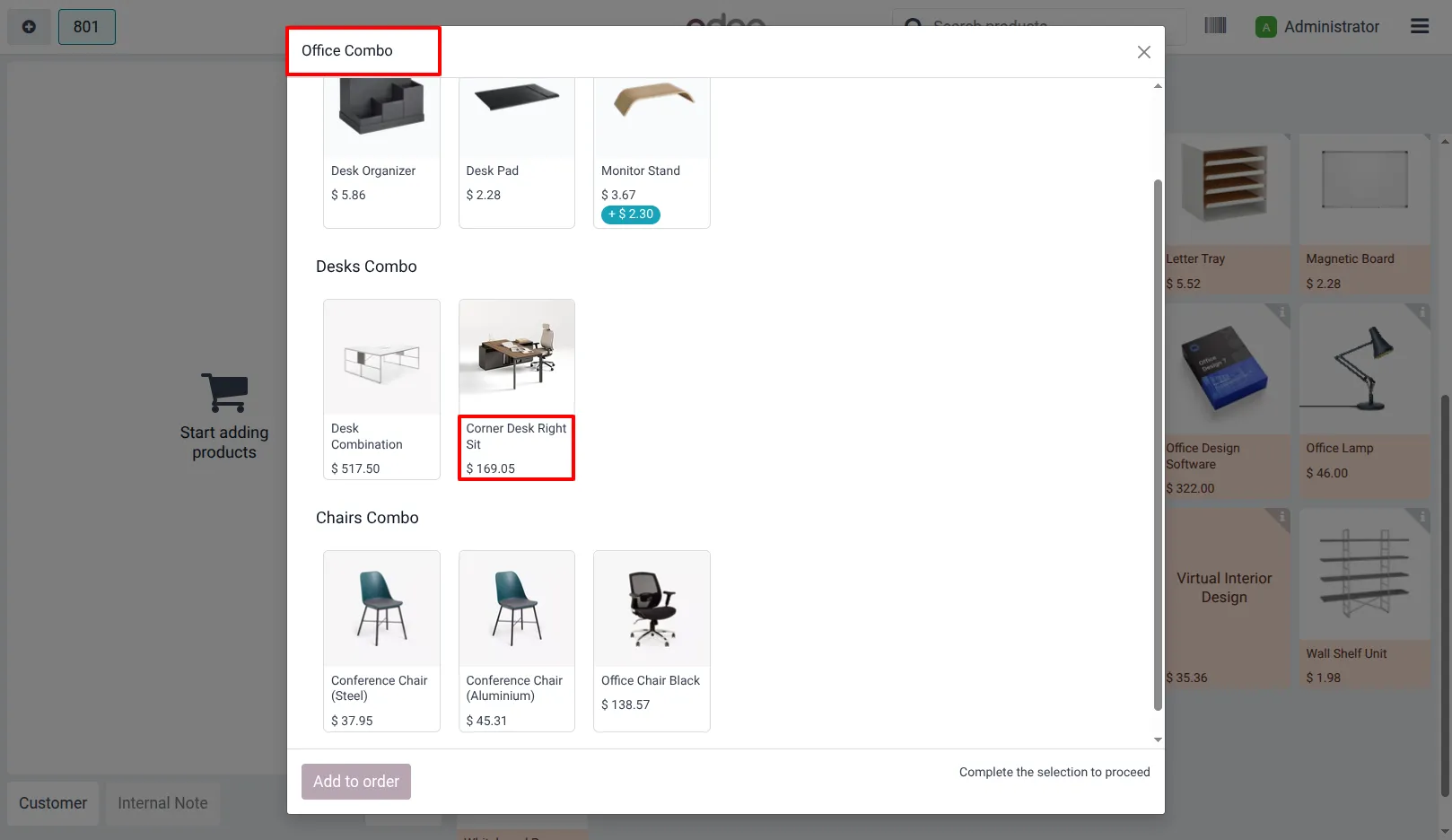
5. You can also view the product price in the combo product pop-up within the POS interface.
Our solutions focus on your problems
- Odoo Implementation
- Odoo Customization
- ERP Development and Implementation
- Odoo Ipass Cloud
- AI for Odoo
- Odoo Apps
- Aws Marketplace Products
- Business Engines
Our Pricing includes User Manual, 90 Days Support (Monday-Friday 10am to 7pm IST) and One time Setup
• Works & tested on standard installations of Odoo with no third party apps,
• Free support only for odoo installations with no third party apps,
• Paid support available for Odoo installations with third party apps.

Prefortune is a Odoo Official Partner, Odoo Development company. Our philosophy is to use Open Source tools and technologies to provide cost effective and green solutions for our customers.
Prefortune Technologies LLP is working on web development, Mobile development, and Odoo ERP.
If you need any help or want more additional features, you may contact us through:
Alternative Products
These other products might interest you
Specifications
| Version | 19.0, 18.0 |