Watch Quick Video
Discount Amount & Percentage Converter in Sale Order
Our all-inclusive
Discount Amount & Percentage Converter in Sale Order App enhances the sales pricing experience by enabling businesses to manage discounts more flexibly and accurately within the Sales module. This app allows sales users to apply discounts using either a percentage or a fixed discount amount directly on sale order lines, with automatic and real-time calculations.
The module intelligently converts the entered discount percentage into a corresponding discount amount based on the product’s unit price and quantity. When the unit price or quantity is modified, the discount amount is instantly recalculated while keeping the discount percentage unchanged, ensuring consistent pricing logic and accurate order totals. All calculations are handled seamlessly in the background without requiring any manual adjustments.
Administrators can easily enable the discount functionality from Sales settings, and sales teams can start using it immediately without any technical configuration or coding. The app improves pricing transparency, reduces manual errors, and speeds up quotation creation by keeping discount values always synchronized. It is an ideal solution for businesses seeking a reliable, user-friendly, and professional approach to discount management in Odoo Sales.
Discount Amount & Percentage Converter in Sale Order App
- Real-time discount calculations are applied instantly on sale order lines.
- Easy to configure from Sales settings – enable discounts and start using immediately.
- Improves pricing accuracy and reduces manual discount calculation errors.
- Supports both discount percentage and fixed discount amount on sale orders.
- Automatically updates discount amount when unit price or quantity changes while keeping discount percentage unchanged.
Complete Workflow for Manage Discount Amount & Percentage Converter in Sale Order App
First, enable the Discount option from the Sales settings. Once activated, create a new quotation or sale order from the Sales module. Add products to the sale order lines and enter a discount percentage or discount amount. The system automatically calculates the corresponding discount value. When the unit price or quantity of the product is updated, the discount amount is recalculated instantly while keeping the discount percentage unchanged, ensuring accurate pricing throughout the sales workflow.
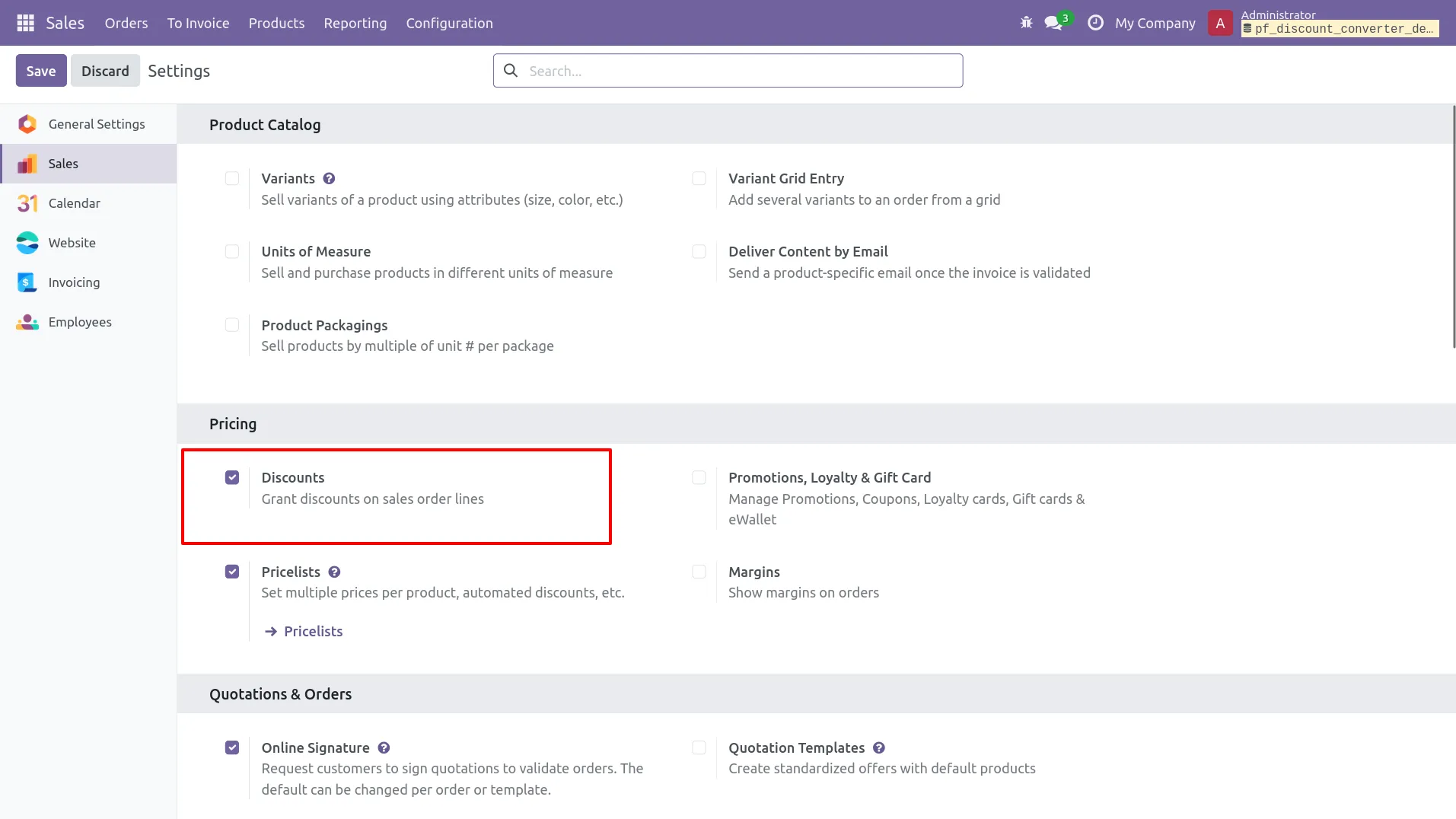
1.Enable the Discount option from Sales settings.
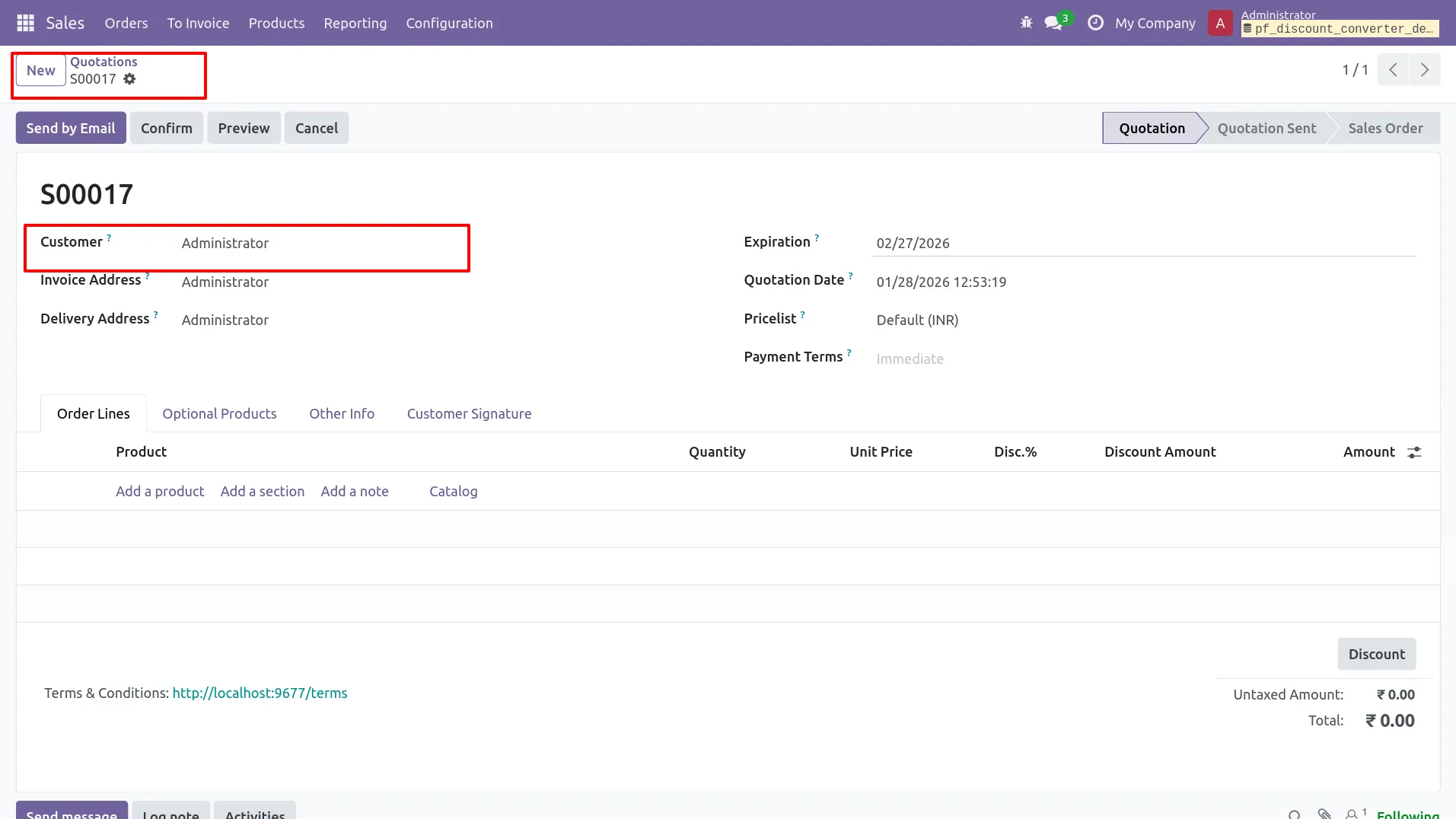
2.Create a new quotation from the Sales module.
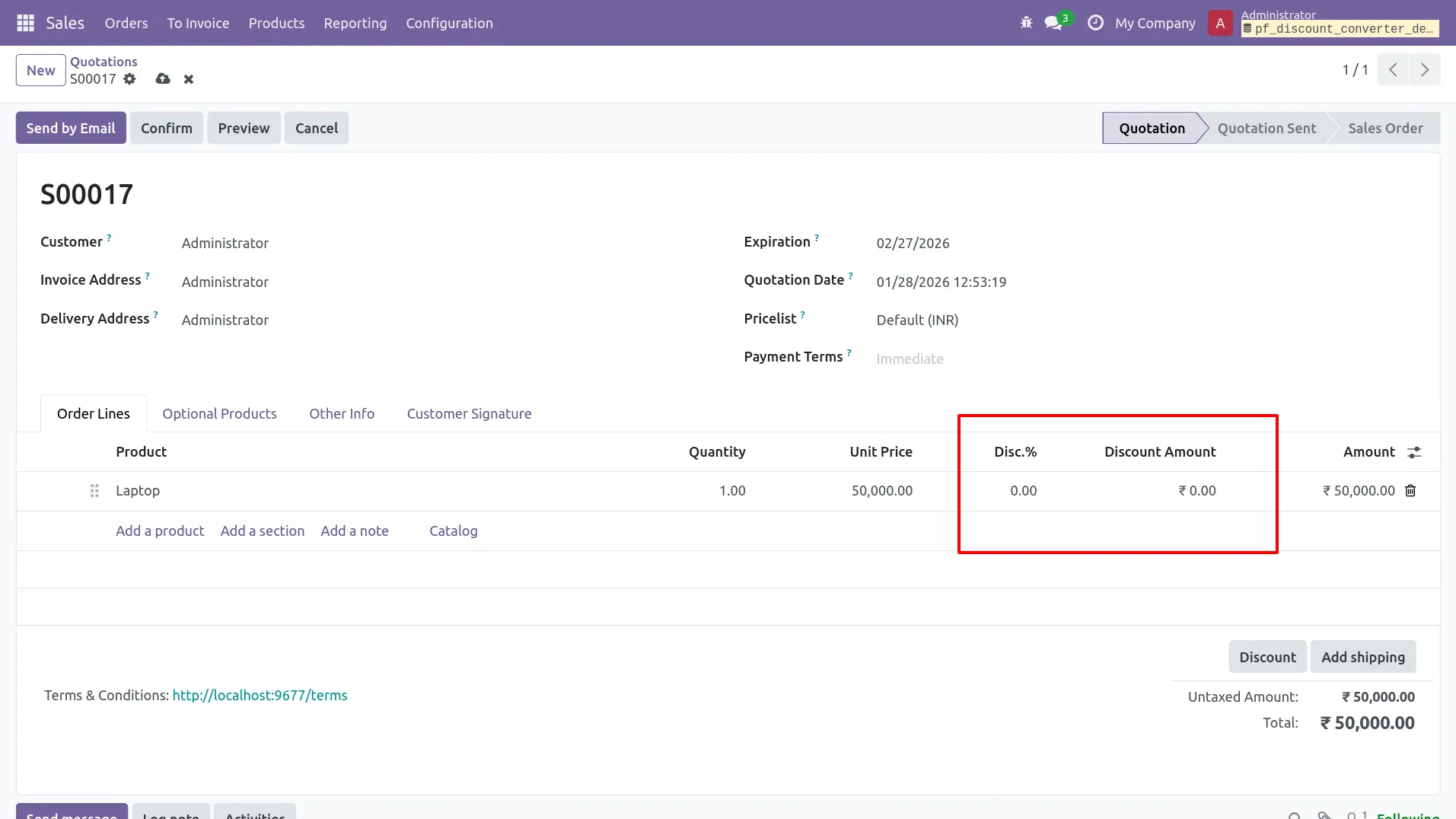
3.Add products to the sale order lines.
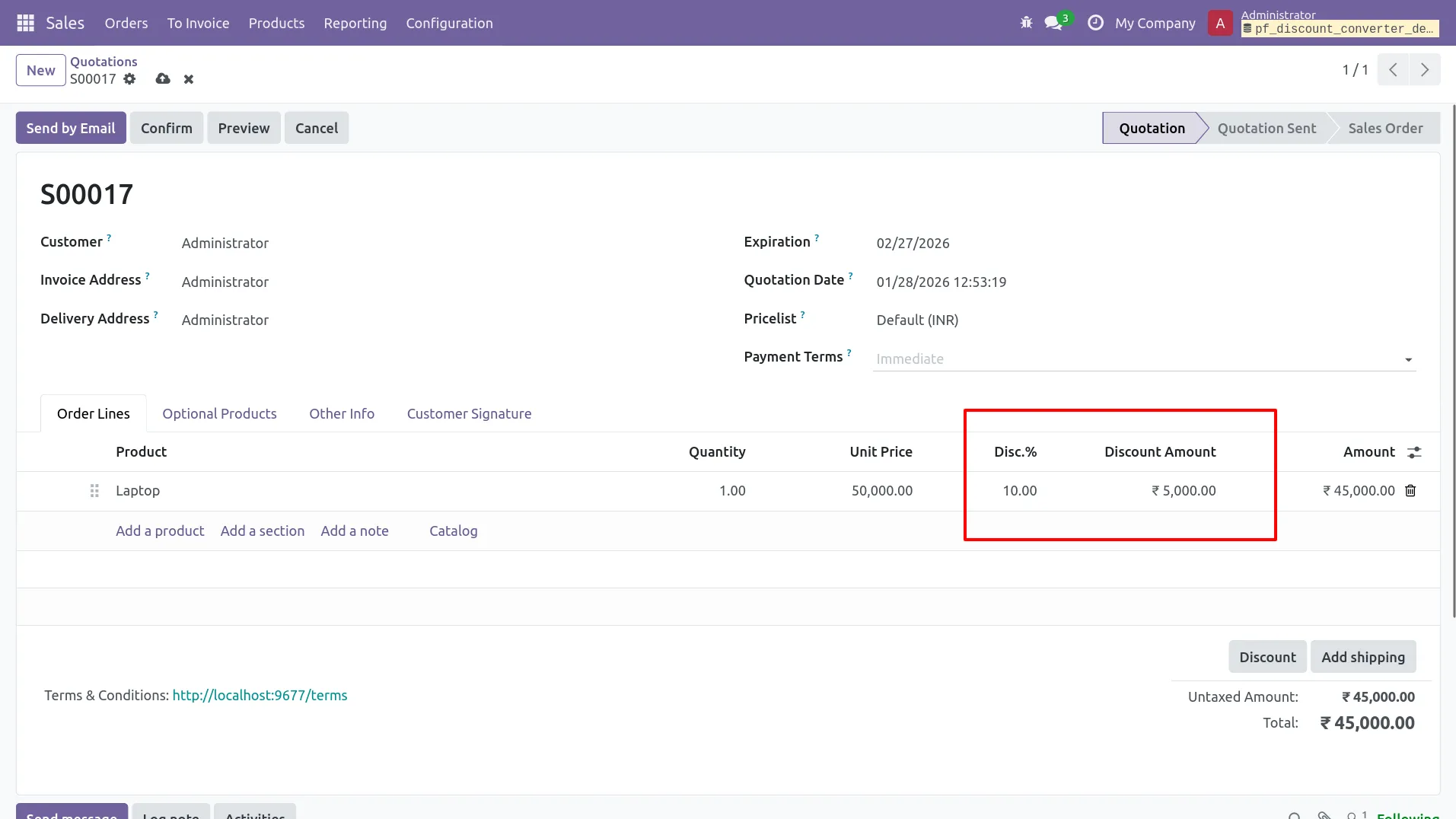
4.Apply discount percentage on the sale order line.
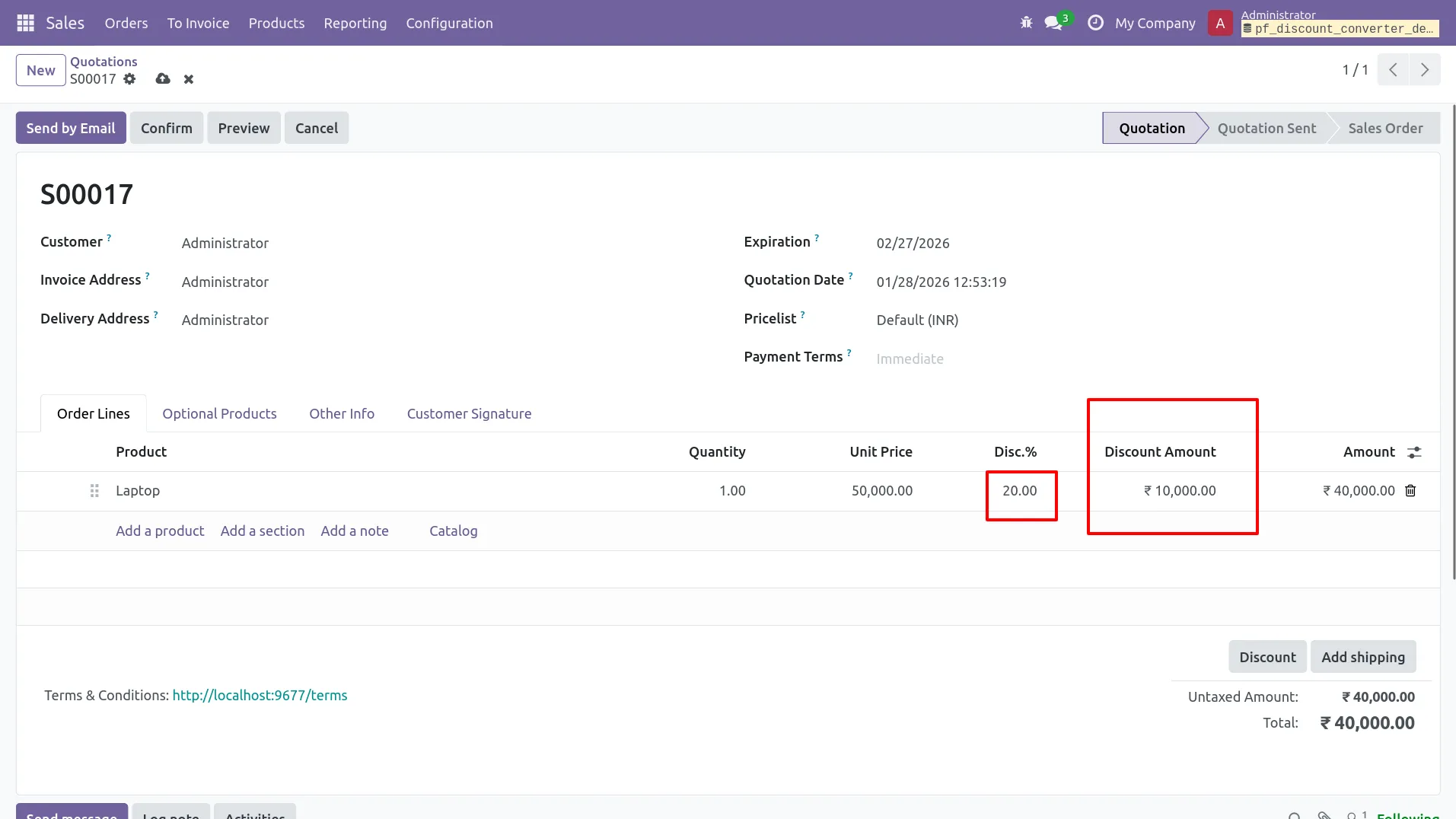
5.when discount amount is changed, discount percentage updates automatically.
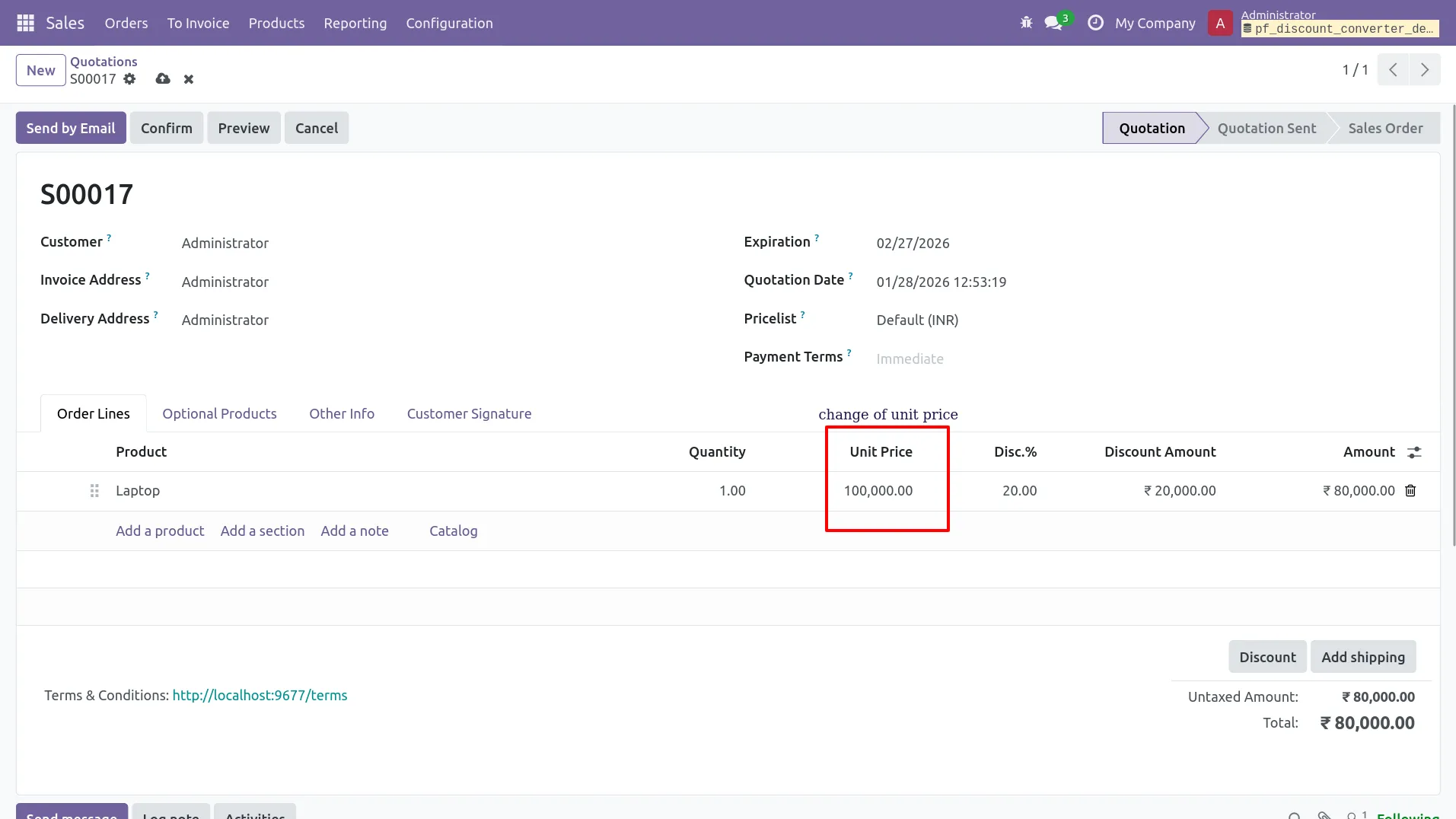
6.When unit price or quantity changes, discount amount updates automatically.
Our solutions focus on your problems
- Odoo Implementation
- Odoo Customization
- ERP Development and Implementation
- Odoo Ipass Cloud
- AI for Odoo
- Odoo Apps
- Aws Marketplace Products
- Business Engines
Our Pricing includes User Manual, 90 Days Support (Monday-Friday 10am to 7pm IST) and One time Setup
• Works & tested on standard installations of Odoo with no third party apps,
• Free support only for odoo installations with no third party apps,
• Paid support available for Odoo installations with third party apps.

Prefortune is a Odoo Official Partner, Odoo Development company. Our philosophy is to use Open Source tools and technologies to provide cost effective and green solutions for our customers.
Prefortune Technologies LLP is working on web development, Mobile development, and Odoo ERP.
If you need any help or want more additional features, you may contact us through:
Alternative Products
These other products might interest you
Specifications
| Version | 19.0, 18.0, 17.0, 16.0, 15.0, 14.0 |