Watch Quick Video
Date & Time of Chatter Attachment
Enhance Your Odoo Chatter Attachment Management with Our
All-In-One Date & Time Feature
Our Odoo Chatter Attachment module takes attachment management to the next level by automatically displaying the exact date and time a file was uploaded to the Chatter section. This makes it super easy for you to keep track of who's doing what, when it's a real game-changer for folks trying to stay on top of recently uploaded files.
With the ability to see exactly when files were uploaded, you can more easily keep tabs on updates, keep your documents in order, and generally get a clearer picture of what's going on with your attachments. Plus, it all happens behind the scenes, without needing to mess around with Odoo's Chatter interface - our module just clicks right in and gets the job done.
And the best part? Our module plays nice with all of Odoo's other modules, so you can count on it to give you consistent tracking and a nice, clear audit trail across the board. No need to worry about compatibility or configuring anything complicated - just install and you're good to go.
Key Features
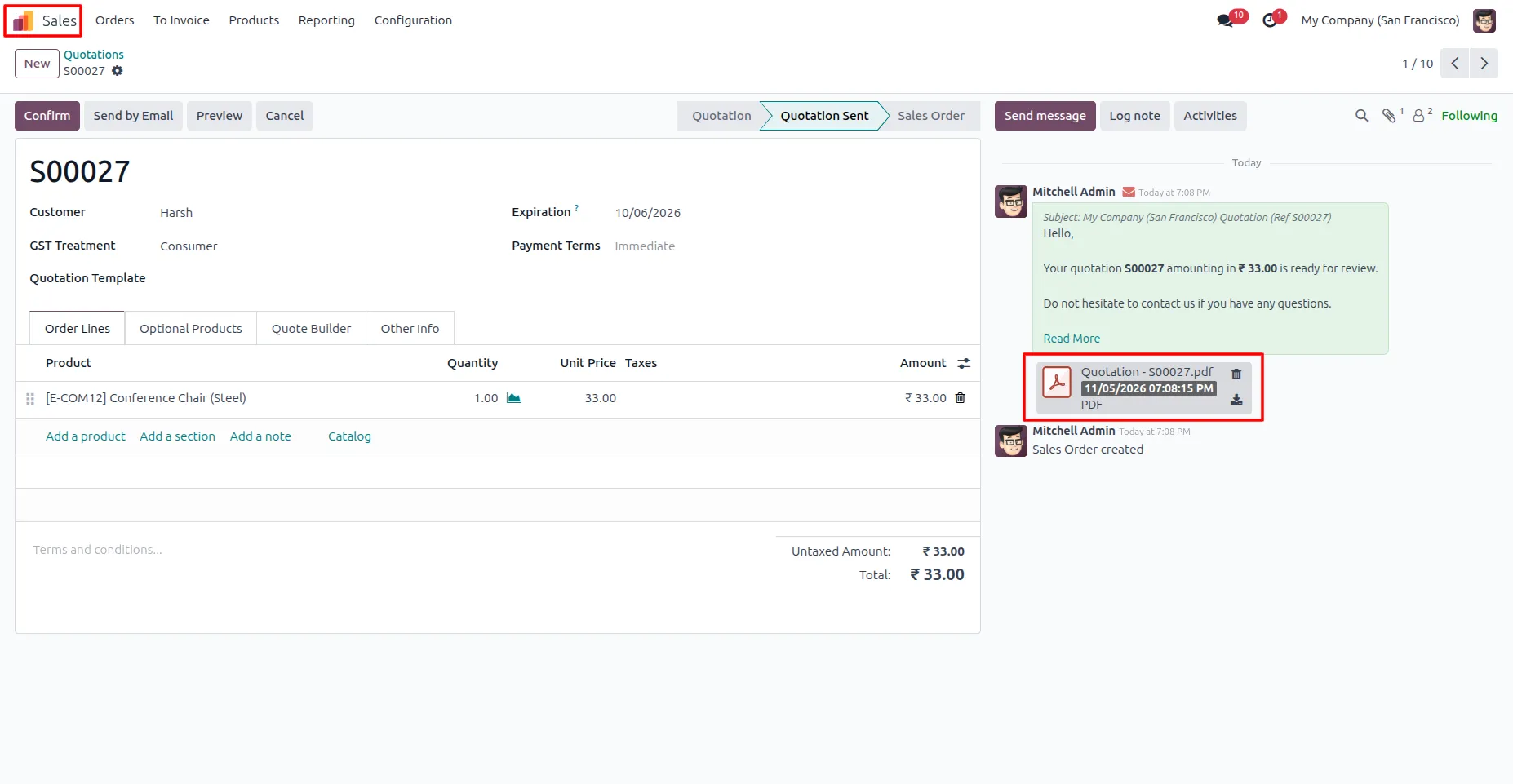
1. After installing the module, open any record from Odoo modules like Sales, Purchase, CRM, or Project and attach a document in the chatter section. The system automatically displays the exact upload date and time on the attachment card, helping users easily track file activity and identify recently uploaded documents.
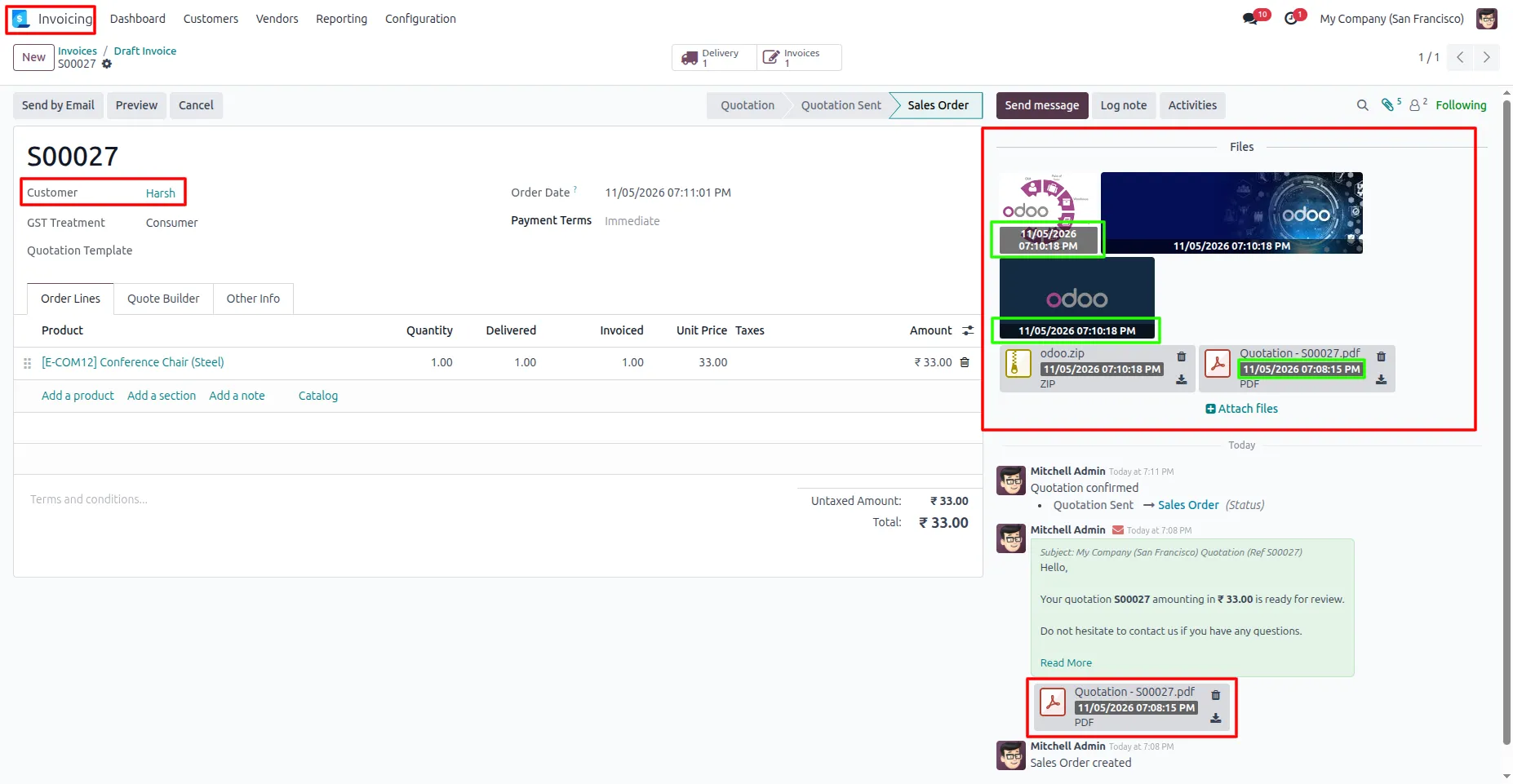
2. Users can attach multiple files in the chatter section of any Odoo record. The system automatically displays the exact upload date and time on each attachment card, making it easy to track file activity, identify recent uploads, and manage documents efficiently across all Odoo modules
Our solutions focus on your problems
- Odoo Implementation
- Odoo Customization
- ERP Development and Implementation
- Odoo Ipass Cloud
- AI for Odoo
- Odoo Apps
- Aws Marketplace Products
- Business Engines
Our Pricing includes User Manual, 90 Days Support (Monday-Friday 10am to 7pm IST) and One time Setup
• Works & tested on standard installations of Odoo with no third party apps,
• Free support only for odoo installations with no third party apps,
• Paid support available for Odoo installations with third party apps.

Prefortune is a Odoo Official Partner, Odoo Development company. Our philosophy is to use Open Source tools and technologies to provide cost effective and green solutions for our customers.
Prefortune Technologies LLP is working on web development, Mobile development, and Odoo ERP.
If you need any help or want more additional features, you may contact us through:
Alternative Products
These other products might interest you
Specifications
| Version | 19.0, 18.0, 17.0, 16.0, 15.0, 14.0 |