Watch Quick Video
Customer Website Order Notes in Odoo
Our all-inclusive
Odoo – Customer Website Order Notes in Odoo It describes how administrators can configure the Order Notes field and Desired Delivery Date option from the backend settings. The feature allows customers to enter special instructions and select a preferred delivery date while placing an order on the website.It also explains the validation mechanism that displays a warning message if a customer selects a delivery date earlier than the minimum allowed date. It outlines the complete workflow from selecting the desired date to successfully placing the order. Additionally, it shows how the entered notes and delivery date are stored in the sales order. Finally, it demonstrates how administrators can view this information in the confirmed order and picking views within the Odoo backend.
Customer Website Order Notes in Odoo
- Customize backend settings to enable or disable order messages and delivery dates.
- Automatically verify selected delivery dates against minimum and maximum business day requirements.
- Empower users to submit specialized delivery instructions and specific dates during checkout.
- Grant administrators immediate access to customer notes and scheduled dates upon confirmation.
- Embed interactive note and date selection fields directly within the standard checkout.
Complete Workflow for Manage Customer Website Order Notes in Odoo
First we need to activate Customer Website Order Notes in Odoo This workflow explains how administrators enable and configure Customer Order Notes and Desired Delivery Date in Odoo’s website settings. Customers can then add notes and select a delivery date during checkout with proper validation. The submitted details are automatically saved and visible in the sales order and picking views in the backend for processing.
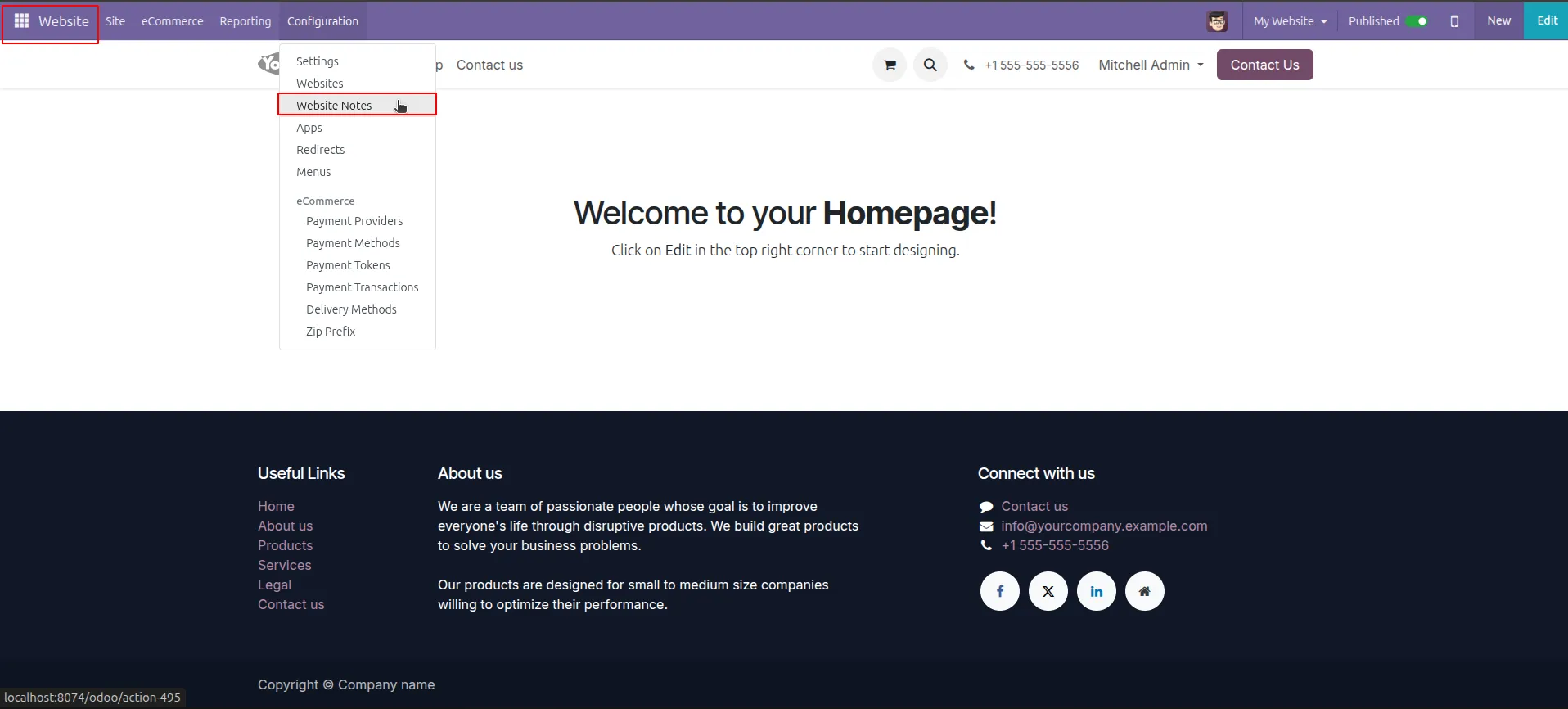
1.In the Odoo backend, go to the Website module and select Configuration > Website Notes from the top menu.
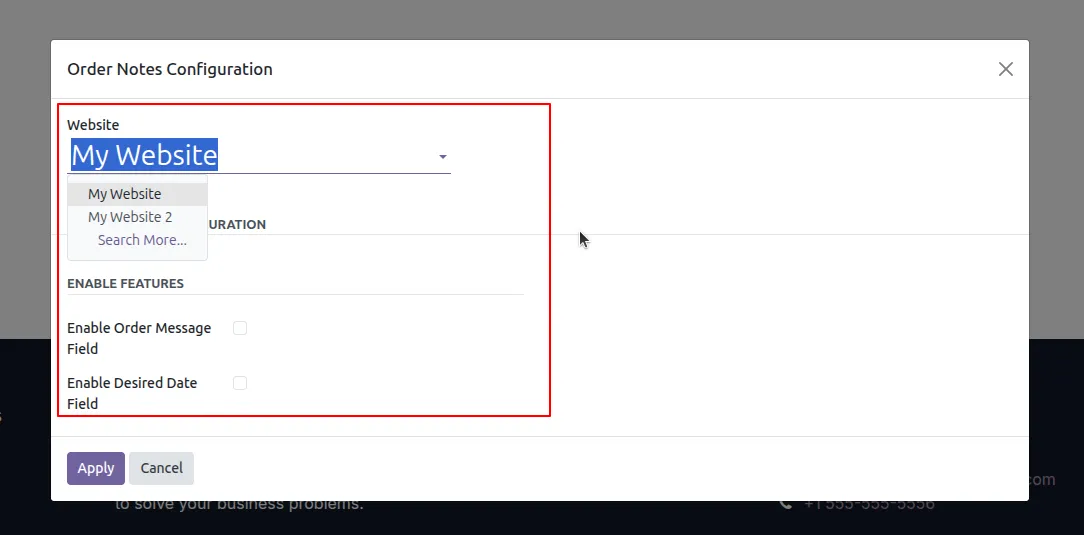
2.In the configuration popup, choose which Website (e.g., "My Website") you want these features to apply to.
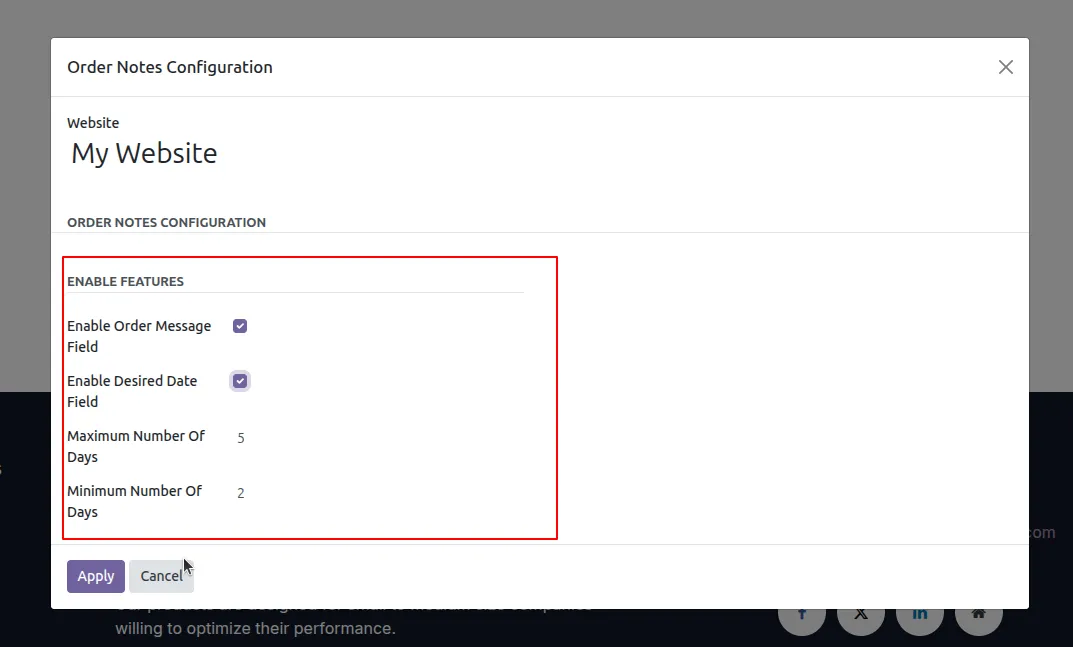
3.Enable the Message and Desired Date fields, then set the Minimum and Maximum number of days allowed for delivery selection.
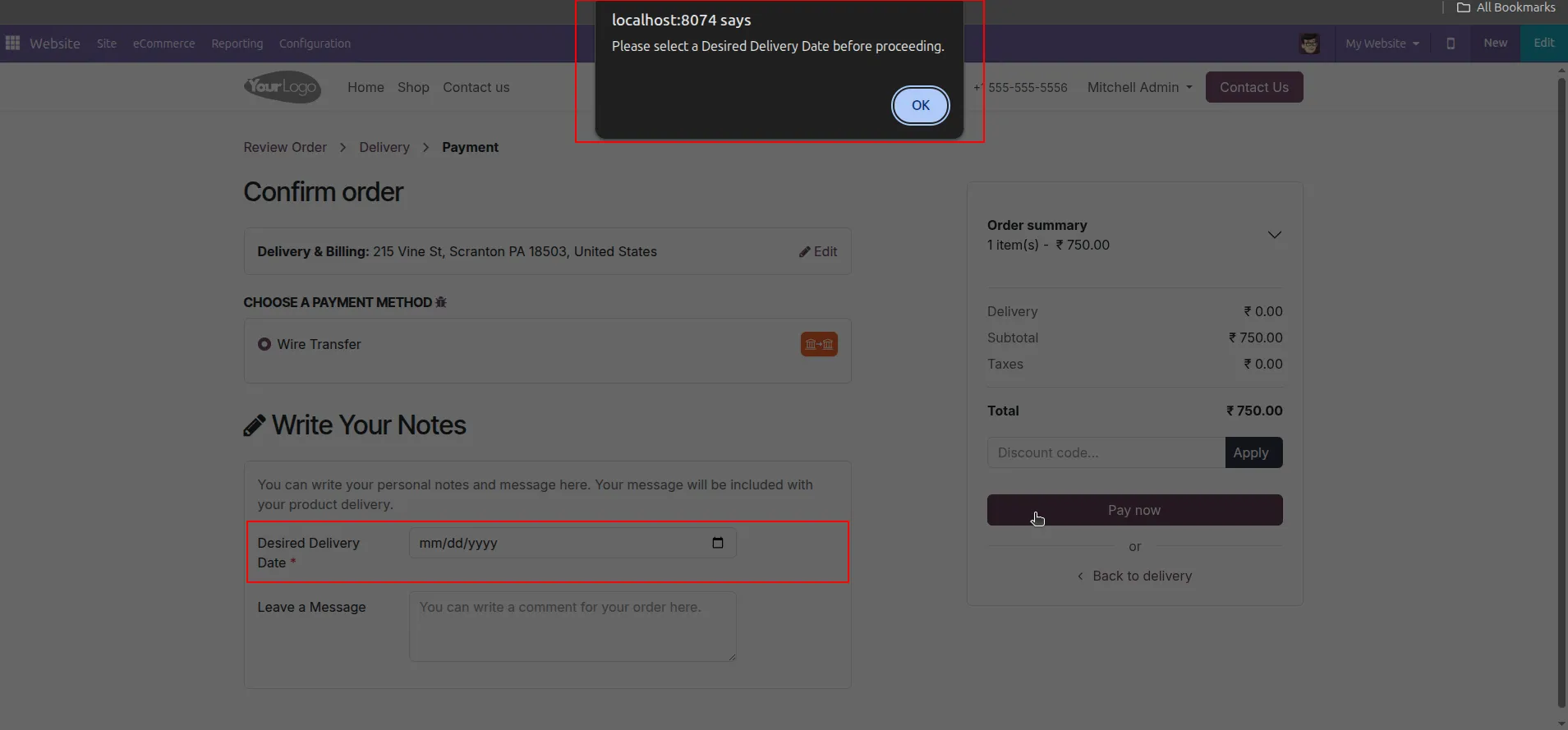
4.On the front-end checkout page, the system will trigger a JavaScript alert if the customer attempts to pay without selecting a delivery date.
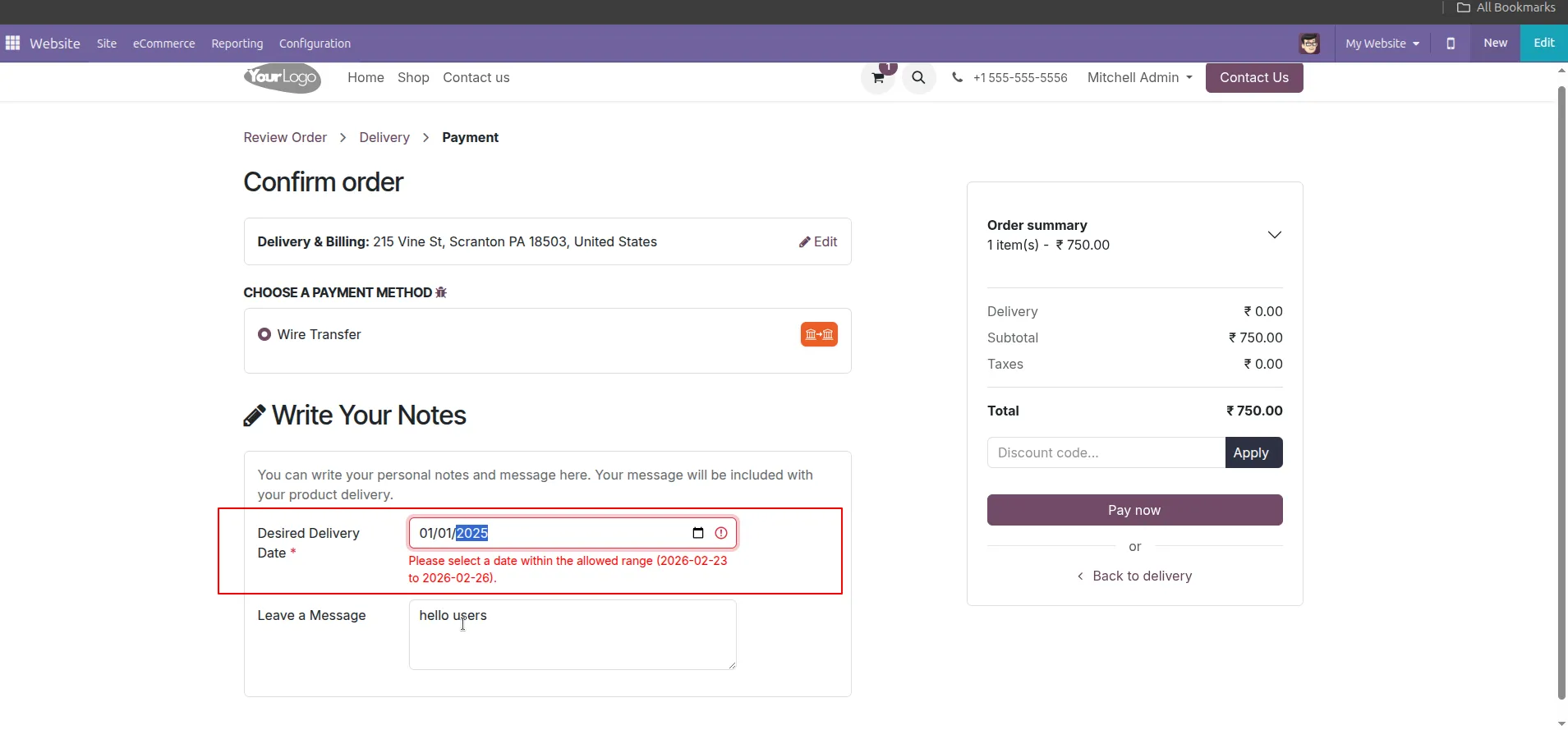
5.If the customer picks a date outside your defined range, the system displays a red validation error preventing the order.
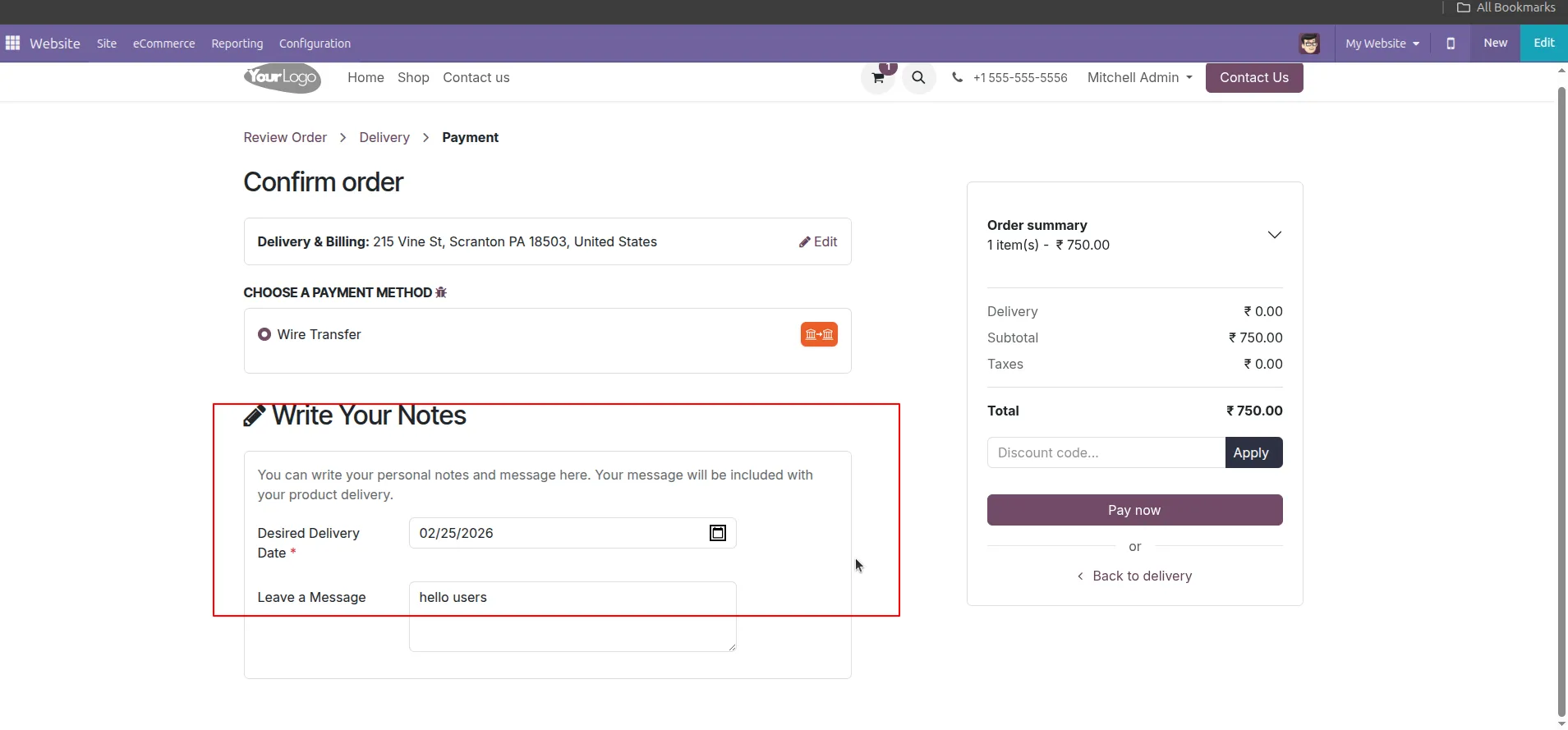
6.The customer fills in their Desired Delivery Date and types their specific instructions in the Leave a Message box.
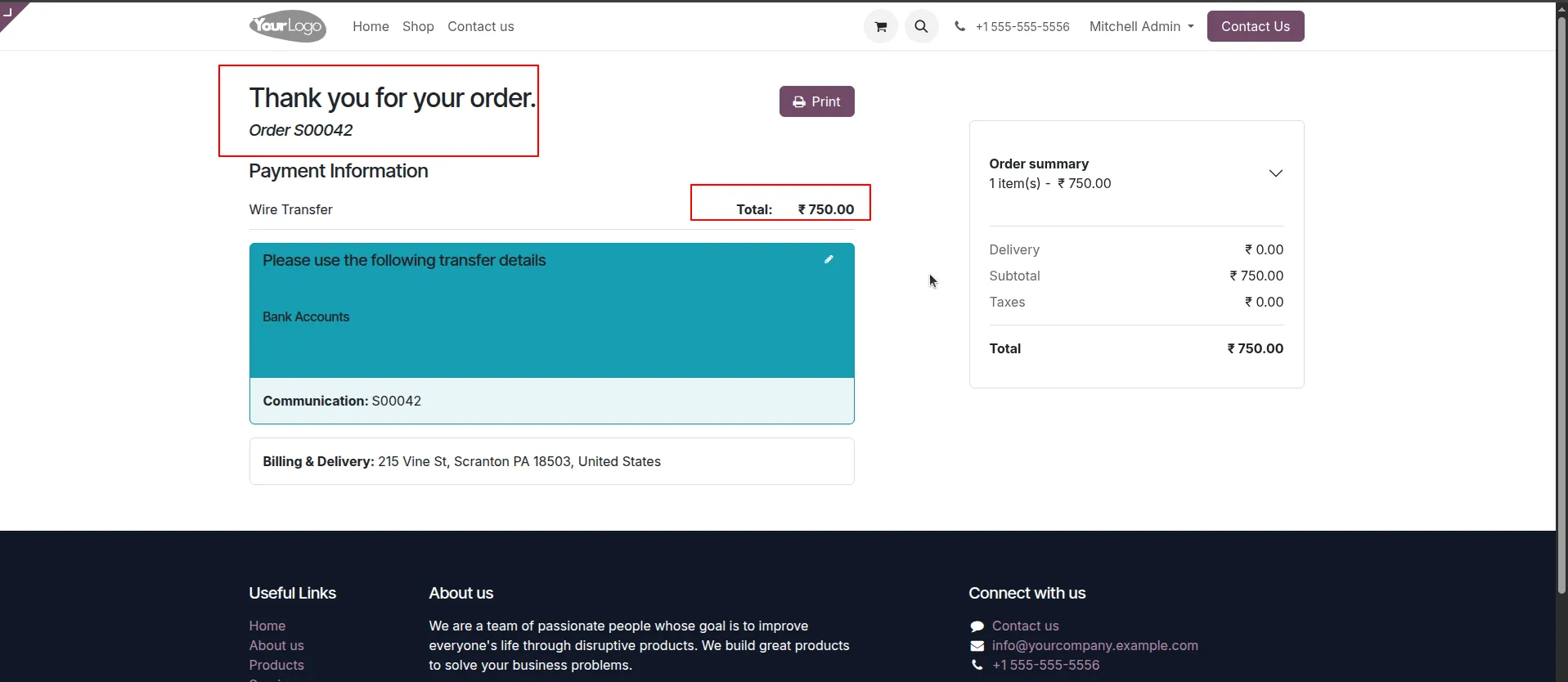
7.Once the data is valid, the customer clicks "Pay Now" and reaches the Order Confirmation page.
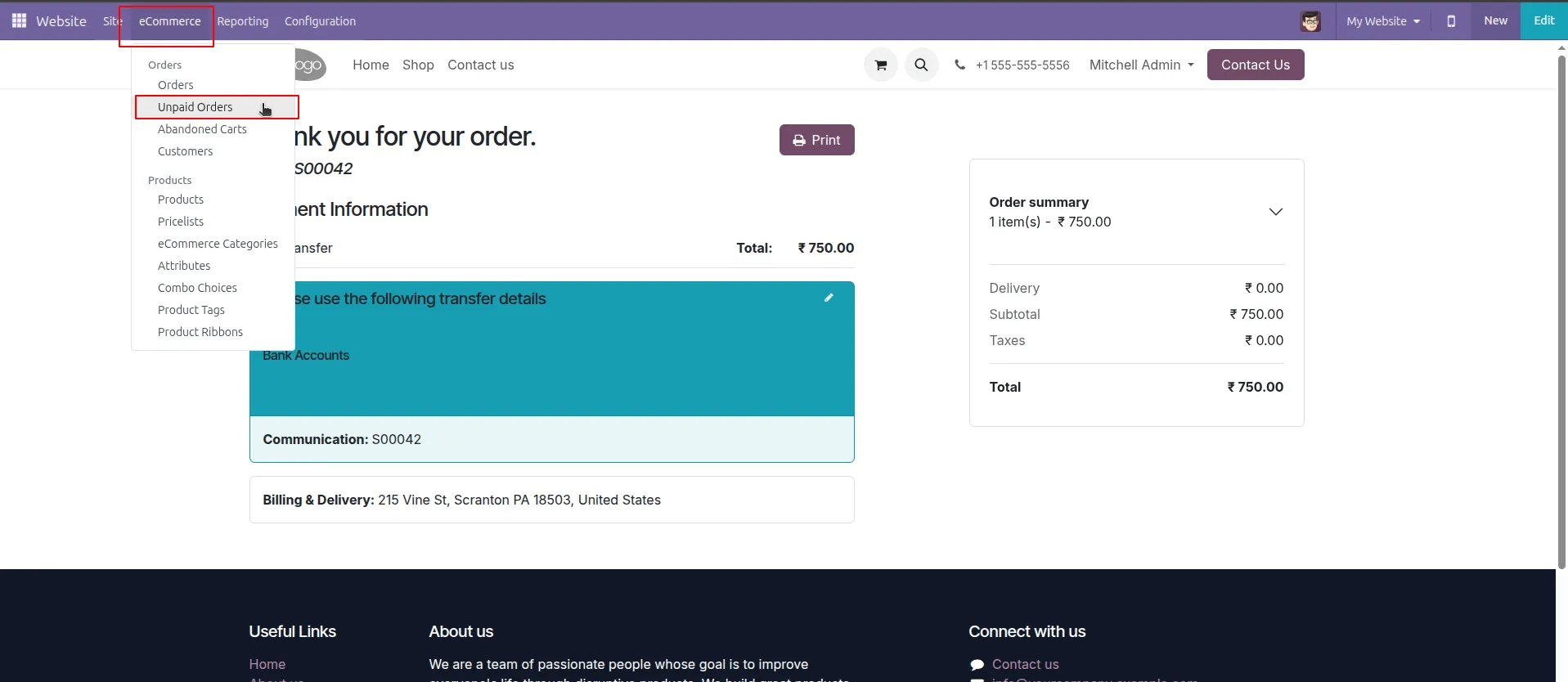
8.As an administrator, go to eCommerce > Orders > Unpaid Orders to manage the incoming requests.
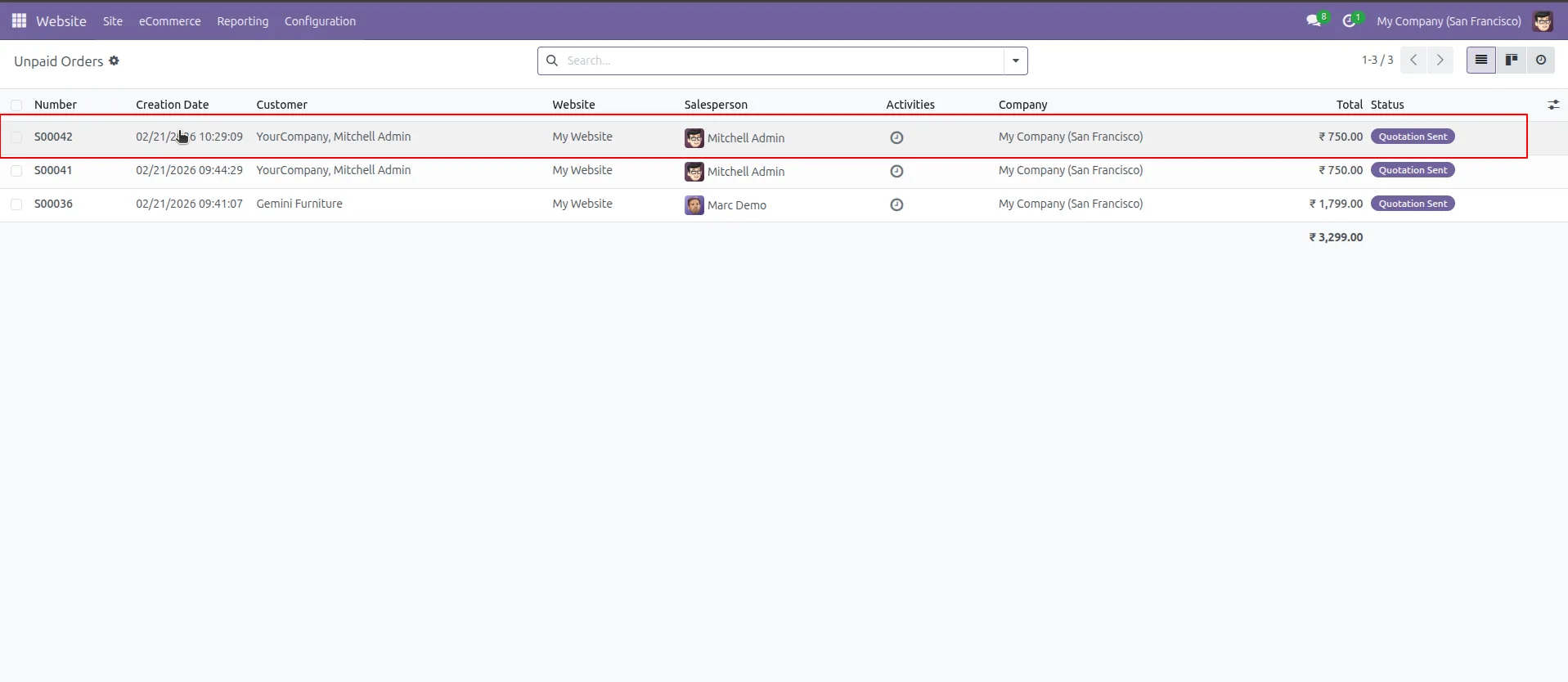
9.Locate the specific order (e.g., S00042) in the list view, where you can see the total amount and order status.
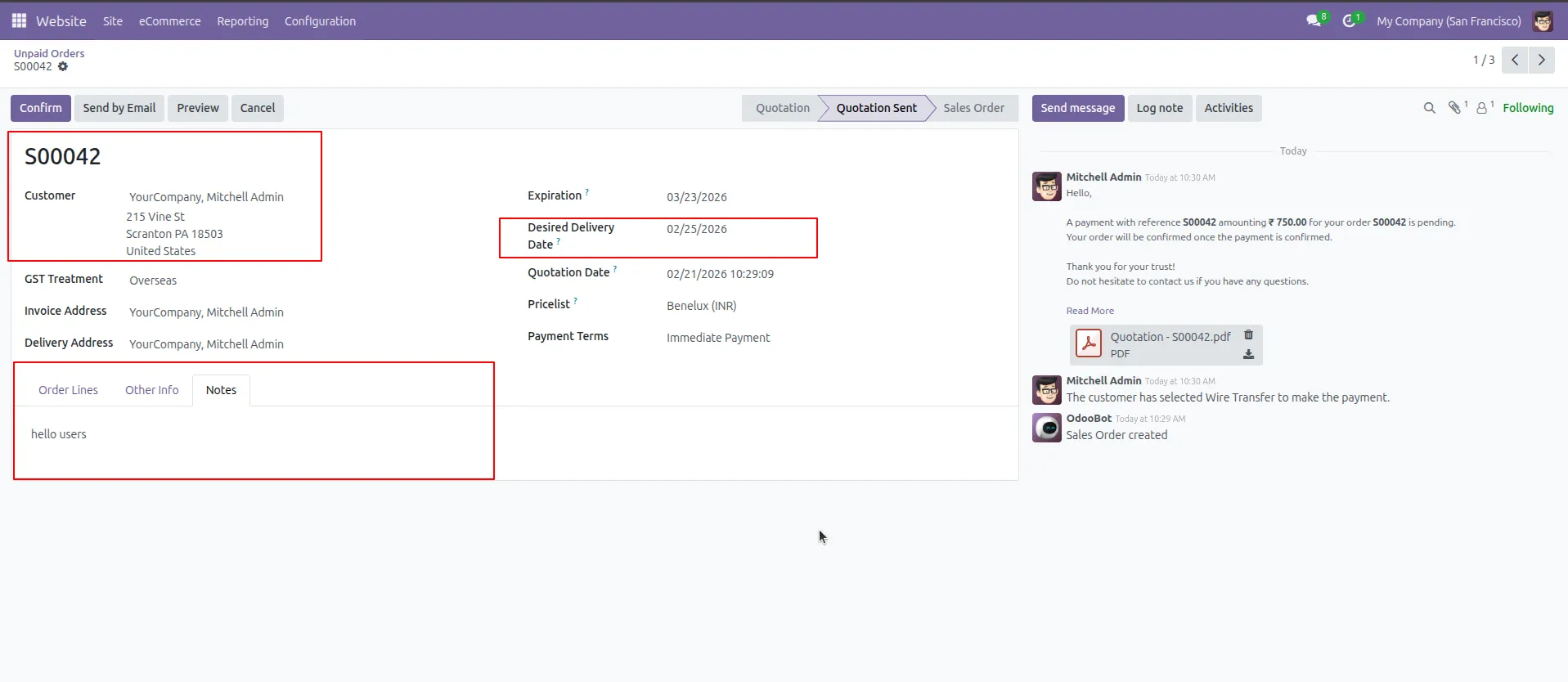
10.Open the order to see the Desired Delivery Date in the header and the customer's message under the Notes tab.
Our solutions focus on your problems
- Odoo Implementation
- Odoo Customization
- ERP Development and Implementation
- Odoo Ipass Cloud
- AI for Odoo
- Odoo Apps
- Aws Marketplace Products
- Business Engines
Our Pricing includes User Manual, 90 Days Support (Monday-Friday 10am to 7pm IST) and One time Setup
• Works & tested on standard installations of Odoo with no third party apps,
• Free support only for odoo installations with no third party apps,
• Paid support available for Odoo installations with third party apps.

Prefortune is a Odoo Official Partner, Odoo Development company. Our philosophy is to use Open Source tools and technologies to provide cost effective and green solutions for our customers.
Prefortune Technologies LLP is working on web development, Mobile development, and Odoo ERP.
If you need any help or want more additional features, you may contact us through:
Alternative Products
These other products might interest you
Specifications
| Version | 19.0, 18.0, 17.0, 16.0, 15.0, 14.0 |