Watch Quick Video
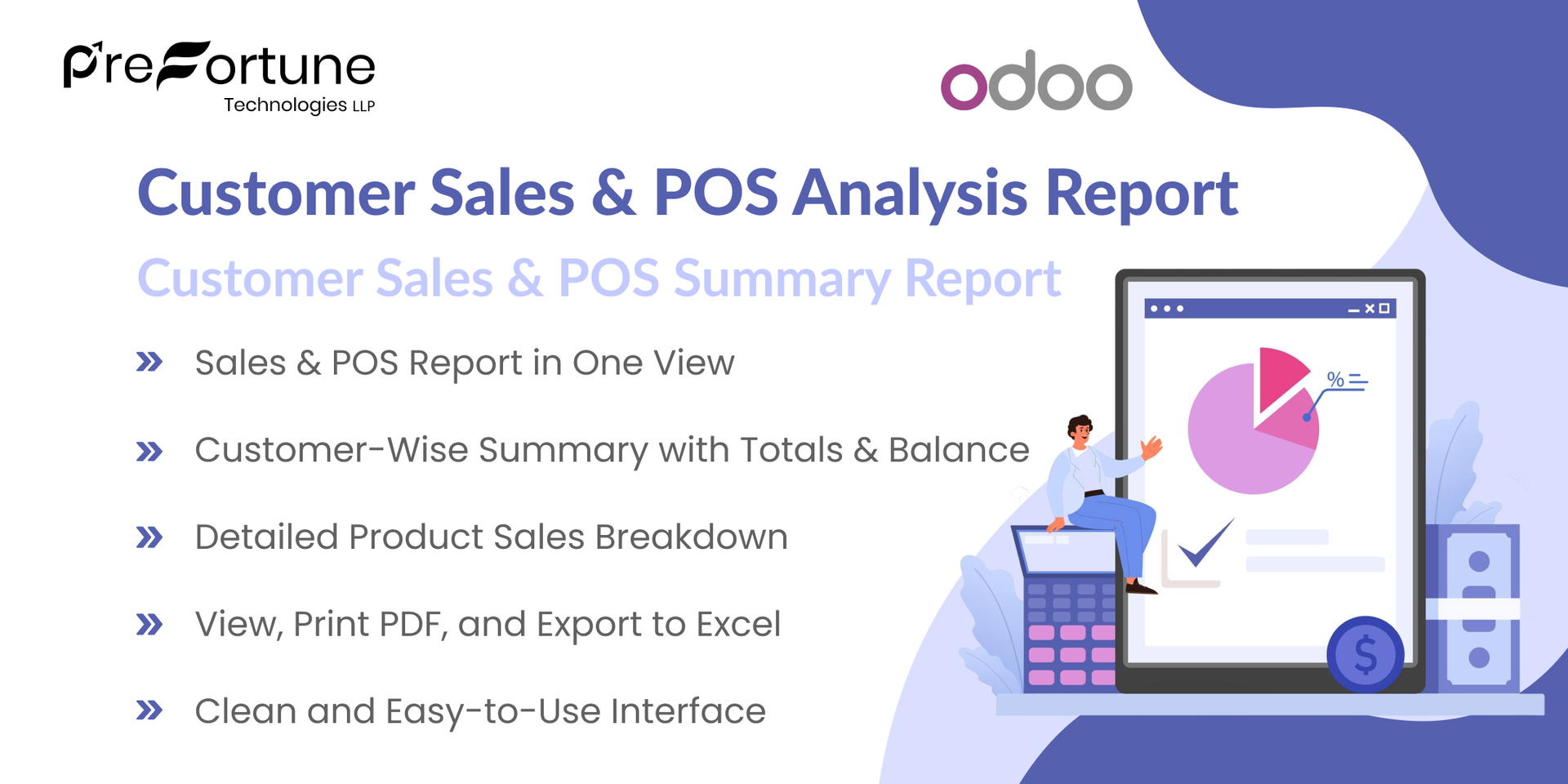
Customer Sales & POS Analysis Report
Our all-inclusive Odoo – Customer Sales & POS Analysis Report provides a complete overview of Sales Orders and POS transactions in one combined report. Users can generate reports based on date range, customers, products, order status, POS sessions, and company selection. The report offers both Customer Summary and Product-Level detailed views for better analysis. It automatically calculates total sales amounts, paid amounts, and outstanding balances. Users can easily view the report on screen or export it in PDF and Excel formats for efficient tracking and sharing.
Customer Sales & POS Analysis Report
- View Sales Orders and POS transactions together in one simple and unified report.
- Get a clear customer-wise summary showing total sales amounts, paid amounts, and remaining balances.
- Access detailed product-level sales information for deeper analysis.
- Easily view the report on screen, print it as PDF, or export it to Excel for sharing.
- Enjoy a clean, well-structured, and user-friendly interface for smooth reporting experience.
Complete Workflow for Manage Customer Sales & POS Analysis Report
First, install and activate the "Customer Sales & POS Analysis Report" module. After activation, go to Sales or Point of Sale → Reporting and open theCustomer Sales/POS Analysis wizard. Select the desired Date Range Customers, Products, Order Status, POS Sessions, and Company as needed. Choose whether you want to view the report by customer summary or product details. Click View to see the report on screen, or use Print (PDF) or Export in XLS to download the report for further analysis and sharing.
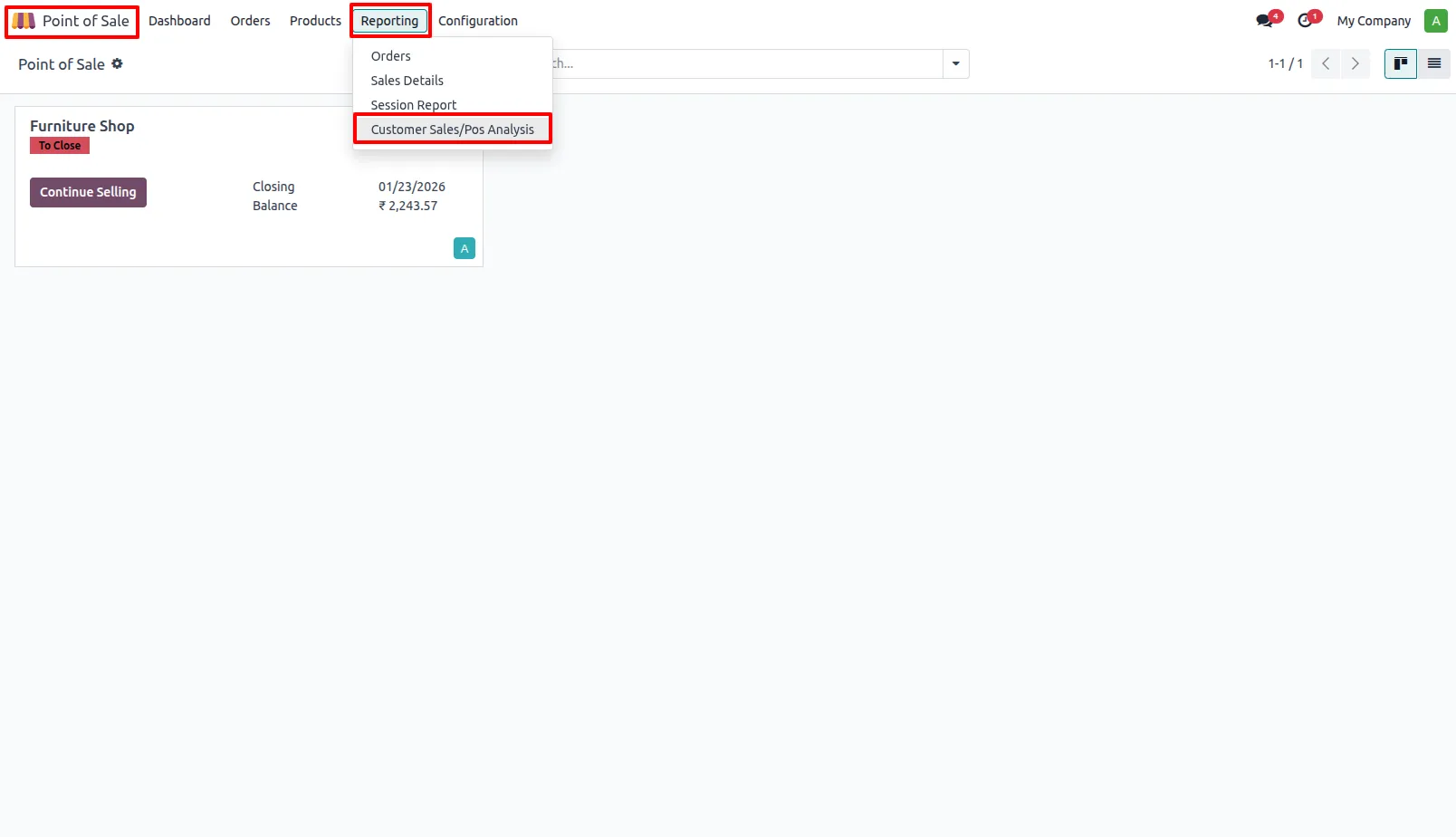
1. Go to Sales or Point of Sale → Reporting → Customer Sales/POS Analysis.
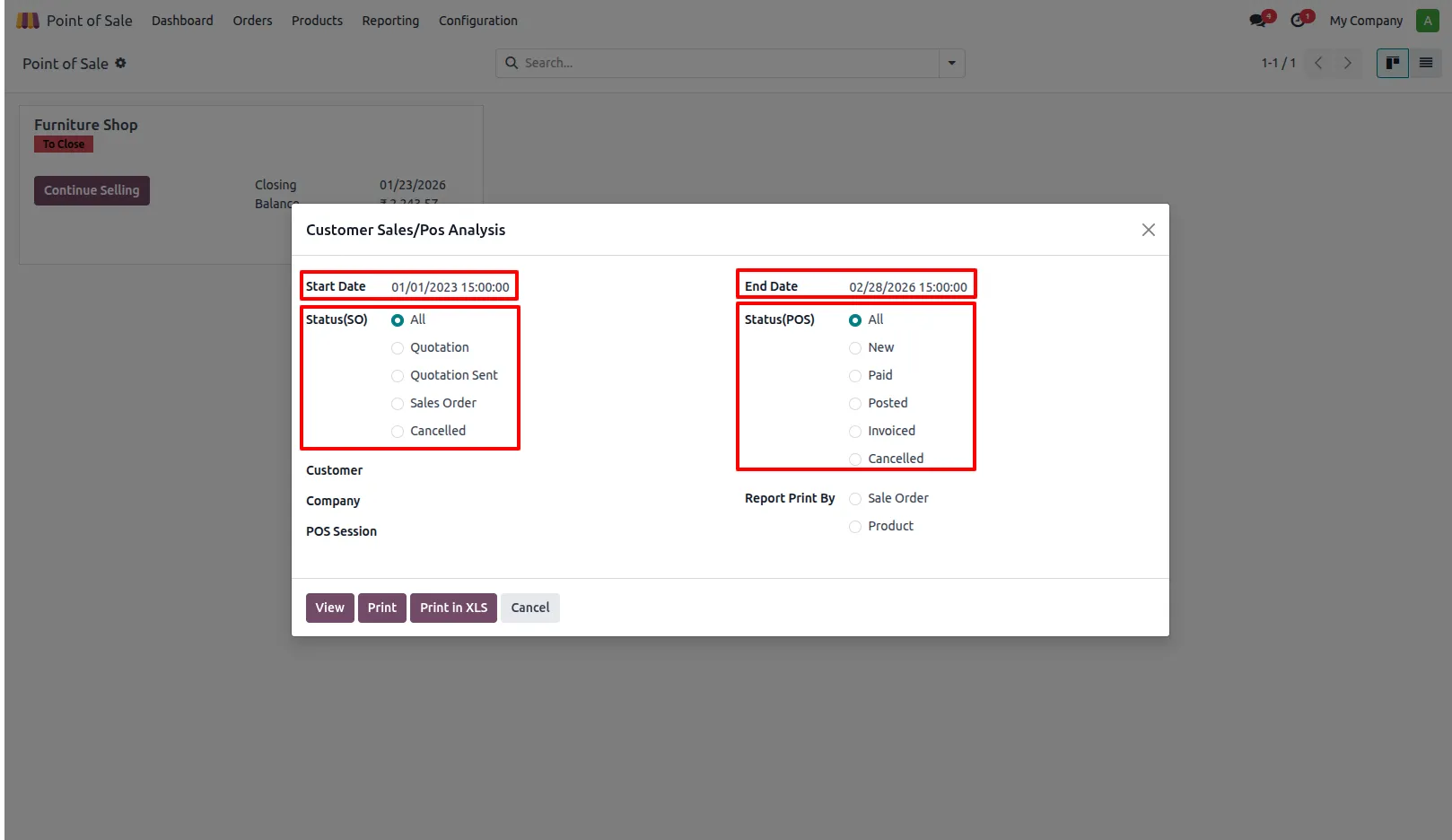
2. Select the Date Range and choose the required Sales and POS Order Status.
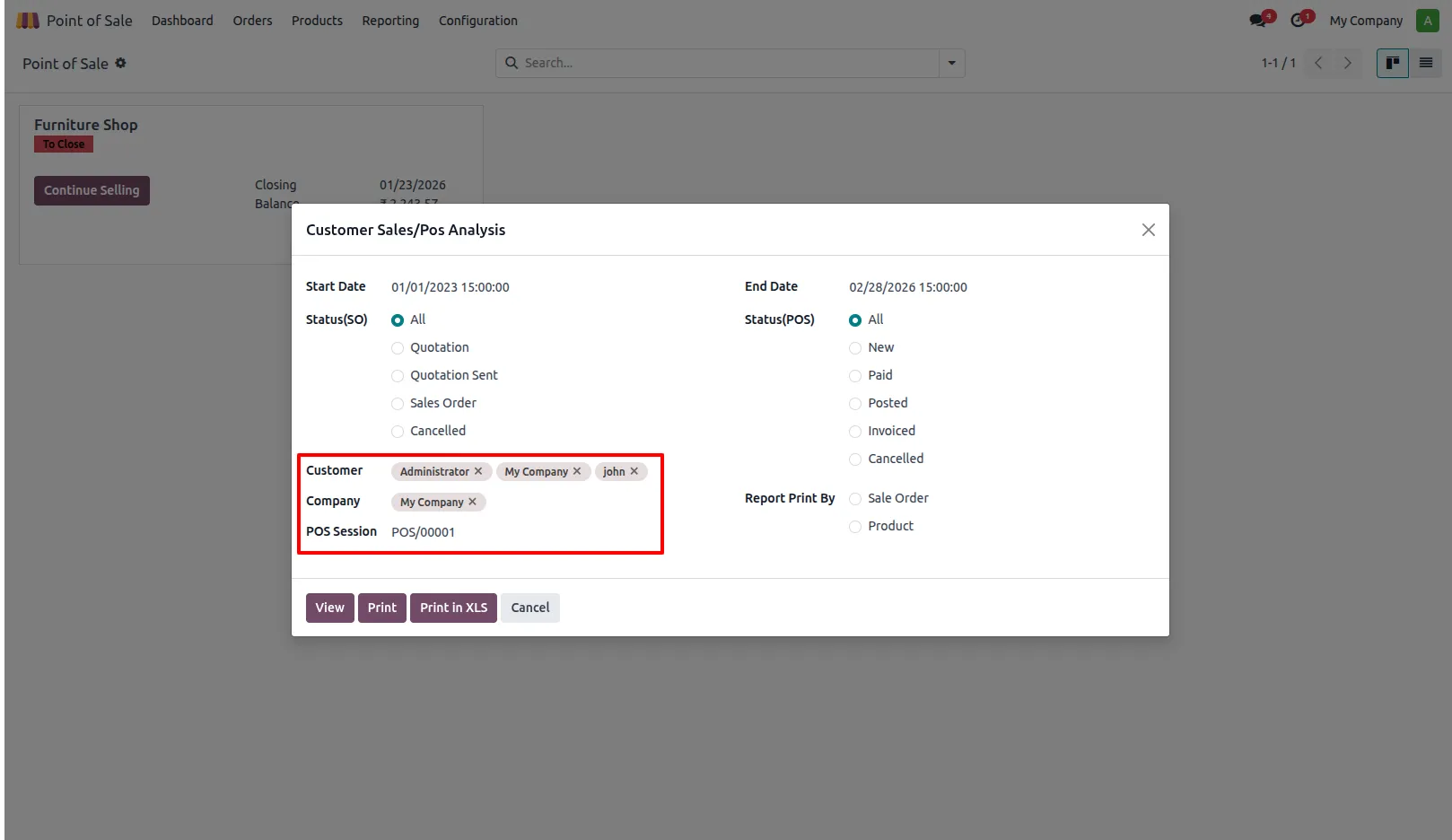
3. Filter the report by Customers, Company, or POS Session as needed.
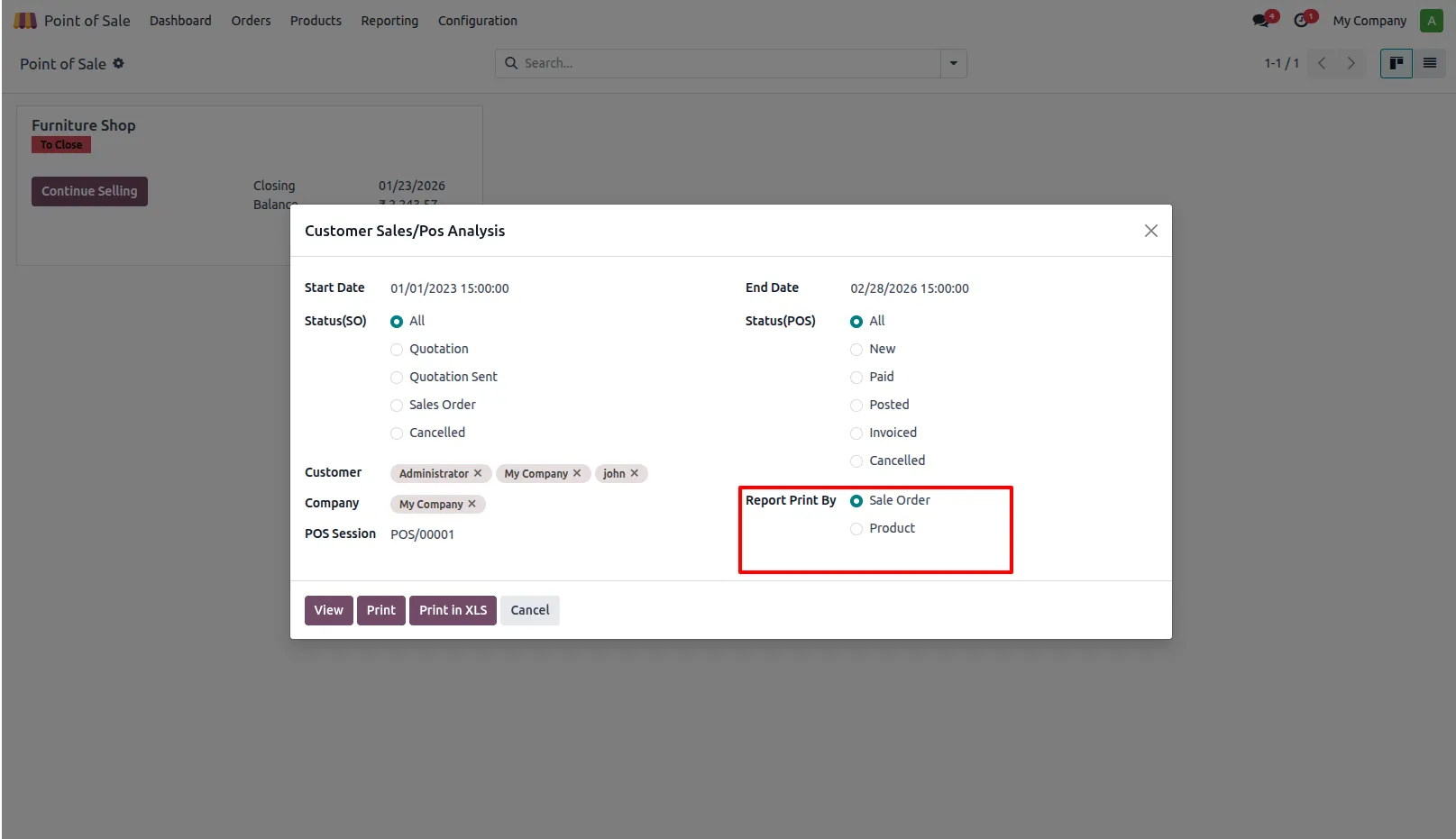
4. Choose how you want to print the report (Customer Summary or Product Details).
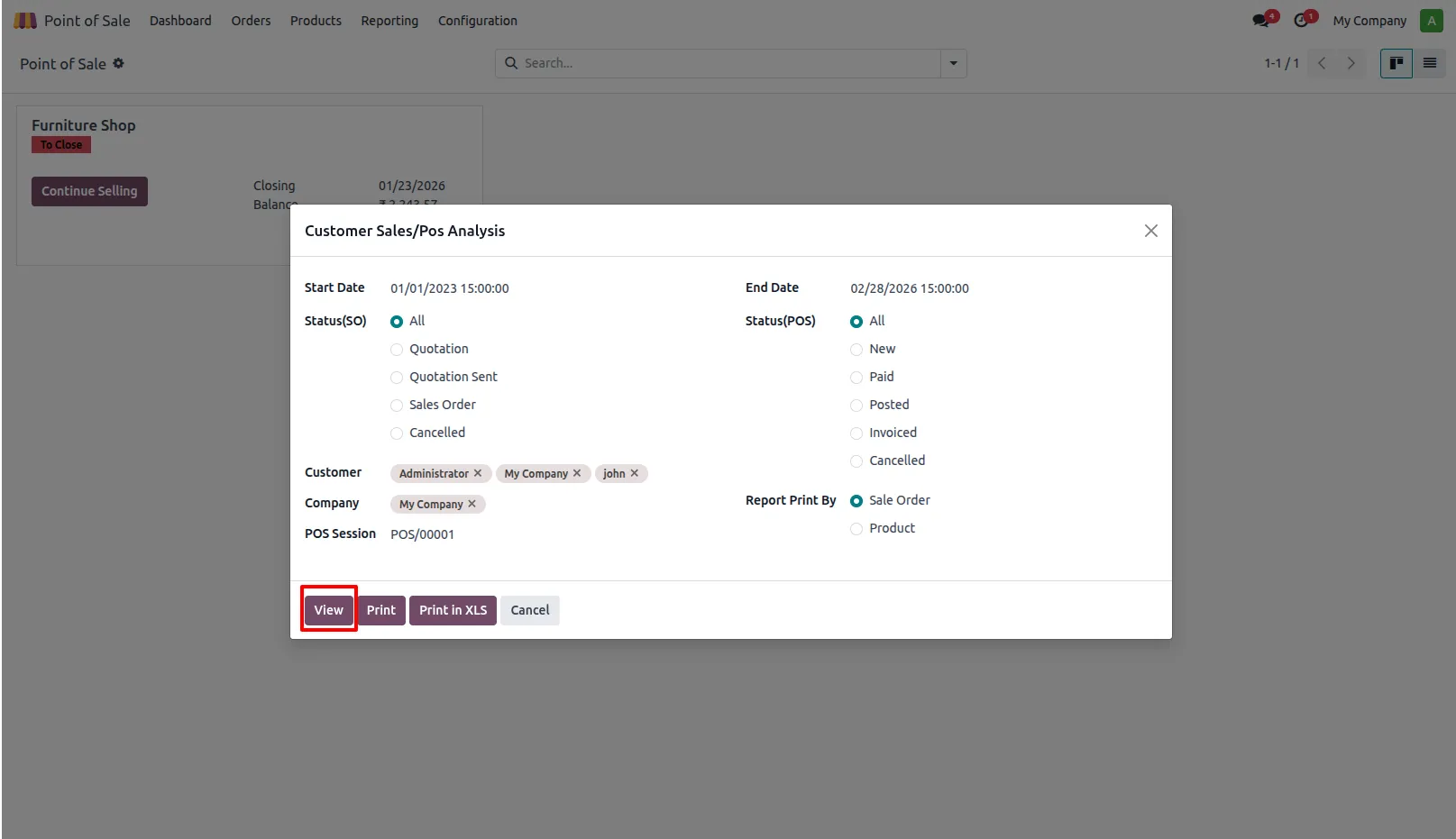
5. Click the View button to display the report on screen.
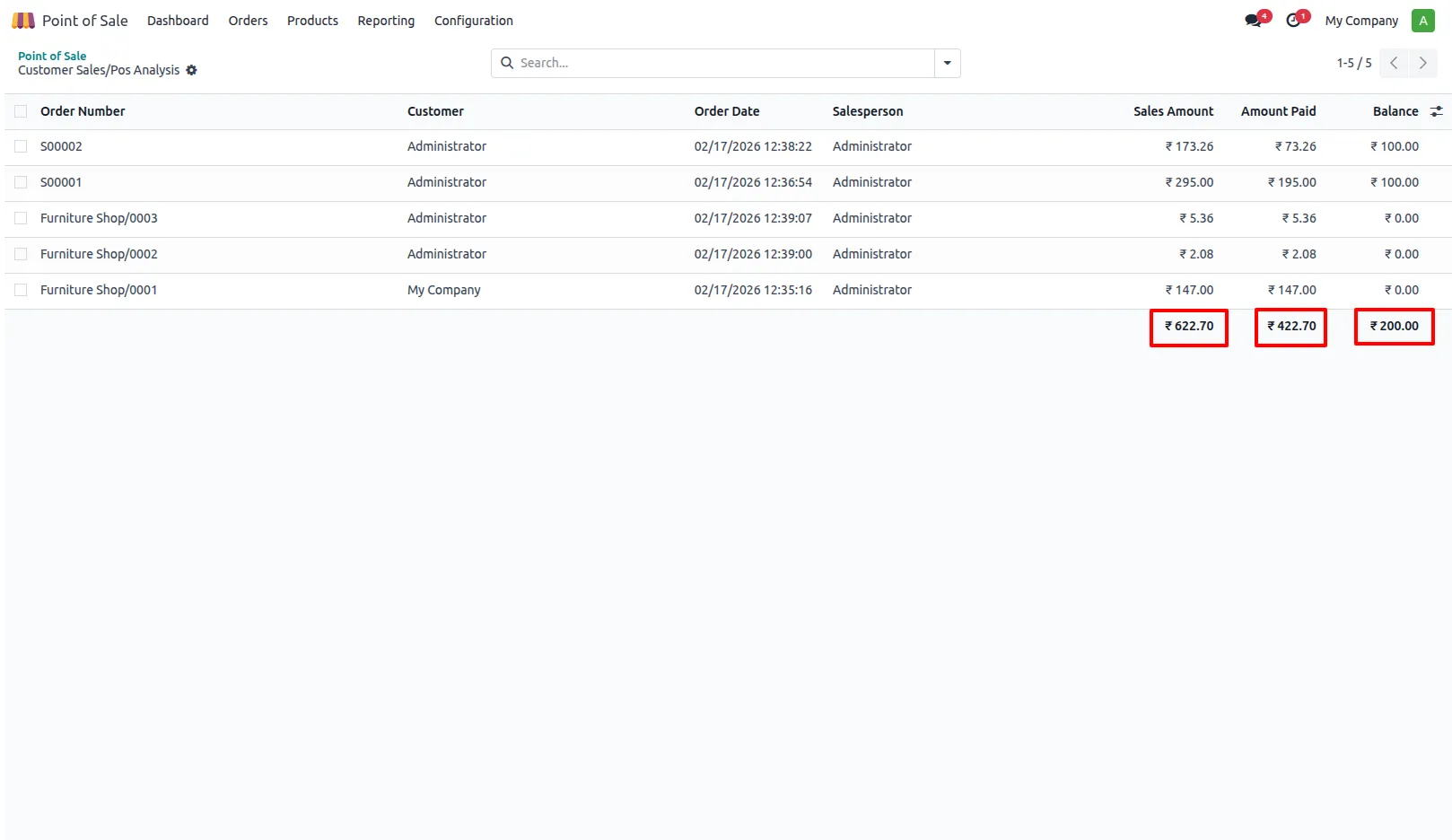
6. The system automatically shows total sales amounts, paid amounts, and remaining balances.
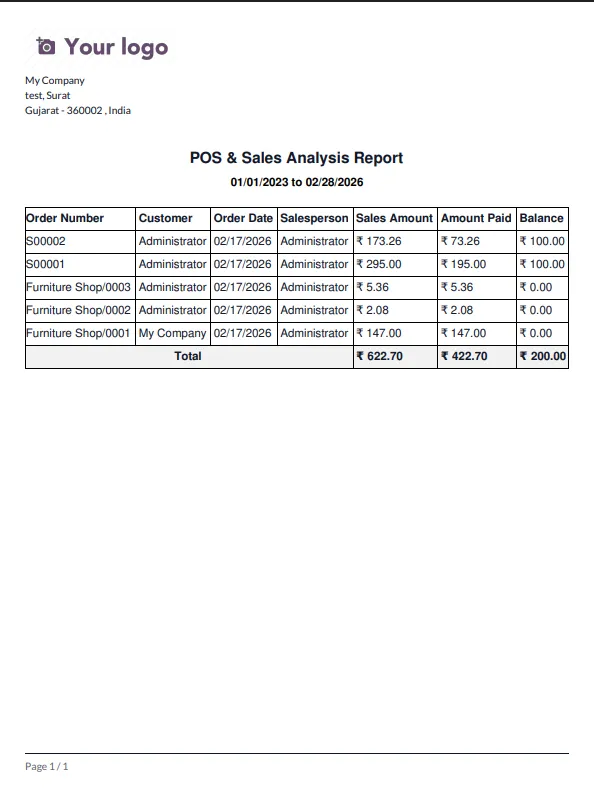
7. Click Print to download the report in PDF format.
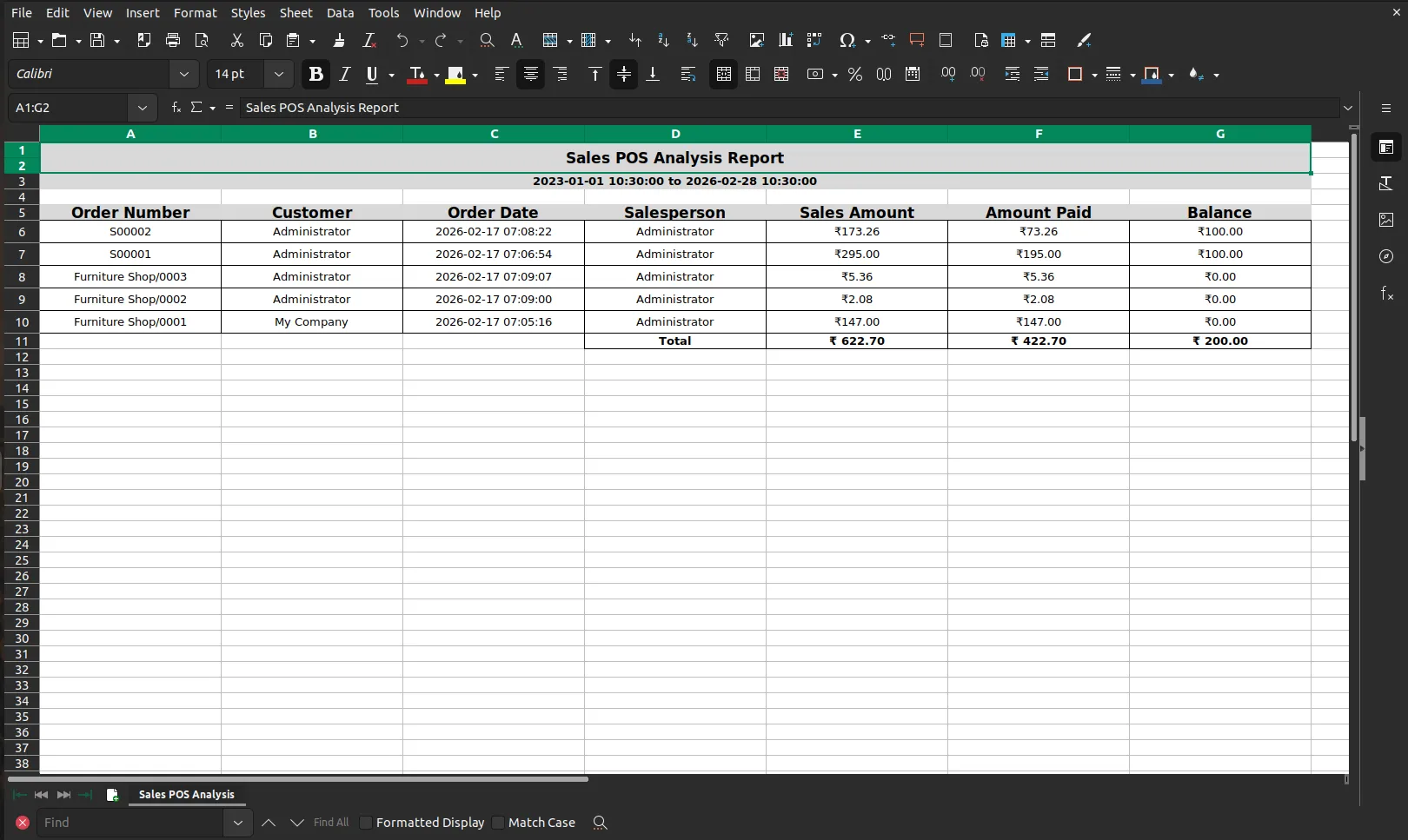
8. Click Print in XLS to export the report in Excel format.
Our solutions focus on your problems
- Odoo Implementation
- Odoo Customization
- ERP Development and Implementation
- Odoo Ipass Cloud
- AI for Odoo
- Odoo Apps
- Aws Marketplace Products
- Business Engines
Our Pricing includes User Manual, 90 Days Support (Monday-Friday 10am to 7pm IST) and One time Setup
• Works & tested on standard installations of Odoo with no third party apps,
• Free support only for odoo installations with no third party apps,
• Paid support available for Odoo installations with third party apps.

Prefortune is a Odoo Official Partner, Odoo Development company. Our philosophy is to use Open Source tools and technologies to provide cost effective and green solutions for our customers.
Prefortune Technologies LLP is working on web development, Mobile development, and Odoo ERP.
If you need any help or want more additional features, you may contact us through:
Alternative Products
These other products might interest you
Specifications
| Version | 19.0, 18.0, 17.0, 16.0, 15.0, 14.0 |