
Watch Quick Video

Customer Sales History & Reordering
Our all-inclusive Odoo – Customer Sales History & Reordering designed to revolutionize customer reorder management. This module facilitates the seamless incorporation of products from existing sale orders into new or current sale orders, optimizing efficiency and reducing operational redundancy.
Amalgamate products from previous sale orders into current transactions through an intuitive interface. This feature augments order precision and elevates customer satisfaction by streamlining the reorder process. Employ an exquisite wizard to scrutinize detailed line items of existing sale orders, empowering users to meticulously review, select, and integrate items with unparalleled accuracy and ease.
This module is an invaluable asset for enterprises seeking to optimize their sales operations and deliver an exemplary customer experience.
Customer Sales History & Reordering
- One-Click Sales History
- Product Details
- Quick Sale Reorder
Complete Workflow for Customer Sales History & Reordering
The Customer Sales History & Quick Reorder module works by filtering all the sale orders of the customer present in the current sale order. By clicking on the add button to the corresponding sale order will add the products present in that existing sale order to current sale order. Also, by clicking the view button, you can view the order lines including products and their details of the corresponding sale order. Seamlessly work with our new module customer sale order Reordering.
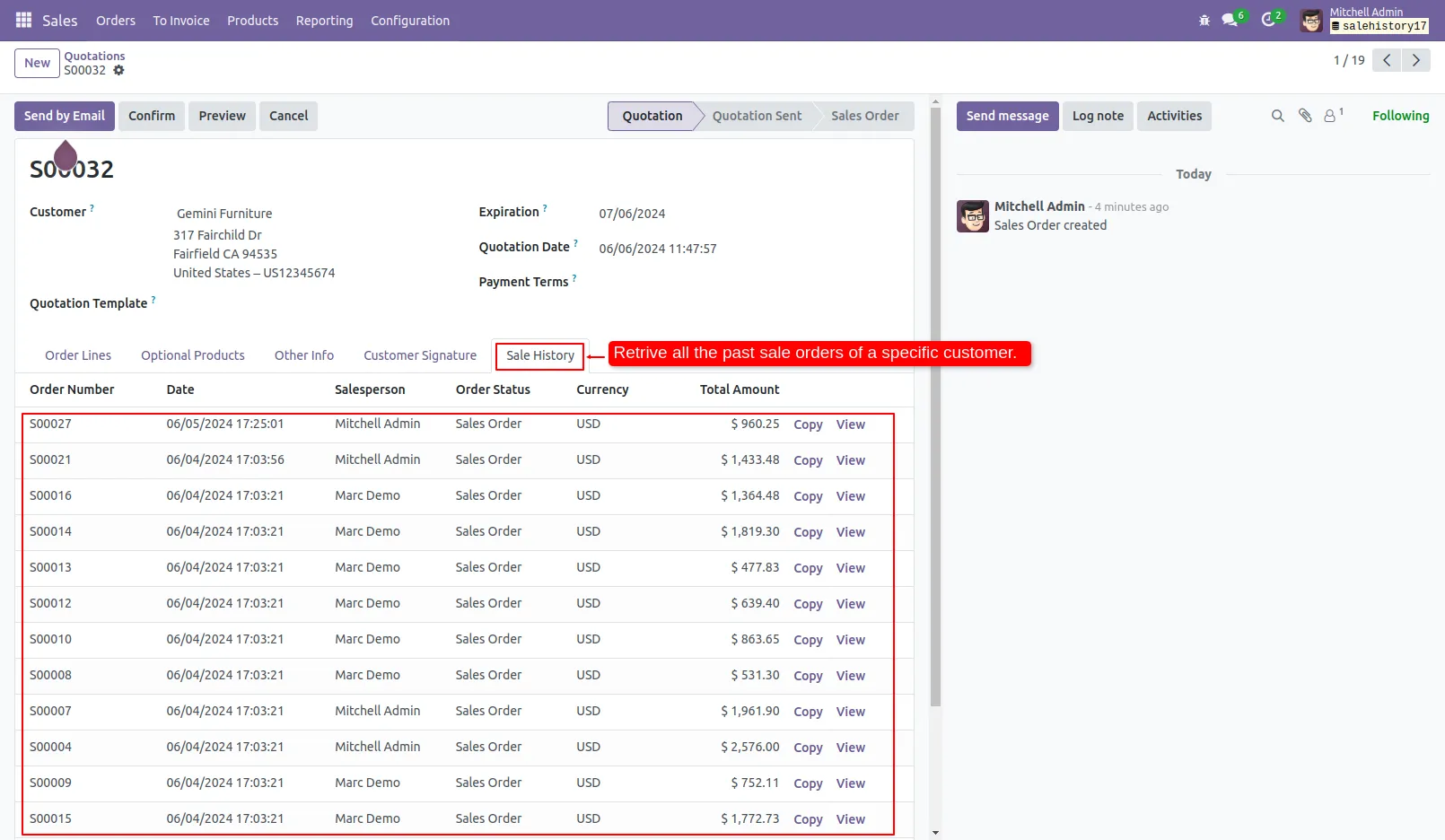
1. Upon creating new sale order, in the sale history tab, find all the past sale orders of customer in the current order.
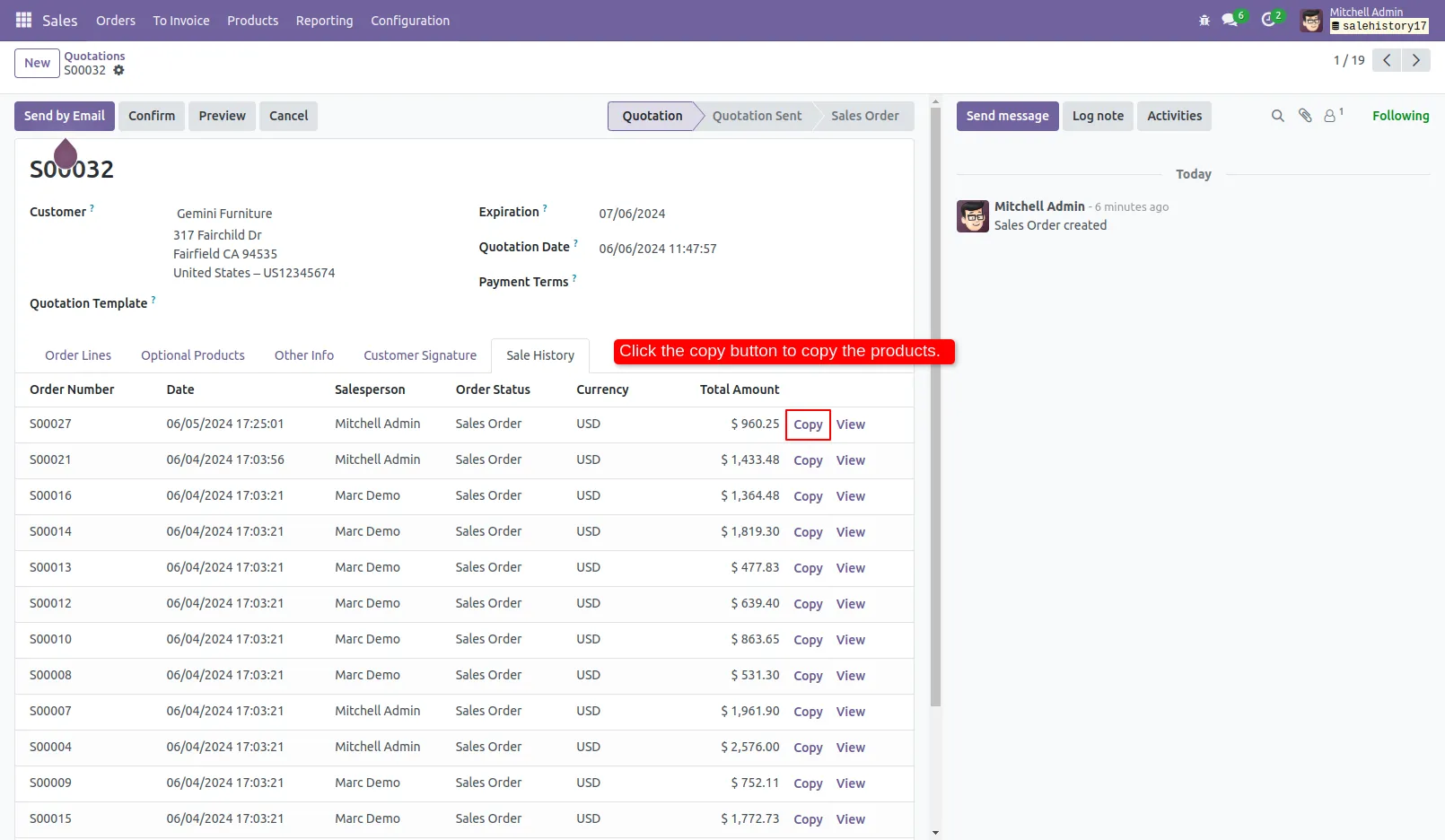
2. Click the copy button to add the products of past sale order to the current one.
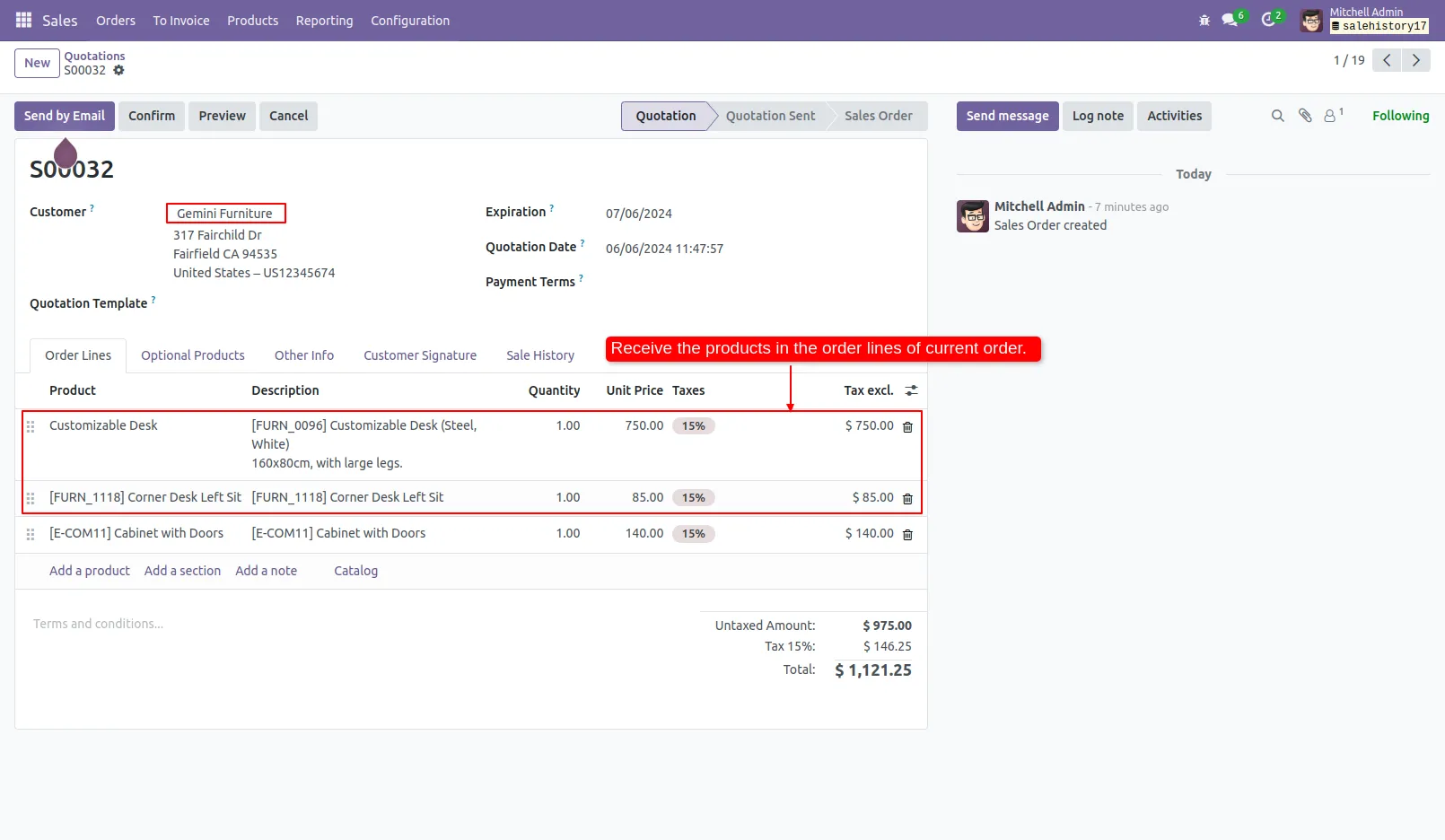
3. You can view all the products of past sale order. Also new products can be added to current order.
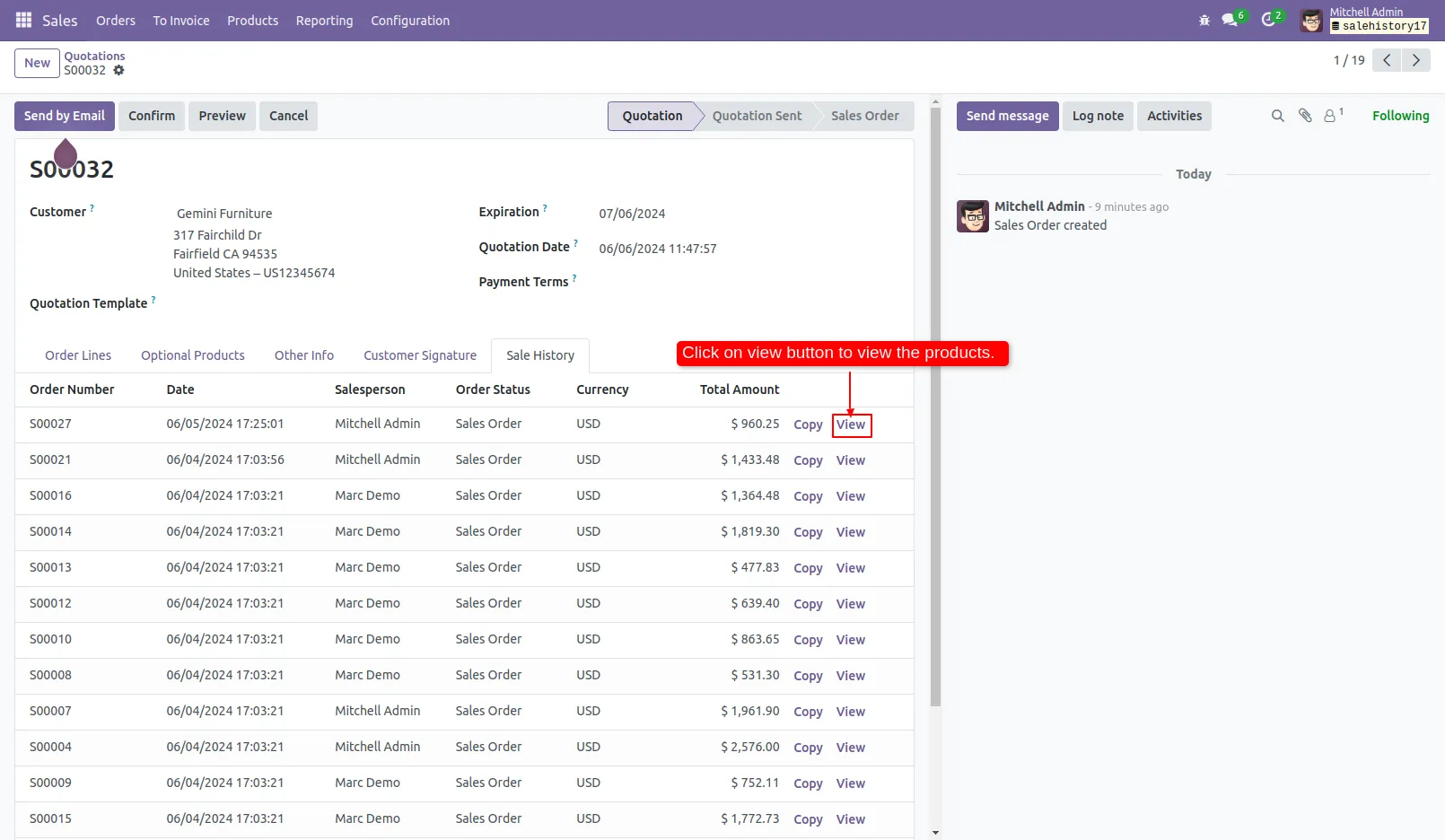
4. Click on view button to view the products of past sale order.
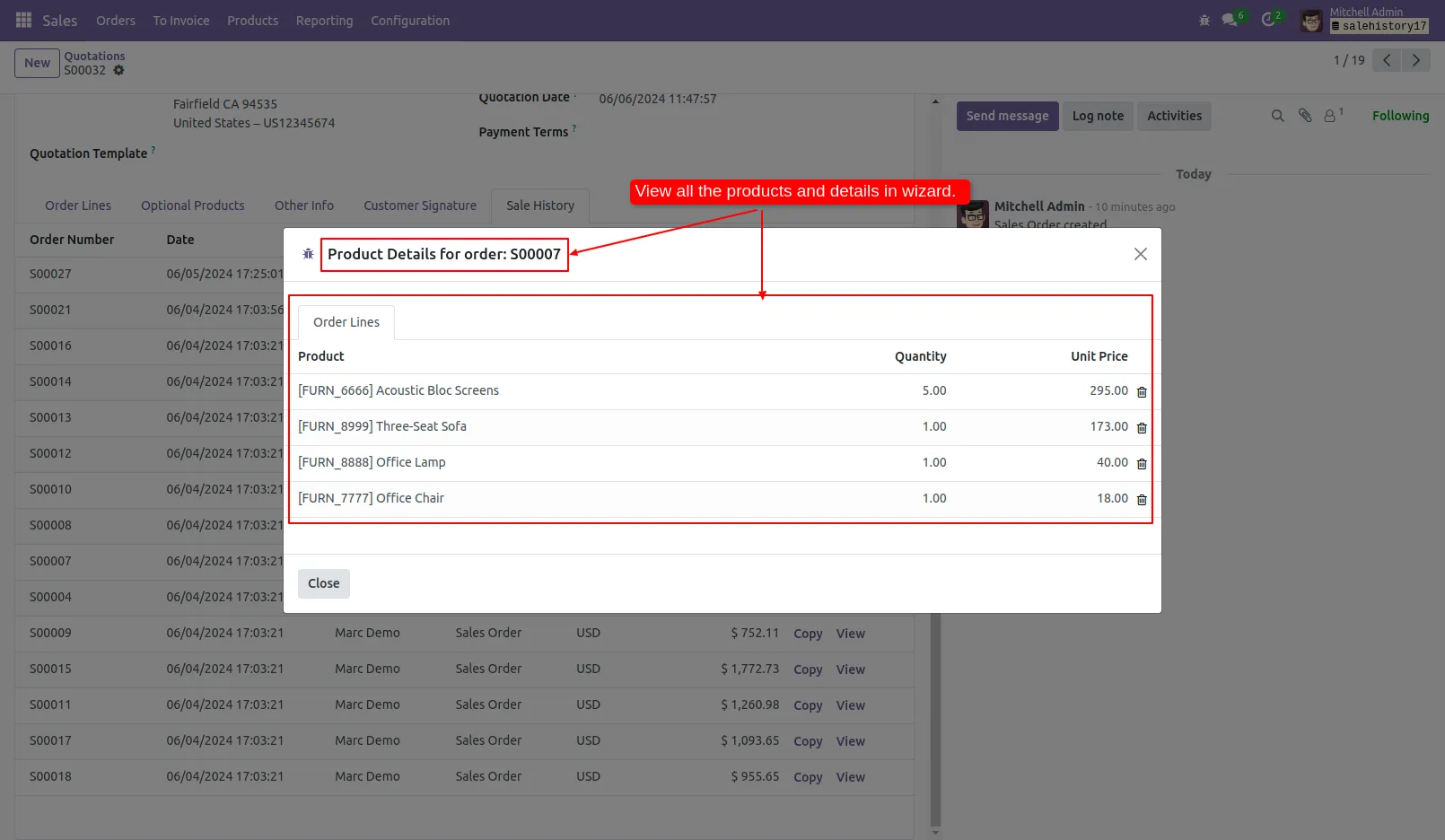
5. In the wizard, the products and details of the past sale order can be viewed.
Our solutions focus on your problems
- Odoo Implementation
- Odoo Customization
- ERP Development and Implementation
- Odoo Ipass Cloud
- AI for Odoo
- Odoo Apps
- Aws Marketplace Products
- Business Engines
Our Pricing includes User Manual, 90 Days Support (Monday-Friday 10am to 7pm IST) and One time Setup
• Works & tested on standard installations of Odoo with no third party apps,
• Free support only for odoo installations with no third party apps,
• Paid support available for Odoo installations with third party apps.

Prefortune is a Odoo Official Partner, Odoo Development company. Our philosophy is to use Open Source tools and technologies to provide cost effective and green solutions for our customers.
Prefortune Technologies LLP is working on web development, Mobile development, and Odoo ERP.
If you need any help or want more additional features, you may contact us through:
Alternative Products
These other products might interest you
Specifications
| Version | 17.0, 16.0, 15.0, 14.0, 13.0 |