Watch Quick Video
Customer Delivery Order (Portal Picking)
Our efficient
Customer Delivery Order Portal
enhances the customer experience by providing direct access to delivery orders through the
customer portal. This module enables customers to conveniently view, track, and interact
with their delivery records without requiring backend access.
The module offers the following key features:
1. Dedicated Delivery Orders Portal: Adds a dedicated "Delivery Orders" menu in
the customer portal for quick and easy access to delivery records.
2. Secure Customer Access: Ensures customers can only view delivery orders
associated with their own company or contact.
3. Delivery Status Tracking: Allows customers to monitor delivery progress with
real-time status updates such as Draft, Ready, Waiting, and Done.
4. Advanced Search & Filtering: Provides search, sorting, grouping, and
status-based filtering options for efficient navigation.
5. Detailed Delivery Information: Displays complete delivery details, including
products, ordered quantities, delivered quantities, and delivery references.
6. PDF Download Support: Enables customers to download and print delivery order
reports directly from the portal.
7. Interactive Portal Chatter: Allows customers and internal teams to communicate
directly on delivery records through the portal chatter.
8. User-Friendly Experience: Seamlessly integrates with the Odoo Portal to
provide a smooth and self-service customer experience.
This module improves customer transparency, reduces support inquiries, and streamlines
delivery management by keeping customers informed throughout the delivery process.
Customer Delivery Order Portal App
- Offers an exclusive 'Delivery Orders' menu in the customer portal for quick access to delivery records.
- Safely retrieves only the delivery orders associated with the customer’s company or contact. Efficient record management is supported by advanced search, sorting, grouping, and status-based filtering (Draft, Ready, Done).
- Shows detailed delivery order information including product lines, quantities ordered and delivered.
- Displays detailed delivery order information, including product lines, ordered quantities, and delivered quantities.
- Allows portal users to communicate directly through the integrated chatter on delivery order records.
- Lets customers download delivery order reports in PDF format directly from the portal.
- Allows customers to track their order progress with real-time delivery status indicators.
- Integrates nicely with Odoo Portal for a user-friendly self-service experience.
Complete Workflow for Customer Delivery Order Portal App
After installing the module, logged-in portal users (customers) will automatically see a new Delivery Orders menu in their portal dashboard. They can click on it to view a complete list of their delivery orders. Customers can filter the list by status, click into any specific order to see the detailed product lines, download a timestamped PDF, and use the Chatter feature at the bottom of the page to securely communicate with your backend logistics team.
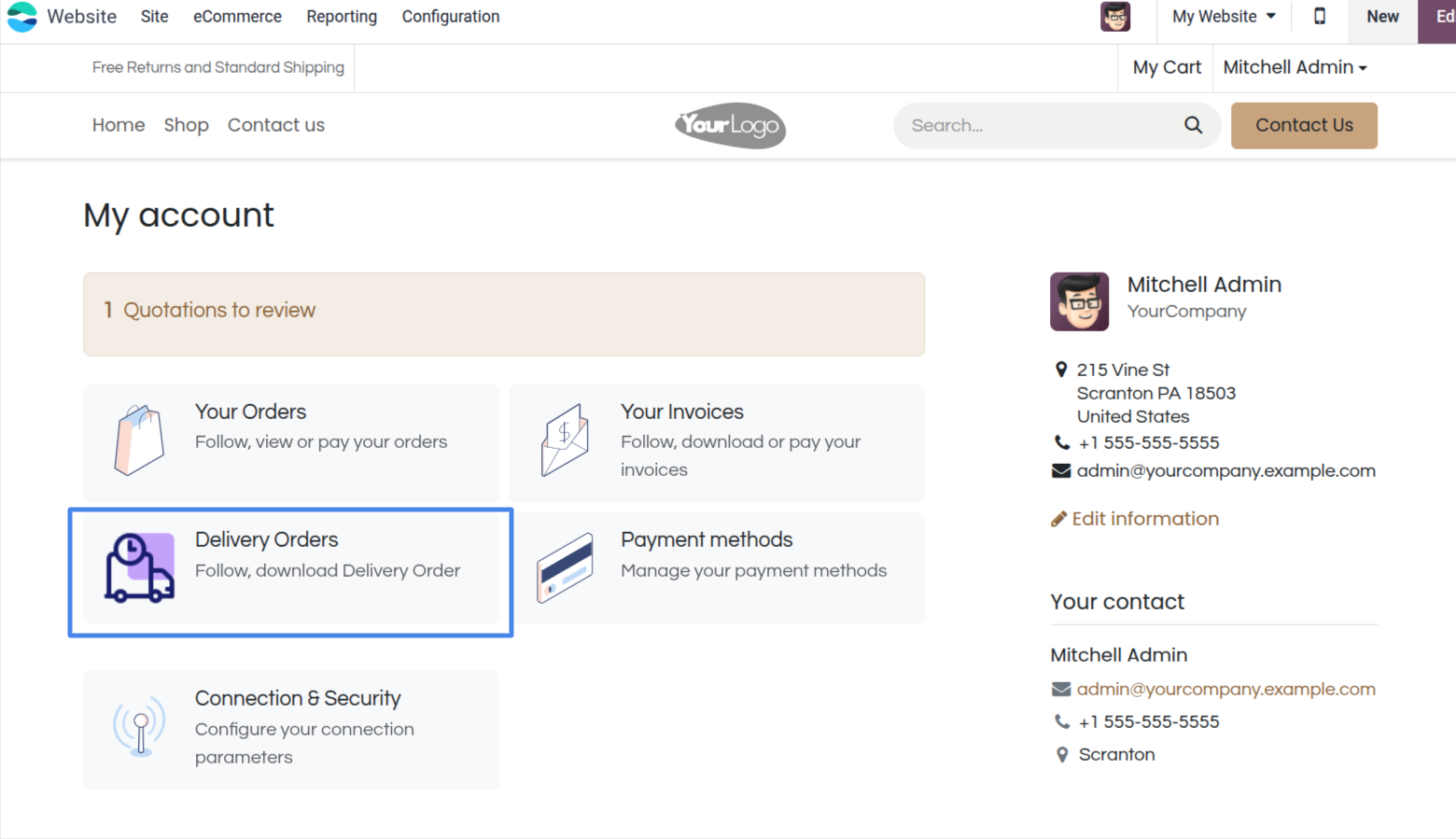
1. A new "Delivery Orders" item is securely added to the customer's portal dashboard.
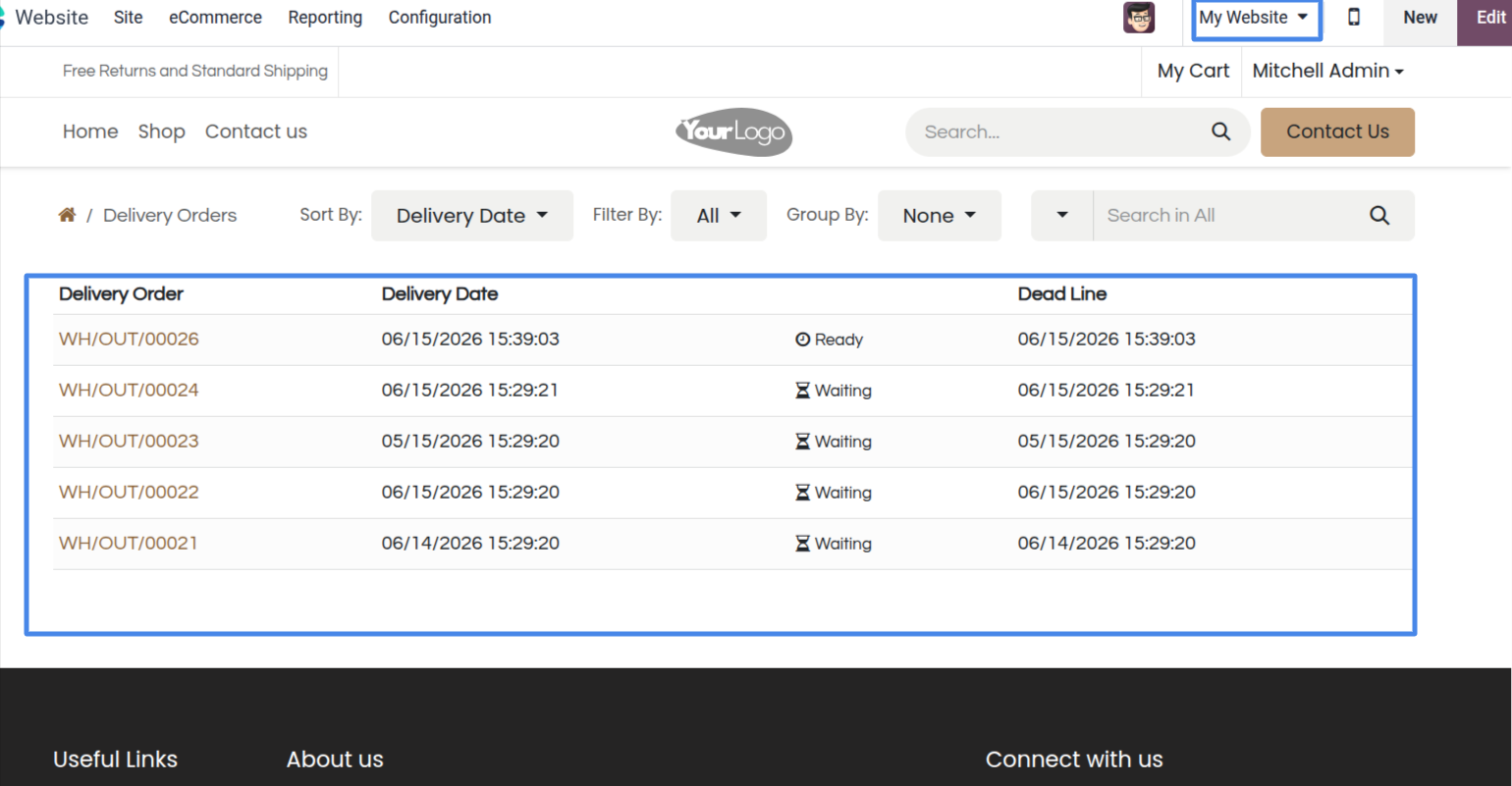
2. A list view displaying all customer deliveries, styled with status badges and full filtering features.
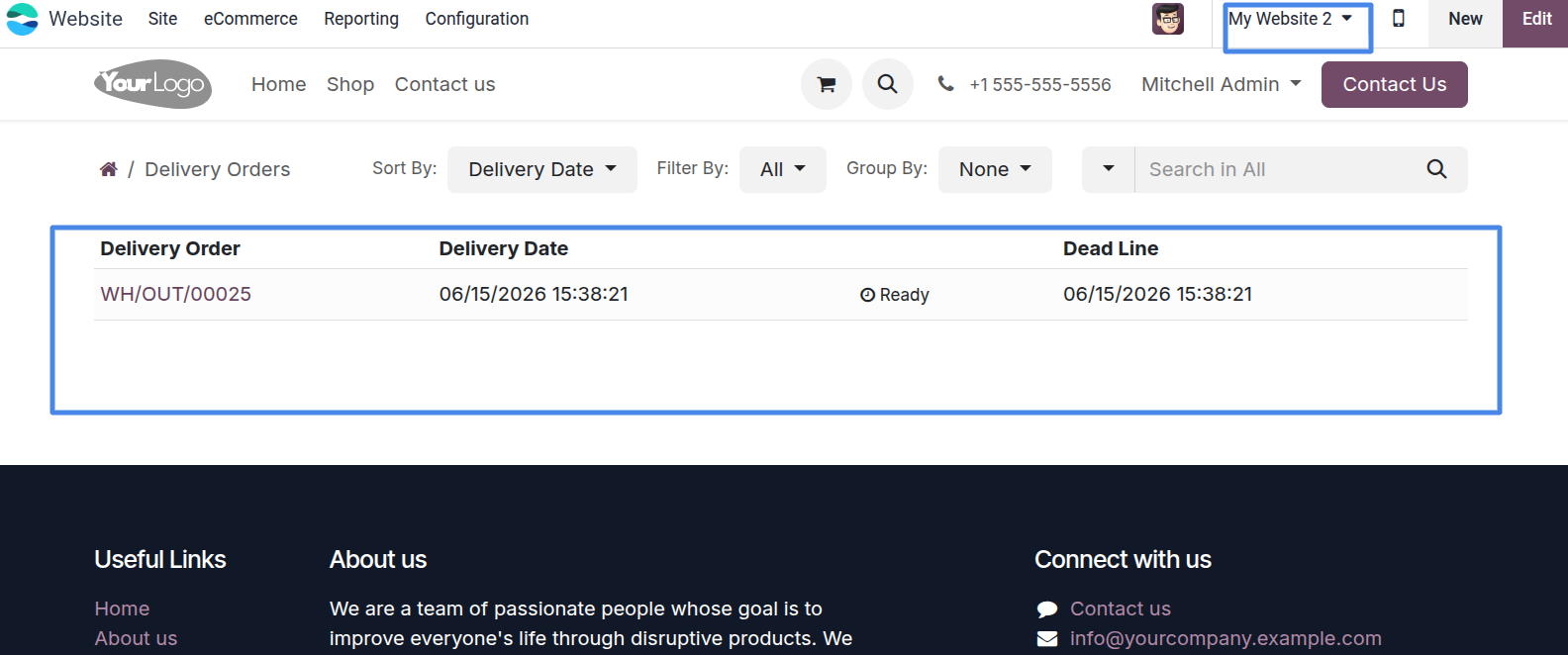
3. Administrators can also view website-specific delivery orders directly from the portal, just like customers.
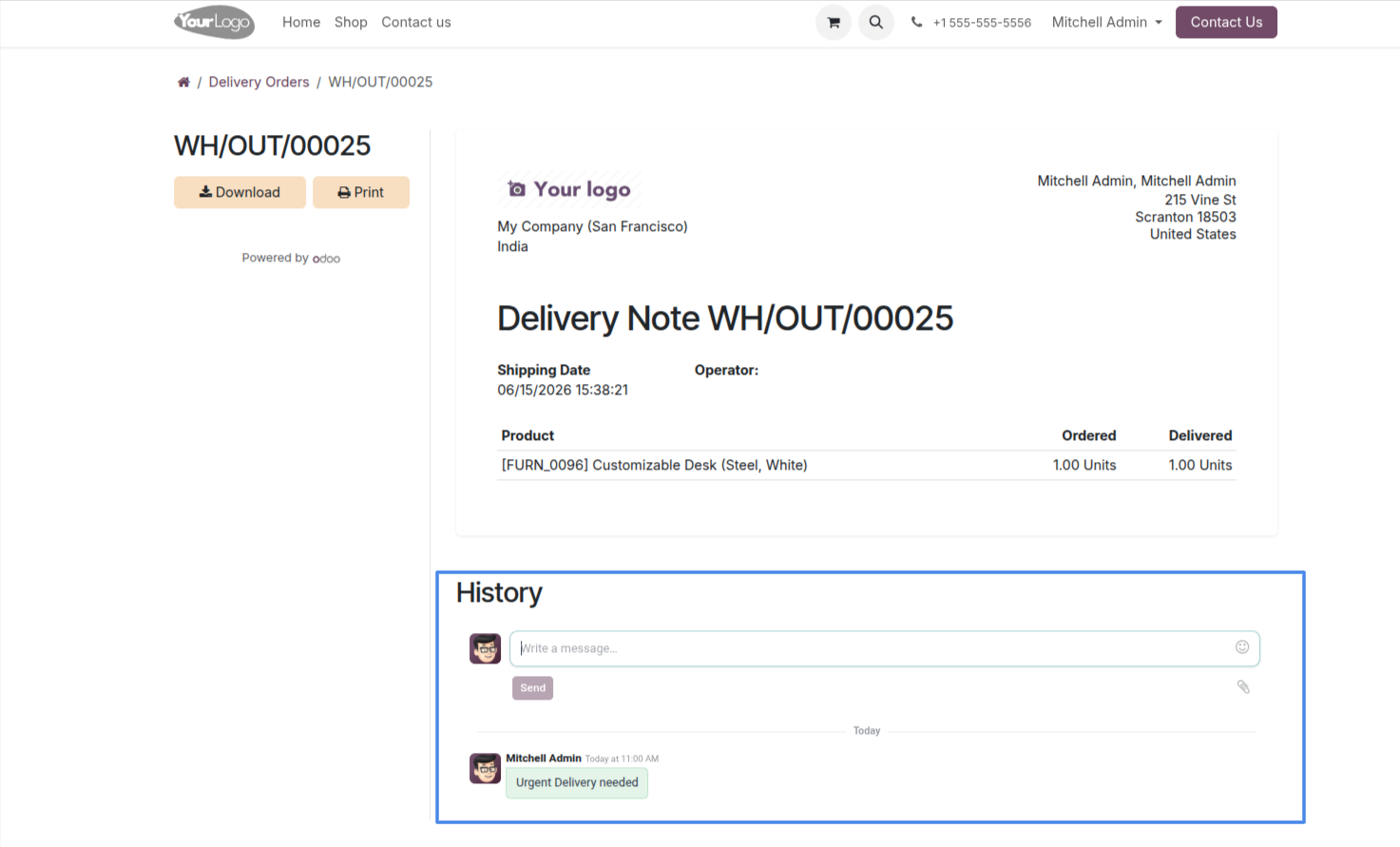
4. Detail view for a delivery order, showing product lines, ordered quantities, and delivered quantities, with options to download or print.
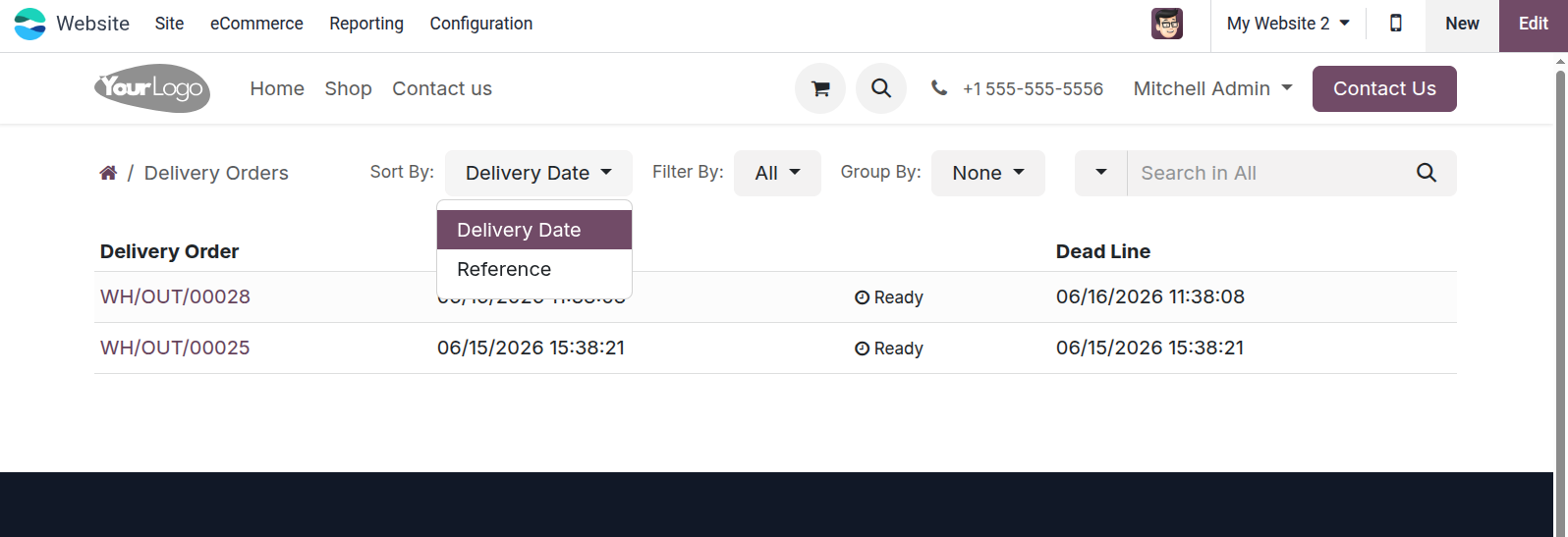
5. Sort your delivery orders by Delivery Date or Reference for quick access.
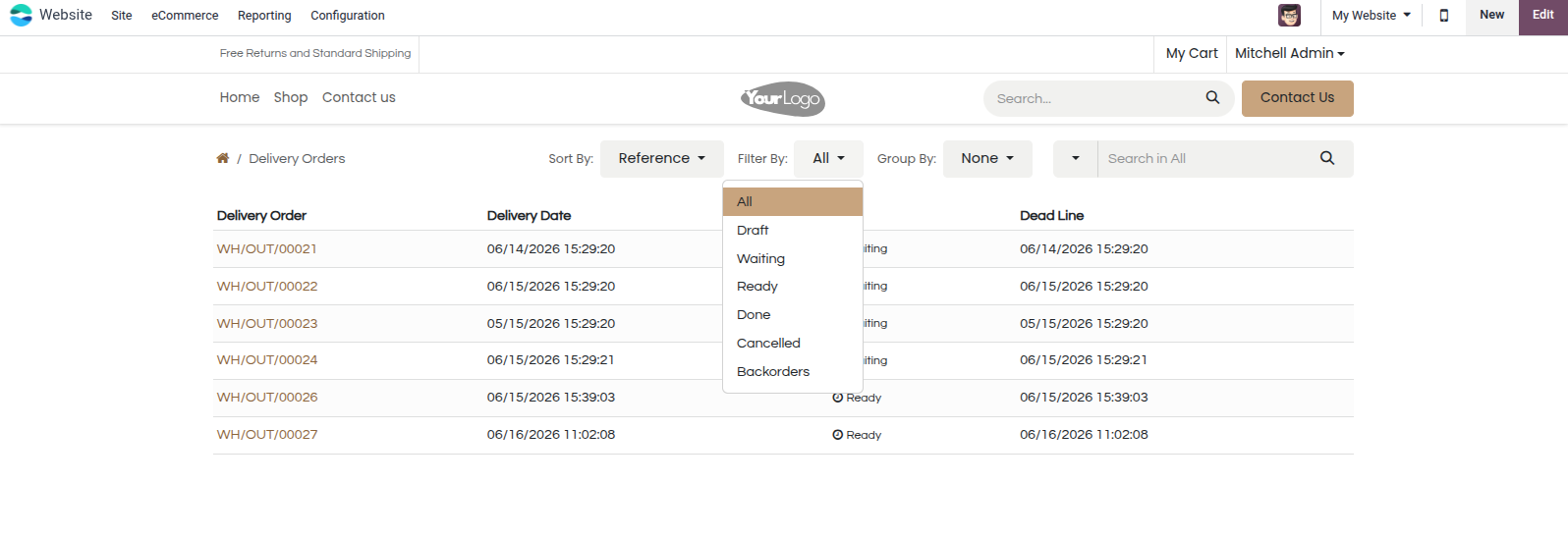
6. Filter delivery orders easily by their current status, such as Ready or Waiting.
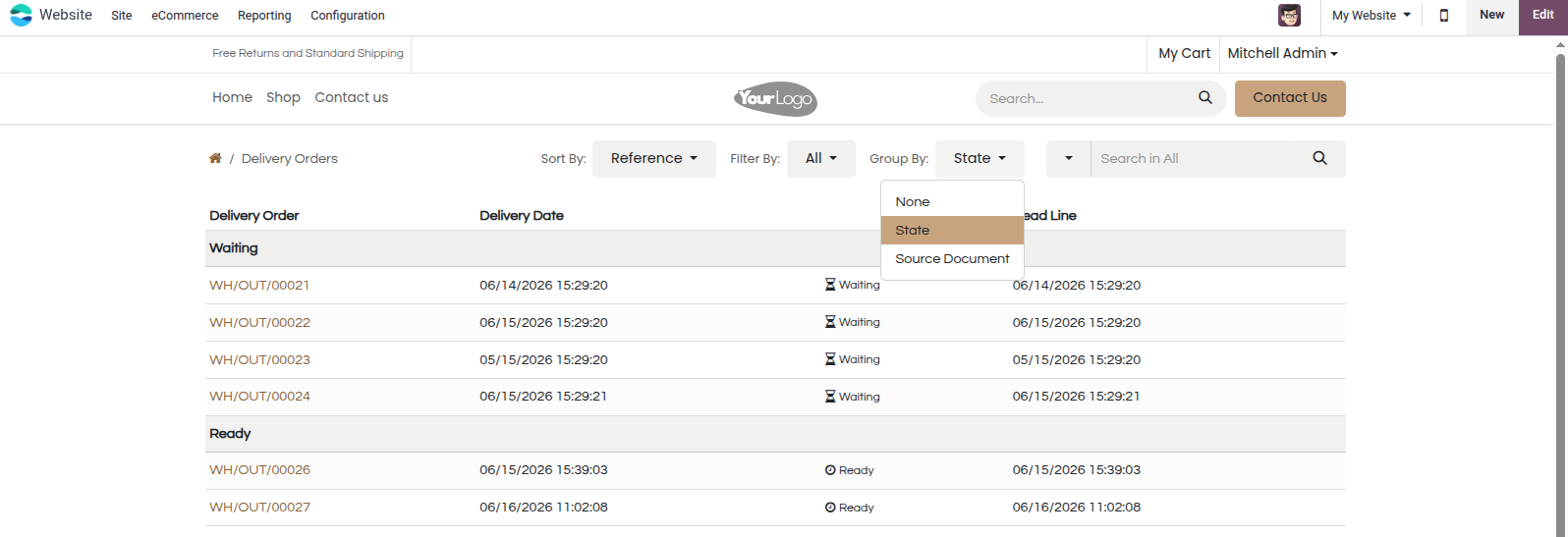
7. Group your delivery orders by State or Source Document for better organization.
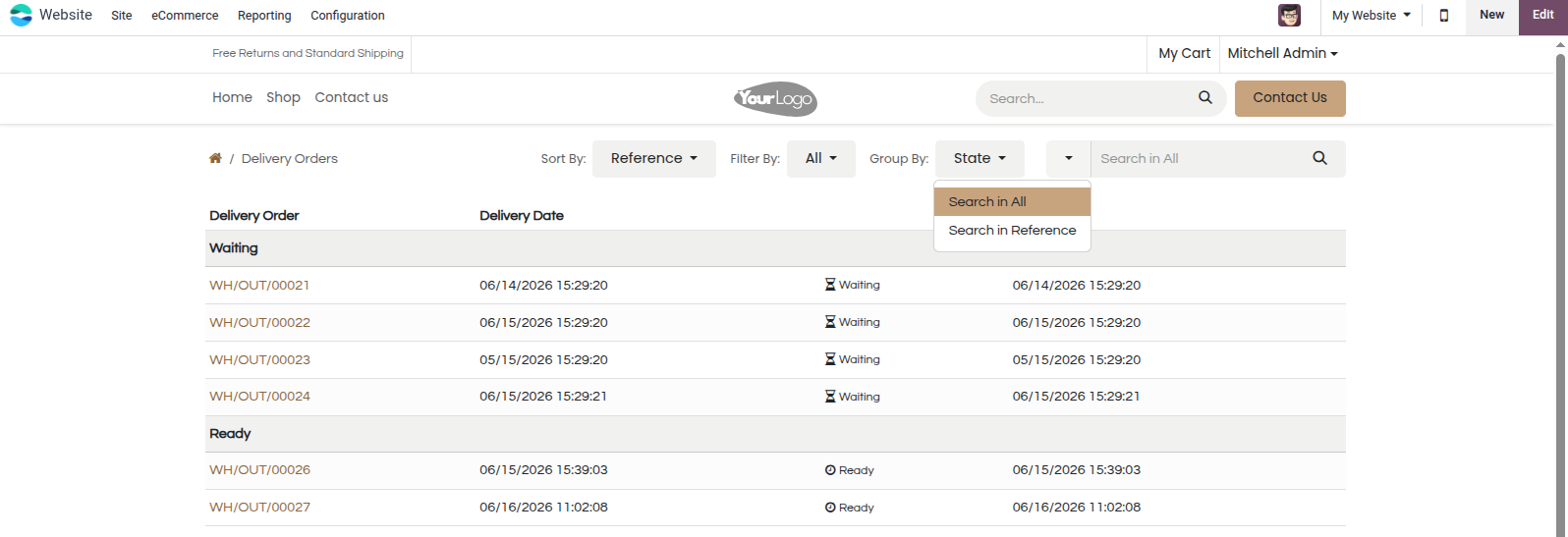
8. Use the advanced search bar to quickly find specific delivery orders.
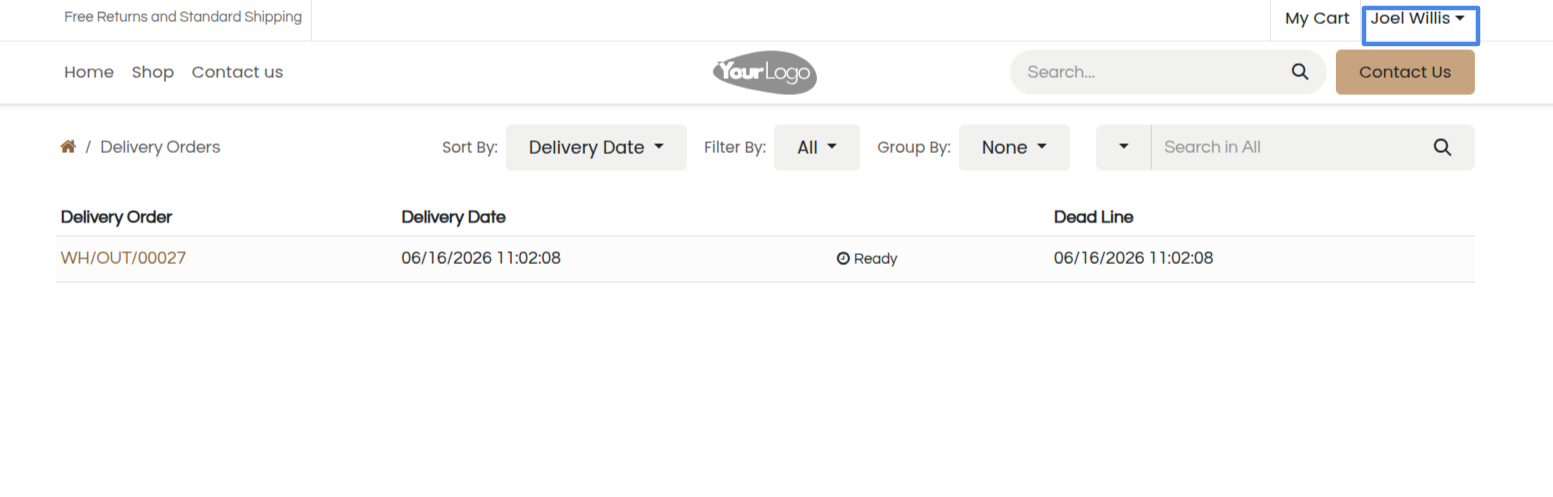
9. Secure portal access ensures customers only see their own company's delivery records.
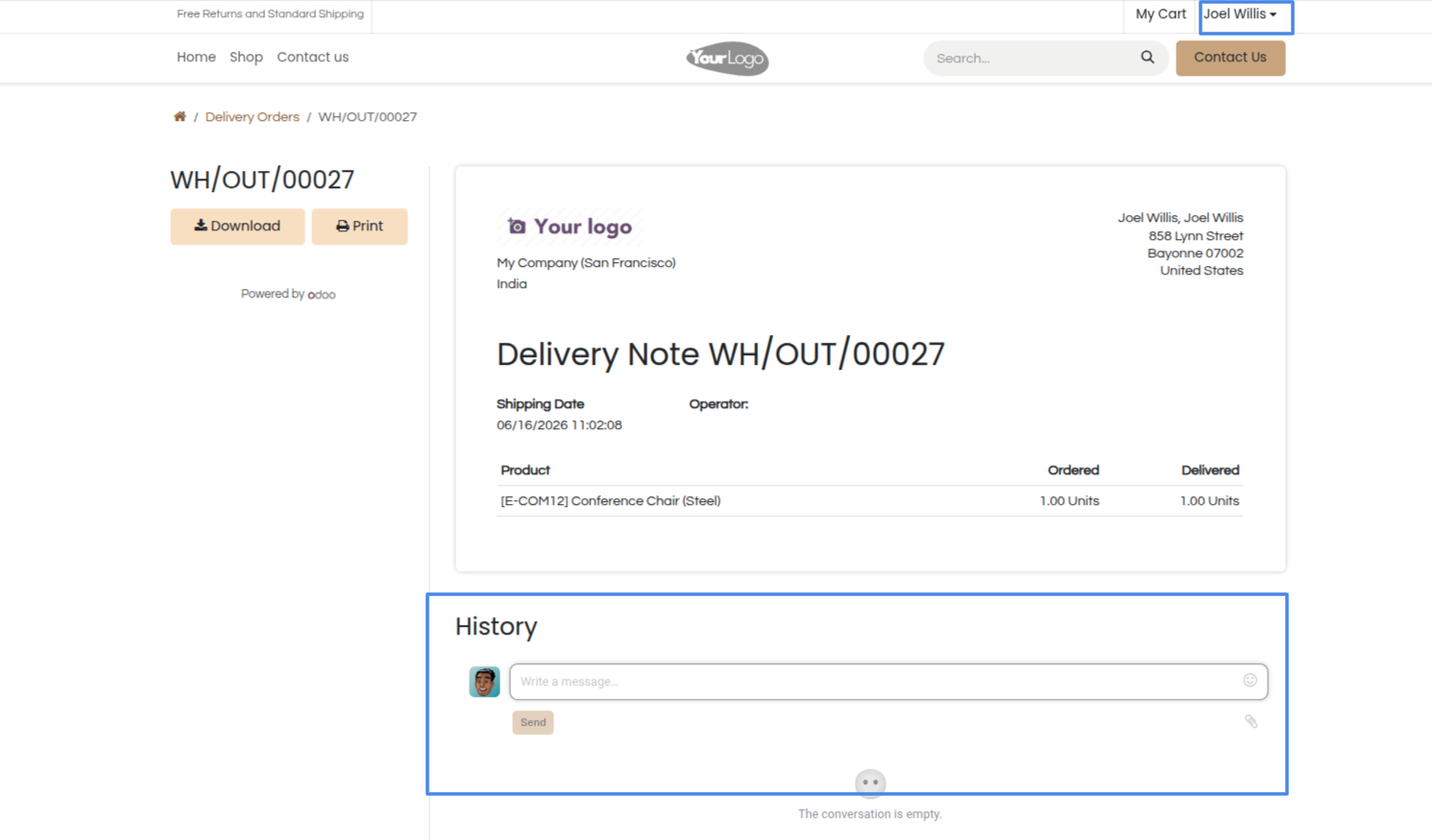
10. Communicate seamlessly with the backend team using the integrated portal chatter history.
Our solutions focus on your problems
- Odoo Implementation
- Odoo Customization
- ERP Development and Implementation
- Odoo Ipass Cloud
- AI for Odoo
- Odoo Apps
- Aws Marketplace Products
- Business Engines
Our Pricing includes User Manual, 90 Days Support (Monday-Friday 10am to 7pm IST) and One time Setup
• Works & tested on standard installations of Odoo with no third party apps,
• Free support only for odoo installations with no third party apps,
• Paid support available for Odoo installations with third party apps.

Prefortune is a Odoo Official Partner, Odoo Development company. Our philosophy is to use Open Source tools and technologies to provide cost effective and green solutions for our customers.
Prefortune Technologies LLP is working on web development, Mobile development, and Odoo ERP.
If you need any help or want more additional features, you may contact us through:
Alternative Products
These other products might interest you
Specifications
| Version | 19.0, 18.0, 17.0, 16.0, 15.0, 14.0 |