Watch Quick Video
CRM Mass Tags Update Odoo App
Our efficient
Odoo – CRM Mass Tags Update Odoo App
app Our efficient Odoo – CRM Mass Tags Update app enhances your customer relationship management by allowing quick bulk updates of tags on leads and opportunities. This module provides two convenient ways to update tags: a dedicated menu under the Sales section called “Update CRM Tags”, which allows users to manage and update tags easily, and an “Update CRM Tags” server action available on leads and opportunities, enabling users to update tags for multiple selected records at once.
It provides flexible and powerful options for managing your CRM data:
1. Bulk Tag Update: Add or remove tags for multiple leads and opportunities in a single click.
2. Default Tags Configuration: You can set default tags for new leads and opportunities to ensure consistent categorization.
3. Access Control: The feature is protected by a user setting, ensuring only authorized users can perform CRM tag updates.
This ensures that your lead organization, segmentation, and sales workflow management are streamlined, structured, and efficient.
CRM Mass Tags Update Odoo App
- Quickly organize your sales pipeline by updating CRM tags for multiple leads and opportunities in a single action.
- Use the dedicated “CRM Update Tags” menu under the Sales section to centrally manage tag assignments with ease.
- Leverage the “Update CRM Tags” server action to instantly add or remove tags from selected records without opening each form individually.
- Define default tags for newly created leads and opportunities to ensure structured and consistent data classification from the start.
- Maintain full control over operations with user-based access rights, allowing only authorized team members to perform mass tag updates.
Complete Workflow for CRM Mass Tags Update Odoo App
Enable the CRM Tags Update permission in User Settings to allow authorized access. Open the CRM Update Tags menu under the Sales section or select multiple leads and opportunities and click “Update CRM Tags” from the Action menu. In the popup wizard, choose whether you want to add or remove tags and select the desired tags. Click Update Tags to instantly update the selected records.
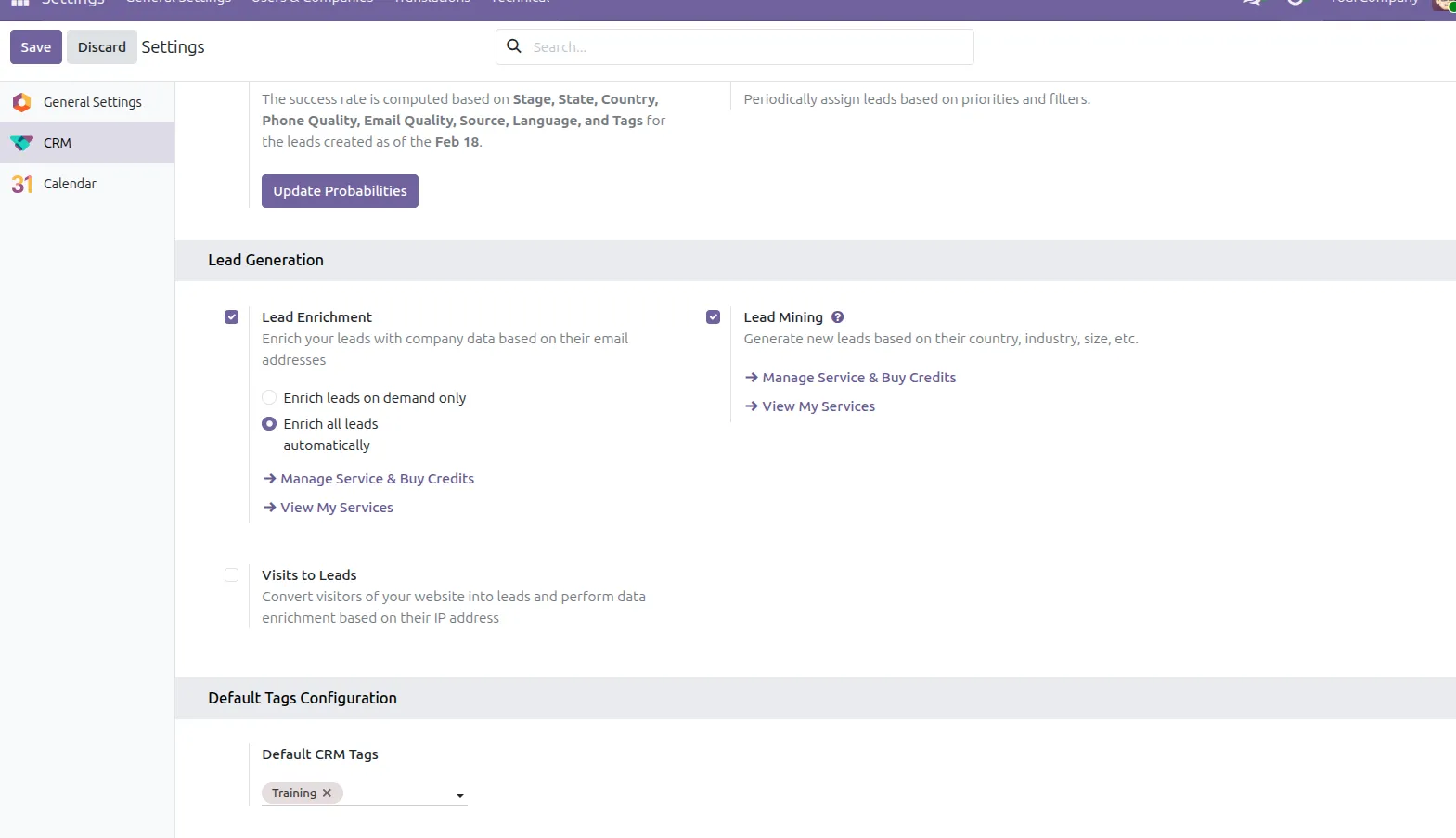
1. Select the default tags for new leads and opportunities in the CRM configuration settings.
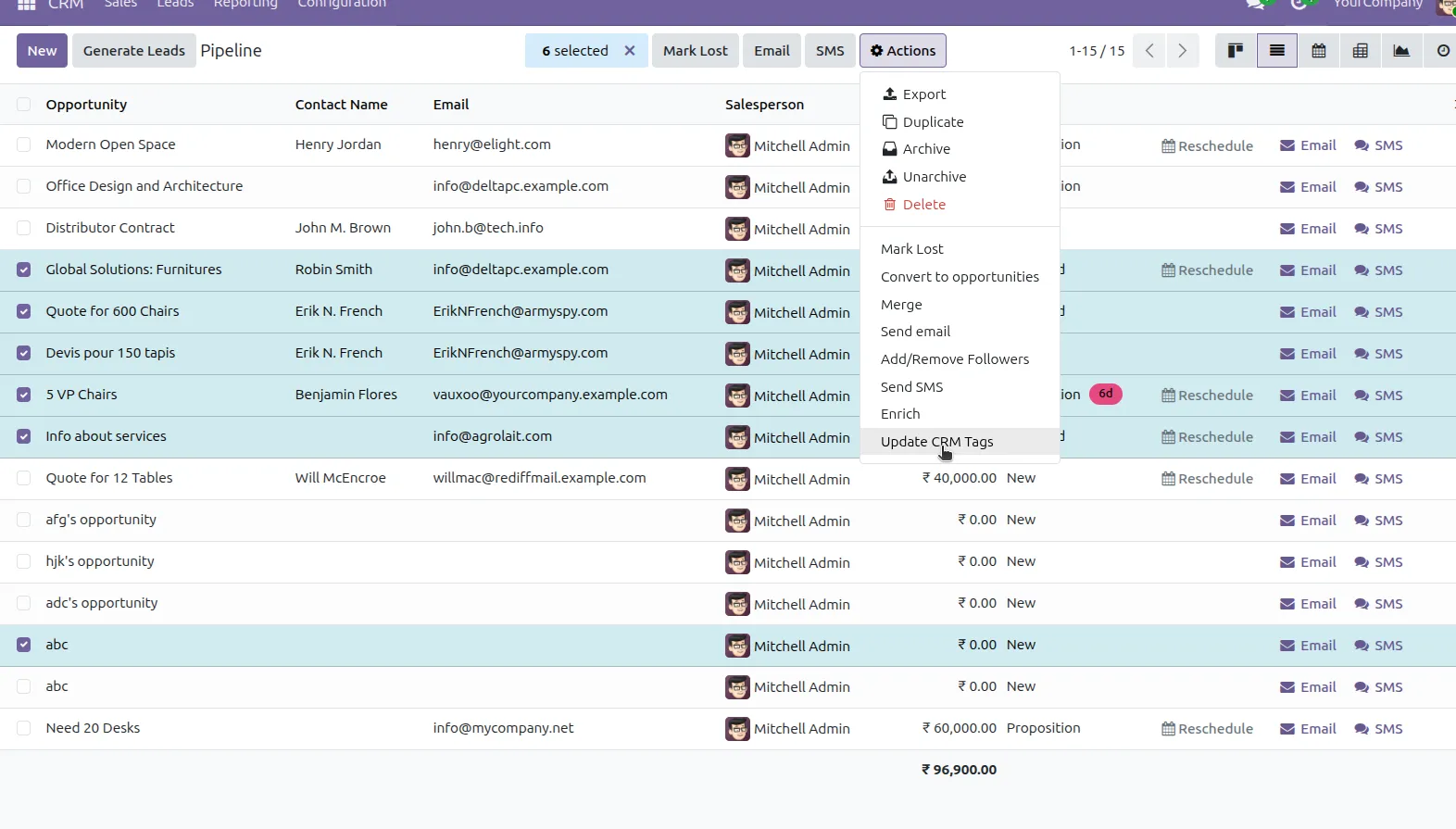
2. Select the leads or opportunities for which you want to update tags, then click “Update CRM Tags”from the Action menu.
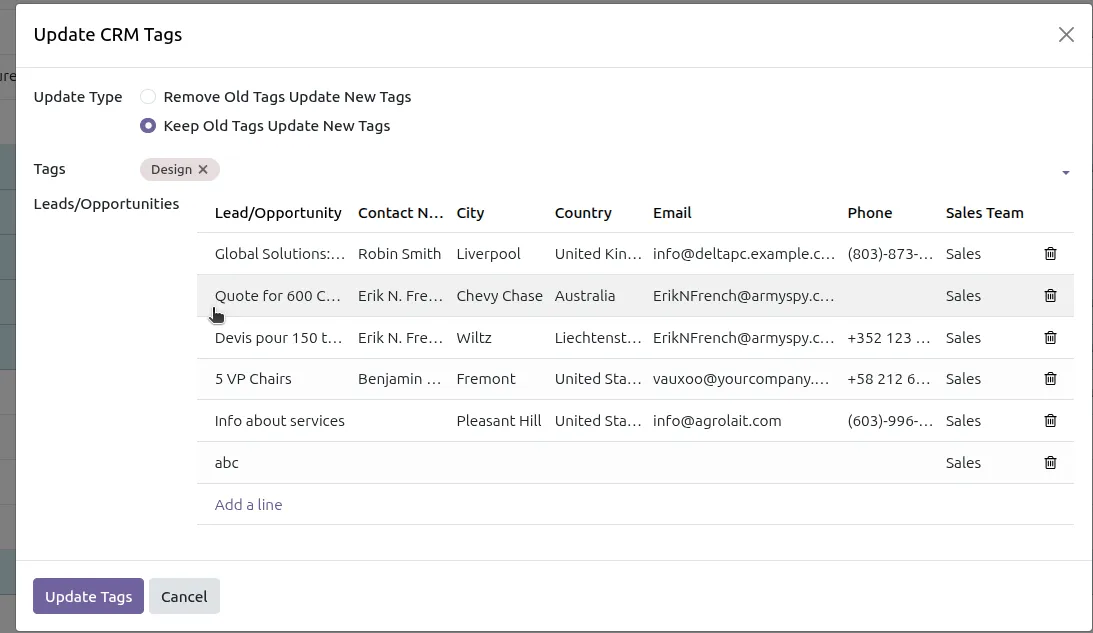
3. The wizard displays the selected records and allows you to choose the update type Add New Tags, Remove Old Tags, or Keep Existing Tag and select the tags you want to apply. Click “Update Tags” to apply the changes.
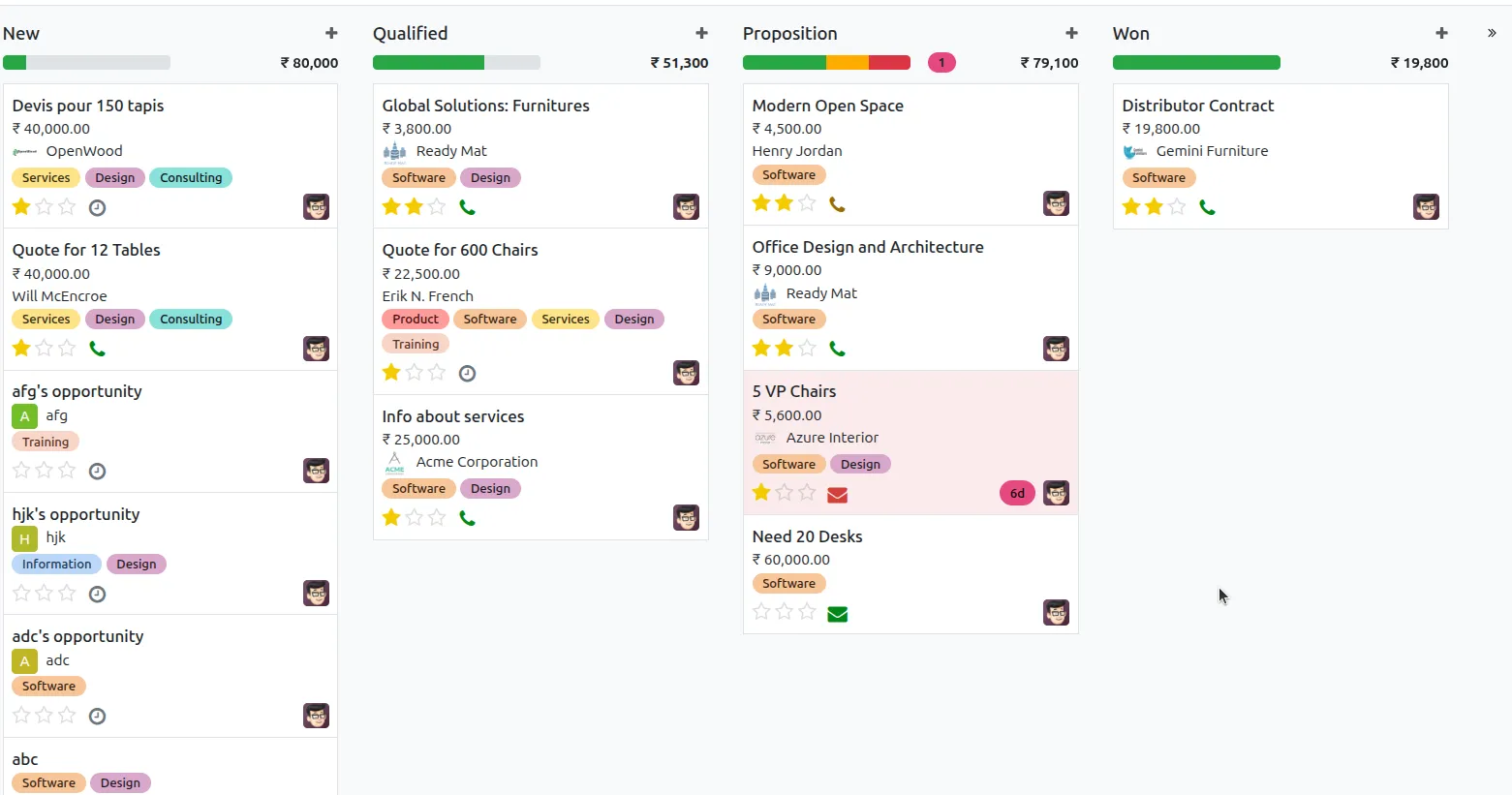
4. After clicking “Update Tags”, the selected leads or opportunities will be updated instantly, and you can immediately see the changes reflected in the records.
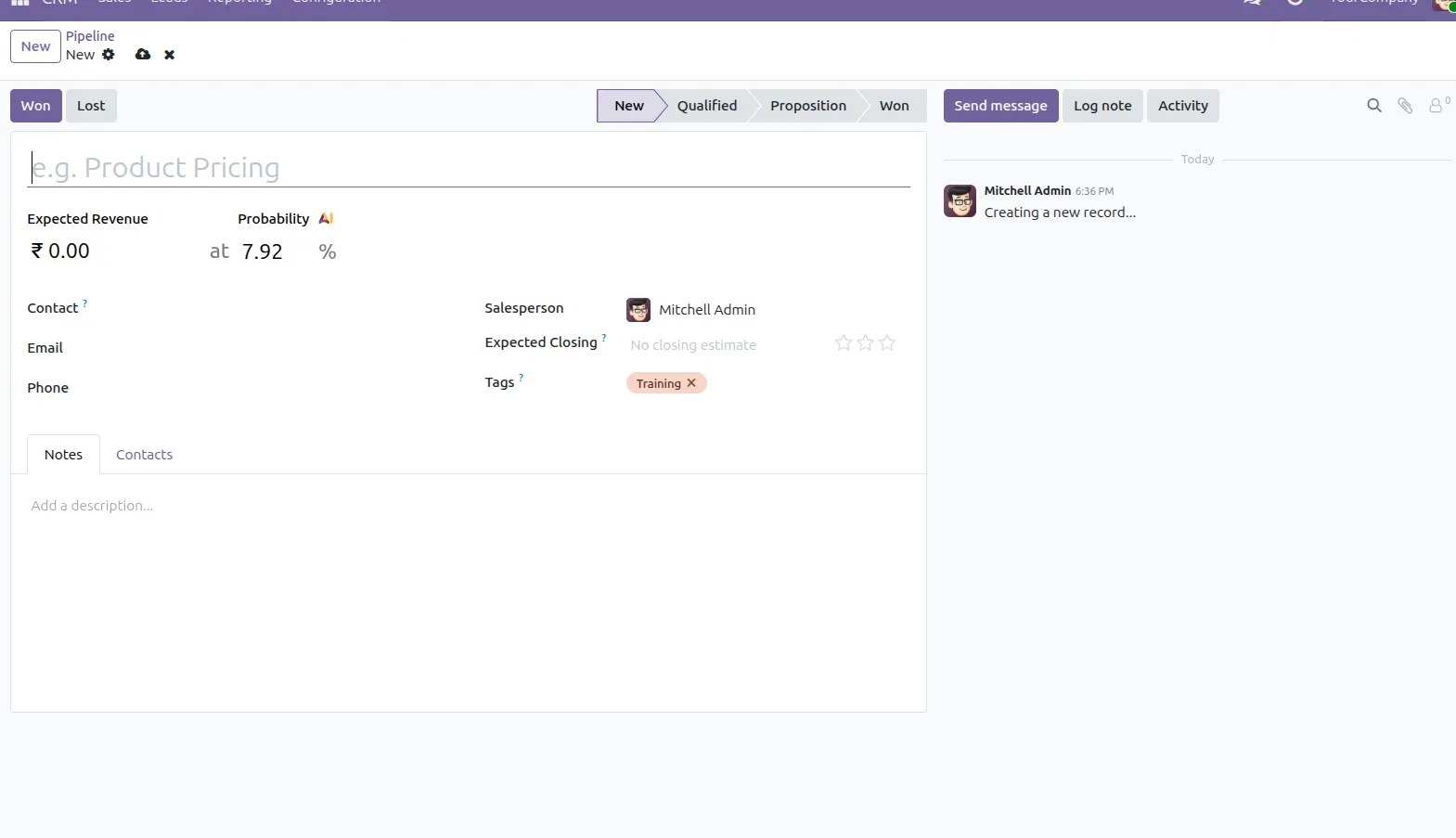
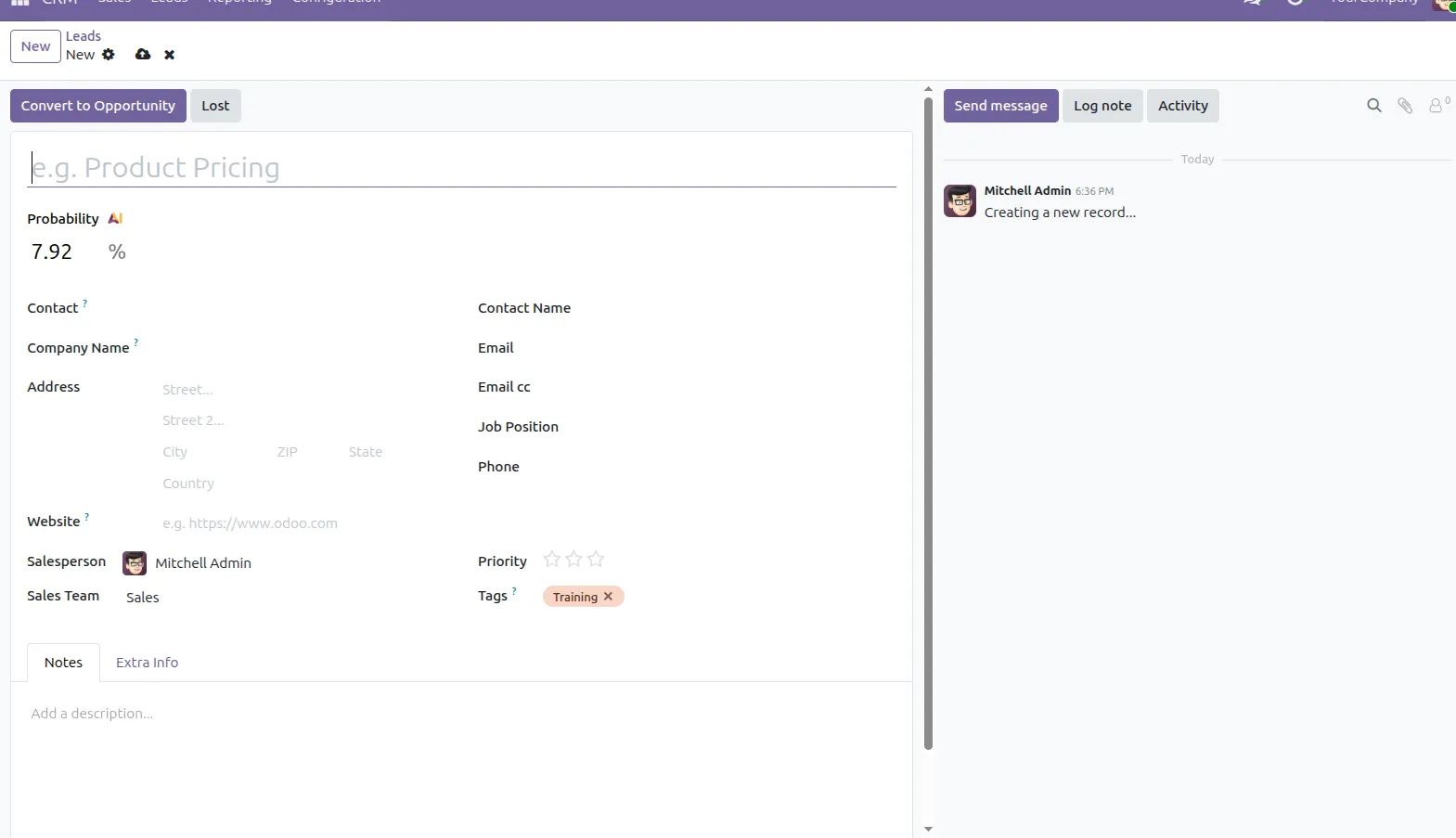
5. You can see the default tags automatically applied in the Pipeline and Lead views for newly created records, ensuring consistent categorization and better organization.
Our solutions focus on your problems
- Odoo Implementation
- Odoo Customization
- ERP Development and Implementation
- Odoo Ipass Cloud
- AI for Odoo
- Odoo Apps
- Aws Marketplace Products
- Business Engines
Our Pricing includes User Manual, 90 Days Support (Monday-Friday 10am to 7pm IST) and One time Setup
• Works & tested on standard installations of Odoo with no third party apps,
• Free support only for odoo installations with no third party apps,
• Paid support available for Odoo installations with third party apps.

Prefortune is a Odoo Official Partner, Odoo Development company. Our philosophy is to use Open Source tools and technologies to provide cost effective and green solutions for our customers.
Prefortune Technologies LLP is working on web development, Mobile development, and Odoo ERP.
If you need any help or want more additional features, you may contact us through:
Alternative Products
These other products might interest you
Specifications
| Version | 19.0, 18.0, 17.0, 16.0, 15.0, 14.0 |