Watch Quick Video
Create Sales order from POS in Odoo
Our all-inclusive Odoo – Create Sales order from POS in Odoo module seamlessly connects your POS with Odoo Sales, letting staff create, view, and manage sales orders right from the POS screen. Ideal for stores and counters where orders are placed but fulfilled later, it ensures customers and products are always selected, prevents incomplete orders, and triggers delivery orders upon confirmation. This streamlines your sales and inventory flow, reduces manual work, and enhances the overall customer experience.
Create Sales order from POS in Odoo
- Generate sales orders right from the POS interface using selected customers and products.
- Ensures a customer and at least one product are selected before allowing order creation, preventing incomplete sales.
- Open existing sales orders linked to the session, check their details, and monitor their status without switching to the backend..
- Confirm draft & confirm sales orders directly from POS.
- Orders created through the POS are linked to that session for clear reporting and tracking. .
Complete Workflow for Manage Create Sales order from POS in Odoo
First we need to activate the "Create Sales order from POS in Odoo" module. Once activated, go to the Settings menu and open the Point Of sale section.Here you can enable the Create Sale Order option.For creating the sale order from POS
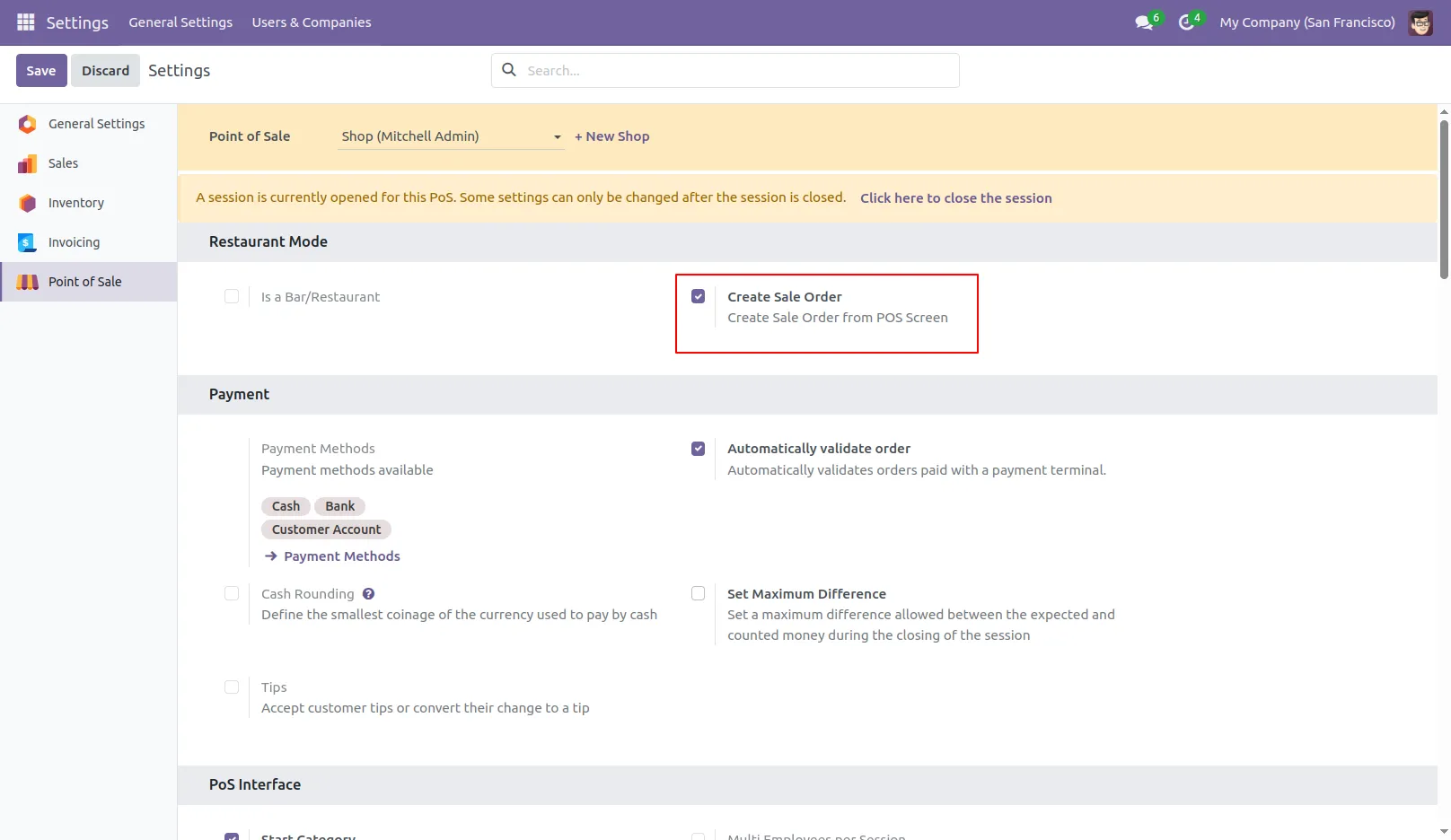
1.First Enable the Create Sale Order option in POS settings.
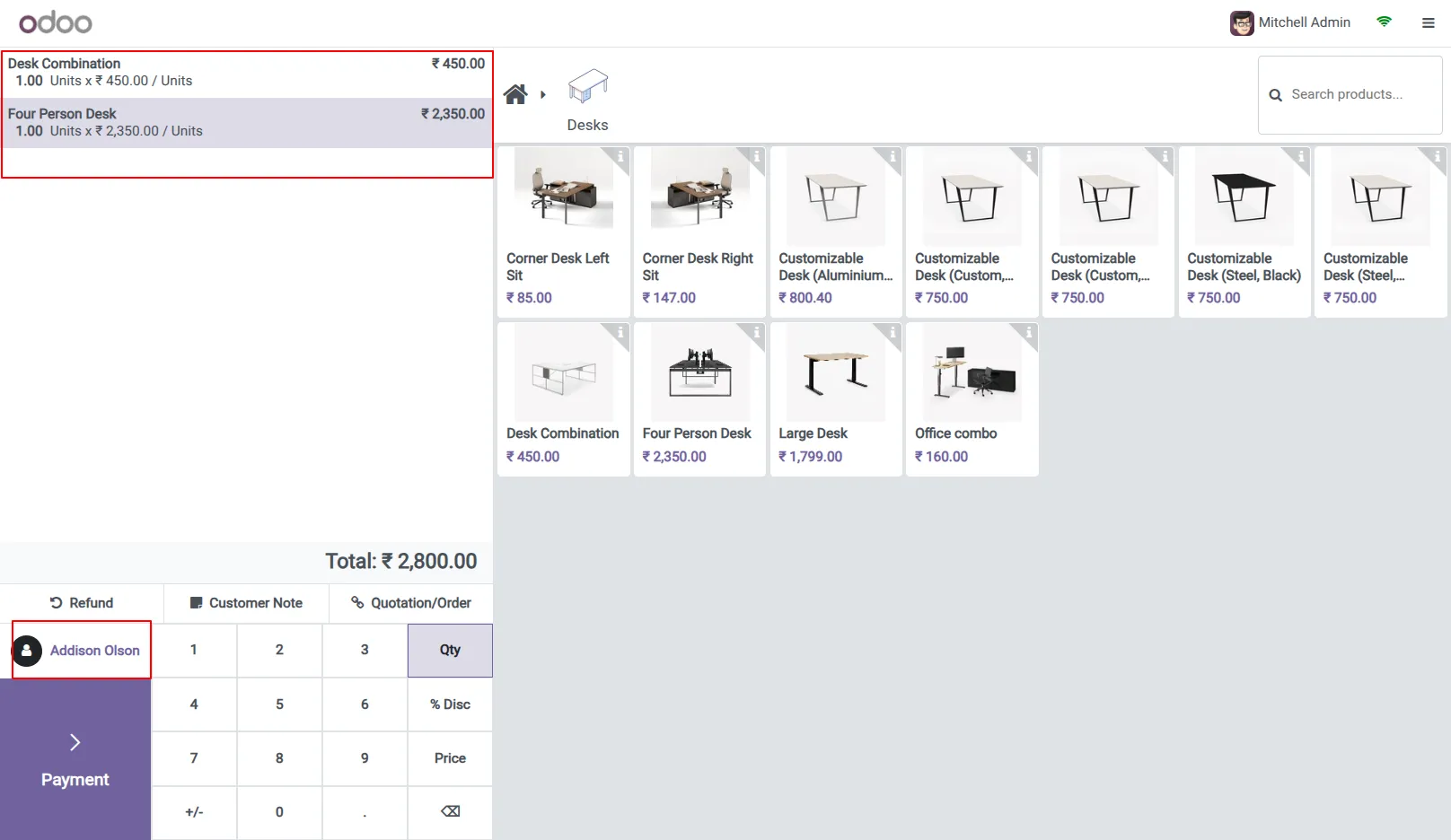
2.Select the products and customer.
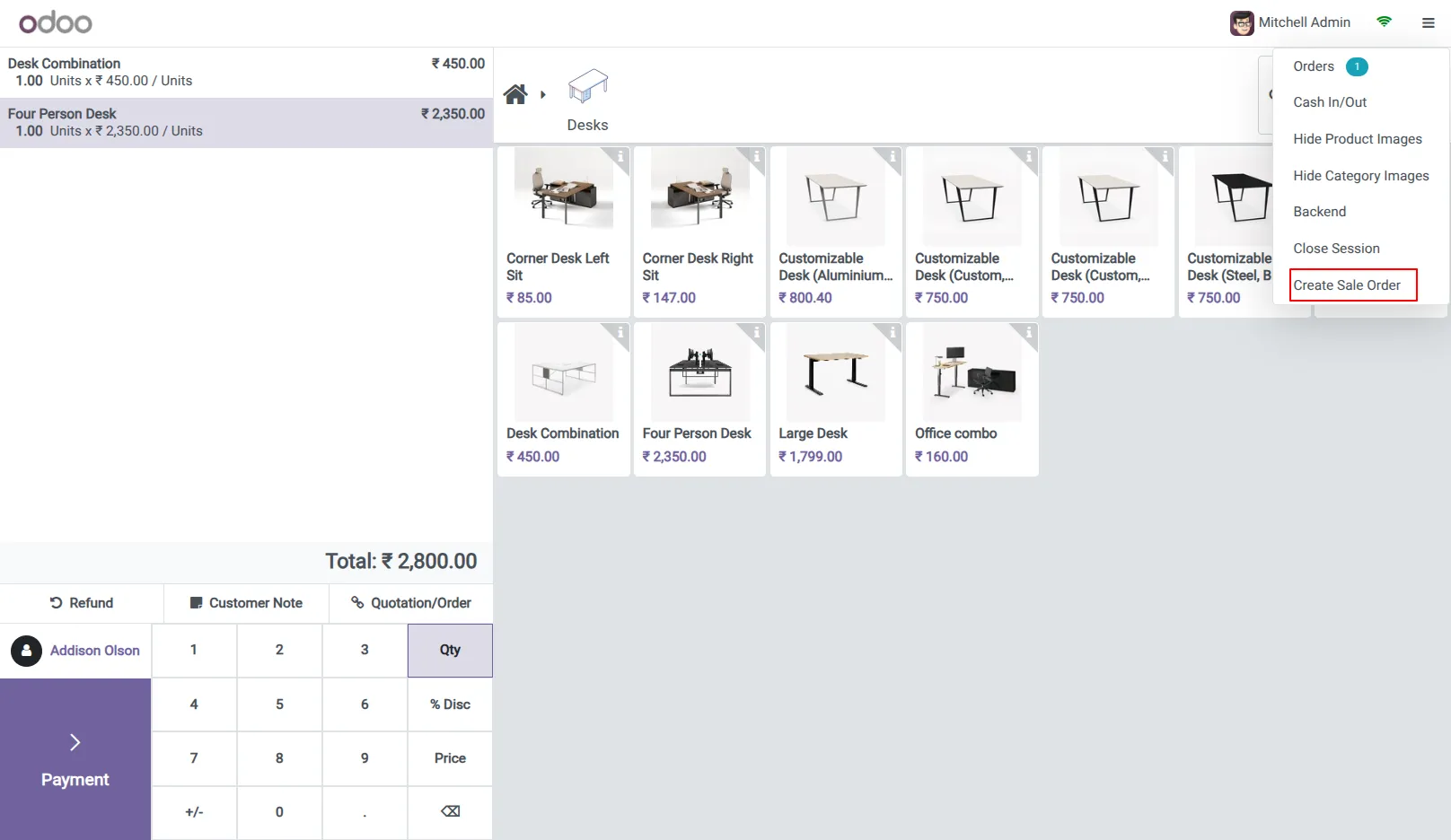
3.Than go to the Create Sale Order option.
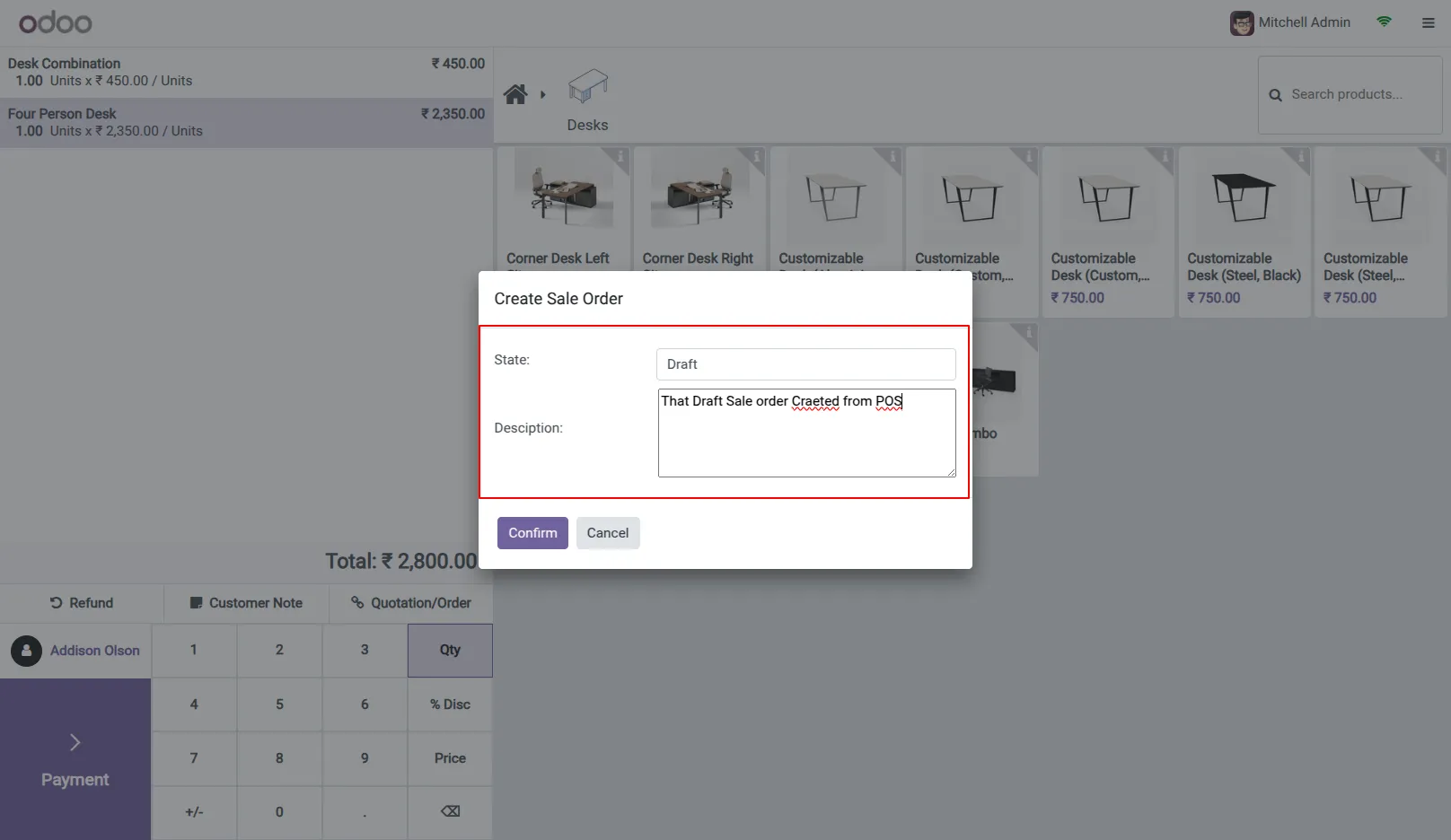
4.Select the Draft option and enter the description than click on confirm button.
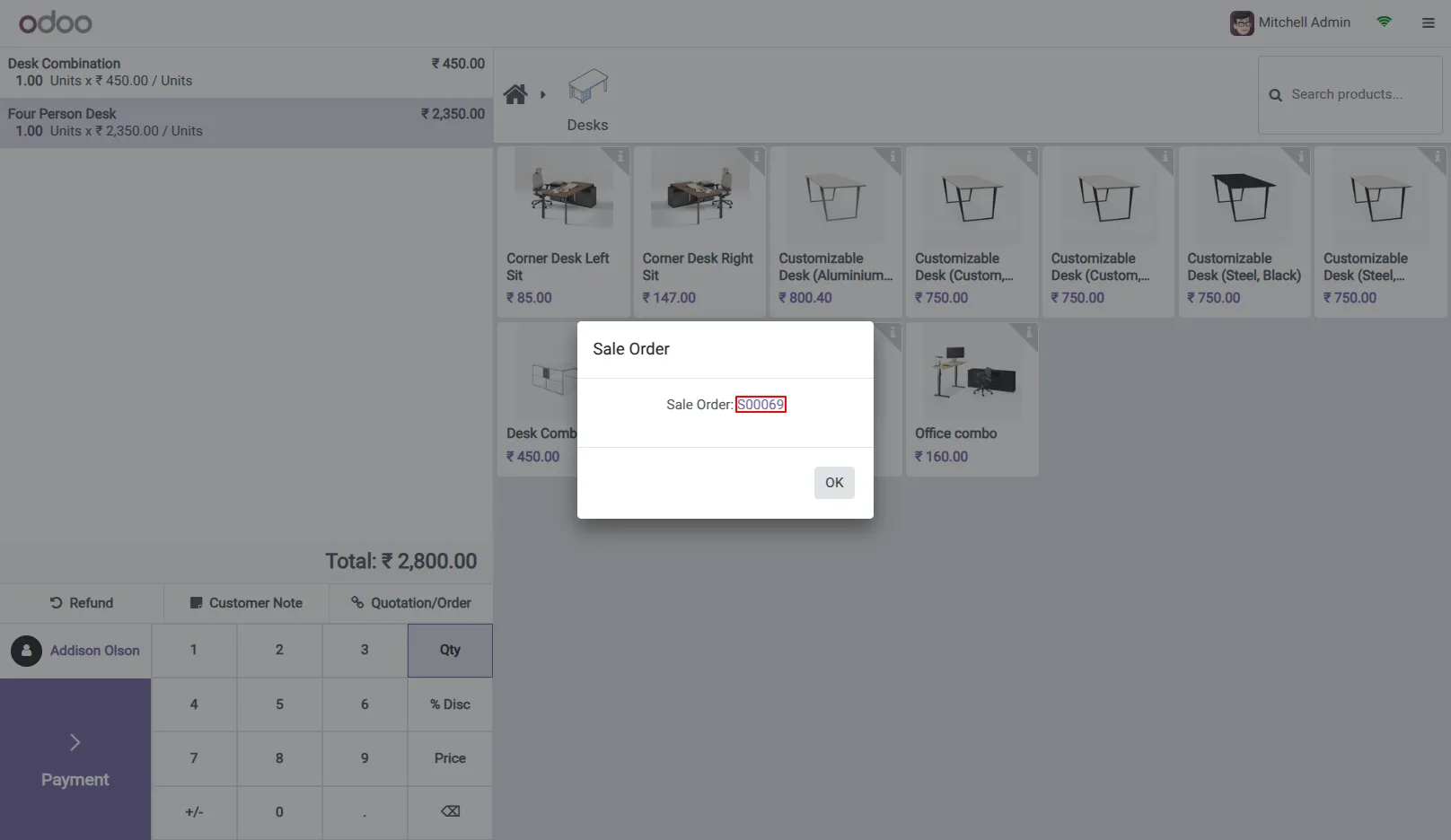
5.If confirmed, the sales order ID will be displayed. You can click this ID to open and view the sales order.
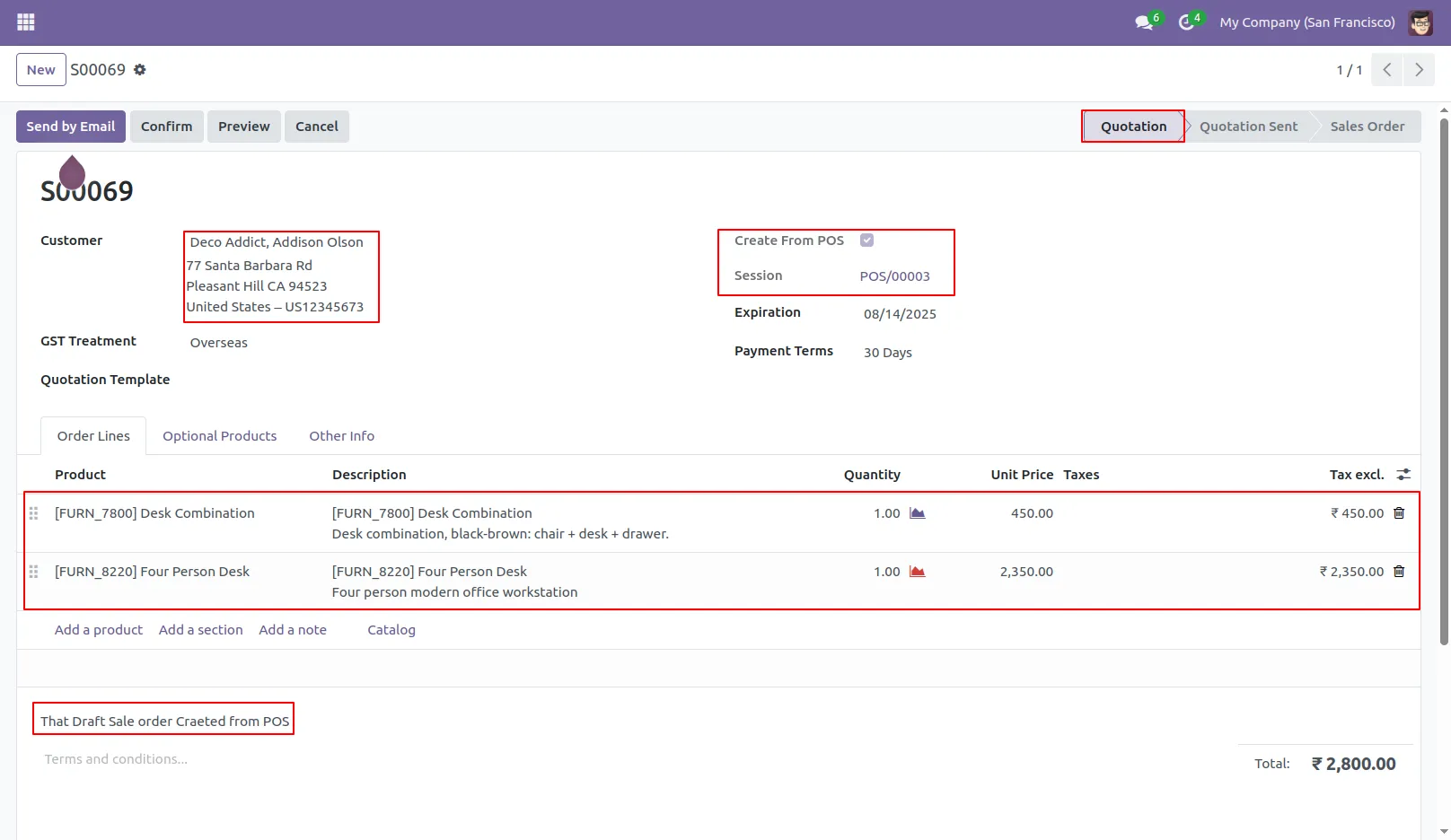
6.See the Draft sale order is created with all details.
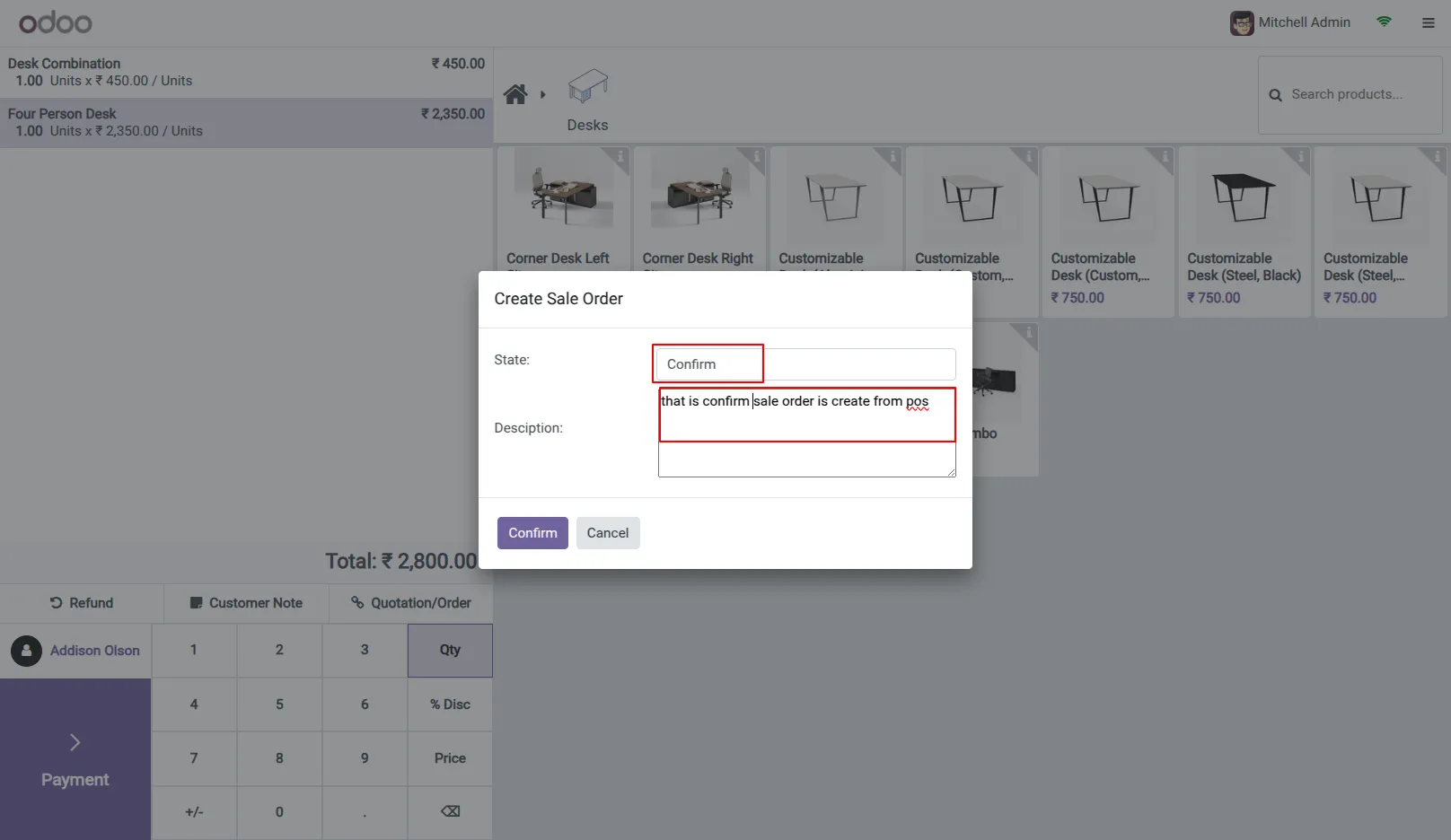
7.Same for above create Confirm Sale Order.
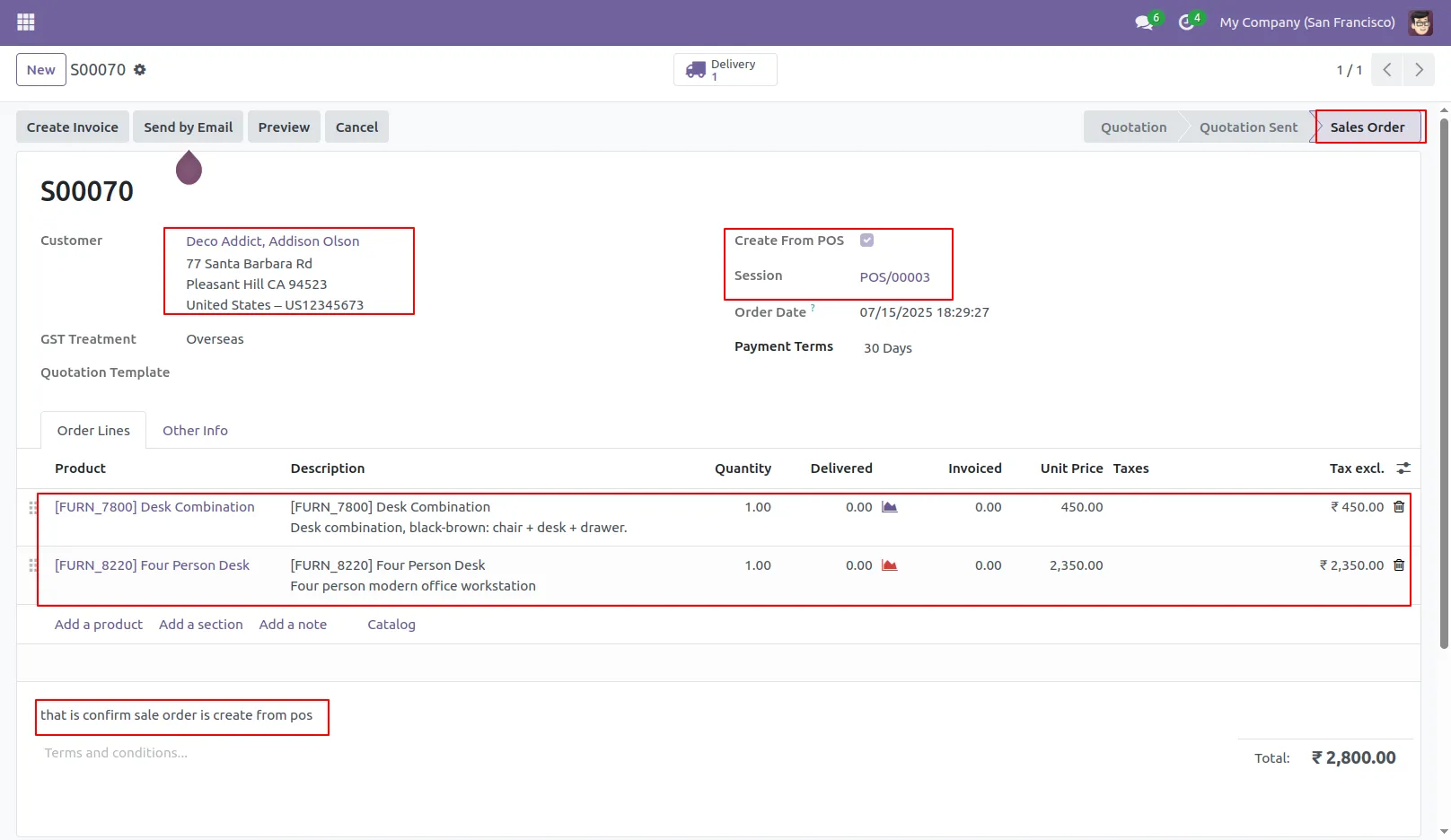
8.See Confirm sale order is created with all the details.
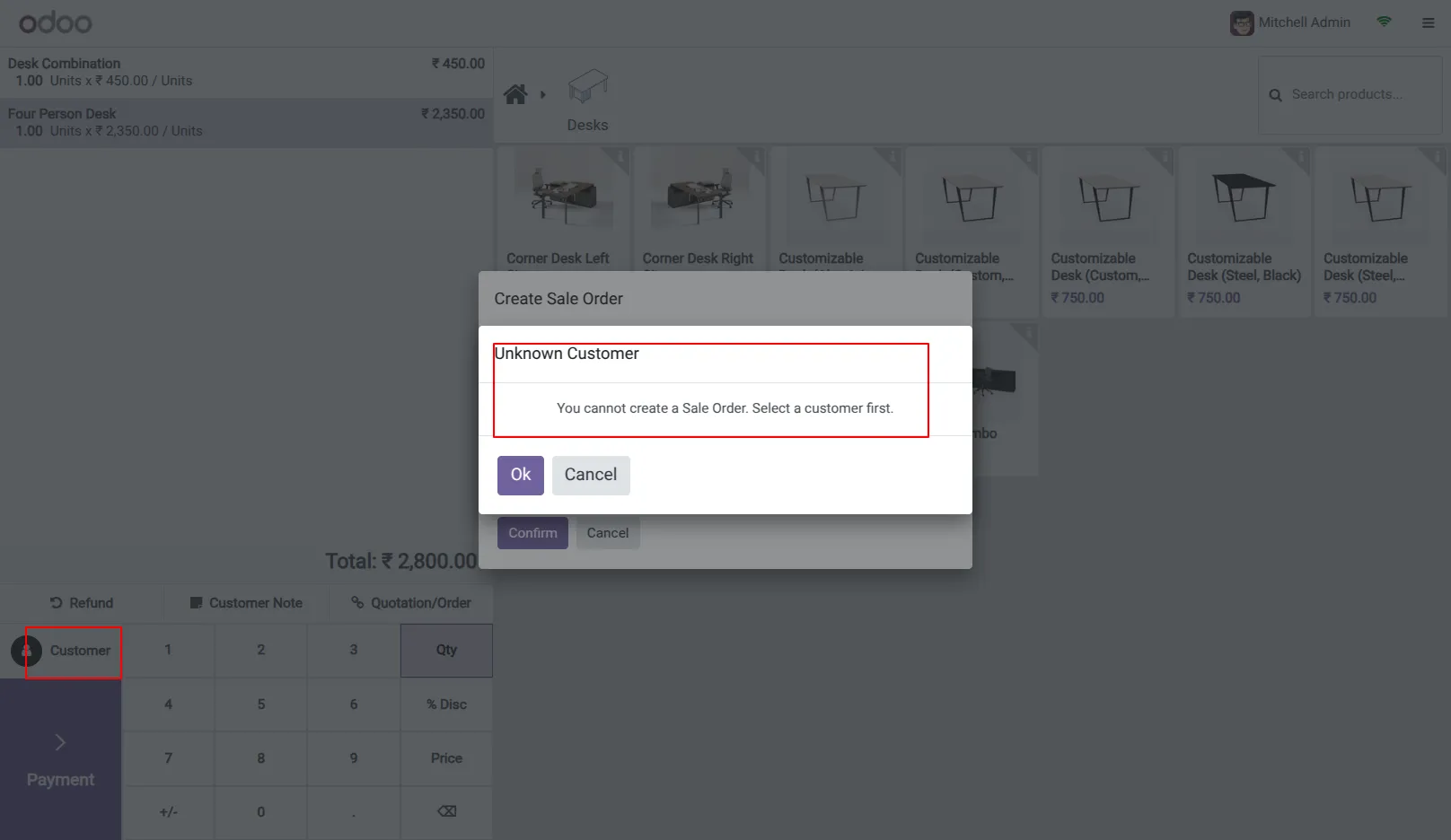
9.If customer is not select than raise warning.
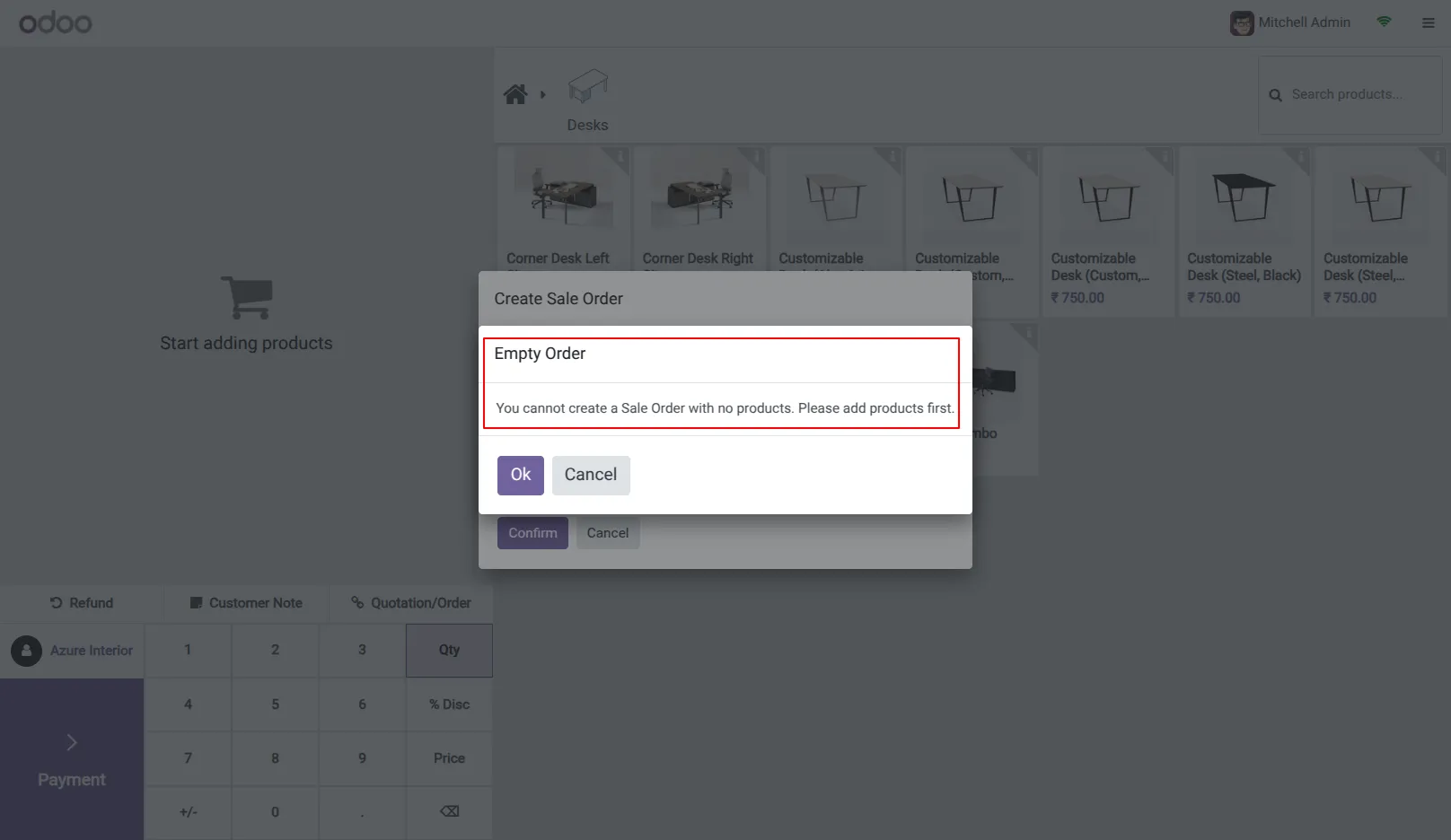
10.If Products is not select than raise warning.
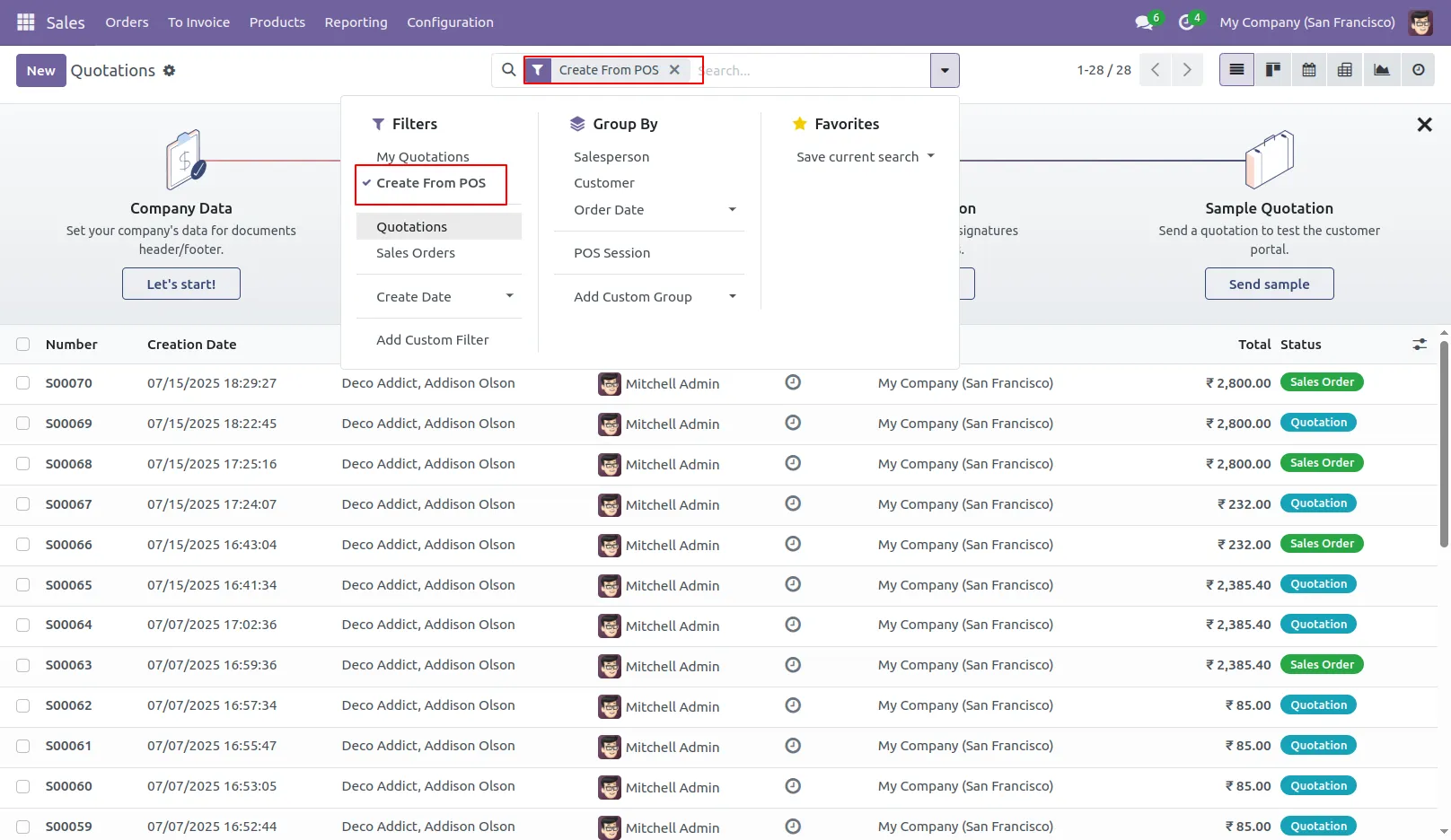
11.Add the filter in Sales module to filter the POS sale order.
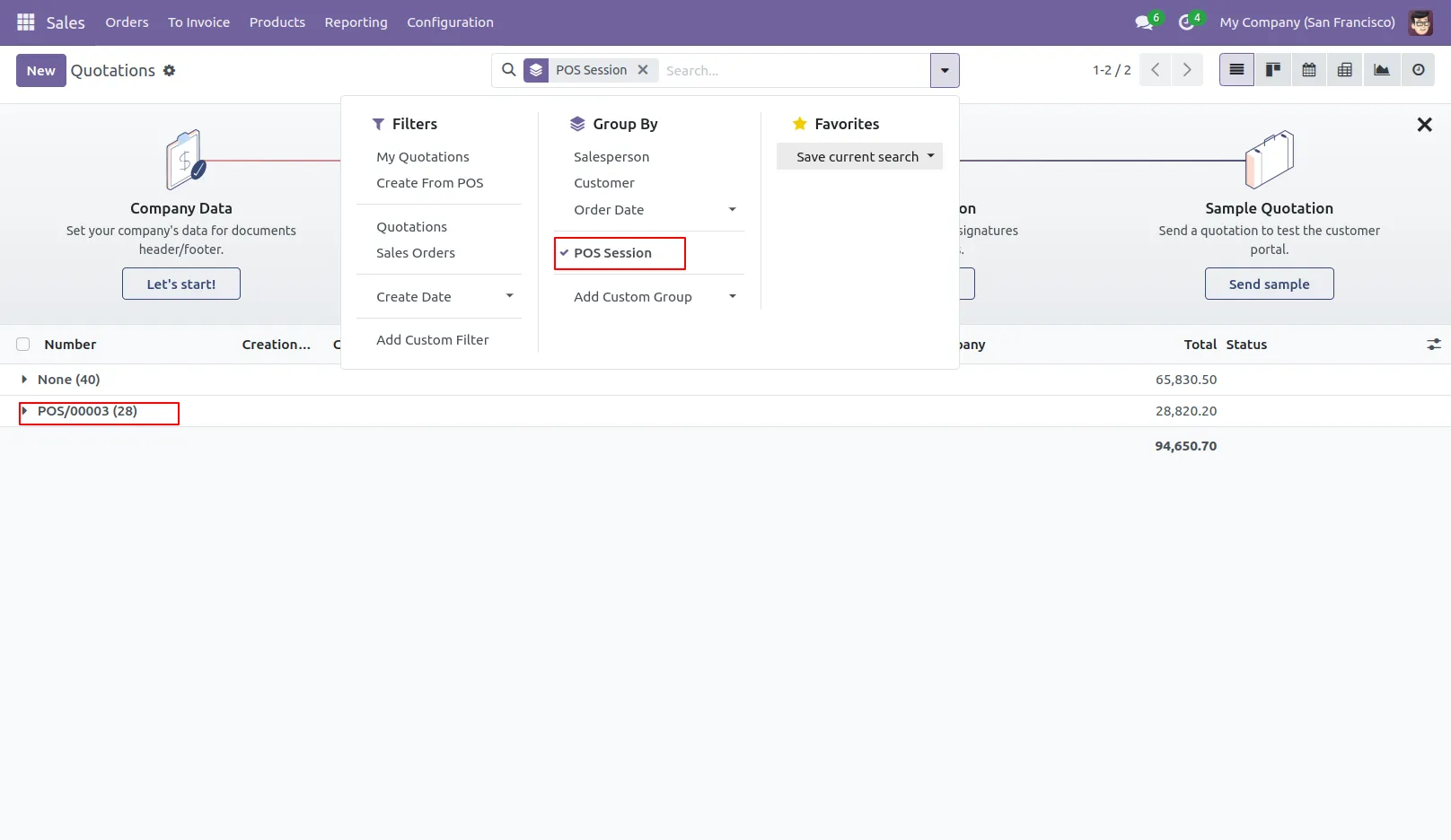
12.Add the group filter in Sales module to group the POS sale order.
Our solutions focus on your problems
- Odoo Implementation
- Odoo Customization
- ERP Development and Implementation
- Odoo Ipass Cloud
- AI for Odoo
- Odoo Apps
- Aws Marketplace Products
- Business Engines
Our Pricing includes User Manual, 90 Days Support (Monday-Friday 10am to 7pm IST) and One time Setup
• Works & tested on standard installations of Odoo with no third party apps,
• Free support only for odoo installations with no third party apps,
• Paid support available for Odoo installations with third party apps.

Prefortune is a Odoo Official Partner, Odoo Development company. Our philosophy is to use Open Source tools and technologies to provide cost effective and green solutions for our customers.
Prefortune Technologies LLP is working on web development, Mobile development, and Odoo ERP.
If you need any help or want more additional features, you may contact us through:
Alternative Products
These other products might interest you
Specifications
| Version | 18.0, 17.0, 16.0, 15.0, 14.0, 13.0 |