Watch Quick Video
create project task from portal
Our all-inclusive
Odoo – create project task from portal module, managing tasks through the portal gets way easier. You can set up and handle project tasks right from your customer portal dashboard. Just fill out a quick popup form add project info, dates, descriptions, even attach files and your task goes straight into Odoo. No trouble, just fast and efficient task creation through the portal.The module provides a centralized project task portal where users can track task progress, follow project activities, and comment on tasks directly from the portal interface. It also supports date-based task exports and organized Excel reporting, helping businesses improve project collaboration, task tracking, and customer communication across projects.
Key Features
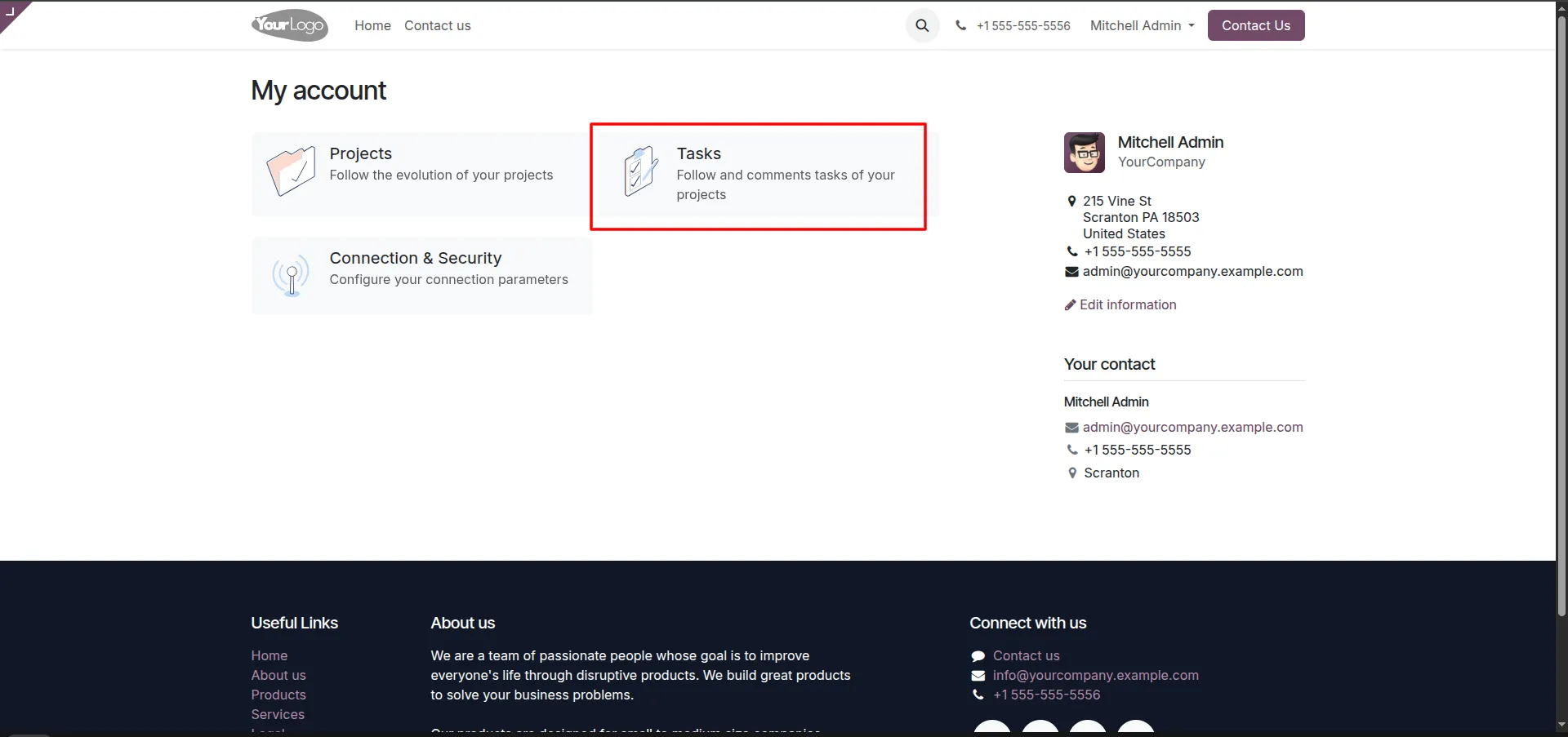
1.From your 'My account' dashboard, click on the Tasks block to view and manage tasks related to your projects.
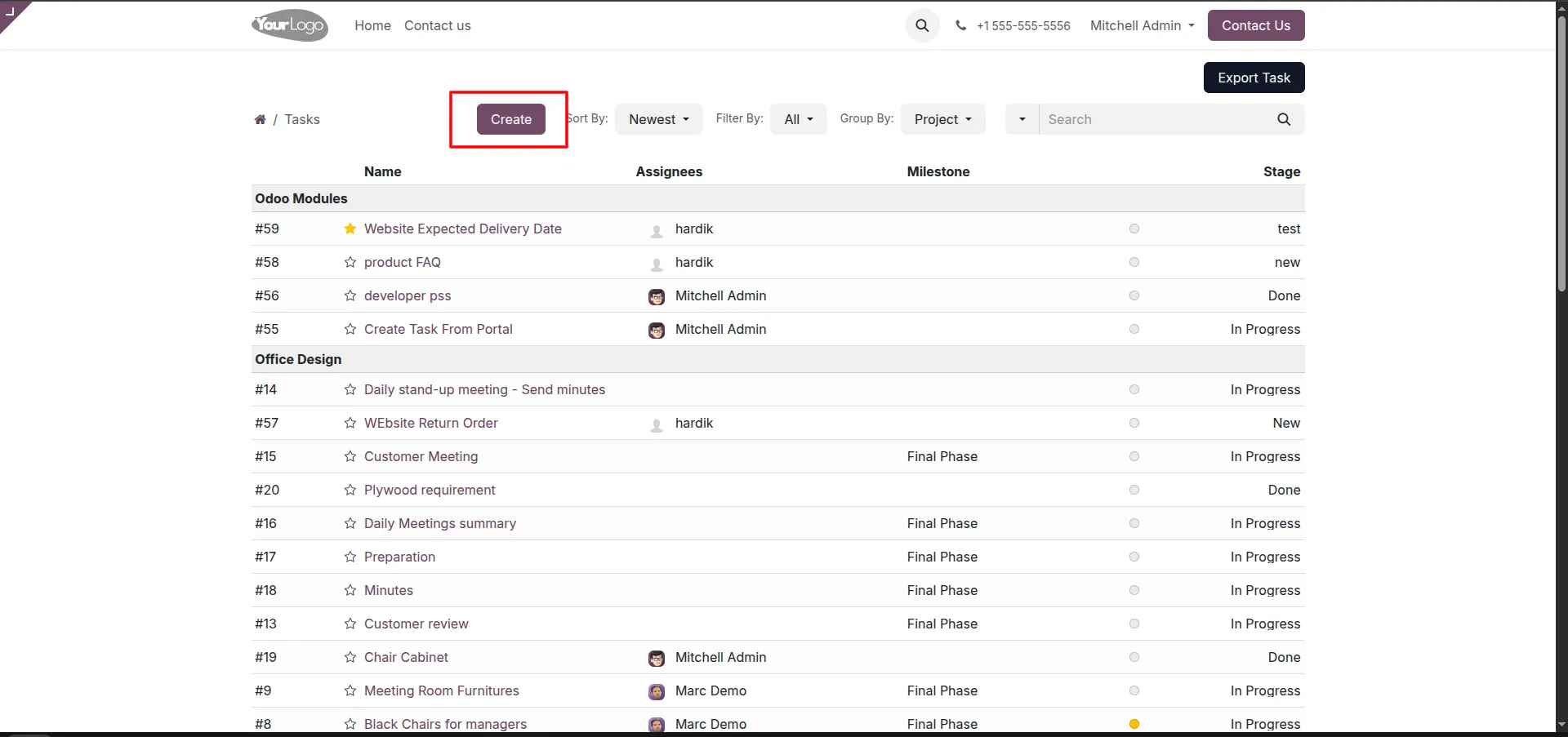
2.On the Tasks list page, click the Create button located above the list of tasks.
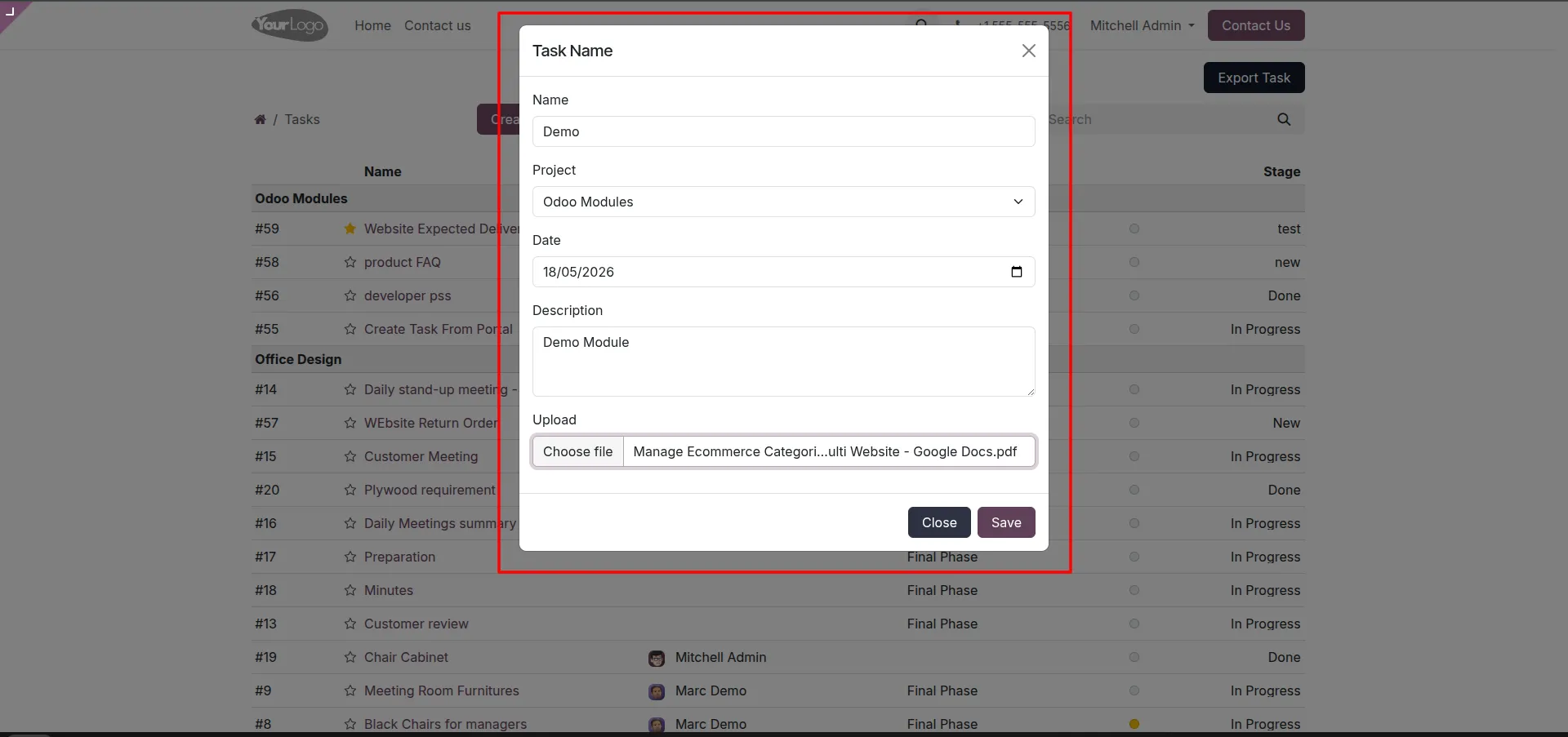
3.A 'Task Name' pop-up window will appear. Enter the task Name, select the relevant Project, set a Date, provide a Description, and attach any relevant files using the Upload button. Click Save when finished.
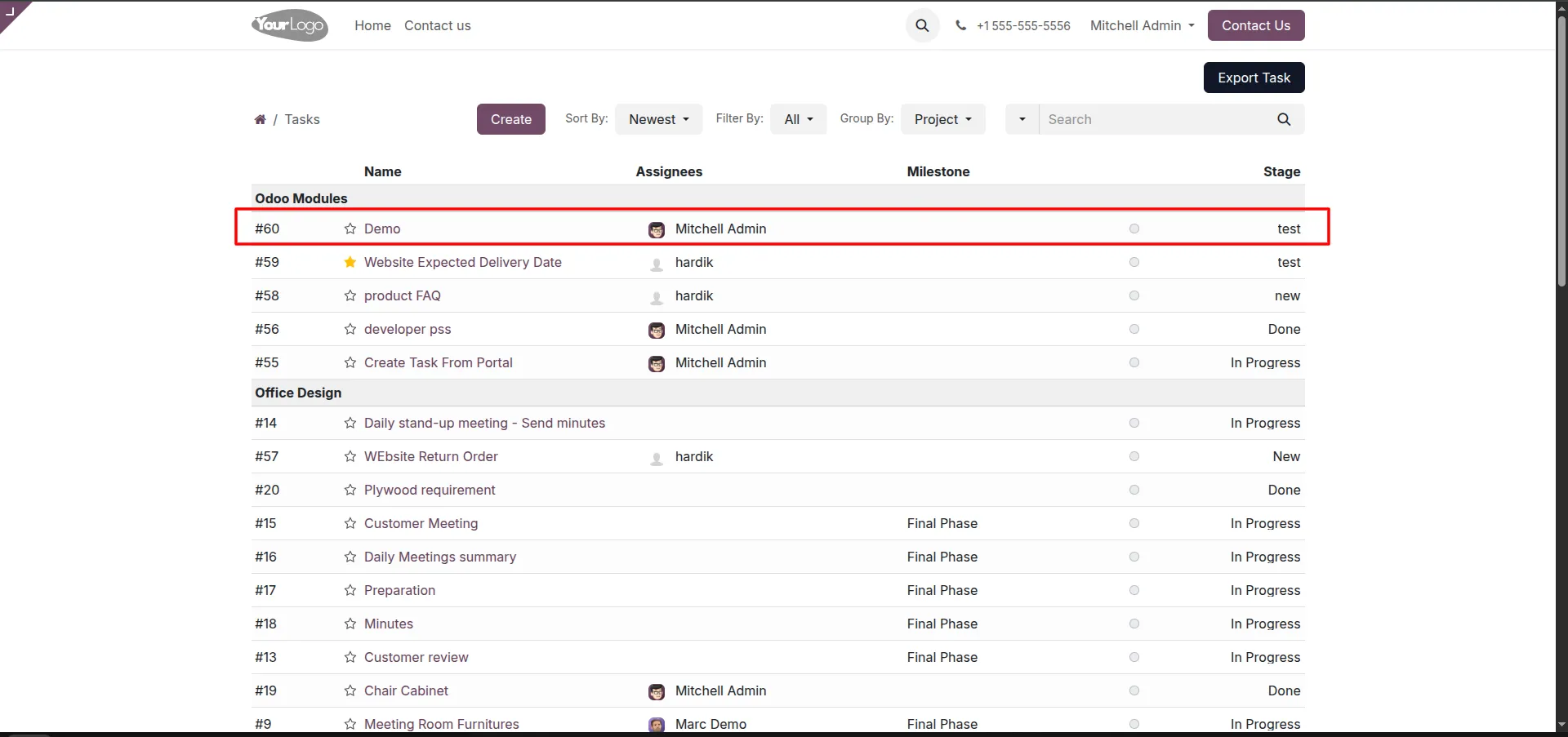
4.Once saved, the page will refresh, and you will see your newly created task (e.g., "Demo") listed under the appropriate project section.
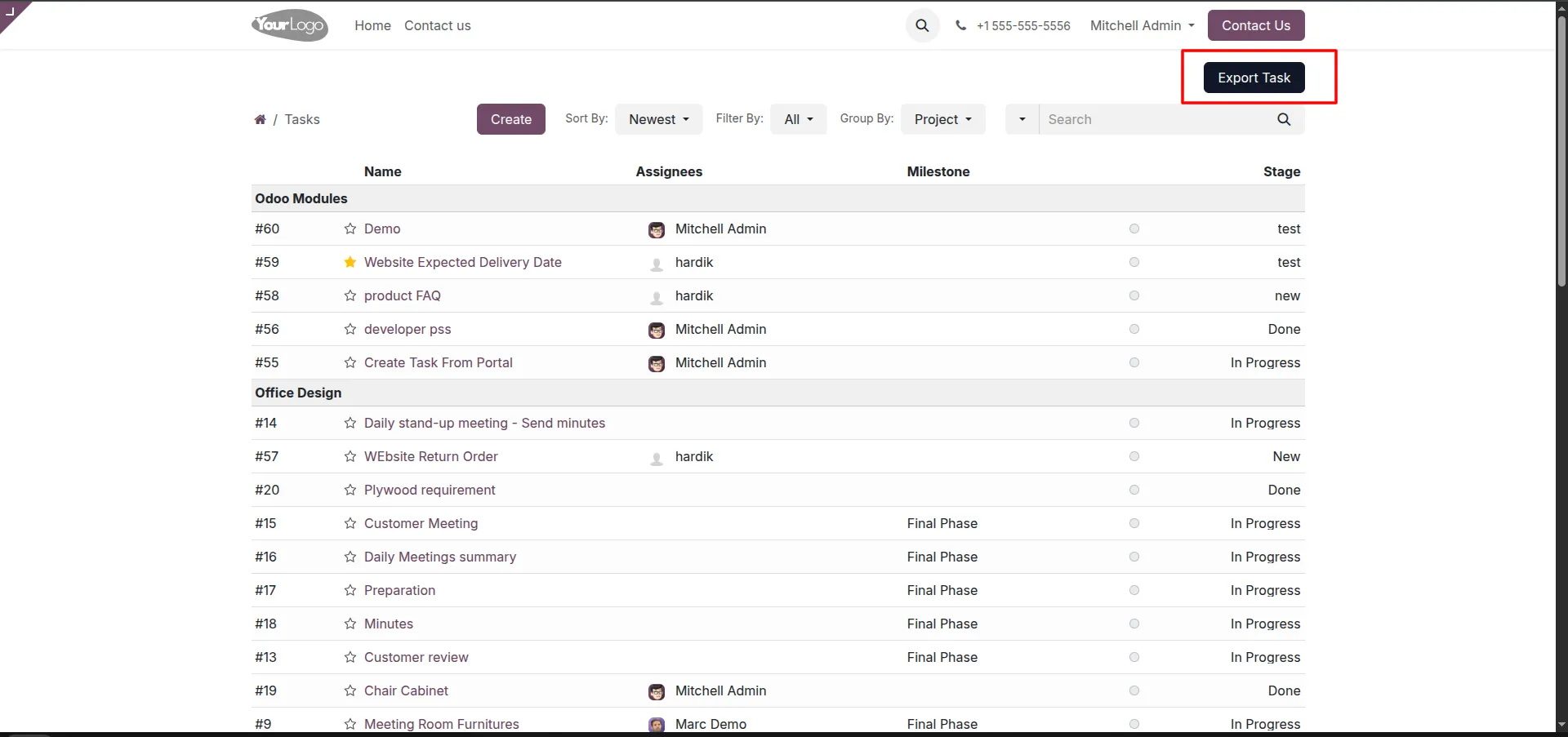
5.To download a record of your tasks, click the Export Task button located at the top right corner of the Tasks page.
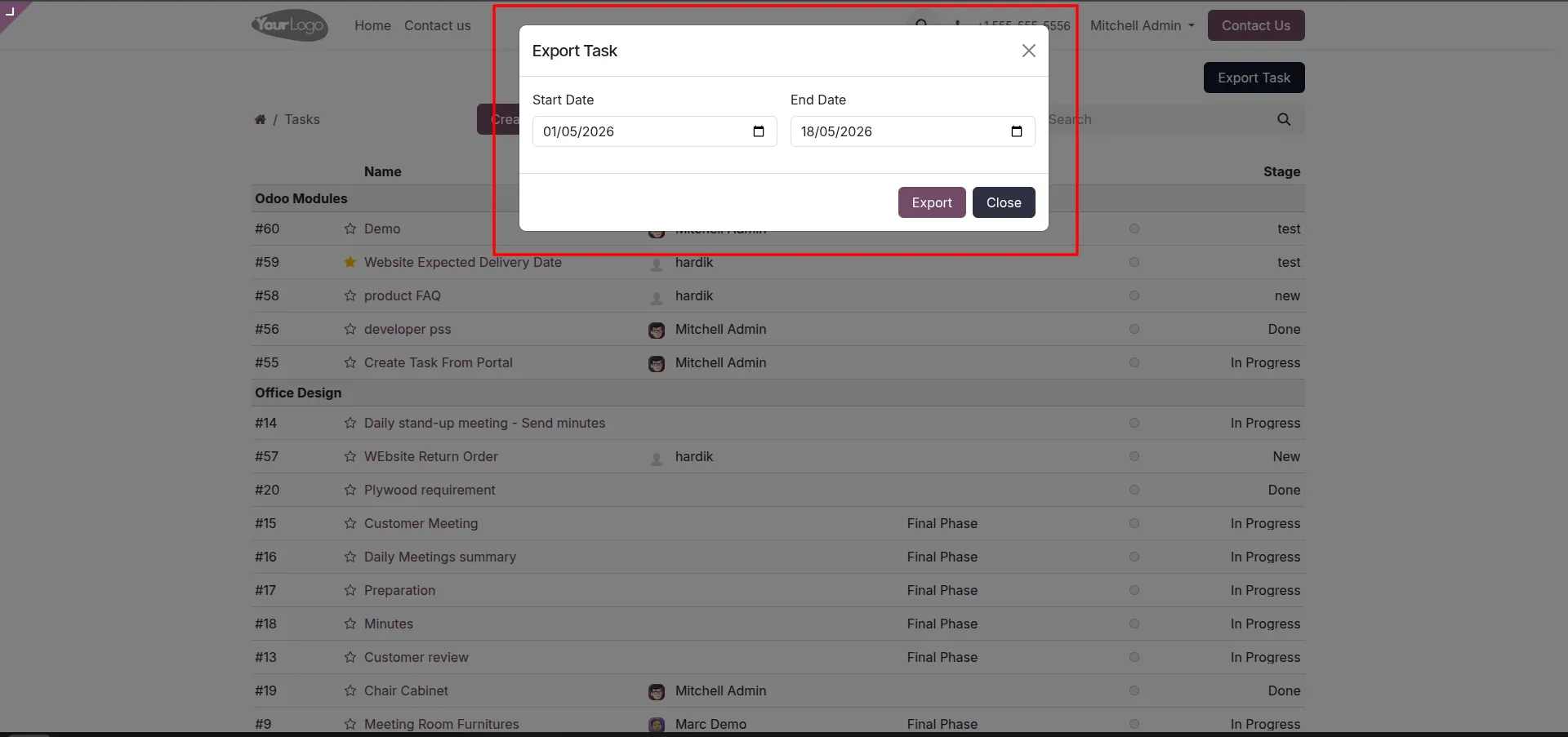
6.In the 'Export Task' pop-up, select the Start Date and End Date to filter the tasks you want to include in the report, then click the Export button.
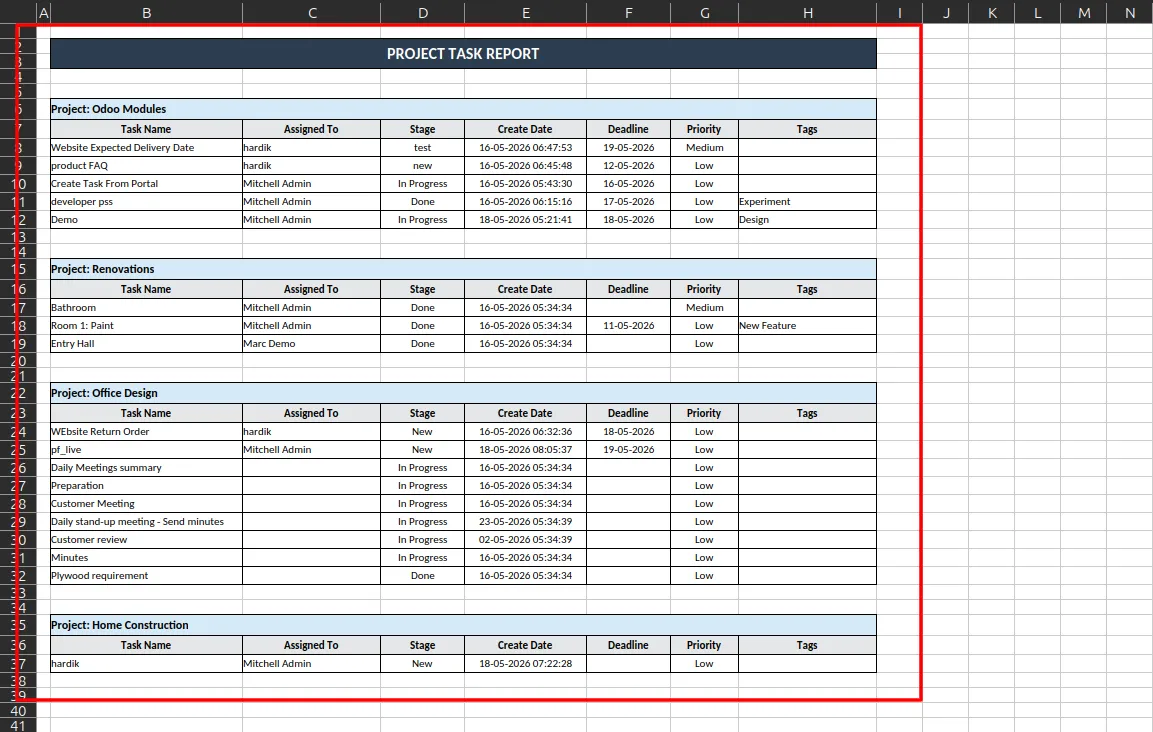
7.The system will generate and download an Excel file titled 'PROJECT TASK REPORT'. This spreadsheet contains all the filtered tasks neatly organized by project, including details like Assignee, Stage, Create Date, Deadline, Priority, and Tags.
Our solutions focus on your problems
- Odoo Implementation
- Odoo Customization
- ERP Development and Implementation
- Odoo Ipass Cloud
- AI for Odoo
- Odoo Apps
- Aws Marketplace Products
- Business Engines
Our Pricing includes User Manual, 90 Days Support (Monday-Friday 10am to 7pm IST) and One time Setup
• Works & tested on standard installations of Odoo with no third party apps,
• Free support only for odoo installations with no third party apps,
• Paid support available for Odoo installations with third party apps.

Prefortune is a Odoo Official Partner, Odoo Development company. Our philosophy is to use Open Source tools and technologies to provide cost effective and green solutions for our customers.
Prefortune Technologies LLP is working on web development, Mobile development, and Odoo ERP.
If you need any help or want more additional features, you may contact us through:
Alternative Products
These other products might interest you
Specifications
| Version | 19.0, 18.0, 17.0, 16.0, 15.0, 14.0 |