Watch Quick Video
Convert Purchase Order to Task Odoo App
Our efficient
Odoo –Convert Purchase Order to Task Odoo App
improves coordination between purchasing and project management by allowing users to quickly create
project tasks directly from Purchase Orders. With a simple Create Task button on the Purchase Order form,
users can instantly generate tasks without manually entering details in the project module.
The module also provides a Task smart button on the Purchase Order, allowing users to easily view and
manage tasks related to that specific order.
1. Convert Purchase Order to Task:Create a project task from a Purchase Order with a single
click.
2. Default Project and Stage Configuration: You can set a default project and stage for new
tasks created from Purchase Orders.
3. Task Button Visibility Control: Administrators can control the visibility of the Create Task
button.
4. View Tasks from Purchase Order:Access all tasks related to a particular Purchase Order by
clicking the task smart button.
5. Automatic Task Details:Create a project task from a Purchase Order with a single click.
This ensures better task tracking, improved collaboration between purchasing and project teams, and a more
organized workflow.
Convert Purchase Order to Task Odoo App
- Quickly convert Purchase Orders into Project Tasks with a single click, helping teams track work related to purchases without manually creating tasks.
- Use the Create Task button on the Purchase Order form to instantly generate tasks and streamline coordination between purchasing and project teams.
- Access tasks easily through the Task smart button, allowing users to view all tasks related to a particular Purchase Order in one place.
- Define a default Project and Stage for new tasks, ensuring tasks are automatically created in the correct project workflow.
- Control the visibility of the Create Task button with configuration settings, allowing administrators to manage access based on business needs.
Complete Workflow for Convert Purchase Order to Task Odoo App
Enable the Create Task feature in the configuration settings to allow authorized users to create tasks from Purchase Orders. Open a Purchase Order and click the Create Task button to instantly generate a project task. The task will automatically be created in the configured Default Project and Stage. You can also click the Task Smart Button on the Purchase Order form to quickly view and manage all tasks related to that specific order.
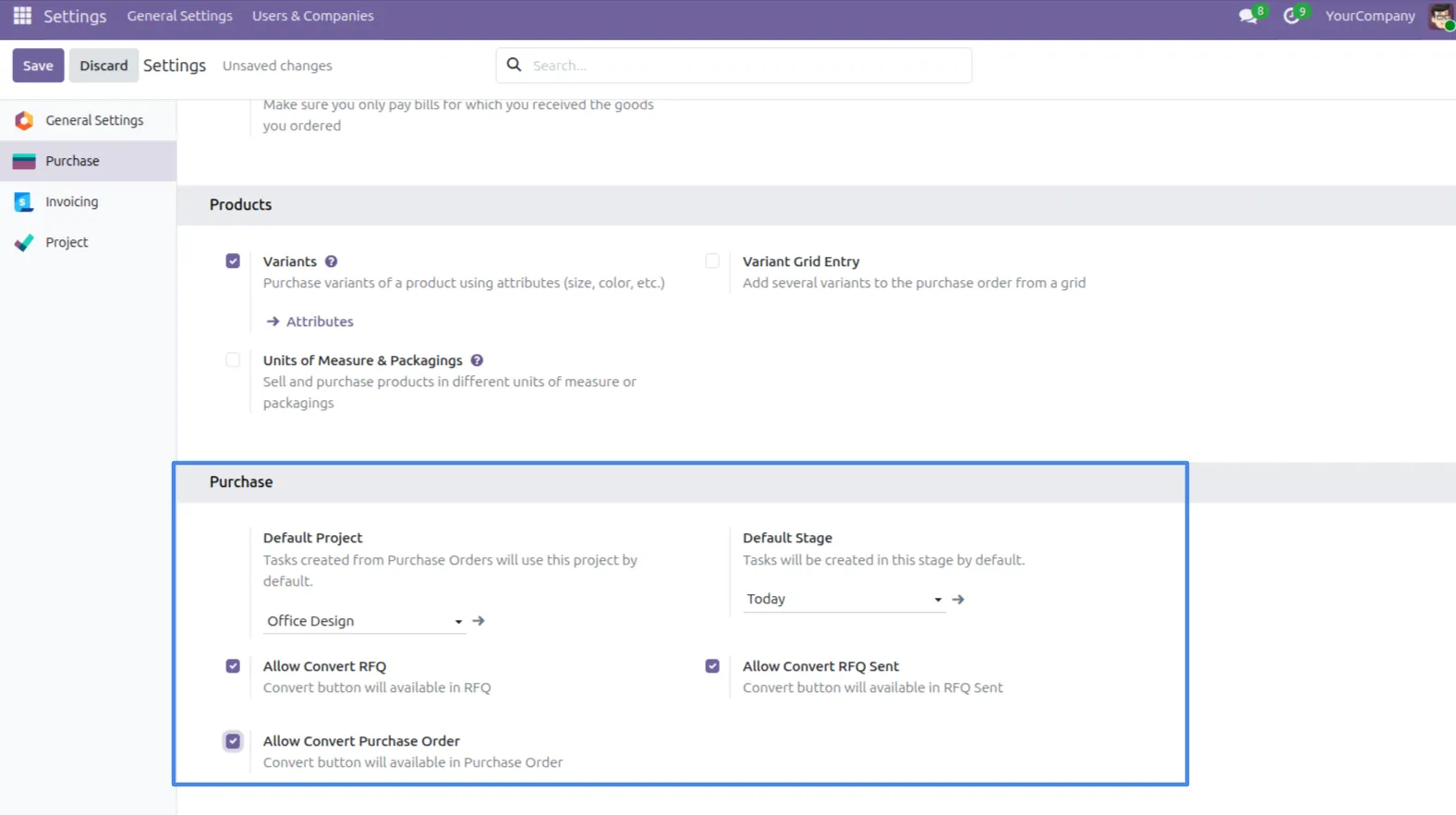
1. Set the default Project and Stage for new tasks in the configuration settings. You can also control the visibility of the Create Task button.
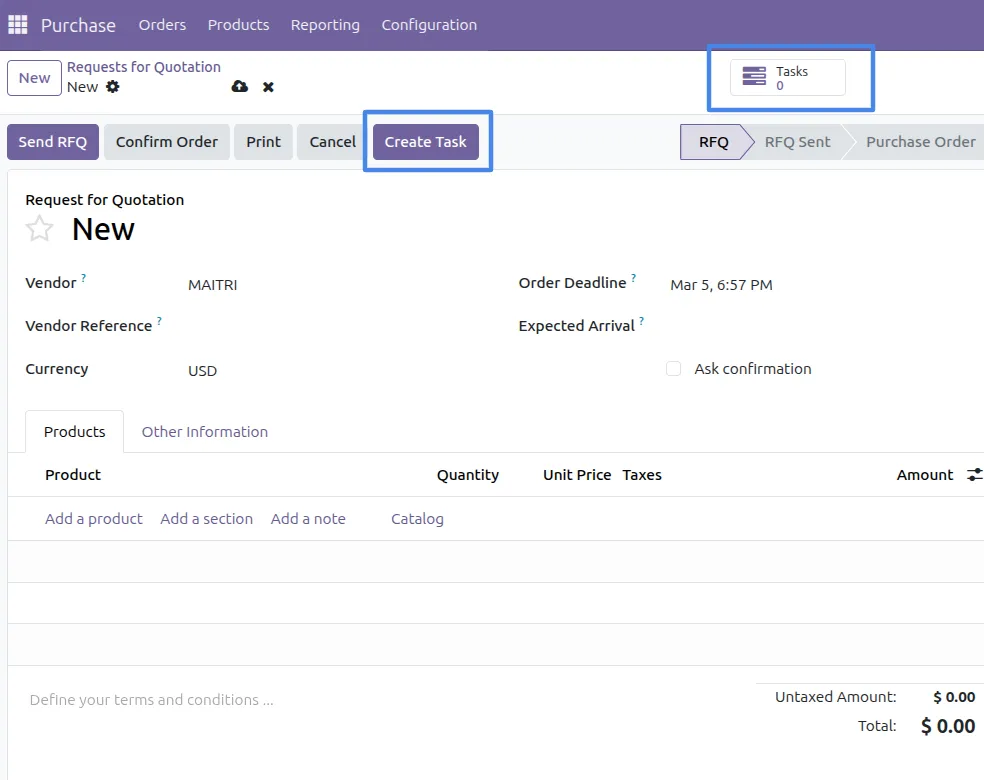
2. You can see the Create Task button and the Tasks button on the screen. By clicking Create Task, you can create a new task. By clicking Tasks, you can view all tasks related to that Purchase Order.
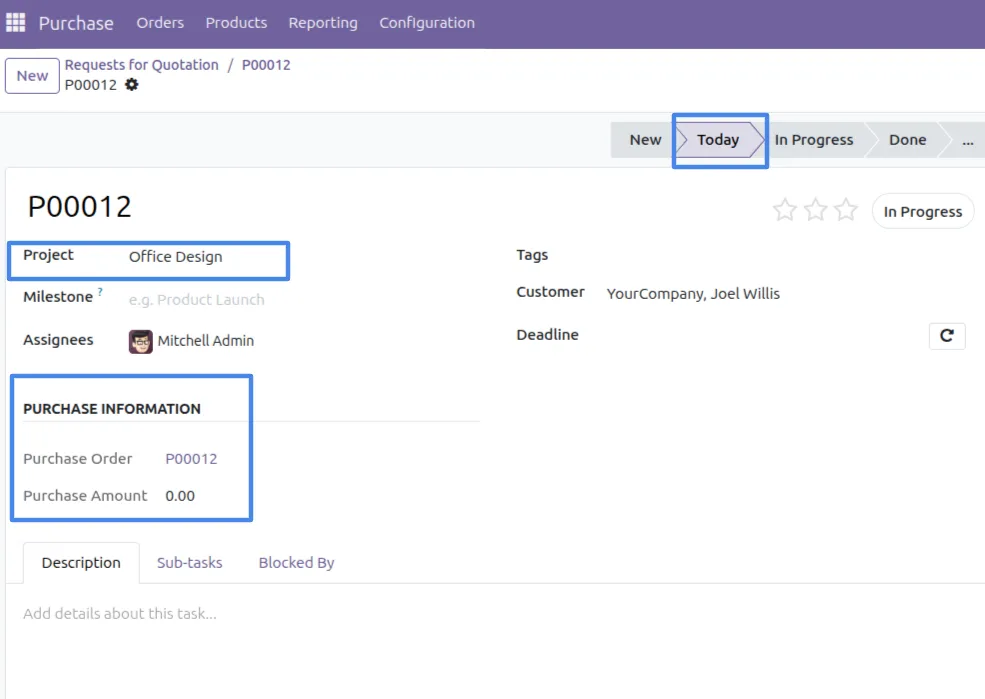
3. When you click Create Task, a new task is created with the default project and stage. The Purchase Order details are also automatically added to the task.
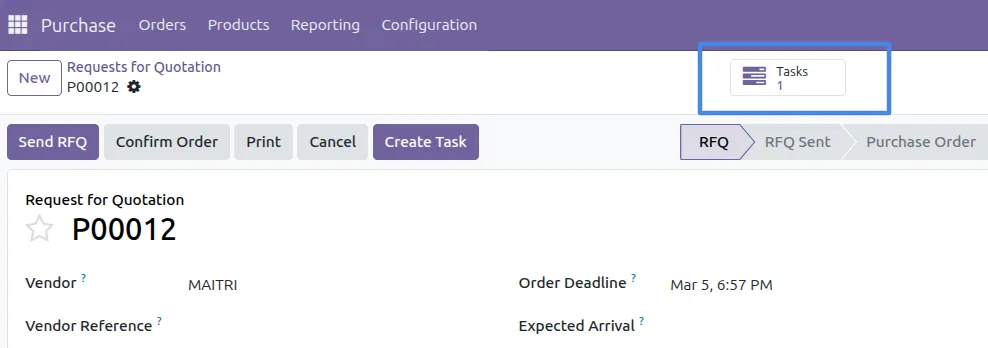
4. You can see the number of tasks for a particular Purchase Order in the Tasks button, which displays the total count of tasks related to that Purchase Order.
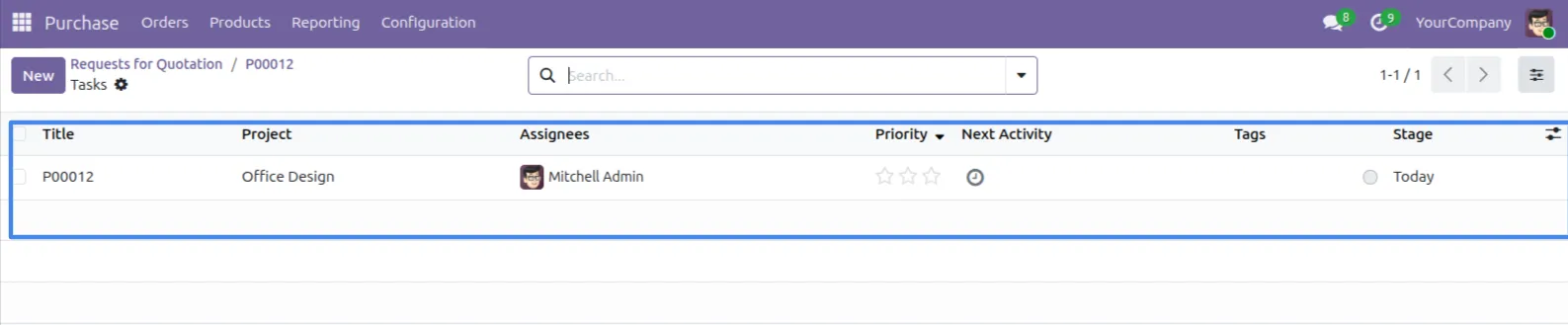
5. You can see the created task in the Tasks view, where all tasks related to that Purchase Order are displayed.
Our solutions focus on your problems
- Odoo Implementation
- Odoo Customization
- ERP Development and Implementation
- Odoo Ipass Cloud
- AI for Odoo
- Odoo Apps
- Aws Marketplace Products
- Business Engines
Our Pricing includes User Manual, 90 Days Support (Monday-Friday 10am to 7pm IST) and One time Setup
• Works & tested on standard installations of Odoo with no third party apps,
• Free support only for odoo installations with no third party apps,
• Paid support available for Odoo installations with third party apps.

Prefortune is a Odoo Official Partner, Odoo Development company. Our philosophy is to use Open Source tools and technologies to provide cost effective and green solutions for our customers.
Prefortune Technologies LLP is working on web development, Mobile development, and Odoo ERP.
If you need any help or want more additional features, you may contact us through:
Alternative Products
These other products might interest you
Specifications
| Version | 19.0, 18.0, 17.0, 16.0, 15.0, 14.0 |