Watch Quick Video
Contacts Approval Odoo App
Our all-inclusive
Odoo – Contacts Approval Odoo App Odoo App helps organizations maintain accurate,
verified, and controlled contact data across their Odoo system. This module introduces a structured approval workflow
that ensures newly created contacts are reviewed and approved by an authorized Contact Manager before being used in any
business process. When a contact is created by a normal user, it is automatically placed in the Under Approval state.
Contact Managers can review contact details, validate information, and decide whether to approve or reject the contact.
The module supports multiple contact states including Draft, Under Approval, Approved, and Not Approved, providing complete
visibility and control over the contact lifecycle.To improve efficiency, the app allows Contact Managers to perform Mass
Approve and Mass Not Approve actions, enabling them to manage multiple contacts in a single click. Role-based access ensures
that only authorized users can perform approval actions, while normal users are restricted from approving or rejecting contacts.
Once approved, contacts become available across all core Odoo modules such as Sales, Purchase, Inventory, Warehouse, and Invoicing.
Unapproved or rejected contacts are automatically restricted and cannot be selected in quotations, sales orders, purchase orders,
invoices, vendor bills, or stock operations. This ensures data consistency, prevents errors, and enhances operational accuracy.
Contacts Approval Odoo App
- Contacts follow defined states: Draft, Under Approval, Approved, and Not Approved.
- Every newly created contact is automatically placed in the Under Approval state.
- Only the Contact Manager has the authority to approve or reject contacts.
- Contact Manager can approve multiple contacts in a single click.
- Contact Manager can review contact details before approving or rejecting.
Complete Workflow for Contacts Approval Odoo App
First, assign the Contacts Approval role from user settings When a normal user creates a contact, it automatically moves to the Under Approval state The Contact Manager can review contact details from the Under Approval list and perform actions like Approve or Not Approve. You can also use Mass Approve or Mass Not Approve to manage multiple contacts at once. Once approved, the contact becomes available in Sales, Purchase, Inventory, and Invoicing modules across Odoo.
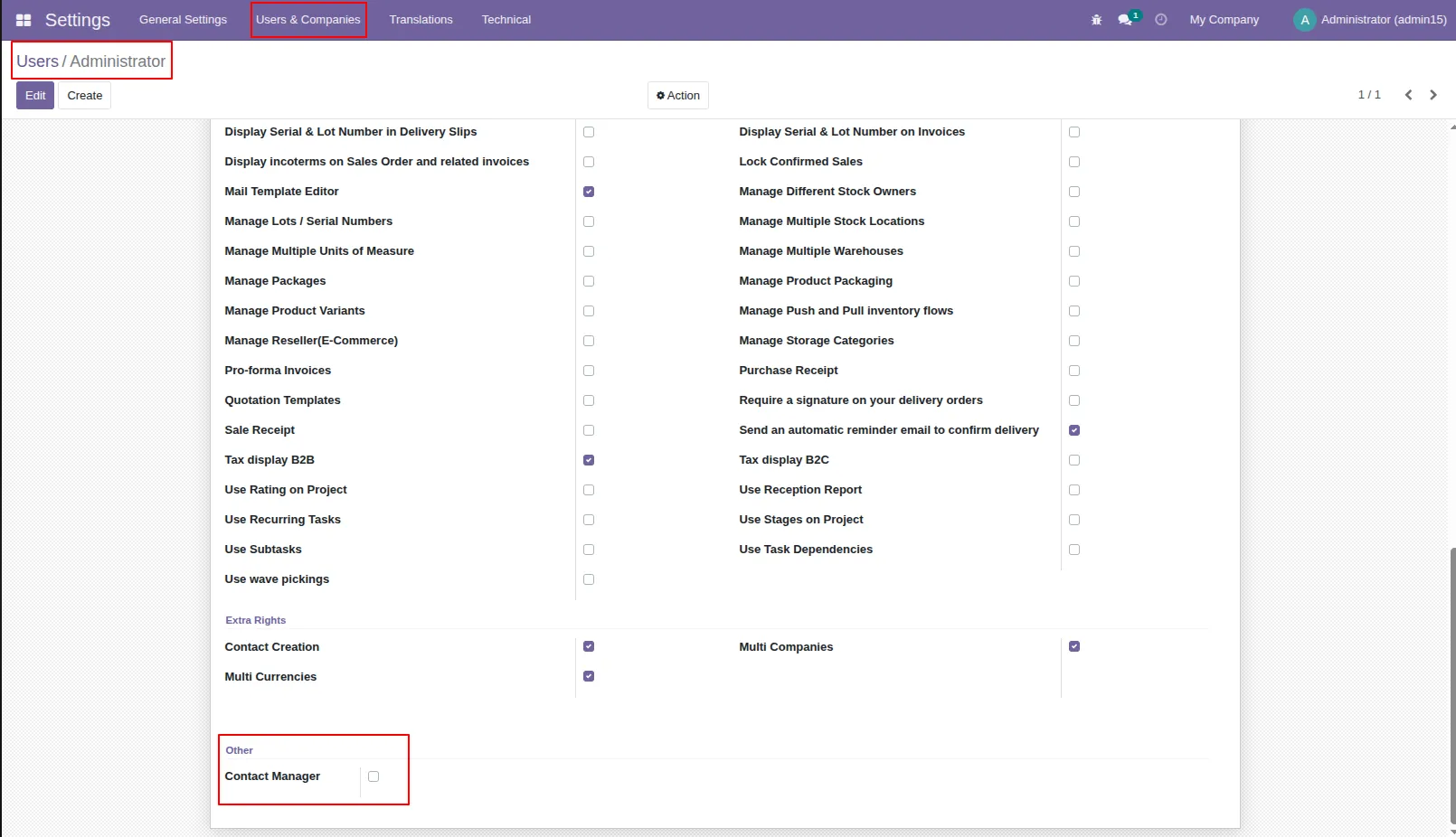
1.Tick the "Contact Manager" group.
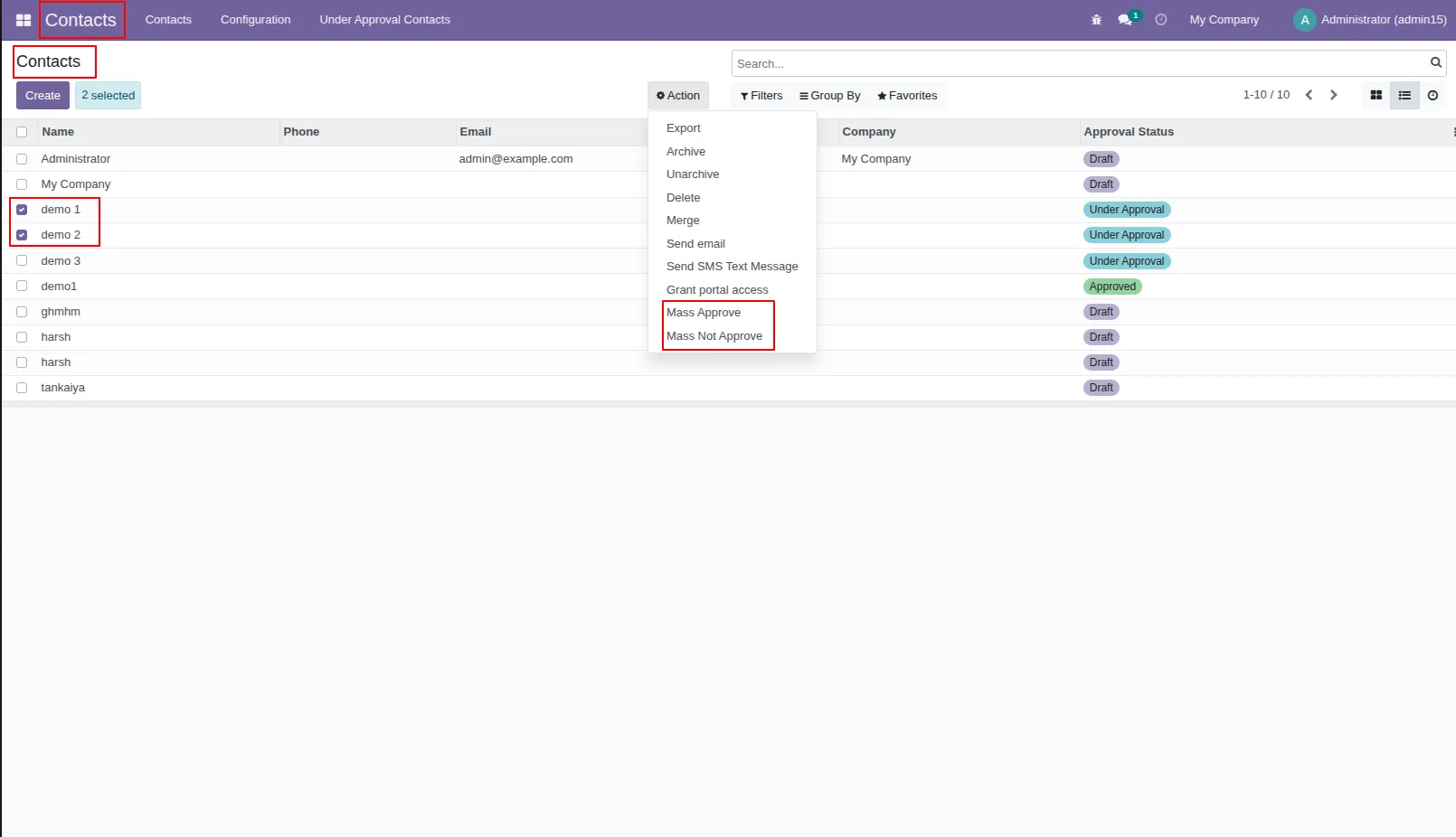
2.In contacts, if the normal user selects any contacts and tries to perform 'Mass Approve' or 'Mass Not Approve' than it shows error.
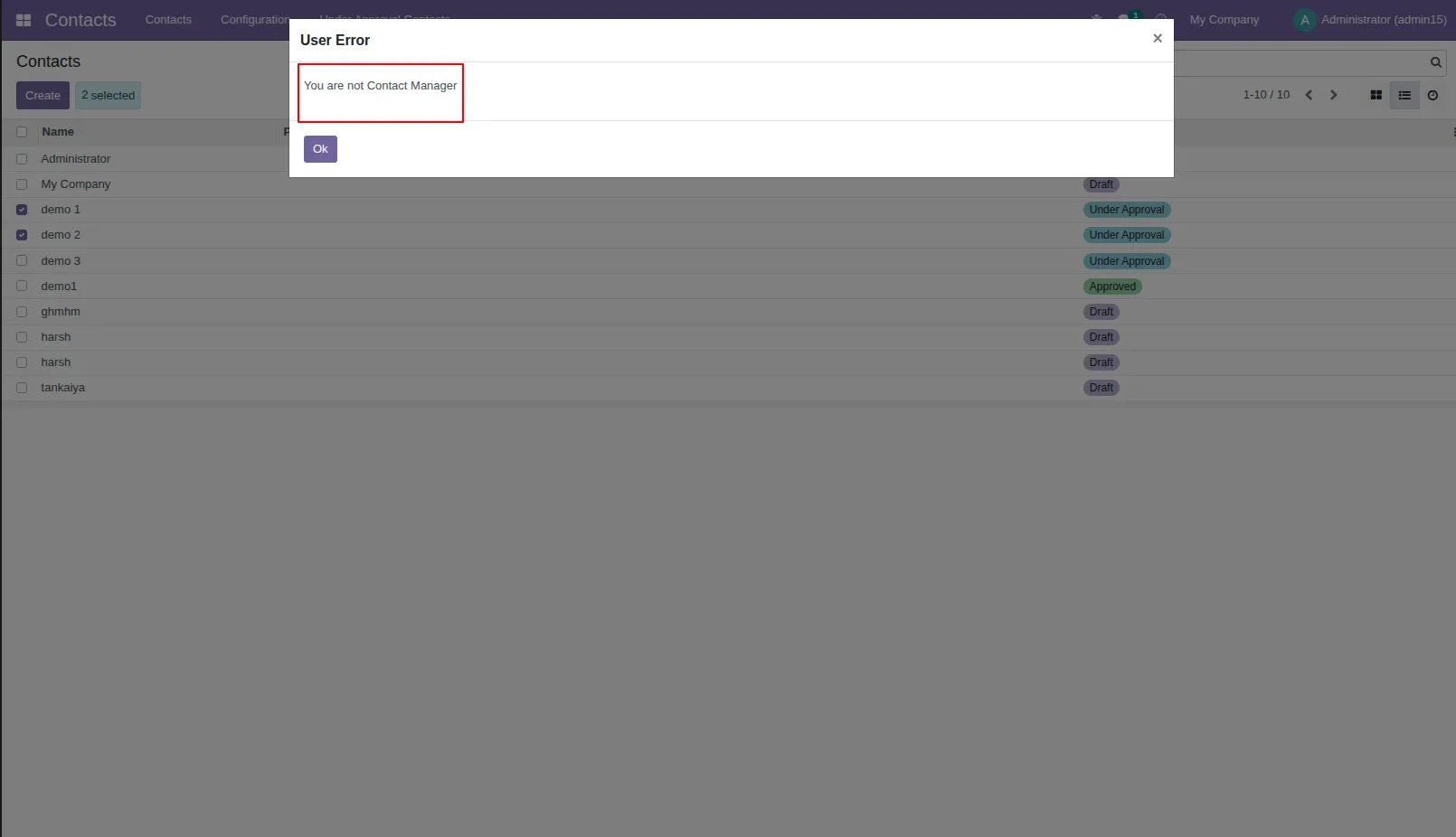
3.The error looks like below.
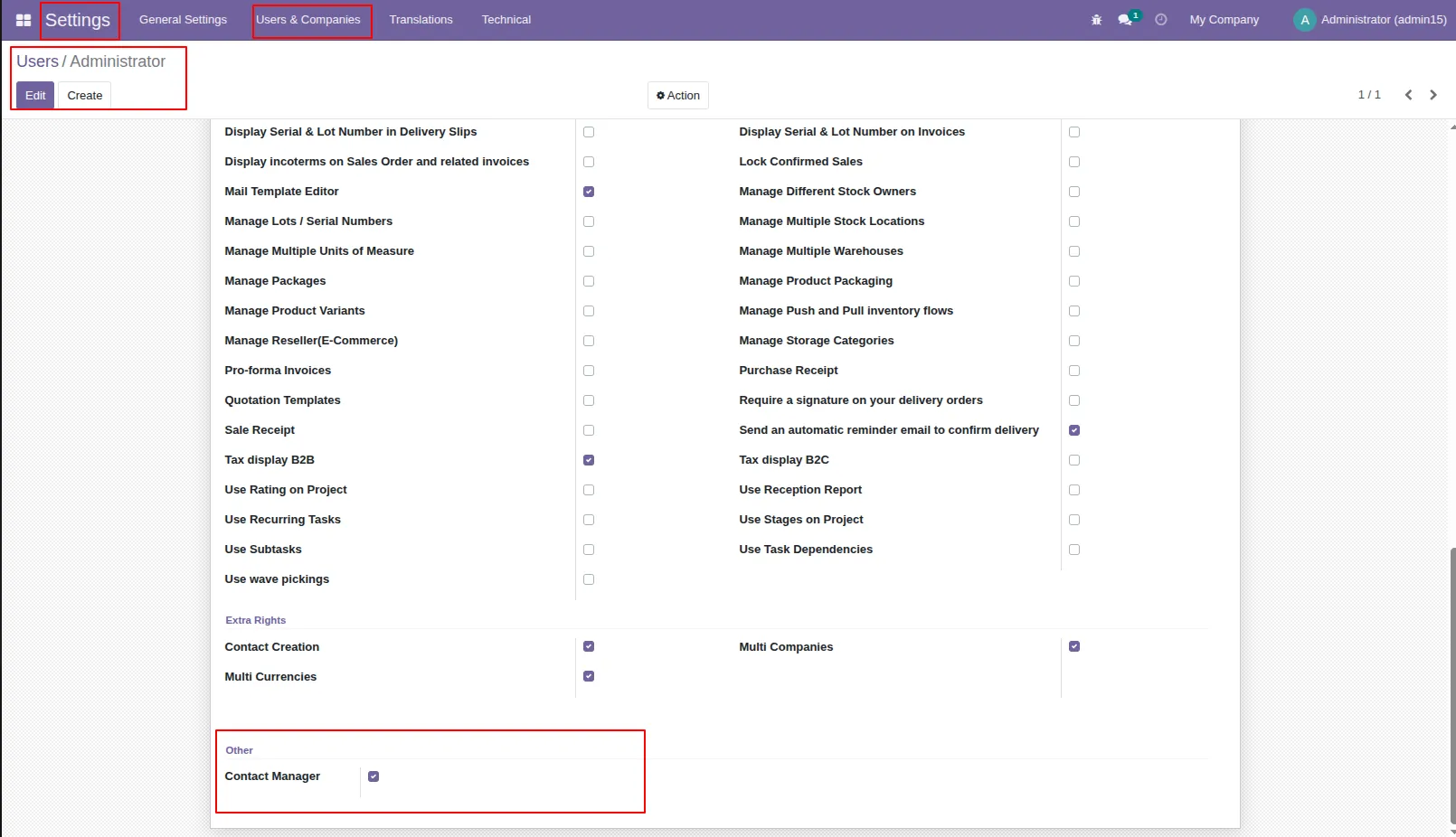
4.User Setting: Tick the "Contact Manager" group.
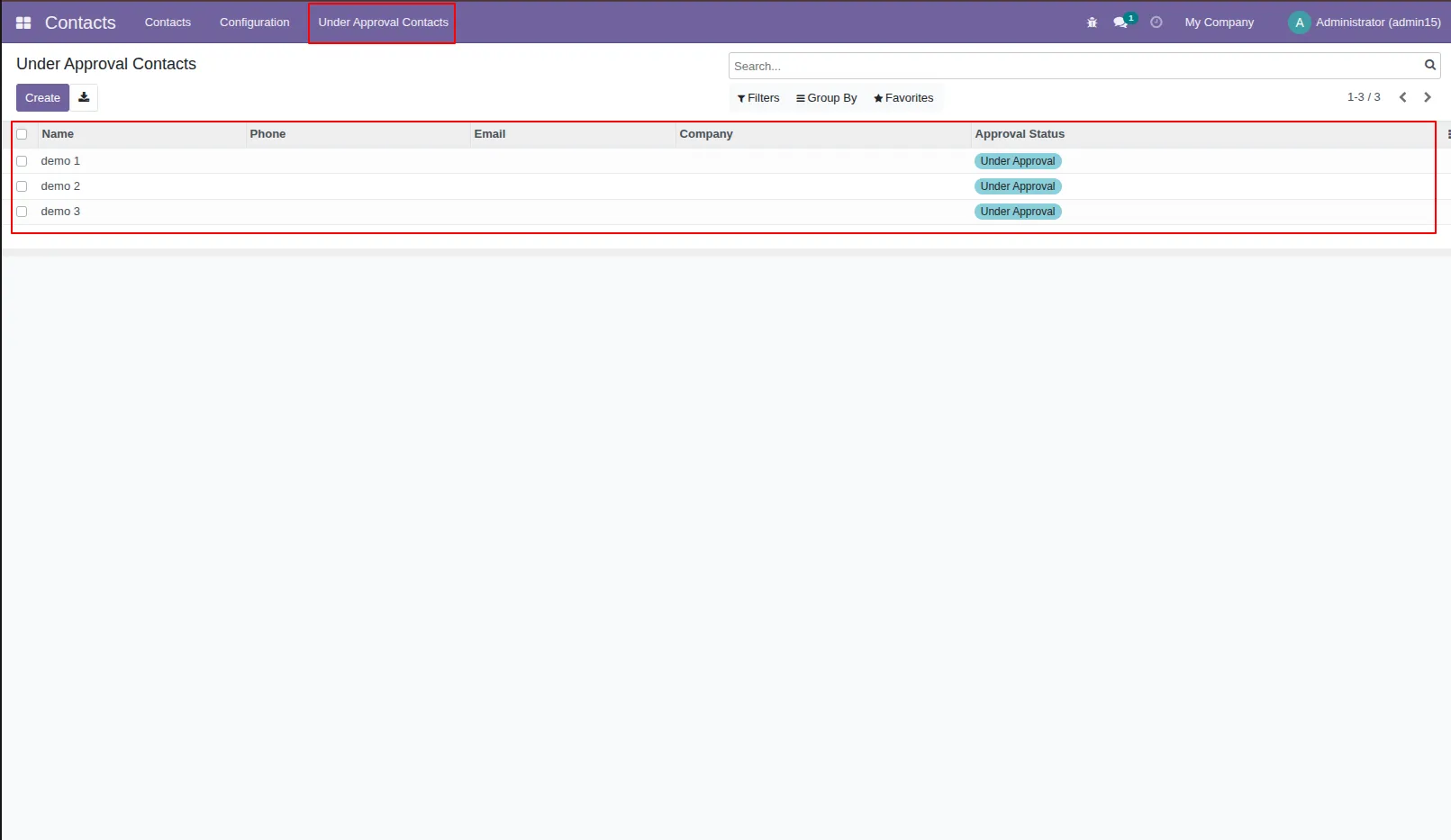
5.In contacts, you can see the under approval contac
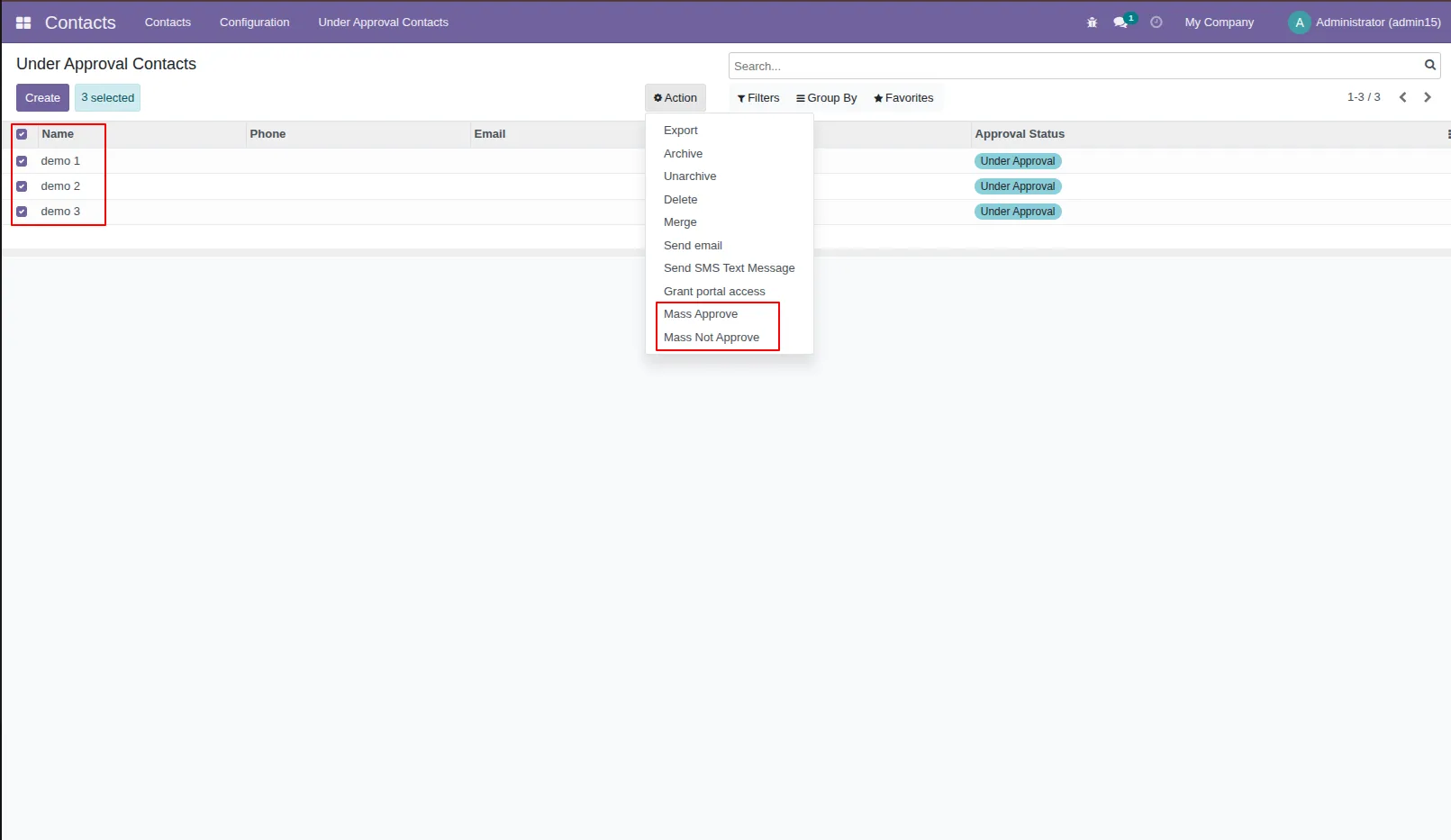
6.After clicking that contact manager can perform two actions, 1) Mass Approve , 2) Mass Not Approve.
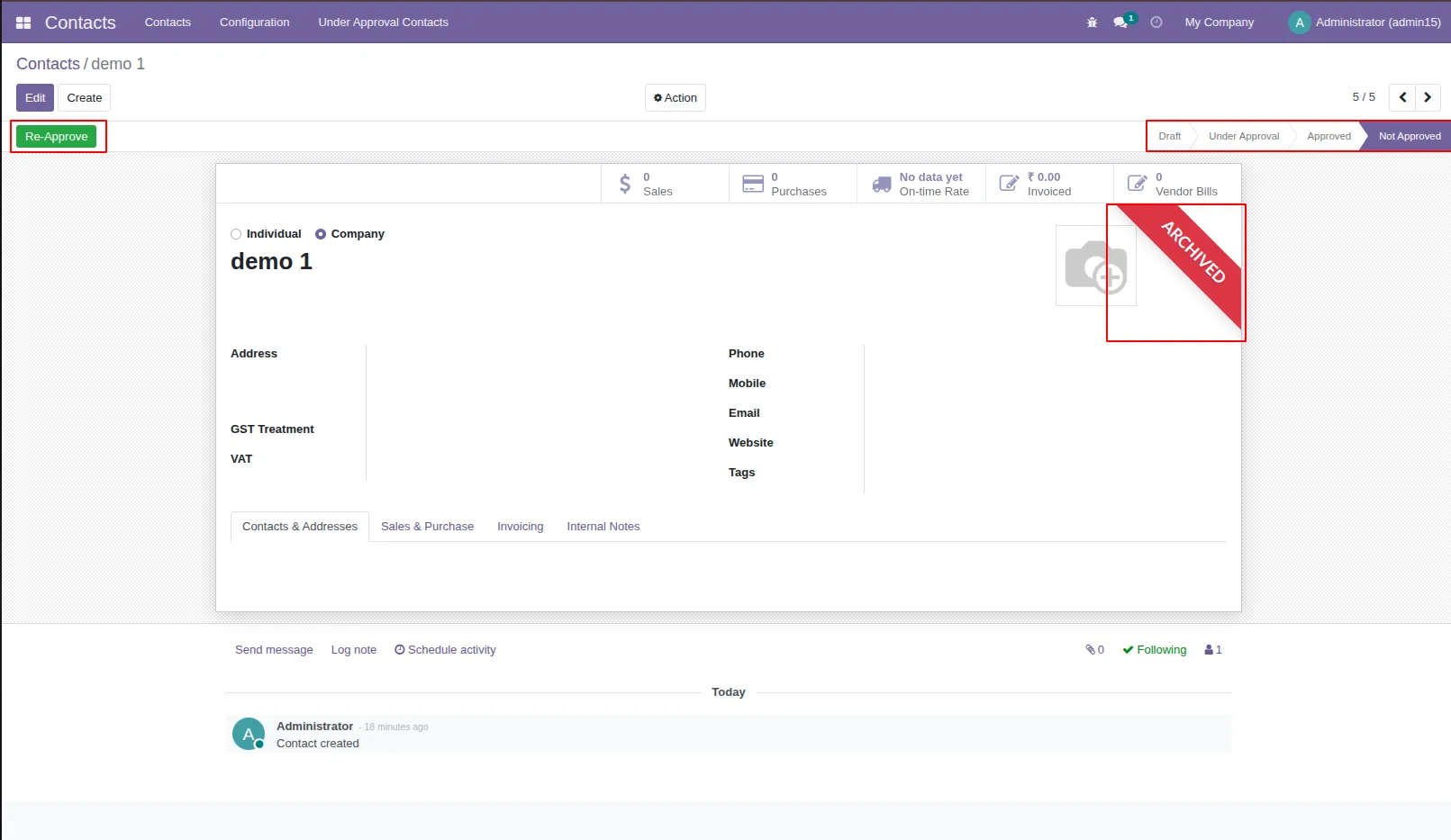
7.Demo 1 is in the under approval state. You can see all states of the contact 1) Draft: When a normal user makes a contact it shows in the draft after creating a contact it moves in 'Under Approval' state by default. 2) Under Approval: That means the contact still not approved by the contact manager, the contact can move in approve state means that contact can use in the whole odoo or can move in not approved state means that contact can not use in the whole odoo. 3) Approved: Approved means the contact is approved by the contact manager. 4) Not Approved: Not approved means the contact is not approved by the contact manager.
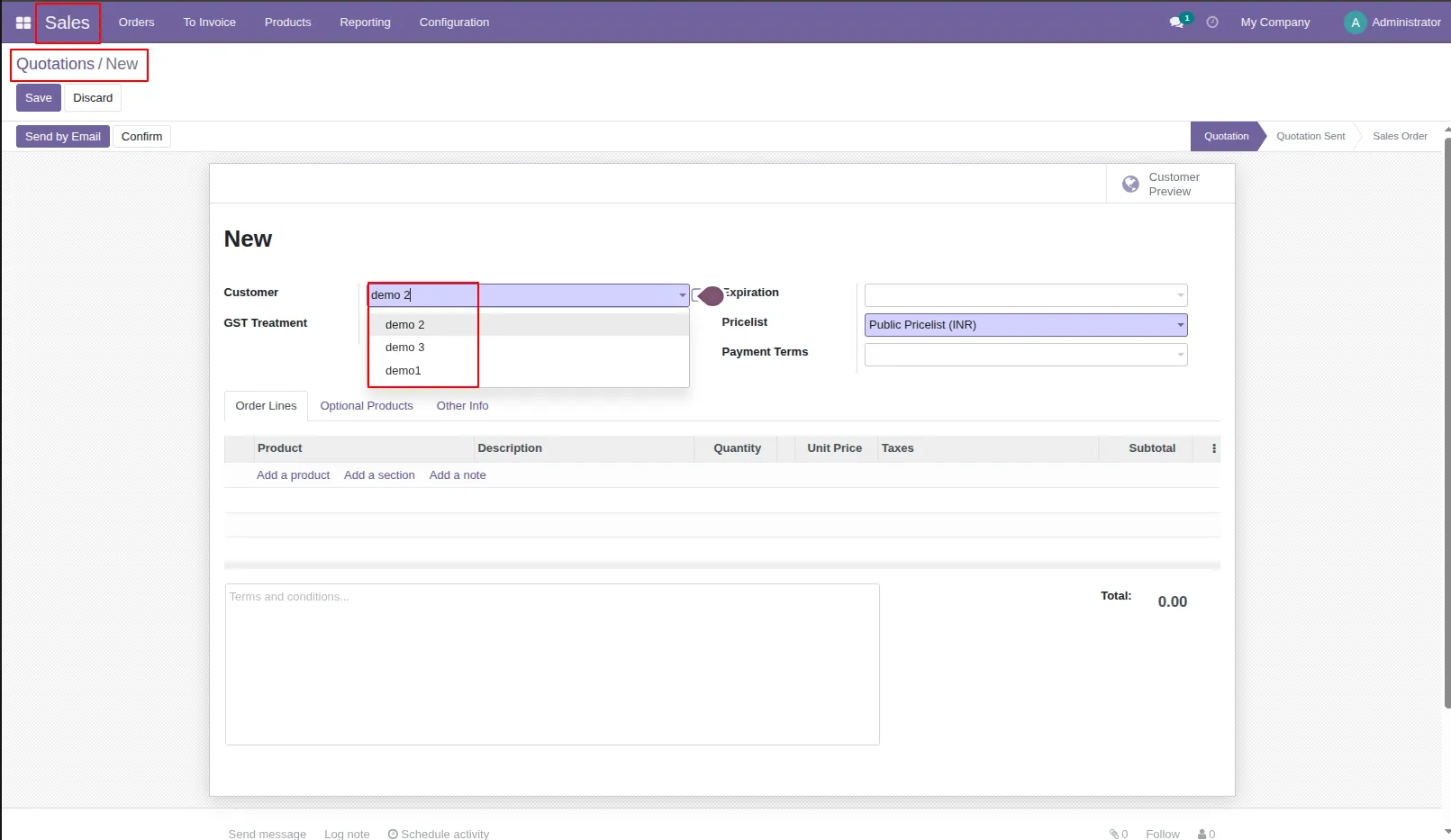
8.After approved contact by contact manager that can use in sales order or quotations.
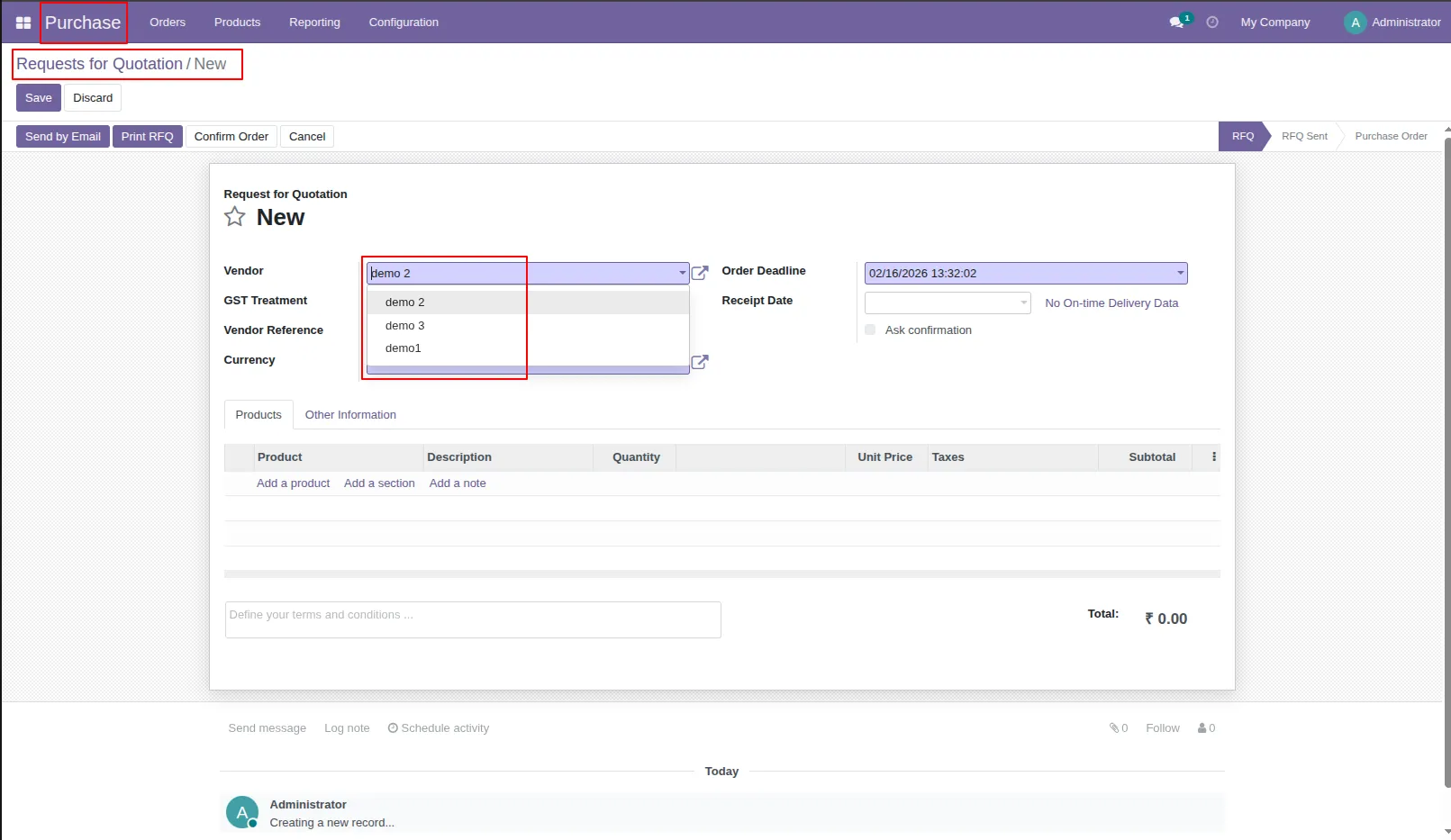
9.The approved contact can be used in the purchase order or request for a quotation.
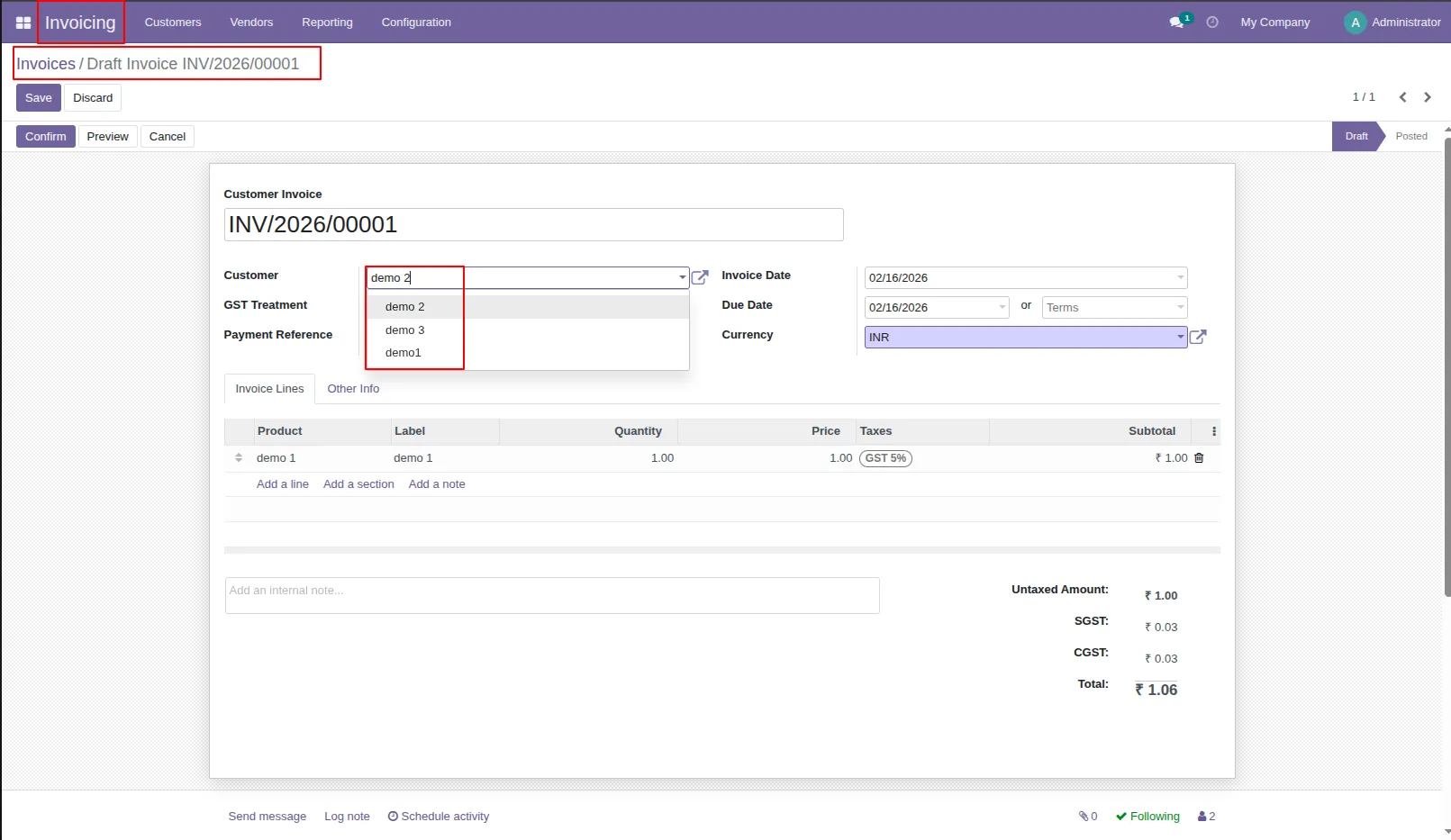
10.The approved contact can be used in the purchase order or request for a quotation.
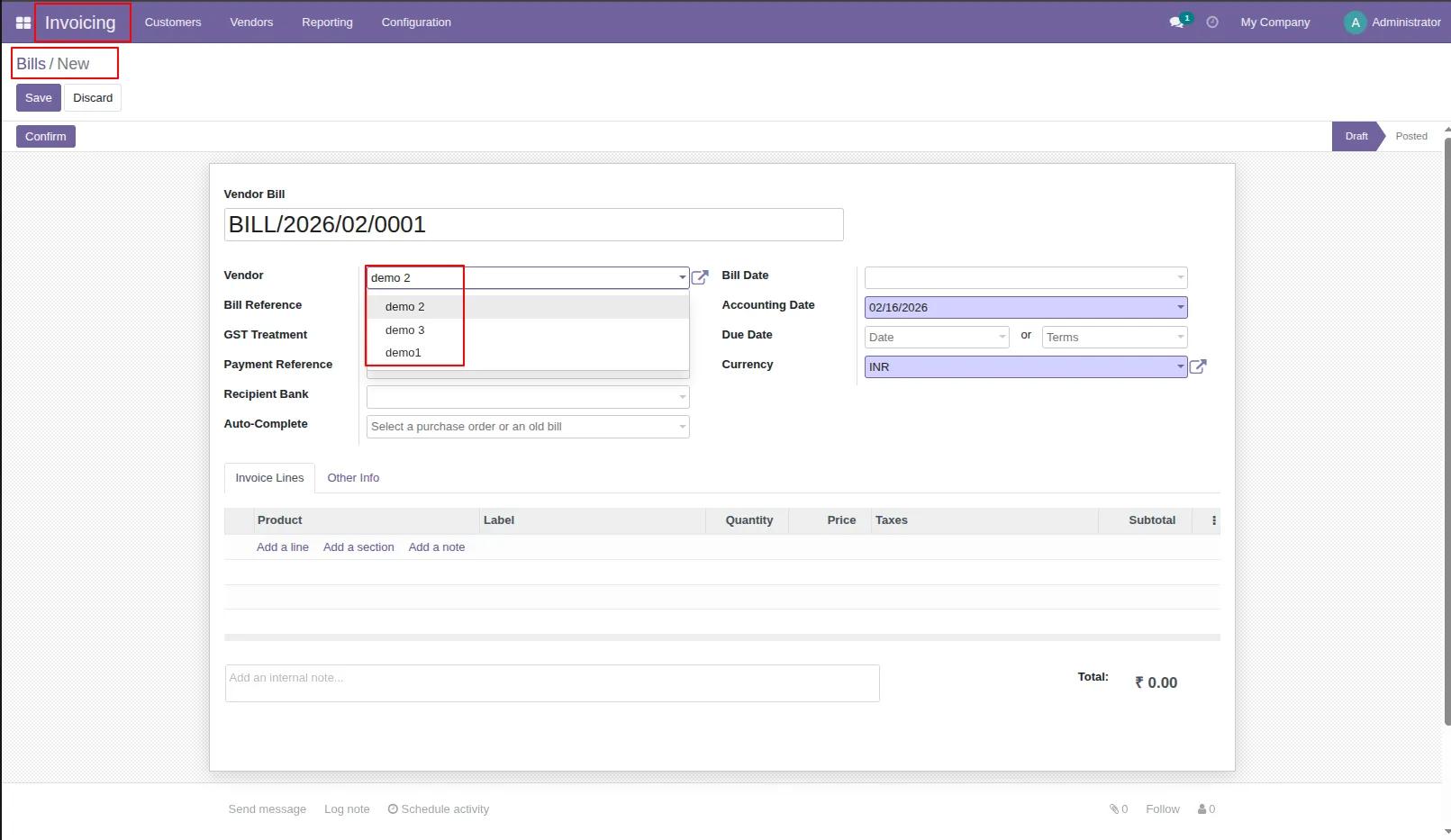
11.Users can only use the approved contact in inventory, stock or warehouse.
Our solutions focus on your problems
- Odoo Implementation
- Odoo Customization
- ERP Development and Implementation
- Odoo Ipass Cloud
- AI for Odoo
- Odoo Apps
- Aws Marketplace Products
- Business Engines
Our Pricing includes User Manual, 90 Days Support (Monday-Friday 10am to 7pm IST) and One time Setup
• Works & tested on standard installations of Odoo with no third party apps,
• Free support only for odoo installations with no third party apps,
• Paid support available for Odoo installations with third party apps.

Prefortune is a Odoo Official Partner, Odoo Development company. Our philosophy is to use Open Source tools and technologies to provide cost effective and green solutions for our customers.
Prefortune Technologies LLP is working on web development, Mobile development, and Odoo ERP.
If you need any help or want more additional features, you may contact us through:
Alternative Products
These other products might interest you
Specifications
| Version | 19.0, 18.0, 17.0, 16.0, 15.0, 14.0 |