Watch Quick Video
Cloudflare Turnstile Captcha Odoo Integration Odoo App
This Odoo module improves the security of your Odoo
website by adding
Cloudflare Turnstile Captcha Odoo Integration
security to important pages and forms of your website. This module gives an option to set the
Cloudflare Site Key, Secret Key, CAPTCHA mode and theme from Odoo Settings directly. Includes
login, signup, password reset, checkout and Contact Us forms, plus custom website forms and IP
whitelisting. This module handles the server- side CAPTCHA verification and is fully compatible
with the default Odoo website flow, helping to prevent automated bot submissions while keeping a
simple and user friendly website flow.
Cloudflare Turnstile Captcha Odoo Integration Features
- Set up your Cloudflare Site Key, Secret Key, CAPTCHA mode & Theme right inside Odoo Settings.
- Cloudflare Turnstile CAPTCHA for Secure Login, Signup, Password Reset, Checkout & Contact Us pages
- Capability to bypass CAPTCHA checks for trusted users or networks by IP whitelisting.
- Easy integration of CAPTCHA protection in the standard Odoo website workflow.
Complete Workflow for Cloudflare Turnstile Captcha Odoo Integration
The Cloudflare Turnstile Captcha Odoo Integration provides a simple workflow for securing Odoo website pages and forms with Cloudflare Turnstile CAPTCHA. Administrators can configure the Cloudflare Site Key, Secret Key, CAPTCHA mode, theme, and protection settings from Odoo. Turnstile protection can then be enabled for Login, Signup, Password Reset, Checkout, Contact Us, and custom website forms. When a protected page is accessed, users must complete the CAPTCHA before submitting the form, while trusted IP addresses can bypass the verification. The module performs server-side verification to validate CAPTCHA responses and allows the standard Odoo workflow to continue after successful verification.
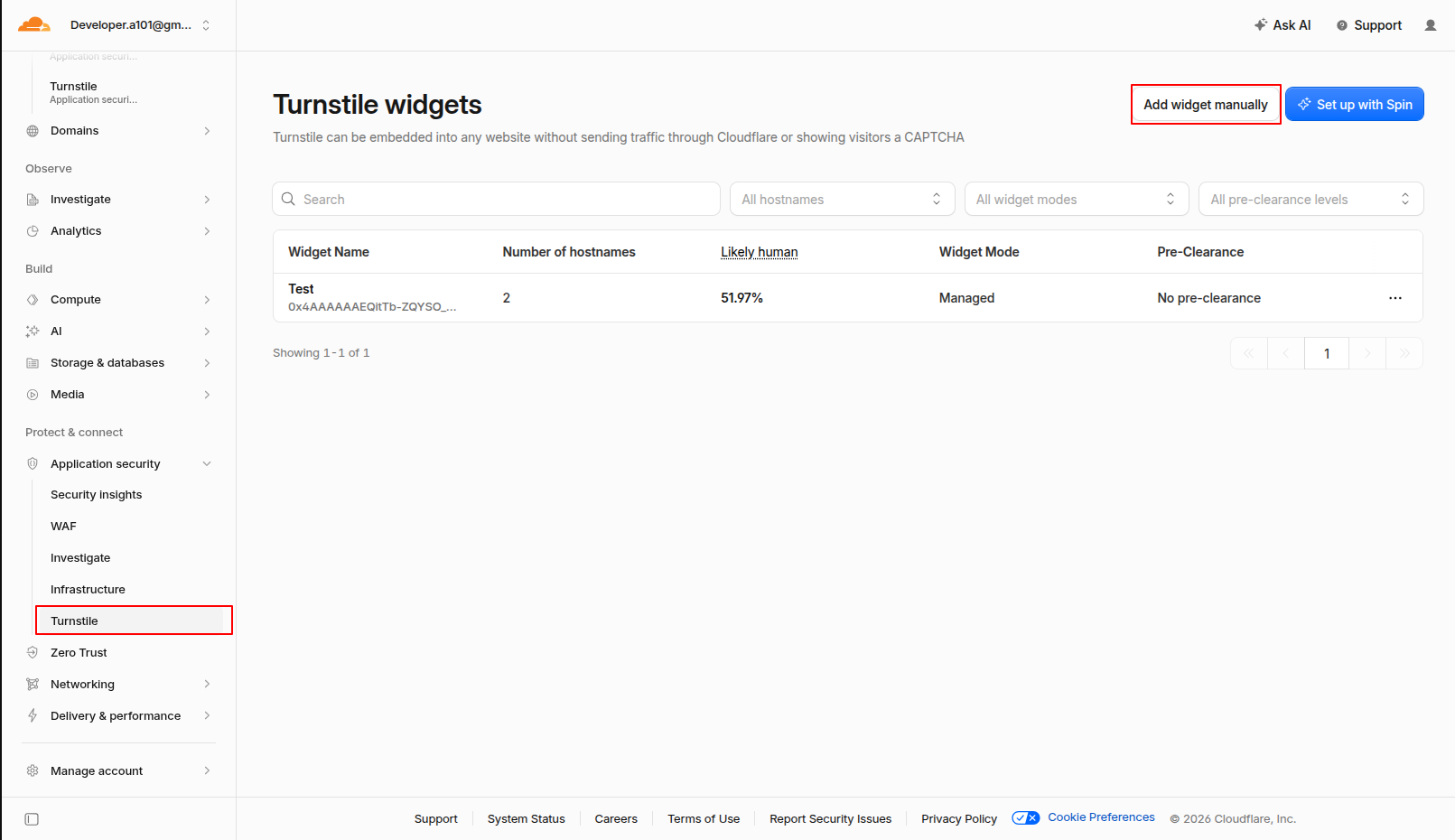
1.Cloudflare Turnstile dashboard showing the first step for creating a new Turnstile widget by clicking the “Add Widget” button.
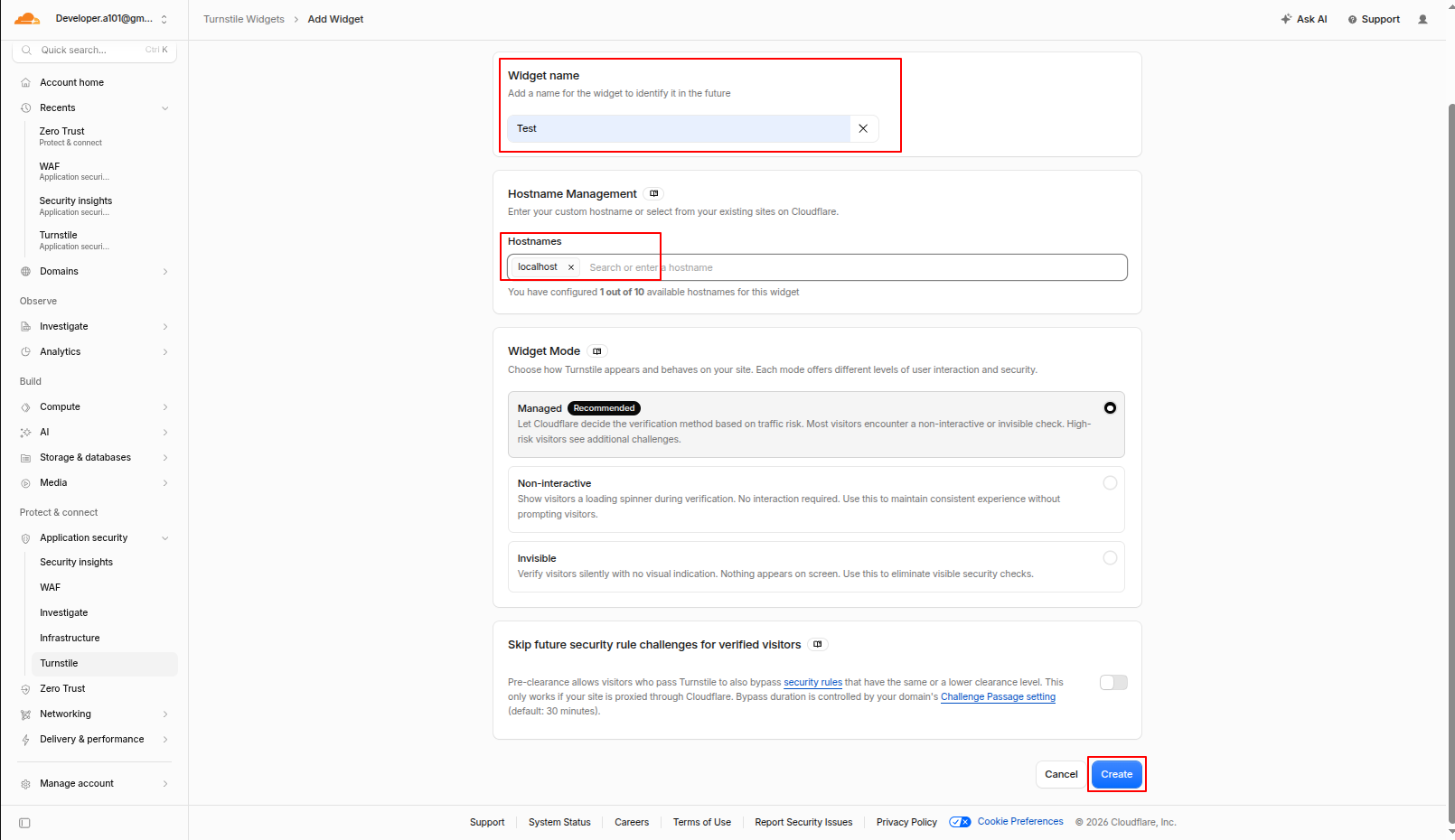
2.Cloudflare Widget configuration page where you enter the Widget Name, Hostname (e.g., localhost), select the Widget Mode (Managed), and click Create.
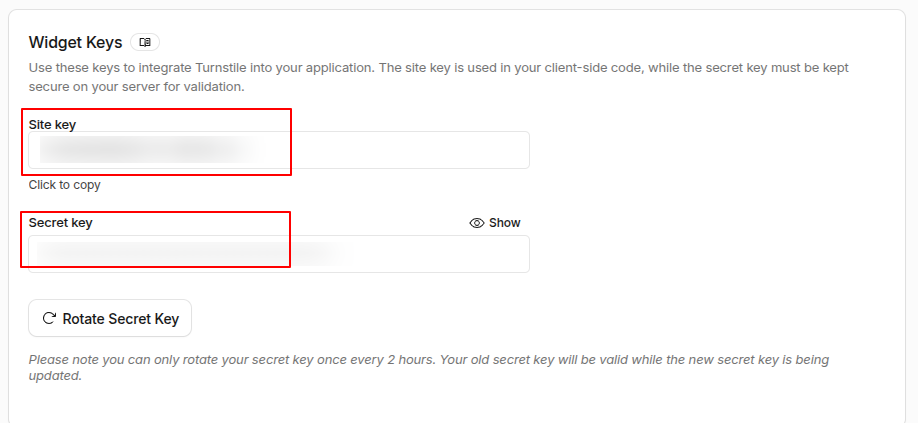
3.Cloudflare dashboard displaying the generated Site Key and Secret Key for the newly created Turnstile widget.
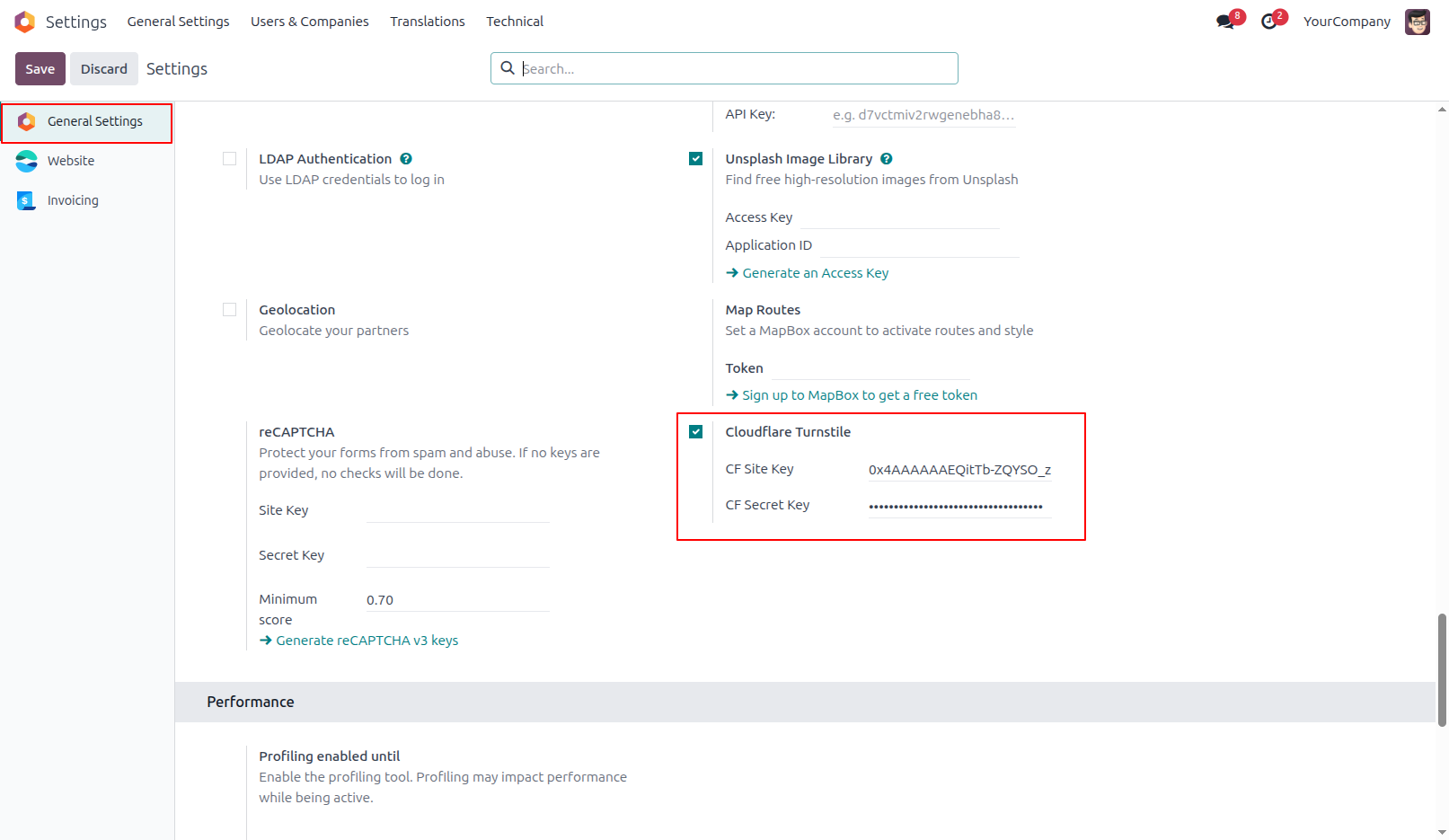
4.Configure the Cloudflare Turnstile Site Key and Secret Key in Odoo Backend General Settings.
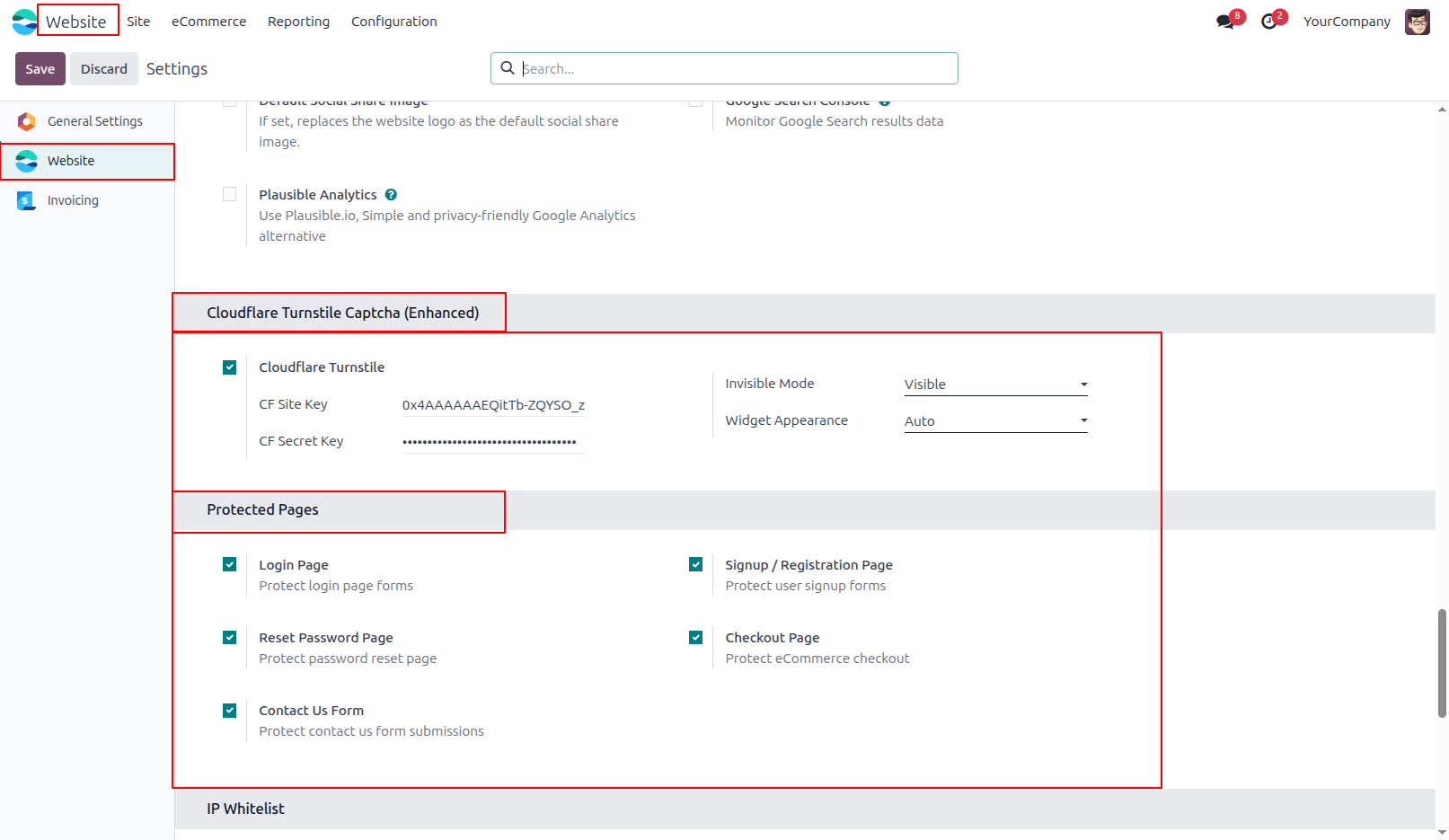
5.Odoo Website settings configuration showing Turnstile widget modes, theme selection, and standard frontend pages to protect (Login, Signup, Reset Password, Checkout , contact us ).
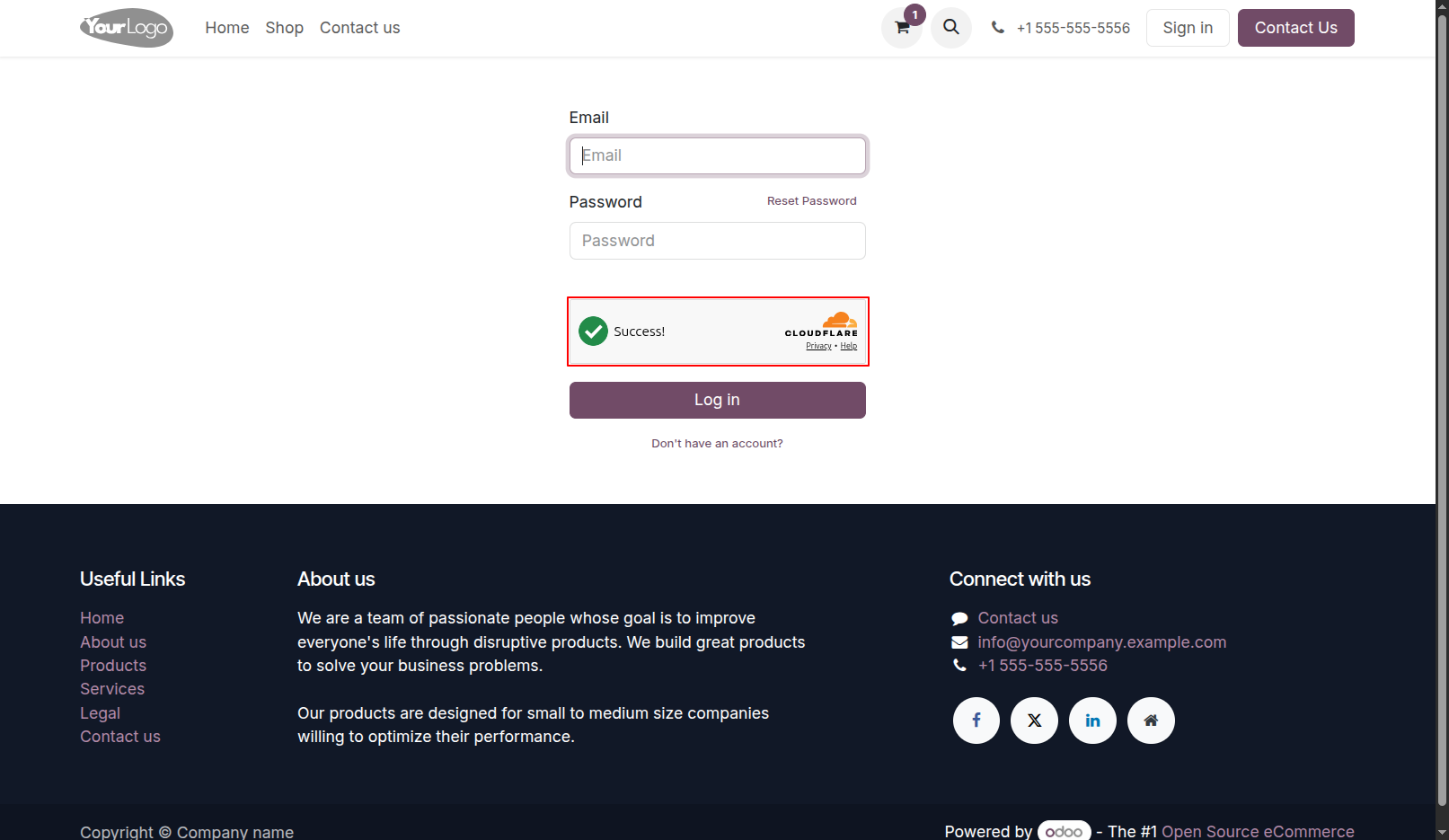
6.Odoo website frontend Login page protected with the Cloudflare Turnstile widget.
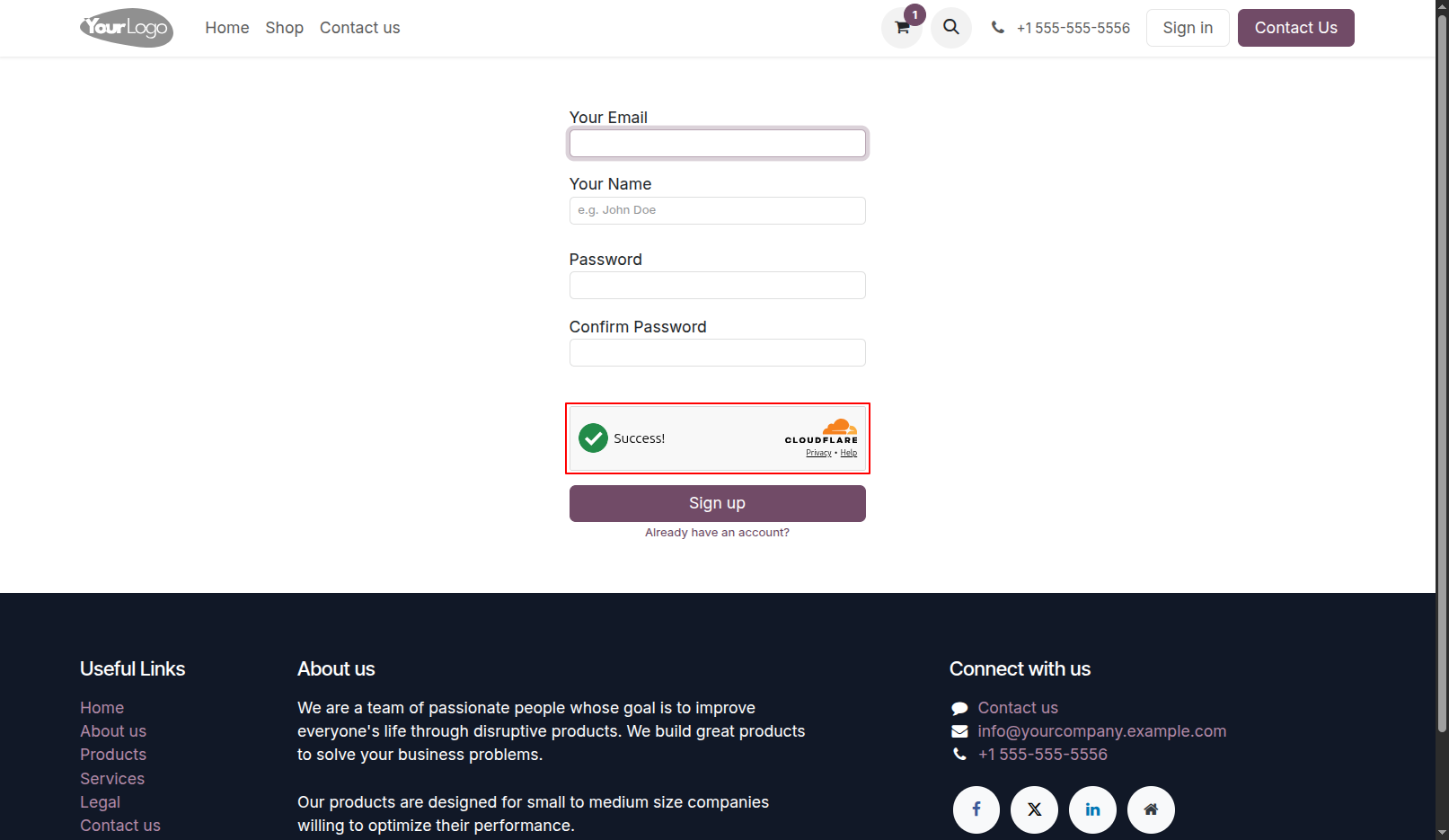
7.Odoo website frontend Signup Page protected with the Cloudflare Turnstile widget.
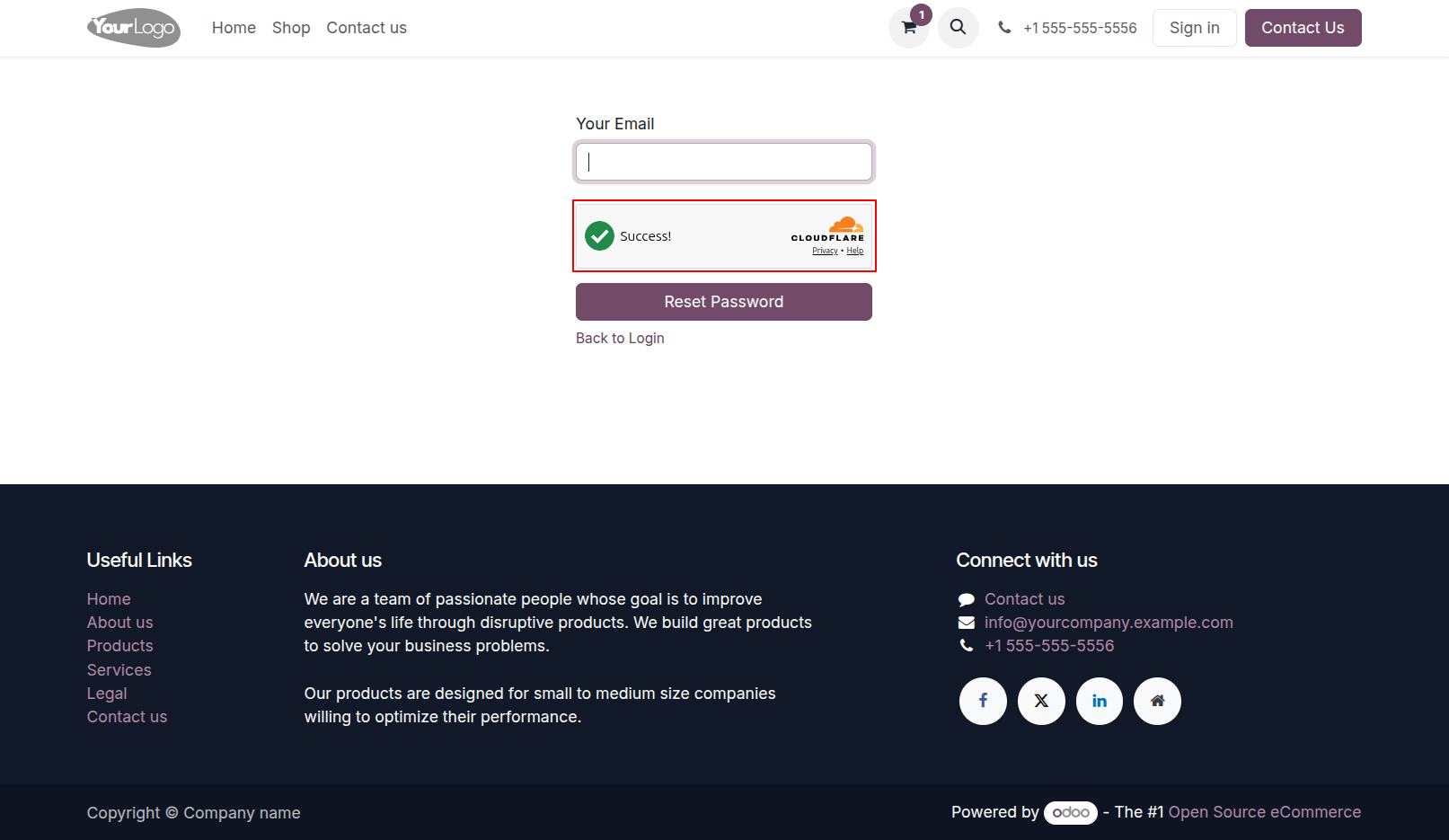
8.Odoo website frontend Reset password Page protected with the Cloudflare Turnstile widget.
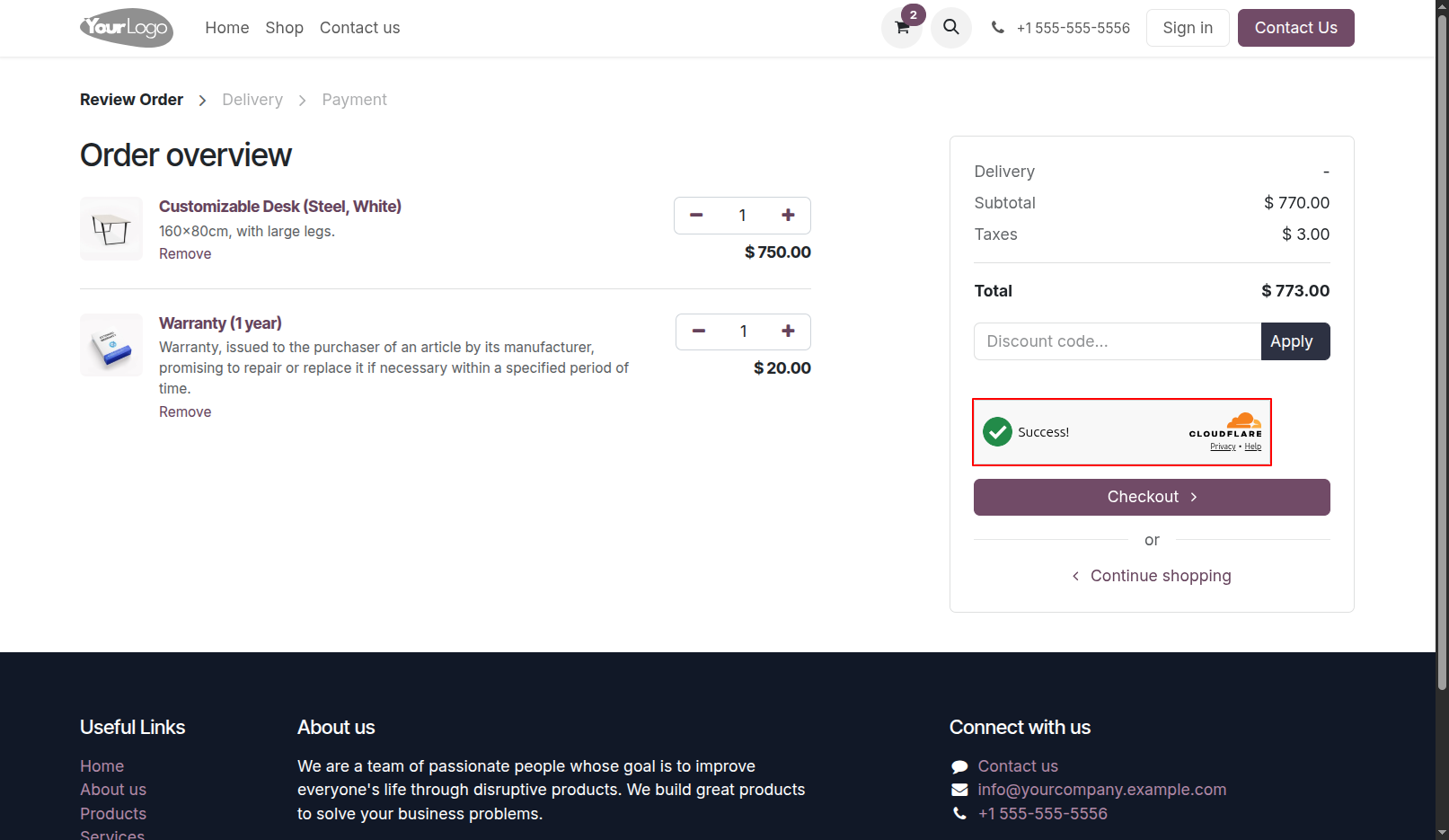
9.Odoo website frontend Checkout page protected with the Cloudflare Turnstile widget.
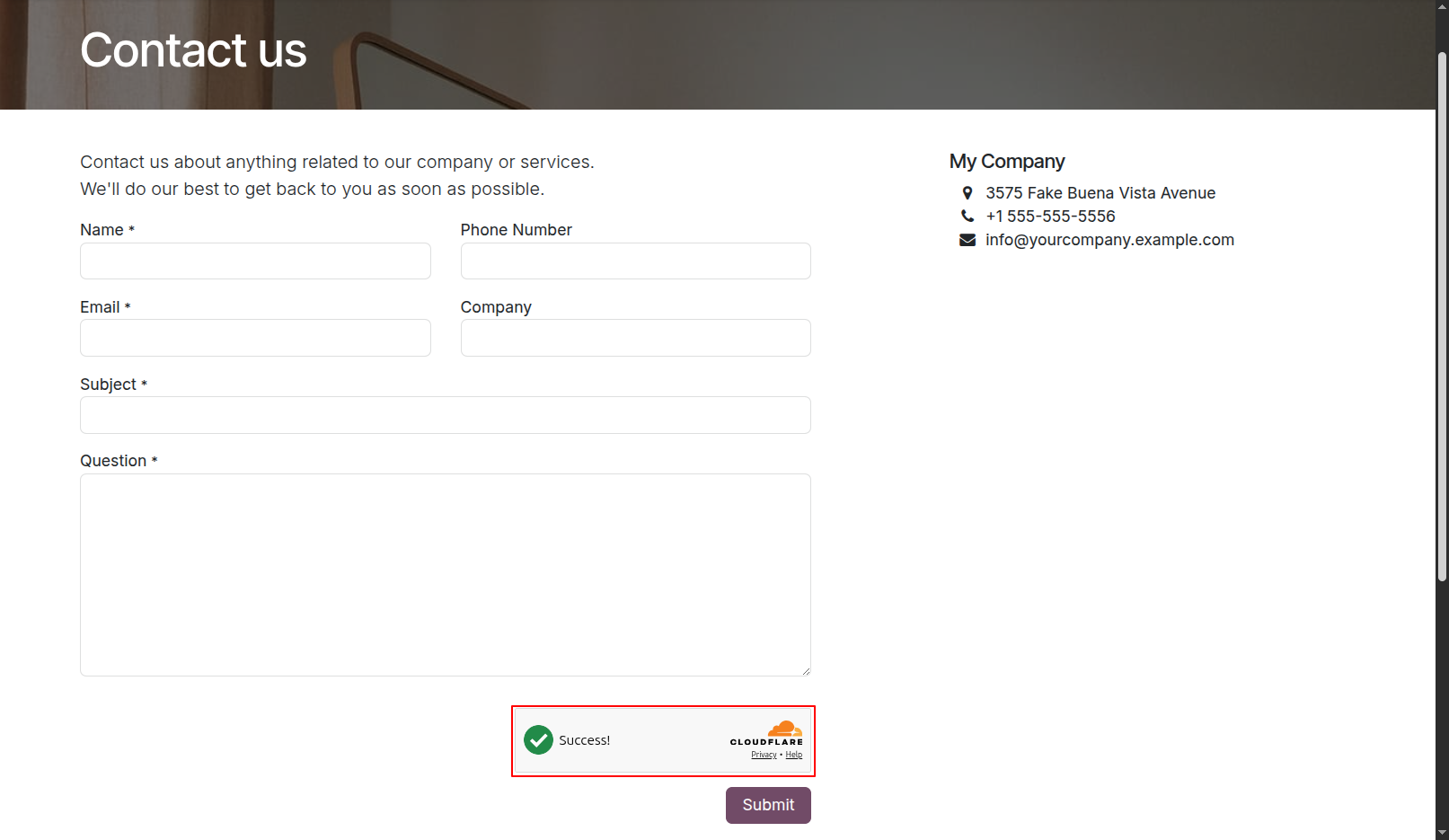
10.Odoo website frontend contact us page protected with the Cloudflare Turnstile widget.
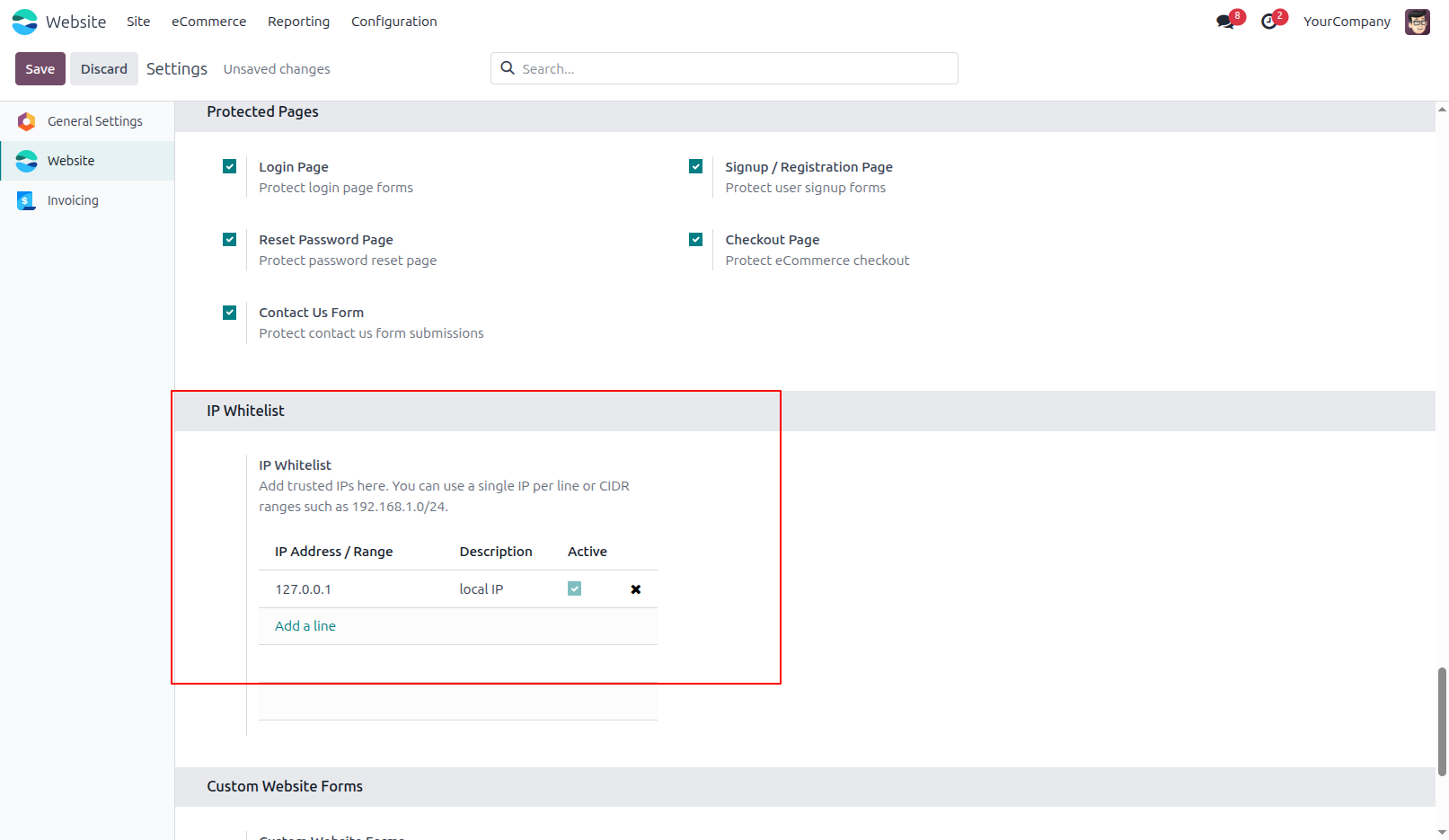
11.Here, you can add trusted IP addresses. Users accessing the website from the IP addresses added to the whitelist will bypass Cloudflare Turnstile CAPTCHA, so the CAPTCHA will not be displayed for them.
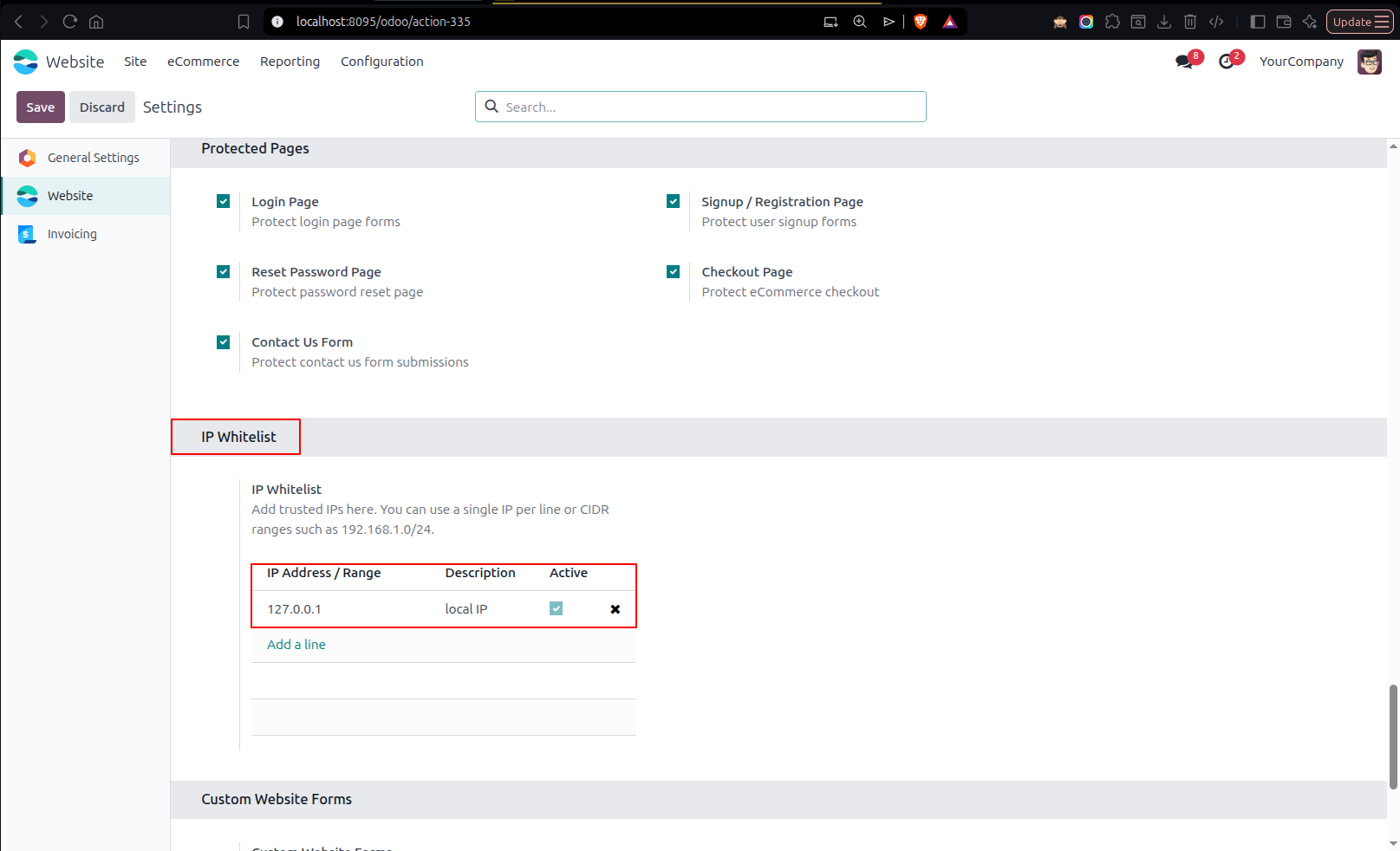
12.Add 127.0.0.1 to the IP Whitelist to bypass Cloudflare Turnstile CAPTCHA when accessing the website from the local IP address.
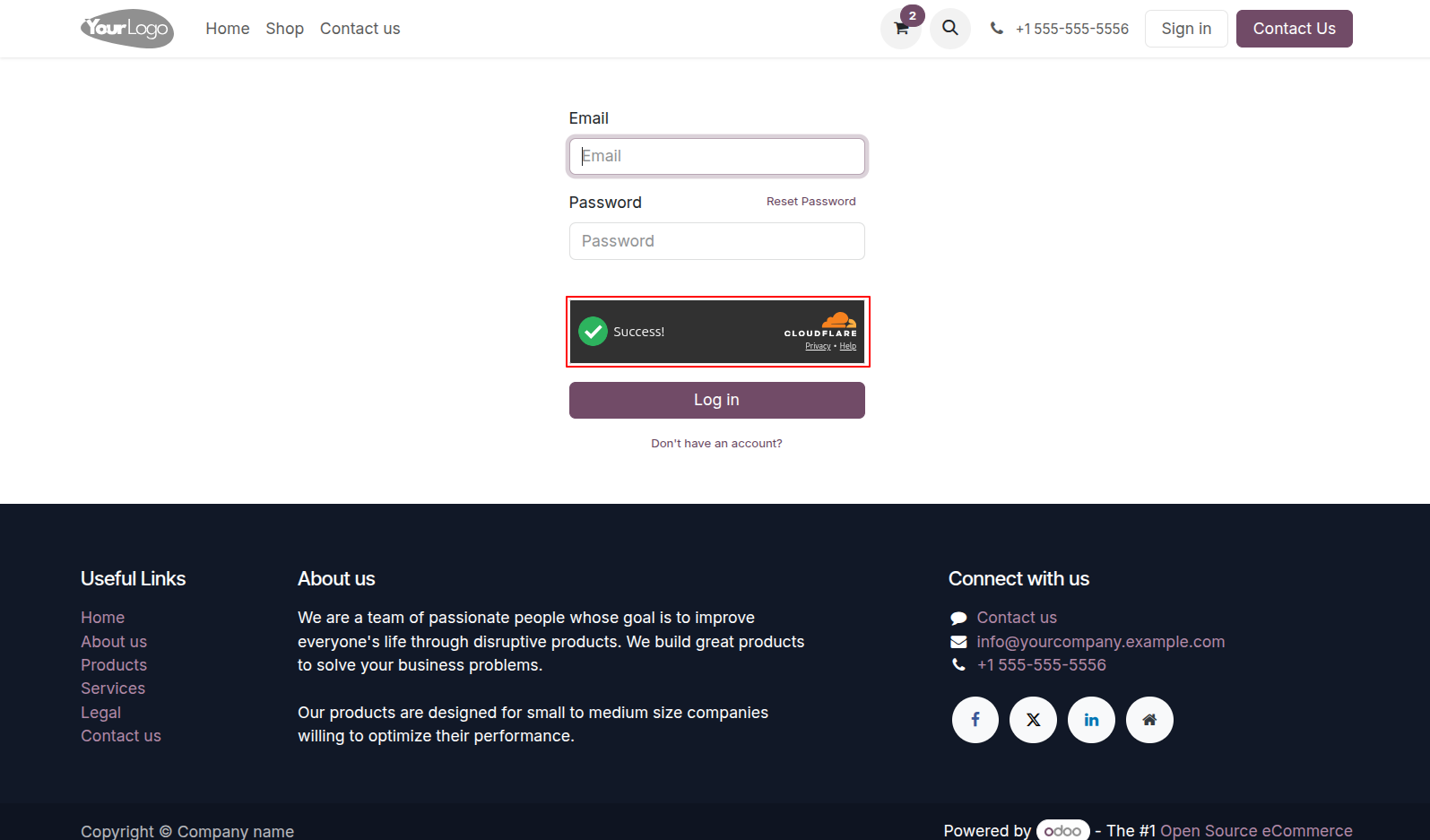
13.Configure Dark appearance style for the Turnstile widget in backend settings.frontend login form displaying the Turnstile widget with Dark theme appearance
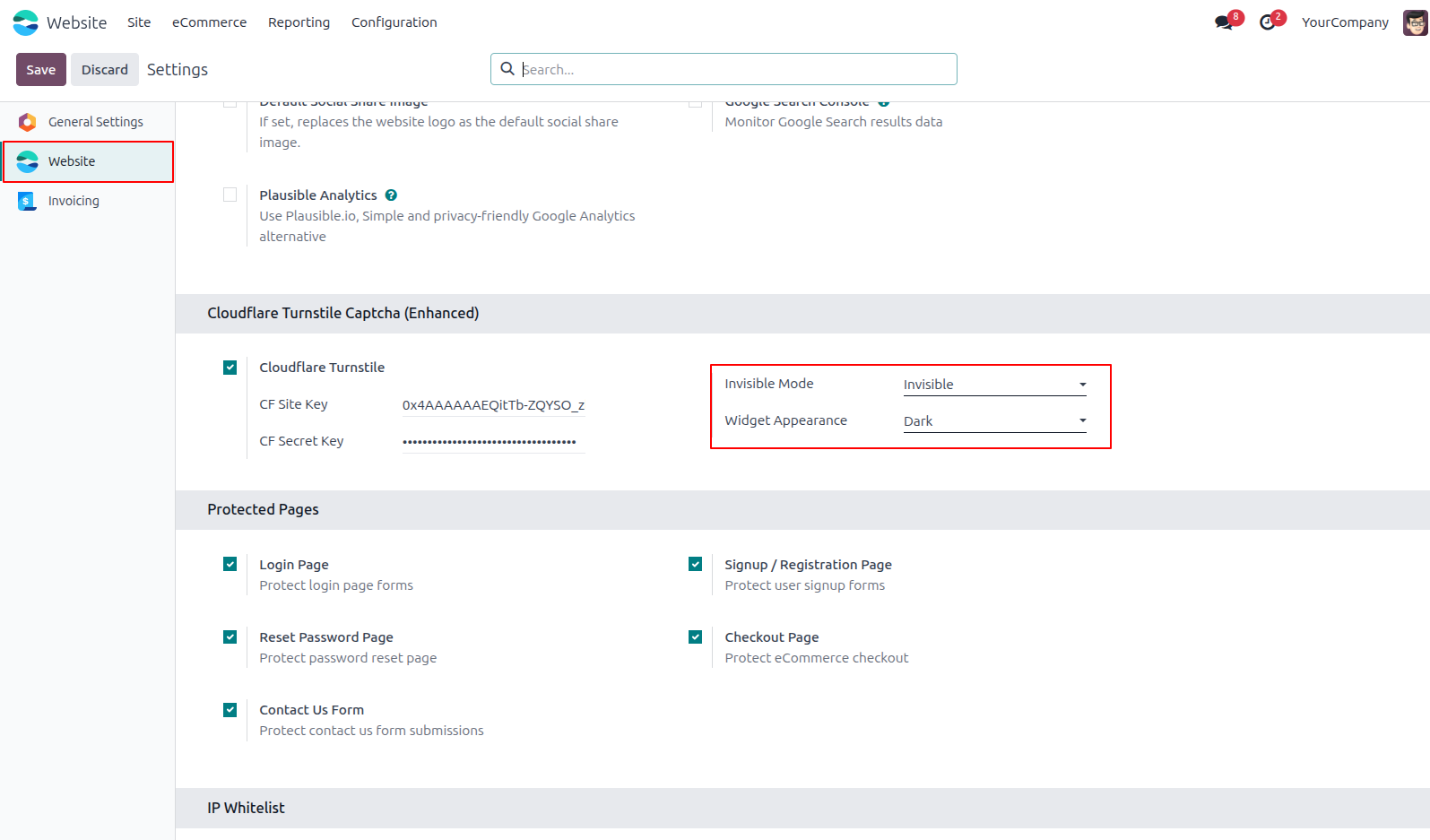
14.Configure invisible widget mode and dark appearance style for Turnstile captcha. Odoo frontend login page running Turnstile silently in the background (Invisible Mode).
Our solutions focus on your problems
- Odoo Implementation
- Odoo Customization
- ERP Development and Implementation
- Odoo Ipass Cloud
- AI for Odoo
- Odoo Apps
- Aws Marketplace Products
- Business Engines
Our Pricing includes User Manual, 90 Days Support (Monday-Friday 10am to 7pm IST) and One time Setup
• Works & tested on standard installations of Odoo with no third party apps,
• Free support only for odoo installations with no third party apps,
• Paid support available for Odoo installations with third party apps.

Prefortune is a Odoo Official Partner, Odoo Development company. Our philosophy is to use Open Source tools and technologies to provide cost effective and green solutions for our customers.
Prefortune Technologies LLP is working on web development, Mobile development, and Odoo ERP.
If you need any help or want more additional features, you may contact us through:
Alternative Products
These other products might interest you
Specifications
| Version | 19.0, 18.0, 17.0, 16.0, 15.0, 14.0 |