Watch Quick Video
Back in Stock Notification for Odoo App
Back in Stock Notification for odoo
module is a powerful tool to help eCommerce businesses recover lost sales by notifying customers
automatically when out-of-stock products are back in stock. If a product is out of stock, then a Notify Me
subscription form will be automatically displayed on the product page so that customers can register their
interest with their email address. As soon as the product is back in stock, the module immediately sends a
beautifully designed HTML email with a direct Shop Now button, prompting customers to come back and
complete their purchase. An embedded scheduled action automatically generates notifications without any
manual intervention, monitoring inventory levels. This module is smart enough to not send duplicate
notifications to the customers. It will send only one email to each customer for each subscription
request. Fully integrated with Odoo Website Shop and inventory management system, it works seamlessly with
standard Odoo functionality while providing a smooth shopping experience, improving client engagement,
increasing conversion rates and helping businesses recover potential lost revenue.
1. Automated Back In Stock Email Notifications Automatically displays the Notify Me
subscription form on pages of out of stock products. Add yourself to our mailing list and we’ll tell you
when it’s available again.
2. Automatic Back In Stock Email Notifications: Send professionally designed HTML email
notifications automatically to subscribed customers when products are back in stock without any manual
effort.
3. One-Click Shop Now Product Link: Add a Shop Now button on every notification email that
takes your customers directly to the product page to easily make their purchase.
4. Automated Stock Monitoring: The integrated scheduled cron job checks the product stock and
when the products are back in stock it is automatically determined and immediately notifies the customers.
5. No duplicate notifications: When you send the email, the notifications are automatically
marked complete so each subscriber gets only one notification per subscription.
6. Seamless Odoo Website Shop Integration: Complete integration with Odoo Website Shop and
stock management. It comes with built-in back-end subscription management, automatic and seamless customer
notification workflow without customising standard odoo functionality.
Back in Stock Notification for odoo
- Show a Notify Me form automatically on out-of-stock product pages. Enter your email address to subscribe to this product and receive a notification of when it is available.
- Automatic HTML email notifications to customers who subscribed when the products are back in stock. Do not need to follow up manually.
- Every email notification will include a Shop Now button which takes customers directly to the product page, helping you recover lost sales and increase your conversions.
- The system has a built-in scheduled cron job which periodically checks the product inventory and when the product is back in stock, it automatically sends an email notification.
- Prevent duplicate emails and improve the customer experience by making sure your customers get only one email notification per subscription.
Complete Workflow for Back in Stock Notification for odoo
When a product becomes Out of Stock, the module automatically displays the Notify Me Subscription Form on the product page. Customers enter their email address to Subscribe for Notifications. Once the product is Back in Stock, the scheduled action automatically Sends Notification Emails with a Shop Now Button that redirects customers to the product page. After the email is sent, the subscription is Marked as Notified, preventing duplicate notifications and ensuring a smooth customer experience.
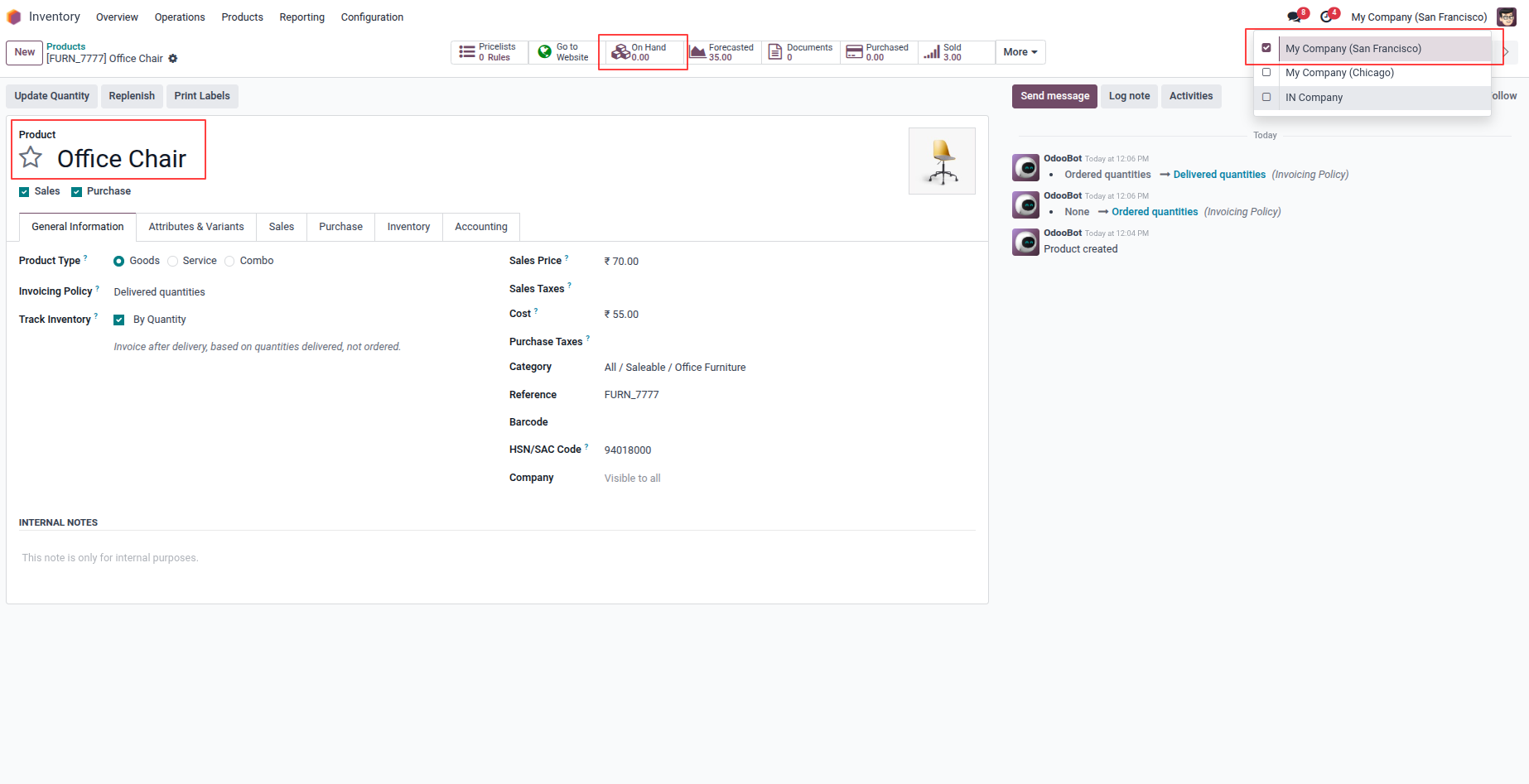
1. You can show the available(on hand) quantity for particular products.
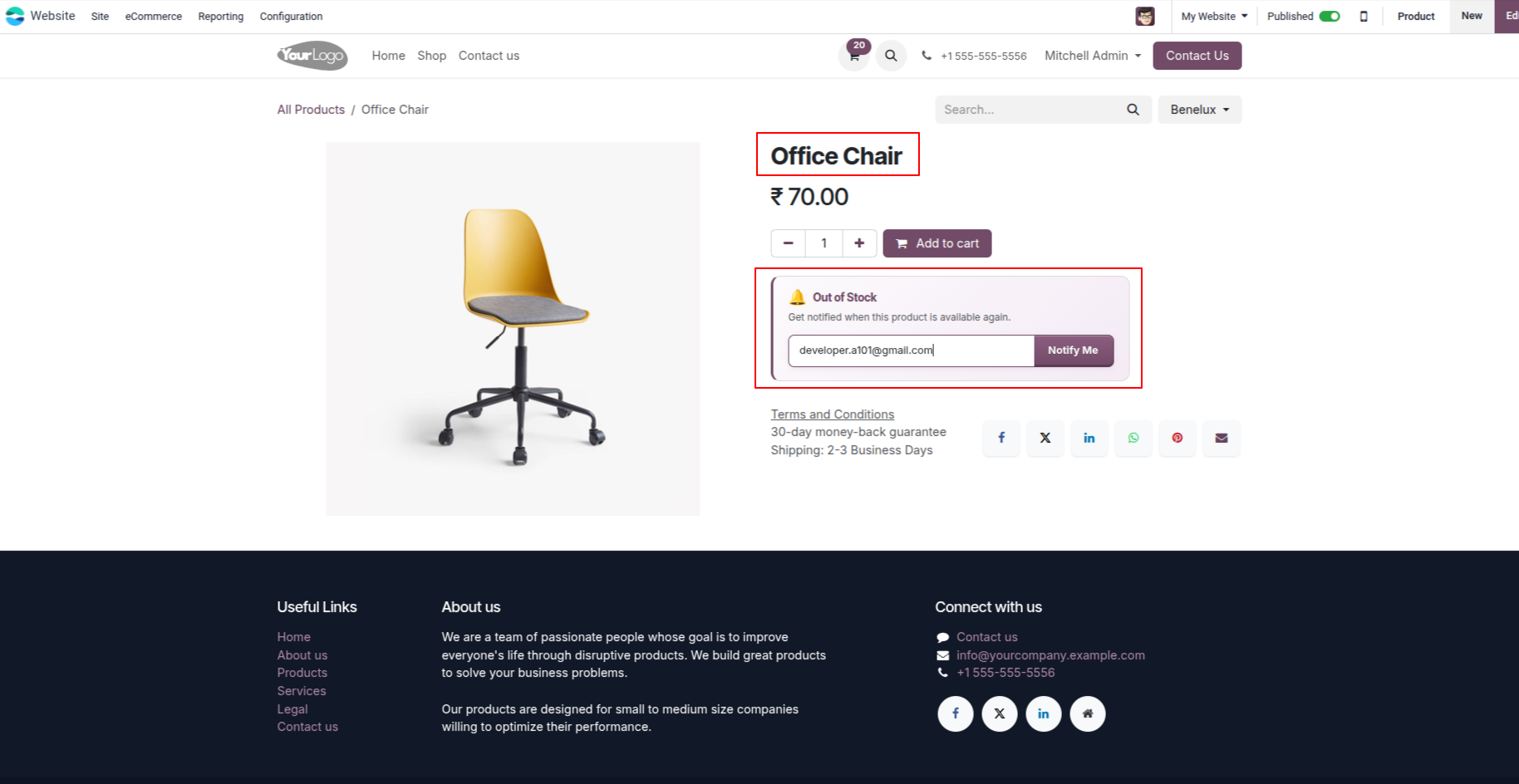
2. If the selected product quantity on the website exceeds the available on-hand quantity, the "Out of Stock" message is displayed automatically.
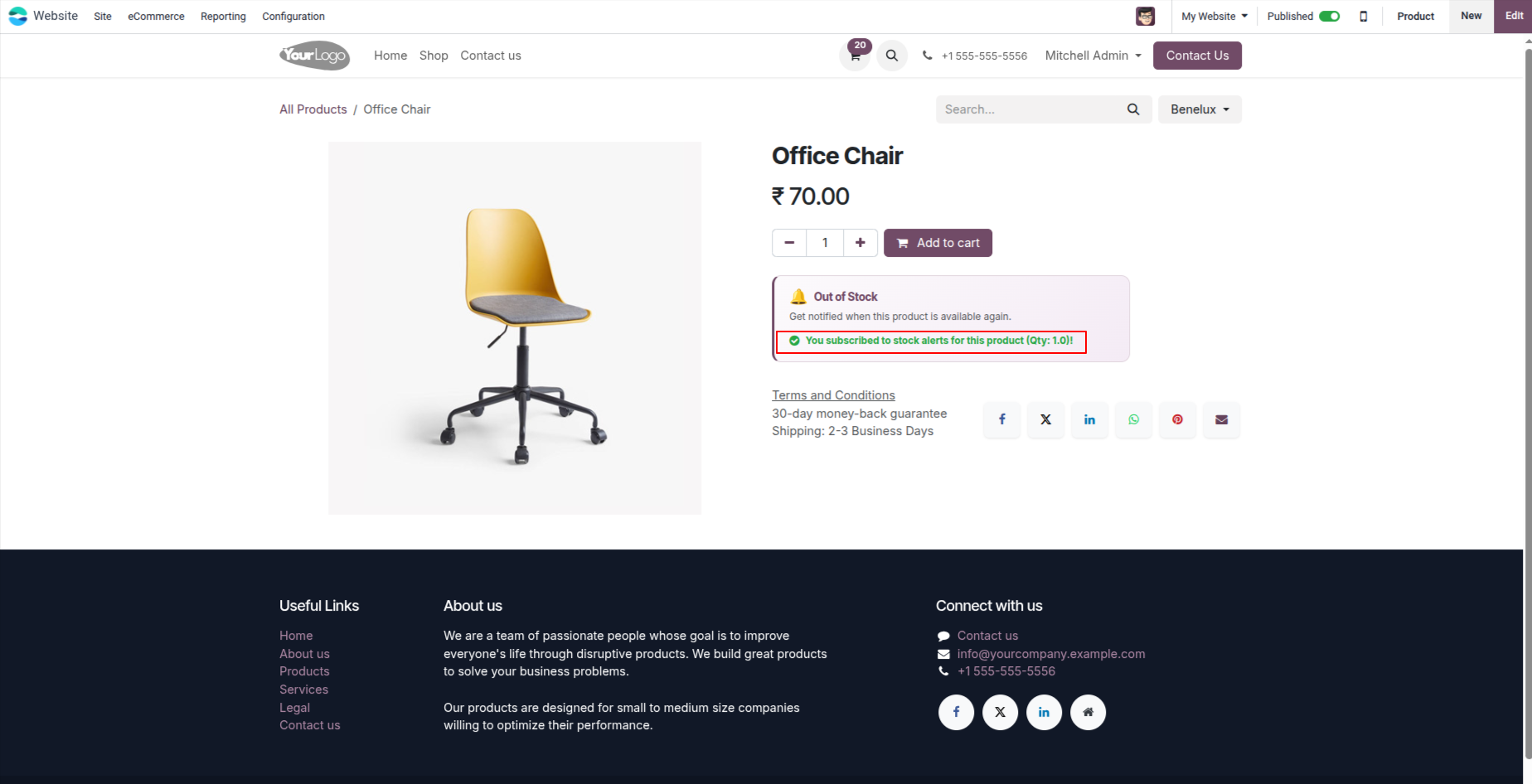
3. In the Out of Stock section, the customer can enter a valid email address. When they click the "Notify Me" button, a green success message is displayed: "You have subscribed to stock alerts for this product."
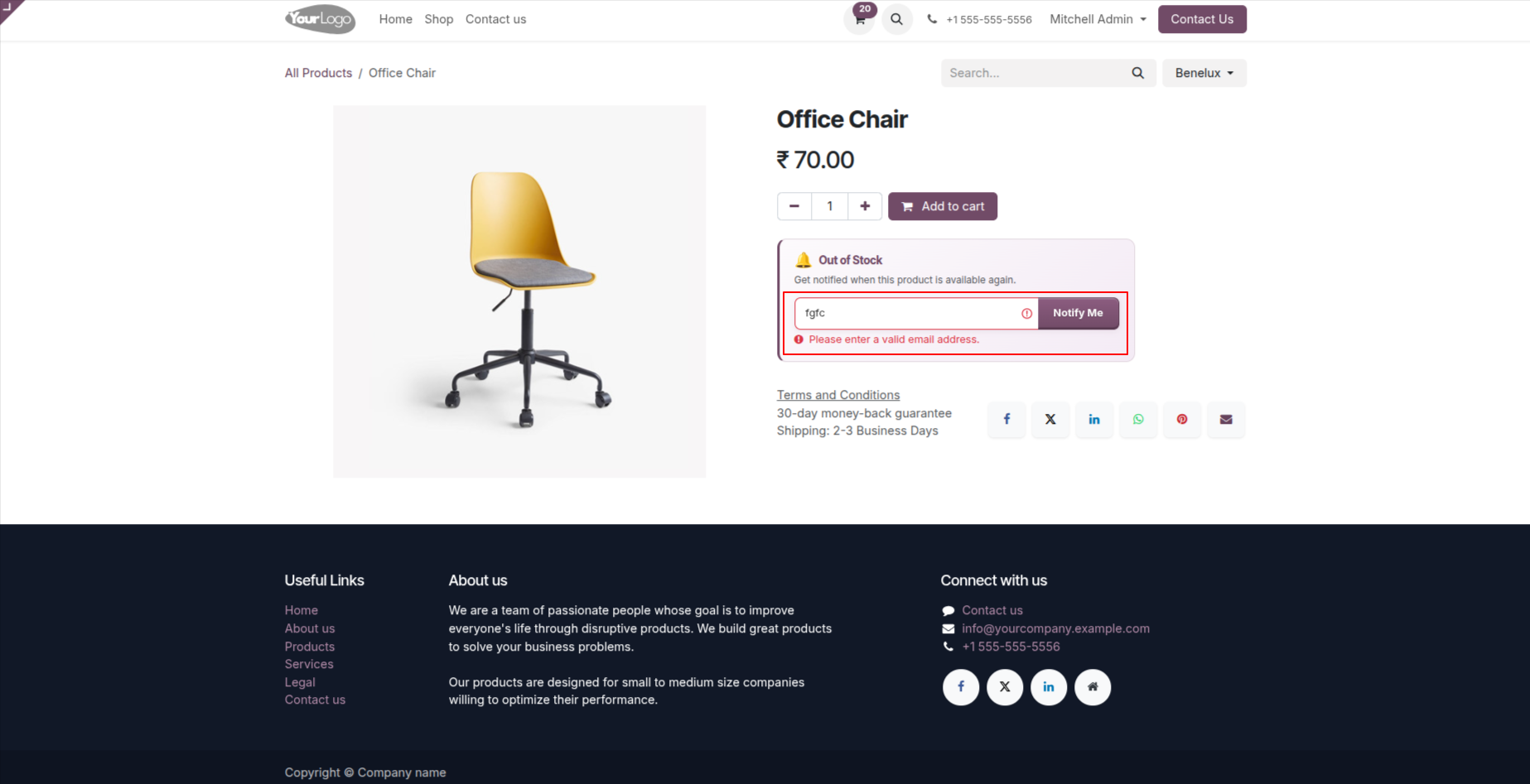
4. If an invalid email address is entered in the Out of Stock section and the user clicks the "Notify Me" button, a red error message is displayed: "Please enter a valid email address".
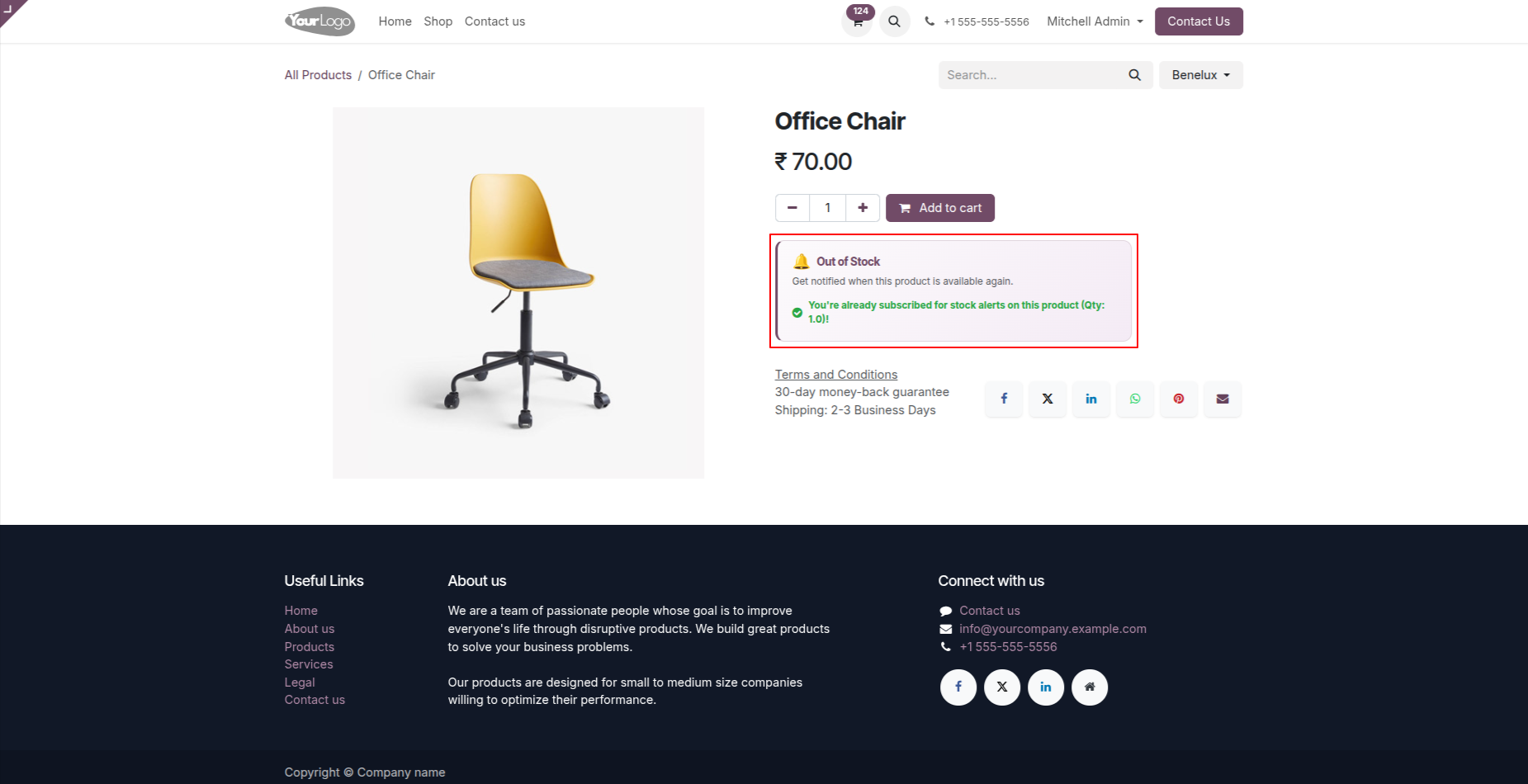
5. If the same email address is used to subscribe to stock alerts for the same product more than once, clicking the Notify Me button again will display the green message "You're already subscribed for stock alerts on this product.", and the existing subscription record will be updated with the new notification quantity instead of creating a duplicate record.
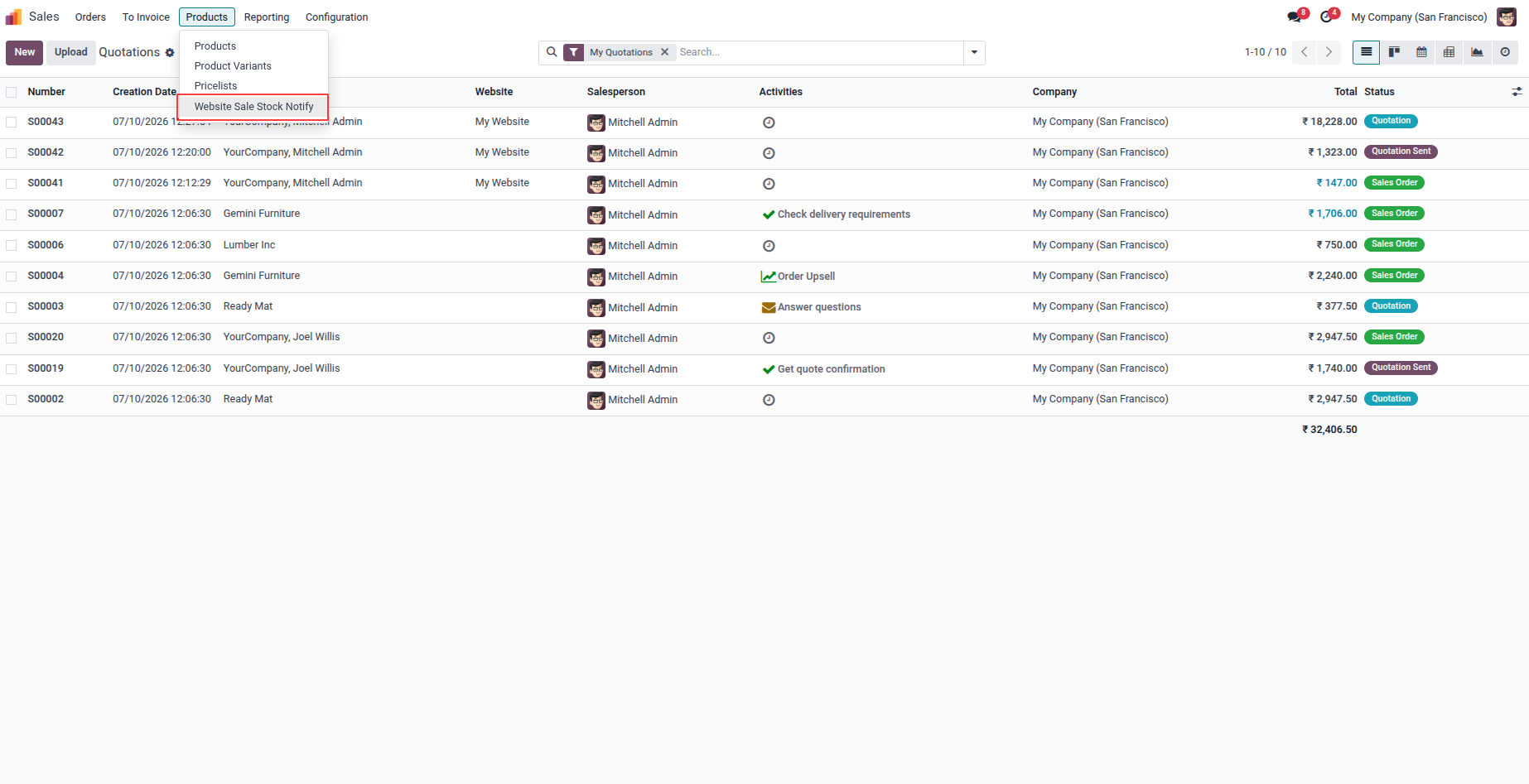
6. Click the "Website Sale Stock Notify" button.
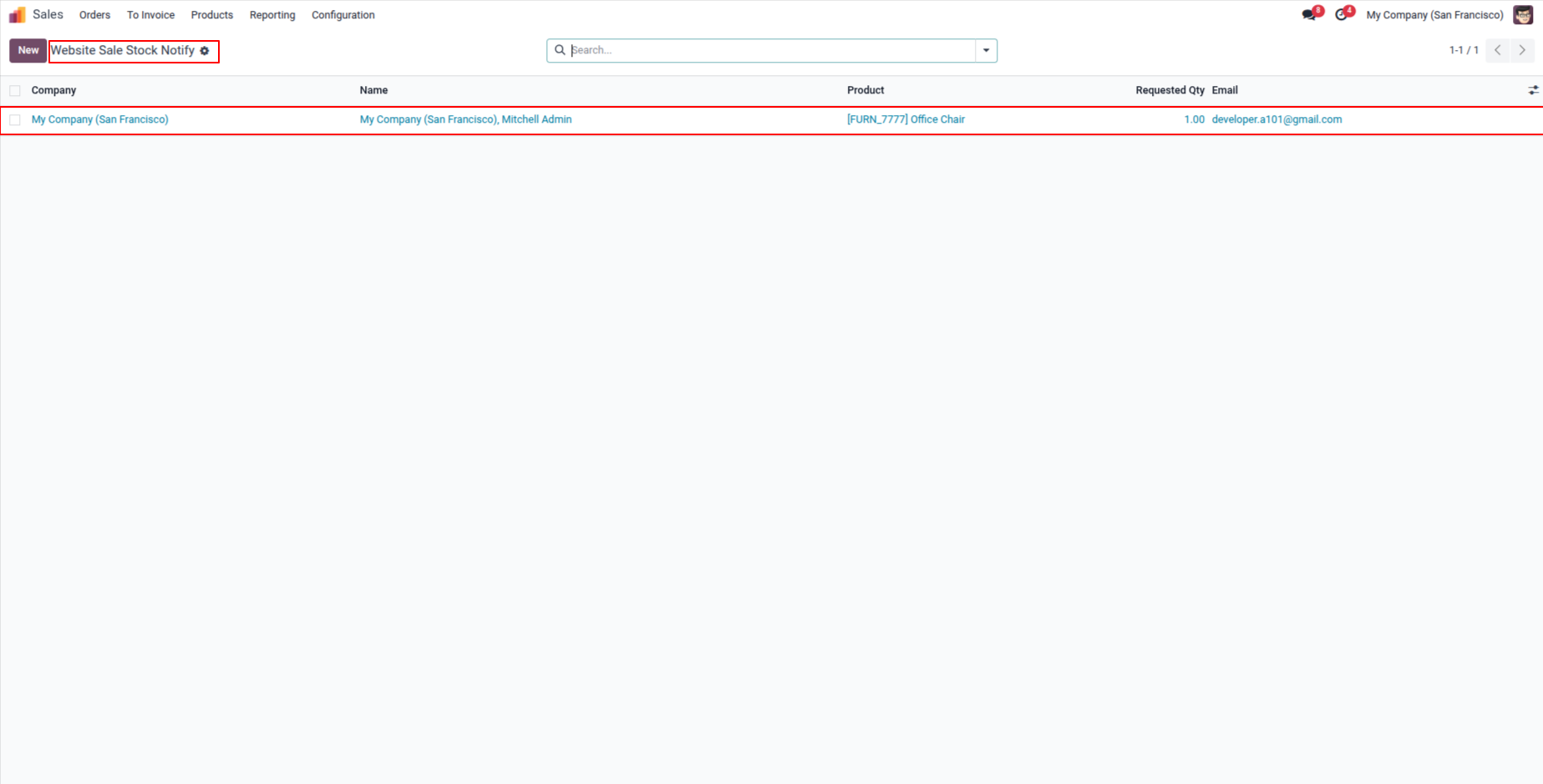
7. List of all customers with their product availability notification.
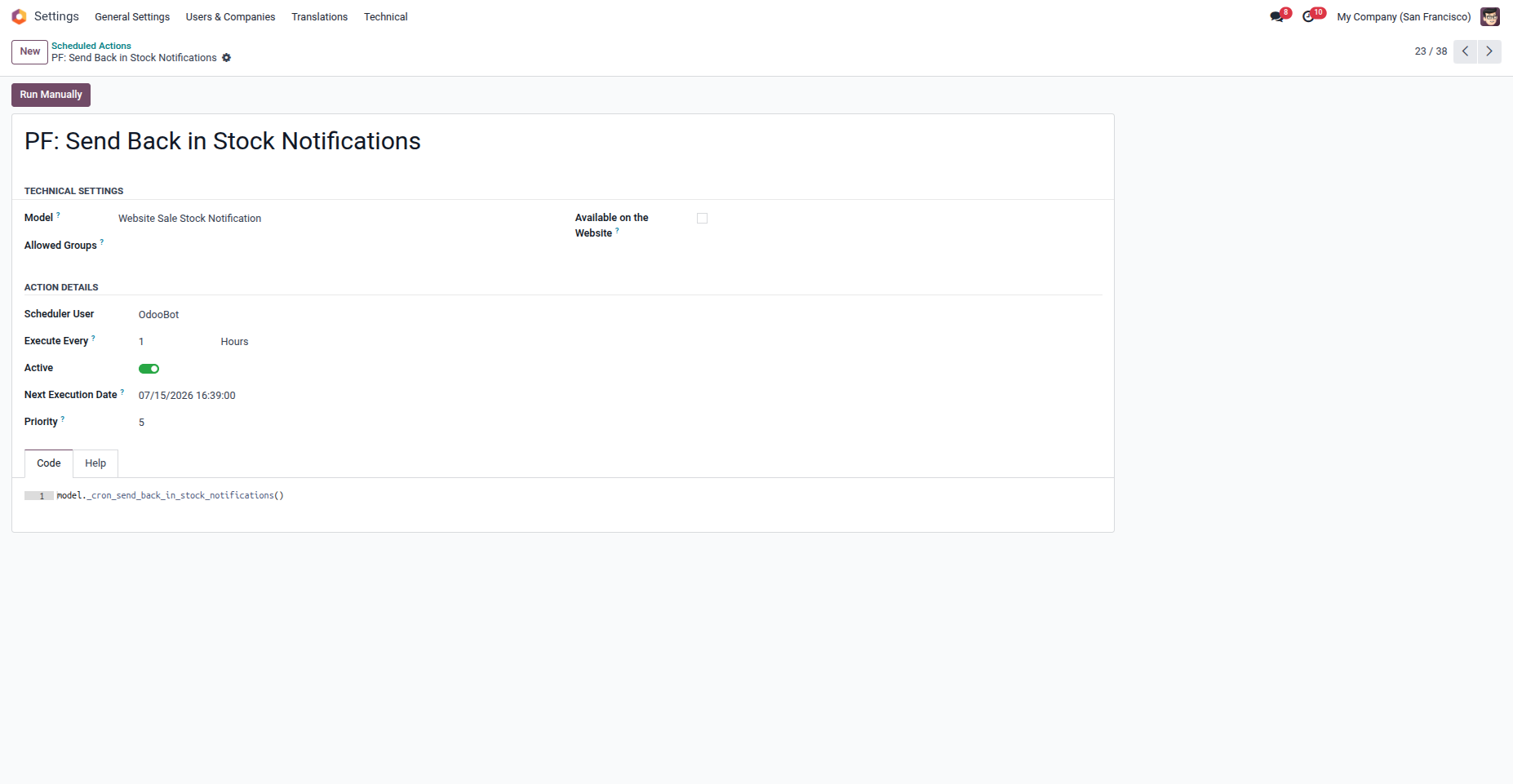
8. A built-in Cron Scheduler automatically monitors product stock at scheduled intervals and sends notification emails to subscribed customers when the product becomes available.
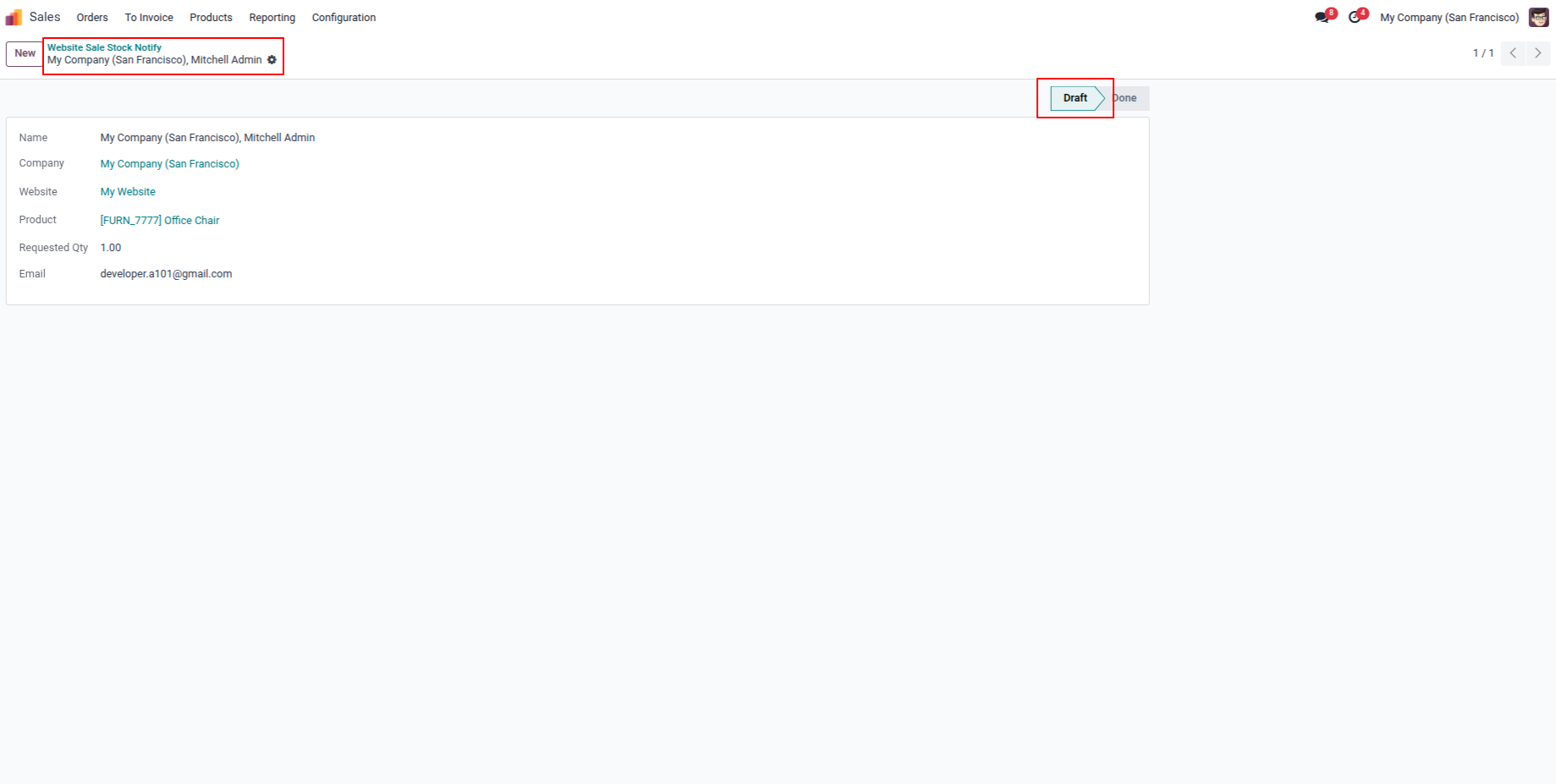
9. Email Status is in draft state because of product is still not available.
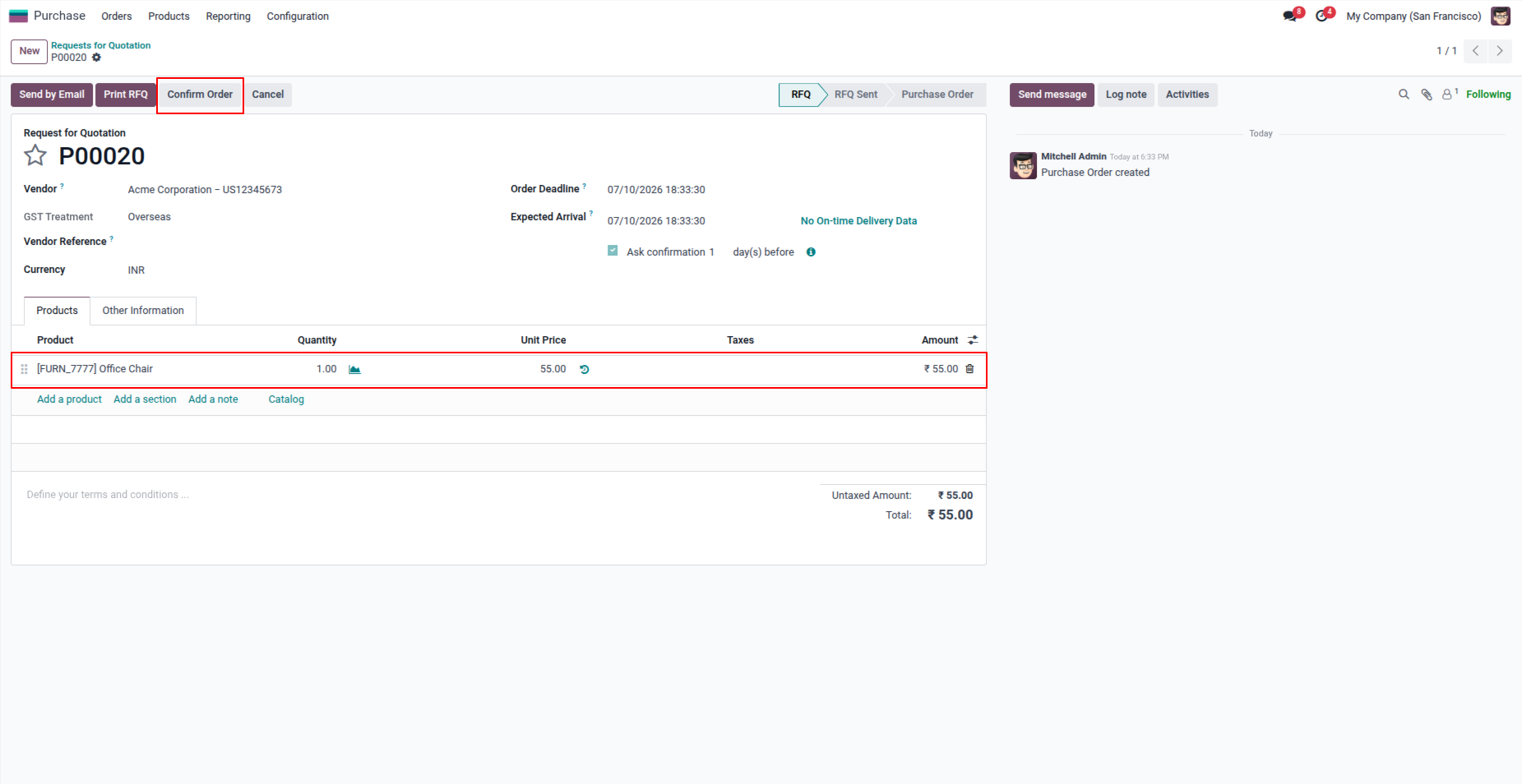
10. After purchasing this product.
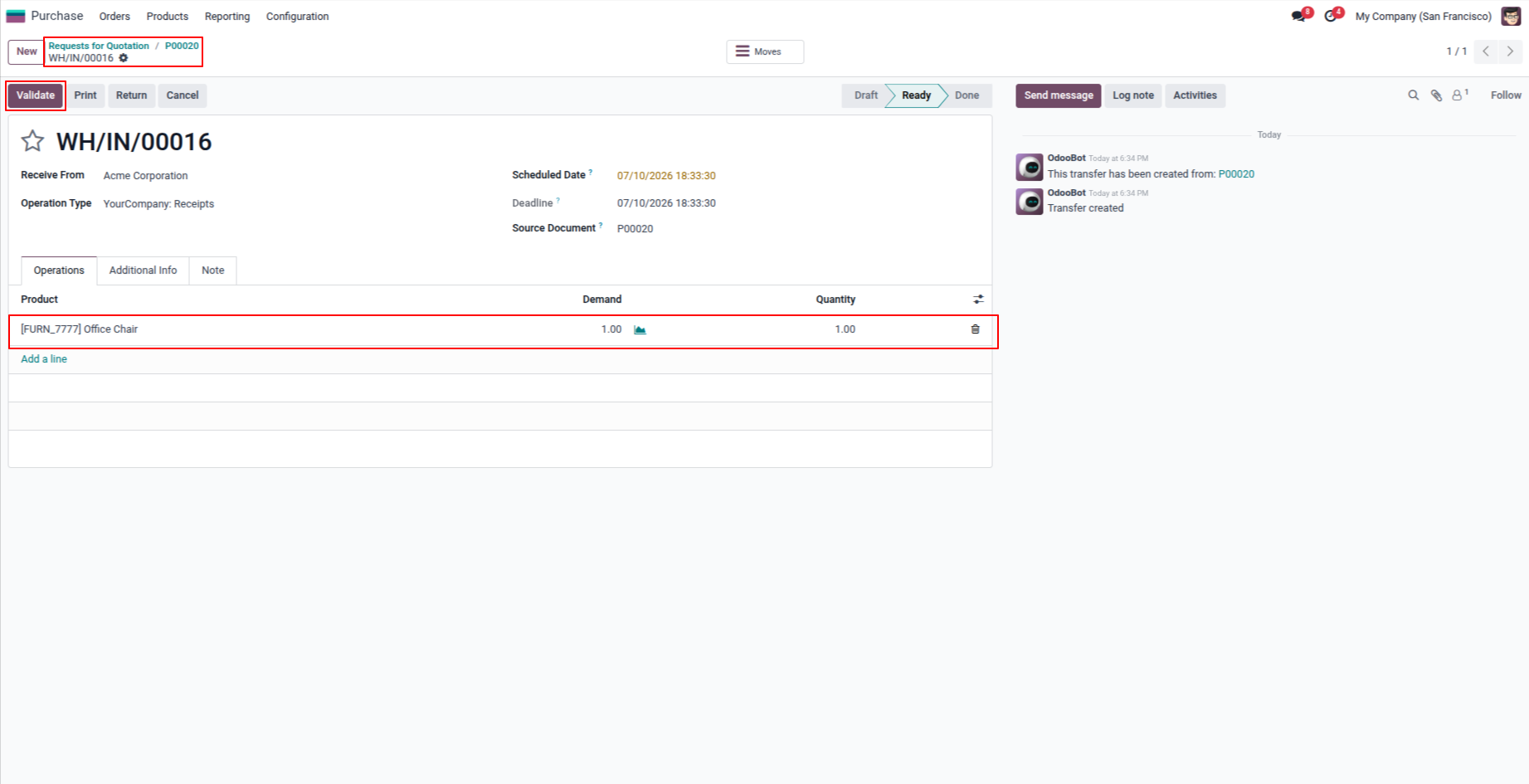
11. After validate the purchase order.
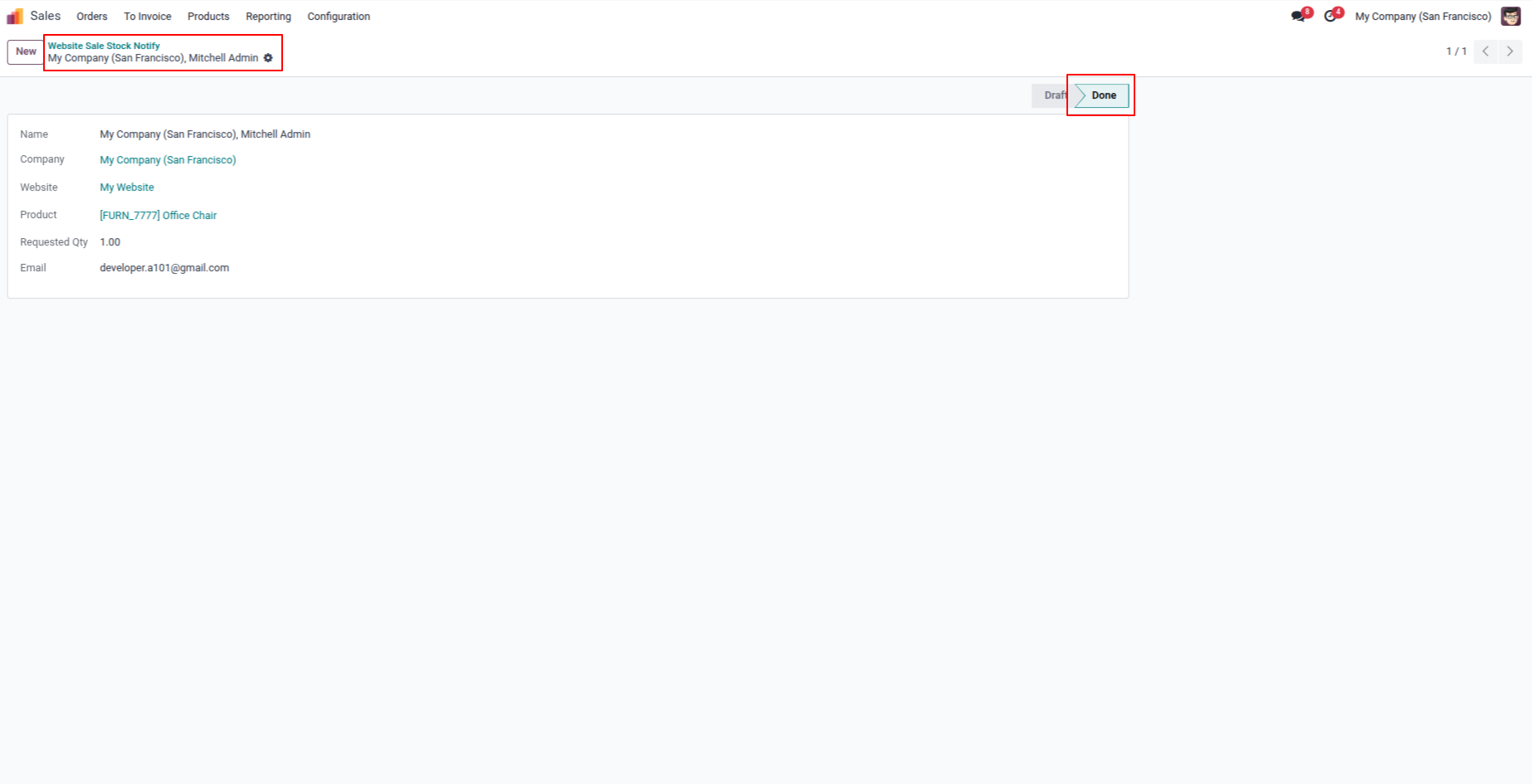
12. When the product becomes available (in stock), the notification email is sent automatically, and the email status is changed to Done.
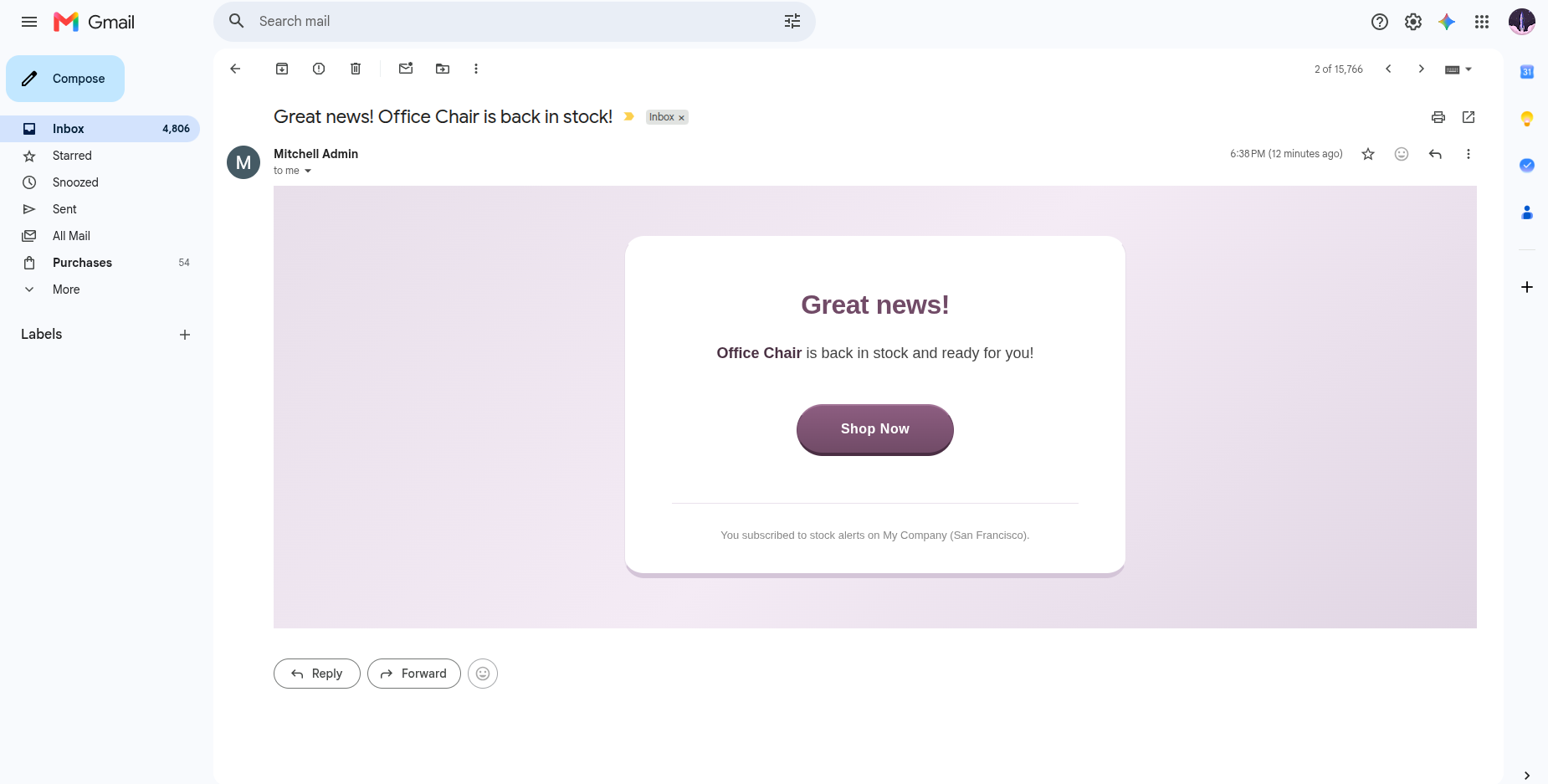
13. When the notification email is sent, it uses this email template. If the customer clicks the "Shop Now" button in the email, they are redirected directly to the product page of the item they subscribed to for stock notifications.
Our solutions focus on your problems
- Odoo Implementation
- Odoo Customization
- ERP Development and Implementation
- Odoo Ipass Cloud
- AI for Odoo
- Odoo Apps
- Aws Marketplace Products
- Business Engines
Our Pricing includes User Manual, 90 Days Support (Monday-Friday 10am to 7pm IST) and One time Setup
• Works & tested on standard installations of Odoo with no third party apps,
• Free support only for odoo installations with no third party apps,
• Paid support available for Odoo installations with third party apps.

Prefortune is a Odoo Official Partner, Odoo Development company. Our philosophy is to use Open Source tools and technologies to provide cost effective and green solutions for our customers.
Prefortune Technologies LLP is working on web development, Mobile development, and Odoo ERP.
If you need any help or want more additional features, you may contact us through:
Alternative Products
These other products might interest you
Specifications
| Version | 19.0, 18.0, 17.0, 16.0, 15.0, 14.0 |