Watch Quick Video
Automatically Cancel Quotation After Expire Odoo App
Our all-inclusive
Odoo – Automatically Cancel Quotation After Expire Odoo App
simplifies and automates quotation lifecycle management by allowing organizations to define configurable expiration rules directly within the Sales settings.
Administrators can set the number of days or hours after which a quotation should automatically expire, ensuring outdated offers do not remain active in the sales pipeline.
The system intelligently checks expiration based on the Quotation Date and executes a scheduled action to cancel eligible quotations without manual intervention.
All validations run automatically in the background, helping sales teams maintain a clean workflow while preventing confusion caused by old or inactive quotations.
Configuration is fully managed from the Odoo backend with no technical expertise required.
By improving quotation control and keeping the sales pipeline accurate, this app ensures better operational clarity, reliable reporting, and a well-structured automated expiration process.
Automatically Cancel Quotation After Expire Odoo App
- System automatically cancels quotations once they exceed the configured expiration time.
- Easily define the number of days/hours for quotation validity directly from Sales configuration.
- The system checks expiration using the Quotation Date, ensuring accurate time-based validation.
- A built-in scheduled action runs at defined intervals to check and cancel expired quotations automatically.
- Once the configured time is reached, quotations are automatically moved to the Cancelled state without manual intervention.
Complete Workflow for Manage Automatically Cancel Quotation After Expire Odoo App
Go to Sales → Configuration → Settings and set the quotation expiration time (days/hours). Create a Sales Quotation—the system will track expiration based on the Quotation Date. A scheduled action automatically checks quotations at defined intervals. Once the configured time limit is exceeded, the quotation is automatically moved to Cancelled status.
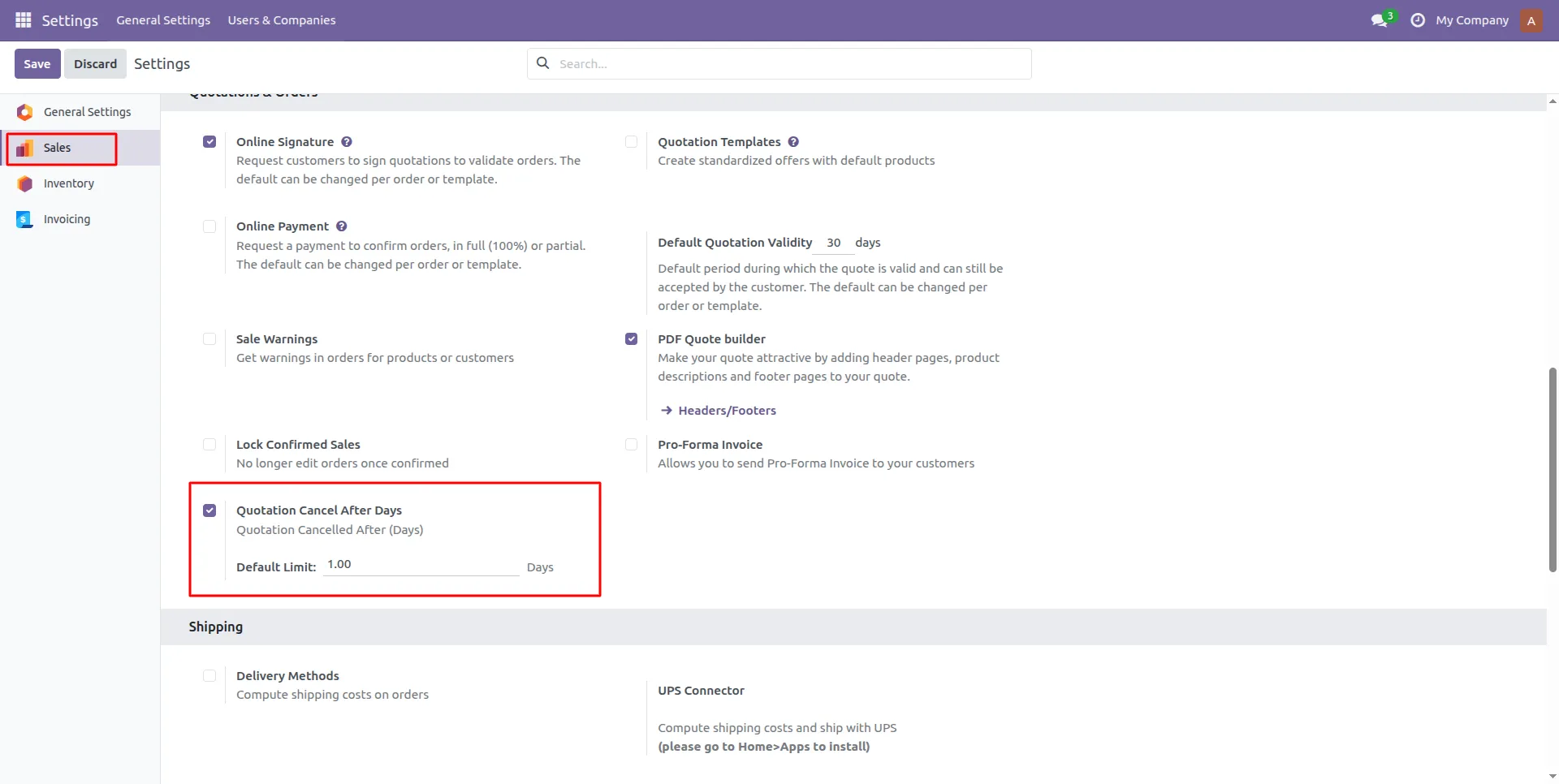
1.Enable the "Quotation Cancel After Days" feature in Sales Settings and set the expiration limit.
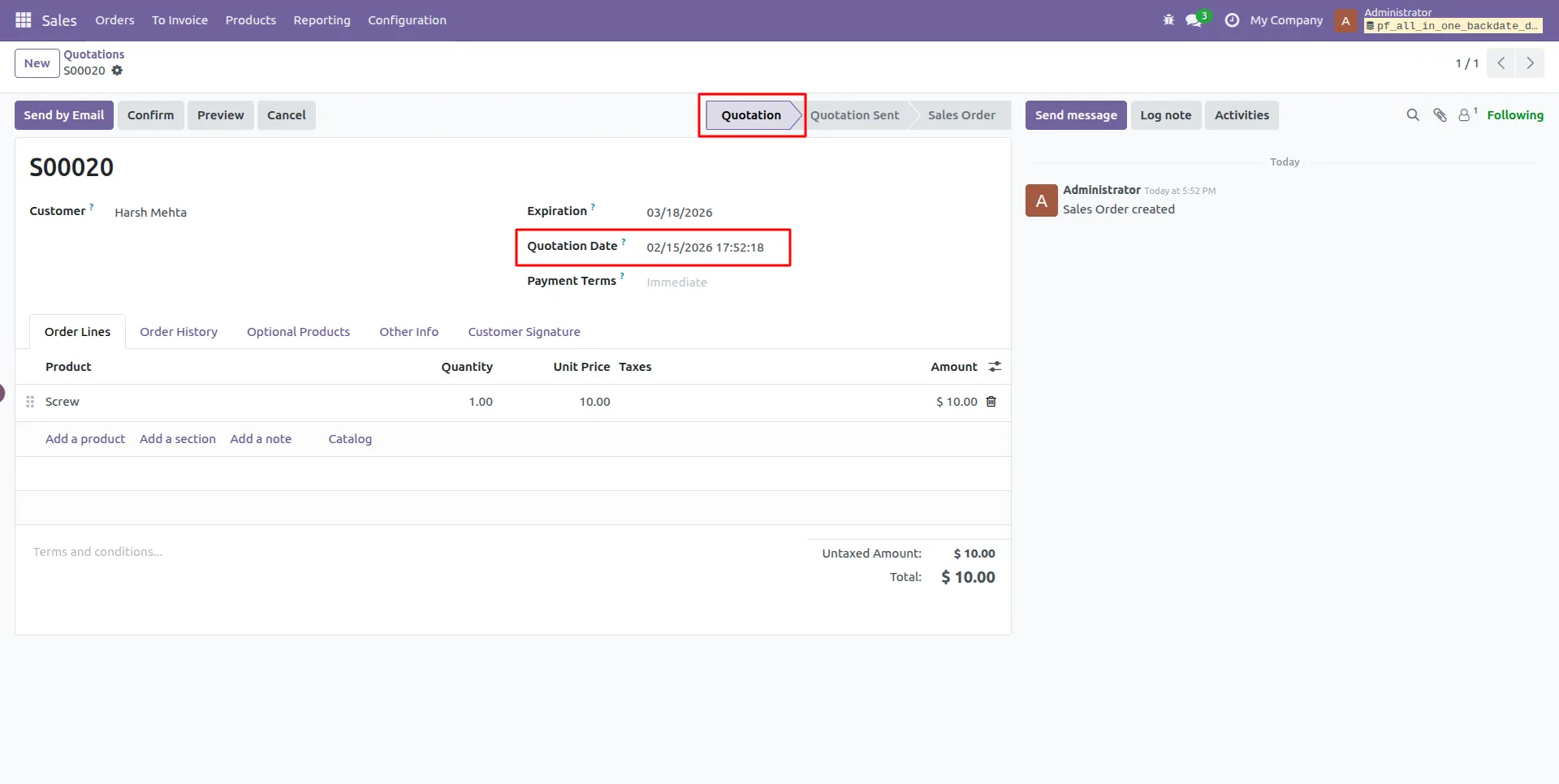
2.Create a new Quotation and check the "Quotation Date" to see when it starts.
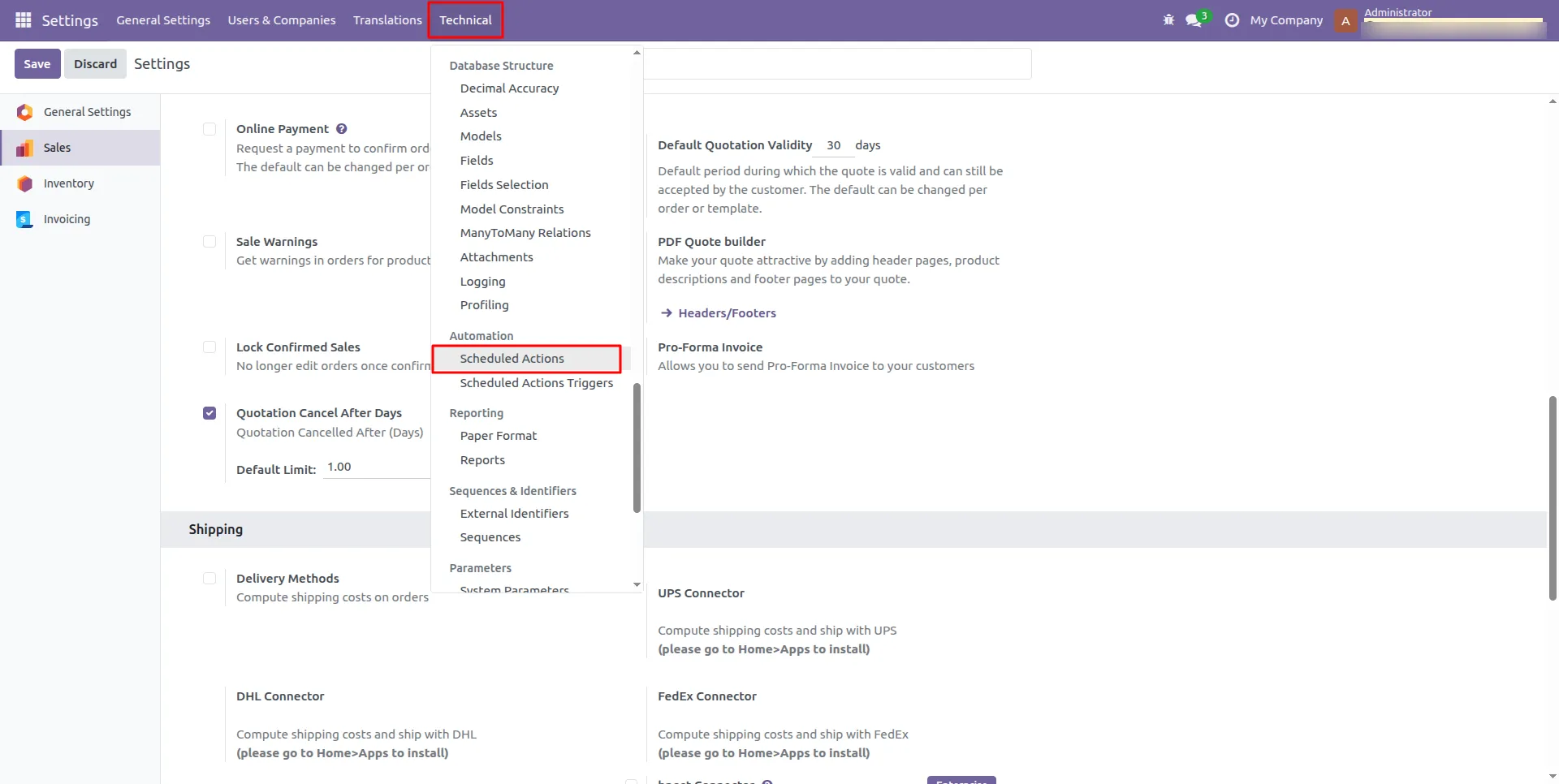
3.Go to the Technical menu in Settings and select "Scheduled Actions."
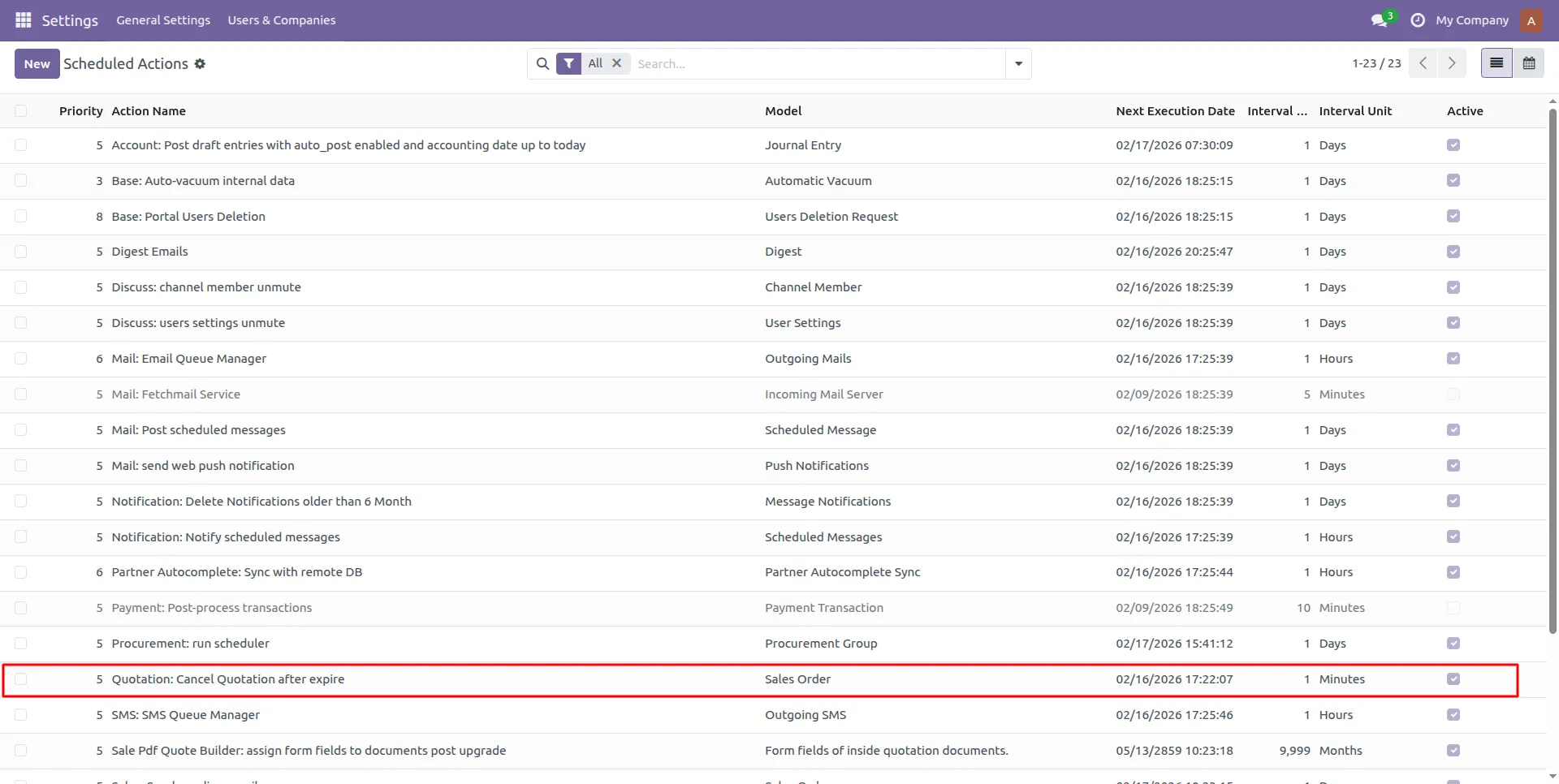
4.Find the "Quotation: Cancel Quotation after expire" task in the list.
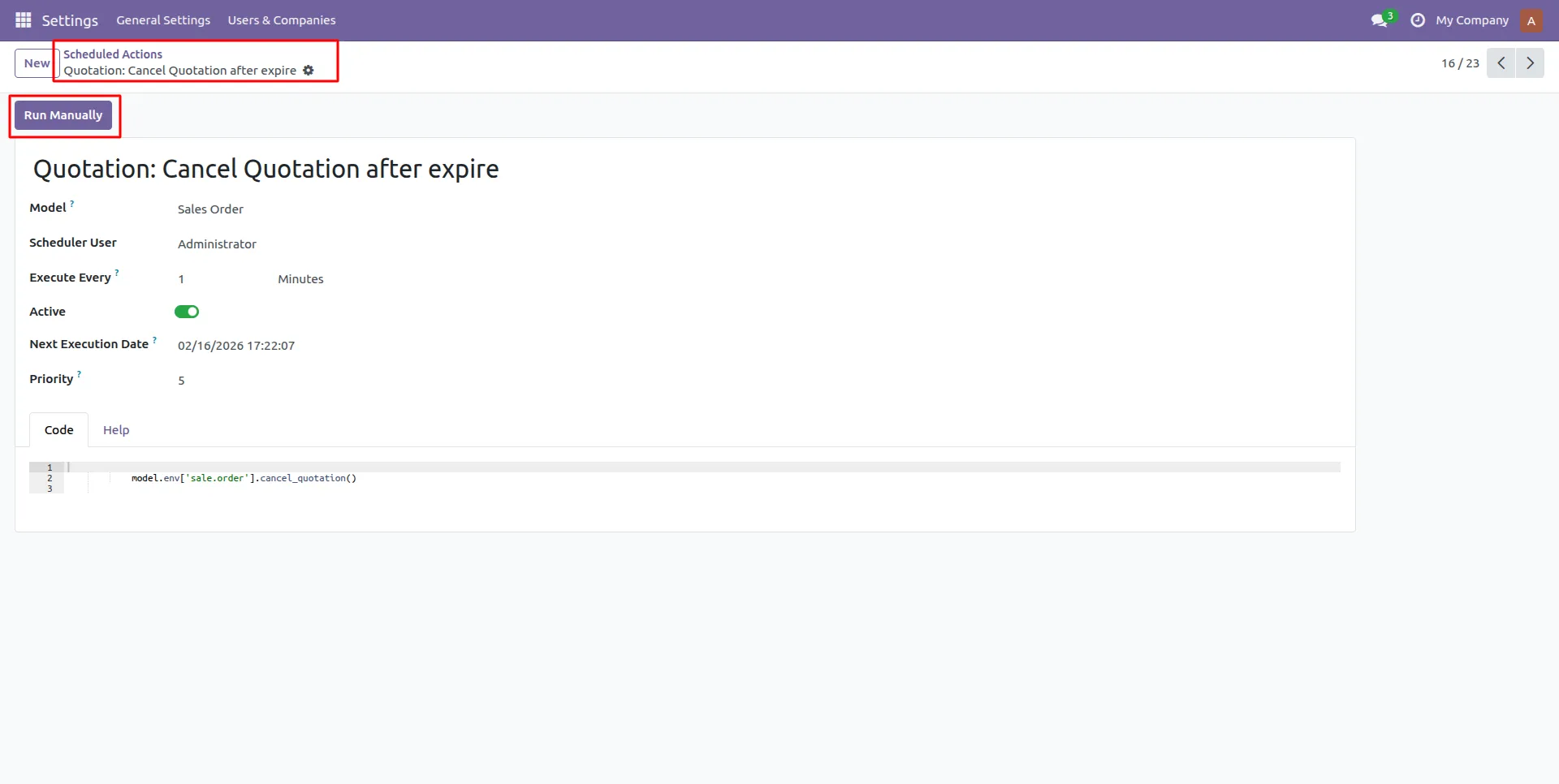
5.Click the "Run Manually" button to cancel any expired quotations immediately.
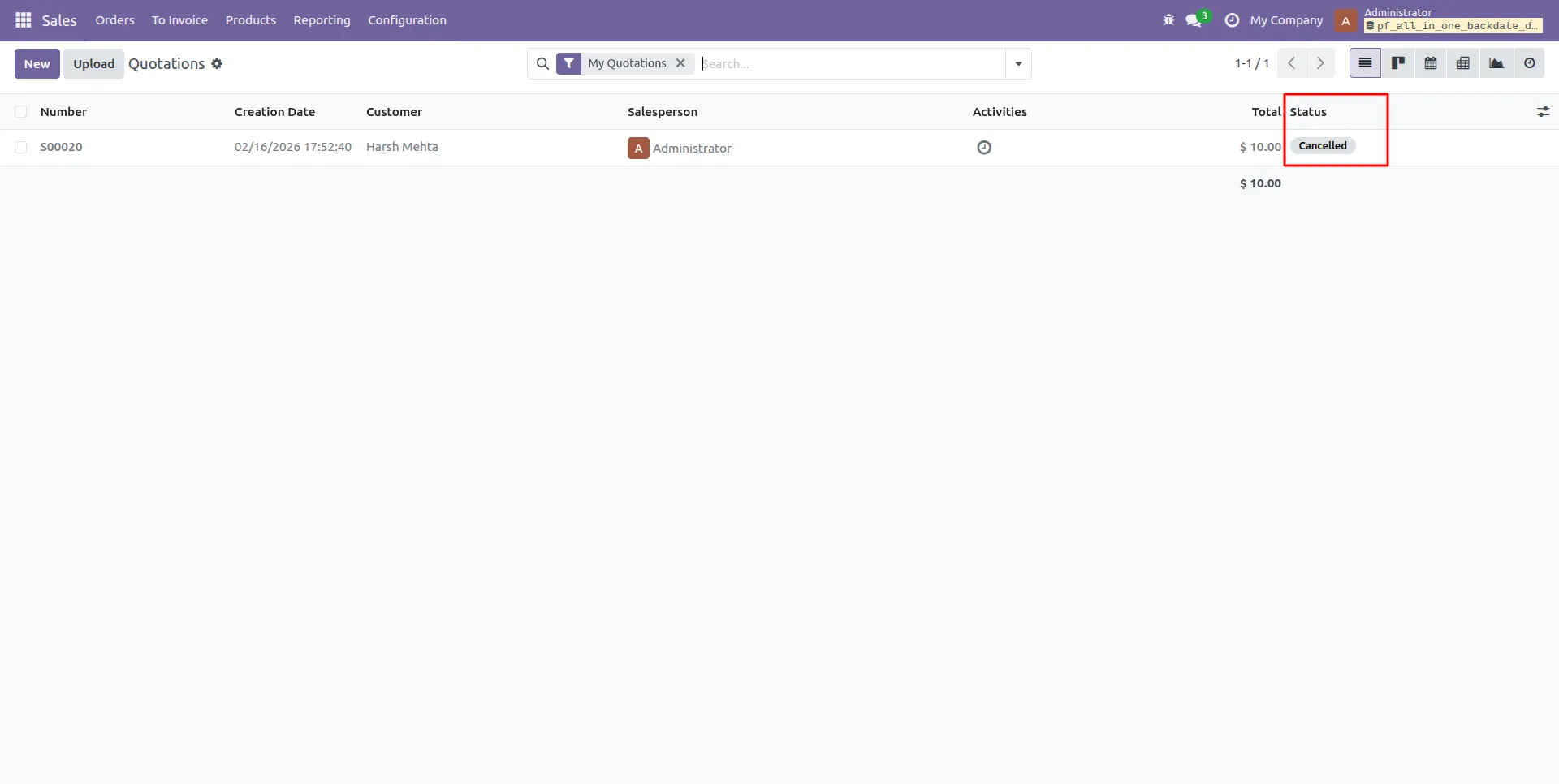
6.Check the status of your Quotation to see that it is now "Cancelled."
Our solutions focus on your problems
- Odoo Implementation
- Odoo Customization
- ERP Development and Implementation
- Odoo Ipass Cloud
- AI for Odoo
- Odoo Apps
- Aws Marketplace Products
- Business Engines
Our Pricing includes User Manual, 90 Days Support (Monday-Friday 10am to 7pm IST) and One time Setup
• Works & tested on standard installations of Odoo with no third party apps,
• Free support only for odoo installations with no third party apps,
• Paid support available for Odoo installations with third party apps.

Prefortune is a Odoo Official Partner, Odoo Development company. Our philosophy is to use Open Source tools and technologies to provide cost effective and green solutions for our customers.
Prefortune Technologies LLP is working on web development, Mobile development, and Odoo ERP.
If you need any help or want more additional features, you may contact us through:
Alternative Products
These other products might interest you
Specifications
| Version | 19.0, 18.0, 17.0, 16.0, 15.0, 14.0 |