Watch Quick Video
Automatic Credit Note from Return Picking
Our all-inclusive Odoo – Automatic Credit Note from Return Picking module helps businesses automate customer and vendor return processes by automatically creating Credit Notes from Return Pickings. It reduces manual accounting work, improves return management, and generates Credit Notes based on returned quantities.
The module links Credit Notes with related pickings, invoices, and vendor bills for better traceability. It automates the Odoo Return Credit Note process and works seamlessly with the Odoo Inventory and Accounting modules, helping businesses maintain accurate financial records, streamline refund processing, and manage returns more efficiently.
Key Features
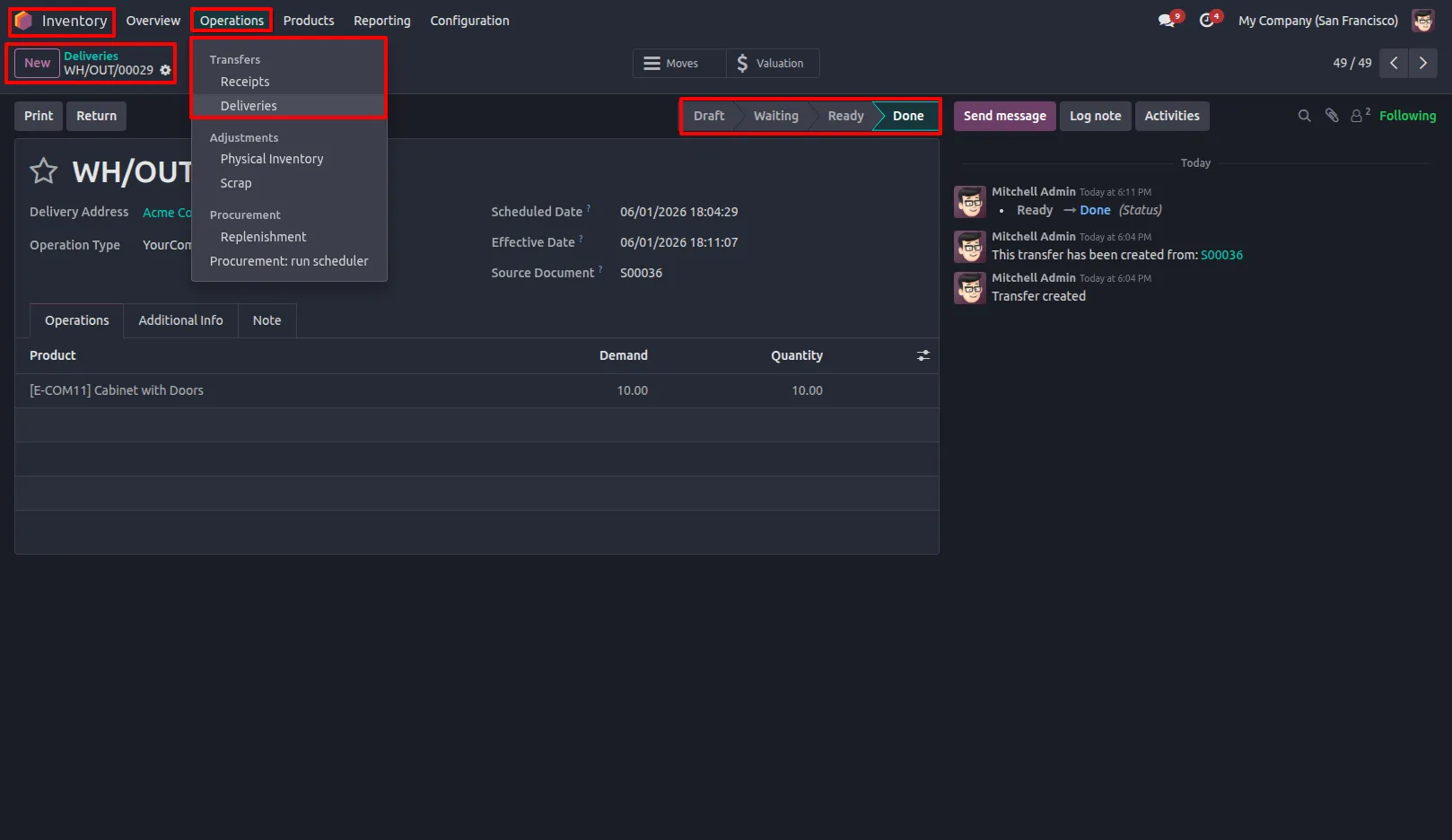
1.Go to Inventory Transfers and open the completed Delivery or Receipt Order. Inventory → Operations → Transfers.
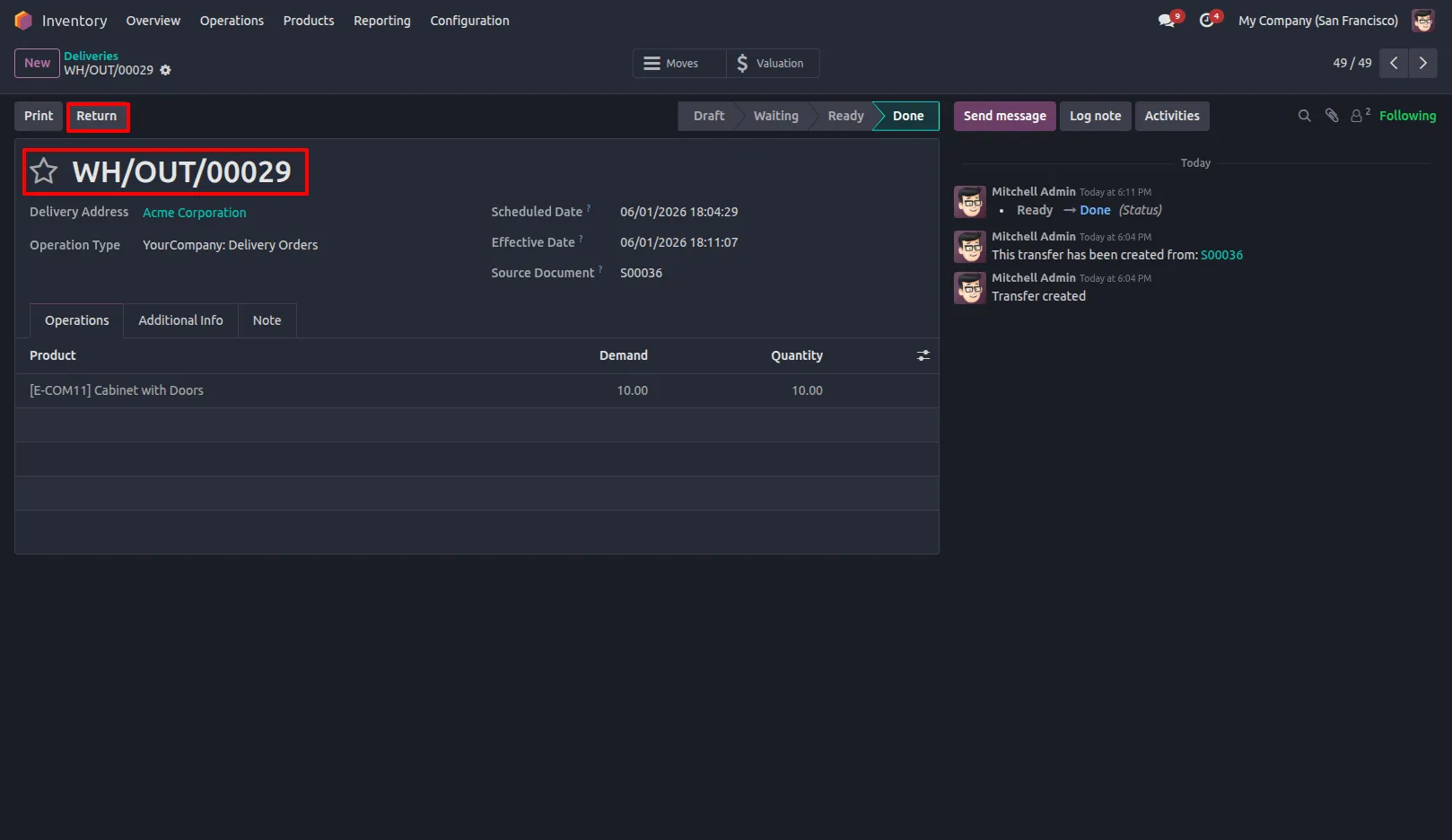
2.Click the Return button to start the product return process.
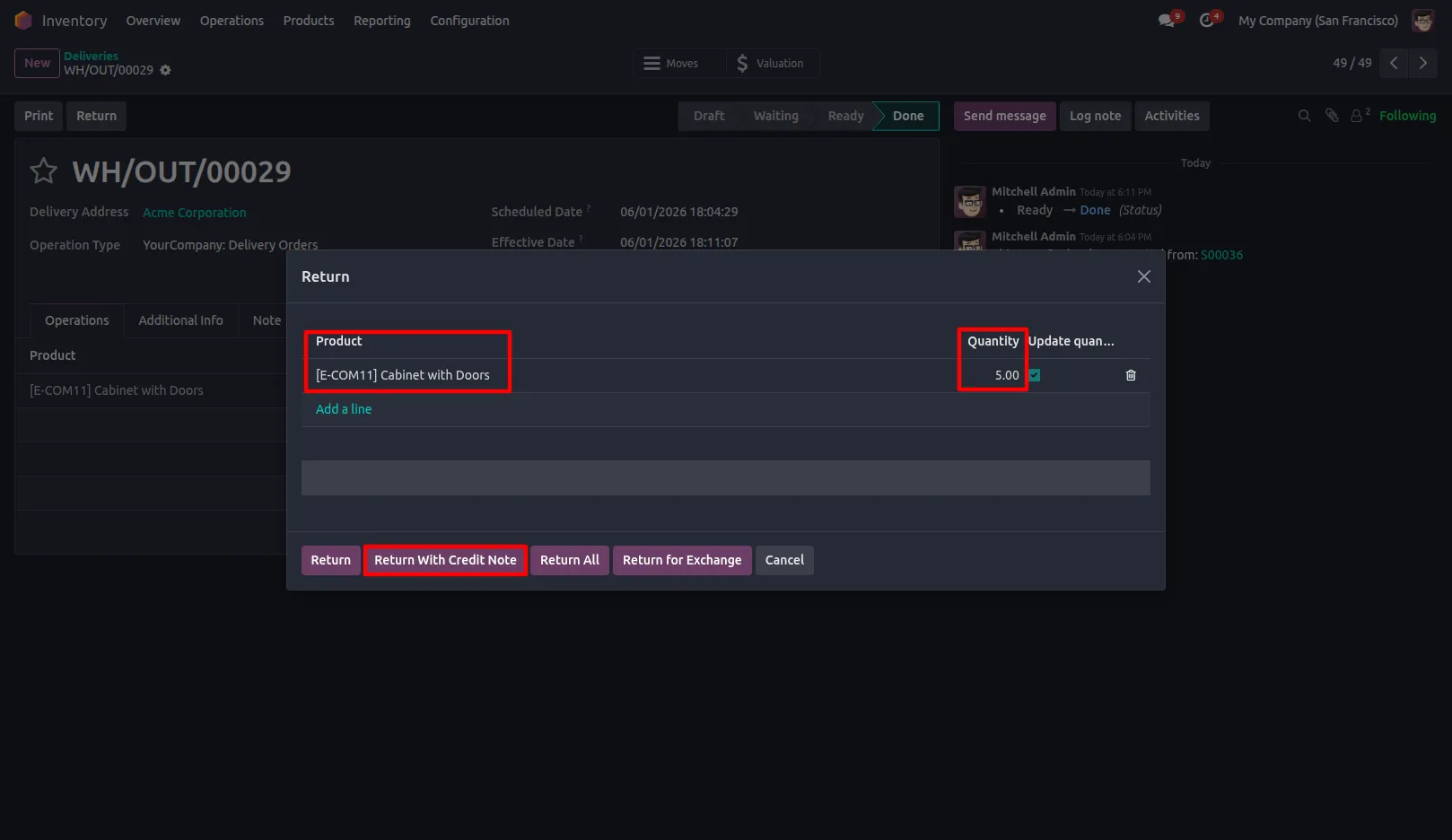
3.Enter the quantity to be returned and click the Return with Credit Note button in the return wizard.
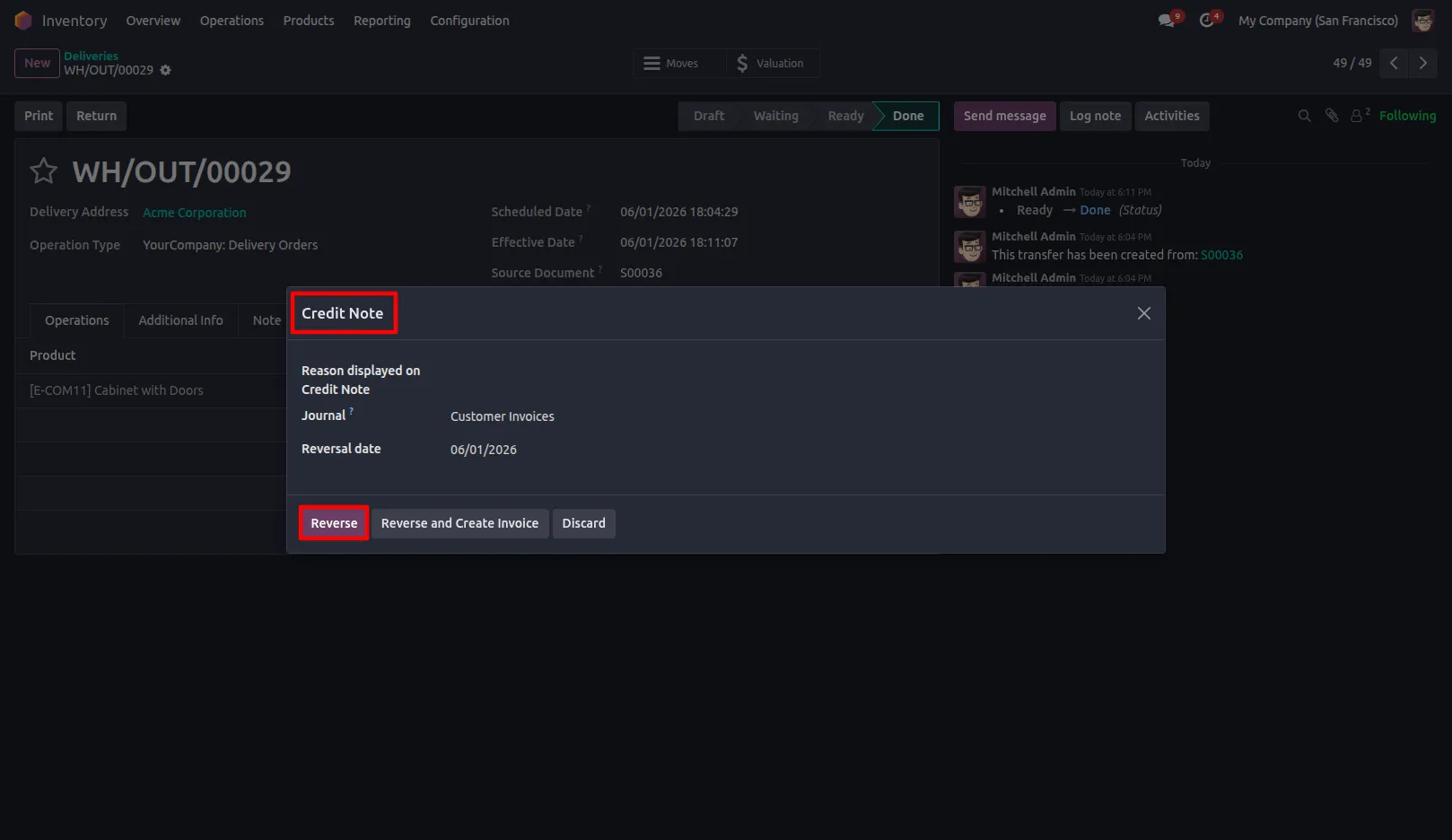
4.After clicking Return with Credit Note, the system opens the Credit Note wizard. Enter the required details and click Reverse. A new Customer or Vendor Credit Note is then created based on the return type.
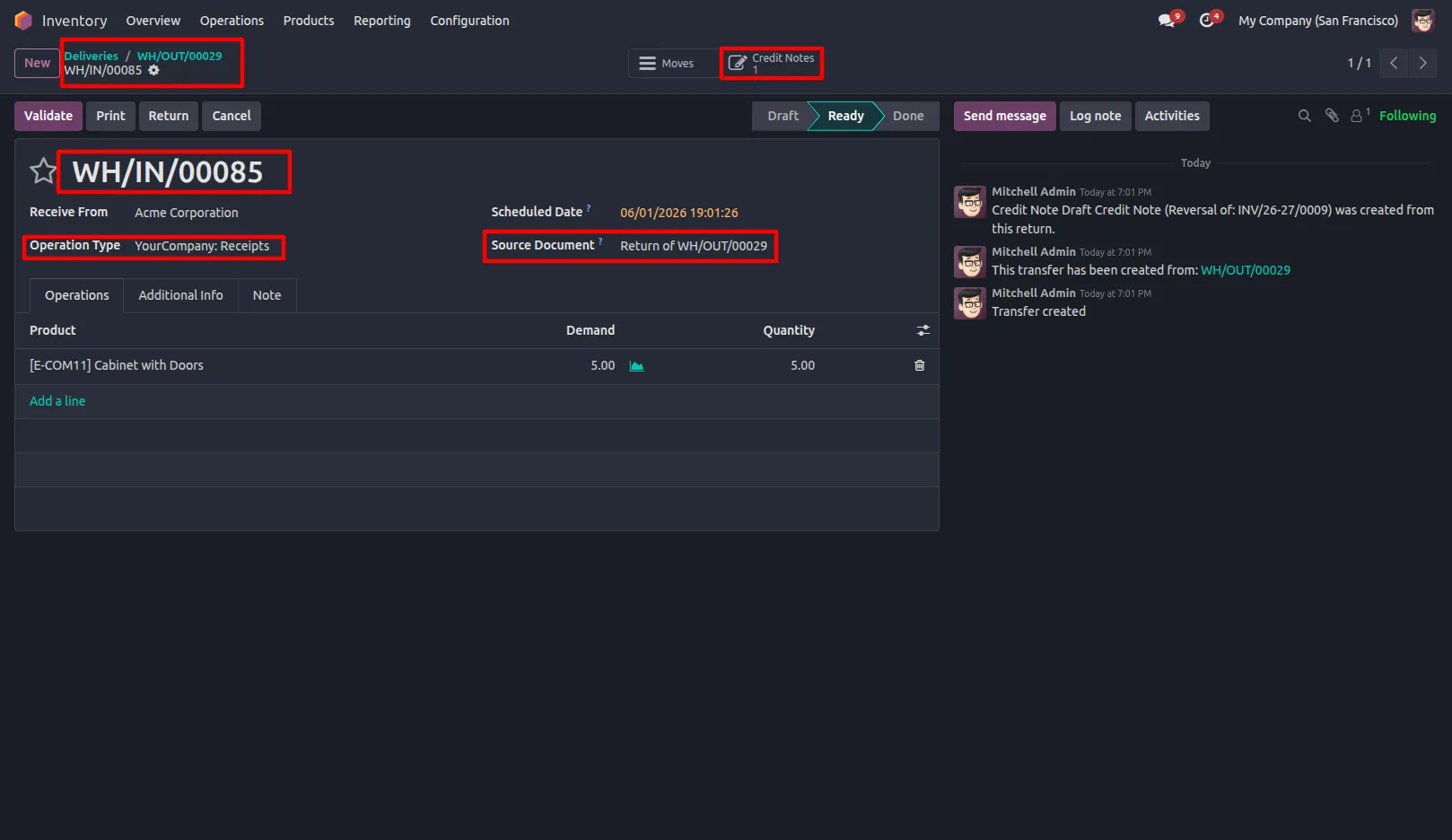
5.Users can view related Credit Notes directly from Delivery or Receipt records whenever Credit Notes have been created for that transfer. - Delivery or Receipt Records
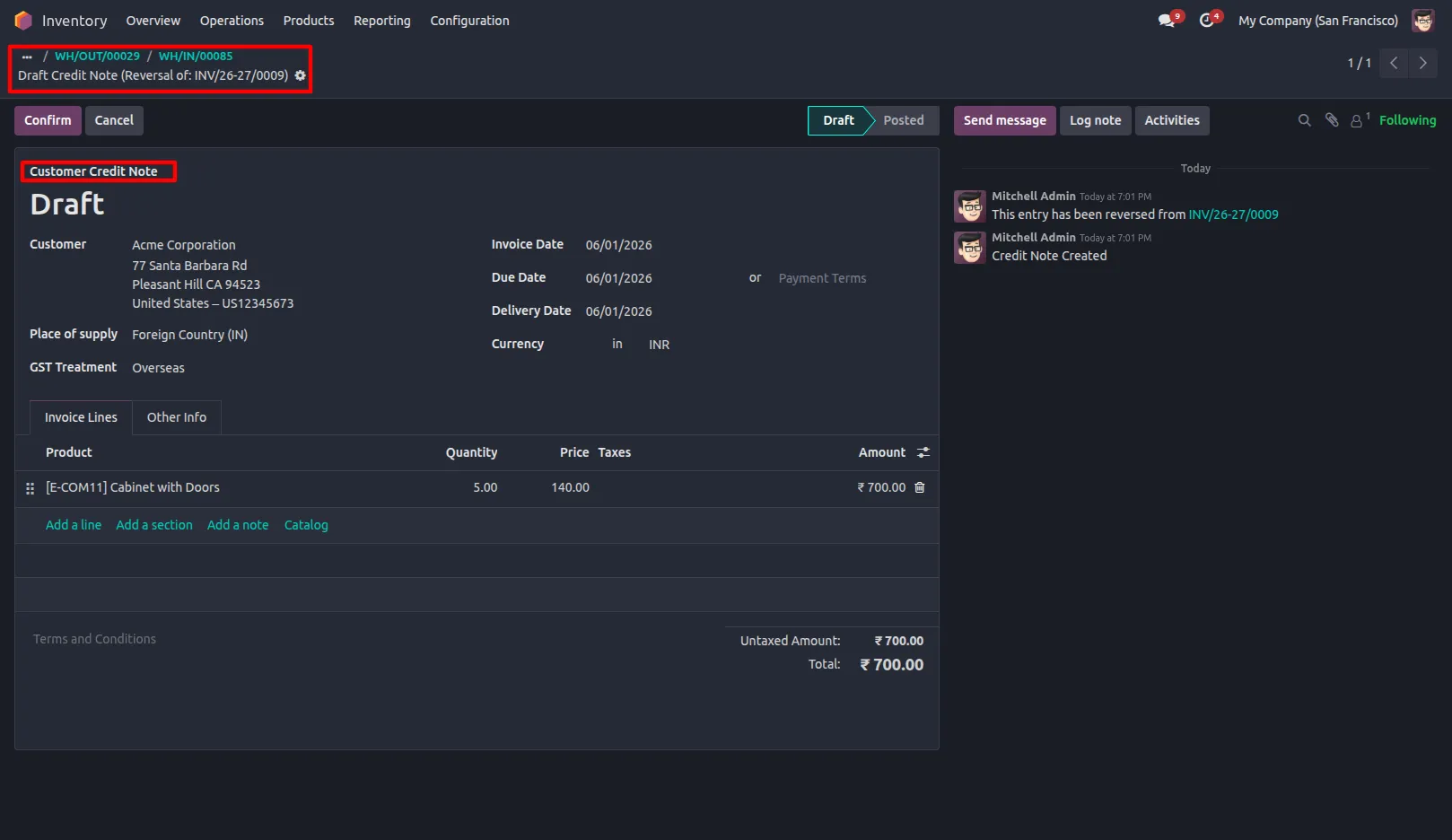
Vendor Credit Note
Our solutions focus on your problems
- Odoo Implementation
- Odoo Customization
- ERP Development and Implementation
- Odoo Ipass Cloud
- AI for Odoo
- Odoo Apps
- Aws Marketplace Products
- Business Engines
Our Pricing includes User Manual, 90 Days Support (Monday-Friday 10am to 7pm IST) and One time Setup
• Works & tested on standard installations of Odoo with no third party apps,
• Free support only for odoo installations with no third party apps,
• Paid support available for Odoo installations with third party apps.

Prefortune is a Odoo Official Partner, Odoo Development company. Our philosophy is to use Open Source tools and technologies to provide cost effective and green solutions for our customers.
Prefortune Technologies LLP is working on web development, Mobile development, and Odoo ERP.
If you need any help or want more additional features, you may contact us through:
Alternative Products
These other products might interest you
Specifications
| Version | 19.0, 18.0, 17.0, 16.0, 15.0, 14.0 |