Watch Quick Video
Automate Website Blog SEO Schema
The Automate Website Blog SEO Schema helps businesses improve blog search visibility by automatically adding advanced structured data and JSON LD schema to Odoo website blog pages. The module enhances semantic SEO and helps search engines better understand blog content for improved indexing and rich search appearance.Users can configure FAQ schema, article schema, and video schema directly from blog pages while improving SEO rich snippets and search result visibility. The module also validates video URLs automatically to prevent broken schema data and supports smarter website SEO optimization for Odoo websites.
Automate Website Blog SEO Schema Features
- Automatically generate optimized JSON LD schema and structured data for better search engine indexing.
- Create Google-compliant FAQ schema directly from the backend for enhanced SEO rich snippets.
- Improve website SEO optimization with fast schema processing and efficient comment integration.
- Generate smart VideoObject schema for YouTube and Vimeo with automatic URL validation.
- Manage advanced SEO schema automation easily using global website setting controls.
Complete Workflow for Automate Website Blog SEO Schema
Enable the Automate Website Blog SEO Schema module to improve website SEO optimization and automate advanced structured data generation for Odoo blog pages. Navigate to Website → Configuration → Settings and activate the advanced SEO schema options. Open any blog post and configure the SEO Video Metadata fields to add YouTube or Vimeo URLs with automatic validation and correction support. Users can also create FAQ schema content directly from the Blog FAQs section for enhanced SEO rich snippets in search results. After saving the blog post, the module automatically generates optimized JSON LD schema, article schema, metadata, and related structured data to improve blog search visibility and search engine indexing in Odoo.
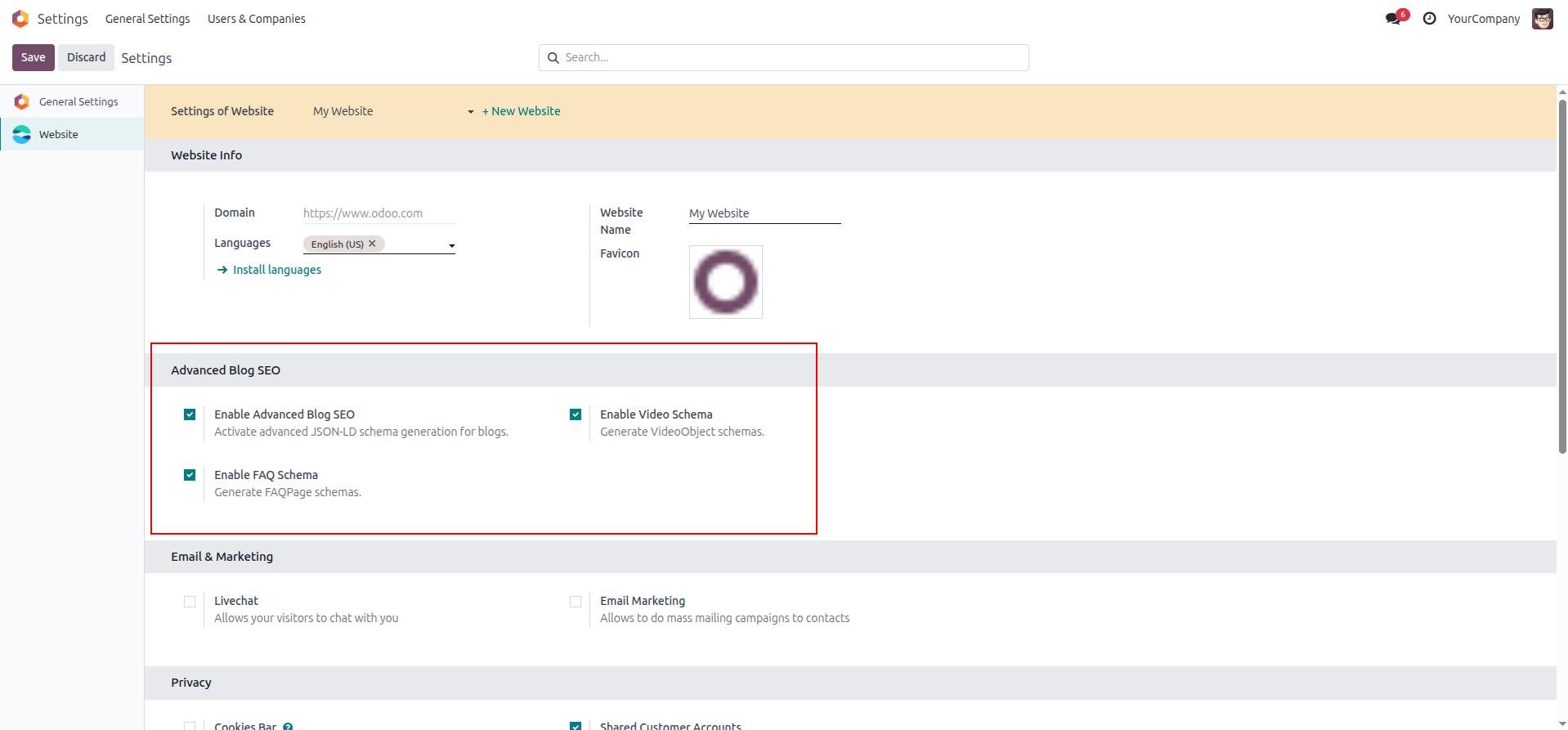
1. Global SEO Settings: Master switches in the Website Configuration to easily enable or disable specific schema features globally.
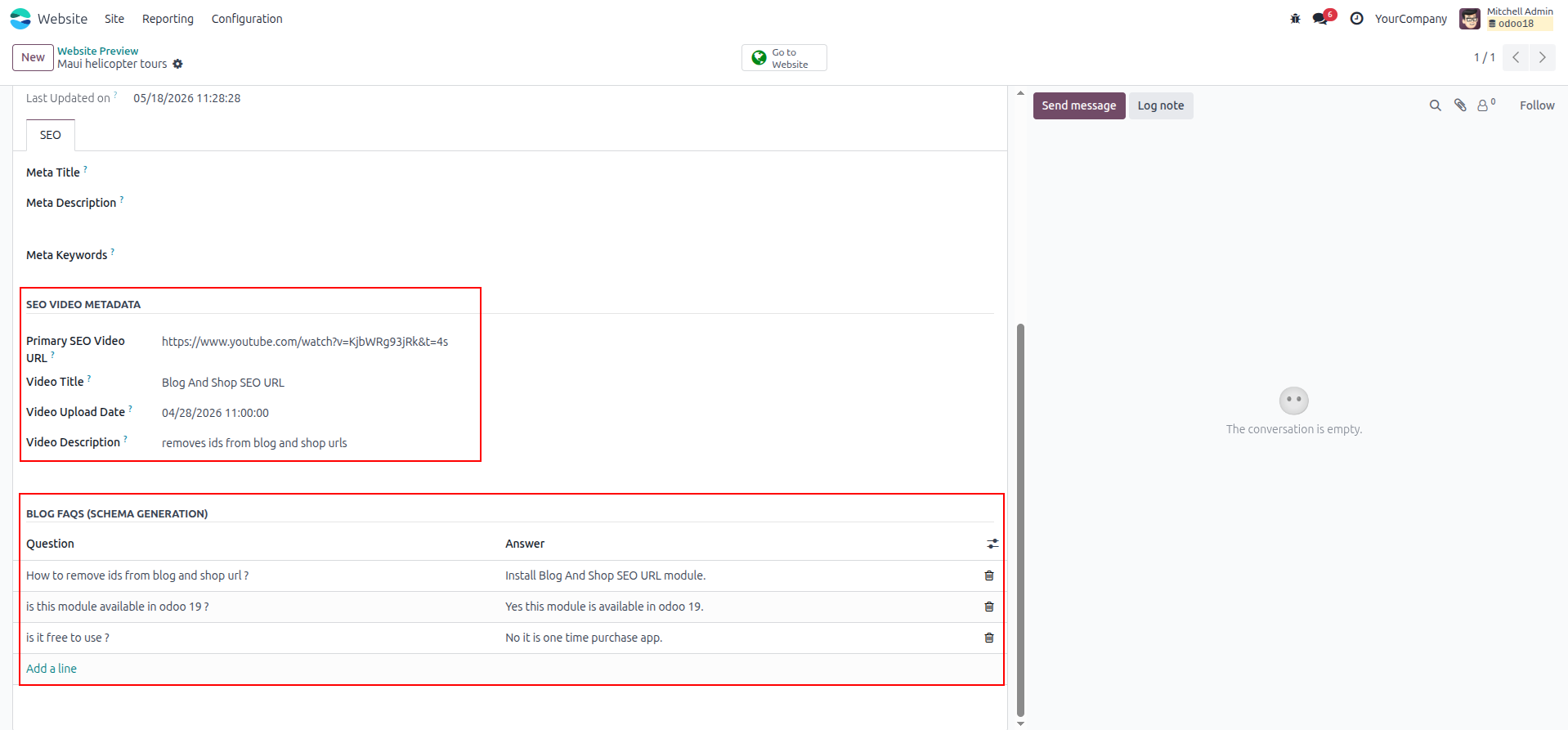
2. Backend Metadata Input: Dedicated backend fields on the blog post form for adding video URLs and building dynamic FAQ lists.
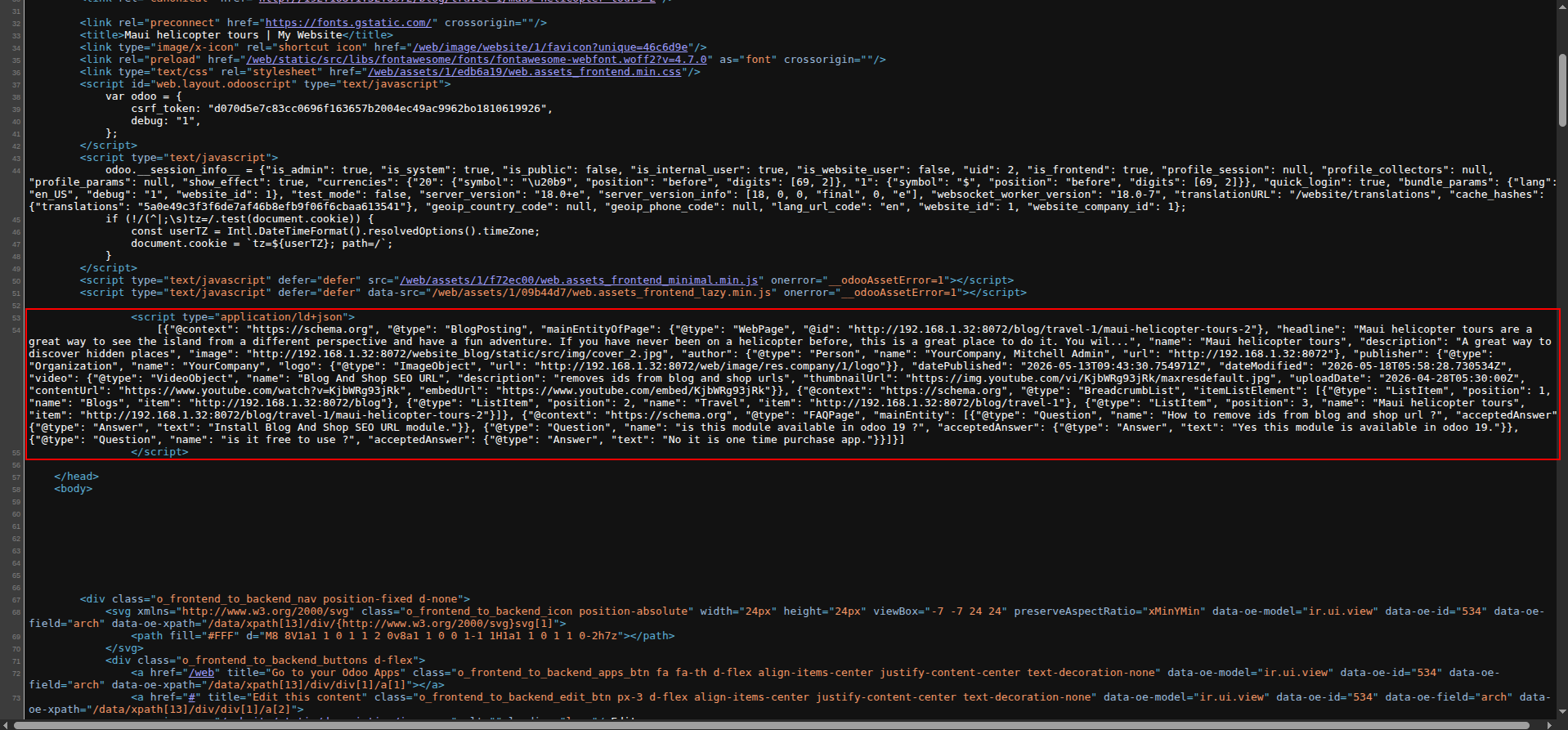
3. Complete Schema Output: Live page source code displaying the fully generated, combined JSON-LD schema block with all features active.
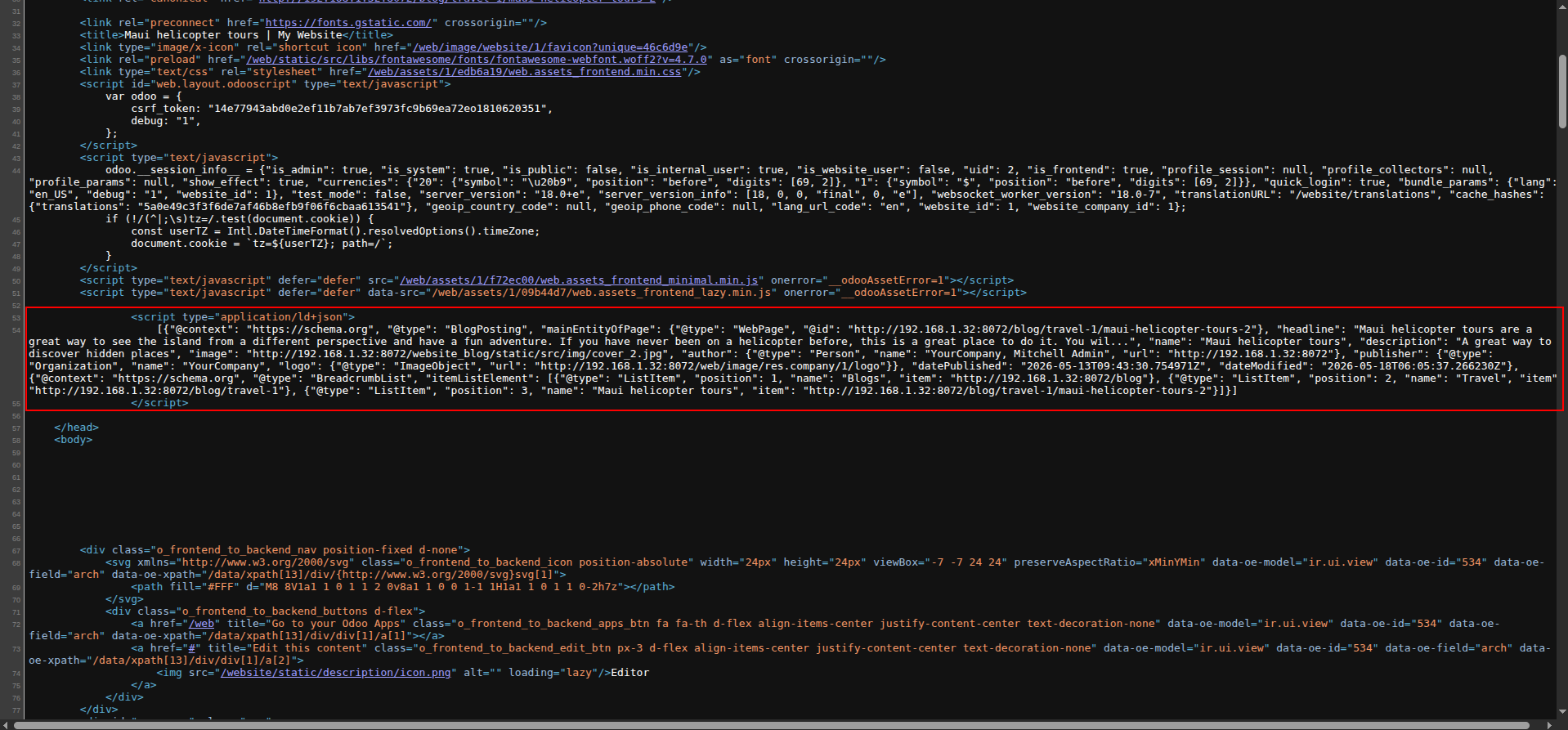
4. Dynamic Schema Control: Source code adapting instantly to only show base schemas when the Video and FAQ switches are turned off.
Our solutions focus on your problems
- Odoo Implementation
- Odoo Customization
- ERP Development and Implementation
- Odoo Ipass Cloud
- AI for Odoo
- Odoo Apps
- Aws Marketplace Products
- Business Engines
Our Pricing includes User Manual, 90 Days Support (Monday-Friday 10am to 7pm IST) and One time Setup
• Works & tested on standard installations of Odoo with no third party apps,
• Free support only for odoo installations with no third party apps,
• Paid support available for Odoo installations with third party apps.

Prefortune is a Odoo Official Partner, Odoo Development company. Our philosophy is to use Open Source tools and technologies to provide cost effective and green solutions for our customers.
Prefortune Technologies LLP is working on web development, Mobile development, and Odoo ERP.
If you need any help or want more additional features, you may contact us through:
Alternative Products
These other products might interest you
Specifications
| Version | 19.0, 18.0, 17.0, 16.0, 15.0, 14.0 |