Watch Quick Video
Auto Send POS Session Report to Manager Odoo
Our
Auto Send POS Session Report to Manager Odoo
Auto Send POS Session Report to Manager Odoo app simplifies POS operation by automatically generating session reports and transferring them to directors via email in a structured PDF format.Once a POS session is made, the system straightaway triggers automatic POS session report transferring, guaranteeing managers receive timely updates without any manual trouble.
This helps exclude waits and improves common reporting efficiency.Each report provides a whole overview of the session, including payment summary, cash register summary, andproduct-wise transactions report, allowing managers to cover day-to-day performance without accessing the Odoo backend.
With built in POS report email automation and flexible recipient structure, you can assure the right reports reach the right people at the right time. The clean and well organized report setup makes it easy to break down sales data and make quick business calls.
Key Features
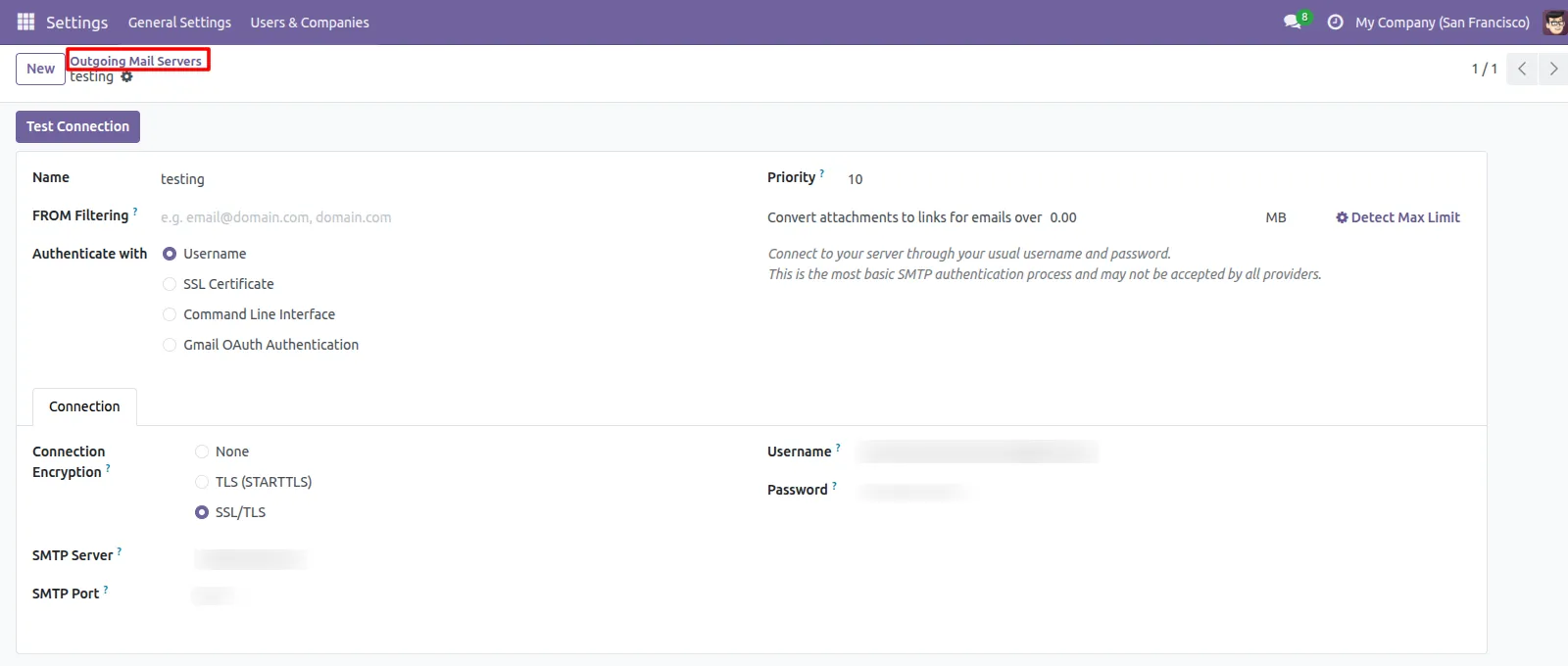
1.First configure the Outgoing Mail Server Go to the Settings -> Technical -> Outgoing Mail Servers.
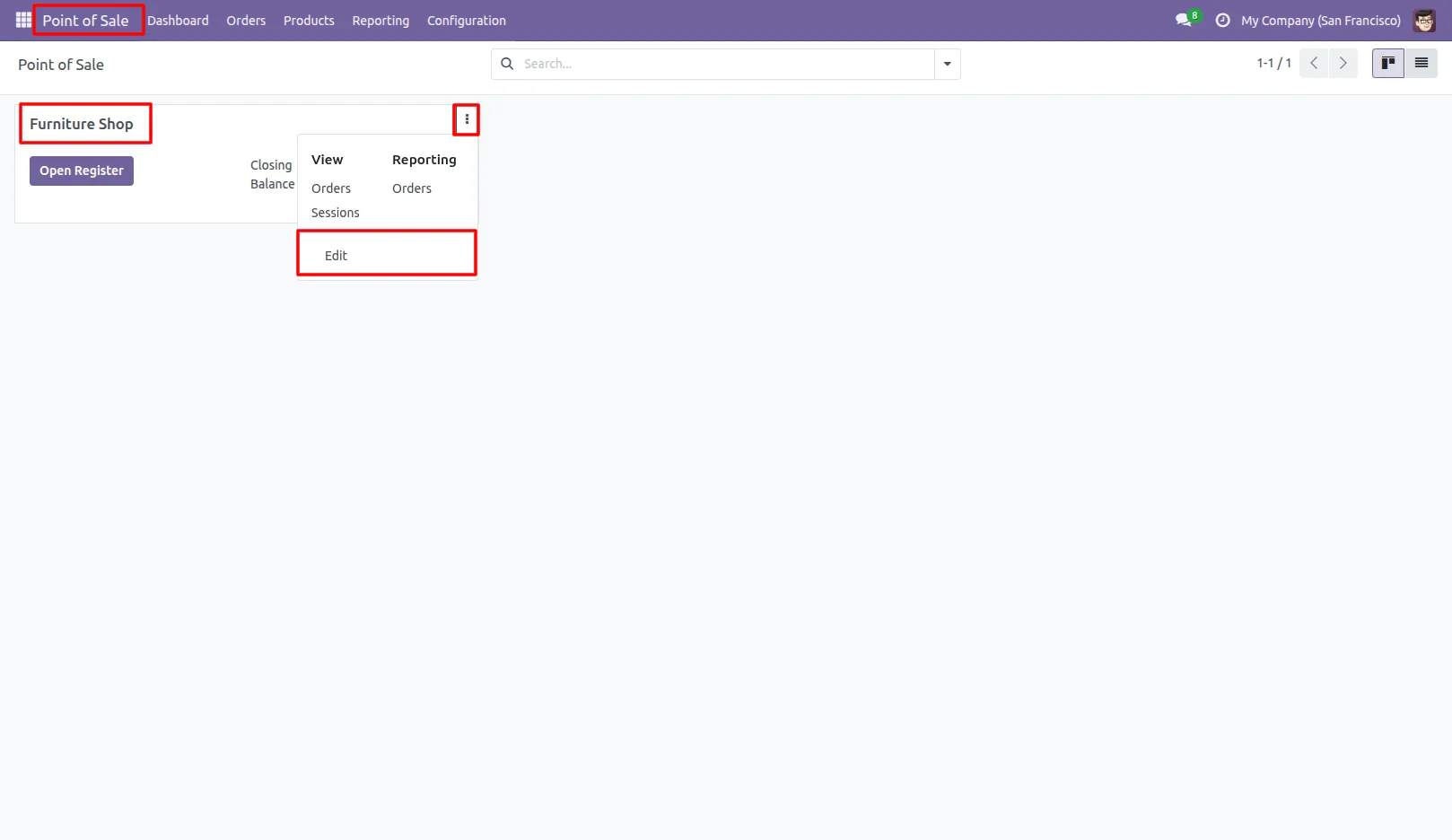
2.Configure the manager in POS settings to receive session reports. Go to Pos Session Settings
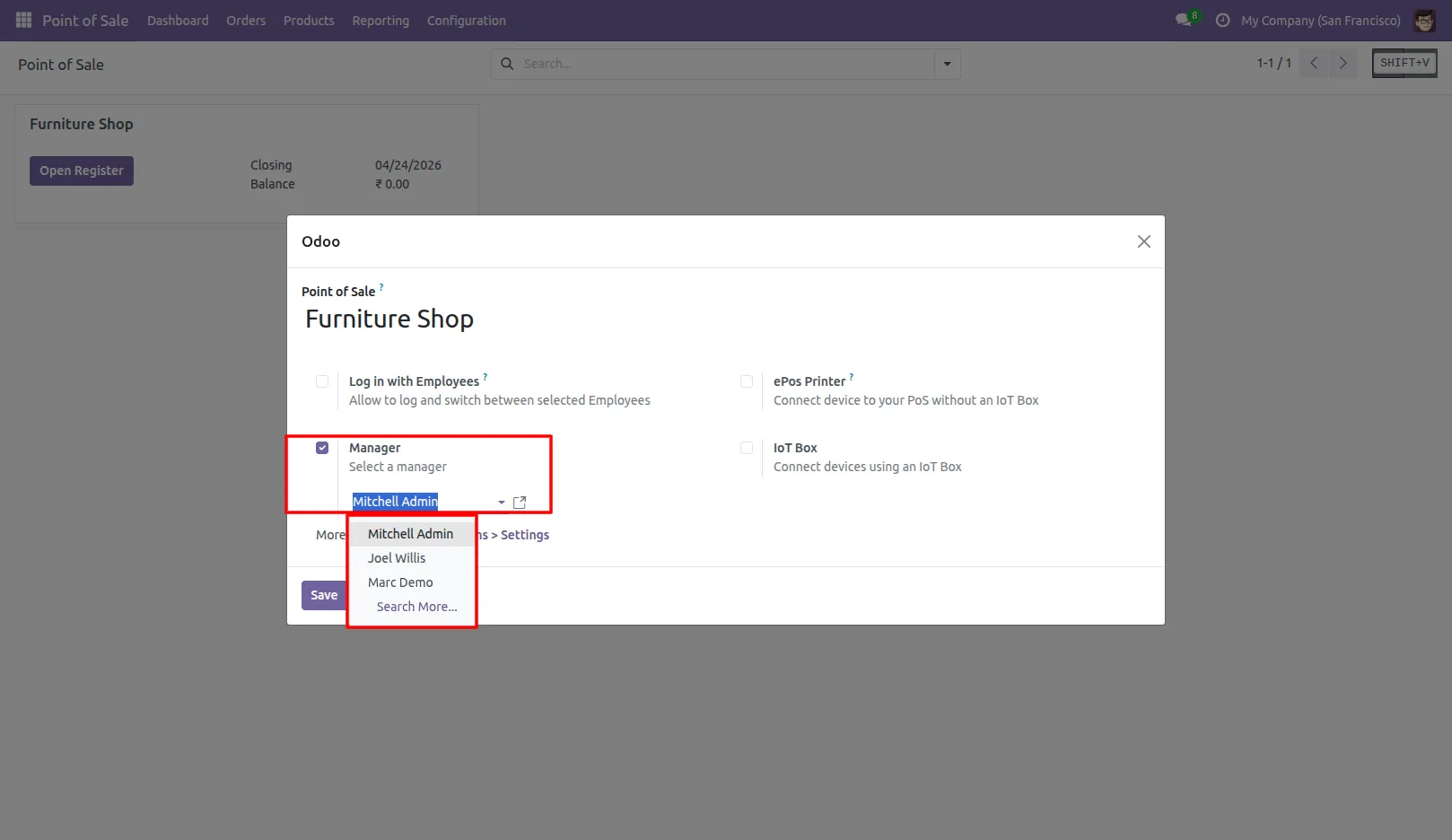
After Opening Pos Session Settings configure manager
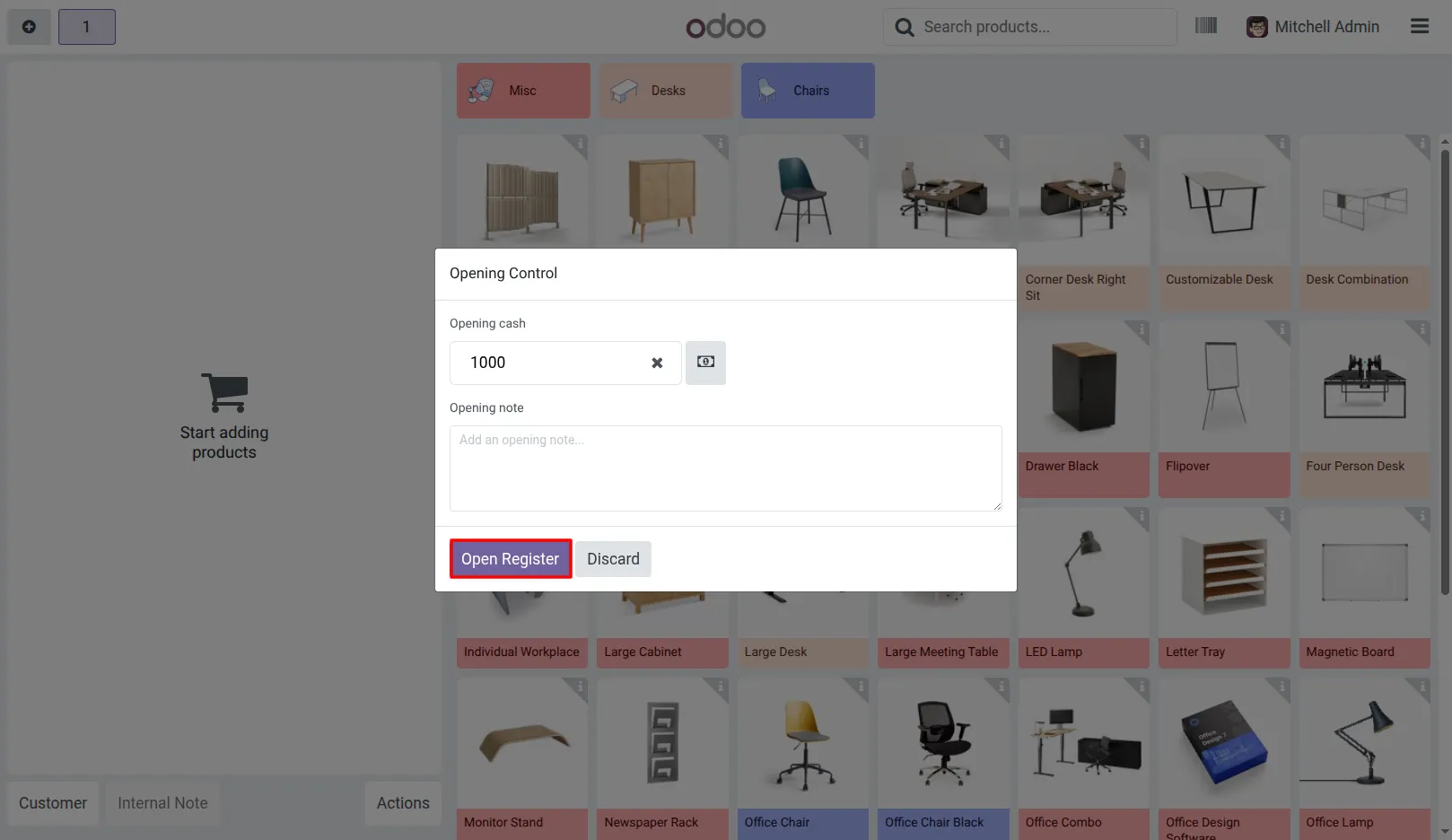
3.Open the Point of Sale and start a new session.
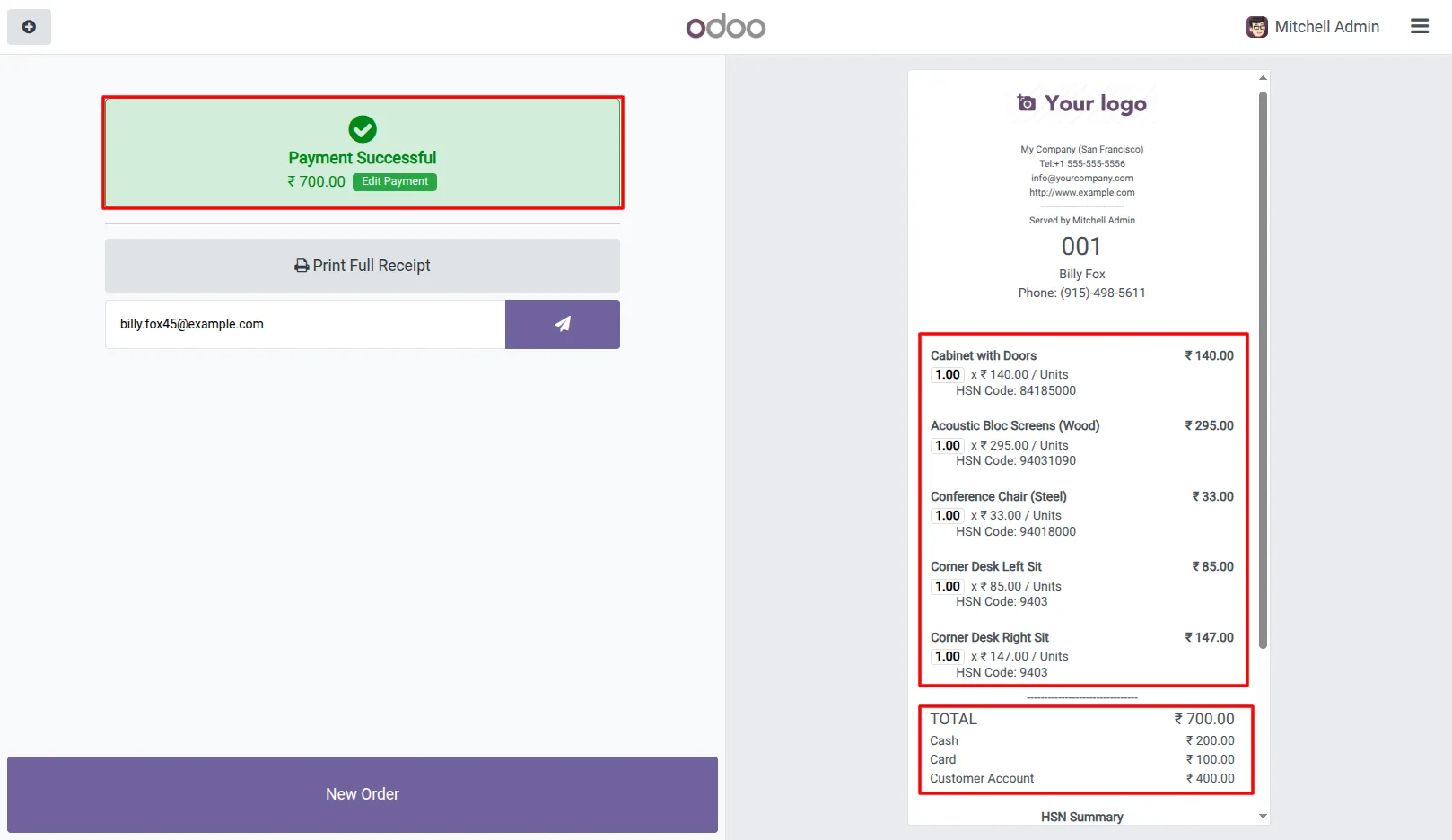
4.Process orders and complete transactions during the session.
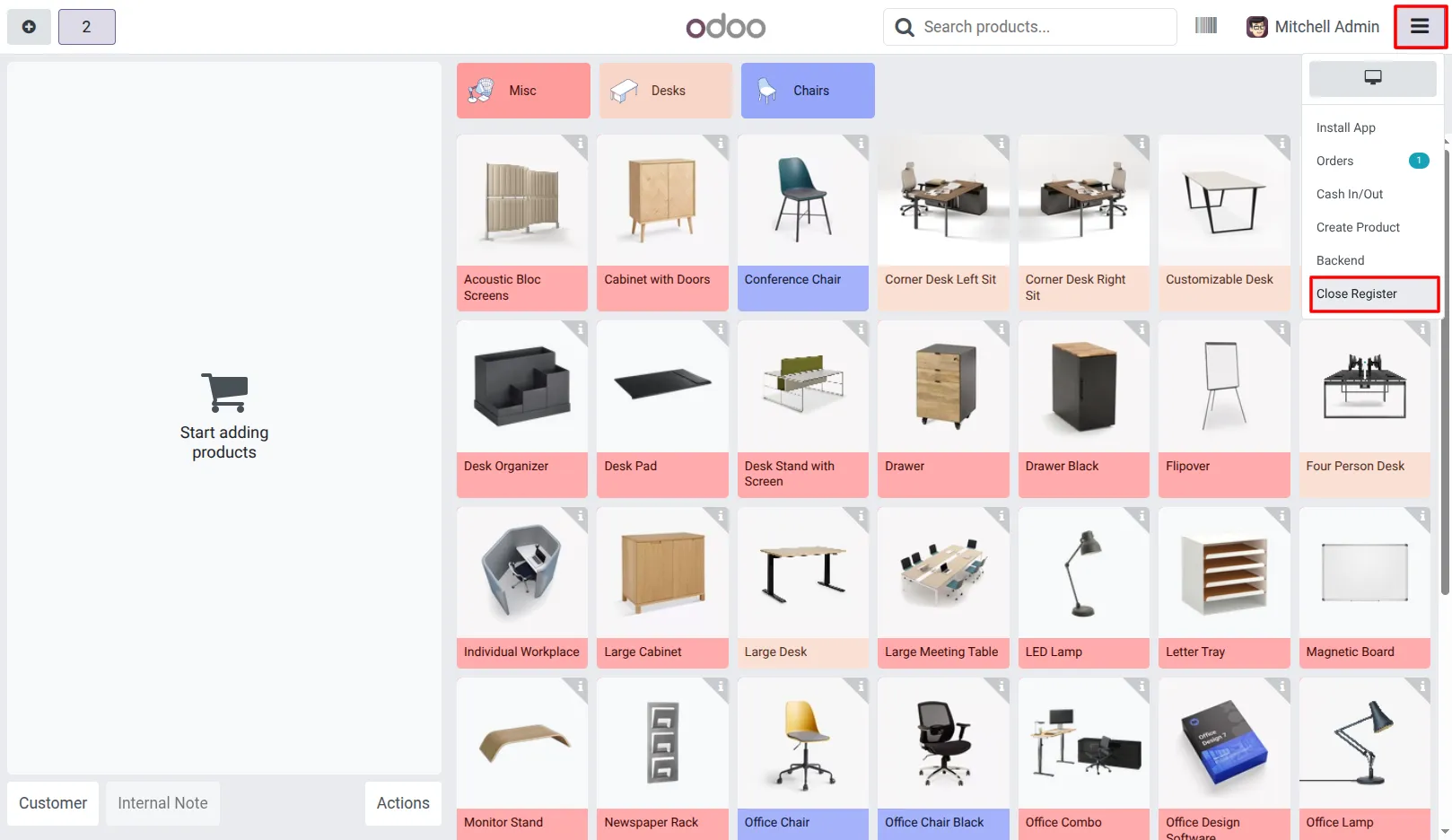
5.Close the POS session from the POS Dashboard.
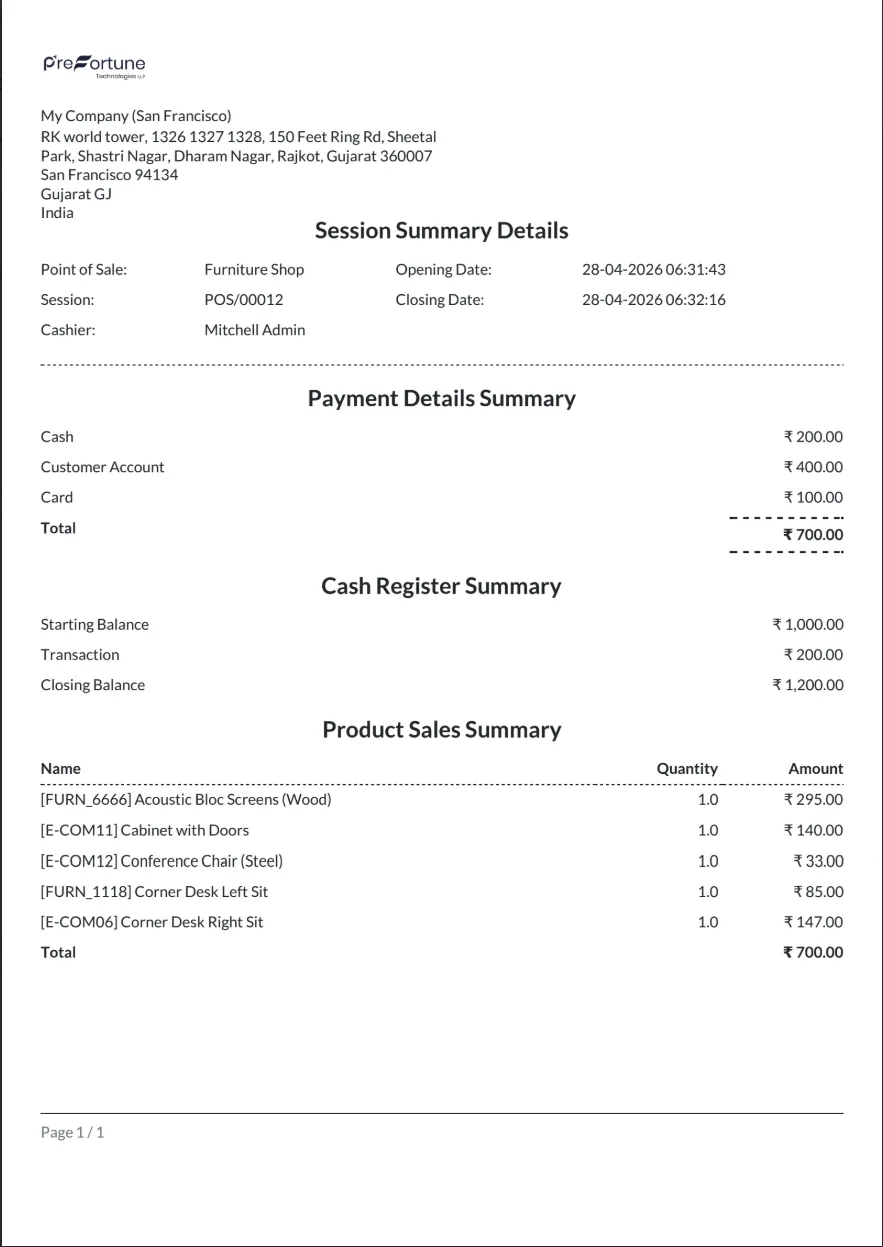
6.System automatically generates the session report after closing The report is sent as a PDF attachment to the configured manager email.
Our solutions focus on your problems
- Odoo Implementation
- Odoo Customization
- ERP Development and Implementation
- Odoo Ipass Cloud
- AI for Odoo
- Odoo Apps
- Aws Marketplace Products
- Business Engines
Our Pricing includes User Manual, 90 Days Support (Monday-Friday 10am to 7pm IST) and One time Setup
• Works & tested on standard installations of Odoo with no third party apps,
• Free support only for odoo installations with no third party apps,
• Paid support available for Odoo installations with third party apps.

Prefortune is a Odoo Official Partner, Odoo Development company. Our philosophy is to use Open Source tools and technologies to provide cost effective and green solutions for our customers.
Prefortune Technologies LLP is working on web development, Mobile development, and Odoo ERP.
If you need any help or want more additional features, you may contact us through:
Alternative Products
These other products might interest you
Specifications
| Version | 19.0, 18.0, 17.0, 16.0, 15.0, 14.0 |