Watch Quick Video

Assign Product Multiple Barcodes Odoo App
Our efficient
Odoo – Assign Product Multiple Barcodes Odoo App
enhances product and inventory management by allowing users to assign multiple barcodes to a single
product.
With flexible configuration, it supports model-wise barcodes for different operations such as Sales and
Purchase,
ensuring better tracking and identification of products across workflows.
1. Multiple Barcode Assignment: Assign multiple barcodes to a single product for flexible
product handling.
2. Model-Wise Barcode Support: Define different barcodes for Sales, Purchase, and other
operations.
3. Barcode-Based Product Search: Easily search products using any assigned barcode in List and
Kanban views.
4. Validation & Accuracy: Prevents duplicate barcode entry and ensures barcodes only contain
alphanumeric characters.
5. Enable/Disable Feature Control: Allows users to enable or disable the multiple barcode
functionality as needed.
This ensures improved efficiency, accuracy, and streamlined barcode management across operations.
Key Features
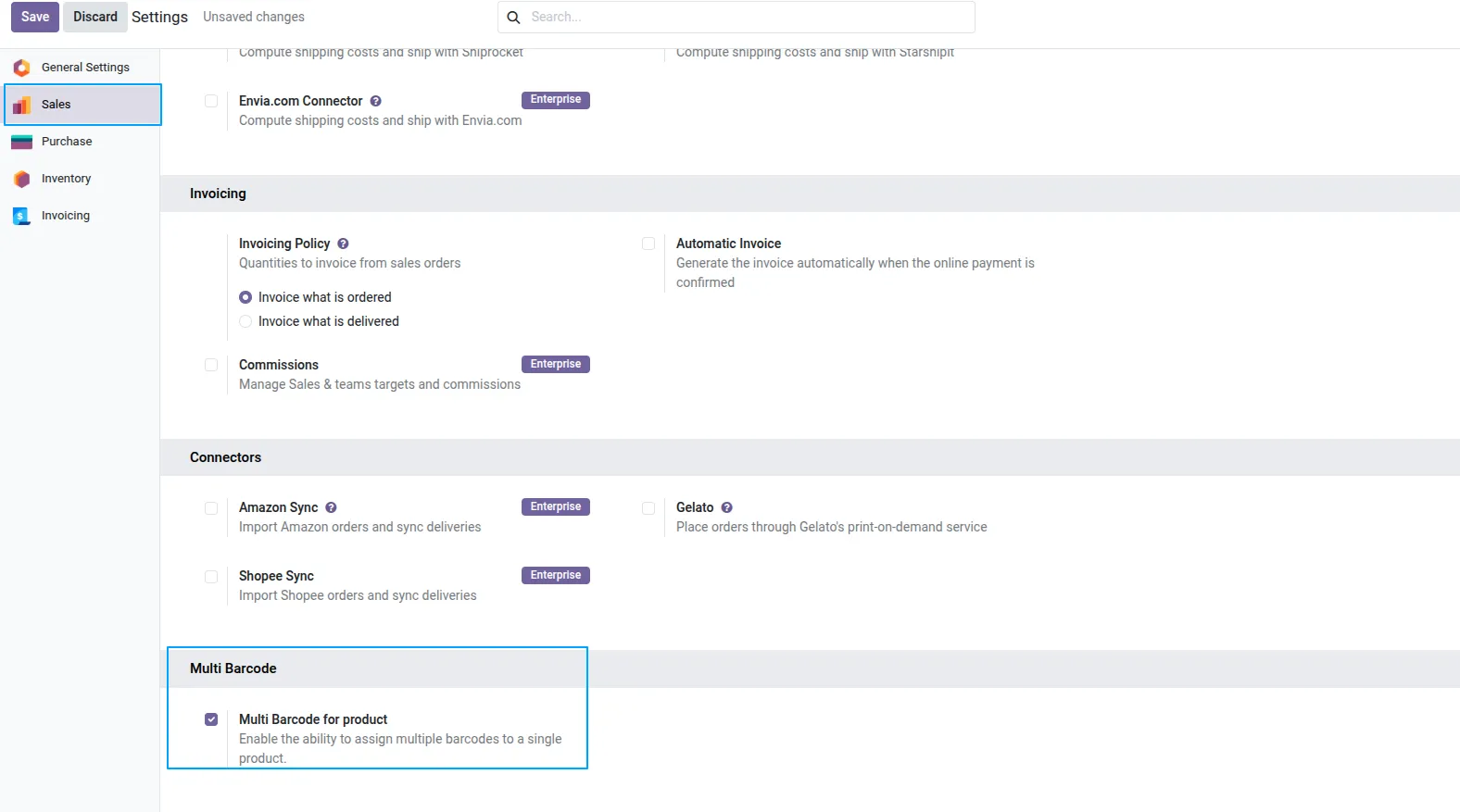
1. Go to Sales -> Configuration -> Settings and enable the "Multi Barcode for product" feature.
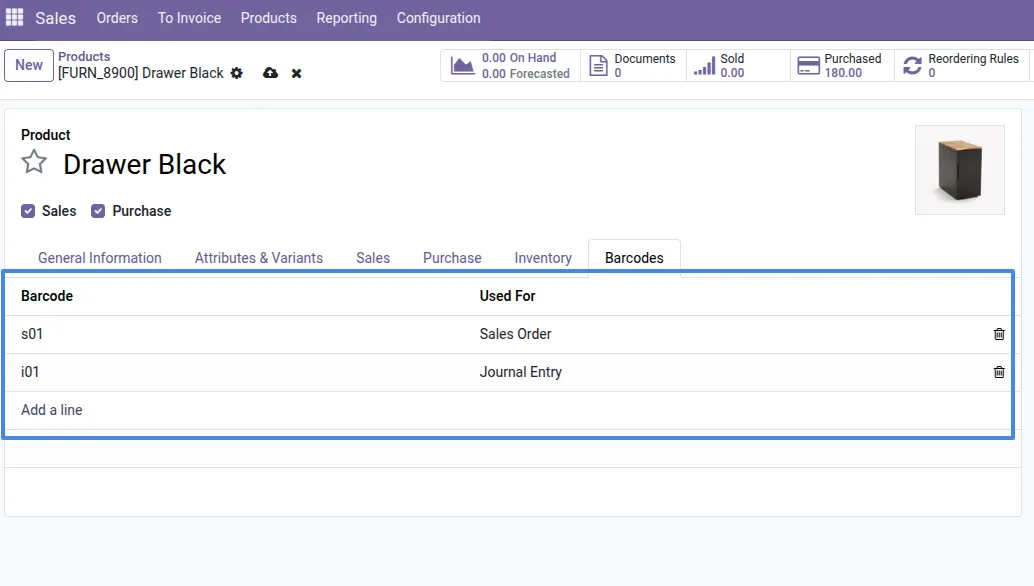
2. Open a product and navigate to the "Barcodes" tab to assign multiple barcodes and specify the module or operation they are used for.
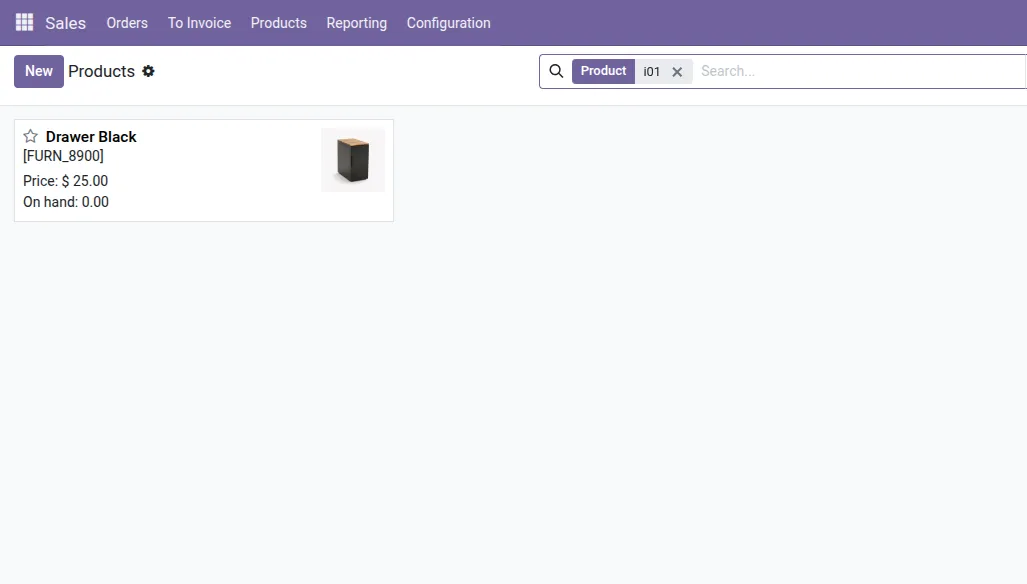
3. Quickly search and locate products in the Kanban or List view using any assigned barcode.
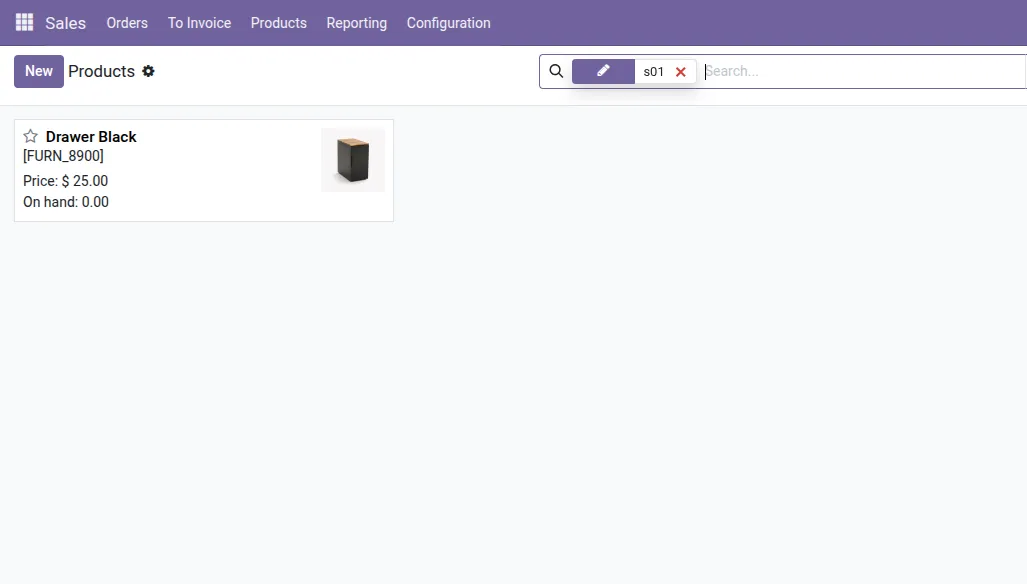
4. Efficient searching allows you to use different assigned barcodes to find the same product.
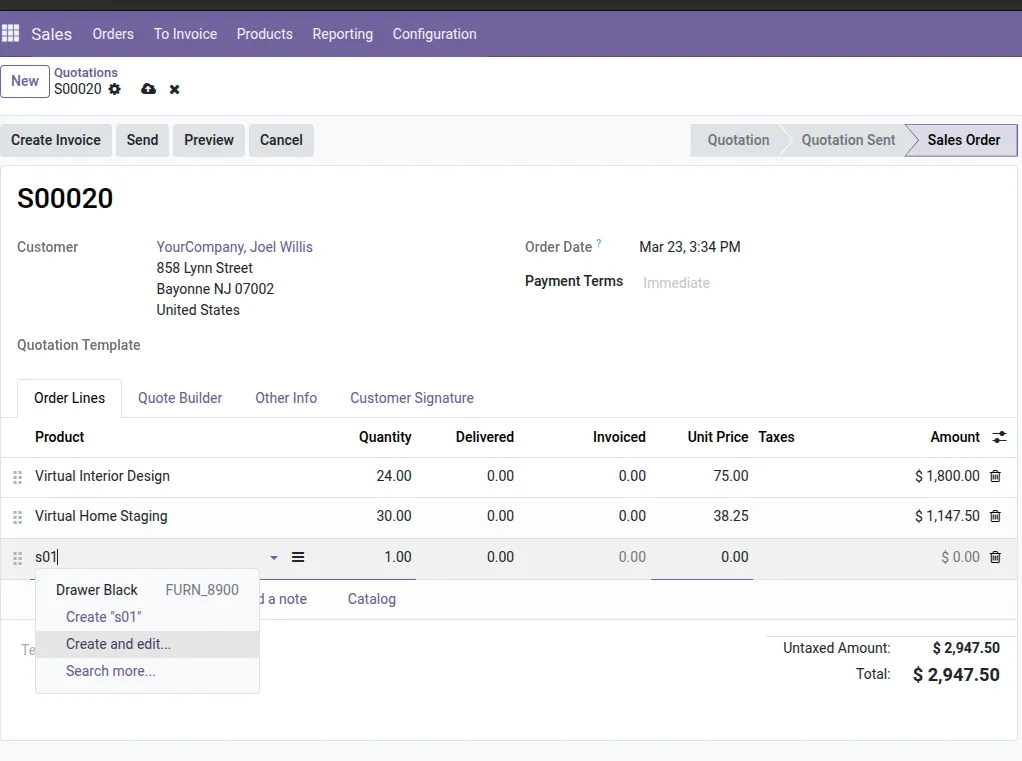
5. In a Sales Order, entering an assigned barcode in the product line will automatically map to the correct product.
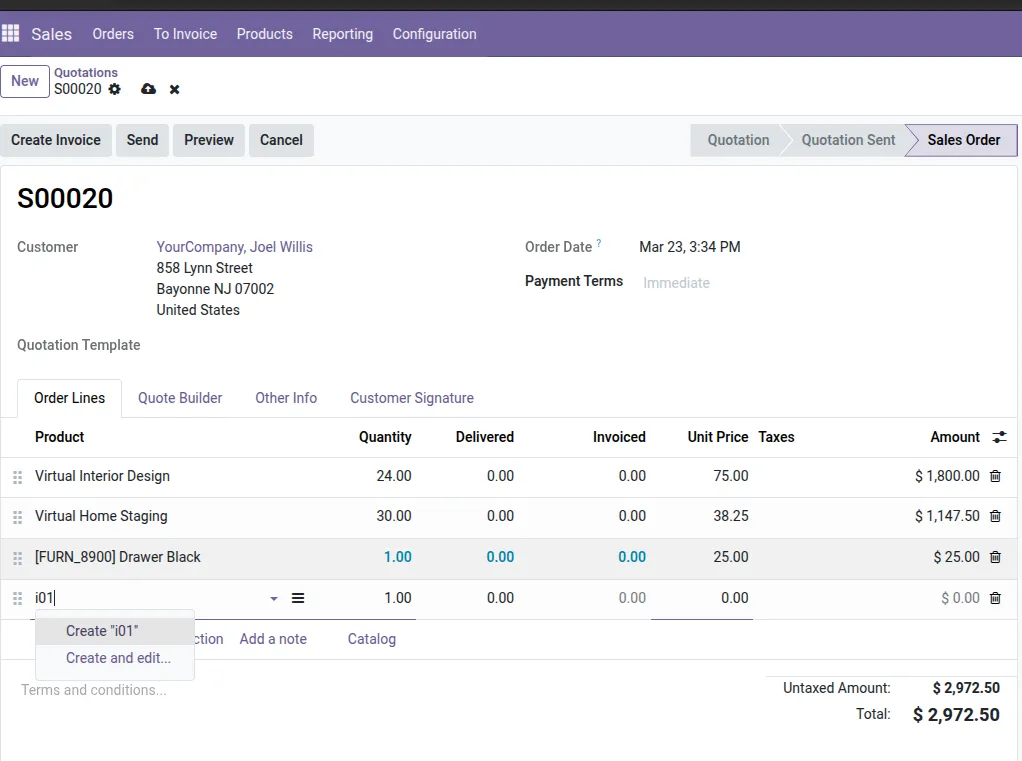
6. Barcodes are model-restricted; a barcode assigned to another module (e.g., Journal Entry) will not work in the Sales module.
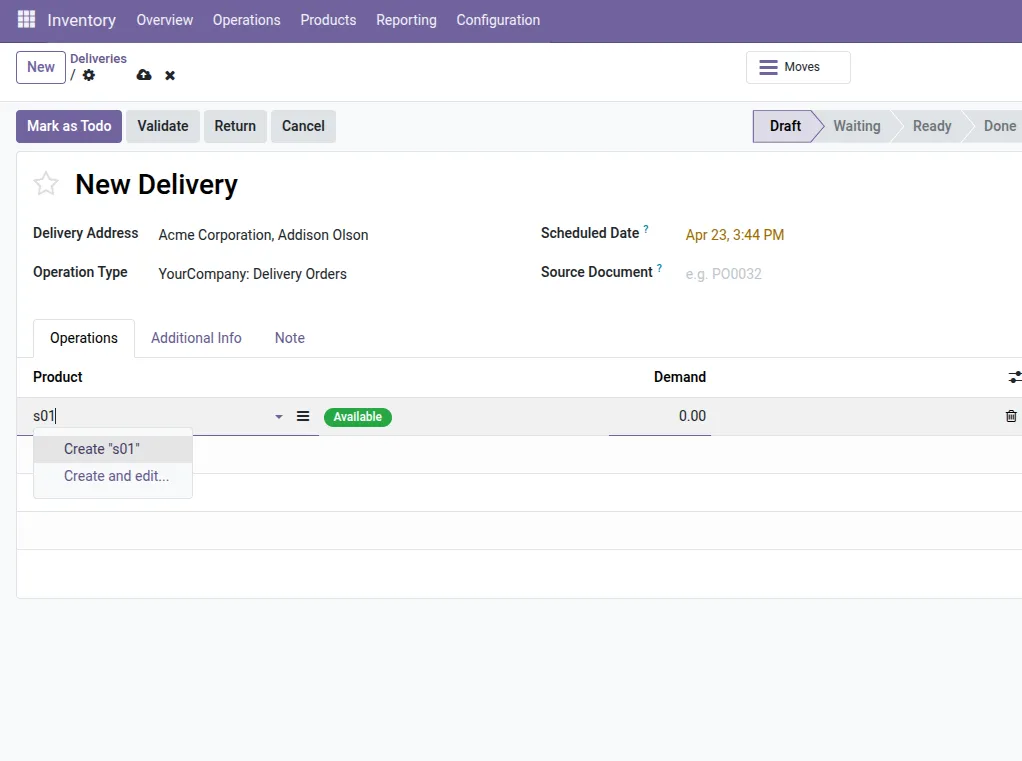
7. Seamlessly use barcodes like "s01" in Inventory operations (e.g., Delivery Orders) for instant product mapping.
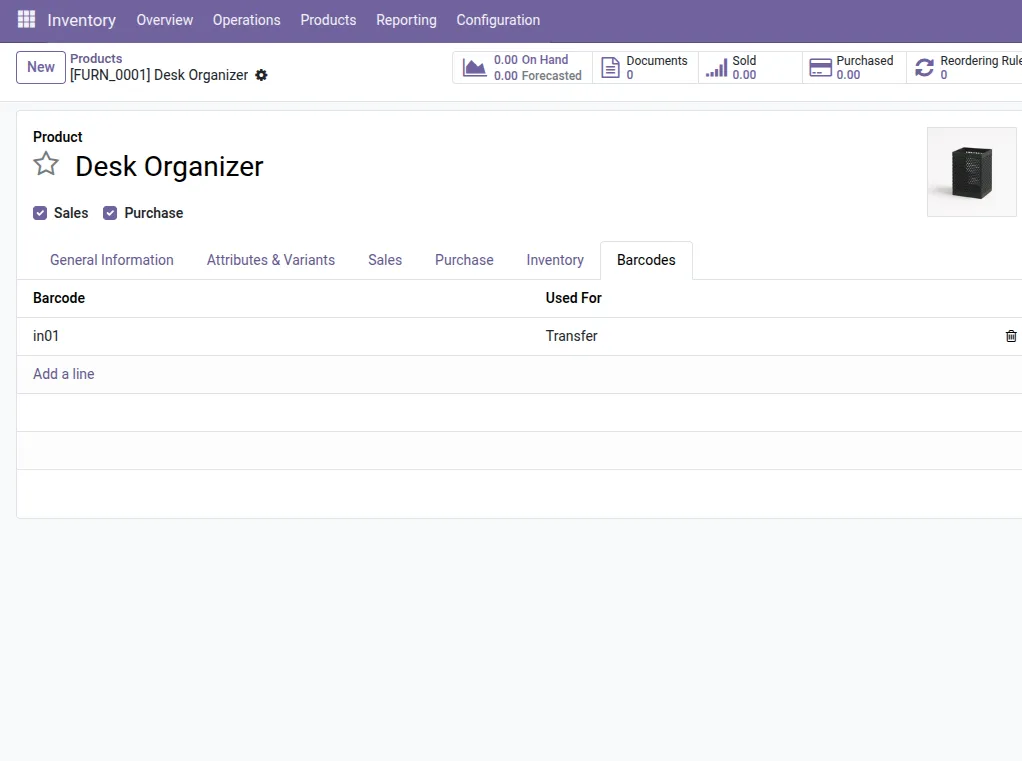
8. Assign specific barcodes like "in01" for the "Transfer" model on the product form for better tracking.
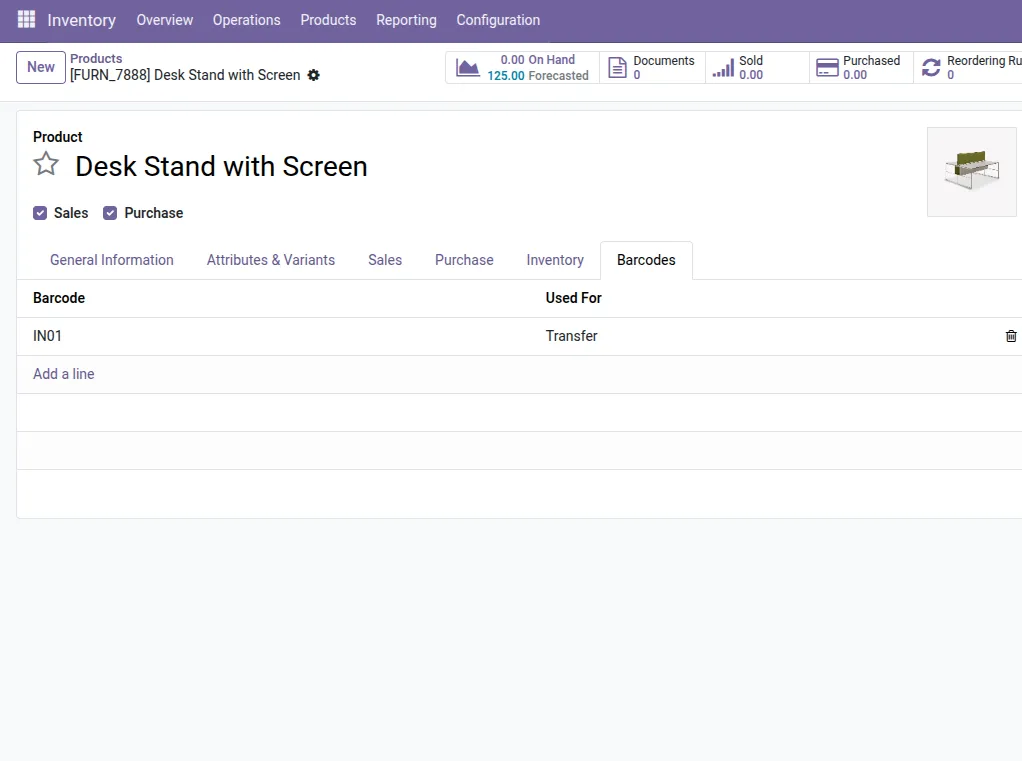
9. Easily handle multiple products by assigning unique case-sensitive barcodes (e.g., "IN01") to different items.
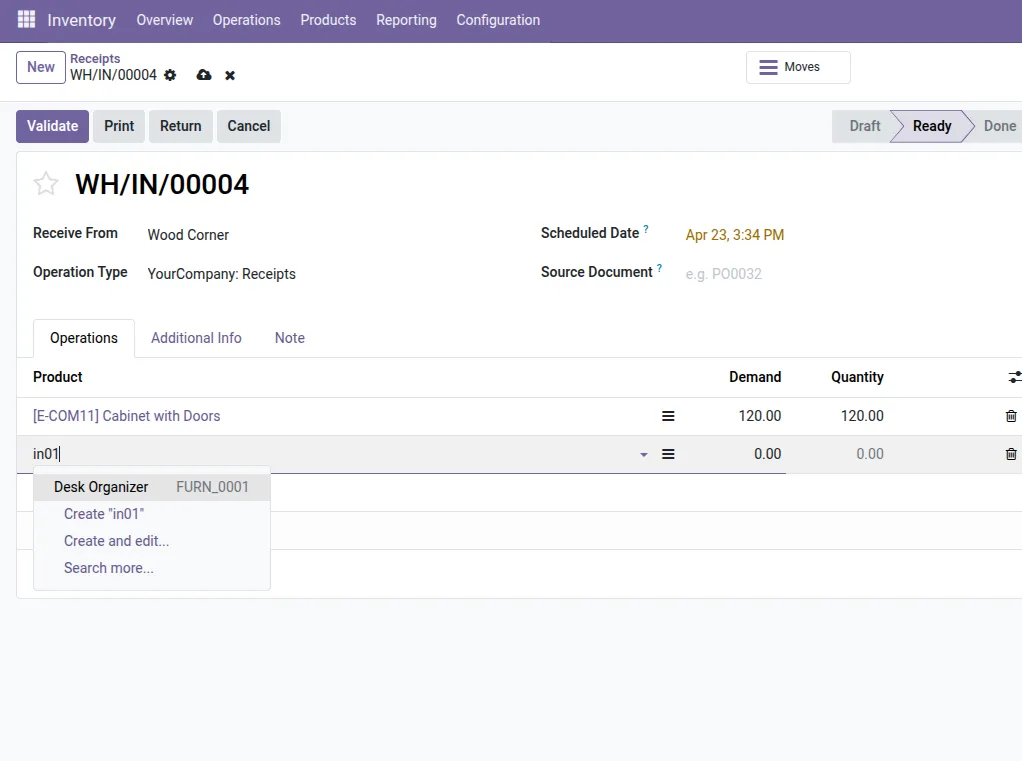
10. Use assigned Transfer barcodes like "in01" to streamline incoming stock processing during Receipt operations.
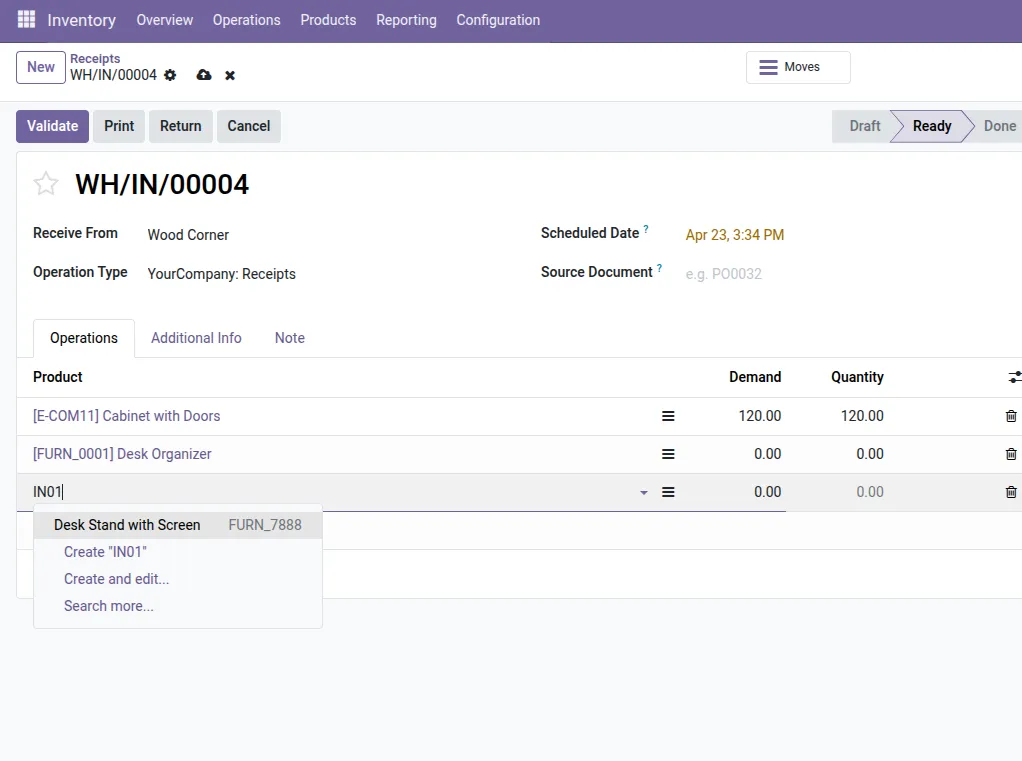
11. Strict case sensitivity ensures "IN01" identifies a different product than "in01" for maximum precision.
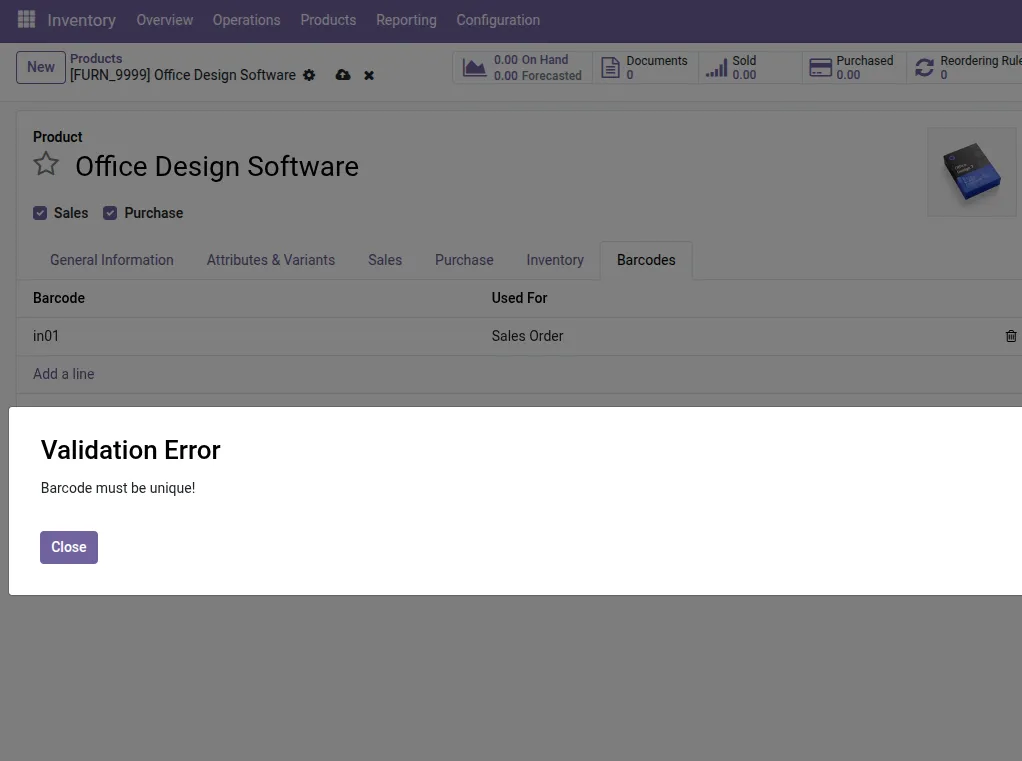
12. Uniqueness validation prevents accidentally assigning the same barcode to multiple products.
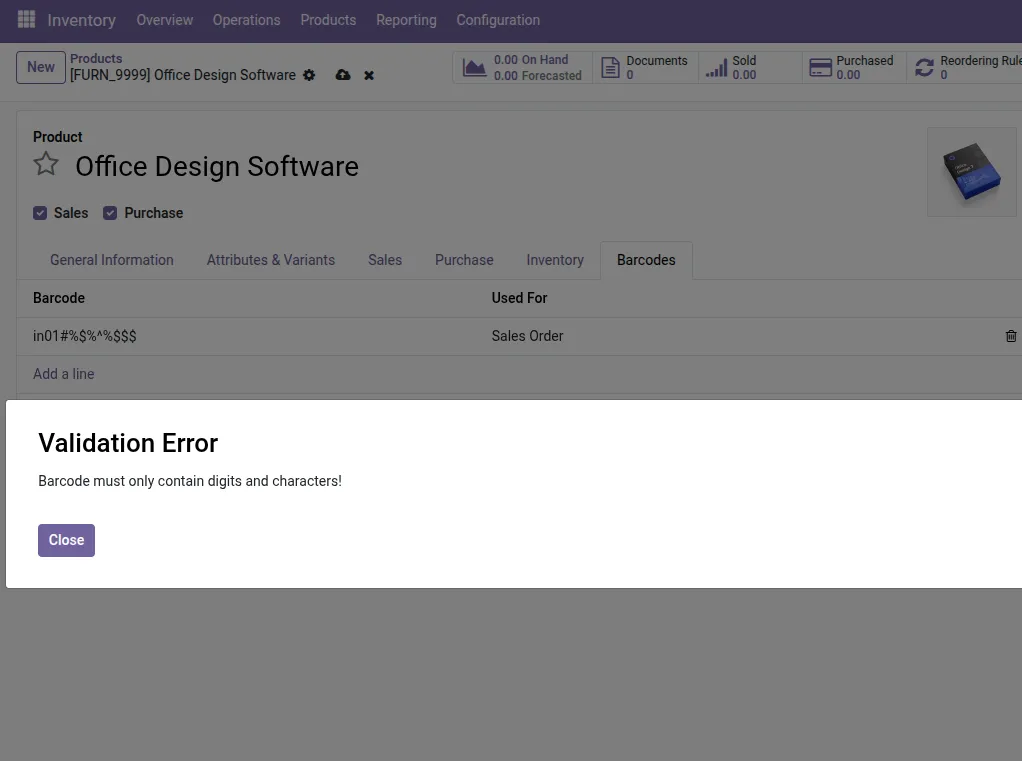
13. Character validation ensures barcodes only contain digits and letters, maintaining clean data across workflows.
This module enhances product management by enabling you to assign multiple barcodes to a single product, with support for module-specific usage such as Sales, Purchase, POS, and Transfers.
It also includes validation to ensure barcode uniqueness and proper format, helping maintain data integrity and enabling accurate product identification across all Odoo workflows.
Our solutions focus on your problems
- Odoo Implementation
- Odoo Customization
- ERP Development and Implementation
- Odoo Ipass Cloud
- AI for Odoo
- Odoo Apps
- Aws Marketplace Products
- Business Engines
Our Pricing includes User Manual, 90 Days Support (Monday-Friday 10am to 7pm IST) and One time Setup
• Works & tested on standard installations of Odoo with no third party apps,
• Free support only for odoo installations with no third party apps,
• Paid support available for Odoo installations with third party apps.

Prefortune is a Odoo Official Partner, Odoo Development company. Our philosophy is to use Open Source tools and technologies to provide cost effective and green solutions for our customers.
Prefortune Technologies LLP is working on web development, Mobile development, and Odoo ERP.
If you need any help or want more additional features, you may contact us through:
Alternative Products
These other products might interest you
Specifications
| Version | 19.0, 18.0, 17.0, 16.0, 15.0, 14.0 |