Watch Quick Video
Append PDF Documents to Odoo Reports
Our efficient
Odoo – Append PDF Documents to Odoo Reports
lets you attach your own PDF files to both standard and custom Odoo reports. Need to add terms and
conditions to a sales order? Or maybe you want to include marketing brochures with an invoice, or attach
compliance documents to a purchase order. This module makes all of that easy. It automatically merges your
chosen PDF with the report you generate, so you end up with one complete, polished document no more
combining PDFs by hand.
Append PDF Documents to Odoo Reports
- Easily attach PDF documents to dynamically generated Odoo reports.
- Configure PDF attachments directly from the Report Actions configuration.
- Automatically merge attached PDFs with the generated report into a single document.
- Supports standard Odoo reports as well as custom third-party reports.
Complete Workflow for Append PDF Documents to Odoo Reports
Go to Settings → Technical → Reports and open the specific report action you want to configure. Upload the desired PDF document in the provided attachment field. Whenever the configured report is generated by a user, the system will automatically append your uploaded PDF to the end of the newly generated document and merge it with the report output, ensuring all necessary information is delivered without requiring manual PDF combinations. This allows businesses to easily include terms and conditions PDFs, compliance documents, marketing materials, or supplementary attachments in Odoo reports.
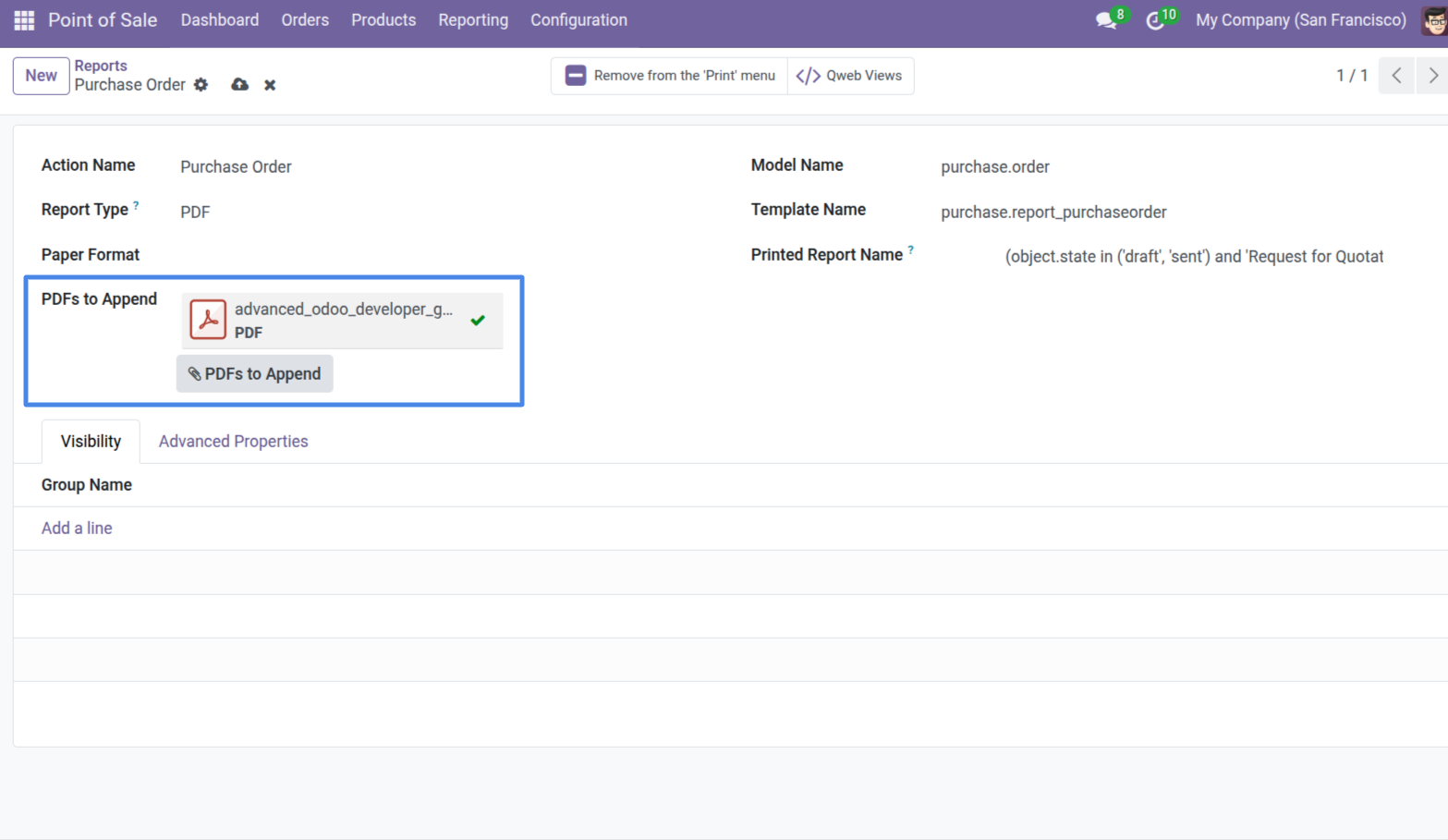
1. Report Configuration View: Navigate to the Report Configuration and upload the PDF document you want to append using the 'PDFs to Append' field.
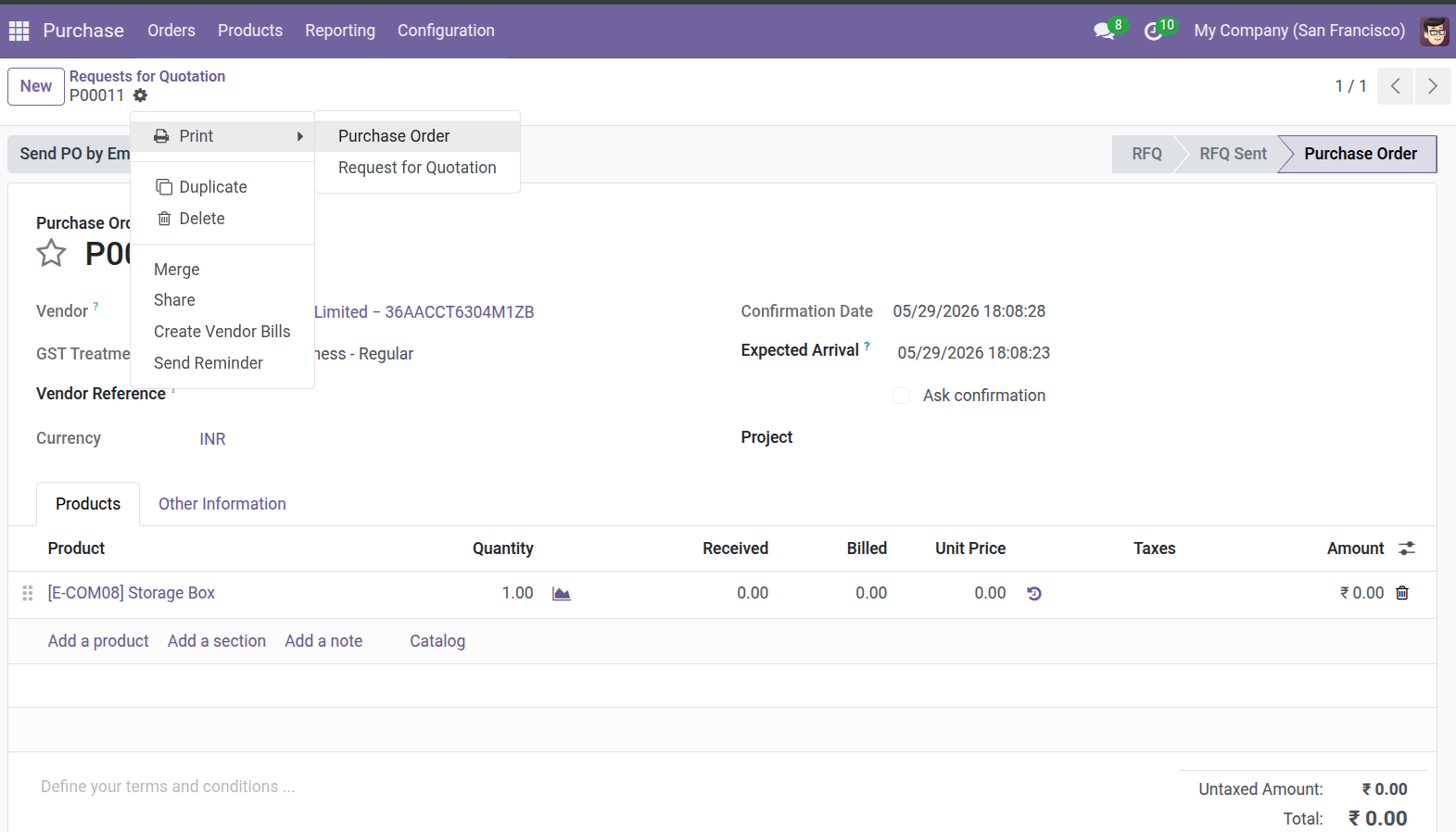
2. Print the Report: Generate the report from the relevant record, such as printing a Purchase Order.
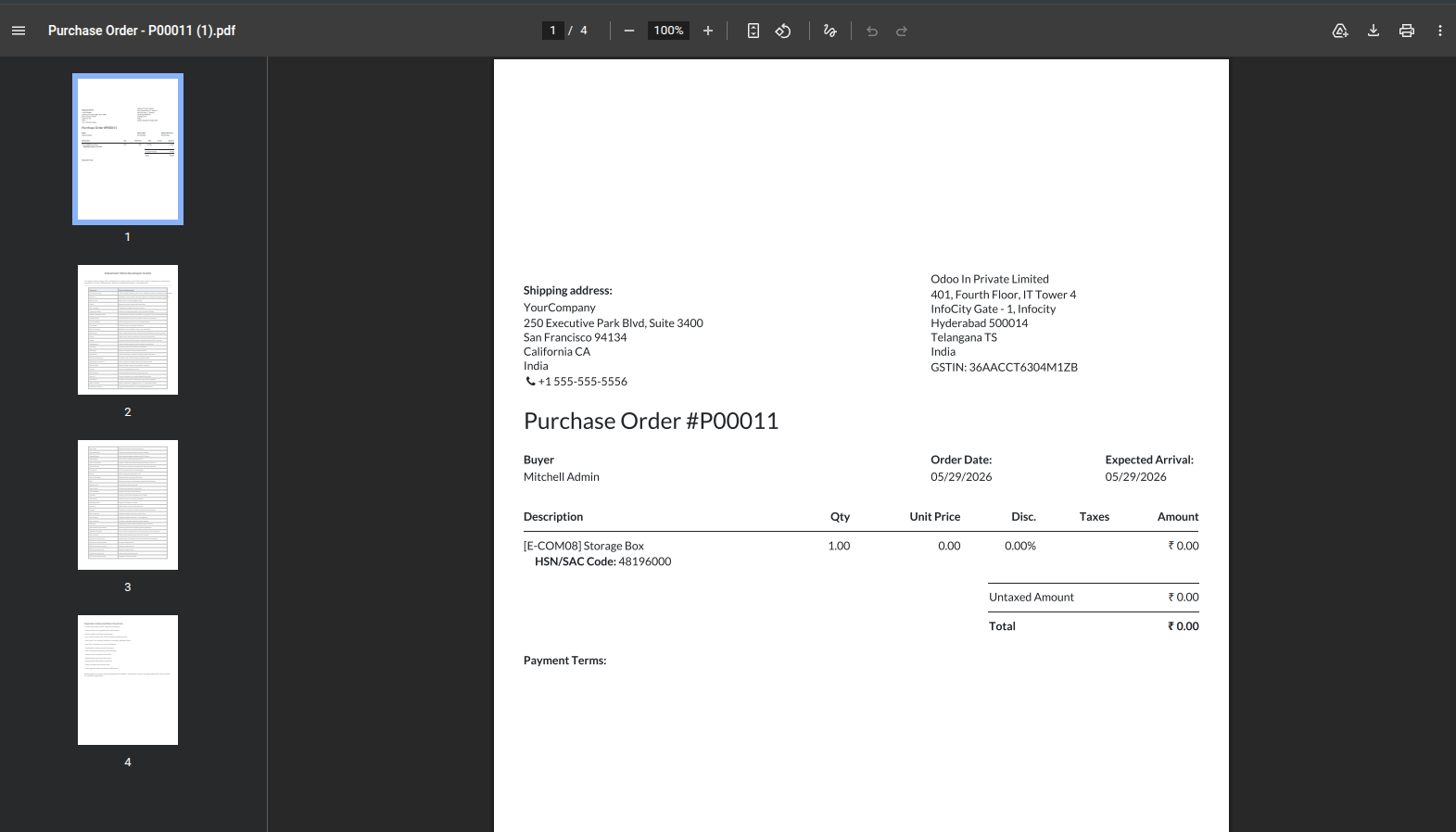
3. Standard Report Output: The system generates the standard Odoo report normally, forming the first pages of the output.
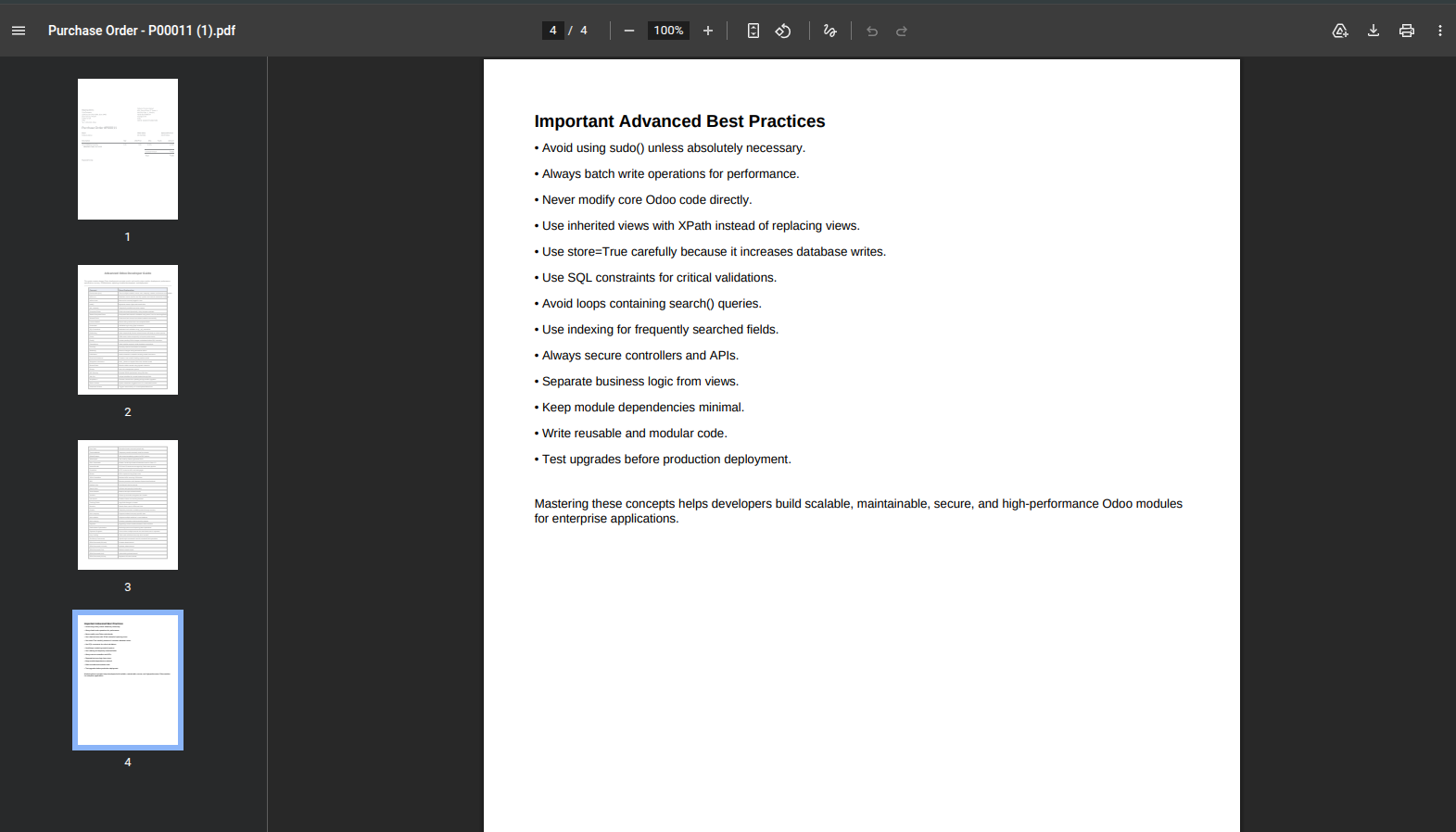
4. Appended PDF Document: The uploaded PDF is automatically and seamlessly appended to the end of the printed report, combining them into a single file.
Our solutions focus on your problems
- Odoo Implementation
- Odoo Customization
- ERP Development and Implementation
- Odoo Ipass Cloud
- AI for Odoo
- Odoo Apps
- Aws Marketplace Products
- Business Engines
Our Pricing includes User Manual, 90 Days Support (Monday-Friday 10am to 7pm IST) and One time Setup
• Works & tested on standard installations of Odoo with no third party apps,
• Free support only for odoo installations with no third party apps,
• Paid support available for Odoo installations with third party apps.

Prefortune is a Odoo Official Partner, Odoo Development company. Our philosophy is to use Open Source tools and technologies to provide cost effective and green solutions for our customers.
Prefortune Technologies LLP is working on web development, Mobile development, and Odoo ERP.
If you need any help or want more additional features, you may contact us through:
Alternative Products
These other products might interest you
Specifications
| Version | 19.0, 18.0, 17.0, 16.0, 15.0, 14.0 |